Introduction
Payment Orchestration Platforms are specialized software systems that act as a central control tower for a business’s entire payment setup. Instead of connecting your website directly to just one bank or credit card processor, you connect to the orchestration platform, which then handles the technical links to dozens of different payment providers simultaneously. It simplifies the complex world of online money movement by providing one single entry point for all your financial transactions.
These platforms are essential because the modern world of online shopping is very fragmented. Different countries prefer different ways to pay—some use credit cards, while others use digital wallets or bank transfers. If a business tries to set these up one by one, it becomes a technical nightmare. A payment orchestration tool solves this by “orchestrating” the flow of data, making sure every payment finds the fastest, cheapest, and most reliable path from the customer’s wallet to the business’s bank account.
Key Real-World Use Cases
- Preventing Lost Sales: If a customer’s credit card is declined by one bank for a technical reason, the platform instantly retries the payment through a second bank without the customer even knowing there was a problem.
- Global Expansion: A company based in the US can start selling in Brazil or India almost overnight by “toggling on” local payment methods already built into the orchestration platform.
- Reducing Fees: Large companies use these tools to automatically route transactions to the bank that charges the lowest commission for that specific type of card or region.
- Unified Data: Instead of downloading five different spreadsheets from five different payment providers, a manager can see every sale in one clean, unified dashboard.
What to Look For (Evaluation Criteria)
When you are judging these tools, you should look at how “neutral” they are. A neutral platform lets you work with any bank you want, which gives you more power to negotiate lower fees. You should also look for a tool that offers “no-code” features. This means a manager can change how payments are handled by simply moving boxes on a screen, rather than waiting weeks for a software developer to write new code. Finally, look at the quality of their “vaulting.” A good vault stores your customers’ card information safely so that if you ever decide to switch banks, you can take your customers’ data with you.
Best for
- E-commerce Brands: Growing online stores that want to sell to people in many different countries.
- Subscription Services: Companies that charge monthly fees and need to make sure recurring payments don’t fail.
- Travel and Airlines: Businesses with high-value tickets that require very high levels of security and multiple payment options.
- Marketplaces: Platforms that need to take money from customers and then pay out various vendors or sellers.
Not ideal for
- Local Small Businesses: A neighborhood coffee shop or a small local service provider usually only needs one simple payment processor.
- Low-Volume Sellers: If you only process a few sales a week, the monthly cost of an orchestration platform will likely be higher than the benefits it provides.
- Fixed-Market Companies: Businesses that only ever plan to sell in one specific country may find the extra features unnecessary.
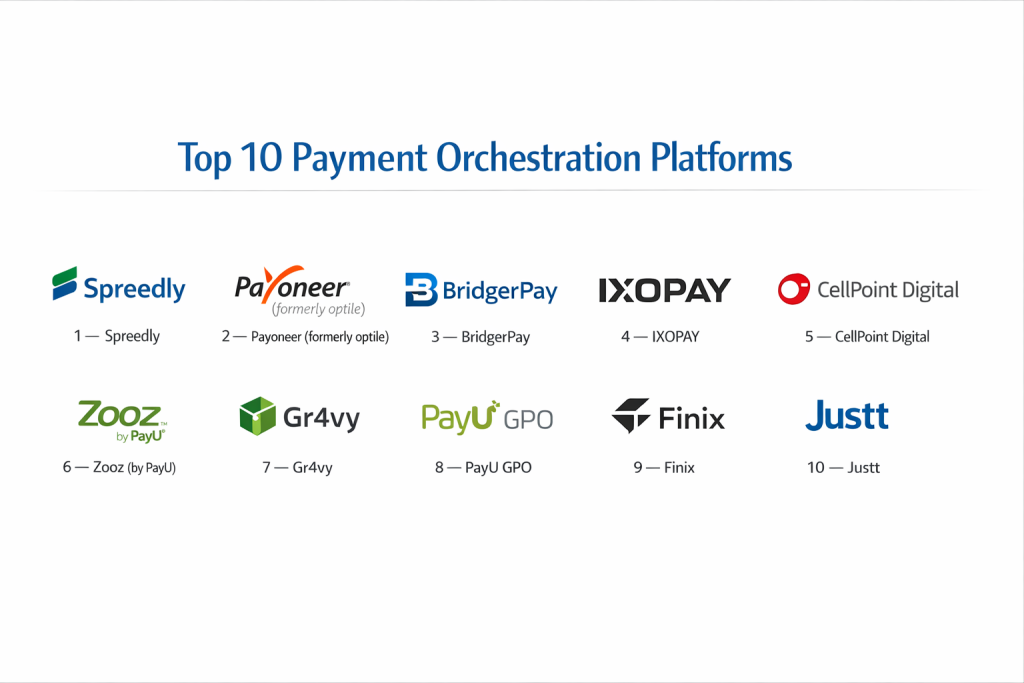
Top 10 Payment Orchestration Platforms
1 — Spreedly
Spreedly is a very well-known name in this industry, primarily famous for its “vaulting” technology. It allows businesses to store payment methods securely and then send them to any of the 120+ payment gateways they support. It is built for companies that want total independence and the ability to switch banks whenever they find a better deal.
- Key features:
- PCI-compliant vault that keeps card data independent from banks.
- Smart Routing that chooses the best bank for every single transaction.
- Account Updater that automatically refreshes expired card details.
- Support for over 120 different payment gateways worldwide.
- Developer-friendly API for building custom mobile apps.
- Real-time monitoring of gateway health and success rates.
- Pros:
- Prevents “vendor lock-in” by letting you own your customer payment data.
- Very high reliability with a long history of serving large companies.
- Cons:
- The pricing can be a bit tricky to calculate because of different fees for different services.
- It requires a technical person to handle the initial integration.
- Security & compliance: PCI DSS Level 1 Certified, uses high-level tokenization to keep card numbers safe.
- Support & community: Offers very detailed technical guides and dedicated support for large enterprise users.
2 — Payoneer (formerly optile)
This platform is designed for large-scale international businesses that need to manage very complex payment flows. It is known for its “open” philosophy, meaning it tries to connect with as many different financial systems as possible to give the business complete freedom.
- Key features:
- A single integration that connects to hundreds of global payment methods.
- Customizable checkout pages that look exactly like your website.
- Advanced logic to retry payments that were accidentally declined.
- Tools to help reconcile different currencies from around the world.
- A central dashboard that shows all your global sales in one view.
- Pros:
- Excellent for businesses that have a lot of customers in Europe and Asia.
- The management dashboard is very clean and easy for finance teams to use.
- Cons:
- The process of getting started can take longer than simpler tools.
- The cost is generally higher, making it more suitable for bigger companies.
- Security & compliance: SOC 2 Type II, GDPR compliant, and PCI DSS Level 1.
- Support & community: Known for having a professional services team that helps with custom setups.
3 — BridgerPay
BridgerPay is a modern platform that focuses on making payment management accessible to people who aren’t computer experts. They use a “no-code” approach, which means you can set up your payment rules using a visual interface.
- Key features:
- “Bridger Retries” which recovers declined payments automatically.
- A massive library with connections to over 500 payment providers.
- A simple checkout tool that helps increase the number of finished sales.
- Rules that change where a payment goes based on the customer’s country.
- Automatic currency conversion for international shoppers.
- Pros:
- Extremely fast to set up; you can start using it in just a few days.
- The “Retry” system is very effective at saving sales that would otherwise be lost.
- Cons:
- There are so many options that it can feel a bit overwhelming at first.
- The data dashboards can sometimes feel a bit cluttered.
- Security & compliance: Fully PCI Level 1 compliant with strong fraud detection.
- Support & community: Offers a very helpful live chat and a growing community of e-commerce users.
4 — IXOPAY
IXOPAY is a highly professional and flexible platform that is often used by very large corporations or even other banks. It is built to handle huge amounts of data and offers very deep control over every single penny that moves through the system.
- Key features:
- A powerful risk engine that spots and blocks fraudulent transactions.
- Fee management tools that help you track exactly what banks are charging you.
- A central place to handle all refunds and customer disputes.
- Multi-tenant support for companies that own many different brands.
- White-labeling, allowing a company to put their own name on the software.
- Pros:
- You can create very specific rules for how money should flow through your business.
- The financial reports are very detailed, which is great for accounting.
- Cons:
- It takes more time to learn how to use it compared to simpler apps.
- The setup process requires a good understanding of payment technology.
- Security & compliance: PCI DSS Level 1, GDPR ready, and 3D Secure 2.0 support.
- Support & community: Provides excellent onboarding and technical assistance for enterprises.
5 — CellPoint Digital
This platform is a specialist for companies in the travel sector, such as airlines and hotel chains. These businesses have unique needs, like taking very large payments or splitting a bill between two different credit cards, which is what this tool excels at.
- Key features:
- Designed specifically for high-volume transactions in the travel industry.
- “Split Payment” technology that lets one order be paid for with multiple cards.
- Deep integration with airline booking systems and travel software.
- Advanced fraud protection specifically for high-priced travel tickets.
- Ability to pay out vendors and partners in many different currencies.
- Pros:
- Deep understanding of the legal rules in the global travel market.
- Excellent at managing payments across different countries and time zones.
- Cons:
- It is a very specialized tool and might be too complex for a regular shop.
- The pricing is geared toward very large enterprises.
- Security & compliance: ISO 27001, PCI Level 1, and airline industry certifications.
- Support & community: Offers dedicated partnership-level support for their clients.
6 — Zooz (by PayU)
Zooz provides a very smart and data-heavy way to manage payments. It is now part of the PayU family, which gives it a huge network of banks and providers to connect with, especially in growing markets.
- Key features:
- Smart Routing that uses data to decide which bank is most likely to say “yes” to a payment.
- Direct access to the PayU network of local banks around the world.
- Clear reports that explain exactly why certain payments failed.
- One single API that works for both your website and your mobile app.
- A “global view” that lets you see your business health in every country at once.
- Pros:
- The charts and graphs are very easy to read and understand.
- It is backed by a very large and stable financial company.
- Cons:
- It works best if you are already using PayU’s other services.
- It is less “neutral” than some of the other independent platforms.
- Security & compliance: PCI DSS Level 1 and very strict internal security audits.
- Support & community: Has local support teams in many different countries.
7 — Gr4vy
Gr4vy is a newer, cloud-based platform that is built using the latest technology. It is designed to be very flexible and “lightweight,” making it a favorite for modern tech startups that want to move fast.
- Key features:
- Every customer gets their own private “instance” in the cloud for better safety.
- A visual “no-code” editor to design how your payments should flow.
- Built-in support for “Buy Now, Pay Later” (BNPL) services like Klarna.
- Uses “edge computing” to make sure the checkout page loads fast everywhere.
- A secure vault for storing customer payment methods.
- Pros:
- The user interface is very modern and easy to navigate.
- It is very easy to scale up as your business gets more customers.
- Cons:
- Because it is newer, it doesn’t have as many long-term reviews as older tools.
- The list of pre-built connections is still growing.
- Security & compliance: PCI Level 1, SOC 2, and focuses on modern data privacy.
- Support & community: Provides modern support channels like Slack for quick answers.
8 — PayU GPO
The Global Payment Orchestration (GPO) service is a heavy-duty tool designed for companies that want to reach customers in “high-growth” markets like Brazil, Turkey, or India, where traditional US banks often struggle.
- Key features:
- One single connection gives you access to over 400 different payment methods.
- Creates a checkout experience that feels “local” to every customer.
- Smart technology to retry payments and increase successful sales.
- Very strong fraud protection that understands local scam patterns.
- Consolidates all your different money into one main currency for you.
- Pros:
- If you want to sell in emerging markets, this is the most powerful tool.
- Very stable and reliable because it is part of a massive global company.
- Cons:
- The process to sign up can be very formal and take quite a bit of time.
- It is more of a corporate tool than a “scrappy” startup tool.
- Security & compliance: Meets all international standards and local laws in every country.
- Support & community: Offers massive local teams that understand the culture and laws of each region.
9 — Finix
Finix is a bit different because it helps companies become their own payment providers. It is perfect for “software platforms”—like a company that makes software for yoga studios and wants to handle the payments for all those studios.
- Key features:
- Tools to build a custom payment experience inside your own software.
- Systems to quickly sign up new sellers or sub-merchants.
- Ability to send money instantly to people’s bank accounts.
- Clear reporting on fees so everyone knows what they are paying.
- A very powerful API that developers love to work with.
- Pros:
- Allows a company to make money from every transaction on their platform.
- Gives you total control over how the payment looks and feels.
- Cons:
- It is a big responsibility to handle other people’s payments.
- It is not meant for a simple online store that just wants to take a card.
- Security & compliance: PCI Level 1, SOC 1, and SOC 2, with very high security.
- Support & community: Focuses on helping other software companies scale up their payments.
10 — Justt
Justt is a specialized tool that focuses on the “cleanup” side of payments. It helps companies fight against “chargebacks,” which is when a customer unfairly tells their bank to take their money back after a purchase.
- Key features:
- Uses artificial intelligence to fight and win chargeback disputes.
- Connects easily with most major payment gateways.
- Looks at your data to find out why customers are disputing charges.
- Collects all the evidence needed to win a case with the bank.
- Helps identify which customers are likely to be “problematic.”
- Pros:
- It can save a business a lot of money by winning back stolen revenue.
- It does almost all the work for you once it is connected.
- Cons:
- It only does this one specific job; it doesn’t “take” the payment for you.
- It is a secondary tool rather than a primary orchestration platform.
- Security & compliance: Secure handling of all data and fully PCI compliant.
- Support & community: A specialized team that are experts in banking laws and disputes.
Comparison Table
| Tool Name | Best For | Platform(s) Supported | Standout Feature | Rating |
| Spreedly | Tech-focused Brands | Web, iOS, Android | Independent Card Vault | N/A |
| Payoneer | Large Global Retail | Cloud, Web | Open Network | N/A |
| BridgerPay | SMBs & Fast Growth | Web, API | No-Code Setup | N/A |
| IXOPAY | Global Corporations | Cloud, On-Premise | Risk & Fee Control | N/A |
| CellPoint | Travel & Airlines | Web, Mobile, API | Bill Splitting | N/A |
| Zooz | Data-Heavy Firms | Cloud, Web | Smart Data Charts | N/A |
| Gr4vy | Modern Startups | Cloud-Native | Private Instances | N/A |
| PayU GPO | Emerging Markets | Web, Mobile | Local Reach | N/A |
| Finix | Software Platforms | API-First | Payment Ownership | N/A |
| Justt | Chargeback Fighting | Gateway Integrations | AI Dispute Solving | N/A |
Evaluation & Scoring of Payment Orchestration Platforms
| Category | Weight | Score Details |
| Core features | 25% | How well does it route, retry, and vault payments? |
| Ease of use | 15% | Can a non-technical manager use it easily? |
| Integrations | 15% | Does it connect to enough banks and payment methods? |
| Security | 10% | Is it fully compliant with the latest security laws? |
| Performance | 10% | Does the system stay up and run fast during busy times? |
| Support | 10% | Is there someone to talk to when things go wrong? |
| Price / Value | 15% | Is the cost worth the extra money saved? |
Which Payment Orchestration Platform Tool Is Right for You?
Small to Mid-Market vs. Enterprise
If you are a smaller company just starting to grow, you should pick a tool like BridgerPay or Gr4vy. These are built to be simple and won’t require you to hire a team of experts just to turn them on. If you are a very large enterprise with billions in sales, you need the heavy-duty power of IXOPAY or OneTrust, which can handle the massive complexity of different tax laws and global banking rules.
Budget and Value
For those who are very careful with their money, look for tools that don’t have massive “setup fees.” Some platforms charge you a flat monthly rate, while others take a tiny piece of every sale. If you have a very high number of sales, a flat monthly rate is usually much cheaper. However, the real “value” of these tools is how much money they save you by fixing declined payments and reducing bank fees.
Technical Depth vs. Simplicity
Do you have a team of computer programmers? If yes, then an “API-first” tool like Spreedly or Transcend is great because your team can build exactly what they want. If you don’t have programmers, you should stick to “no-code” tools like BridgerPay. These let you manage everything through a simple website with buttons and menus.
Security and Compliance Requirements
If you work in a sensitive industry like healthcare or finance, you need to be extremely careful. You should choose a tool that has the highest possible certifications, such as ISO 27001 or SOC 2. These certifications prove that the company has been checked by outside experts and that they are keeping your customers’ data extremely safe.
Frequently Asked Questions (FAQs)
Q: What is a payment orchestration platform?
A: It is a single piece of software that connects your business to many different banks and payment methods all at once.
Q: Why can’t I just use Stripe?
A: You can! But if Stripe goes down, or if Stripe doesn’t work well in a certain country, an orchestration platform lets you quickly switch to another provider.
Q: Will this save my business money?
A: Yes, usually. It saves money by reducing the fees you pay to banks and by making sure you don’t lose sales when a payment is accidentally declined.
Q: Is it hard to set up?
A: Some tools take just a few days to set up, while very large systems for big corporations can take a few months to get perfectly right.
Q: What does “Smart Routing” mean?
A: It means the software automatically chooses the best bank to handle a payment based on things like cost and how likely the bank is to approve it.
Q: Is my customers’ data safe?
A: Yes. These platforms use “tokenization,” which means they replace real card numbers with random codes so that even if a hacker got in, they wouldn’t see any real numbers.
Q: Can I use this for my mobile app?
A: Yes, most of these tools provide special code (called an SDK) that makes it very easy to take payments inside an iPhone or Android app.
Q: Do I still need a bank account?
A: Yes. The orchestration platform moves the money, but you still need a merchant bank account where the money will eventually be sent.
Q: What is a “chargeback”?
A: It is when a customer tells their bank to cancel a payment and return their money. Tools like Justt help businesses fight back if the customer is being dishonest.
Q: How do I know which tool to pick?
A: Start by looking at where your customers live. If most live in one country, pick a simple tool. If they live all over the world, pick a tool with a large global network.
Conclusion
In summary, choosing a payment orchestration platform is about giving your business the freedom to grow without being tied down by a single bank. These tools provide the flexibility, security, and data that modern companies need to succeed in a world where everyone wants to pay differently. By picking the right platform, you aren’t just buying software; you are building a stronger, more reliable foundation for your business. The “best” tool is simply the one that fits your current size and your future dreams, allowing you to focus on your customers while the technology handles the rest. Professionalism in payments is the key to building long-term trust with your audience.