Introduction
A Patent Search Tool is a specialized database and search engine designed to index, retrieve, and analyze patent documents from around the globe. These tools act as a digital library for the world’s intellectual property (IP), allowing users to sift through millions of granted patents and pending applications. Unlike a standard web search, patent search tools use complex indexing, metadata, and specialized taxonomies (like the International Patent Classification or Cooperative Patent Classification) to find highly technical information that is often obscured by legal jargon.
The importance of these tools cannot be overstated in the modern innovation economy. Before an inventor files a patent, they must conduct a “prior art” search to ensure their idea is truly novel. Failure to do so can result in wasted R&D spend and rejected applications. Furthermore, companies use these tools for “Freedom to Operate” (FTO) analysis, which identifies whether a new product might infringe on existing patents, potentially saving millions in litigation costs. By visualizing patent landscapes, businesses can also spot whitespace for new inventions, track competitor strategies, and identify potential licensing partners or acquisition targets.
Key Real-World Use Cases
Patent search tools are indispensable for the lifecycle of any technology-driven product:
- Prior Art Discovery: Searching for any evidence that an invention is already known to the public before committing to a costly filing.
- Competitive Intelligence: Monitoring a competitor’s patent portfolio to anticipate their next product launch or R&D direction.
- Freedom to Operate (FTO): Determining if a specific technology can be commercialized in a particular country without infringing on active patents.
- Patent Valuation: Analyzing the citation history and market reach of a patent to determine its monetary value during M&A.
- Invalidity Searches: Finding documents that were missed by a patent examiner to challenge the validity of a competitor’s patent in court.
What to Look For (Evaluation Criteria)
When selecting a patent search tool, professionals typically evaluate vendors based on these four pillars:
- Data Coverage and Quality: Does the tool include full-text data from major offices (USPTO, EPO, JPO, CNIPA, KIPO) and translated abstracts from emerging markets?
- Search Sophistication: Does it support complex Boolean strings, proximity operators, and AI-driven semantic search for non-experts?
- Analytics and Visualization: Can the tool transform thousands of results into heatmaps, citation networks, or landscape charts with one click?
- Workflow and Collaboration: Does it allow teams to rate, comment on, and share specific patent sets within a secure environment?
Best for:
- IP Professionals and Attorneys: Who require high-stakes precision for legal opinions and litigation.
- Corporate R&D Teams: Looking to align their technical research with existing intellectual property landscapes.
- InsurTech and Tech Startups: Needing to protect their “moat” and avoid inadvertent infringement.
- Technology Scouts: Searching for licensing opportunities or university-born innovations to acquire.
Not ideal for:
- General Web Researchers: Who only need a surface-level understanding of a company’s public information.
- Non-Technical Founders: In the very early ideation stage, where free tools (like Google Patents) may suffice for a “quick look.”
- Small Businesses with No IP Strategy: Where the cost of premium software outweighs the risk or value of their low-tech products.
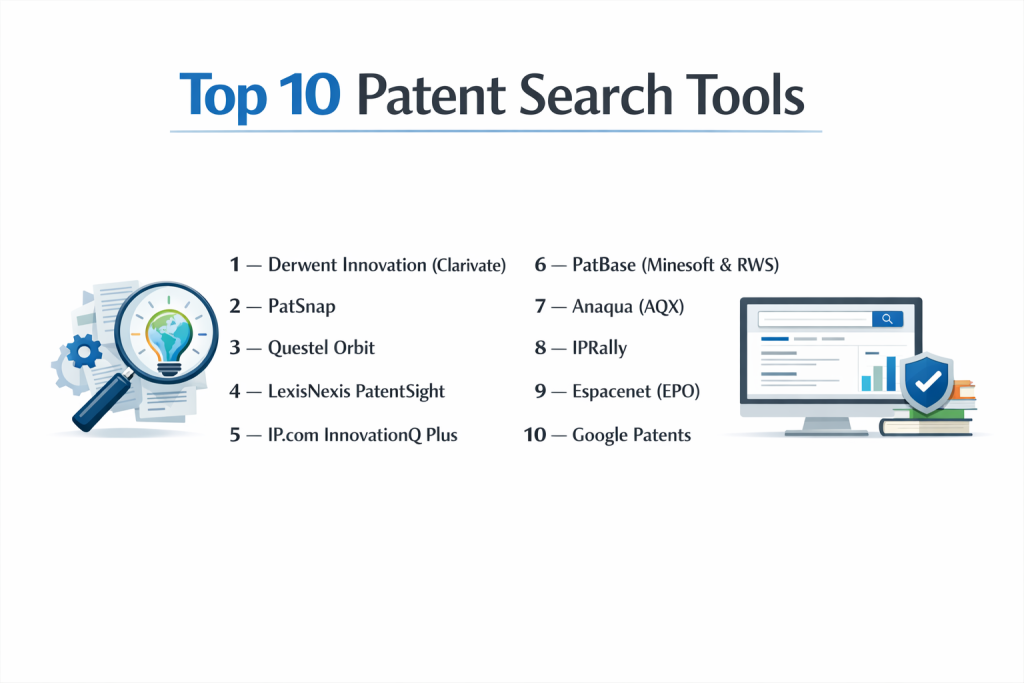
Top 10 Patent Search Tools
1 — Derwent Innovation (Clarivate)
Derwent Innovation is often considered the gold standard for professional patent research. It is powered by the Derwent World Patents Index (DWPI), where subject matter experts manually rewrite patent titles and abstracts to reveal the true technical novelty of an invention.
Key features:
- DWPI Enhanced Data: Expert-authored summaries that clear up confusing legal language.
- AI Search: A large language model trained on curated IP data for high-relevance results.
- Smart Search: Automatically expands queries to include relevant synonyms and classifications.
- Global Litigation Data: Integrated tracking of patent disputes across 140+ jurisdictions.
- Optimized Assignee: Reveals the “ultimate parent” company, cutting through shell company names.
Pros:
- The most reliable data integrity in the industry; experts fix errors found in official patent office records.
- Excellent for high-stakes FTO and validity searches where “noise” must be minimized.
Cons:
- Premium pricing structure that is often out of reach for individual inventors.
- Steep learning curve to master the advanced search syntax and analytics.
Security & compliance: SOC 2 Type II, ISO 27001, and GDPR compliant with enterprise-grade encryption.
Support & community: Dedicated account managers, “Clarivate Academy” training, and 24/7 global support.
2 — PatSnap
PatSnap is a leader in “Innovation Intelligence,” combining patent data with business data (M&A, funding, news) to give R&D teams a holistic view of the market. It is known for its highly intuitive and visual interface.
Key features:
- Semantic AI Search: Allows users to search using natural language or by pasting an entire paragraph of text.
- Landscape Maps: One-click 3D visualizations of technology white spaces.
- Integrated Business Data: View a company’s financial health and R&D spend alongside their patents.
- Chemical & Bio Search: Specialized modules for searching structures, sequences, and formulas.
- Mobile App: Access patent alerts and insights on the go.
Pros:
- Extremely user-friendly; even non-patent professionals can generate meaningful insights quickly.
- Exceptional visualization tools that make presenting to executive stakeholders much easier.
Cons:
- Advanced modules (like Chemical or Insights) often require separate, expensive licenses.
- AI results can sometimes be overly broad, requiring manual filtering for legal-grade accuracy.
Security & compliance: SOC 2, GDPR compliant, and ISO 27001 certified.
Support & community: Robust help center, onboarding webinars, and a very active user community.
3 — Questel Orbit
Questel Orbit provides an end-to-end IP management and search platform. It is particularly strong in its ability to manage the entire lifecycle from search and filing to renewals and licensing.
Key features:
- Orbit Intelligence: A powerful search and analysis engine covering 100+ countries.
- Orbit Insight: An automated competitive intelligence tool for non-experts.
- Family Building: Proprietary algorithms that group related global patents into clear “invention families.”
- Non-Patent Literature (NPL): Seamless searching across millions of scientific articles and journals.
- Collaborative Review: Integrated tools for sharing and scoring patents within a team.
Pros:
- Best-in-class integration between search results and administrative IP management (renewals/filings).
- Highly stable and reliable platform used by many of the world’s largest legal departments.
Cons:
- The user interface can feel slightly dated compared to newer “SaaS-native” competitors like PatSnap.
- Reporting features can be rigid and sometimes difficult to customize.
Security & compliance: SOC 2 Type II, GDPR, and ISO 27001 compliant.
Support & community: Extensive global presence with support in multiple languages and time zones.
4 — LexisNexis PatentSight
PatentSight is a high-end analytics platform famous for its “Patent Asset Index,” a scientifically validated metric used by the European Commission to evaluate the strength of patent portfolios.
Key features:
- Patent Asset Index: Evaluates the technical quality and market reach of every patent family.
- Quality vs. Quantity Maps: Visualizes which companies have the strongest—not just the most—patents.
- Manual Owner Harmonization: A dedicated team cleans data to ensure all subsidiaries are mapped to the correct parent.
- What-If Scenarios: Model the impact of potential acquisitions or divestments on your portfolio.
- High-Resolution Exports: Ready-to-use charts for PowerPoint and PDF reports.
Pros:
- The “gold standard” for strategic portfolio benchmarking and M&A due diligence.
- Highly accurate ownership data, which is a major pain point in other systems.
Cons:
- It is more of an “analytics” tool than a “discovery” tool; it’s less ideal for finding a specific single piece of prior art.
- Very expensive and intended for corporate strategy and C-suite level insights.
Security & compliance: SOC 2, ISO 27001, and GDPR compliant.
Support & community: High-touch consulting and customer success models.
5 — IP.com InnovationQ Plus
InnovationQ Plus, powered by IEEE, is a unique platform that combines the world’s most comprehensive collection of non-patent literature (NPL) with a massive patent database.
Key features:
- Semantic Gist® AI: Uses advanced NLP to understand the “concept” of a search, not just the keywords.
- IEEE Xplore Integration: Direct access to millions of IEEE journal articles and conference papers.
- Defensive Publication: Allows users to publish their own art to prevent others from patenting it.
- Prior Art Ranking: Automatically ranks results by their conceptual similarity to your query.
- Workflow Folders: Organize and share research across different projects and departments.
Pros:
- Superior for “Validity” searches where the key prior art is likely in a scientific paper rather than another patent.
- The semantic engine is excellent for engineers who aren’t familiar with Boolean operators.
Cons:
- The patent visualization tools are not as advanced as those found in PatSnap or Orbit.
- Data coverage in some smaller international jurisdictions can be less deep than Derwent.
Security & compliance: SOC 2 Type II and GDPR compliant.
Support & community: Strong technical support and specialized training for R&D teams.
6 — PatBase (Minesoft & RWS)
PatBase is a professional-grade database developed by searchers for searchers. It is known for its speed and the “PatBase Family” structure that simplifies the review of global filings.
Key features:
- Invention-Centric Families: Groups all related global documents into a single record to avoid duplicate reading.
- PatBase Analytics: Built-in charting tool for basic landscape and trend analysis.
- Thesaurus and Stemming: Advanced linguistic tools to ensure no relevant terms are missed.
- Legal Status Tracking: High-quality tracking of whether a patent is currently active or has expired.
- Non-Latin Script Search: Direct search in Chinese, Japanese, Korean, and Russian characters.
Pros:
- Highly efficient for professional searchers who need to “churn” through thousands of documents quickly.
- Generally more cost-effective for medium-sized teams than Derwent or LexisNexis.
Cons:
- The UI is very traditional (table-heavy), which may feel intimidating for modern R&D users.
- AI features are present but are less central to the experience than in tools like PatSnap.
Security & compliance: ISO 27001 certified and GDPR compliant.
Support & community: Famous for “User Groups” and responsive, expert-led customer support.
7 — Anaqua (AQX)
Anaqua is primarily an Enterprise IP Management System (IPMS), but its integrated “Connectivity” and search features make it a powerful choice for companies that want their search data to live where their assets are managed.
Key features:
- Unified Workflow: Search for prior art and immediately link it to an internal “Invention Disclosure.”
- AcclaimIP Integration: High-speed patent searching and analytics directly within the platform.
- Hyper-Automated Renewals: Automatically triggers renewal workflows based on search-derived data.
- Custom Dashboards: Build role-based views for attorneys, engineers, and executives.
- Collaboration Portals: Secure spaces to share search results with outside counsel.
Pros:
- Reduces “data silos” by keeping search and portfolio management in one place.
- Excellent security features for companies handling sensitive trade secrets.
Cons:
- Only makes sense if you are already using or planning to use the Anaqua IPMS.
- Can be overwhelming for small teams who just want a simple search box.
Security & compliance: SOC 2 Type II, ISO 27001, and HIPAA compliant.
Support & community: Massive global footprint with dedicated professional services teams.
8 — IPRally
IPRally is a “New Wave” tool that uses Knowledge Graph technology to understand how technical concepts relate to each other, rather than just matching keywords.
Key features:
- Technical Graph Search: Mimics how a patent examiner thinks by looking at the relationships between features.
- Zero Boolean Search: Users can search with technical descriptions or by dragging-and-dropping a PDF.
- Automatic Highlighting: Instantly highlights the most relevant parts of a long patent document.
- Claims Comparison: Side-by-side analysis of how different patents claim similar technologies.
- Modern UI: A clean, fast, and responsive interface designed for the modern web.
Pros:
- One of the most effective tools for “Prior Art” searches; it often finds things Boolean searches miss.
- Very fast to learn; R&D teams can start finding high-quality results in minutes.
Cons:
- Smaller historical archive than legacy giants like Clarivate.
- Less focus on “Business/Financial” data compared to PatSnap or LexisNexis.
Security & compliance: GDPR compliant with modern cloud security protocols.
Support & community: High-touch digital support and rapid feature release cycles.
9 — Espacenet (EPO)
Espacenet is the free search tool provided by the European Patent Office. While it is “free,” it is widely used by professionals for its unparalleled access to the EPO’s own high-quality data.
Key features:
- 150 Million+ Documents: Access to one of the largest patent collections in the world.
- Smart Search: Intuitive search box that handles names, dates, and keywords.
- Patent Family Tracking: Reliable “European” view of patent families and legal status.
- Machine Translation: Integrated “Patent Translate” tool for dozens of languages.
- Classification Search: Powerful tools to browse the CPC and IPC hierarchies.
Pros:
- Totally free to use and maintained by a world-leading patent office.
- The most up-to-date legal status for European patents.
Cons:
- No advanced analytics or “3D Landscapes.”
- Limited collaboration features; you cannot save thousands of patents to shared team folders.
Security & compliance: N/A (Public Data); GDPR compliant.
Support & community: Extensive self-service documentation and forums; no 1-on-1 enterprise support.
10 — Google Patents
Google Patents is the most accessible tool on the market. It brings the power of Google’s indexing and machine translation to the world of IP, making it the starting point for millions of searches.
Key features:
- Google Scholar Integration: Instantly see scholarly citations alongside patent documents.
- High-Speed Translation: On-the-fly translation of full-text patents from China, Japan, and more.
- Prior Art Finder: A one-click button that generates a search for similar art based on the patent you are viewing.
- Clean UI: Familiar, fast, and easy-to-read layout.
- Public Datasets: Allows data scientists to download patent data for custom analysis via BigQuery.
Pros:
- Completely free and requires no training to start using.
- The fastest way to “get the gist” of a patent or find a specific patent number.
Cons:
- Not legally reliable; data can lag behind official office updates by weeks.
- Lacks professional tools for deduplication, family management, and advanced legal status.
Security & compliance: GDPR compliant; standard Google security.
Support & community: Community-based support and public documentation.
Comparison Table
| Tool Name | Best For | Platform(s) Supported | Standout Feature | Rating |
| Derwent Innovation | Tier 1 Professionals | Cloud (SaaS) | Expert-Curated Abstracts | N/A |
| PatSnap | R&D / Innovation Teams | Cloud (SaaS) | 3D Landscape Visuals | N/A |
| Questel Orbit | Enterprise IP Mgmt | Cloud (SaaS) | End-to-End IP Lifecycle | N/A |
| LexisNexis PatentSight | C-Suite Strategy | Cloud (SaaS) | Patent Asset Index | N/A |
| IP.com InnovationQ | Prior Art / NPL | Cloud (SaaS) | IEEE Literature Search | N/A |
| PatBase | High-Volume Searchers | Cloud (SaaS) | Invention-Centric Families | N/A |
| Anaqua (AQX) | Integrated IP Depts | Cloud (SaaS) | Unified Portfolio Search | N/A |
| IPRally | AI / Prior Art | Cloud (SaaS) | Graph-Based AI Search | N/A |
| Espacenet | European Data / Free | Web-Based | EPO Data Integrity | N/A |
| Google Patents | Beginners / Quick Look | Web-Based | Speed & User Experience | N/A |
Evaluation & Scoring of Patent Search Tools
| Criterion | Weight | Evaluation Focus |
| Core Features | 25% | Data coverage, search syntax, and family grouping accuracy. |
| Ease of Use | 15% | UI/UX, natural language processing, and onboarding time. |
| Integrations | 15% | NPL access, M&A data, and export capabilities. |
| Security & Compliance | 10% | SOC 2, ISO 27001, and secure collaboration tools. |
| Performance | 10% | Search speed, system uptime, and translation quality. |
| Support | 10% | Training quality, response time, and expert consulting. |
| Price / Value | 15% | ROI for specific user types (SMB vs Enterprise). |
Which Patent Search Tool Is Right for You?
Solo Users vs SMB vs Mid-Market vs Enterprise
If you are an Individual Inventor or a Small Startup, start with Google Patents and Espacenet. They are free and will help you “knock out” obvious prior art before you spend a dime. For SMBs that are scaling their R&D, IPRally or PatSnap offer the best balance of speed and power without needing a full-time patent attorney on staff. Enterprise users almost always need the high-stakes reliability of Derwent Innovation or Questel Orbit to ensure their global portfolios are defensible and their FTO opinions are based on the cleanest data possible.
Budget-Conscious vs Premium Solutions
The “Premium” solutions—Derwent, PatentSight, and Orbit—can cost tens of thousands of dollars per seat. They are worth the investment for companies where one missed patent could lead to a multi-million dollar lawsuit. If you are on a budget but need more than what free tools offer, look into PatBase or IPRally, which often have more flexible pricing tiers for smaller teams.
Feature Depth vs Ease of Use
If your priority is “Ease of Use” for a team of engineers, PatSnap and IPRally are the clear winners; they look and feel like modern consumer software. If your priority is “Feature Depth” (e.g., you need to search for specific chemical structures or do massive bulk exports for data science), Derwent Innovation and PatBase provide the specialized controls and “under-the-hood” access that power users require.
Integration and Scalability Needs
For companies that want to scale their IP operations into a “Digital Department,” Anaqua and Questel are the best choices. They allow you to turn a search result into a patent filing, then into a managed asset, all within the same ecosystem. If you just need a “search-and-done” tool, standalone options like IP.com or PatBase are simpler to deploy.
Security and Compliance Requirements
If you are working on sensitive government contracts or in highly regulated industries (like Life Sciences), the security certifications of Derwent (Clarivate) and Anaqua are top-tier. They offer single-tenant hosting options and rigorous audit logs that are often required for corporate compliance.
Frequently Asked Questions (FAQs)
Is a free patent search tool enough for a new invention?
It is a great first step to “knock out” obvious ideas. However, free tools often have data gaps and lag times that can miss critical prior art found in professional systems.
What is a ‘Patent Family’?
It is a group of patents filed in different countries that all relate to the same original invention. Professional tools group these so you don’t have to read the same thing five times.
What is ‘Non-Patent Literature’ (NPL)?
This includes scientific papers, conference proceedings, and technical blogs. Many inventions are “disclosed” in papers years before a patent is filed.
Can these tools tell me if my product is legal to sell?
They provide the data for a “Freedom to Operate” (FTO) analysis, but you should still have a qualified patent attorney interpret the results before making a final legal decision.
Why is data ‘normalization’ or ‘harmonization’ important?
Companies often file patents under different names (e.g., “IBM,” “International Business Machines,” or “Big Blue”). Harmonization ensures you see all of them in one place.
How often are these databases updated?
Professional tools like Derwent are updated daily. Free tools like Google Patents can lag by several days or even weeks.
What is ‘Boolean’ searching?
It is the use of operators like AND, OR, and NOT to create precise search strings (e.g., “Carbon AND Fiber NOT Bicycle”).
Does AI search replace manual keyword searching?
Not yet. AI is excellent for finding “conceptual” matches, but keyword and classification searches are still the standard for high-stakes legal certainty.
Can I export data for my own analysis?
Yes, most professional tools allow you to export results to Excel, CSV, or even APIs for use in custom data science projects.
What is a ‘prior art’ search?
It is a search for any public information that existed before your “priority date” that could prove your invention is not actually new.
Conclusion
Navigating the world of intellectual property without a proper patent search tool is like sailing without a map—it’s possible, but highly dangerous. For those just starting out, free resources like Google Patents provide a frictionless entry point into the world of IP. However, as an organization grows, the need for data integrity, advanced analytics, and global coverage becomes undeniable.
The “best” tool ultimately depends on your specific mission. If you are conducting high-stakes legal research, the curated excellence of Derwent Innovation is hard to beat. If you are an R&D team looking for the next big thing, the visual power of PatSnap will serve you best. Regardless of the tool you choose, the most important factor is a consistent and documented search strategy. In the high-stakes game of innovation, knowing what already exists is the only way to build something truly new.