Introduction
Patch Management Tools are specialized software solutions designed to automate the process of identifying, acquiring, testing, and installing updates (patches) for software and operating systems. In today’s hyper-connected digital landscape, these tools serve as the first line of defense against cyber threats. Vulnerabilities in software are discovered daily; without a structured way to deploy fixes, an organization remains an open target for ransomware, data breaches, and system failures. Patch management ensures that every endpoint—whether a server in a data center or a laptop in a home office—runs the most secure and stable version of its software.
The importance of these tools extends beyond simple security. They are critical for regulatory compliance (such as HIPAA or GDPR), which often mandate that systems be kept up to date. Key real-world use cases include automating monthly “Patch Tuesday” updates across thousands of global workstations, deploying emergency “Zero-Day” fixes within hours of a vulnerability disclosure, and ensuring third-party apps like Chrome, Zoom, or Adobe are updated without user intervention. When choosing a tool, evaluators should look for multi-OS support, automated testing workflows, bandwidth throttling (to prevent network congestion), and robust reporting for audit purposes.
Best for: IT Administrators, Security Operations (SecOps) teams, and Managed Service Providers (MSPs). It is essential for mid-to-large enterprises and organizations in regulated industries like finance, healthcare, and government.
Not ideal for: Individual home users or micro-businesses with only a handful of devices, where built-in OS updates (like Windows Update) are sufficient. It is also less critical for companies that operate entirely on “disposable” cloud infrastructure where servers are replaced rather than patched.
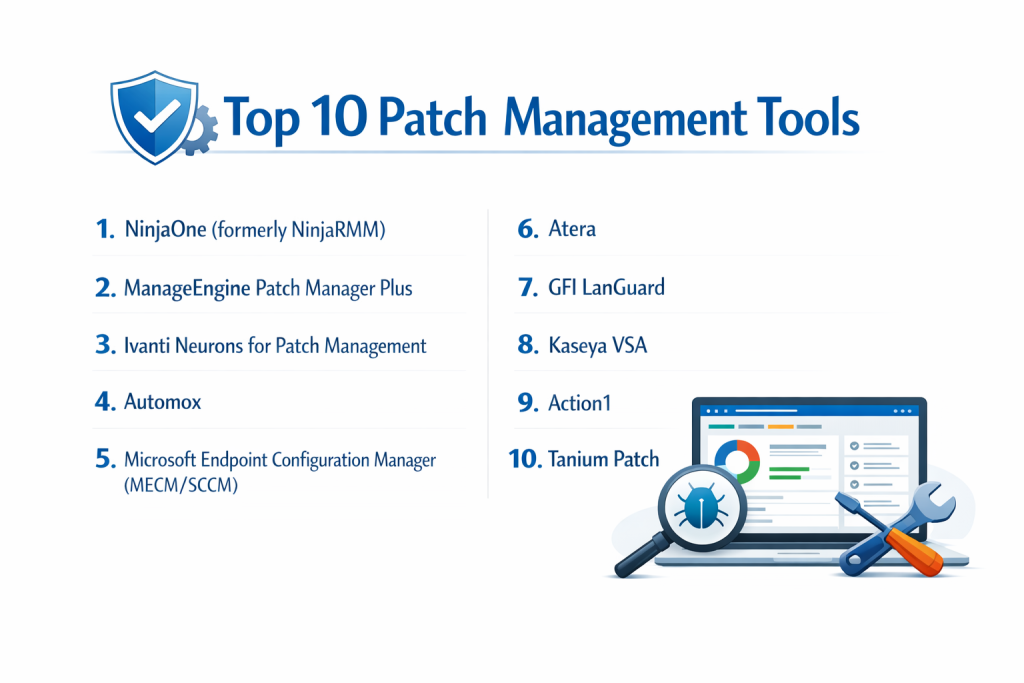
Top 10 Patch Management Tools
1 — NinjaOne (formerly NinjaRMM)
NinjaOne is a cloud-native unified IT management platform that has become a favorite for its modern interface and powerful automation. It is designed to help IT teams and MSPs manage and patch a diverse range of endpoints from a single pane of glass.
- Key Features:
- Automated OS Patching: Full support for Windows, macOS, and Linux updates with granular scheduling.
- Third-Party Application Patching: Automates updates for over 120 common applications like Chrome, Slack, and Zoom.
- Vulnerability Management: Identifies missing patches based on CVE (Common Vulnerabilities and Exposures) data.
- Reboot Management: Customizable user notifications and reboot windows to minimize productivity loss.
- Cloud-First Architecture: No on-premise servers required; patches devices anywhere with an internet connection.
- Scripting Engine: Allows for custom “pre-patch” and “post-patch” actions to ensure system stability.
- Pros:
- Exceptional user interface that is intuitive and fast, reducing training time.
- Highly responsive customer support that is frequently ranked #1 in the industry.
- Cons:
- Can be more expensive than some legacy on-premise solutions for very large deployments.
- Some advanced Linux distributions have more limited support compared to Windows.
- Security & compliance: SOC 2 Type II, GDPR compliant, HIPAA supported, MFA/SSO integration, and TLS 1.2 data encryption.
- Support & community: Extensive “Ninja Dojo” knowledge base, active user community on Reddit/Discord, and dedicated account managers.
2 — ManageEngine Patch Manager Plus
ManageEngine offers a comprehensive, stand-alone patching solution available both on-premise and in the cloud. It is known for its massive database of supported third-party applications and its affordable pricing model.
- Key Features:
- Extensive App Support: Patches over 850 third-party applications across Windows and Mac.
- Test & Approve Workflows: Automatically deploys patches to a test group before rolling them out to the entire network.
- Declined Patches: Allows admins to skip specific updates known to cause issues with internal software.
- Automated Distribution: Uses “Distribution Servers” to save bandwidth in remote office locations.
- Detailed Compliance Reports: Provides ready-to-use reports for auditors to prove 100% patch compliance.
- Mobile App: Allows admins to approve or deploy patches from their smartphone.
- Pros:
- One of the most cost-effective professional-grade tools on the market.
- The sheer number of supported third-party apps is among the highest in the industry.
- Cons:
- The interface can feel cluttered and “heavy” compared to newer SaaS competitors.
- Support response times can be inconsistent for those on lower-tier plans.
- Security & compliance: ISO 27001, SOC 2, HIPAA, and GDPR compliant. Supports SSO and Role-Based Access Control (RBAC).
- Support & community: Robust documentation, active forums, and annual user conferences (UserConf).
3 — Ivanti Neurons for Patch Management
Ivanti is an enterprise heavyweight that uses AI and machine learning to prioritize patches based on actual adversarial risk. It is designed for large-scale environments where “patching everything” is no longer realistic.
- Key Features:
- Risk-Based Prioritization: Integrates with threat intelligence to highlight patches for vulnerabilities currently being exploited in the wild.
- Self-Healing Endpoints: AI bots that automatically detect and fix configuration drift or missing agents.
- Agentless and Agent-Based: Offers flexibility for managing both on-network and remote devices.
- Reliability Insights: Provides data on how likely a patch is to “break” a system based on global community data.
- Unified Console: Manages Windows, macOS, and Linux alongside third-party apps.
- Predictive Analysis: Forecasts which systems are at risk before a vulnerability is even announced.
- Pros:
- Best-in-class for security teams who need to focus on “Risk” rather than just “Compliance.”
- Extremely powerful for massive global enterprises with 10,000+ endpoints.
- Cons:
- High complexity; requires a steep learning curve and significant setup time.
- The transition between legacy Ivanti products and the “Neurons” platform can be confusing.
- Security & compliance: FedRAMP authorized, SOC 2, ISO 27001, and HIPAA compliant.
- Support & community: Enterprise-grade support, Ivanti Global Academy, and professional services available for implementation.
4 — ConnectWise RMM
Description:
ConnectWise RMM is a powerful remote monitoring and management (RMM) platform with built-in automated patch management for IT teams and Managed Service Providers (MSPs). Powered by the ConnectWise Asio™ platform, it helps organizations streamline operating system and third-party patching, improve compliance visibility, and reduce manual workload across distributed environments.
Key Features
- Automated OS patching for Windows and other supported systems
- Third-party application patching (7,000+ titles supported)
- Centralized dashboards for compliance tracking and reporting
- Customizable patch policies, scheduling, and reboot management
- NOC-assessed Windows updates to reduce deployment risk
Pros
- Strong automation reduces manual patching effort
- Extensive third-party application coverage
- Deep integration with other IT management tools
- Robust compliance visibility and reporting
Cons
- Initial setup can be complex
- Interface may feel less modern compared to newer platforms
- Pricing may be higher for smaller team
5 — Microsoft Endpoint Configuration Manager (MECM/SCCM)
Formerly known as SCCM, this is the industry standard for Windows-heavy environments. It is a massive, on-premise (or hybrid) system that provides total control over the Microsoft ecosystem.
- Key Features:
- Deep Windows Integration: The most granular control possible for Windows OS and Office 365.
- WSUS Integration: Leverages Windows Server Update Services for local patch storage.
- PXE Boot & Imaging: Includes tools for full OS deployment, not just patching.
- Bandwidth Control: Sophisticated “Boundary Groups” to manage how patches move across global networks.
- Extensive Customization: Virtually any patching scenario can be scripted or configured.
- Co-Management: Integrates with Microsoft Intune for cloud-based management.
- Pros:
- If you are a 95%+ Windows shop, this tool provides unparalleled reliability and depth.
- Often already included in enterprise Microsoft licensing agreements.
- Cons:
- Extremely difficult to learn; often requires a full-time, dedicated engineer to manage.
- Third-party app patching is not native and usually requires an additional “catalog” purchase.
- Security & compliance: FIPS 140-2, ISO 27001, SOC 1/2/3, and GDPR.
- Support & community: The largest user community in the world; endless documentation and third-party training.
6 — Atera
Atera is an all-in-one platform for MSPs and internal IT departments that combines RMM (Remote Monitoring and Management) with a help desk and patch management.
- Key Features:
- Automation Profiles: Set “rules” for patching (e.g., “Install Critical Updates every Tuesday at 3 AM”).
- Hardware Inventory: Automatically links patch status to hardware specs and warranties.
- Third-Party Patching: Support for Chocolatey (Windows) and Homebrew (Mac) for app updates.
- No-Agent Remote Access: Integrated AnyDesk/Splashtop for fixing systems after a patch.
- Linux Support: Basic patching for popular Linux distributions.
- Predictive Pricing: Unique “Per-Technician” pricing rather than “Per-Endpoint.”
- Pros:
- Fixed pricing per technician makes it the most affordable choice for growing companies.
- Having the help desk and patching in one tool streamlines the IT workflow.
- Cons:
- Third-party patching relies on external repositories (Chocolatey), which can occasionally be less stable.
- Not as “deep” in security features as a dedicated security tool like Ivanti.
- Security & compliance: SOC 2 Type II, GDPR compliant, and 2FA support.
- Support & community: Very active “Atera Community,” regular webinars, and a comprehensive knowledge base.
7 — GFI LanGuard
GFI LanGuard acts as a “Virtual Security Consultant,” providing patch management along with vulnerability scanning and network auditing in a single package.
- Key Features:
- Vulnerability Assessment: Scans for over 60,000 vulnerabilities across all network devices.
- Non-Computer Patching: Can identify and manage patches for switches, routers, and printers.
- Compliance Auditing: Includes specific checks for PCI DSS, HIPAA, and Sarbanes-Oxley.
- Automatic Downloading: Automatically fetches missing patches in the background.
- Dashboard View: A high-level overview of the entire network’s “Security Score.”
- Multi-Platform: Support for Windows, Mac, and Linux.
- Pros:
- Excellent for auditors because it combines patching with full network vulnerability scanning.
- Provides great visibility into non-traditional hardware (IoT/Network gear).
- Cons:
- Only available as an on-premise installation, which can be difficult for remote-first teams.
- The scanning process can be resource-intensive and slow down older servers.
- Security & compliance: SOC 2, PCI DSS, HIPAA, and GDPR readiness.
- Support & community: Standard technical support and a library of video tutorials.
8 — Kaseya VSA
Kaseya VSA is a high-performance RMM tool that offers robust patching and automation. It is designed for IT environments where high-speed execution and remote power are essential.
- Key Features:
- Policy-Based Patching: Automatically applies the correct patches based on the “type” of machine.
- Agentless Discovery: Finds unmanaged devices on the network to ensure nothing is missed.
- Smart Relay: Minimizes bandwidth by using one machine in a remote office to “share” patches with others.
- Hardware Health Monitoring: Checks CPU/RAM health before and after patch deployment.
- Mobile App: Manage server patching from a tablet or phone.
- Integration Ecosystem: Works seamlessly with the broader Kaseya IT Complete suite.
- Pros:
- Extremely powerful automation capabilities for technical power users.
- One of the fastest agents in the industry for remote management.
- Cons:
- Past security incidents have made some buyers cautious (though they have significantly overhauled security).
- The pricing is often complex and requires a sales representative.
- Security & compliance: SOC 2, GDPR, and ISO 27001. Massive investment in new “Cyber Hero” security protocols.
- Support & community: Global user community (Kaseya Connect) and 24/7 technical support.
9 — Action1
Action1 is an emerging leader in the cloud-native space, known for its “Free for 100 Endpoints” model and its focus on being as easy to use as possible.
- Key Features:
- Zero-Infrastructure Cloud: No VPNs or on-prem servers required.
- Real-Time Vulnerability Scanning: Scans for missing patches every few minutes, not daily.
- Third-Party Patching: Native support for the most common 100+ business apps.
- Automated Reboot Logic: Smart handling of user prompts to prevent data loss.
- P2P Distribution: Uses peer-to-peer technology to move patches within a local network quickly.
- Detailed Reporting: Clean, modern reports that can be automated to send to management.
- Pros:
- Entirely free for the first 100 endpoints, making it the best choice for small businesses.
- The interface is remarkably fast and modern compared to legacy tools.
- Cons:
- Lacks some of the deep “OS Deployment/Imaging” features of MECM or ManageEngine.
- A newer company, so the community and “long-term” ecosystem are still growing.
- Security & compliance: SOC 2 Type II, ISO 27001, GDPR, and HIPAA compliant.
- Support & community: High-quality documentation and responsive technical support.
10 — Tanium Patch
Tanium uses a unique “Linear Chain” architecture that allows it to patch hundreds of thousands of endpoints in seconds. It is the go-to choice for the world’s largest government agencies and banks.
- Key Features:
- Unmatched Speed: Can query every machine in a global network for its patch status in under 15 seconds.
- Minimal Infrastructure: Requires almost no local servers even for fleets of 100,000+ machines.
- Dynamic Groups: Targets patches based on real-time data (e.g., “all machines with >50% disk space”).
- Air-Gapped Support: Can function in highly secure, non-internet-connected environments.
- End-User Self-Service: Allows users to “Snooze” patches to a time that suits them.
- Advanced Vulnerability Correlation: Maps missing patches to actual threat intelligence.
- Pros:
- The only tool that can handle the scale of a Fortune 50 company without breaking a sweat.
- Provides a level of “real-time” visibility that is physically impossible for other tools.
- Cons:
- Very expensive; usually cost-prohibitive for anyone under 1,000 endpoints.
- Requires a high level of expertise to manage correctly.
- Security & compliance: FedRAMP authorized, SOC 2, HIPAA, and GDPR compliant.
- Support & community: High-touch technical account managers (TAMs) for enterprise customers.
Comparison Table
| Tool Name | Best For | Platform(s) Supported | Standout Feature | Rating (Gartner) |
| NinjaOne | Modern IT Teams | Win, Mac, Linux | Ease of Use / UI | 4.8 / 5 |
| ManageEngine | Budget / 3rd Party | Win, Mac, Linux | 850+ App Support | 4.4 / 5 |
| Ivanti | Risk Management | Win, Mac, Linux | AI-Based Risk Priority | 4.3 / 5 |
| Automox | Remote-First / Speed | Win, Mac, Linux | Worklets (Custom Scripts) | 4.6 / 5 |
| MECM (SCCM) | Windows Enterprise | Windows | Deep MS Integration | 4.5 / 5 |
| Atera | Small IT / MSPs | Win, Mac, Linux | Per-Technician Pricing | 4.6 / 5 |
| GFI LanGuard | Network Auditing | Win, Mac, Linux | Vulnerability Scanning | 4.0 / 5 |
| Kaseya VSA | High Automation | Win, Mac, Linux | High-Performance Agent | 4.1 / 5 |
| Action1 | SMBs / Fast Setup | Win, Mac | Free for 100 Endpoints | 4.8 / 5 |
| Tanium | Massive Enterprise | Win, Mac, Linux | Real-Time Speed/Scale | 4.7 / 5 |
Evaluation & Scoring of Patch Management Tools
The following rubric shows how these tools are evaluated in a professional context. We have used a weighted scoring system to help you understand what truly matters in a deployment.
| Category | Weight | Evaluation Criteria |
| Core Features | 25% | Multi-OS support, 3rd party app support, automated testing, and reboot logic. |
| Ease of Use | 15% | Time to deploy, UI intuitiveness, and dashboard clarity. |
| Integrations | 15% | API availability and connectivity with help desk/security tools. |
| Security & Compliance | 10% | SSO, MFA, encryption, and audit log quality. |
| Performance | 10% | Bandwidth management and endpoint resource impact. |
| Support & Community | 10% | Documentation quality and vendor responsiveness. |
| Price / Value | 15% | License transparency and overall ROI. |
Which Patch Management Tool Is Right for You?
Solo Users vs. SMB vs. Mid-Market vs. Enterprise
- Small Business (1–100 devices): Action1 is the clear winner here because it is free for the first 100 endpoints and incredibly easy to manage.
- Mid-Market (100–1,000 devices): NinjaOne or Automox are perfect. They scale beautifully without needing a dedicated server and provide a “single pane of glass” for remote work.
- Enterprise (1,000+ devices): Ivanti or Microsoft MECM are the standard. At this level, you need the granular “Boundary Group” and “Risk-Based” features they provide.
Budget-Conscious vs. Premium Solutions
- Budget: Atera is excellent because you pay for the technician, not the machine. If you have 500 computers and 2 IT guys, Atera is unbeatable.
- Premium: Tanium and Ivanti are premium investments. You aren’t just buying a patch tool; you are buying a security intelligence platform.
Feature Depth vs. Ease of Use
If your priority is Ease of Use, go with NinjaOne or Action1. If your priority is Feature Depth (meaning you need to manage custom scripts, legacy servers, and complex network bottlenecks), MECM or Kaseya VSA are better suited for power users.
Frequently Asked Questions (FAQs)
1. What is the difference between “Manual” and “Automated” patching?
Manual patching involves a technician checking each device or app and clicking “Update.” Automated patching uses a tool to scan, download, and install patches across the entire network simultaneously based on a schedule.
2. Can these tools patch remote devices not on the VPN?
Yes. Cloud-native tools like NinjaOne, Automox, and Action1 use a lightweight agent that talks to the cloud, allowing you to patch a laptop in a coffee shop just as easily as one in the office.
3. Is it dangerous to automate patching?
There is a slight risk that a patch could “break” an application. This is why professional tools include “Test and Approve” workflows, where patches are first sent to a small group of IT devices before the general rollout.
4. Does “Patch Tuesday” still exist?
Yes. Microsoft releases their major security updates on the second Tuesday of every month. Most patch management tools allow you to build specific automation rules around this date.
5. Can patch management tools update third-party apps like Zoom or Chrome?
Most can, but some (like basic WSUS) cannot. Dedicated tools like ManageEngine or Patch My PC (an MECM add-on) specialize in keeping these apps updated automatically.
6. Why is patching so important for compliance?
Audits like SOC 2 or HIPAA require you to prove you are protecting data. If you are running an unpatched server with a known “critical” vulnerability, you will fail your audit because you aren’t taking reasonable steps to secure the data.
7. How do these tools handle reboots?
They allow admins to set “Reboot Windows.” For example, a user might get a pop-up saying, “Your computer needs to restart to finish an update. You can snooze this for up to 4 hours.” This prevents sudden, unscheduled work interruptions.
8. Do these tools manage Linux and macOS too?
Most modern tools (like NinjaOne, Automox, and Ivanti) manage all three. However, Microsoft MECM is primarily Windows-focused, and Jamf (not on this list) is primarily Mac-focused.
9. What happens if a patch fails?
High-quality tools will send an alert to the IT dashboard. The admin can then use the remote access feature to log in and investigate why the patch failed (e.g., low disk space or a conflicting service).
10. How much do these tools cost?
Pricing varies wildly. Some are Free (Action1), some are $2–$5 per device/month (NinjaOne), and some are $15,000+ per year (Tanium). Always ask for “Volume Pricing” if you have more than 250 devices.
Conclusion
Patch management is no longer an optional “IT task”—it is a fundamental pillar of modern cybersecurity. The “best” tool isn’t necessarily the one with the most features; it’s the one that actually gets used and fits into your team’s existing workflow.
If you are a modern, remote-first company, a cloud-native solution like NinjaOne or Automox will likely serve you best. If you are a traditional enterprise with high-security needs and a massive Windows fleet, MECM or Ivanti remain the heavyweights of choice. And for the budget-conscious SMB, Action1 provides a professional-grade starting point for zero cost.
Whatever you choose, the most important step is to start now. A single unpatched vulnerability is all a hacker needs to ruin a company’s reputation. Automating your defense is the smartest investment an IT department.
dawdad
Very Informative tutorial with better understanding!
very informative tutorial.