Introduction
Passwordless login clients are software solutions designed to verify a user’s identity without the use of traditional, memorized passwords. Instead of relying on “something you know”—which is easily forgotten or stolen—these tools leverage “something you have” (like a smartphone or a hardware security key) and “something you are” (biometrics like fingerprints or facial recognition). By utilizing cryptographic standards such as FIDO2 and WebAuthn, these clients create a secure communication channel between the user’s device and the service provider, effectively eliminating the primary vector for 81% of data breaches: compromised credentials.
The transition to passwordless authentication is not merely a convenience; it is a critical security upgrade. In a digital environment where phishing, brute-force attacks, and credential stuffing are automated and relentless, the traditional password has become a liability. Passwordless login clients solve the “secrets fatigue” problem, where users resort to weak or reused passwords to cope with dozens of accounts. For organizations, these tools dramatically reduce help desk costs associated with password resets while simultaneously ensuring that every login attempt is phishing-resistant and uniquely tied to a trusted device.
Key Real-World Use Cases
- Workforce Productivity: Employees log into workstations, VPNs, and cloud applications with a single biometric scan, removing the friction of multiple daily password entries.
- High-Security Financial Transactions: Banks use passwordless clients to authorize large transfers through a combination of device trust and facial recognition, significantly reducing fraud.
- Customer Facing E-commerce: Retailers implement “Magic Links” or passkeys to reduce cart abandonment caused by users forgetting their account passwords.
- Healthcare Compliance: Doctors and nurses access Electronic Health Records (EHR) instantly using RFID badges or biometrics, maintaining HIPAA compliance while saving critical seconds in high-pressure environments.
- Privileged Access Management (PAM): IT administrators use hardware tokens (like YubiKeys) to secure access to sensitive servers and databases, ensuring that even if a network is breached, the core infrastructure remains protected.
What to Look For (Evaluation Criteria)
When choosing a passwordless login client, the following criteria are paramount:
- FIDO2/WebAuthn Support: This is the industry gold standard for phishing-resistant authentication. Ensure the client supports these open protocols for maximum compatibility.
- Cross-Platform Availability: The tool should work seamlessly across Windows, macOS, Linux, iOS, and Android to cover all potential user endpoints.
- Adaptive Authentication: Look for clients that can assess risk based on location, IP address, and time of day, requiring extra verification steps only when a login attempt looks suspicious.
- Legacy System Compatibility: Most organizations cannot go 100% passwordless overnight. The client should be able to manage traditional credentials alongside modern passkeys.
- Ease of Deployment: For enterprises, the ability to provision thousands of users via Single Sign-On (SSO) or Mobile Device Management (MDM) is essential for a smooth rollout.
Best for:
Enterprise security teams, IT departments in regulated industries (finance, healthcare), and mid-to-large companies looking to implement a Zero Trust architecture. It is also ideal for developers of SaaS applications who want to provide a friction-free onboarding experience for their customers.
Not ideal for:
Small businesses with very few digital assets that are not yet targeted by advanced phishing, or users with legacy hardware that lacks biometric sensors or USB ports for security keys.
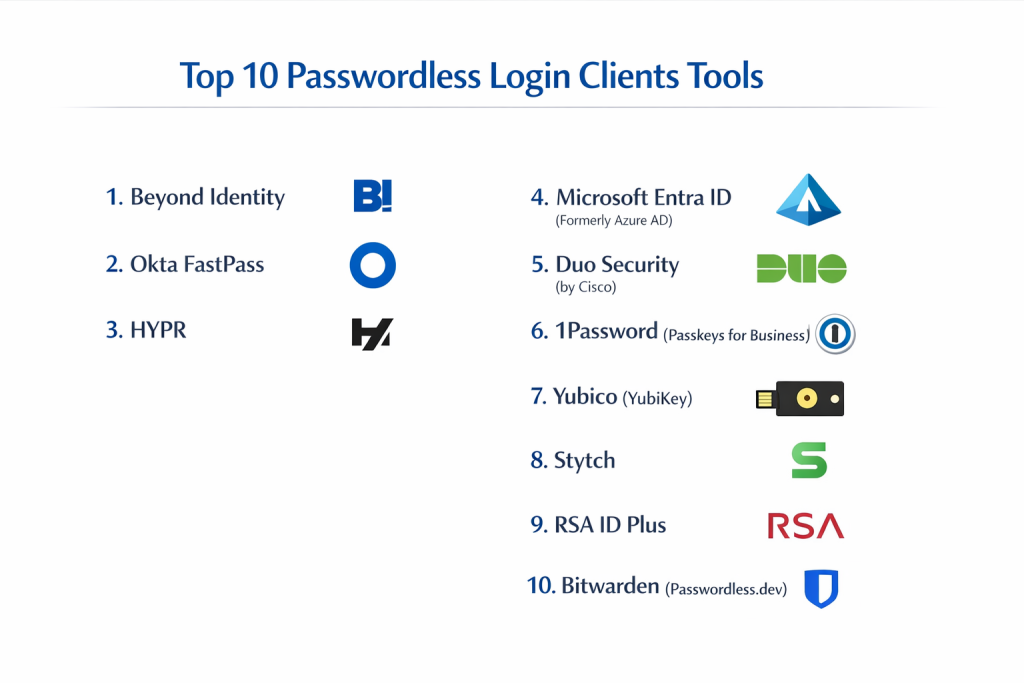
Top 10 Passwordless Login Clients Tools
1 — Beyond Identity
Beyond Identity is a pioneer in “invisible” multi-factor authentication. It replaces passwords with fundamentally secure X.509 certificates stored in the secure enclave of a user’s device. It is designed for enterprises that want to eliminate the password entirely rather than just masking it.
- Key features: Phishing-resistant FIDO2 architecture, device posture checks (ensures OS is updated/firewall is on), integration with major SSO providers (Okta, Azure AD), and no shared secrets.
- Pros: The user experience is truly “zero-friction” as there are no codes to type; excellent for achieving Zero Trust compliance.
- Cons: Implementation can be complex for very small teams; requires a modern fleet of hardware.
- Security & compliance: SOC 2 Type II, GDPR, HIPAA, and ISO 27001 compliant.
- Support & community: High-tier enterprise support, detailed technical documentation, and a strong presence in the security research community.
2 — Okta FastPass
Okta FastPass is a component of the Okta Identity Cloud that provides a device-specific, passwordless login experience. It is designed for the modern workforce, allowing users to sign in to any Okta-managed app without ever seeing a password prompt.
- Key features: Biometric integration (Windows Hello, FaceID), cross-platform support, one-click registration, and deep integration with the Okta security ecosystem.
- Pros: Extremely easy for existing Okta customers to activate; provides a consistent login flow across all corporate apps.
- Cons: Dependent on the Okta platform; may feel limited if you are not already using Okta for IAM.
- Security & compliance: FedRAMP, SOC 2, HIPAA, and GDPR compliant.
- Support & community: Massive user community, 24/7 premium support options, and extensive partner network.
3 — HYPR
HYPR is known as “The Passwordless Company,” focusing on a decentralized approach to authentication. By storing biometric data only on the user’s mobile device and never on a central server, it eliminates the risk of a massive credential breach.
- Key features: True decentralized credential storage, mobile-first approach, support for physical security keys, and interoperability with legacy MFA.
- Pros: Eliminates the “honeypot” risk of a central password database; very high user acceptance due to mobile app familiarity.
- Cons: Relies heavily on the security of the user’s smartphone; licensing can be expensive for smaller firms.
- Security & compliance: FIPS 140-2, SOC 2, and GDPR compliant.
- Support & community: Dedicated customer success managers for enterprise clients and robust developer APIs.
4 — Microsoft Entra ID (Formerly Azure AD)
Microsoft Entra ID provides one of the most widely used passwordless solutions through the Microsoft Authenticator app and Windows Hello for Business. It is designed for organizations heavily invested in the Microsoft 365 ecosystem.
- Key features: Windows Hello (facial/fingerprint), FIDO2 security key support, Phone Sign-in via Authenticator app, and Temporary Access Passes.
- Pros: Integrated directly into the Windows OS; no additional cost for most existing Microsoft 365 business subscribers.
- Cons: Best features are reserved for higher-tier licenses (P1/P2); can be complicated to configure for external/guest users.
- Security & compliance: ISO 27001, SOC 2, HIPAA, and FedRAMP compliant.
- Support & community: World-class enterprise support and an endless library of community-created tutorials.
5 — Duo Security (by Cisco)
Duo is a leader in user-friendly security. Their passwordless client allows users to authenticate via biometrics or the Duo Mobile app, focusing on “democratizing security” through an interface that anyone can understand.
- Key features: Verified Push notifications, biometric platform authenticators, extensive device health monitoring, and a wide range of application integrations.
- Pros: Renowned for the most intuitive admin dashboard in the industry; very fast to deploy for SMBs.
- Cons: Advanced features like “Device Health” require higher pricing tiers.
- Security & compliance: SOC 2, HIPAA, and PCI DSS compliant.
- Support & community: Excellent knowledge base, 24/7 support for all tiers, and an active user forum.
6 — 1Password (Passkeys for Business)
While primarily known as a password manager, 1Password has evolved into a premier client for managing and deploying passkeys. It allows businesses to transition to passwordless by providing a secure vault for cryptographic keys that sync across all employee devices.
- Key features: Universal passkey support, “Secret Key” double-encryption, employee onboarding/offboarding workflows, and data breach monitoring.
- Pros: Easiest way to manage passkeys alongside traditional passwords; beautiful and functional user interface.
- Cons: As a vault-based solution, it doesn’t “replace” the login infrastructure like Beyond Identity or Okta does.
- Security & compliance: SOC 2 Type II, GDPR compliant, and audited by independent security firms.
- Support & community: Top-tier consumer and business support; very active subreddit and community forums.
7 — Yubico (YubiKey)
Yubico provides the hardware foundation for many passwordless strategies. Their clients and keys are used by the world’s most security-conscious organizations (like Google) to provide physical, unphishable authentication.
- Key features: Hardware-backed FIDO2 and U2F support, NFC for mobile, multi-protocol support (OTP, PIV), and no battery or internet connection required.
- Pros: The most secure method available; completely immune to remote phishing attacks.
- Cons: Physical keys can be lost or forgotten; higher initial capital expenditure for hardware distribution.
- Security & compliance: FIPS 140-2 Level 3, CSPN, and GDPR compliant.
- Support & community: Detailed developer guides and a massive global ecosystem of compatible services.
8 — Stytch
Stytch is a developer-first platform designed to help companies build passwordless experiences into their own apps. It is ideal for B2C startups that want to offer magic links, biometrics, or SMS codes without building the infrastructure from scratch.
- Key features: Magic links, Email/SMS OTP, WebAuthn/Passkeys, and headless APIs for custom UI.
- Pros: Developer experience is second to none; allows for highly branded and customized login flows.
- Cons: Requires engineering resources to implement; not a “turnkey” solution for internal corporate use.
- Security & compliance: ISO 27001, SOC 2 Type II, and HIPAA compliant (available BAA).
- Support & community: Excellent Slack-based community and very responsive developer support.
9 — RSA ID Plus
RSA is the legacy leader in authentication, and their ID Plus platform has modernized to include robust passwordless options. It is designed for large enterprises with complex, hybrid environments that include both cloud and on-premise systems.
- Key features: FIDO2 certified, push-to-approve, QR code authentication, and risk-based analytics.
- Pros: Unmatched experience in large-scale deployments; supports the most complex legacy integrations.
- Cons: The user interface can feel dated compared to newer “born in the cloud” competitors.
- Security & compliance: NIST 800-63B (AAL3), SOC 2, and GDPR compliant.
- Support & community: Extensive global support network and professional services for implementation.
10 — Bitwarden (Passwordless.dev)
Bitwarden has expanded its open-source security mission by acquiring Passwordless.dev, providing a framework for developers to integrate FIDO2/WebAuthn into applications in minutes.
- Key features: Open-source transparency, simple API/SDK for passkeys, self-hosting options, and biometric unlock for vaults.
- Pros: High level of trust due to open-source code; very affordable for small teams and individual developers.
- Cons: The “Passwordless.dev” aspect is still being integrated into the main Bitwarden enterprise experience.
- Security & compliance: SOC 2 Type II, GDPR, and HIPAA compliant.
- Support & community: Passionate open-source community, active forums, and responsive GitHub support.
Comparison Table
| Tool Name | Best For | Platform(s) Supported | Standout Feature | Rating |
| Beyond Identity | Zero Trust Enterprise | Win, Mac, iOS, Android | Invisible X.509 Certificates | 4.6 / 5 |
| Okta FastPass | Okta Customers | Win, Mac, iOS, Android | Platform-wide SSO Sync | 4.7 / 5 |
| HYPR | Decentralized Security | iOS, Android, Desktop | Mobile-First Decentralization | 4.4 / 5 |
| Microsoft Entra | Microsoft Ecosystem | Windows, iOS, Android | Native Windows Integration | 4.6 / 5 |
| Duo Security | Ease of Deployment | All (Mobile + Cloud) | Verified Push Technology | 4.8 / 5 |
| 1Password | Passkey Management | All (Browser + OS) | Secret Key Vault Protection | 4.7 / 5 |
| Yubico | Ultra-High Security | All (USB/NFC Hardware) | Physical Hardware Trust | 4.9 / 5 |
| Stytch | App Developers | Web, iOS, Android | Headless API Customization | N/A |
| RSA ID Plus | Hybrid/Legacy Enterprise | All (Mobile + On-Prem) | Risk-Based Analytics | 4.5 / 5 |
| Bitwarden | Open-Source Privacy | All (Self-Hosted/Cloud) | Passwordless.dev SDK | 4.6 / 5 |
Evaluation & Scoring of Passwordless Login Clients
| Category | Weight | Beyond Identity | Okta | Duo | Yubico | Stytch |
| Core Features | 25% | 24/25 | 23/25 | 22/25 | 25/25 | 24/25 |
| Ease of Use | 15% | 15/15 | 14/15 | 15/15 | 11/15 | 13/15 |
| Integrations | 15% | 14/15 | 15/15 | 14/15 | 15/15 | 10/15 |
| Security | 10% | 10/10 | 9/10 | 9/10 | 10/10 | 9/10 |
| Performance | 10% | 10/10 | 9/10 | 10/10 | 10/10 | 10/10 |
| Support | 10% | 9/10 | 10/10 | 10/10 | 8/10 | 9/10 |
| Price / Value | 15% | 11/15 | 12/15 | 13/15 | 14/15 | 15/15 |
| Total Score | 100% | 93/100 | 92/100 | 93/100 | 93/100 | 90/100 |
Which Passwordless Login Client Tool Is Right for You?
Small to Mid-Market vs. Enterprise
For SMBs, the primary concern is usually speed of implementation and user adoption. Duo Security or 1Password are the top contenders here because they don’t require a complete overhaul of your network architecture. Enterprise organizations, however, often have complex compliance requirements and mixed environments. In these cases, Beyond Identity or Microsoft Entra ID provide the deep “posture checking” and policy management needed to secure thousands of diverse endpoints.
Budget-Conscious vs. Premium Solutions
If you are looking for the best “bang for your buck,” Bitwarden and Stytch offer extremely competitive pricing, especially for developers and small teams. On the other end of the spectrum, Yubico hardware and Beyond Identity software are premium investments. While they have a higher upfront cost, they often pay for themselves by virtually eliminating the costs associated with data breaches and password reset help desk tickets.
Feature Depth vs. Ease of Use
If your goal is a “set and forget” solution for employees, Okta FastPass or Duo Security are the easiest to use. However, if you need deep feature sets—such as the ability to secure SSH keys for developers or implement PIV/Smart Card emulation—Yubico and RSA ID Plus offer the technical depth required for those specific, high-security use cases.
Integration and Scalability Needs
For companies already using a specific ecosystem, the choice is often made for them. If your company runs on Windows and Azure, Microsoft Entra ID is the most scalable choice. For companies with a mix of cloud services and proprietary apps, a platform-agnostic provider like Beyond Identity or HYPR will offer better long-term flexibility as the company grows and adds more services.
Security and Compliance Requirements
Highly regulated industries like defense and finance must look for FIPS 140-2 validation and NIST AAL3 compliance. Yubico and RSA are the veterans in this space, offering hardware-level security that meets the most stringent government standards globally.
Frequently Asked Questions (FAQs)
1. Is “Passwordless” really more secure than a strong password?
Yes. Even the strongest password can be phished or stolen via a keylogger. Passwordless authentication uses asymmetric cryptography (private/public keys), where the “secret” never leaves your device and cannot be intercepted by a fake website.
2. What happens if a user loses their device or security key?
Providers use “Recovery Keys” or “Fallback Methods.” For example, an admin can issue a Temporary Access Pass, or the user can use a second registered device (like a tablet) to authorize a new phone.
3. Does passwordless login work without an internet connection?
Methods like Windows Hello and physical FIDO2 security keys work offline because the authentication happens locally between the device and the key. However, cloud-based apps will still need internet access to verify the login token.
4. Are biometrics (Face/Fingerprint) stored in the cloud?
No. Reputable passwordless clients never send your biometric data to their servers. They use the OS (like iOS or Windows) to confirm your identity locally, and the OS merely sends a “success” signal to the client.
5. How long does it take to implement a passwordless system?
For a small team using a tool like Duo, it can take less than a day. For a global enterprise, a phased rollout typically takes 3 to 6 months to ensure all legacy apps are accounted for.
6. Can I still use passwords for some things?
Yes. Most clients support a “hybrid” model. You can enforce passwordless for high-risk apps (like email and finance) while allowing traditional logins for lower-risk internal tools during your transition period.
7. Is a “Magic Link” considered passwordless?
Technically, yes. It verifies identity via access to an email account. However, it is considered less secure than FIDO2 because it relies on the security of the email provider and is vulnerable to email interception.
8. Do passwordless clients help with GDPR compliance?
Absolutely. By reducing the risk of unauthorized access to personal data, they directly support the GDPR’s “Security of Processing” requirements and help prevent reportable data breaches.
9. Can I use a passwordless client for my personal accounts?
Yes! Tools like 1Password and Bitwarden allow you to use passkeys for personal accounts like Google, Amazon, and GitHub, providing professional-grade security for your personal life.
10. What is the biggest mistake companies make when going passwordless?
The biggest mistake is failing to provide a clear fallback/recovery plan. If a user is locked out and the recovery process is too difficult, they will resist the change and try to bypass security protocols.
Conclusion
The shift toward passwordless login clients is the most significant advancement in digital security in the last twenty years. By moving away from memorized secrets and toward hardware-backed, biometric authentication, organizations can finally close the door on the vast majority of cyberattacks. While there is no single “best” tool for every situation, the market has matured to offer excellent choices for everyone—from the solo developer using Bitwarden to the global enterprise securing its perimeter with Beyond Identity.
When choosing your client, remember that the most secure system is the one your employees will actually use. Prioritize a balance of high security (FIDO2/Passkeys) with a frictionless user experience (Biometrics/Push). The death of the password is not just a prediction; it is an active transition that is making the internet safer for everyone.