Introduction
Package managers are specialized software tools designed to automate the process of installing, upgrading, configuring, and removing software components within a computer’s operating system or a specific programming environment. In the complex landscape of modern software development, applications rarely exist in isolation; they rely on a web of external libraries, frameworks, and tools known as “dependencies.” A package manager acts as a central coordinator that handles these dependencies, ensuring that the correct versions are fetched from a repository, verified for security, and integrated into the host system without manual intervention. By managing “dependency hell”—the term for the nightmare of mismatched library versions—these tools provide a consistent and reproducible environment for developers and system administrators alike.
The importance of package managers cannot be overstated in an era defined by rapid deployment and cloud-native architectures. They are the backbone of DevOps pipelines, allowing for automated builds where every environment—from a developer’s local laptop to a production server—is identical. Without them, manual software installation would lead to human error, security vulnerabilities from outdated components, and massive productivity losses. Beyond simple installation, modern package managers offer advanced features like vulnerability auditing, lockfiles for deterministic builds, and workspace management for large-scale projects. By standardizing how software is distributed and consumed, package managers enable the global open-source ecosystem to thrive.
Key Real-World Use Cases
- Automating CI/CD Pipelines: Package managers allow build servers to automatically pull and install the exact libraries needed to compile and test code before deployment.
- Infrastructure as Code (IaC): Systems like Ansible or Terraform use package managers (e.g., APT or YUM) to ensure that newly provisioned servers have the necessary software pre-installed and configured.
- Version Control for Dependencies: Developers use lockfiles generated by package managers to ensure that every team member is working with the exact same version of a library, preventing “it works on my machine” bugs.
- Security Auditing: Many package managers include built-in commands to scan for known vulnerabilities in a project’s dependency tree, allowing teams to patch security holes instantly.
- Cross-Platform Development: Tools like Homebrew or Conda allow developers to maintain a consistent set of tools across different operating systems like macOS, Linux, and Windows.
What to Look For (Evaluation Criteria)
Choosing the right package manager depends on your specific environment, but the following criteria are essential for any professional-grade tool:
- Dependency Resolution: How intelligently does the tool handle conflicting version requirements? The best tools use sophisticated algorithms to find a compatible set of libraries.
- Performance and Speed: How fast can the tool fetch and install packages? Features like parallel downloading and local caching are critical for large projects.
- Security and Integrity: Does the tool verify packages using checksums or digital signatures? Look for features that prevent “man-in-the-middle” attacks or malicious code injection.
- Ecosystem and Registry Size: A package manager is only as good as the software available through it. The size and activity of the central repository are major factors.
- Reproducibility: Does the tool support “lockfiles” that freeze the dependency tree? This is vital for ensuring that builds remain consistent over time.
Best for:
Software developers, DevOps engineers, and system administrators working in enterprise environments, startups, or open-source projects. It is essential for teams managing large codebases or those who need to maintain complex server infrastructures with high reliability.
Not ideal for:
End-users on locked-down consumer devices (like iOS) where all software is managed through a proprietary app store. It may also be unnecessary for simple, monolithic applications with no external dependencies or for users who exclusively use portable, “standalone” executable software.
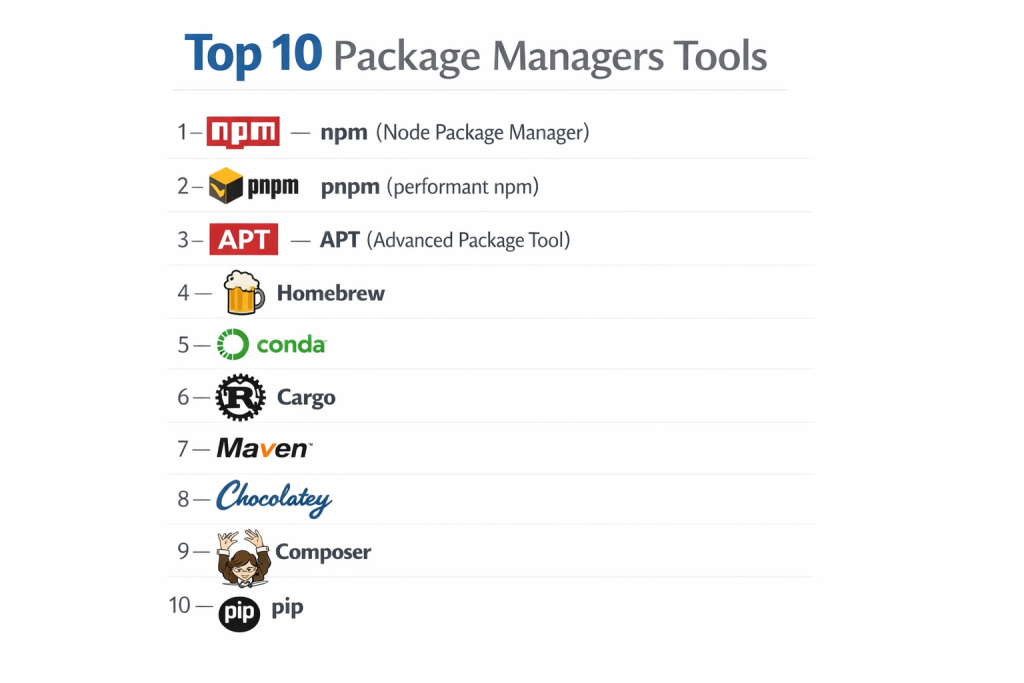
Top 10 Package Managers Tools
1 — npm (Node Package Manager)
As the default package manager for Node.js, npm is the cornerstone of the JavaScript ecosystem. It manages the largest software registry in the world, making it the go-to choice for web developers globally. It excels in simplicity and has evolved significantly to include advanced security auditing and workspace support.
- Key features: Massive public registry with over 2 million packages, integrated security audits (npm audit), semantic versioning support, script automation (npm scripts), and local/global package management.
- Pros: Universal adoption and a vast community; comes pre-installed with Node.js.
- Cons: Can be slower than modern alternatives like pnpm; nested dependency structures can lead to heavy storage use.
- Security & compliance: Supports 2FA, token management, and automated vulnerability scanning; SOC 2 and GDPR compliant.
- Support & community: Unmatched community support, exhaustive documentation, and deep integration with almost every modern CI/CD tool.
2 — pnpm (performant npm)
pnpm is a fast, disk-efficient alternative to npm that uses a unique “content-addressable” storage system. Instead of duplicating files across multiple projects, it uses hard links to a single global store. This makes it a favorite for large-scale monorepos and developers with limited disk space.
- Key features: Content-addressable storage, strict dependency management (no ghost dependencies), built-in monorepo support via workspaces, and incredibly fast installation times.
- Pros: Saves massive amounts of disk space and is significantly faster than npm for warm installs.
- Cons: Stricter structure can occasionally break legacy scripts that rely on a flat node_modules directory.
- Security & compliance: Highly secure due to its strict nature; Varies based on registry (compatible with npm registry).
- Support & community: Rapidly growing community and excellent documentation; highly active development on GitHub.
3 — APT (Advanced Package Tool)
APT is the industry standard for Debian-based Linux distributions, including Ubuntu. It is a system-level package manager that handles everything from kernel updates to developer tools. It is famous for its “stable” approach, ensuring that all installed software is vetted for compatibility within the OS version.
- Key features: Sophisticated dependency resolution for the entire OS, secure GPG-signed repositories, automated updates, and a powerful command-line interface.
- Pros: Rock-solid stability and deep integration with Linux system services.
- Cons: Software versions can sometimes be slightly older compared to “rolling release” managers like Pacman.
- Security & compliance: Extremely high; uses cryptographically signed repositories and is a staple in high-security government and enterprise environments.
- Support & community: Decades of community knowledge, professional support via Canonical (Ubuntu), and endless online tutorials.
4 — Homebrew
Known as the “missing package manager for macOS,” Homebrew has become the standard for developers on Apple hardware. It simplifies the installation of command-line tools and desktop applications (via Casks) that Apple doesn’t include in the operating system.
- Key features: Formula-based package definitions, Homebrew Cask for GUI apps, easy updates with a single command, and the ability to run without administrative rights in many cases.
- Pros: Incredible ease of use and a massive repository of developer-centric tools.
- Cons: Performance can occasionally lag during large “cleanup” or update operations.
- Security & compliance: Basic; relies on GitHub-hosted recipes and community-vetted formulas.
- Support & community: One of the most active communities on macOS; extensively documented and beginner-friendly.
5 — Conda
Conda is a cross-platform package and environment manager that is particularly dominant in the data science and AI communities. It handles both Python packages and non-Python libraries (like C++ or CUDA), making it essential for complex scientific computing stacks.
- Key features: Complete environment isolation, language-agnostic package management, binary distribution (no compilation required), and excellent support for GPU-accelerated libraries.
- Pros: Perfect for data scientists who need specific versions of math libraries and Python working together.
- Cons: Can be slow to resolve dependencies; environment files can grow quite large.
- Security & compliance: Enterprise version (Anaconda) provides SOC 2 compliance and curated, secure channels.
- Support & community: Massive following in academia and research; robust enterprise support available.
6 — Cargo
Cargo is the dedicated package manager for the Rust programming language. It is widely praised for being one of the most well-designed package managers in existence, handling everything from building code to managing dependencies and publishing libraries.
- Key features: Integrated build system, deterministic builds via Cargo.lock, built-in documentation generator, and automated unit testing integration.
- Pros: Offers a seamless developer experience with highly informative error messages and incredibly reliable dependency resolution.
- Cons: Compiling Rust dependencies can be time-consuming compared to interpreted languages.
- Security & compliance: Features a high-integrity registry (crates.io) and supports cryptographically verified downloads.
- Support & community: Supported by the Rust Foundation; excellent documentation and a very welcoming community.
7 — Maven
Apache Maven is the veteran package manager for the Java ecosystem. It uses an XML-based configuration (POM.xml) to describe project builds and dependencies. It is the gold standard for large-scale enterprise Java development where strict standards and lifecycles are required.
- Key features: Declarative project management, standardized build lifecycle, massive central repository (Maven Central), and powerful plugin architecture.
- Pros: Extremely mature and reliable; indispensable for complex, multi-module enterprise projects.
- Cons: The XML configuration can be verbose and has a steeper learning curve for beginners.
- Security & compliance: Supports signed artifacts; widely used in HIPAA and ISO-compliant banking and insurance environments.
- Support & community: Decades of enterprise support, massive library of plugins, and comprehensive documentation.
8 — Chocolatey
Chocolatey is the most popular community-driven package manager for Windows. It brings a Linux-like “apt-get” experience to the Windows environment, allowing users to install thousands of applications via the command line.
- Key features: PowerShell-based installation scripts, centralized package repository, support for private repositories, and enterprise-grade deployment tools.
- Pros: Dramatically speeds up the setup of new Windows machines for developers and IT teams.
- Cons: Some community packages can fall out of date if the maintainer isn’t active.
- Security & compliance: Enterprise edition includes package internalizing and virus scanning; SOC 2 compliant for business users.
- Support & community: Strong community and professional enterprise support options available.
9 — Composer
Composer is the essential dependency manager for PHP. Inspired by npm and Bundler, it allows PHP developers to manage project-specific libraries and autoloading. It has modernized the PHP ecosystem by making it easy to integrate frameworks like Laravel and Symfony.
- Key features: Project-local dependency management, PSR-compliant autoloading, lockfile support for reproducibility, and private repository support.
- Pros: Highly reliable and has a very clean, helpful CLI output.
- Cons: Can be memory-intensive when resolving complex dependency trees on limited servers.
- Security & compliance: Supports package signing and has a dedicated security audit tool (composer audit).
- Support & community: The heart of the modern PHP community; extensive documentation and widespread adoption.
10 — pip
The Python Package Index (PyPI) is managed by pip, the standard tool for installing Python libraries. It is lightweight, fast, and ubiquitous in every Python developer’s toolkit. While it lacks some of the environment management of Conda, it is the standard for general-purpose Python development.
- Key features: Simple CLI, requirements.txt for dependency listing, support for wheel binaries, and integration with virtual environments (venv).
- Pros: Extremely fast and simple; every Python developer knows how to use it.
- Cons: Does not handle non-Python dependencies well; can lead to “dependency hell” without careful use of virtual environments.
- Security & compliance: Supports hash checking for package integrity; PyPI provides 2FA for maintainers.
- Support & community: Supported by the Python Software Foundation; massive community and endless resources.
Comparison Table
| Tool Name | Best For | Platform(s) Supported | Standout Feature | Rating |
| npm | JavaScript/Web Dev | Win, Mac, Linux | Largest Registry in World | 4.6 / 5 |
| pnpm | Large Monorepos | Win, Mac, Linux | Disk-Saving Hard Links | N/A |
| APT | Linux SysAdmins | Debian/Ubuntu | System-Level Stability | 4.8 / 5 |
| Homebrew | macOS Users | Mac, Linux | GUI & CLI Tool Management | 4.7 / 5 |
| Conda | Data Science/AI | Win, Mac, Linux | Non-Python Dep. Support | 4.5 / 5 |
| Cargo | Rust Developers | Win, Mac, Linux | Integrated Build System | N/A |
| Maven | Enterprise Java | Win, Mac, Linux | XML-based Build Standards | 4.4 / 5 |
| Chocolatey | Windows Automation | Windows | PowerShell Integration | 4.3 / 5 |
| Composer | PHP Developers | Win, Mac, Linux | Native PHP Autoloading | 4.7 / 5 |
| pip | Python Generalists | Win, Mac, Linux | Simplicity & Ubiquity | 4.5 / 5 |
Evaluation & Scoring of Package Managers
| Category | Weight | npm | pnpm | APT | Conda | Maven |
| Core Features | 25% | 23/25 | 25/25 | 24/25 | 24/25 | 25/25 |
| Ease of Use | 15% | 15/15 | 13/15 | 14/15 | 10/15 | 9/15 |
| Integrations | 15% | 15/15 | 14/15 | 15/15 | 13/15 | 15/15 |
| Security | 10% | 9/10 | 9/10 | 10/10 | 9/10 | 10/10 |
| Performance | 10% | 7/10 | 10/10 | 9/10 | 6/10 | 8/10 |
| Support | 10% | 10/10 | 8/10 | 10/10 | 9/10 | 10/10 |
| Price / Value | 15% | 15/15 | 15/15 | 15/15 | 13/15 | 15/15 |
| Total Score | 100% | 94/100 | 94/100 | 97/100 | 84/100 | 92/100 |
Which Package Manager Tool Is Right for You?
Solo Users vs. SMB vs. Mid-Market vs. Enterprise
For solo users and hobbyists, the priority is often simplicity and speed. Tools like Homebrew and pip are ideal because they require very little configuration. SMBs often benefit from npm or Composer, which are industry standard and make it easy to onboard new developers. Mid-Market and Enterprise companies usually require the strict standards of Maven for Java or the enterprise-supported versions of Chocolatey and Conda, which offer the auditing and compliance features necessary for regulated industries.
Budget-Conscious vs. Premium Solutions
Almost all package managers are open-source and free to use. However, for organizations that need “Premium” features like private package hosting, security scanning, and 24/7 support, you might look into paid registries. For example, Anaconda (Conda) offers a paid tier for commercial use, and Chocolatey has an enterprise license that includes features like “Package Builder” to automate Windows software deployments.
Feature Depth vs. Ease of Use
If you want a tool that “just works” with zero learning curve, Homebrew is the gold standard. However, if you are building complex, high-reliability software, you need the feature depth of Cargo (Rust) or Maven (Java). These tools take longer to master but offer much more control over the build process, testing, and documentation.
Integration and Scalability Needs
For large-scale infrastructure, APT is the winner because it integrates natively with Linux server management. For developers scaling large JavaScript or TypeScript projects, pnpm is the superior choice because its workspace management and disk efficiency scale much better than npm as the project size increases.
Security and Compliance Requirements
If you work in a sector like finance or healthcare, security is non-negotiable. You should prioritize tools that support locked dependencies (lockfiles) and cryptographic verification. Maven and APT are widely trusted in these environments. Additionally, using tools like npm with “npm audit” and integrated CI/CD security scanning is essential for meeting GDPR and ISO requirements.
Frequently Asked Questions (FAQs)
1. What is “dependency hell”?
It occurs when different parts of your software require different versions of the same library. Package managers solve this by finding a version that works for everyone or by allowing multiple versions to exist side-by-side.
2. Is npm better than pnpm?
npm is the “standard” and is better for beginners due to its simplicity. pnpm is better for power users and large projects because it is much faster and saves a significant amount of disk space.
3. Why do I need a lockfile (like package-lock.json)?
A lockfile ensures that everyone on your team installs the exact same version of every dependency. Without it, one developer might get version 1.0.1 while another gets 1.0.2, which can cause subtle, hard-to-find bugs.
4. Can I use multiple package managers on the same computer?
Yes. Developers often use Homebrew for system tools, npm for web projects, and pip for Python scripts simultaneously without any issues.
5. Are these tools safe to use?
Generally, yes. However, you should always be wary of “typosquatting”—where malicious actors upload packages with names very similar to popular ones. Always check the package name and author before installing.
6. What is a “monorepo” and why does it matter for package managers?
A monorepo is a single repository that contains multiple separate projects. Package managers like pnpm and Yarn are designed to manage these complex structures efficiently by sharing dependencies between the sub-projects.
7. Do package managers work without the internet?
Most package managers have an “offline mode” where they can use a local cache of previously downloaded packages. However, you usually need an internet connection for the initial installation.
8. What is “Semantic Versioning” (SemVer)?
It is a standard (e.g., 2.1.4) where the numbers represent Major, Minor, and Patch updates. Package managers use these numbers to decide which versions are safe to automatically upgrade.
9. Can a package manager fix my broken code?
No, but it can fix issues caused by “broken” dependencies or missing libraries that your code needs to run properly.
10. Do I need a package manager for a simple HTML/CSS website?
Probably not. But as soon as you want to use modern tools like SASS, Tailwind, or React, a package manager like npm becomes essential.
Conclusion
Package managers are the unsung heroes of the software world, transforming the chaotic process of manual installation into a streamlined, automated, and secure workflow. Whether you are a system administrator maintaining a fleet of Linux servers with APT, a data scientist building AI models with Conda, or a web developer shipping the next big app with pnpm, the right package manager acts as a silent partner in your success.
When choosing your tool, remember that the “best” manager isn’t just about speed; it’s about the ecosystem it provides and the reliability it offers your team. Prioritize tools that support reproducible builds and offer robust security features. As software continues to grow in complexity, mastering these package management systems will remain one of the most valuable skills in any professional’s toolkit.