Introduction
Online proctoring tools are specialized software solutions designed to monitor and supervise digital assessments to ensure academic and professional integrity. In an era where remote learning and global certification have become the norm, these tools act as “digital invigilators.” They use a combination of video, audio, and artificial intelligence to verify the identity of a test-taker and detect unauthorized behaviors—such as using a mobile phone, looking at notes, or having a second person in the room. By creating a secure, controlled testing environment, proctoring tools allow institutions to offer exams anywhere in the world while maintaining the same level of trust as an in-person testing center.
The importance of these tools lies in their ability to scale trust. Without proctoring, a degree or certification earned online would lose its value in the labor market due to concerns about cheating. Key real-world use cases include university midterms and finals, corporate compliance training, high-stakes medical or legal licensing exams, and technical recruitment assessments. When evaluating these tools, organizations should look for Identity Verification accuracy, Browser Lockdown capabilities, AI Flagging precision (to minimize false positives), and User Experience, ensuring the security measures don’t cause undue anxiety for the test-taker.
Best for: Higher education institutions, global certification bodies, HR departments at large enterprises, and professional licensing boards (medical, legal, financial).
Not ideal for: Small, informal workshops or internal team quizzes where the cost of high-stakes security outweighs the risk of collaboration.
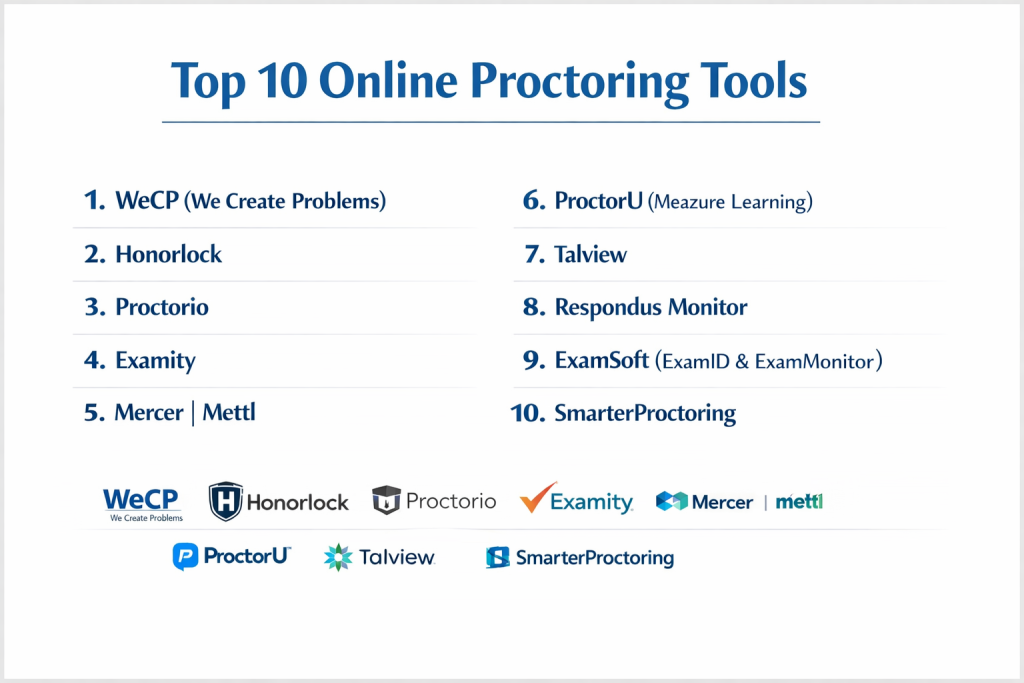
Top 10 Online Proctoring Tools
1 — WeCP (We Create Problems)
WeCP is an end-to-end assessment platform that has gained massive traction for its proprietary “Sherlock AI” proctoring engine. It is designed for scale, supporting everything from campus recruitment drives to global professional certifications.
- Key features:
- Sherlock AI: Real-time detection of facial movements, voice anomalies, and unauthorized people.
- Multi-Screen Detection: Prevents the use of additional displays or minimized windows.
- Email Watermarking: Discourages question leakage by embedding candidate-specific data.
- Browser Lockdown: Disables copy-paste, screenshots, and navigation to other URLs.
- Dynamic Environment Monitoring: Automatically checks for background noise and lighting issues.
- Pros:
- Offers highly flexible proctoring modes (Live, AI-only, or Hybrid).
- Excellent integration with popular Applicant Tracking Systems (ATS).
- Cons:
- The extensive feature set can lead to a steeper learning curve for first-time admins.
- Pricing is generally geared toward mid-to-large enterprises.
- Security & compliance: GDPR compliant, SOC 2 Type II, and enterprise-grade 256-bit encryption.
- Support & community: 24/7 technical support for both candidates and recruiters; extensive knowledge base.
2 — Honorlock
Honorlock is widely recognized in the academic sector for its “Search and Destroy” technology, which actively monitors the web for leaked exam content and works to have it removed.
- Key features:
- Multi-Device Detection: Detects when a student uses a smartphone to search for answers.
- Live Pop-In: Allows human proctors to intervene in an AI session if suspicious behavior is flagged.
- Third-Party Test Proctoring: Can proctor exams taken on external platforms like Pearson MyMathLab.
- ID Verification: High-speed automated identity checks using government-issued IDs.
- Direct LMS Integration: Built to live inside Canvas, Blackboard, and Moodle.
- Pros:
- Extremely user-friendly for students—no heavy software downloads required.
- The hybrid model (AI + Human intervention) reduces the need for constant manual review.
- Cons:
- Some students report privacy concerns regarding the “Room Scan” requirements.
- Higher pricing tier for the advanced leaked-content removal features.
- Security & compliance: SOC 2 Type II, FERPA, and GDPR compliant.
- Support & community: Dedicated US-based support team with 24/7 availability.
3 — Proctorio
Proctorio is a fully automated, browser-extension-based tool that focuses on privacy and institutional control. It is a favorite for large-scale university exams because it does not require live proctors to be scheduled.
- Key features:
- Automated Identity Verification: Uses facial recognition to match test-takers with IDs.
- Customizable Lockdown: Admins can choose exactly which browser functions to disable.
- Zero-Knowledge Encryption: Ensures only the institution can view the exam recordings.
- Performance Analytics: Identifies “at-risk” questions that may be too difficult or leaked.
- Flexible Reporting: Flags incidents on a timeline for quick review by instructors.
- Pros:
- Scalability is virtually unlimited since no live humans are required.
- The browser extension model makes it very easy to deploy across different devices.
- Cons:
- Relying purely on AI can occasionally lead to false positives (e.g., a student reading aloud).
- Customer support is primarily chat-based for students.
- Security & compliance: GDPR, FERPA, and COPPA compliant; ISO 27001 certified.
- Support & community: Extensive library of documentation and a large academic user community.
4 — Examity
Examity offers a highly flexible, multi-tiered proctoring approach, ranging from basic automated monitoring to dedicated live human proctoring for high-stakes certification exams.
- Key features:
- Tiered Proctoring Levels: Choose from Auto, Record & Review, or Live proctoring.
- Enterprise Workflow: Built for complex organizational structures with multiple departments.
- Human-in-the-Loop: Live proctors can pause exams or revoke access in real-time.
- Detailed Auditing: Every session is audited by a separate quality control team.
- Advanced Identity Management: Includes biometric keystroke analysis in some packages.
- Pros:
- Exceptional reliability for high-stakes licensure and professional exams.
- Global reach with proctors available in multiple time zones and languages.
- Cons:
- Scheduling a live proctor requires students to book in advance.
- The interface can feel slightly fragmented compared to modern SaaS-first competitors.
- Security & compliance: SOC 2, GDPR, and PCI DSS compliant.
- Support & community: 24/7 phone, email, and chat support; dedicated account managers for enterprise.
5 — Mercer | Mettl
Mercer | Mettl is a global leader in talent assessment and proctoring, often chosen by corporate HR teams for recruitment and internal upskilling programs.
- Key features:
- Mettl Secure Browser: A dedicated browser that locks down the entire OS.
- 3-Point Authentication: Email, ID check, and facial recognition.
- AI-Powered Flags: Detects non-human sounds, multiple people, and eye movement.
- Assessment Integration: Combines proctoring with their own massive library of skills tests.
- Customizable Sensitivity: Adjust how “strict” the AI should be based on the exam type.
- Pros:
- One of the most robust “Lockdown” environments on the market.
- Great for technical hiring—supports proctored coding and design tests.
- Cons:
- The “Secure Browser” requires an installation that can be blocked by corporate firewalls.
- Can be overkill for small institutions only needing basic monitoring.
- Security & compliance: ISO 27001 certified, GDPR compliant, and SOC 2 audited.
- Support & community: Strong global presence with support teams in multiple regions.
6 — ProctorU (Meazure Learning)
ProctorU, now part of Meazure Learning, is a pioneer in the space, specifically known for its extensive network of live human proctors and high-stakes security.
- Key features:
- Live+ Service: A dedicated human proctor monitors a small group of students in real-time.
- Guardian Browser: A custom-built secure browser optimized for remote proctoring.
- Environment Scanning: Comprehensive 360-degree room checks conducted by humans.
- Incident Management: Immediate resolution of technical issues during the exam.
- Meazure Portal: Advanced data visualization for exam performance and integrity trends.
- Pros:
- The highest level of security for exams where “leaking” is a critical risk.
- Proven track record with large certification boards and government agencies.
- Cons:
- Live proctoring is the most expensive model.
- Scheduling conflicts can occur during peak “finals” seasons if not booked early.
- Security & compliance: SOC 2 Type II, FERPA, and HIPAA compliant.
- Support & community: Excellent onboarding and a high-touch customer success model.
7 — Talview
Talview focuses on “Candidate Experience” and mobile-first proctoring, making it popular in emerging markets and for high-volume recruitment.
- Key features:
- Mobile Proctoring: Allows students to take secure exams on smartphones and tablets.
- Behavioral Insights: Uses AI to provide a “trust score” for each candidate.
- Automated and Live Modes: Seamlessly switch between different levels of supervision.
- Low Bandwidth Optimization: Built to function reliably even on slower internet connections.
- Video Interviewing: Integrated proctoring for live or asynchronous interviews.
- Pros:
- The mobile-first approach is unique and highly accessible.
- Very fast setup and deployment compared to traditional desktop tools.
- Cons:
- Mobile proctoring is inherently less secure than a desktop lockdown browser.
- Reporting features are more focused on HR metrics than academic grades.
- Security & compliance: GDPR and ISO 27001 compliant.
- Support & community: Known for being very responsive to custom feature requests.
8 — Respondus Monitor
Respondus is a staple in the K-12 and higher education worlds, particularly for institutions that use Lockdown Browser and want an affordable automated video layer.
- Key features:
- Seamless LMS Integration: It is an “add-on” to the widely used Respondus LockDown Browser.
- Automated Review: AI flags suspicious behavior for the instructor to review later.
- Milestones: Automatically creates “thumbnails” of key moments (e.g., student left seat).
- No Scheduling Required: Students can start their exam at any time.
- iPad Support: One of the few education-focused tools with a dedicated iPad app.
- Pros:
- Extremely cost-effective for large universities with thousands of students.
- Minimal administrative overhead—no need to manage external proctors.
- Cons:
- Lacks a “Live” proctoring option for ultra-high-stakes exams.
- AI detection is more basic compared to newer AI-first tools like WeCP.
- Security & compliance: FERPA and GDPR compliant.
- Support & community: Massive community of “Respondus Ambassadors” and university IT groups.
9 — ExamSoft (ExamID & ExamMonitor)
ExamSoft is specialized for professional schools (Medicine, Nursing, Law) where exams are often taken on-site but require digital security and offline capability.
- Key features:
- Offline Exam Delivery: Students can take the test without an internet connection.
- ExamID: Biometric authentication before the exam begins.
- ExamMonitor: Continuous AI-driven recording and post-exam analysis.
- Granular Data: Detailed reports on student performance against learning objectives.
- Secure Browser: Total control over the device until the exam is uploaded.
- Pros:
- Ideal for situations with unreliable internet—data uploads once the student is back online.
- Very high trust level within the medical and legal education industries.
- Cons:
- The software can be resource-heavy for older laptops.
- Not designed for casual or quick “one-off” assessments.
- Security & compliance: HIPAA and GDPR compliant; uses strong AES encryption.
- Support & community: Offers specialized training for faculty in professional disciplines.
10 — SmarterProctoring
SmarterProctoring is a “Proctoring Management System” that gives students the choice between different proctoring methods—online or in-person.
- Key features:
- Multi-Modal Support: Manage AI, Live Online, and In-Person testing center schedules.
- Student Choice: Allows students to pick a proctoring method based on their budget.
- Integrity Dashboard: A central view for faculty to see all proctoring incidents.
- Verification Workflows: Automated checks for local testing center credentials.
- Financial Management: Built-in tools for managing student payments for proctoring fees.
- Pros:
- The best tool for “Hybrid” schools that still use physical testing centers.
- High flexibility for students with different accessibility or financial needs.
- Cons:
- Does not have its own “proprietary” AI engine (it often integrates others).
- Can be complex to set up due to the many different “modes” available.
- Security & compliance: FERPA and GDPR compliant.
- Support & community: Excellent support for university registrar offices and testing coordinators.
Comparison Table
| Tool Name | Best For | Platform(s) Supported | Standout Feature | Rating |
| WeCP | Enterprise Hiring | Web / Desktop | Sherlock AI Engine | 4.9/5 |
| Honorlock | Higher Education | Chrome Extension | “Search & Destroy” (Anti-leak) | 4.7/5 |
| Proctorio | Scalable Academic | Chrome Extension | Zero-Knowledge Encryption | 4.5/5 |
| Examity | High-Stakes Licensing | Web / Desktop | Quality Control Auditing | 4.6/5 |
| Mercer Mettl | Corporate Training | Web / Mobile | Robust OS Lockdown | 4.8/5 |
| ProctorU | Certification Boards | Guardian Browser | Expert Live Human Proctors | 4.6/5 |
| Talview | Mobile Recruiting | Web / iOS / Android | Mobile-First AI Proctoring | 4.4/5 |
| Respondus | LMS-Based Schools | Win / Mac / iPad | Native LMS Deep Integration | N/A |
| ExamSoft | Medical/Law Schools | Win / Mac / iPad | Offline Exam Functionality | 4.5/5 |
| SmarterProctoring | Hybrid Learning | Web | Student Choice Management | N/A |
Evaluation & Scoring of Online Proctoring Tools
| Category | Weight | Score (Avg) | Detailed Evaluation |
| Core Features | 25% | 9.4/10 | AI detection and browser lockdowns are now highly advanced across the top 10. |
| Ease of Use | 15% | 8.2/10 | Browser extension models lead here, while “lockdown browsers” can be clunky. |
| Integrations | 15% | 9.0/10 | Most tools now offer “LTI” compliance for seamless Canvas/Moodle sync. |
| Security | 10% | 9.8/10 | Encryption and identity verification are the strongest aspects of this category. |
| Performance | 10% | 8.5/10 | Bandwidth sensitivity is improving, but still a hurdle for rural students. |
| Support | 10% | 8.8/10 | Most top vendors have realized that 24/7 support is a “must” for high-stakes tests. |
| Price / Value | 15% | 7.6/10 | Costs vary wildly; live proctoring is premium, while AI is highly affordable. |
Which Online Proctoring Tool Is Right for You?
Solo Users vs. SMB vs. Mid-Market vs. Enterprise
For solo educators or small training centers, a lightweight, pay-as-you-go tool like Proctorio or Respondus (if using an LMS) is best. SMBs looking to hire will find Talview or WeCP effective for screening candidates without massive overhead. Enterprises and Large Universities require the deep reporting and human-in-the-loop support offered by Examity, ProctorU, or Mercer | Mettl.
Budget-Conscious vs. Premium Solutions
If you are on a tight budget, focus on Automated AI solutions. Tools like Respondus Monitor offer flat-fee institutional licenses that are very cheap per student. If you are a Premium Certification Body charging $500 per exam, you cannot afford a security breach; therefore, investing in Live Human Proctoring via ProctorU or Examity is a necessary business expense.
Feature Depth vs. Ease of Use
Institutions that prioritize ease of use for students should choose Browser Extension models (like Honorlock or Proctorio), as they don’t require administrative rights to install. However, if you need Feature Depth—like the ability to take an exam offline or completely block all background OS processes—you will need a dedicated application like ExamSoft or Mettl Secure Browser.
Integration and Scalability Needs
Before purchasing, verify that the tool supports LTI (Learning Tools Interoperability). This ensures it will work with your current Learning Management System (LMS) without custom coding. For Scalability, AI-only tools are superior because they don’t depend on human staff availability. If you expect 50,000 students to take an exam at the same time, Proctorio or WeCP are built for that level of concurrency.
Security and Compliance Requirements
If you handle Medical or Financial data, look for HIPAA and PCI DSS compliance. For any organization operating in Europe, GDPR is mandatory. Ensure your chosen vendor has a clear data retention policy—how long do they keep the student’s video? Can the student request their data be deleted? Premium vendors like ExamSoft and WeCP excel in these regulatory areas.
Frequently Asked Questions (FAQs)
1. Is online proctoring an invasion of privacy?
Most tools are designed to respect privacy by only recording during the exam. However, transparency is key—schools should always provide a “Privacy Policy” explaining what data is collected and how long it is stored.
2. Can AI proctoring detect all forms of cheating?
No tool is 100% foolproof, but AI is very good at detecting “obvious” red flags like eye movement, unauthorized voices, or phone usage. Hybrid models (AI + Human Review) are the most effective.
3. What happens if a student’s internet cuts out?
Most modern tools (like ExamSoft or WeCP) have “Auto-Save” and “Resume” features. The student can often pick up exactly where they left off once the connection is restored.
4. Do students need a high-end computer for proctoring?
Most tools require a standard laptop with a webcam and at least 2GB of RAM. Mobile-first tools like Talview can even work on mid-range smartphones.
5. How do proctoring tools handle students with disabilities?
Top-tier tools offer “Accommodation” settings, allowing admins to disable specific flags (like “mouth movement” for students who read aloud) or extend time limits for specific individuals.
6. Can proctoring software see my files?
Standard browser extensions cannot see your personal files. However, “Secure Lockdown Browsers” have higher permissions and can monitor running applications to prevent cheating.
7. How much does online proctoring cost?
AI-only proctoring can cost as little as $5–$10 per exam, while Live Human Proctoring for high-stakes certifications can range from $25 to $40 per session.
8. Does the software work on Chromebooks?
Many browser-extension tools (Honorlock, Proctorio) work perfectly on Chromebooks, but “Lockdown Browser” applications (Respondus, ExamSoft) usually do not.
9. Can I proctor a coding exam?
Yes, tools like WeCP and Mercer | Mettl have specific environments built to proctor coding assessments while allowing the candidate to use an IDE.
10. How long are proctoring videos kept?
This depends on the institution’s policy, but most vendors default to 30, 90, or 180 days before the data is automatically purged to comply with privacy laws.
Conclusion
The shift toward remote assessments has made online proctoring tools indispensable for maintaining the credibility of modern education and hiring. While no single tool is perfect for every scenario, the market has evolved to offer solutions for every niche—from the mobile-first recruitment focus of Talview to the high-stakes, “iron-clad” security of ProctorU.
When making your choice, remember that the “best” tool balances security with empathy. A proctoring system that is too aggressive can lead to high student anxiety and “false positive” flags, while one that is too lenient risks the reputation of your institution. Prioritize tools that offer seamless integration with your existing LMS and provide 24/7 support to ensure that both your administrators and your test-takers have a smooth, stress-free experience.