Introduction
OKR and Goal Management Software is a digital workspace where a company sets its big-picture goals (Objectives) and defines the specific, measurable steps (Key Results) needed to achieve them. Instead of goals being hidden in a document that no one opens, this software makes them visible to the whole team. It creates a “map” that connects the work of a single person to the success of the entire organization.
These tools are important because they solve the problem of “siloed” work, where different departments move in different directions without realizing it. By using a central system, leaders can ensure that every team is pulling the same rope. In the real world, these tools are used to launch new products, track sales growth, improve customer service, or manage a company’s shift to remote work.
What to Look For (Evaluation Criteria)
When you are looking for a tool, you should check for Alignment Features, which show how small goals feed into big ones. Ease of Updating is also key; if it takes too long to log progress, people will stop doing it. You should also look for Visual Dashboards that show progress at a glance and Integrations that let you update your goals from the apps you already use every day.
Best for:
- Fast-Growing Companies: Organizations that are hiring quickly and need to keep everyone on the same page.
- Remote and Hybrid Teams: Businesses that lack a central office and need a digital “north star” to guide work.
- Large Enterprises: Complex organizations that need to coordinate thousands of people across different countries.
Not ideal for:
- Very Small Teams: If you have fewer than 10 people, a shared whiteboard or a simple list might be faster and cheaper.
- Static Businesses: Companies that perform the same tasks every day without the need for growth or change may find these tools unnecessary.
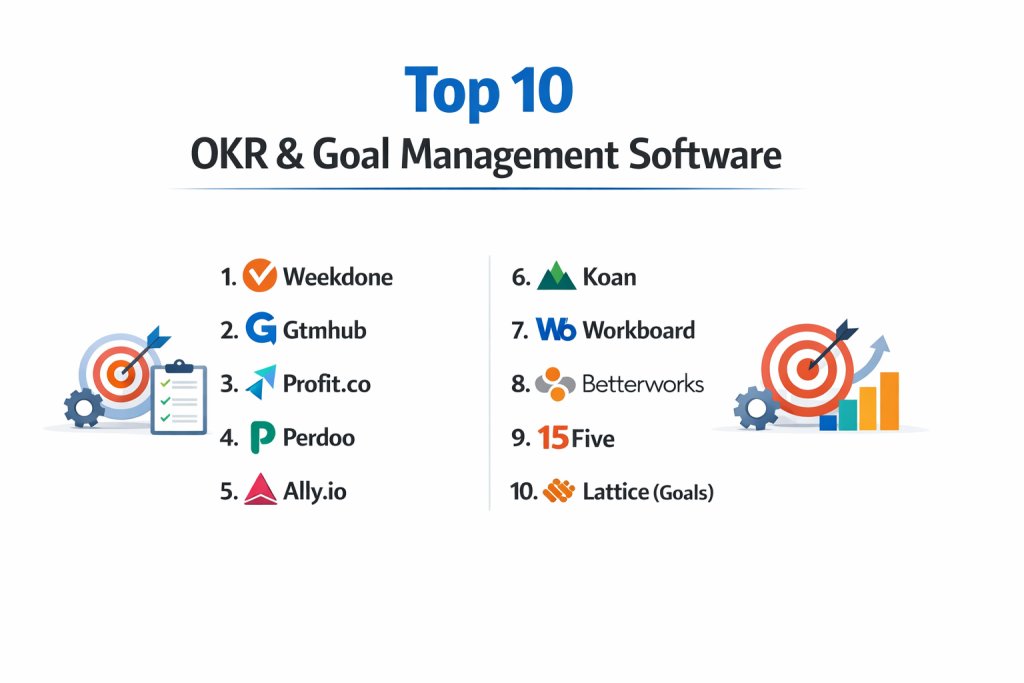
Top 10 OKR & Goal Management Software Tools
1 — Gtmhub (now Quantive)
Quantive is a high-powered platform built for businesses that want to use data to drive their goals. It is designed for medium to large companies that need a very detailed and flexible way to track complex progress.
- Key Features:
- Over 160 built-in data connectors to automate goal updates.
- Customizable dashboards for deep data visualization.
- “Whiteboards” for brainstorming objectives before they go live.
- Multi-level alignment to link individual, team, and company goals.
- Task management to track the specific actions behind the numbers.
- Insight reports that highlight which goals are at risk of failing.
- Pros:
- The automation features save a lot of time by pulling numbers directly from other software.
- Highly flexible and can be changed to fit almost any business structure.
- Cons:
- It can be difficult for beginners to learn because there are so many settings.
- The pricing is higher than many other tools on the list.
- Security & Compliance: ISO 27001, SOC 2 Type II, GDPR compliant, and SSO support.
- Support & Community: Extensive online documentation, a dedicated success manager for large accounts, and a user community.
2 — Profit.co
Profit.co is a comprehensive tool that covers the entire “goal lifecycle.” It is designed for companies that want a structured way to plan, track, and review their OKRs without leaving the platform.
- Key Features:
- More than 400 pre-made KPI templates to help you write better goals.
- Weekly check-in reminders to keep progress data fresh.
- A built-in performance management system for employee reviews.
- Alignment “Heatmaps” to see where the company is falling behind.
- Task boards (Kanban style) to manage daily work.
- Mobile app for updating goals on the go.
- Pros:
- The pre-made templates are excellent for teams new to the OKR method.
- Includes features for both goals and employee performance in one place.
- Cons:
- The user interface can feel a bit cluttered with too many buttons.
- Some of the more advanced reports are only available on the expensive plans.
- Security & Compliance: SOC 2 Type II, GDPR, and data encryption at rest.
- Support & Community: 24/7 live chat support and an “OKR University” for training.
3 — Betterworks
Betterworks is focused on “continuous performance management.” It is designed for large organizations that want to use OKRs to start better conversations between managers and their teams.
- Key Features:
- Visual “Goal Alignment” maps that show how everyone is connected.
- Integrated feedback and recognition tools.
- Conversations module for structured one-on-one meetings.
- Deep integrations with HR systems like Workday and SAP.
- Data-driven insights for executive leadership.
- Milestone tracking for long-term projects.
- Pros:
- Excellent for large companies that need to connect goals to HR data.
- Focuses heavily on the “human” side of goals, like coaching and feedback.
- Cons:
- Not ideal for small startups that just want a simple list of goals.
- The setup process can be long and requires help from their staff.
- Security & Compliance: SOC 2 Type II, HIPAA compliant, and GDPR.
- Support & Community: Enterprise-grade support with dedicated account managers.
4 — Perdoo
Perdoo is a very popular choice for small and medium-sized businesses. It is built to be simple and follows the OKR philosophy very closely, making it a great “first tool” for companies.
- Key Features:
- A “Roadmap” view to see how goals change over the year.
- Easy “Check-ins” that take less than a minute.
- A “Resources” section to track the money or tools needed for a goal.
- Clear distinction between OKRs (for growth) and KPIs (for steady work).
- Public profiles so everyone can see what their coworkers are working on.
- Pros:
- Very clean and easy-to-use design that does not overwhelm users.
- Great educational materials help you learn how to write good goals.
- Cons:
- Lacks some of the deep data automation found in larger tools.
- Customization options are limited compared to Quantive.
- Security & Compliance: GDPR compliant and uses secure data centers in Europe.
- Support & Community: Fast email support and a very helpful “OKR coach” service.
5 — WorkBoard
WorkBoard is an enterprise-grade platform that helps big companies manage “strategy execution.” It is designed for CEOs and department heads who need to see the big picture across a global organization.
- Key Features:
- “Strategy Canvas” for high-level planning.
- Meeting management tools to turn talk into tracked goals.
- Automated business reviews to save time on PowerPoint slides.
- AI-driven insights to find bottlenecks in the workflow.
- Integration with major tools like Jira and Salesforce.
- Pros:
- Strongest tool for managing meetings and turning them into action.
- Excellent at handling the complex needs of thousands of users.
- Cons:
- Too complex and “corporate” for small, fast-moving startups.
- Requires a significant investment in both time and money.
- Security & Compliance: SOC 2 Type II, ISO 27001, and SSO.
- Support & Community: High-level professional services and training programs.
6 — Weekdone
Weekdone is built specifically for small teams and startups. It focuses on the “Weekly Planning” cycle, ensuring that what you do this week actually helps you reach your quarterly goals.
- Key Features:
- Weekly “PPP” reports (Plans, Progress, Problems).
- Simple OKR dashboard for a quick status check.
- Visual hierarchy to show how team goals link to company goals.
- Five-star rating system for weekly satisfaction.
- Automated email summaries sent to the whole team.
- Pros:
- Very affordable for small teams (free for up to 3 users).
- Focuses on the “weekly habit,” which keeps people from forgetting their goals.
- Cons:
- The design feels a bit older than some of the newer apps.
- Not built for very large organizations with complex hierarchies.
- Security & Compliance: GDPR compliant and data encryption.
- Support & Community: Responsive email support and a good library of “How-to” videos.
7 — Mooncamp
Mooncamp is a modern and very flexible tool that works well for companies that want to customize their goal-tracking process. It is often praised for its “all-in-one” feel and ease of use.
- Key Features:
- Completely customizable properties for every goal.
- Pulse surveys to check team health alongside goals.
- Integration with Slack and Microsoft Teams for quick updates.
- “Health” scores for objectives based on recent progress.
- Detailed audit logs to see who changed what.
- Pros:
- The flexibility allows you to use it for OKRs, KPIs, or any other goal system.
- The interface is very modern and attractive, which helps with adoption.
- Cons:
- Being so flexible means you have to spend time setting it up the way you want.
- It is a newer tool, so it has fewer integrations than the older players.
- Security & Compliance: SOC 2 Type II and GDPR compliant.
- Support & Community: Friendly chat support and clear documentation.
8 — Ally.io (now Microsoft Viva Goals)
Since being bought by Microsoft, Ally.io has become Viva Goals. It is the best choice for companies that already live and work inside Microsoft Teams and Office 365.
- Key Features:
- Direct integration into Microsoft Teams chat.
- Automatic data updates from Excel and Azure DevOps.
- Simple templates for creating objectives.
- Progress bars that update in real-time.
- Built-in “Check-in” reminders for employees.
- Pros:
- If you already use Microsoft, the setup is very fast and easy.
- Employees don’t have to open a new website to update their goals.
- Cons:
- Can feel “locked in” to the Microsoft ecosystem.
- Some users find the interface inside Teams to be a bit cramped.
- Security & Compliance: Full Microsoft 365 security standards (SOC 2, ISO, GDPR).
- Support & Community: Large global support network and Microsoft community forums.
9 — Asana (Goals Feature)
Asana is primarily a project management tool, but it has added a powerful “Goals” feature. This is perfect for teams that want their high-level goals and their daily tasks in the exact same place.
- Key Features:
- Direct linking between a goal and the specific project behind it.
- Visual “Goal” tab for every team.
- Automatic progress tracking based on completed tasks.
- Status updates with color-coding (On Track, At Risk, Off Track).
- Integration with over 200 other tools.
- Pros:
- No need to buy separate software if you already use Asana for tasks.
- Shows exactly which work is contributing to which goal.
- Cons:
- The “Goals” feature is only available on the more expensive paid plans.
- Not as specialized for the strict OKR method as a tool like Perdoo.
- Security & Compliance: SOC 2 Type II, GDPR, and HIPAA (on enterprise plans).
- Support & Community: Massive user community and Asana Academy for training.
10 — 15Five (OKR Module)
15Five is famous for its performance management tools, but it has a very strong OKR module. It is best for companies that believe employee engagement and goal-setting go hand-in-hand.
- Key Features:
- Connection between weekly check-ins and quarterly OKRs.
- Manager-led goal reviews.
- “High Five” recognition linked to goal achievements.
- Reporting on “Psychological Safety” and its impact on goals.
- Alignment views to see team-to-company links.
- Pros:
- Helps managers have better conversations about why goals are or aren’t being met.
- Very strong focus on the wellbeing of the employee.
- Cons:
- If you only want goal tracking and don’t care about performance reviews, this is too much software.
- Can be expensive per user.
- Security & Compliance: SOC 2 Type II and GDPR.
- Support & Community: Excellent training for managers and a dedicated support team.
Comparison Table
| Tool Name | Best For | Platform(s) Supported | Standout Feature | Rating |
| Quantive | Data-heavy enterprises | Web, iOS, Android | 160+ Data Connectors | 4.6/5 |
| Profit.co | All-in-one goal needs | Web, iOS, Android | 400+ KPI Templates | 4.7/5 |
| Betterworks | Large HR integration | Web, iOS, Android | Continuous Feedback Sync | 4.5/5 |
| Perdoo | SMB simplicity | Web, iOS, Android | Growth vs. KPI Roadmap | 4.8/5 |
| WorkBoard | Strategy & Meetings | Web, iOS, Android | Automated Biz Reviews | 4.4/5 |
| Weekdone | Small startup teams | Web, iOS, Android | Weekly PPP Reporting | 4.3/5 |
| Mooncamp | Modern customization | Web, Slack, Teams | Full Property Flexibility | 4.7/5 |
| Viva Goals | Microsoft Users | Web, MS Teams | Native Office 365 Sync | 4.4/5 |
| Asana Goals | Task-based tracking | Web, iOS, Android | Links tasks to goals | 4.6/5 |
| 15Five | People-first teams | Web, iOS, Android | Engagement/Goal Hybrid | 4.5/5 |
Evaluation & Scoring of OKR Software
To help you decide, we have scored these tools based on the things that matter most to a business. We use a “weighted” score, meaning some categories count for more than others.
| Category | Weight | What it Means |
| Core Features | 25% | Ability to set objectives, key results, and track progress. |
| Ease of Use | 15% | How easy it is for a regular employee to log in and update a goal. |
| Integrations | 15% | How well it talks to other tools like Slack, Excel, or Salesforce. |
| Security | 10% | Having the right certificates (SOC 2, GDPR) to keep data safe. |
| Performance | 10% | How fast the software runs and if the mobile app works well. |
| Support | 10% | Whether there is a good help center or a human to talk to. |
| Price / Value | 15% | If the features you get are worth the monthly cost per person. |
Which OKR & Goal Management Software Tool Is Right for You?
Choosing a tool is about finding the right balance between power and simplicity. If a tool is too complex, no one will use it. If it is too simple, it won’t give you the data you need.
Solo Users and Small Businesses (SMB)
If you have a small team, look for Weekdone or Perdoo. These tools are built to be learned in an afternoon. They focus on the basics: What are we doing, and is it working? For teams under 10, price is often a factor, and these tools offer the best value.
Mid-Market and Large Enterprises
Larger companies need Quantive or WorkBoard. These platforms can handle thousands of users and have the security features that large IT departments require. They also offer “Alignment Maps” which are necessary when you have 50 different departments that all need to see how they fit together.
Budget vs. Premium Solutions
If budget is your main concern, Weekdone is excellent because it is free for very small teams. If you are already paying for Asana or Microsoft 365, using their built-in goal features is often the most budget-friendly path. Premium solutions like Betterworks are more expensive but offer coaching and professional services that help you build a better culture.
Security and Integration Needs
If you work in a field like healthcare or finance, security is the most important thing. You must choose a tool that is SOC 2 and HIPAA compliant. For integration, if your team spends all day in Slack or Teams, choose a tool like Mooncamp or Viva Goals so they never have to leave their chat app to update their progress.
Frequently Asked Questions (FAQs)
1. What is the difference between an OKR and a KPI?
A KPI (Key Performance Indicator) measures how a business is running normally (like “daily sales”). An OKR is for a specific, big goal you want to reach (like “launch a new website by June”). You need both to run a successful company.
2. Is this software better than using a spreadsheet?
Yes. Spreadsheets are hard to share, they don’t send reminders, and it is difficult to see how different goals link together. Goal software automates the “nagging” and the “math.”
3. How long does it take to set up OKR software?
For a small team, it can take an hour. For a large company, it can take 3 to 6 months. This is because you have to teach everyone how to write good goals before you put them into the software.
4. Will employees feel like this is “micromanagement”?
It can feel that way if you use the software to track every tiny task. The best way to use these tools is to focus on the “results,” not the “hours worked.”
5. How much does it cost?
Most tools cost between $5 and $15 per user, per month. Some enterprise tools also charge a “platform fee” which can be several thousand dollars per year.
6. Can we use this for personal goals?
You can, but most of these tools are designed for teams. For personal goals, a simple list app or a paper journal is often better and cheaper.
7. Does the software write the goals for us?
Some tools (like Profit.co) have AI that can help you phrase your goals better, but the big ideas must come from you and your team.
8. What is “anonymity” in these tools?
Usually, goals are public to the whole company. This is intentional. The idea is that everyone should see what everyone else is working on to encourage collaboration.
9. Can these tools integrate with my payroll?
Some tools, like Betterworks or 15Five, do integrate with HR and payroll systems to help with performance reviews.
10. What is the biggest mistake people make?
Setting too many goals. Most experts say a person should only have 3 to 5 big objectives at a time. If you have 20, the software won’t help you finish them.
Conclusion
The right OKR and Goal Management software acts as the “connective tissue” of your business. It takes the big ideas in a CEO’s head and turns them into a plan that every worker can understand and contribute to.
When choosing, remember that the “best” tool is the one that fits into your team’s existing workflow. If your team loves data and automation, choose Quantive. If they want something simple and friendly, choose Perdoo or Weekdone. No software can create a strategy for you, but the right one will make sure your strategy actually gets finished.