Introduction
OCR (Optical Character Recognition) & Document Capture Software refers to platforms that convert scanned documents, PDFs, and images into editable, searchable, and structured digital formats. These tools not only extract text from paper-based or image-based documents but often include intelligent classification, indexing, and workflow automation to streamline document-heavy processes. By transforming unstructured content into structured digital data, OCR software accelerates workflows, reduces manual data entry errors, and enhances operational efficiency.
The importance of OCR and document capture software is evident across industries that handle high volumes of documents, such as finance, healthcare, legal, government, and logistics. These solutions improve accuracy, reduce processing time, and ensure compliance with regulatory requirements. For example, financial institutions use OCR for automated invoice processing, healthcare organizations for digitizing patient records, and legal teams for contract management.
Real-world use cases include invoice processing, tax document extraction, legal contract digitization, mailroom automation, forms processing, and integration with enterprise resource planning (ERP) or content management systems (CMS). The software is especially valuable for businesses looking to reduce reliance on manual processes while improving data accessibility, traceability, and analytics.
When selecting OCR and document capture software, users should evaluate text recognition accuracy, language support, automation and workflow capabilities, integration options, scalability, security, and reporting features. User experience, deployment options, and vendor support are also critical considerations to ensure long-term efficiency.
Best for:
Enterprises, SMBs, government agencies, healthcare providers, and finance companies that require accurate, automated processing of large volumes of paper or scanned documents.
Not ideal for:
Small businesses or teams with minimal document processing needs may not require dedicated OCR software; lightweight PDF tools or manual input may suffice.
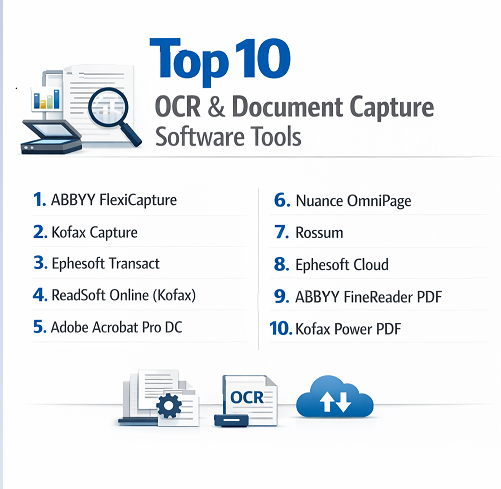
Top 10 OCR & Document Capture Software Tools
1 — ABBYY FlexiCapture
ABBYY FlexiCapture is a powerful OCR and document capture solution designed for organizations needing high-accuracy data extraction and intelligent document classification. It automates the conversion of paper, scanned images, and digital files into structured, actionable data. FlexiCapture is suitable for enterprises handling large volumes of documents such as invoices, contracts, and forms.
Key features:
- Intelligent OCR for text, tables, and barcodes
- Automated document classification and data extraction
- Multi-language support
- Integration with ERP, CRM, and ECM systems
- Workflow automation for approvals and validations
- Advanced validation and exception handling
- Cloud and on-premise deployment
Pros:
- Exceptional recognition accuracy
- Handles complex document layouts
- Scalable for enterprise-level processing
Cons:
- Higher cost for SMBs
- Setup and configuration can be complex
- Learning curve for advanced features
Security & compliance:
SSO, encryption, GDPR, ISO, SOC 2
Support & community:
Documentation, training programs, online forums, and enterprise support.
2 — Kofax Capture
Kofax Capture is designed to capture documents from multiple sources, including scanners, email, and digital files, converting them into searchable, structured data. Ideal for finance, legal, and government agencies, Kofax reduces manual entry, accelerates workflows, and ensures compliance with industry standards.
Key features:
- Multi-channel document capture (scan, email, import)
- OCR and intelligent character recognition (ICR)
- Automated indexing and classification
- Integration with ERP and document management systems
- Workflow automation and routing
- Data validation and exception handling
Pros:
- Efficient handling of high-volume document processing
- Reduces errors and manual effort
- Enterprise-grade security and compliance
Cons:
- Premium pricing
- Initial deployment requires IT resources
- Complex configuration for multi-source input
Security & compliance:
SSO, encryption, HIPAA, GDPR, SOC 2
Support & community:
Comprehensive documentation, training, webinars, and enterprise-level support.
3 — Ephesoft Transact
Ephesoft Transact is an intelligent document capture platform that leverages machine learning to classify documents and extract relevant data automatically. Designed for enterprises and mid-sized businesses, it optimizes back-office operations, improving productivity and reducing processing times.
Key features:
- AI-powered document classification
- OCR and ICR capabilities
- Cloud and on-premise deployment
- Integration with ECM, BPM, and ERP systems
- Automated data validation and error correction
- Multi-language support
- Customizable workflow automation
Pros:
- Machine learning improves accuracy over time
- Flexible integration capabilities
- Reduces operational costs and manual labor
Cons:
- Requires initial training for optimal performance
- Complex deployment for large organizations
- Premium pricing for advanced features
Security & compliance:
SSO, encryption, GDPR, ISO, SOC 2
Support & community:
Documentation, video tutorials, user community, and enterprise support.
4 — ReadSoft Online (Kofax)**
ReadSoft Online is a cloud-based OCR and document capture solution optimized for invoice and financial document processing. It is designed for finance teams looking to automate accounts payable and purchase order workflows efficiently, reducing errors and speeding up processing.
Key features:
- Cloud-based document capture
- OCR and automated data extraction
- Invoice and purchase order processing
- Integration with ERP systems (SAP, Oracle)
- Automated validation and approval workflows
- Audit trail and compliance reporting
Pros:
- Cloud deployment simplifies IT requirements
- Reduces invoice processing time
- High accuracy in financial document recognition
Cons:
- Limited customization compared to on-premise solutions
- Dependency on internet connectivity
- Subscription-based pricing
Security & compliance:
Encryption, GDPR, SOC 2, ISO
Support & community:
Documentation, webinars, and customer support.
5 — Adobe Acrobat Pro DC
Adobe Acrobat Pro DC is a versatile PDF solution with robust OCR capabilities. It allows users to convert scanned documents and images into editable, searchable files. Ideal for professionals, legal teams, and small-to-medium businesses, Acrobat Pro DC simplifies document digitization and collaboration.
Key features:
- OCR for scanned PDFs and images
- PDF editing and annotation tools
- Document conversion to Word, Excel, and PowerPoint
- Cloud storage and collaboration
- Automated form recognition and filling
- Integration with Microsoft Office
Pros:
- Reliable OCR with high accuracy
- Easy to use for non-technical users
- Supports multiple output formats
Cons:
- Limited workflow automation
- Subscription cost for full features
- Best suited for small-scale OCR tasks
Security & compliance:
SSO, encryption, GDPR, ISO
Support & community:
Documentation, Adobe forums, tutorials, and customer support.
6 — Nuance OmniPage
Nuance OmniPage is an advanced OCR solution designed for high-accuracy conversion of paper documents into editable digital formats. It is suited for enterprises, legal departments, and financial services requiring precise document capture and multilingual recognition.
Key features:
- Advanced OCR and ICR
- Multi-language recognition
- Batch processing and automated workflows
- Integration with cloud and local storage
- Export to editable formats (Word, Excel, PDF)
- Document verification and validation
Pros:
- High OCR accuracy
- Supports complex documents and languages
- Batch processing saves time
Cons:
- Premium software pricing
- Learning curve for complex workflows
- Requires strong system resources for large volumes
Security & compliance:
SSO, encryption, GDPR, HIPAA
Support & community:
Documentation, user forums, webinars, and enterprise support.
7 — Rossum
Rossum is an AI-powered OCR and document capture platform specializing in invoice and financial document processing. It leverages deep learning to automate data extraction, improving efficiency for finance and accounting teams while reducing manual entry errors.
Key features:
- AI-based document recognition
- Automated invoice extraction
- Integration with ERP and accounting systems
- Cloud deployment
- Multi-language support
- Data validation and workflow automation
Pros:
- Machine learning improves accuracy over time
- Reduces AP processing time
- Cloud-based with minimal IT overhead
Cons:
- Requires integration setup
- Subscription cost may be high for small teams
- Limited to structured document processing
Security & compliance:
SSO, encryption, GDPR, SOC 2
Support & community:
Documentation, webinars, and customer support.
8 — Ephesoft Cloud
Ephesoft Cloud offers cloud-based OCR and document capture with machine learning capabilities. It enables businesses to extract, classify, and automate document workflows for multiple use cases including invoices, forms, and contracts.
Key features:
- AI-powered classification and extraction
- Cloud deployment for easy access
- Multi-format document support
- Integration with ERP and cloud apps
- Automated workflow and approval
- Audit logs and reporting
Pros:
- Cloud-native with scalable processing
- Reduces manual labor
- Flexible workflow automation
Cons:
- Internet dependency
- Premium cost for enterprise features
- Setup may require technical expertise
Security & compliance:
SSO, encryption, GDPR, SOC 2
Support & community:
Documentation, tutorials, webinars, and enterprise support.
9 — Abbyy FineReader PDF
Abbyy FineReader PDF is a desktop OCR and document capture solution with strong editing, conversion, and collaboration features. It is suitable for legal, educational, and corporate professionals needing accurate document digitization.
Key features:
- OCR for PDFs and images
- Document editing and conversion
- Comparison of document versions
- Multi-language recognition
- Export to Word, Excel, PDF, and other formats
- Document verification tools
Pros:
- High OCR accuracy
- Easy editing and conversion
- Supports multi-language documents
Cons:
- Limited workflow automation
- Desktop-focused solution
- Subscription cost for full features
Security & compliance:
SSO, encryption, GDPR, ISO
Support & community:
Documentation, webinars, and customer support.
10 — Kofax Power PDF
Kofax Power PDF combines OCR and document management in a user-friendly platform. It converts scanned documents and PDFs into editable formats, ideal for small-to-medium businesses and professionals needing reliable document digitization and workflow automation.
Key features:
- OCR for scanned documents and PDFs
- PDF editing and annotation
- Document conversion and export
- Integration with cloud storage
- Batch processing and automated workflows
- Version control and collaboration
Pros:
- User-friendly interface
- Reliable OCR accuracy
- Affordable for SMBs
Cons:
- Limited advanced automation
- Less suitable for enterprise-scale processing
- Desktop-based, cloud integration limited
Security & compliance:
SSO, encryption, GDPR
Support & community:
Documentation, tutorials, and responsive customer support.
Comparison Table
| Tool Name | Best For | Platform(s) Supported | Standout Feature | Rating |
|---|---|---|---|---|
| ABBYY FlexiCapture | Enterprise OCR | Web, Desktop | AI-driven document classification | N/A |
| Kofax Capture | Finance & Govt | Windows, Web | Multi-channel capture & OCR | N/A |
| Ephesoft Transact | Enterprise | Web, Desktop | AI-based document classification | N/A |
| ReadSoft Online | Finance Teams | Web | Invoice automation | N/A |
| Adobe Acrobat Pro DC | Professionals | Web, Desktop | OCR + PDF editing | N/A |
| Nuance OmniPage | Enterprise | Desktop | High-accuracy OCR | N/A |
| Rossum | Finance/Accounting | Cloud | AI invoice extraction | N/A |
| Ephesoft Cloud | SMBs/Enterprise | Cloud | AI-driven cloud capture | N/A |
| ABBYY FineReader PDF | Legal & Corporate | Desktop | PDF OCR & editing | N/A |
| Kofax Power PDF | SMBs | Desktop | OCR & PDF workflow | N/A |
Evaluation & Scoring of OCR & Document Capture Software
| Criteria | Weight |
|---|---|
| Core features | 25% |
| Ease of use | 15% |
| Integrations & ecosystem | 15% |
| Security & compliance | 10% |
| Performance & reliability | 10% |
| Support & community | 10% |
| Price / value | 15% |
Which OCR & Document Capture Software Tool Is Right for You?
- Solo users / SMBs: Kofax Power PDF, Adobe Acrobat Pro DC, Rossum for affordable, reliable OCR.
- Mid-market teams: Ephesoft Transact, ReadSoft Online, ABBYY FineReader PDF for automated workflows.
- Enterprise / Regulated industries: ABBYY FlexiCapture, Kofax Capture, Ephesoft Cloud for large-scale, compliance-driven document processing.
Consider OCR accuracy, document volume, integration with enterprise systems, automation capabilities, and budget when selecting a tool.
Frequently Asked Questions (FAQs)
- What is OCR & Document Capture software?
Software that converts scanned or image-based documents into editable, searchable digital formats. - Why is OCR important?
It reduces manual data entry, improves accuracy, and accelerates document workflows. - Can SMBs benefit from OCR tools?
Yes, desktop or cloud solutions like Adobe Acrobat or Kofax Power PDF are ideal. - Are these tools secure?
Most include encryption, SSO, and compliance with GDPR, HIPAA, SOC 2, or ISO. - Can multiple users collaborate?
Some enterprise platforms support multi-user access, workflow automation, and approval routing. - Do they support multiple languages?
Yes, leading OCR solutions support multiple languages and character sets. - Can OCR handle complex layouts?
Advanced tools like ABBYY FlexiCapture and Kofax Capture manage tables, forms, and invoices. - Are cloud solutions better than desktop?
Cloud solutions offer accessibility and scalability, while desktop solutions are ideal for offline work. - How long does implementation take?
Depends on document volume, complexity, and integrations; enterprise deployments may take weeks. - Can OCR integrate with ERP or CRM systems?
Yes, many OCR tools offer integrations with ERP, CRM, cloud storage, and content management systems.
Conclusion
OCR and document capture software transforms paper and image-based documents into actionable digital content. These tools save time, reduce errors, enhance compliance, and enable automation across industries. Choosing the right software depends on document volume, workflow complexity, integrations, and budget. Evaluating features, security, and scalability ensures maximum ROI and operational efficiency.