Introduction
Note-taking apps are digital tools that help users capture, organize, and manage information in text, audio, images, or other formats. Unlike traditional paper notes, these apps offer searchable, editable, and shareable content, making them highly efficient for personal, educational, and professional purposes. Modern note-taking apps often support rich media, cloud synchronization, collaboration, task management, and integration with other productivity tools.
Note-taking is crucial for organizing thoughts, remembering information, tracking tasks, and improving productivity. In both education and business, structured notes enhance learning, streamline decision-making, and maintain knowledge continuity. Digital note-taking tools allow instant access across devices, collaboration with teams, and better management of large volumes of information.
Real-world use cases include capturing lecture notes, brainstorming ideas, managing projects, drafting content, organizing research, storing personal information, and collaborating on shared knowledge bases. Professionals, students, teams, and creatives rely on note-taking apps to centralize information, reduce friction, and improve efficiency.
When choosing a note-taking app, users should consider features such as rich text support, multimedia embedding, cloud syncing, search and organization capabilities, collaboration options, security, platform availability, and integrations with other tools. Pricing, ease of use, and scalability are also important factors.
Best for:
Students, educators, freelancers, remote teams, project managers, researchers, and enterprises that require efficient note organization, collaborative editing, and task tracking across devices.
Not ideal for:
Users who only occasionally jot down simple notes may find basic text editors or paper notebooks sufficient, making full-featured apps unnecessary.
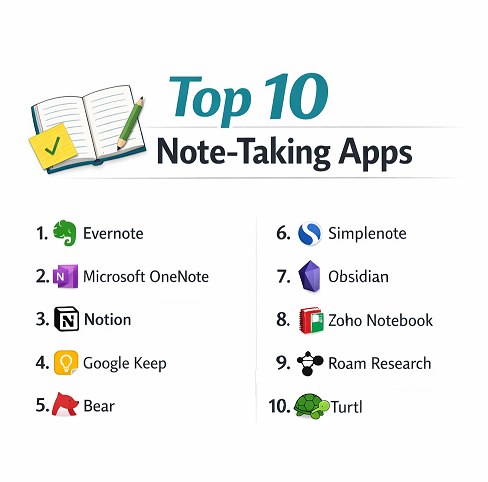
Top 10 Note-taking Apps
1 — Evernote
Evernote is a versatile note-taking app designed to capture and organize ideas, documents, images, and audio across multiple devices. It is aimed at professionals, students, and teams who need to collect, categorize, and retrieve information efficiently. Evernote allows users to create rich notes, attach files, and organize them in notebooks with powerful tagging and search capabilities. Its integration with productivity apps and cloud syncing makes it a central hub for managing both personal and work-related information.
Key features:
- Multi-device cloud synchronization
- Rich text formatting and attachments
- Tagging and notebook organization
- Web clipping and document scanning
- Searchable PDFs and images
- Templates for notes and tasks
- Integrations with Google Drive, Outlook, Slack
Pros:
- Comprehensive organizational tools
- Powerful search functionality
- Supports multimedia content
Cons:
- Free plan has storage limitations
- Some advanced features require subscription
- Occasional syncing delays reported
Security & compliance:
SSO, encryption, GDPR, SOC 2
Support & community:
Documentation, tutorials, active community forums, and enterprise support.
2 — Microsoft OneNote
Microsoft OneNote is a digital notebook designed for personal and collaborative note-taking. Integrated within Microsoft 365, it allows users to create, organize, and share notes seamlessly across devices. OneNote supports multimedia content, hand-written notes, and flexible page layouts, making it suitable for students, educators, and business professionals.
Key features:
- Multi-device syncing via OneDrive
- Rich text, images, and audio recording
- Handwritten note support
- Section and page organization
- Real-time collaboration
- Integration with Microsoft Office suite
- Notebook templates for structured notes
Pros:
- Free and integrated with Microsoft ecosystem
- Supports multimedia and handwriting
- Collaboration for teams and classrooms
Cons:
- Interface may feel cluttered to some users
- Limited advanced task management features
- Syncing can occasionally be slow
Security & compliance:
SSO, encryption, HIPAA, GDPR, ISO
Support & community:
Microsoft documentation, forums, tutorials, and enterprise support.
3 — Notion
Notion is a flexible all-in-one workspace combining notes, tasks, wikis, and databases. Designed for teams and individuals, it allows users to structure information, track projects, and collaborate on shared knowledge bases. Notion’s block-based system supports text, tables, checklists, embeds, and media, enabling highly customizable workflows and organization.
Key features:
- Modular block-based notes
- Databases and task tracking
- Real-time collaboration
- Templates for project management and education
- Embeds for multimedia and documents
- Cross-platform support
- Version history and backups
Pros:
- Highly customizable
- Combines note-taking and task management
- Ideal for teams and personal organization
Cons:
- Learning curve for beginners
- Offline functionality limited
- Can become complex for simple notes
Security & compliance:
SSO, encryption, GDPR, SOC 2
Support & community:
Documentation, video tutorials, templates, and active community forums.
4 — Google Keep
Google Keep is a lightweight note-taking app designed for quick, simple capture of ideas and tasks. It allows users to create notes, checklists, voice memos, and image-based notes. Google Keep is ideal for users who need instant note capture, reminders, and cloud syncing across devices.
Key features:
- Quick note creation and checklists
- Voice notes and image capture
- Labels and color-coding
- Cloud synchronization across devices
- Integration with Google Workspace
- Reminders and notifications
- Collaborative notes with sharing
Pros:
- Very easy to use
- Free with Google account
- Seamless cloud synchronization
Cons:
- Limited formatting and organization options
- Not suitable for complex note structures
- Lacks advanced task management
Security & compliance:
SSO, encryption, GDPR, SOC 2
Support & community:
Google documentation, help center, and community support.
5 — Bear
Bear is a minimalist note-taking app designed for Apple users who want a clean, distraction-free writing experience. It supports rich text formatting, tags, and Markdown, making it popular among writers, students, and creative professionals. Bear emphasizes simplicity while providing powerful organization features for text-heavy notes.
Key features:
- Markdown support for formatting
- Tag-based organization
- Cross-device sync via iCloud
- Rich text and media support
- Export options including PDF, HTML, and DOCX
- Focus mode for distraction-free writing
Pros:
- Minimalist and intuitive interface
- Strong text formatting and export options
- Syncs seamlessly across Apple devices
Cons:
- Apple-only platform
- Limited collaboration features
- Some features behind subscription
Security & compliance:
iCloud encryption, GDPR compliance
Support & community:
Documentation, help guides, and Apple user community.
6 — Simplenote
Simplenote is a free, lightweight note-taking app designed for simplicity and speed. It allows users to quickly capture and search notes across devices. Simplenote is ideal for users who want distraction-free note-taking without complex features, while maintaining synchronization and accessibility.
Key features:
- Minimalist interface
- Tagging and search functionality
- Cross-platform sync
- Version history
- Markdown support
- Collaborative note sharing
Pros:
- Fast and lightweight
- Free and ad-free
- Easy to organize and search
Cons:
- Lacks multimedia support
- Limited formatting options
- Not ideal for large collaborative projects
Security & compliance:
Encryption, GDPR
Support & community:
Documentation, community forum, and basic support.
7 — Obsidian
Obsidian is a knowledge management-oriented note-taking app that links notes using a local graph structure. It is designed for researchers, writers, and professionals who want to build a network of interrelated notes. Obsidian allows users to create a personal knowledge base with rich text, Markdown, and backlinks.
Key features:
- Markdown-based notes
- Graph view to visualize connections
- Local storage for privacy
- Plugin ecosystem
- Tagging and linking
- Cross-platform support
- Version history
Pros:
- Powerful for knowledge networks
- Works offline
- Highly customizable
Cons:
- Steep learning curve
- Less intuitive for casual users
- Collaboration requires plugins
Security & compliance:
Local storage, encryption optional
Support & community:
Active forum, plugin community, and documentation.
8 — Zoho Notebook
Zoho Notebook is a free, visually appealing note-taking app that supports multimedia notes, checklists, and sketches. It is designed for users who want an intuitive, visually organized workspace for personal or team use.
Key features:
- Multimedia notes (text, audio, images)
- Notebook and card-based organization
- Cloud synchronization
- Cross-platform access
- Note sharing and collaboration
- Web clipping
Pros:
- Visually appealing and intuitive
- Supports multimedia
- Free and cross-platform
Cons:
- Limited advanced features
- Smaller community
- Collaboration less powerful than enterprise tools
Security & compliance:
SSO, encryption, GDPR
Support & community:
Documentation, tutorials, and email support.
9 — Roam Research
Roam Research is a note-taking and knowledge management app designed to create a connected, graph-style personal knowledge base. It is ideal for researchers, writers, and teams focused on interconnected ideas and daily note logs. Roam emphasizes linking notes, backlinks, and bidirectional relationships.
Key features:
- Graph database for notes
- Bidirectional linking
- Daily note tracking
- Tagging and referencing
- Cross-platform support
- Markdown-based editing
Pros:
- Excellent for knowledge networks
- Encourages idea connections
- Supports complex workflows
Cons:
- Subscription-based
- Learning curve for new users
- Offline access limited
Security & compliance:
Encryption, GDPR
Support & community:
Documentation, tutorials, and active user community.
10 — Turtl
Turtl is a secure, privacy-focused note-taking app designed to encrypt user notes end-to-end. It is suitable for users who prioritize privacy and data security while organizing notes, tasks, and research. Turtl is popular among professionals handling sensitive information.
Key features:
- End-to-end encryption
- Notebook organization
- Cross-platform access
- Tagging and search
- Multimedia support (limited)
- Collaborative note sharing
Pros:
- Strong privacy and security
- Cross-platform
- Free basic plan
Cons:
- Limited collaboration tools
- Fewer integrations
- Interface less modern
Security & compliance:
End-to-end encryption, GDPR
Support & community:
Documentation, forum, and email support.
Comparison Table
| Tool Name | Best For | Platform(s) Supported | Standout Feature | Rating |
|---|---|---|---|---|
| Evernote | Professionals | Windows, macOS, Web, Mobile | Multimedia-rich notes | N/A |
| Microsoft OneNote | Microsoft ecosystem users | Windows, macOS, Web, Mobile | Notebook organization & integration | N/A |
| Notion | Teams & knowledge management | Windows, macOS, Web, Mobile | Modular workspace | N/A |
| Google Keep | Quick notes & reminders | Web, Android, iOS | Lightweight & cloud-sync | N/A |
| Bear | Writers & Apple users | macOS, iOS | Markdown & clean interface | N/A |
| Simplenote | Minimalists | Windows, macOS, Web, Mobile | Lightweight & fast | N/A |
| Obsidian | Knowledge networks | Windows, macOS, Linux, Mobile | Graph-based linking | N/A |
| Zoho Notebook | Visual & multimedia notes | Windows, macOS, Web, Mobile | Card-style organization | N/A |
| Roam Research | Research & writers | Web, Desktop, Mobile | Bidirectional linking | N/A |
| Turtl | Security-focused users | Windows, macOS, Linux, Mobile | End-to-end encryption | N/A |
Evaluation & Scoring of Note-taking Apps
| Criteria | Weight |
|---|---|
| Core features | 25% |
| Ease of use | 15% |
| Integrations & ecosystem | 15% |
| Security & compliance | 10% |
| Performance & reliability | 10% |
| Support & community | 10% |
| Price / value | 15% |
Which Note-taking Apps Tool Is Right for You?
Solo users should prioritize simplicity and usability. SMBs and startups benefit from apps supporting multimedia and task integration. Mid-market teams require collaboration, integrations, and structured knowledge management. Enterprises should focus on security, compliance, and scalability. The best choice depends on workflow complexity, user skill, and information sensitivity.
Frequently Asked Questions (FAQs)
- What is a note-taking app?
A digital tool to capture, organize, and manage information efficiently across devices. - Are free apps sufficient?
Yes, for basic needs, but premium plans offer advanced features. - Can these apps handle multimedia?
Many support images, audio, PDFs, and embedded files. - Are note-taking apps secure?
Most premium apps offer encryption, SSO, and GDPR compliance. - Can multiple users collaborate?
Yes, many apps support real-time collaboration. - Do these apps work offline?
Some allow offline access, but cloud syncing usually requires internet. - Can I export notes to other formats?
Most apps support PDF, DOCX, and image export. - Are mobile versions available?
Yes, nearly all top apps have iOS and Android versions. - Can these apps replace traditional notebooks?
Yes, for digital, searchable, and shareable notes. - Which app is best for researchers?
Obsidian or Roam Research for knowledge management.
Conclusion
Note-taking apps are essential for personal productivity, learning, and professional collaboration. They help organize, retrieve, and share information efficiently across devices and teams.
The best note-taking app depends on your use case, workflow, collaboration needs, and budget. Careful evaluation of features, security, and integrations ensures long-term value and effective knowledge management.