Introduction
A No-Code App Builder is a development platform that abstracts away the underlying code, replacing it with a visual workspace. Instead of writing lines of Python or Swift, you arrange buttons, maps, and forms on a canvas. These tools are vital because they allow for rapid prototyping and “democratize” innovation. In a world where every business is becoming a digital business, no-code allows a HR manager to build an onboarding portal, a restaurant owner to create a custom delivery app, or an entrepreneur to launch a Minimum Viable Product (MVP) in days rather than months.
Key real-world use cases include internal business productivity tools, customer-facing service apps, e-commerce platforms, and community directories. When evaluating these tools, users should look for database flexibility, third-party integration capabilities, deployment options (web vs. native mobile), and scalability. The goal is to find a tool that is easy to start with but powerful enough to handle your growth.
Best for: Non-technical founders, “citizen developers” in corporate environments, small business owners, and marketing agencies. It is perfect for teams that need to iterate quickly on a budget and industries like real estate, education, and retail.
Not ideal for: High-frequency trading platforms, graphics-intensive video games, or apps requiring highly proprietary, low-level hardware access. In these cases, traditional “Pro-Code” development remains the only viable path.
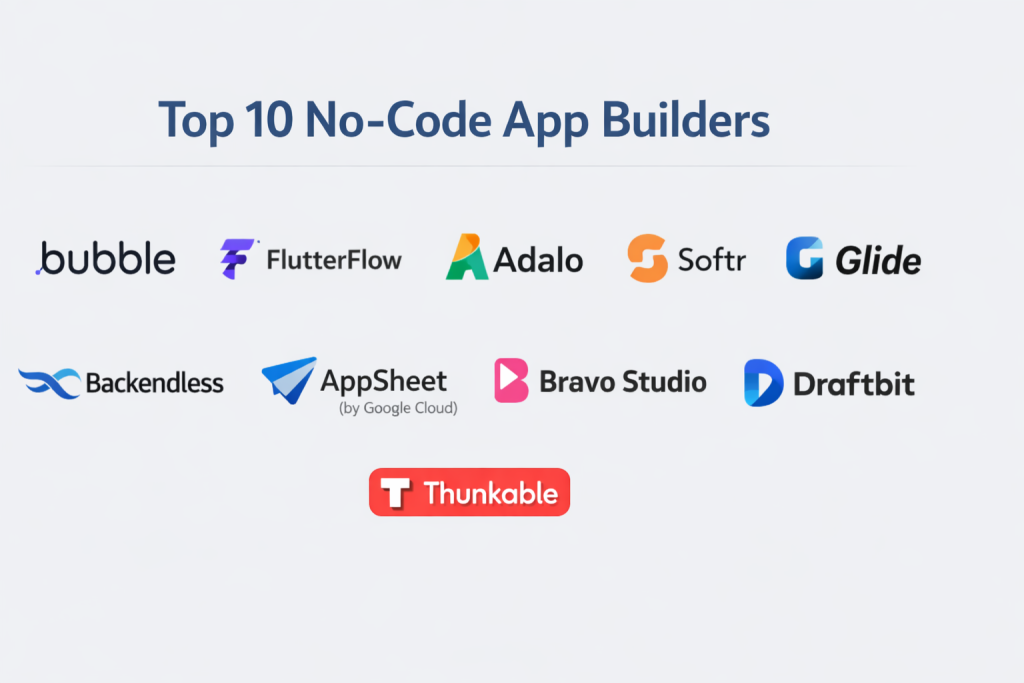
Top 10 No-Code App Builders Tools
1 — Bubble
Bubble is often considered the most powerful no-code tool on the market. It is a comprehensive platform that handles everything from the design of the interface to the logic of the database.
- Key features:
- Full-stack Capability: Manages both the front-end design and back-end database.
- Dynamic Content: Displays data based on user roles and specific conditions.
- Workflow API: Allows for complex logic chains (e.g., “If X happens, send email, then charge card”).
- Plugin Marketplace: Over 1,000 plugins to connect to services like Stripe, Google, and OpenAI.
- Responsive Editor: Tools to ensure apps look great on both desktop and mobile.
- Custom Domains: Direct deployment to your own branded URL.
- Version Control: Ability to save “points in time” and revert changes if something breaks.
- Pros:
- Unrivaled flexibility; there are almost no limits to the complexity of the logic you can build.
- A massive community means you can find a tutorial or a template for almost anything.
- Cons:
- The learning curve is significantly steeper than other “simple” builders.
- It builds “Web Apps” primarily; creating a truly native app for the Apple App Store requires third-party wrappers.
- Security & compliance: SOC 2 Type II, GDPR, and CCPA compliant; includes SSL certificates and automated backups.
- Support & community: Extensive documentation, a very active user forum, and a dedicated “Bubble Academy” for learning.
2 — FlutterFlow
FlutterFlow is a visual builder for the Flutter framework. It is the gold standard for users who want to build high-performance, beautiful mobile apps that feel “native” on both iPhone and Android.
- Key features:
- Visual Action Builder: Design complex logic without writing code.
- Firebase Integration: Seamless connection to Google’s database for real-time data.
- Code Export: Allows you to download the actual Flutter code if you ever decide to hire a developer.
- Custom Widgets: Ability to add “Low-Code” snippets for features the visual builder doesn’t have yet.
- Animations: Built-in support for Lottie and complex visual transitions.
- API Support: Connect to any external backend or service.
- Pros:
- Produces the highest performance apps in the no-code space.
- Excellent for building apps that need to be published directly to the App Store and Google Play.
- Cons:
- Requires a basic understanding of how databases and “states” work to be effective.
- The interface can be overwhelming for someone who has never seen a design tool.
- Security & compliance: Inherits Google Firebase security standards; GDPR compliant and supports SSO.
- Support & community: Strong documentation, active Discord community, and high-quality YouTube tutorials.
3 — Adalo
Adalo is built for speed and simplicity. It focuses on a “PowerPoint-like” experience where you can drag components onto a screen and link them together intuitively.
- Key features:
- Component Marketplace: Pre-built buttons, lists, and forms that are ready to use.
- Internal Database: Built-in spreadsheet-style data management.
- Native Publishing: One-click publishing to iOS and Android stores.
- Conditional Actions: Simple “If/Then” logic for user interactions.
- External Collections: Connect to existing data in Airtable or other APIs.
- Zapier Integration: Connect to thousands of other work apps.
- Pros:
- The fastest way to go from an idea to a live mobile app.
- Very intuitive for beginners who find Bubble or FlutterFlow too technical.
- Cons:
- Limited design flexibility; you are often stuck with their pre-made components.
- Performance can slow down significantly if your app has thousands of users or complex data.
- Security & compliance: Standard encryption (TLS/SSL); GDPR compliant.
- Support & community: Good documentation, a dedicated “App Academy,” and a helpful community forum.
4 — Softr
Softr turns your data into functional web apps. It is designed to work specifically with Airtable or Google Sheets as the “brain,” providing a beautiful “face” for your data.
- Key features:
- Airtable/Google Sheets Integration: Use a simple spreadsheet to power your whole app.
- Pre-built Blocks: Dynamic lists, user profiles, and charts that snap into place.
- User Permissions: Set different access levels for “Managers” vs. “Customers.”
- Payments: Simple Stripe integration for selling subscriptions or products.
- SEO Friendly: Unlike many app builders, Softr pages rank well on Google.
- Responsive Web: Perfect for internal portals, directories, and marketplaces.
- Pros:
- Unbelievably fast setup; if you have a spreadsheet, you have an app in 10 minutes.
- The most user-friendly interface for building business portals.
- Cons:
- Not for mobile-first apps; it creates responsive websites, not downloadable App Store files.
- Highly dependent on the limitations of Airtable or Google Sheets.
- Security & compliance: GDPR compliant; supports SSO (SAML/OpenID) on professional plans.
- Support & community: Excellent live chat support and a very helpful library of templates.
5 — Glide
Glide is similar to Softr but focuses more on mobile-responsive interfaces. Its motto is “Create an app from a Google Sheet in five minutes,” and it delivers on that promise.
- Key features:
- Data Sync: Real-time synchronization with Google Sheets, Excel, or Airtable.
- Action Editor: Create automated tasks like sending a Slack message when a row is added.
- Component Library: Beautiful, modern UI elements that look great by default.
- Glide Tables: A native, high-performance database for more complex apps.
- Bar Code Scanning: Built-in mobile features for inventory management.
- Private Apps: Specifically designed for internal company tools.
- Pros:
- The cleanest, most modern design aesthetics in the no-code world.
- Incredible value for small teams building internal utility tools.
- Cons:
- Not intended for public, high-growth consumer apps on the App Store.
- Pricing can become expensive as you increase the number of “users.”
- Security & compliance: SOC 2 Type II compliant; GDPR and CCPA compliant.
- Support & community: Comprehensive “Glide University” and a very helpful expert network.
6 — Webflow (with Logic & Users)
While primarily known as a website builder, Webflow’s addition of “Users” and “Logic” has pushed it into the app-building category, specifically for content-heavy web applications.
- Key features:
- Visual CSS Designer: The most powerful design tool in the industry.
- CMS: Professional-grade database for managing thousands of content items.
- Memberships: Build gated communities and subscription-based content.
- Logic: Visual flow builder to automate data between the site and external tools.
- SEO Excellence: Best-in-class tools for ranking on search engines.
- Framer-style Interactions: Build complex animations that react to user behavior.
- Pros:
- Your app will be the most beautiful and fastest-loading on the web.
- Total control over every pixel of the design.
- Cons:
- Requires a good understanding of HTML and CSS principles.
- Complex application logic (like a ride-sharing app) is very difficult to build here.
- Security & compliance: SOC 2 Type II, ISO 27001, and GDPR compliant.
- Support & community: “Webflow University” is the gold standard for online learning.
7 — AppSheet
Owned by Google, AppSheet is an “intelligent” no-code platform. It is designed for businesses that need to automate workflows and collect data in the field.
- Key features:
- AI & Machine Learning: Automatically suggests app structures based on your data.
- Offline Mode: Allows field workers to use the app without an internet connection.
- Automation: Triggers emails, notifications, and reports based on data changes.
- GPS & Maps: Deep integration for logistics and routing apps.
- Image Capture: Includes OCR (Optical Character Recognition) to read text from photos.
- Google Workspace Integration: Works natively with Docs, Drive, and Sheets.
- Pros:
- The most reliable choice for enterprise-level internal logistics and operations.
- Extremely strong security and deployment controls for IT managers.
- Cons:
- The design is very “utilitarian” and not suitable for consumer-facing “cool” apps.
- It can feel restrictive for creative designers.
- Security & compliance: HIPAA compliant, GDPR compliant, and SOC 2 support.
- Support & community: Professional Google Enterprise support and a large corporate user base.
8 — Bravo Studio
Bravo Studio is a unique tool for designers. It allows you to take a design made in Figma and turn it into a real, native mobile app without rebuilding it.
- Key features:
- Figma to Native: Your Figma layers become real app components via “Bravo Tags.”
- API Integration: Connect your design to any backend (Airtable, Xano, etc.).
- Native Features: Support for phone cameras, GPS, and haptic feedback.
- Lottie Animations: High-end motion design support.
- Real-time Preview: See changes on your phone instantly as you edit in Figma.
- Pros:
- If you can design it in Figma, you can build it in Bravo. Total creative freedom.
- Produces “native” code that feels very smooth on mobile devices.
- Cons:
- It doesn’t have a built-in database; you must connect an external one.
- Requires a high level of proficiency in Figma.
- Security & compliance: GDPR compliant; standard data encryption.
- Support & community: Growing community of “Bravo Experts” and good video documentation.
9 — Mendix
Mendix is a “High-Productivity” platform geared toward large enterprises. It is designed to help big companies build complex software faster than traditional coding.
- Key features:
- Low-Code/No-Code Hybrid: Simple for beginners, but allows devs to add custom code.
- One-Click Cloud Deployment: Deploy to AWS, Azure, or SAP with one click.
- Collaboration Tools: Integrated project management and feedback loops.
- AI Assist: An AI “co-pilot” that helps you build better logic.
- Offline Sync: Professional-grade offline data handling.
- Microservices Architecture: Built to scale to millions of users.
- Pros:
- The most scalable and powerful platform for “Mission Critical” business apps.
- Excellent governance features for large IT departments.
- Cons:
- Very expensive; it is not meant for a solo entrepreneur or a small shop.
- Overly complex for simple apps.
- Security & compliance: SOC 1/2/3, ISO 27001, HIPAA, and GDPR compliant.
- Support & community: Enterprise-grade 24/7 support and a massive training academy.
10 — Thunkable
Thunkable is a “blocks-based” builder that is excellent for educational purposes and building creative, cross-platform mobile apps.
- Key features:
- Blocks Coding: Uses a logic system similar to Scratch (visual blocks that snap together).
- Cross-Platform: Build once and deploy to iOS, Android, and Web.
- Device Integration: Access to Bluetooth, accelerometer, and gravity sensors.
- Animations: Simple integration for moving parts and interactive elements.
- Admob Integration: Easy way to add advertisements and monetize your app.
- Pros:
- Excellent for beginners learning the logic of programming without the syntax.
- Very flexible for building “fun” or creative apps that use phone sensors.
- Cons:
- The “blocks” interface can become incredibly messy for very large apps.
- Not as “professional” feeling for enterprise-grade business tools.
- Security & compliance: Varies / Standard encryption and GDPR compliant.
- Support & community: Very active educational community and extensive “how-to” videos.
Comparison Table
| Tool Name | Best For | Platform(s) Supported | Standout Feature | Rating (Approx.) |
| Bubble | Complex Web Apps | Web (PWA) | Full-stack Logic | 4.6 / 5 |
| FlutterFlow | High-end Mobile Apps | iOS, Android, Web | Native Code Export | 4.8 / 5 |
| Adalo | Quick Mobile MVPs | iOS, Android, Web | Visual Ease of Use | 4.3 / 5 |
| Softr | Business Portals | Web | Airtable Connection | 4.7 / 5 |
| Glide | Internal Work Tools | iOS, Android, Web | Spreadsheet-to-App | 4.5 / 5 |
| Webflow | Content-Heavy Apps | Web | World-class Design | 4.4 / 5 |
| AppSheet | Logistics/Enterprise | iOS, Android, Web | Google Workspace Sync | 4.2 / 5 |
| Bravo Studio | Design-led Apps | iOS, Android | Figma-to-Native | N/A |
| Mendix | Enterprise Scaling | Web, iOS, Android | Multi-cloud Deployment | 4.5 / 5 |
| Thunkable | Education/Hobbyist | iOS, Android, Web | Blocks-based Logic | 4.4 / 5 |
Evaluation & Scoring of No-Code App Builders
We have scored these tools based on a weighted rubric to help you identify which one excels in the areas most important to your specific project.
| Category | Weight | Evaluation Focus |
| Core Features | 25% | Database power, logic complexity, and UI components. |
| Ease of Use | 15% | Time to learn and intuitiveness of the interface. |
| Integrations | 15% | API access and marketplace of third-party plugins. |
| Security & Compliance | 10% | Encryption, GDPR, and enterprise safety standards. |
| Performance | 10% | App loading speed and data processing reliability. |
| Support & Community | 10% | Quality of documentation and active user forums. |
| Price / Value | 15% | Monthly cost vs. the ROI of the features provided. |
Which No-Code App Builder Tool Is Right for You?
Choosing a builder is a decision that affects your app’s entire future. You should pick based on your goal, your audience, and your technical comfort level.
Solo Users vs SMB vs Mid-Market vs Enterprise
If you are a solo user looking to launch a side project, Glide or Softr are perfect because they are inexpensive and easy. SMBs needing a professional-grade customer app should look at FlutterFlow or Adalo. Mid-market companies building complex internal tools will find Bubble or AppSheet the most useful. Enterprises requiring massive scale and strict security should almost always choose Mendix.
Budget-Conscious vs Premium Solutions
If you have zero budget, many of these tools have a free tier. Softr and ConvertKit (though it is for emails) have great free options. However, for a professional app, expect to pay between $25 and $150 per month. If you are a high-end agency, Mendix or Webflow Enterprise will be much more significant investments.
Feature Depth vs Ease of Use
This is the most important trade-off. Adalo is incredibly easy to use but has limited “Depth.” Bubble has infinite depth but will take you weeks or months to master. Ask yourself: “Do I need this app tomorrow, or do I need it to be able to do everything?”
Integration and Scalability Needs
If you plan to grow to millions of users, you need a builder that allows for external databases. Tools like FlutterFlow (connected to Firebase) or Bubble (with an external SQL database) are the best for scaling. If you only need to manage 500 employees, Glide is more than enough.
Frequently Asked Questions (FAQs)
1. Is “No-Code” really no-code?
Yes. You can build 90% of an app without writing a word. However, “Low-Code” (adding a tiny bit of script) can often help you get that final 10% of specific functionality.
2. Can I own the code once I build it?
Mostly, no. In platforms like Bubble or Adalo, the app “lives” on their servers. FlutterFlow is a rare exception that allows you to export the code.
3. Are no-code apps slow?
They used to be. However, modern platforms like FlutterFlow and Mendix produce apps that are indistinguishable from hand-coded ones in terms of speed.
4. How much does it cost to build an app with no-code?
It is much cheaper than hiring a dev ($50k+). You can build a professional app for a monthly subscription of $30 to $100 plus your own time.
5. Can I publish my no-code app to the Apple App Store?
Yes, tools like Adalo, FlutterFlow, and Thunkable allow you to submit your app directly to the official stores.
6. Is my app’s data safe?
Yes. Most major builders use enterprise-grade encryption and follow global laws like GDPR. However, always check the security settings of your chosen platform.
7. Can I switch platforms later if I don’t like my choice?
This is difficult. You cannot simply “move” a Bubble app to Adalo. You would have to rebuild the interface, though you could likely keep your database.
8. What is a “Citizen Developer”?
This is a term for a business employee (like a lawyer or accountant) who builds their own software tools using no-code instead of waiting for the IT department.
9. Can I build the next Uber with no-code?
You can build a version of it for testing. However, for a global, real-time map-based app with millions of drivers, you will eventually need a professional coding team.
10. Do I need a designer?
Many no-code builders come with “Templates.” If you have a good eye, you can do it yourself. If you want a “Premium” look, hiring a designer to use the tool is a great middle-ground.
Conclusion
The era of software development being a “secret language” is over. No-code app builders have turned the act of creation into a visual, accessible, and fast process. The power to build a global business now resides in your ability to think logically and design clearly, rather than your ability to memorize syntax.
When choosing your tool, don’t just look at the price. Look at the Community and the Flexibility. If you are just starting out, Glide or Adalo will give you the “win” you need to stay motivated. If you are building a career as a no-code developer, Bubble and FlutterFlow are the tools that will provide you with the most long-term power. The best tool is the one that gets your idea out of your head and into the hands of your users.