Introduction
Network Detection and Response (NDR) is a sophisticated cybersecurity solution that continuously monitors an organization’s network traffic to detect, investigate, and respond to malicious activities. Unlike traditional firewalls or Intrusion Prevention Systems (IPS) that primarily guard the “perimeter,” NDR focuses on “East-West” traffic—the communication that happens inside your network. By using non-signature-based techniques, such as Machine Learning (ML) and behavioral analytics, NDR tools can identify “silent” threats like lateral movement, data exfiltration, and credential abuse that other tools often miss.
The importance of NDR has surged as networks become more complex, spanning cloud, on-premises, and hybrid environments. It serves as the “ground truth” for security teams because, while attackers can turn off logs or bypass endpoint agents, they cannot hide their movements on the network wire. Key real-world use cases include detecting a compromised workstation trying to scan internal servers, identifying unauthorized data being sent to a foreign IP address, and providing a historical record of network events for forensic audits. When choosing an NDR tool, organizations should look for high-speed packet processing, deep protocol analysis (including encrypted traffic), and the ability to integrate with Endpoint Detection and Response (EDR) to create a full XDR ecosystem.
Best for: NDR tools are most beneficial for mid-to-large enterprises and organizations in high-stakes industries like finance, healthcare, and infrastructure. They are essential for Security Operations Center (SOC) analysts, Network Engineers, and CISO-level stakeholders who require total visibility into the blind spots of their internal network.
Not ideal for: Solo users or micro-businesses with basic networking needs. If an organization does not have a dedicated IT or security person to review alerts, the deep technical data provided by an NDR might be overwhelming. In such cases, a managed firewall or a basic Endpoint Protection (EPP) suite may be a more appropriate starting point.
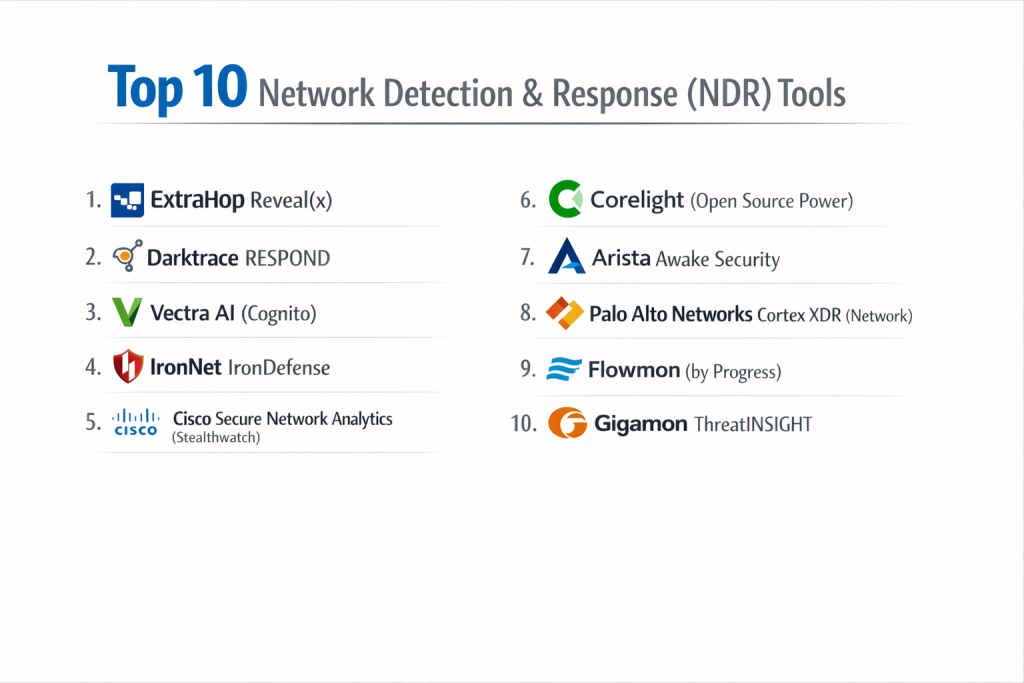
Top 10 Network Detection & Response (NDR) Tools
1 — ExtraHop Reveal(x)
ExtraHop Reveal(x) is a cloud-native NDR platform that provides complete visibility from the data center to the cloud. It is designed for enterprises that need to analyze massive amounts of traffic in real-time without slowing down the network.
- Key Features:
- Line-Rate Decryption: Decrypts SSL/TLS 1.3 traffic in real-time to inspect hidden threats.
- Behavioral ML: Learns the “normal” rhythm of your network to spot subtle anomalies.
- Automatic Asset Discovery: Instantly finds and classifies every device on the network, including unmanaged IoT.
- Cloud-Native Sensors: Specialized visibility for AWS, Azure, and Google Cloud workloads.
- Strategic Integrations: Native “push-button” response actions with major EDR and Firewall vendors.
- Pros:
- Unmatched ability to handle high-throughput environments (up to 100Gbps).
- Very low false-positive rate due to highly refined machine learning models.
- Cons:
- The cost can be significant for organizations with high data volumes.
- Requires a certain level of networking expertise to utilize the advanced “Record Search” features.
- Security & Compliance: SOC 2 Type II, ISO 27001, GDPR, and HIPAA compliant.
- Support & Community: Excellent technical documentation, “ExtraHop Academy” for training, and 24/7 enterprise-grade support.
2 — Darktrace RESPOND
Darktrace is famous for its “Enterprise Immune System,” which uses Self-Learning AI to mimic the human immune system. Its RESPOND (formerly Antigena) module takes active steps to neutralize threats the moment they are detected.
- Key Features:
- Self-Learning AI: No pre-defined “bad” lists; it learns your unique business from scratch.
- Autonomous Response: Can instantly “freeze” a connection or device that is behaving maliciously.
- Cyber AI Analyst: Automatically stitches together related alerts into a single incident report.
- Email Integration: Extends network visibility into the email flow to stop phishing.
- Multi-Cloud Visibility: Consistent protection across SaaS, cloud, and on-premise environments.
- Pros:
- Requires almost zero manual configuration or “tuning” during setup.
- The visual interface (threat map) is highly intuitive for security leadership.
- Cons:
- The autonomous response can occasionally block legitimate “unusual” business activity if not tuned carefully.
- “Black box” AI can sometimes make it difficult to understand exactly why an alert was triggered.
- Security & Compliance: SOC 2, ISO 27001, and GDPR compliant.
- Support & Community: High-touch customer success models and an active global user base.
3 — Vectra AI (Cognito)
Vectra AI focuses heavily on the “Attacker Loop,” using AI to identify the specific behaviors associated with a human attacker, such as remote access tool usage or internal reconnaissance.
- Key Features:
- Attack Signal Intelligence: Prioritizes threats based on the risk to the business, not just technical severity.
- Privileged Identity Analytics: Monitors how admin accounts are moving across the network.
- Cloud & SaaS Coverage: Deep visibility into Microsoft 365, Azure AD, and AWS control planes.
- AI-Assisted Hunting: Tools that help analysts find “low and slow” attacks.
- Automated Triage: Filters out harmless anomalies so analysts focus on real threats.
- Pros:
- Exceptional at finding “living-off-the-land” attacks that don’t use malware.
- Very strong integration with Microsoft Defender and Microsoft Sentinel.
- Cons:
- Some users find the pricing for SaaS and Cloud modules to be quite high.
- The interface, while powerful, has a learning curve for junior analysts.
- Security & Compliance: SOC 2 Type II, NIST, and GDPR compliant.
- Support & Community: Robust technical support and a library of threat research papers.
4 — IronNet IronDefense
Founded by former NSA leadership, IronNet brings “Collective Defense” to NDR. It allows different companies in the same industry to share threat data in real-time to stop a campaign targeting the whole sector.
- Key Features:
- IronDome: A collective defense framework that shares anonymized threat signals across organizations.
- Expert System: Uses behavioral analytics modeled after elite nation-state offensive techniques.
- Packet-Level Visibility: Ability to drill down from a high-level alert to the raw network data.
- Integrated Risk Scoring: Correlates network events with specific business risks.
- Community Dashboards: See what other companies in your sector are seeing.
- Pros:
- The “Collective Defense” aspect is unique and highly valuable for critical infrastructure.
- Deep technical depth that appeals to advanced security researchers.
- Cons:
- May be too complex for smaller organizations without a mature SOC.
- Requires participation in the “IronDome” community to get the full value.
- Security & Compliance: SOC 2, HIPAA, and GDPR compliant.
- Support & Community: Strong focus on community engagement and specialized technical support.
5 — Cisco Secure Network Analytics (Stealthwatch)
As a titan of the networking world, Cisco’s NDR solution leverages telemetry data from your existing Cisco switches, routers, and firewalls to turn your entire network into a security sensor.
- Key Features:
- Encrypted Traffic Analytics (ETA): Uses machine learning to find malware in encrypted traffic without decryption.
- Agentless Discovery: No need to install software; it uses NetFlow data already present in your hardware.
- Identity Correlation: Links network activity to specific users via Cisco ISE.
- Global Threat Intel: Powered by Cisco Talos, one of the largest threat research teams in the world.
- Forensic Auditing: Stores long-term network telemetry for historical investigations.
- Pros:
- Incredible value for organizations already running a “Cisco Shop.”
- Scales to the world’s largest global networks effortlessly.
- Cons:
- The full feature set often requires other Cisco products (like ISE or specific hardware).
- Deployment can be complex in a non-Cisco or multi-vendor environment.
- Security & Compliance: FedRAMP authorized, ISO 27001, and GDPR compliant.
- Support & Community: Massive global support infrastructure and a huge professional community.
6 — Corelight (Open Source Power)
Corelight is the commercial version of Zeek (formerly Bro), the world’s most popular open-source network security monitor. It turns raw network traffic into high-quality data for threat hunting.
- Key Features:
- Zeek-Based Data: Generates rich, structured logs for hundreds of network protocols.
- Suricata Integration: Combines signature-based detection (Suricata) with behavioral data (Zeek).
- Smart PCAP: Captures the exact packets you need for an investigation without filling up your storage.
- Encrypted Traffic Insights: Provides metadata about encrypted sessions to find patterns of abuse.
- Fleet Management: Centralized control for hardware and software sensors across the globe.
- Pros:
- The data quality is considered the “gold standard” for forensic investigators.
- Highly flexible and “vendor-neutral”—it works with almost any SIEM or data lake.
- Cons:
- It is a “data-heavy” tool; you need a place to store and analyze the logs it creates.
- Does not have the built-in “Autonomous Response” features found in Darktrace.
- Security & Compliance: SOC 2 Type II and GDPR compliant.
- Support & Community: Deeply rooted in the open-source Zeek community with professional enterprise support.
7 — Arista Awake Security
Awake Security (now part of Arista Networks) uses an “Entity-based” approach, focusing on tracking the behavior of specific devices and users over time rather than just individual alerts.
- Key Features:
- Entity Tracking: Automatically identifies people, devices, and applications, even as IP addresses change.
- Adversarial Modeling: Uses a specialized query language to hunt for specific attacker techniques.
- Full Packet Forensics: Keeps a detailed record of network conversations for deep investigation.
- Autonomous Assistant: Uses AI to answer questions like “Who else talked to this malicious domain?”
- Low-Friction Deployment: Can be deployed as a physical, virtual, or cloud appliance.
- Pros:
- Excellent at reducing “alert noise” by grouping events by device.
- Very powerful for advanced threat hunters who want to write custom queries.
- Cons:
- Can be a premium-priced solution.
- Integration with non-Arista networking gear is good, but Arista shops get the most benefit.
- Security & Compliance: ISO 27001 and GDPR compliant.
- Support & Community: Strong technical support and specialized onboarding services.
8 — Palo Alto Networks Cortex XDR (Network)
While Cortex XDR is often thought of as an endpoint tool, its NDR capabilities are world-class, especially when integrated with Palo Alto’s Next-Generation Firewalls (NGFW).
- Key Features:
- Network + Endpoint Correlation: Automatically links a network alert to the specific process on a laptop.
- Cloud-Native Analytics: Analyzes logs from AWS, Azure, and Google Cloud without installing agents.
- Unit 42 Intel: Powered by one of the most respected threat research groups in the industry.
- Behavioral Baselines: Automatically creates a “normal” profile for every user and device.
- Automated Block: Can instantly trigger a block on a Palo Alto firewall to stop an attack.
- Pros:
- The best “Single Pane of Glass” for organizations using the Palo Alto stack.
- Dramatically reduces “Mean Time to Respond” (MTTR) by correlating data sources.
- Cons:
- To get the full NDR value, you generally need to be using Palo Alto firewalls.
- The licensing model can be complex and expensive for smaller firms.
- Security & Compliance: FedRAMP, SOC 2, and GDPR compliant.
- Support & Community: Massive global enterprise support and an extensive partner network.
9 — Flowmon (by Progress)
Flowmon provides an excellent balance of network performance monitoring (NPM) and security (NDR). It is highly popular in Europe and among mid-sized enterprises.
- Key Features:
- NetFlow/IPFIX Analysis: Highly efficient monitoring using flow data from existing switches.
- Anomalous Behavior Detection: Finds patterns like DDoS, port scanning, and dictionary attacks.
- Encrypted Traffic Analysis: Provides visibility into the cipher suites and certificates being used.
- Performance Metrics: Also monitors network latency and application response times.
- Scalable Architecture: Can handle anything from a small branch office to a major data center.
- Pros:
- Very cost-effective compared to high-end enterprise rivals.
- Useful for both the Security team and the Networking team (two tools in one).
- Cons:
- Lacks some of the advanced “Autonomous AI” found in Darktrace or ExtraHop.
- The interface is functional but not as modern-looking as newer cloud-native competitors.
- Security & Compliance: ISO 27001, GDPR, and HIPAA compliant.
- Support & Community: Reliable support and a strong presence in the EMEA market.
10 — Gigamon ThreatINSIGHT
Gigamon is a leader in “Network Visibility.” Their ThreatINSIGHT platform is a cloud-native NDR built to provide high-fidelity alerts to overburdened SOC teams.
- Key Features:
- Guided SaaS Experience: A cloud-based console that is easy to set up and manage.
- Intelligence-Driven Detection: Focuses on the techniques used by over 500 known threat actor groups.
- 30-Day Data Retention: Keeps full metadata for a month to allow for deep look-back investigations.
- High-Confidence Alerts: Uses a proprietary “Observed Threat” model to reduce false alarms.
- Gigamon Visibility Integration: Works perfectly with Gigamon TAPs and brokers.
- Pros:
- Very easy to deploy for teams that don’t want to manage on-premise hardware.
- Excellent visibility into “shadow IT” and unmanaged cloud instances.
- Cons:
- Primarily designed for teams that already use Gigamon for network traffic access.
- Not as much “manual hunting” depth as a tool like Corelight.
- Security & Compliance: SOC 2 Type II and GDPR compliant.
- Support & Community: Dedicated customer success teams and high-quality training.
Comparison Table
| Tool Name | Best For | Platform(s) Supported | Standout Feature | Rating (Gartner) |
| ExtraHop | High-Throughput Orgs | SaaS, On-prem, Cloud | SSL/TLS 1.3 Decryption | 4.8 / 5 |
| Darktrace | Self-Learning AI | SaaS, On-prem, Cloud | Autonomous Response | 4.6 / 5 |
| Vectra AI | Hybrid & M365 Security | SaaS, On-prem, Cloud | Attack Signal Intel | 4.5 / 5 |
| IronNet | Collective Defense | SaaS, On-prem, Cloud | Sector-wide Signal Sharing | 4.4 / 5 |
| Cisco Secure | Cisco-Heavy Shops | On-prem, Hybrid | Encrypted Traffic Analytics | 4.3 / 5 |
| Corelight | Forensic Hunters | SaaS, On-prem, Cloud | Zeek-Based Data Depth | 4.7 / 5 |
| Arista Awake | Device-Centric Orgs | SaaS, On-prem, Cloud | Entity-Based Tracking | 4.5 / 5 |
| Palo Alto | Full XDR Integration | SaaS, On-prem, Cloud | Endpoint Correlation | 4.6 / 5 |
| Flowmon | Mid-market / Performance | On-prem, Hybrid | NPM + NDR Hybrid | 4.4 / 5 |
| Gigamon | Rapid SaaS Deployment | SaaS | High-Fidelity Alerting | 4.3 / 5 |
Evaluation & Scoring of [Network Detection & Response (NDR)]
To help you weigh your options, we evaluated these tools using a standardized scoring rubric. These weights reflect what modern IT directors and CISOs value most in a high-speed network environment.
| Metric | Weight | Evaluation Criteria |
| Core Features | 25% | ML detection, encrypted traffic analysis, and asset discovery. |
| Ease of Use | 15% | Intuitiveness of dashboards and clarity of alert explanations. |
| Integrations | 15% | Native connections to EDR, SIEM, and firewalls for response. |
| Security & Compliance | 10% | Data encryption at rest/transit and audit certifications. |
| Performance | 10% | Impact on network latency and ability to handle high bandwidth. |
| Support & Community | 10% | Quality of documentation and availability of 24/7 technical help. |
| Price / Value | 15% | Transparency of the licensing model and overall ROI. |
Which [Network Detection & Response (NDR)] Tool Is Right for You?
Selecting an NDR tool is a major commitment. Here is a practical guide based on your organizational profile:
Solo Users vs SMB vs Mid-market vs Enterprise
- SMBs (Small-Medium Businesses): Look at Flowmon or Gigamon. These tools offer solid protection without requiring a team of five people just to watch the screens.
- Mid-Market: Sophos (not listed, but good) or Darktrace work well here because their AI handles much of the heavy lifting.
- Large Enterprise: ExtraHop and Vectra AI are built for the scale and complexity of global corporations.
Budget-conscious vs Premium Solutions
- Budget-conscious: If you have high technical skill but a low budget, Corelight (or the open-source Zeek) is your best friend. If you have Cisco hardware, Secure Network Analytics might be the most cost-effective add-on.
- Premium: Darktrace and ExtraHop are premium investments. They are expensive, but they offer the highest level of “set and forget” security and deep forensic power.
Feature Depth vs Ease of Use
- If you want a tool that “does it for you,” go with Darktrace.
- If you want a tool that “shows you everything” so your experts can hunt, go with Corelight or ExtraHop.
Frequently Asked Questions (FAQs)
1. Is NDR better than a Firewall?
They do different things. A firewall is like a “locked door” (preventing entry). NDR is like a “motion sensor” inside the house. If someone climbs through a window or has a key, the NDR spots them moving through the rooms.
2. Does NDR slow down my network?
No. Modern NDR tools are “passive.” They use a “TAP” or “SPAN” port to take a copy of the traffic. The actual network traffic continues to flow normally, completely unaffected by the NDR tool.
3. What is the difference between NDR and IDS?
Traditional Intrusion Detection Systems (IDS) look for “signatures” (known bad patterns). NDR looks for “behavior” (unusual patterns). NDR is much better at finding new, “zero-day” threats that don’t have a signature yet.
4. Can NDR see into encrypted traffic (like HTTPS)?
Yes, but in different ways. Some tools (like ExtraHop) actually decrypt the traffic. Others (like Cisco) use “Encrypted Traffic Analytics” to look at the shape and metadata of the traffic to find malware without needing to decrypt it.
5. How much does NDR typically cost?
Pricing is usually based on the volume of traffic (bandwidth) or the number of IP addresses being monitored. Expect to pay anywhere from $10,000 to over $100,000 per year for enterprise-grade solutions.
6. Do I need an NDR if I already have EDR (Endpoint Detection)?
Yes. EDR is great for laptops and servers, but it can’t be installed on “unmanaged” devices like printers, smart cameras, medical devices, or industrial controllers (IoT). NDR sees everything that has an IP address.
7. Is NDR the same as “NetFlow” monitoring?
NetFlow is a type of data (like a phone bill: who called whom and for how long). NDR uses NetFlow, but it often goes much deeper by looking at the actual “payload” (the conversation) within the packets.
8. How long does it take to set up an NDR?
Basic setup (getting traffic into the tool) usually takes a day. However, it typically takes 2 to 4 weeks for the “Machine Learning” to learn your network’s normal behavior before it starts giving high-quality alerts.
9. What is “East-West” traffic?
“North-South” traffic is data going from your network out to the internet. “East-West” traffic is data moving between servers and workstations inside your own office or data center. NDR specializes in East-West traffic.
10. Can NDR stop a Ransomware attack?
Yes. NDR can spot the “reconnaissance” phase (where the hacker looks for files to steal) and the “exfiltration” phase (where they try to send your data out). Some tools can even automatically block the infected device to stop the spread.
Conclusion
In a world where hackers are increasingly using “legitimate” tools to move through networks, Network Detection and Response (NDR) provides the essential visibility needed to stay ahead. The “best” tool is not the one with the most features, but the one that integrates seamlessly into your existing team’s workflow.
If you have a small team, look for an AI-heavy solution like Darktrace. If you have a team of “detectives” who want to dig into the raw data, ExtraHop or Corelight will be their favorite tools. Ultimately, an NDR solution ensures that even when your perimeter is breached, the attacker remains visible, trackable, and ultimately, stoppable.