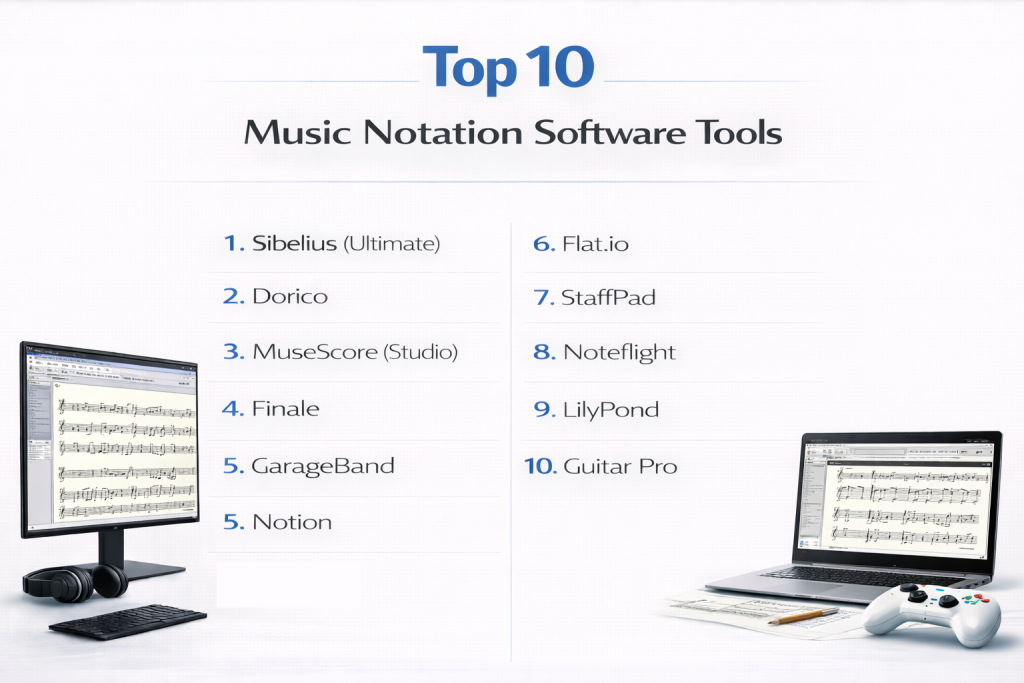
Music notation software, often referred to as “scorewriters,” are digital tools designed to transform musical ideas into professionally formatted sheet music. These applications provide a canvas where composers, arrangers, and educators can place notes, rests, dynamics, and articulations on a staff, much like writing with a pen on manuscript paper but with the power of digital automation. Beyond simple drafting, modern notation software serves as a bridge between composition and performance, offering high-quality MIDI playback to hear works in progress and sophisticated “engraving” engines that ensure scores meet the rigorous standards of professional publishing.
The importance of these tools cannot be overstated in the modern musical landscape. They allow for the rapid distribution of parts to orchestra members, the creation of educational materials for students, and the seamless integration of sheet music into film scoring and game development workflows. Whether it is a solo songwriter documenting a melody or a film composer managing a 100-piece orchestral score, notation software provides the precision needed for complex musical communication. When evaluating these tools, users should prioritize note-entry speed, the quality of the engraving (visual layout), the realism of the playback sounds, and the ability to export files into industry-standard formats like MusicXML or MIDI.
Best for: Professional composers, arrangers, music educators, and students who need to create, share, and print high-quality sheet music. It is particularly essential for those working in film, television, and classical music publishing where “house styles” and specific formatting rules are strictly enforced.
Not ideal for: Electronic music producers or beat makers who primarily work with loops, samples, and synthesizers. For those workflows, a Digital Audio Workstation (DAW) like Ableton Live or FL Studio is often more efficient than a dedicated notation program.
Top 10 Music Notation Software Tools
1 — Sibelius (Ultimate)
Sibelius is widely considered the industry standard for professional composers and publishers. Developed by Avid, it is known for its sophisticated “Magnetic Layout” and extensive cloud sharing capabilities, making it a staple in universities and professional studios globally. Its longevity in the market has created a “Sibelius ecosystem” where most professional engravers can exchange files seamlessly.
- Key features:
- Magnetic Layout: Automatically adjusts the position of musical elements to prevent collisions as you add more notes.
- Cloud Sharing: Allows users to host scores online and share links for viewing or playback on any device.
- Panoramic View: Provides a continuous horizontal view of the score for easier composition without page breaks.
- Annotations: Supports handwritten-style notes and comments directly on the score for collaborative feedback.
- PhotoScore & AudioScore Integration: Specialized tools for scanning sheet music or transcribing audio into editable notation.
- Video Integration: Allows composers to view video clips while writing film scores, syncing playback to the frame.
- Version Control: Track changes made to a score over time and revert to earlier iterations easily.
- Pros:
- Unrivaled for professional engraving and large-scale orchestral scores used in Hollywood.
- Highly efficient workflow once the keyboard shortcuts (The Keypad) are mastered.
- Excellent support for collaborative academic environments and multi-user licensing.
- Cons:
- The subscription-based pricing model can be expensive and frustrating for casual users.
- The user interface, while powerful, can feel cluttered due to years of added features.
- Security & compliance: Supports SSO (Single Sign-On) for enterprise/academic licenses; GDPR compliant; secure cloud storage via Avid Link.
- Support & community: Extensive documentation, dedicated customer support teams, and a massive global user forum with decades of archived solutions.
2 — Dorico
Dorico is the newest “heavy hitter” in the professional market, developed by the former creators of Sibelius at Steinberg. It reimagines the notation process with a focus on artificial intelligence and a modern, high-performance engine that handles complex rhythmic relationships better than any legacy tool.
- Key features:
- Flows Concept: Manage multiple movements, songs, or sketches within a single project file without creating separate documents.
- Automatic Engraving: Best-in-class default spacing and collision avoidance that requires minimal manual tweaking.
- Popovers: A text-based entry system that lets users type commands like “p” for piano or “cres” for crescendo without using a mouse.
- Integrated DAW Tools: Features a dedicated “Play” mode with a piano roll, MIDI automation lanes, and VST instrument support.
- Live Note Editing: Dragging notes changes their pitch and duration in real-time with visual feedback.
- DTP-Style Layout: Powerful page layout tools that function similarly to Adobe InDesign for professional publishing.
- Pros:
- Incredibly fast and responsive, even with massive orchestral scores containing hundreds of staves.
- The most modern and aesthetically pleasing user interface in the category.
- Superior handling of “open meter” and complex modern rhythmic notation.
- Cons:
- The workflow is very different from legacy software, requiring a mental “reset” for long-time Sibelius/Finale users.
- System requirements are higher than older programs; requires a modern processor for best performance.
- Security & compliance: Uses Steinberg’s modern cloud-based or offline licensing system; GDPR compliant.
- Support & community: High-quality video tutorials on YouTube and an extremely active forum where developers frequently interact with users.
3 — MuseScore (Studio)
MuseScore is the world’s most popular free and open-source notation software. It has evolved from a basic hobbyist tool into a powerful, professional-grade application that rivals many paid alternatives, especially since the release of version 4.
- Key features:
- Completely Free: No license fees, subscriptions, or “freemium” locked features for the desktop application.
- Muse Sounds: A revolutionary, high-quality orchestral playback library that is free to download and sounds surprisingly realistic.
- Standard Notation Tools: Supports unlimited staves, lyrics, chord symbols, and complex time signatures.
- Online Community: Direct integration with a repository of over one million community-created scores for learning and inspiration.
- Cross-Platform: Runs natively on Windows, macOS, and Linux with full feature parity.
- Braille Support: Includes features to help visually impaired musicians create and read music.
- Pros:
- Zero cost of entry makes it the best choice for students, hobbyists, and non-profits.
- The recent UI overhaul makes it one of the most intuitive programs for beginners.
- Cons:
- Lacks some of the ultra-fine engraving controls for specific font kerning and custom symbols found in Dorico.
- The internal mixer and MIDI routing are still catching up to professional DAW-integrated tools.
- Security & compliance: Open-source transparency; basic data collection follows GDPR; no intrusive DRM.
- Support & community: One of the largest active user communities in the world; massive documentation library translated into dozens of languages.
4 — Finale
Finale is one of the oldest and most flexible notation programs ever created. It is the “Swiss Army Knife” of notation; if you can imagine a musical symbol, Finale can likely create it. However, this power comes at the cost of a complex interface.
- Key features:
- Unlimited Flexibility: Every element on the page can be moved, resized, or customized down to the pixel.
- Human Playback: A playback engine designed to interpret musical markings like “pizzicato” or “trill” with human-like nuance.
- Standard MIDI File Support: Renowned for its ability to import and export MIDI data with high accuracy.
- Educational Templates: Includes a massive library of over 1,500 worksheets and flashcards for music teachers.
- Garritan Sounds: Comes bundled with a professional sound library that provides a solid foundation for playback.
- Pros:
- The “ultimate” tool for avant-garde, contemporary classical, or non-standard notation.
- Rock-solid stability for legacy users who have workflows built around its specific plugin architecture.
- Cons:
- The interface feels dated and requires many “dialogue boxes” to perform simple tasks.
- One of the steepest learning curves in the software world.
- Security & compliance: Standard desktop security; focused on local file management rather than cloud storage.
- Support & community: Strong legacy community of “Finale Power Users” and formal technical support via MakeMusic.
5 — Notion
Notion, developed by PreSonus, is designed for the modern songwriter and performer. It prioritizes the “sound” of the notation, making it feel more like an instrument than a word processor for music.
- Key features:
- Real-Time Performance: Includes a “Conduct” mode to control the tempo and dynamics of playback live during a rehearsal.
- Abbey Road Samples: Features high-quality orchestral samples recorded at the iconic Abbey Road Studios.
- Studio One Integration: Send audio and MIDI data directly to PreSonus Studio One DAW for professional mixing.
- Handwriting Recognition: Supports note entry via stylus on touchscreens, perfect for Microsoft Surface or iPad users.
- Video Window: Dedicated video support for basic film scoring tasks.
- Pros:
- Best-in-class playback sounds out of the box without needing external plugins.
- Very intuitive and easy to pick up for users who are used to DAW environments.
- Cons:
- Not as deep as Sibelius or Dorico for complex, multi-movement academic publishing.
- Limited engraving options for fine-tuning the visual appearance of the score.
- Security & compliance: Standard desktop application security; integrated with PreSonus Sphere accounts.
- Support & community: Solid documentation and a strong presence in the PreSonus user ecosystem.
6 — Flat.io
Flat.io is a cloud-native platform that brings the “Google Docs” experience to music notation. It is built entirely in the browser, making it the premier choice for schools and remote collaboration.
- Key features:
- Browser-Based: No installation or updates required; work on a Chromebook, tablet, or PC instantly.
- Real-Time Collaboration: Multiple users can edit the same score simultaneously with color-coded cursors.
- History Versioning: Every edit is saved; users can browse the history and revert to any point in the composition.
- Offline Mode: Allows users to keep composing when the internet connection is lost, syncing later.
- API Integration: Offers an API for developers to integrate music notation into other web applications.
- Pros:
- The absolute best choice for remote lessons and group composition projects.
- Extremely fast onboarding; students can start writing in seconds.
- Cons:
- Requires a monthly subscription for advanced features like offline mode and high-quality export.
- Playback sounds are “web-standard” and lack the depth of desktop sample libraries.
- Security & compliance: GDPR, COPPA, and FERPA compliant (crucial for US schools); supports SSO via Google and Microsoft.
- Support & community: Excellent online help center, email support, and a growing community of educators.
7 — StaffPad
StaffPad is a “tablet-first” application that changed the game for composers who prefer the feel of a pen. It is designed to be used with an Apple Pencil or Surface Pen, converting handwriting into beautiful music in real-time.
- Key features:
- Handwriting Recognition: Intelligent engine that learns your handwriting style over time.
- Orchestral Expansion: Users can buy professional-grade sample libraries (like Orchestral Tools or Spitfire Audio) that run inside the app.
- Score Sync: Connect multiple iPads to use as digital music stands; the conductor’s changes sync to the players’ screens.
- Automation Drawing: Use the pen to draw volume and expression curves directly onto the staff.
- Pros:
- The most natural, “unplugged” feeling for composers who find a mouse and keyboard distracting.
- Produces some of the most realistic audio demos available on a mobile device.
- Cons:
- Strict hardware requirements; you must have a tablet with active stylus support.
- Very little control over engraving; it is a composition tool first and a publishing tool second.
- Security & compliance: Governed by Apple/Microsoft Store security standards.
- Support & community: High-quality video tutorials and an active social media presence.
8 — Noteflight
Noteflight is a veteran of the web-based notation world. It focuses on the intersection of notation, education, and the legal marketplace, allowing users to monetize their work.
- Key features:
- Noteflight Marketplace: The only platform that allows you to legally arrange and sell copyrighted pop songs.
- SoundCheck: An AI tool that listens to you play your instrument and provides immediate feedback on pitch and rhythm.
- Learning Management System (LMS) Integration: Plugs directly into Canvas, Schoology, and Google Classroom.
- Organized Groups: Create private groups for choirs or bands to share and practice music.
- Pros:
- The easiest way for hobbyist arrangers to sell their work legally.
- Strong focus on “performance assessment” makes it a great practice tool.
- Cons:
- The user interface feels a bit dated compared to Flat.io.
- Free version is quite restrictive regarding score limits.
- Security & compliance: GDPR/COPPA compliant; secure payment processing for the marketplace.
- Support & community: Large, long-standing user base with thousands of public scores available for study.
9 — LilyPond
LilyPond is the “coder’s choice.” It does not have a traditional visual interface; instead, users write text files that describe the music, which the software then “compiles” into a PDF.
- Key features:
- Automated Layout: Uses a sophisticated algorithm based on traditional hand-engraving rules to place elements.
- Text-Based Workflow: Scores are saved as
.lyfiles, which are small, portable, and easy to read. - Programmability: Users can write Scheme macros to automate repetitive or complex notation tasks.
- Version Control: Perfectly suited for Git or SVN, allowing for professional software-style development of music.
- Pros:
- Produces the most beautiful, “classical” looking sheet music of any software on this list.
- Completely free and runs on almost any computer, including old hardware.
- Cons:
- No graphical interface; you cannot see your music as you write it without compiling.
- The learning curve is massive for anyone who isn’t comfortable with basic programming logic.
- Security & compliance: Open-source; no data collection.
- Support & community: Very helpful mailing lists and a dedicated “LilyPond Report” community.
10 — Guitar Pro
Guitar Pro is the undisputed king for fretted instrument notation. While it can do standard notation, its power lies in its ability to handle tablature, alternate tunings, and guitar-specific techniques.
- Key features:
- Multi-Track TAB: Create scores for guitar, bass, drums, and keyboards simultaneously.
- Realistic Guitar Engine (RGE): Simulates specific nuances like pick scrapes, dead notes, and wah-wah pedals.
- Chord Library: A massive searchable database of guitar chords and fingerings.
- Looping & Speed Trainer: Select a section of music and have it loop while gradually increasing the tempo.
- Scale Engine: View scales on a virtual fretboard to help with soloing and composition.
- Pros:
- Indispensable for guitarists; most online TAB files (like Ultimate-Guitar) are in Guitar Pro format.
- Very affordable one-time purchase compared to orchestral software.
- Cons:
- Not suitable for professional piano or orchestral engraving.
- Print layout options are much more limited than Sibelius or Dorico.
- Security & compliance: Standard desktop security; offline activation available.
- Support & community: Decades of community-contributed tabs and excellent technical support from the developers.
Comparison Table
| Tool Name | Best For | Platform(s) Supported | Standout Feature | Rating (Gartner/TrueReview) |
| Sibelius | Professional Publishers | Win, Mac, iOS | Magnetic Layout | 4.5 / 5 |
| Dorico | Modern Composers | Win, Mac, iOS | Popover Entry System | 4.7 / 5 |
| MuseScore | Students & Hobbyists | Win, Mac, Linux | Completely Free | 4.6 / 5 |
| Finale | Avant-Garde Notation | Win, Mac | Total Customization | 4.4 / 5 |
| Notion | Songwriters | Win, Mac, iOS | Abbey Road Samples | 4.3 / 5 |
| Flat.io | Education/Collaborators | Web-based | Real-time Co-editing | 4.2 / 5 |
| StaffPad | Handwriting Composers | Win, iOS | Handwriting Recognition | 4.5 / 5 |
| Noteflight | Performing Students | Web-based | SoundCheck Feedback | 4.1 / 5 |
| LilyPond | Academic/Power Users | Win, Mac, Linux | Text-Based Input | N/A |
| Guitar Pro | Guitarists/Bassist | Win, Mac | TAB Integration | 4.6 / 5 |
Evaluation & Scoring of Music Notation Software
The following scores represent a weighted average based on professional use-cases and software stability.
| Tool Name | Core Features (25%) | Ease of Use (15%) | Integrations (15%) | Security (10%) | Performance (10%) | Support (10%) | Value (15%) | Total Score |
| Sibelius | 24 | 12 | 14 | 9 | 9 | 9 | 10 | 87% |
| Dorico | 25 | 11 | 13 | 9 | 10 | 10 | 11 | 89% |
| MuseScore | 20 | 14 | 11 | 8 | 9 | 9 | 15 | 86% |
| Finale | 23 | 8 | 12 | 7 | 8 | 8 | 10 | 76% |
| Flat.io | 18 | 15 | 13 | 9 | 8 | 9 | 13 | 85% |
| Guitar Pro | 19 | 14 | 10 | 8 | 10 | 9 | 14 | 84% |
Which Music Notation Software Tool Is Right for You?
Choosing the right software depends heavily on your professional role and the complexity of the music you write.
Solo Users vs. SMB vs. Enterprise
- Solo Users: For individual composers, the choice often comes down to the “feel” of the software. Dorico Elements or Sibelius Artist offer great middle-ground features at a lower price.
- SMBs & Music Schools: MuseScore Studio is the most cost-effective solution for small ensembles. It allows every member to have the software without licensing headaches.
- Enterprise/Publishing Houses: Large publishers almost exclusively use Sibelius or Dorico Pro. These allow for “House Styles,” ensuring every score printed looks identical regardless of who wrote it.
Budget-Conscious vs. Premium
If you have zero budget, MuseScore is the only logical choice. If you have a professional budget (over $500), Dorico Pro is currently the best long-term investment due to its modern architecture and frequent, high-value updates.
Feature Depth vs. Ease of Use
If you want to start writing immediately without reading a manual, Flat.io or Notion are your best bets. If you are willing to spend six months mastering a tool to achieve total perfection, Finale or LilyPond are designed for that level of depth.
Frequently Asked Questions (FAQs)
1. Is free music notation software actually good enough for professional work?
Absolutely. MuseScore 4 has introduced professional-level engraving and a sound engine that outperforms many paid competitors. Many professional composers now use it for drafting and lead sheets.
2. Can I use a MIDI keyboard to enter notes?
Yes, almost every tool listed supports MIDI input. You can play a note on your keyboard, and the software will instantly place it on the staff. This is usually 3-4 times faster than using a mouse.
3. What is MusicXML and why is it important?
MusicXML is the universal file format for notation. It allows you to start a project in MuseScore and finish it in Sibelius, ensuring that your work isn’t “locked” into a single ecosystem.
4. Does notation software work on iPads?
Yes, Sibelius, Dorico, Notion, and StaffPad all have dedicated iPad apps. Many of these offer touch-optimized features like handwriting recognition or Apple Pencil support.
5. How is notation software different from a DAW?
A DAW (Digital Audio Workstation) is for producing audio files (MP3/WAV). Notation software is for producing sheet music (PDF). While they overlap in playback, their primary goals are different.
6. Is it better to buy a perpetual license or a subscription?
Perpetual licenses are better if you don’t plan on upgrading every year. Subscriptions are better for professional studios that need constant support and the latest features for collaboration.
7. Can I scan my paper sheet music into these programs?
Yes, using OCR (Optical Character Recognition) tools like PhotoScore. It isn’t 100% perfect and usually requires some “cleaning up” of the notes, but it’s much faster than re-typing.
8. Do these tools offer high-quality sounds?
Most modern tools (Dorico, Sibelius, MuseScore) come with large sound libraries. For even better results, they can host VST instruments from companies like Spitfire Audio or EastWest.
9. Can I collaborate on a score with someone else in real-time?
Cloud-based tools like Flat.io and Noteflight are the only ones that allow true real-time, simultaneous editing like Google Docs.
10. What is the biggest mistake beginners make?
Trying to click every note with a mouse. Learning the keyboard shortcuts (like ‘C’ for the note C) is the single most important thing you can do to avoid frustration and carpal tunnel.
Conclusion
In the “best” music notation software is no longer a one-size-fits-all answer. For the professional engraver, Sibelius and Dorico lead the pack with unmatched precision. For the student or hobbyist, MuseScore offers a world-class experience for free. For the guitarist, Guitar Pro remains an essential companion.
When choosing your tool, focus on your specific workflow: Do you prefer a pen, a keyboard, or a mouse? Do you need to share scores in a classroom, or are you preparing an orchestral score for a recording session? By matching the tool to your specific musical goals, you can spend less time fighting with software and more time making music.