Introduction
Museum Collection Management Software (CMS) is a specialized digital tool designed to help cultural institutions organize, track, and preserve their physical and digital assets. Unlike a simple spreadsheet, a CMS acts as a centralized brain for a museum, storing everything from an object’s physical location and dimensions to its detailed legal provenance, insurance valuation, and conservation history. In an era where “digital-first” access is becoming the standard, these platforms also serve as the engine for online exhibitions, allowing museums to share their treasures with a global audience at the click of a button.
The importance of these tools lies in their ability to ensure institutional accountability and long-term preservation. Managing a collection involves complex workflows—handling incoming loans, tracking movement for exhibitions, and maintaining strict climate logs. A robust CMS reduces the risk of loss or damage by providing real-time data to registrars and curators. Key real-world use cases include managing deaccessioning processes, tracking scientific research on specimens, and automating the publication of collections to a public-facing website. When choosing a tool, users should evaluate Cataloging Depth, Media Management (handling high-res images), Reporting Capabilities, and Spectrum Compliance (the industry standard for museum workflows).
Best for: Registrars, archivists, curators, and collection managers in art museums, natural history centers, historical societies, and corporate or private archives of all sizes.
Not ideal for: General retail businesses or basic libraries that only need to track books. These organizations may find the detailed provenance and conservation fields of a museum CMS unnecessarily complex.
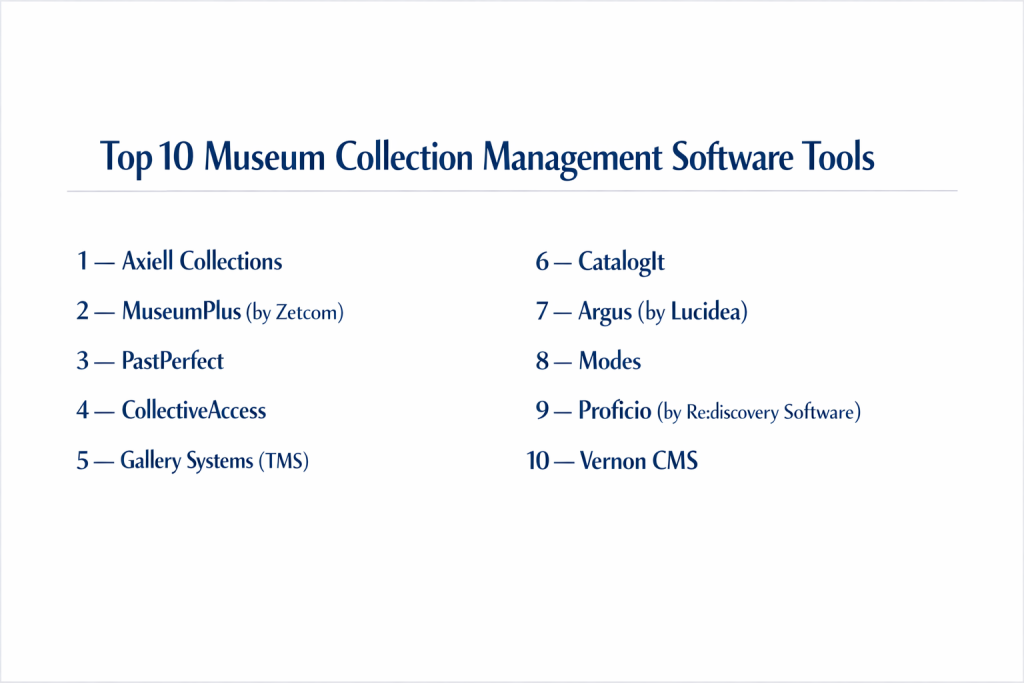
Top 10 Museum Collection Management Software Tools
1 — Axiell Collections
Axiell is a global leader in the cultural sector, providing a highly scalable, web-based platform designed for museums and archives that need to manage complex, multi-disciplinary collections in a single system.
- Key features:
- Web-Based Interface: Access your collection from any device with a browser.
- Multi-Format Support: Handles museum objects, archival documents, and library books in one database.
- Workflow Automation: Task management for loans, acquisitions, and conservation.
- Standards Compliance: Fully compliant with Spectrum, ISAD(G), and Dublin Core.
- API Access: Robust API for connecting to external websites or interactive gallery displays.
- Pros:
- Extremely flexible; can be tailored to the specific vocabulary of any collection type.
- Strong “digital asset management” capabilities for high-resolution media.
- Cons:
- The high level of customization can make initial setup a lengthy process.
- Pricing is generally at the enterprise level, which may be steep for small local museums.
- Security & compliance: ISO 27001 certified, GDPR compliant, and features granular user permission levels.
- Support & community: Extensive user conferences, a global community forum, and dedicated professional onboarding services.
2 — MuseumPlus (by Zetcom)
MuseumPlus is a premier European-developed solution known for its sleek design and user-centric workflows. It is used by some of the world’s most prestigious institutions to manage day-to-day curatorial tasks.
- Key features:
- Intuitive Dashboard: Visual overview of current loans, tasks, and recent changes.
- Exhibition Management: Dedicated module for planning and tracking exhibition layouts.
- Conservation Logs: Detailed tracking of restoration work and condition reports.
- Media Library: Integrated digital asset management with auto-tagging.
- Mobile App: Tablet-friendly version for taking inventory directly in the storage room.
- Pros:
- Very high “ease of use” score; it looks and feels like a modern app.
- Excellent reporting tools for insurance and valuation purposes.
- Cons:
- Moving data from older legacy systems into Zetcom can be complex.
- Some advanced modules come at an additional licensing cost.
- Security & compliance: SOC 2 compliant, GDPR ready, and utilizes encrypted data transmission.
- Support & community: High-quality documentation and a very responsive technical support desk.
3 — PastPerfect
PastPerfect is the industry standard for small to mid-sized historical societies and museums. It is widely praised for being affordable and covering all aspects of museum life, including memberships and fundraising.
- Key features:
- All-in-One Design: Tracks objects, photos, library books, and archives.
- Development Tools: Built-in module for tracking donors, memberships, and gifts.
- Pre-Defined Fields: Comes with standard museum fields ready to use out of the box.
- Image Management: Attach multiple photos to any record with ease.
- Public Access: Optional module to publish your collection online.
- Pros:
- The most cost-effective solution for small volunteer-run organizations.
- Very easy to learn; many museum students are trained on this software first.
- Cons:
- The “Desktop” version feels dated compared to modern cloud-based competitors.
- Customization is limited compared to enterprise-grade tools.
- Security & compliance: Password protection and local backup tools; Cloud version is GDPR compliant.
- Support & community: Massive user community and very affordable training manuals and webinars.
4 — CollectiveAccess
CollectiveAccess is an open-source, highly flexible software for managing and publishing museum and archival collections. It is favored by tech-savvy institutions that want total control over their data structure.
- Key features:
- Open Source: No license fees; the code is free to download and modify.
- Flexible Metadata: Define your own fields and relationships without limits.
- Powerful Search: Highly advanced filtering and faceted search capabilities.
- Media Processing: Built-in tools for converting video and audio formats.
- Pawtucket Module: A dedicated “frontend” for creating beautiful online galleries.
- Pros:
- Zero licensing costs allow budget to be spent on customization or hardware.
- Can handle almost any data type, including complex oral histories and video.
- Cons:
- Requires significant technical skill or a developer to set up and maintain.
- There is no “official” phone support line; you rely on the community or consultants.
- Security & compliance: Varies; institutions are responsible for their own server security and GDPR compliance.
- Support & community: Active developer forum and a wiki full of technical documentation.
5 — Gallery Systems (TMS)
The Museum System (TMS) is the powerhouse of the museum world, used by the largest art institutions globally. It is designed for massive collections that require extreme precision and high-level security.
- Key features:
- Relational Database: Tracks complex links between artists, objects, exhibitions, and bibliographies.
- Conservation Mastery: The most detailed conservation tracking in the industry.
- TMS Collections: A web-based interface for mobile access to the core database.
- eMuseum: A seamless tool for publishing collections to a website.
- Integration: Connects with climate control sensors and shipping trackers.
- Pros:
- The most comprehensive feature set available for high-end art management.
- Used by top-tier museums, making it the “Gold Standard” for professional registrars.
- Cons:
- Very expensive and usually requires a dedicated IT administrator.
- Can be overly complex for institutions that don’t do frequent international loans.
- Security & compliance: Enterprise-grade security, SSO support, and full audit logs.
- Support & community: Robust training academy and a high-touch customer success model.
6 — CatalogIt
CatalogIt is a modern, cloud-native CMS that focuses on making collection management accessible from anywhere. It is popular with private collectors and small-to-mid museums.
- Key features:
- Native Mobile App: Use your phone’s camera to upload photos and records instantly.
- Collaborative Editing: Multiple users can work in the cloud simultaneously.
- Public Folders: Easily share specific parts of your collection with the public.
- QR Code Support: Print labels that link directly to the digital record.
- Simple Interface: Clean, modern design that requires almost no training.
- Pros:
- Extremely fast to set up; you can start cataloging in minutes.
- Affordable subscription-based pricing that scales with your needs.
- Cons:
- Does not have the deep conservation or research modules of TMS or Axiell.
- Better suited for “objects” than for complex “archival” hierarchies.
- Security & compliance: GDPR compliant, uses 256-bit encryption, and hosted on secure AWS servers.
- Support & community: Responsive email support and a growing library of help videos.
7 — Argus (by Lucidea)
Argus is a web-based CMS that focuses on the “extended museum”—integrating collections management with public engagement and marketing tools.
- Key features:
- Visitor Portal: Integrated tools for visitors to interact with the collection.
- Mobile Inventory: Purpose-built tool for conducting fast, digital inventories.
- Customizable Forms: Change data entry screens based on the user’s role.
- Integrated DAM: Manage high-resolution video and images without a third-party tool.
- Loan Management: Automated alerts for upcoming loan returns.
- Pros:
- Strong focus on making the collection useful for marketing and education.
- Very scalable; works as well for a single site as it does for a museum group.
- Cons:
- The interface, while functional, is not as visually modern as MuseumPlus.
- Detailed customization often requires help from Lucidea’s technical team.
- Security & compliance: SOC 2 Type II compliant, GDPR ready, and offers SSO integration.
- Support & community: Offers “Lucidea University” for user training and dedicated technical support.
8 — Modes
Modes is a UK-based solution that is widely used by local and independent museums. It is highly respected for its strict adherence to professional standards and its long history in the sector.
- Key features:
- Spectrum Compliance: Built specifically around the UK Spectrum standards.
- Modes Complete: Advanced version for full-scale professional management.
- Data Validation: Prevents errors by enforcing standardized terminology.
- XML-Based: Makes data export and migration very straightforward.
- Reporting Engine: Pre-built templates for all standard museum paperwork.
- Pros:
- Very reliable and stable software with a long track record.
- Excellent value for money for mid-sized institutions.
- Cons:
- Less emphasis on “fancy” web-based visuals compared to newer startups.
- Primarily focused on the UK market and standards.
- Security & compliance: Local data encryption and standard user access controls.
- Support & community: Well-known for its excellent training workshops and friendly support desk.
9 — Proficio (by Re:discovery Software)
Proficio is a powerful, flexible solution popular in North America, particularly with government-run museums and natural history institutions.
- Key features:
- Biological/Geological Fields: Special fields for natural history specimens.
- Advanced Mapping: Track objects by GPS coordinates or specific storage shelf.
- Custom Reporting: A very deep report writer for complex data analysis.
- Cloud or Desktop: Offers both local installation and a cloud-hosted version.
- Archives Integration: Strong support for the EAD (Encoded Archival Description) standard.
- Pros:
- Best-in-class for natural history and scientific collections.
- Very knowledgeable support staff who understand museum workflows.
- Cons:
- The interface has a more traditional “database” feel which may require more training.
- Initial configuration can be technical.
- Security & compliance: NIST compliant (important for US government agencies) and GDPR ready.
- Support & community: Offers one-on-one training and a comprehensive help desk.
10 — Vernon CMS
Vernon Systems has been providing collection management for over 30 years. Their CMS is known for its incredible depth and its ability to handle very large and diverse collections.
- Key features:
- Topic Mapping: Connect objects by themes, people, or events, not just categories.
- Location Tracking: Full history of every move an object has ever made.
- Vernon Browser: A powerful module for creating a searchable online collection.
- Bulk Updates: Tools for changing thousands of records at once.
- Import/Export: Highly flexible tools for bringing data in from other systems.
- Pros:
- Extremely robust; it rarely crashes even with millions of records.
- The company is very proactive about updating the software based on user feedback.
- Cons:
- The “Desktop” version requires a solid local network infrastructure.
- May be “over-featured” for a very small gallery.
- Security & compliance: GDPR compliant, offers audit trails, and secure user authentication.
- Support & community: High-quality user manual, annual user meetings, and very fast support.
Comparison Table
| Tool Name | Best For | Platform Supported | Standout Feature | Rating |
| Axiell Collections | Large/Multi-Disciplinary | Cloud / Web | Spectrum Compliance | 4.6/5 |
| MuseumPlus | Curatorial Design | Cloud / Web | Sleek User Interface | 4.7/5 |
| PastPerfect | Small History Museums | Desktop / Web | Membership Management | N/A |
| CollectiveAccess | Tech-Savvy / Custom | Open Source / Web | Zero License Fees | N/A |
| TMS | World-Class Art Museums | Desktop / Web | Conservation Detail | 4.8/5 |
| CatalogIt | Speed & Mobile Use | Cloud / Mobile App | Native Phone App | 4.7/5 |
| Argus | Public Engagement | Cloud / Web | Visitor Portal Integration | 4.5/5 |
| Modes | UK Standards | Desktop / Web | Spectrum Validation | N/A |
| Proficio | Natural History | Cloud / Desktop | Scientific Specimen Fields | 4.5/5 |
| Vernon CMS | Diverse/Large Collections | Cloud / Desktop | Theme/Topic Mapping | 4.6/5 |
Evaluation & Scoring of Museum Collection Management Software
The following scores represent an average for top-tier tools in this category based on industry standards.
| Category | Weight | Score | Reasoning |
| Core Features | 25% | 9.5/10 | Most tools now cover the full lifecycle from acquisition to deaccession. |
| Ease of Use | 15% | 7.5/10 | Enterprise tools are still quite complex; newer cloud apps are catching up. |
| Integrations | 15% | 8.0/10 | API access is becoming standard, allowing for better public websites. |
| Security | 10% | 9.0/10 | High standards for data encryption and audit logs are industry norms. |
| Performance | 10% | 9.0/10 | Modern databases can handle millions of items with no significant lag. |
| Support | 10% | 8.5/10 | Most vendors provide museum-specific experts for their support desks. |
| Price / Value | 15% | 8.0/10 | While expensive, the ROI in saved staff time and risk reduction is high. |
Which Museum Collection Management Software Tool Is Right for You?
Small to Mid-Market vs. Enterprise
If you are a small museum with one or two staff members, PastPerfect or CatalogIt are your best options because they are easy to use and don’t require an IT department. For mid-market institutions, Modes or Vernon offer professional-grade features without the “mega-museum” price tag. Enterprises (like national galleries) will almost always require the power of TMS or Axiell to manage their massive volume of data and complex international workflows.
Budget and Value
For those with zero budget for licensing, CollectiveAccess is the only viable path, though you must budget for a server and a developer. For museums looking for the best value, a cloud subscription to CatalogIt or MuseumPlus often proves cheaper than maintaining old desktop software and local servers.
Technical Depth vs. Simplicity
If your priority is Technical Depth (e.g., you need to track the chemical composition of a painting’s frame or the GPS coordinates of an archeological find), you need Proficio or TMS. If you prioritize Simplicity (e.g., you want volunteers to be able to take photos and upload them to the record instantly), CatalogIt is the clear winner.
Security and Compliance Requirements
Museums handling Government or National Collections must look for tools like Proficio or Axiell that offer high-level security certifications (like NIST or ISO). If you are in the UK, choosing a Spectrum-compliant tool like Modes is essential for meeting the standards required for museum accreditation.
Frequently Asked Questions (FAQs)
1. What is Spectrum compliance?
Spectrum is the UK and international standard for museum collections management. It defines the 21 primary procedures a museum should follow, such as object entry, location tracking, and loans.
2. Can I use Excel instead of a CMS?
You can, but it is risky. Excel lacks “audit trails” (knowing who changed what), doesn’t handle high-res images well, and makes it very easy to accidentally delete or corrupt data.
3. Is cloud-based software safe for valuable collections?
Yes. Modern cloud providers use high-level encryption and multiple backups. For many museums, a professional cloud server is actually safer than a physical computer in a museum office that could be stolen or damaged.
4. How long does it take to switch to a new CMS?
Migrating data from an old system to a new one typically takes between 3 to 9 months, depending on how “clean” your current data is and the complexity of the new software.
5. Can these tools help with insurance audits?
Absolutely. One of the main benefits of a CMS is that you can generate a complete “valuation report” or “inventory list” for your insurance company in just a few clicks.
6. Do I need a separate tool for my museum’s website?
Not necessarily. Most modern CMS platforms (like Axiell, CatalogIt, or Vernon) have “Web Publishing” modules that automatically push selected records to your website.
7. Can volunteers use this software?
Yes, but you should choose a tool with “user roles.” This allows you to let volunteers enter data while preventing them from seeing sensitive information like insurance values or donor addresses.
8. What is deaccessioning?
It is the formal process of removing an object from a museum’s permanent collection. A good CMS will keep a record of the deaccession process so the history is never lost.
9. Can I track digital-only art (NFTs/Digital Files)?
Yes, modern CMS platforms have “Digital Asset Management” features designed specifically to store and track the metadata for digital-born artworks.
10. How much does a CMS cost?
Small systems can start at around $500/year, while enterprise-grade systems for large national museums can cost tens of thousands of dollars in annual licensing and support.
Conclusion
Choosing the right Museum Collection Management Software is a decision that will impact your institution for decades. It is not just about choosing a database; it is about choosing a partner to help you preserve history. While TMS and Axiell remain the titans for large-scale operations, the rise of cloud-native tools like CatalogIt has made professional-grade archiving possible for even the smallest historical societies.
The “best” tool is the one that your staff will actually use. A complex system with every feature in the world is useless if it is too difficult for your curators to update. Prioritize a system that balances technical depth with a clean interface and strong support. By doing so, you ensure that your collection remains organized, secure, and—most importantly—accessible to the generations that follow.