Introduction
Molecular modeling software refers to a specialized category of computational tools used to visualize, simulate, and analyze the three-dimensional structures and behaviors of molecular systems. At its core, this software uses the principles of quantum mechanics, molecular mechanics, and informatics to predict how atoms and molecules interact. Whether it is a small drug molecule binding to a large human protein or the structural stability of a new polymer, molecular modeling provides a virtual laboratory where experiments can be conducted with digital precision before any physical materials are touched.
The importance of these tools cannot be overstated in modern science. By allowing researchers to “see” and manipulate molecules at the atomic level, the software significantly reduces the time and cost associated with laboratory trial-and-error. For instance, in drug discovery, a scientist can virtually screen millions of chemical compounds against a disease target, narrowing down the field to the most promising candidates in a fraction of the time a traditional lab would take. This predictive power is the backbone of the “rational drug design” approach that has led to breakthroughs in treating everything from viral infections to rare genetic disorders.
Key Real-World Use Cases
- Structure-Based Drug Design: Predicting the binding affinity of potential medicines to specific biological receptors to optimize efficacy.
- Protein Engineering: Designing synthetic enzymes or modifying existing ones to improve stability and catalytic activity for industrial use.
- Materials Science: Simulating the properties of new battery electrolytes, superconductors, or high-strength polymers.
- Molecular Dynamics (MD): Observing the movement and conformational changes of large biomolecules over time to understand biological functions.
- Quantum Chemical Analysis: Calculating electron density and transition states to predict the outcomes of complex chemical reactions.
Best for:
- Computational Chemists and Biologists: Professionals in pharmaceutical, biotech, and chemical industries performing high-stakes R&D.
- Academic Researchers: University labs conducting fundamental science in biophysics, pharmacology, and materials engineering.
- Graduate Students: Individuals learning the spatial relationships and physical laws governing molecular systems.
Not ideal for:
- General Graphics Designers: Those looking for artistic 3D modeling (like Blender) without a requirement for scientific physics and chemical accuracy.
- Small High Schools: Institutions without high-performance computing resources may find professional suites too resource-intensive and expensive.
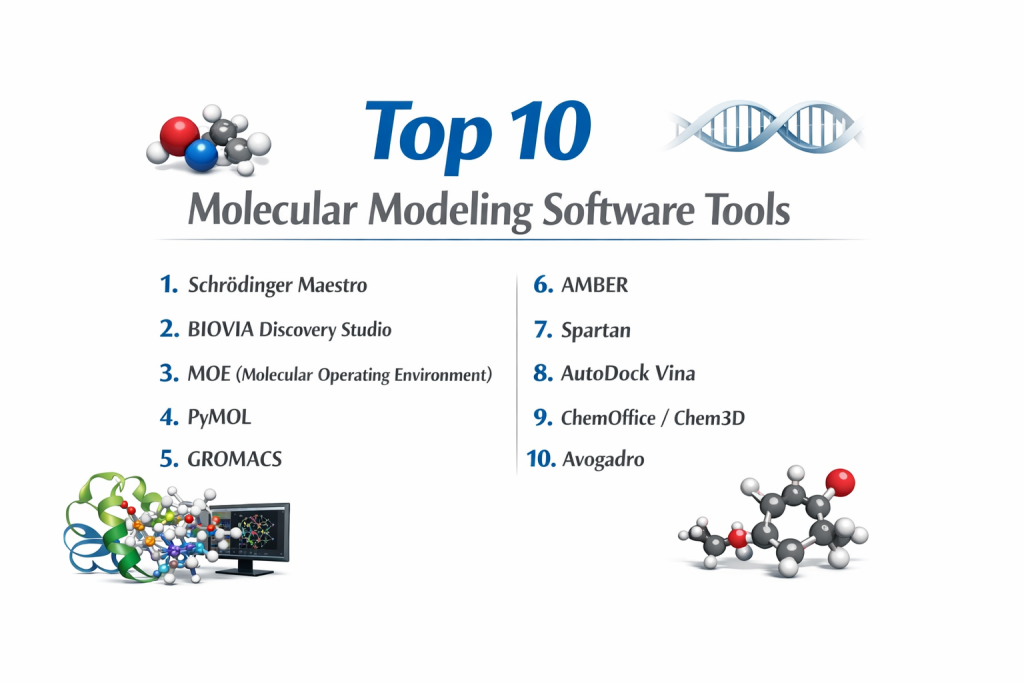
Top 10 Molecular Modeling Software Tools
1 — Schrödinger Maestro
Maestro is the industry-standard graphical user interface for the Schrödinger suite, an elite platform used by nearly every major pharmaceutical company. It offers a streamlined portal for predictive modeling and machine learning workflows.
- Key features:
- Unified portal for small molecule and biologics discovery.
- Advanced Free Energy Perturbation (FEP+) for high-accuracy binding predictions.
- Integrated machine learning and ADMET property prediction.
- Comprehensive molecular dynamics with the Desmond engine.
- Industry-leading homology modeling and protein preparation tools.
- Cloud-native scalability for massive virtual screening.
- Pros:
- Unrivaled scientific validation and accuracy for drug-lead optimization.
- Highly intuitive, “guided” workflows that minimize human error.
- Cons:
- Extremely high licensing costs make it difficult for small startups.
- Steep hardware requirements for local installations.
- Security & compliance: SOC 2 Type 2 compliant; features SSO, encrypted cloud storage, and robust audit trails.
- Support & community: Gold-standard technical support, extensive narrated tutorials, and an active annual user summit.
2 — BIOVIA Discovery Studio
Developed by Dassault Systèmes, Discovery Studio is a comprehensive suite for life sciences research, bridging the gap between molecular modeling and laboratory informatics.
- Key features:
- Advanced structure-based design with GOLD and CDOCKER.
- Powerful biotherapeutic and antibody modeling tools.
- Pharmacophore modeling using the market-leading Catalyst engine.
- Simulation protocols for CHARMm and NAMD.
- Integration with PIPELINE PILOT for automated data workflows.
- High-fidelity QSAR and predictive toxicology.
- Pros:
- Excellent for antibody design and large-scale biomolecular simulation.
- The “Visualizer” version is a highly capable free tool for basic analysis.
- Cons:
- The full suite is complex and may require dedicated IT management.
- Modular pricing can become expensive as you add specific features.
- Security & compliance: ISO 27001 certified; GDPR compliant with enterprise-grade data encryption.
- Support & community: Enterprise-level support with dedicated customer success managers and global training centers.
3 — MOE (Molecular Operating Environment)
Created by Chemical Computing Group (CCG), MOE is a highly flexible, integrated platform used across medicinal chemistry, biology, and crystallography.
- Key features:
- Proprietary SVL (Scientific Vector Language) for custom scripting.
- Interactive ligand design directly within the protein pocket.
- Advanced protein engineering and developability assessment.
- Unified platform for Windows, Linux, and macOS.
- High-throughput antibody modeling and epitope mapping.
- Real-time ray tracing for publication-quality 3D graphics.
- Pros:
- Highly customizable; researchers can build their own functions using SVL.
- Superior visual feedback during the design process.
- Cons:
- Learning SVL takes time and effort for non-programmers.
- Less focus on “pure” materials science compared to biotherapeutics.
- Security & compliance: Supports SSO and secure internal database curation; HIPAA/GDPR readiness depends on deployment.
- Support & community: Known for highly technical and responsive support from PhD-level scientists.
4 — PyMOL
PyMOL is the gold standard for high-quality molecular visualization. While it has modeling capabilities, its primary strength lies in creating artistic, scientifically accurate figures for publication.
- Key features:
- Python-based scripting for automated rendering.
- Industry-standard for high-resolution 3D figure generation.
- “Movie” mode for animating molecular dynamics trajectories.
- Broad support for MTZ map reading and electron density.
- Extensive plugin library for APBS, RigiMOL, and more.
- Stereochemical labeling and ambient occlusion effects.
- Pros:
- Produces the most beautiful molecular images in the industry.
- Affordable “Incentive” versions and free versions for students/educators.
- Cons:
- The command-line interface can be intimidating for beginners.
- Limited predictive “modeling” (like docking) without external plugins.
- Security & compliance: Varies / N/A (Standard software licensing protections).
- Support & community: Massive global community; maintained by Schrödinger with excellent documentation.
5 — GROMACS
GROMACS is a free, open-source molecular dynamics package primarily designed for biochemical molecules like proteins and lipids. It is renowned for being the fastest simulation engine in the world.
- Key features:
- Extremely high performance via SIMD, CUDA, and OpenCL optimizations.
- Simultaneous use of both CPU and GPU for load balancing.
- Lossy compression for compact storage of massive trajectory files.
- Fully automated topology builder for proteins.
- Broad selection of trajectory analysis tools included.
- Parallel processing using MPI for large-scale clusters.
- Pros:
- It is completely free and exceptionally fast.
- Supports all major force fields (AMBER, CHARMM, GROMOS).
- Cons:
- No built-in GUI; requires external tools like VMD or PyMOL for visualization.
- Requires a strong command of Linux and high-performance computing (HPC).
- Security & compliance: Open-source; compliance is handled at the infrastructure/server level.
- Support & community: Huge academic community, mailing lists, and exhaustive online manuals.
6 — AMBER (Assisted Model Building with Energy Refinement)
AMBER refers to both a set of molecular mechanical force fields and a suite of programs for molecular dynamics simulations, particularly for proteins and nucleic acids.
- Key features:
- State-of-the-art free energy calculations (TI and FEP).
- PMEMD engine optimized for single-GPU and multi-GPU throughput.
- LEaP module for complex system preparation and solvation.
- Advanced polarizable force fields.
- Extensive support for lipids and carbohydrates.
- CPPTRAJ for comprehensive trajectory analysis.
- Pros:
- Widely regarded as having the most stable and accurate force fields.
- Extremely efficient on NVIDIA GPUs.
- Cons:
- Fragmented code architecture can make it harder to learn.
- Academic version is low-cost, but commercial licenses are significant.
- Security & compliance: N/A (Local software focus).
- Support & community: Deep academic roots with an active “Amber mailing list” and biennial workshops.
7 — Spartan
Spartan (by Wavefunction) is designed to be the most “user-friendly” tool for computational chemistry, focusing on calculating molecular properties and reactivity.
- Key features:
- Unrivaled 3D “building” interface for small molecules.
- Integrated Hartree-Fock, DFT, and semi-empirical methods.
- Automated calculation of transition states and reaction paths.
- Seamless integration with the Spartan Spectra and Properties Database.
- High-quality visualization of molecular orbitals and vibrational modes.
- Simplified setup for conformer searches and docking.
- Pros:
- Perfect for medicinal chemists who are not “experts” in quantum mechanics.
- The graphical interface is clean, modern, and very easy to learn.
- Cons:
- Limited capacity for large-scale molecular dynamics (proteins/DNA).
- Commercial licenses are priced for professional organizations.
- Security & compliance: Standard software protections; works on Windows, Mac, and Linux.
- Support & community: Excellent technical documentation and responsive phone/email support.
8 — AutoDock Vina
AutoDock Vina is one of the most widely cited open-source programs for molecular docking and virtual screening, known for its speed and accuracy.
- Key features:
- New scoring function with significant improvements in binding mode prediction.
- Multithreading for parallelization on multi-core machines.
- Transparent handling of grid maps and result clustering.
- Python bindings for integration into larger workflows.
- Support for multiple receptors and batch docking.
- High performance for virtual screening of large libraries.
- Pros:
- Free for all users and significantly faster than the original AutoDock 4.
- Highly reliable for predicting small-molecule binding poses.
- Cons:
- Limited support for macrocycles or explicit water in standard setups.
- Requires third-party tools (like MGLTools) for preparation.
- Security & compliance: Varies / N/A.
- Support & community: Massive user base and extensive peer-reviewed literature for troubleshooting.
9 — ChemOffice / Chem3D
Chem3D (part of the ChemOffice suite) is a desktop modeling program that provides a vital 3D perspective to the 2D drawings created in ChemDraw.
- Key features:
- Direct “hot-link” between 2D ChemDraw and 3D Chem3D.
- Interfaces for Gaussian, GAMESS, and MOPAC.
- Built-in AutoDock integration for simple docking experiments.
- Calculation of molecular surfaces (VdW, SAS, SES).
- Real-time structural refinement using the MM2 force field.
- Support for saving and syncing via Dropbox for collaborative work.
- Pros:
- The most logical step for users already working in the ChemDraw ecosystem.
- Excellent for building quick, accurate models for presentations.
- Cons:
- Not designed for heavy-duty molecular dynamics or large protein systems.
- Tied to the Windows operating system (Mac support is limited).
- Security & compliance: ISO/IEC 27001 certified for cloud-linked components.
- Support & community: Professional corporate support from Revvity Signals and an enormous user base.
10 — Avogadro
Avogadro is an advanced, open-source molecular editor and visualization tool designed for cross-platform use in computational chemistry and materials science.
- Key features:
- Extensible plugin architecture for custom tools and commands.
- Native support for Python scripting and Jupyter Notebook integration.
- High-performance rendering engine that handles hundreds of thousands of atoms.
- Built-in “Layers” system similar to Photoshop for complex models.
- Templates for rapidly building organometallic complexes.
- Calculation of symmetry properties and crystal unit cells.
- Pros:
- Completely free and extremely versatile across different scientific fields.
- User-friendly enough for undergraduates but powerful enough for researchers.
- Cons:
- Development speed can be slower than commercial counterparts.
- Some advanced features require manual installation of external Python packages.
- Security & compliance: N/A (Open-source, local application).
- Support & community: Active GitHub community, comprehensive wiki, and a dedicated user forum.
Comparison Table
| Tool Name | Best For | Platform(s) Supported | Standout Feature | Rating |
| Schrödinger Maestro | Enterprise Drug Discovery | Linux / Windows / Cloud | FEP+ Accuracy | N/A |
| BIOVIA Discovery Studio | Antibody/Biotherapeutics | Windows / Linux | QSAR & Toxicology | N/A |
| MOE (CCG) | Medicinal Chemistry | Win / Linux / Mac | SVL Scripting | N/A |
| PyMOL | High-end Visualization | Win / Linux / Mac | Publication Graphics | N/A |
| GROMACS | Fast MD Simulations | Linux / HPC | Processing Speed | N/A |
| AMBER | MD Force Fields | Linux / GPU | Force Field Reliability | N/A |
| Spartan | Property Calculations | Win / Mac / Linux | Intuitive UI | N/A |
| AutoDock Vina | Open-source Docking | Win / Linux / Mac | Speed & Speedup | N/A |
| ChemOffice (Chem3D) | Desktop Modeling | Windows | ChemDraw Integration | N/A |
| Avogadro | Academic General Use | Win / Linux / Mac | Extensibility | N/A |
Evaluation & Scoring of Molecular Modeling Software
| Criteria | Weight | Score (1-10) | Explanation |
| Core Features | 25% | 9 | Tools like Maestro and MOE offer almost every feature imaginable. |
| Ease of Use | 15% | 6 | Scientific depth often comes at the expense of a steep learning curve. |
| Integrations | 15% | 8 | Ecosystems like Schrödinger and ChemOffice excel at tool-connectivity. |
| Security | 10% | 7 | Improving, especially in cloud-hosted solutions for enterprise. |
| Performance | 10% | 9 | GPU acceleration in GROMACS and AMBER is revolutionary for speed. |
| Support | 10% | 8 | Premium support is excellent, but open-source relies on community. |
| Price / Value | 15% | 7 | High-end tools are costly, but open-source offers massive value. |
Which Molecular Modeling Software Tool Is Right for You?
Small to Mid-Market vs. Enterprise
If you are part of an enterprise pharmaceutical company, Schrödinger Maestro or BIOVIA Discovery Studio are the default choices. These platforms provide the necessary “oversight” and validated workflows required for multi-billion dollar drug pipelines. Mid-market biotechs often prefer MOE due to its customization—allowing a smaller team of experts to tailor the software to their specific niche.
Budget and Value
For researchers with limited funds, the combination of GROMACS (for dynamics), AutoDock Vina (for docking), and Avogadro (for building) provides a complete, professional-grade modeling pipeline for zero licensing dollars. If you have a modest budget and need high-end visuals, a PyMOL incentive license is one of the best investments you can make.
Technical Depth vs. Simplicity
Are you a synthetic chemist who wants to quickly check the 3D shape of a molecule? Spartan or Chem3D are your best bets. They hide the complex physics under a simple “Calculate” button. Are you a biophysicist studying the folding mechanism of a protein? You need the technical depth and raw power of AMBER or GROMACS, where you have total control over every physical parameter.
Security and Compliance Requirements
When working on proprietary drug leads, data security is paramount. Enterprise suites like Schrödinger and BIOVIA offer secure cloud environments and audit trails that satisfy legal and patent requirements. If you are using open-source tools, ensure your internal IT infrastructure is robust, as the software itself does not usually include security features like SSO or encrypted storage out of the box.
Frequently Asked Questions (FAQs)
What is the difference between Molecular Mechanics and Quantum Mechanics?
Molecular Mechanics (MM) uses classical physics to treat atoms as balls and bonds as springs; it’s fast and ideal for large proteins. Quantum Mechanics (QM) models the electrons; it’s very slow but essential for seeing chemical reactions and electronic properties.
Can I run these programs on a standard laptop?
Building and visualizing molecules (PyMOL, Avogadro) works fine on a modern laptop. However, running Molecular Dynamics (GROMACS) or high-end docking usually requires a workstation with a powerful NVIDIA GPU or access to a server cluster.
Do I need to know how to code to use these tools?
Not necessarily. Tools like Spartan and Maestro are GUI-based. However, knowing Python or specific languages like SVL (for MOE) allows you to automate repetitive tasks and perform more advanced research.
Is open-source software as accurate as commercial software?
Often, yes. Engines like GROMACS and AutoDock Vina are highly respected and scientifically validated. Commercial software usually adds value through a better user interface, integrated workflows, and dedicated customer support.
What is “Molecular Docking”?
It is a simulation that predicts the preferred orientation of one molecule (usually a drug) when bound to a second (usually a protein). It helps estimate how “tightly” a drug will stick to its target.
What is a “Force Field”?
A force field is a set of mathematical equations and parameters used to calculate the potential energy of a molecular system. Common examples include AMBER, CHARMM, and OPLS.
Can these tools help with COVID-19 or cancer research?
Absolutely. These tools were used extensively to model the spike protein of the coronavirus and are used daily to design “targeted therapies” for specific cancer mutations.
Can I use these tools for 3D printing molecules?
Yes, most (like MOE and Avogadro) can export structures as STL or OBJ files, which are compatible with 3D printers, allowing you to hold a physical model of your molecule.
How long does a simulation take?
A simple docking experiment takes seconds. A full molecular dynamics simulation of a protein in water can take days or even weeks on a high-powered computer cluster.
What is the “Protein Data Bank” (PDB)?
The PDB is a global repository where scientists share the 3D coordinates of proteins and nucleic acids. Almost all modeling software can import files directly from the PDB.
Conclusion
Molecular modeling software has transformed from a niche academic pursuit into an indispensable pillar of modern scientific R&D. Whether you are aiming for the high-throughput efficiency of Schrödinger Maestro, the artistic precision of PyMOL, or the raw computational speed of GROMACS, the right tool can fundamentally change the speed and depth of your discovery process.
There is no single “winner” in this category because the “best” tool is entirely dependent on your specific research goals, your budget, and your technical comfort level. The key is to choose a tool that not only performs the necessary math but also fits seamlessly into your team’s workflow. As the field moves toward greater integration of artificial intelligence and cloud computing, these digital laboratories will only become more powerful, further shrinking the gap between a scientific hypothesis and a life-saving discovery.