Introduction
Mocking and Service Virtualization tools are technologies used to emulate the behavior of software components that are unavailable, unfinished, or costly to access. While the terms are often used interchangeably, there is a subtle difference: Mocking typically refers to simulating specific code-level objects or simple API responses, whereas Service Virtualization involves creating a high-fidelity, stateful simulation of an entire service, including its performance characteristics and data logic.
These tools are vital because they allow for “Shift-Left” testing—the practice of testing as early as possible in the development cycle. By simulating a dependency (like a credit check service or a legacy mainframe), teams can develop and test their own code in isolation without needing the real system to be online.
Key Real-World Use Cases
- Parallel Development: Allowing frontend and backend teams to work simultaneously by using a “mock” contract as the source of truth.
- Third-Party Dependency Simulation: Testing how an app handles a “404 Error” or “Slow Latency” from an external API (like Stripe or Google Maps) without actually triggering the real service.
- Cost Reduction: Avoiding the high “per-call” fees of third-party sandboxes or the massive cloud infrastructure costs of spinning up 50 microservices for a single test.
- Edge Case Testing: Easily simulating rare scenarios, such as an API returning a corrupted JSON payload or a 503 Service Unavailable status.
What to Look For
When evaluating tools, focus on protocol support (REST, SOAP, gRPC, MQ), record-and-playback capabilities, and dynamic data handling. The best tools allow you to generate responses based on logic, not just static files.
Best for: Software developers, QA engineers, and DevOps architects in Agile environments, particularly those working in microservices architectures or industries with complex third-party integrations (FinTech, Travel, E-commerce).
Not ideal for: Simple monolithic applications where all components are easily accessible on a local machine, or very small projects where the overhead of maintaining mocks exceeds the time saved.
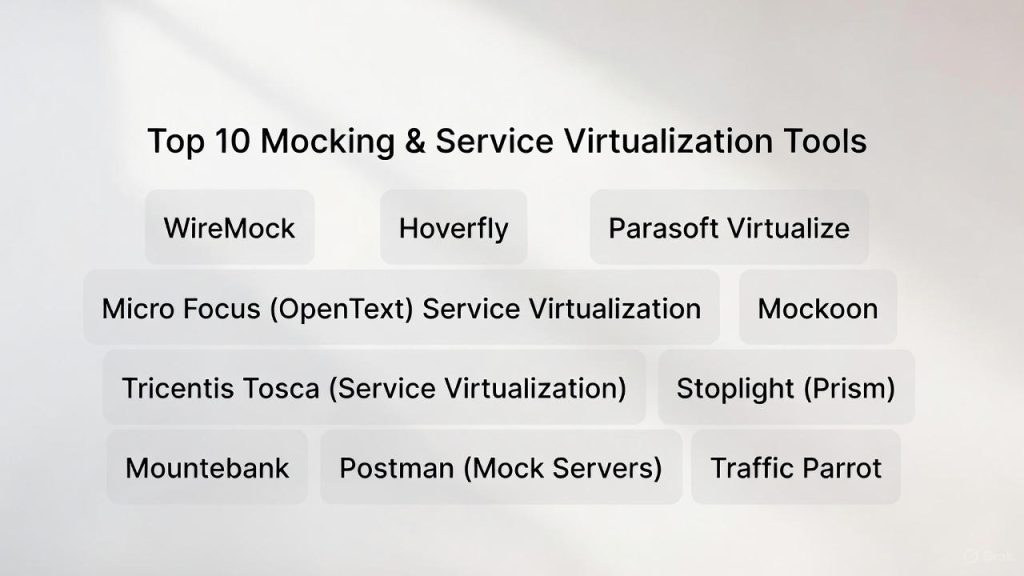
Top 10 Mocking & Service Virtualization Tools
1 — WireMock
WireMock is the industry standard for API mocking. It is an open-source tool that allows you to stay in control of your development environment by creating highly flexible HTTP mock services.
- Key Features:
- Record-and-playback of real API traffic to create stubs.
- Advanced request matching based on URL, headers, and body patterns.
- Stateful behavior (mocks that change their response based on previous calls).
- Fault injection (simulating slow links and connection resets).
- Can be run as a standalone process or as a library within a Java project.
- Pros:
- Extremely lightweight and fast execution.
- Massive community support and a wealth of third-party extensions.
- Cons:
- Advanced configuration requires technical coding skills (JSON or Java).
- The open-source version lacks a sophisticated GUI for non-technical users.
- Security & Compliance: Supports HTTPS, basic auth, and token-based authentication.
- Support & Community: Extensive documentation and a very active GitHub community. Professional support is available via WireMock Cloud.
2 — Hoverfly
Hoverfly is an open-source, lightweight service virtualization tool designed for high-performance microservices testing. It is written in Go and is particularly popular in DevOps pipelines.
- Key Features:
- Capture-and-simulate mode to build mocks from live traffic.
- Middleware support (using any language) to manipulate requests and responses on the fly.
- Native support for Kubernetes and Docker environments.
- Low memory footprint and high-throughput capabilities.
- Support for various “modes” (Simulate, Capture, Modify, Synthesize).
- Pros:
- Excellent for CI/CD pipelines due to its speed and small binary size.
- High flexibility through its middleware architecture.
- Cons:
- Less emphasis on traditional enterprise protocols like SOAP or MQ.
- Learning curve for setting up complex “Modify” scripts.
- Security & Compliance: Supports mTLS and custom certificate authorities.
- Support & Community: Strong open-source community and clear, concise technical documentation.
3 — Parasoft Virtualize
Parasoft Virtualize is a heavy-duty enterprise solution. It is designed for complex environments that need to virtualize everything from REST APIs to legacy mainframes and databases.
- Key Features:
- Support for over 120 protocols (HTTP, MQ, JMS, MQTT, gRPC, etc.).
- AI-driven “Smart API Test Generator” to build mocks from traffic.
- High-fidelity simulation of data logic and state.
- Environment Manager for visual mapping of dependencies.
- Built-in data management for masking and generating test data.
- Pros:
- One of the few tools that handles both modern and legacy systems seamlessly.
- Superior GUI for business analysts and non-coding testers.
- Cons:
- Very expensive enterprise licensing model.
- Can be “overkill” for simple web-only development teams.
- Security & Compliance: SOC 2 Type II, ISO 27001, and GDPR compliant; supports SSO and advanced audit logs.
- Support & Community: Top-tier global 24/7 support and dedicated account management for enterprise clients.
4 — Micro Focus (OpenText) Service Virtualization
Formerly a HP product, this tool is built for the largest global enterprises. It focuses on performance testing and complex system-of-systems simulation.
- Key Features:
- Deep integration with the LoadRunner and ALM testing suite.
- Performance profiling (modeling the latency of a real network).
- “Learning” mode that builds models based on observed system behavior.
- Support for ERP systems like SAP and Oracle.
- Dynamic data driving via external spreadsheets or databases.
- Pros:
- Exceptional at simulating network constraints and performance bottlenecks.
- Highly reliable for large-scale integration testing.
- Cons:
- High cost of entry and maintenance.
- The UI can feel dated compared to modern “developer-first” tools.
- Security & Compliance: Comprehensive security features including FIPS 140-2 compliance and RBAC.
- Support & Community: Extensive enterprise support network and a large base of certified consultants.
5 — Mockoon
Mockoon is the most user-friendly tool for developers who want to create local API mocks in seconds. It is a desktop application that provides a visual interface for managing mock servers.
- Key Features:
- Zero-config setup; run your first mock in under a minute.
- Infinite numbers of local mock servers can run simultaneously.
- Support for environment variables and custom headers.
- Mockoon CLI for running mocks in CI/CD pipelines.
- Rules system to serve different responses based on inputs.
- Pros:
- Beautiful, modern UI that is accessible to anyone.
- Completely free and open-source without annoying limitations.
- Cons:
- Lacks advanced “stateful” logic found in enterprise tools.
- Primarily focused on HTTP/HTTPS; no support for MQ or specialized protocols.
- Security & Compliance: N/A (Runs locally on the developer’s machine).
- Support & Community: Active community on GitHub and Discord; excellent “getting started” guides.
6 — Tricentis Tosca (Service Virtualization)
Tricentis Tosca is known for its model-based test automation. Its service virtualization component allows users to create mocks as part of their automated test cases.
- Key Features:
- Model-based approach (no coding required to build mocks).
- Integration with the broader Tosca test automation platform.
- Support for message queues and proprietary enterprise protocols.
- “Message Recording” to capture data from live environments.
- Dynamic response generation using Excel-like logic.
- Pros:
- Perfect for teams already using Tricentis for automation.
- Very effective for testing “end-to-end” business processes.
- Cons:
- Expensive; usually purchased as part of the larger Tosca platform.
- Steep learning curve to understand the “Model-Based” philosophy.
- Security & Compliance: HIPAA, SOC 2, and GDPR compliant; features robust user permissions.
- Support & Community: Excellent training through Tricentis Academy and global professional support.
7 — Stoplight (Prism)
Prism is an open-source tool by Stoplight that focuses on “Contract Testing.” It uses your OpenAPI (Swagger) documents to automatically create mock servers.
- Key Features:
- Turns any OpenAPI specification file into a mock API instantly.
- Validation mode (checks if your real API matches the spec).
- Support for dynamic response generation based on schema examples.
- Lightweight CLI for use in local development and CI.
- Integrates with the Stoplight visual design platform.
- Pros:
- Ensures your mocks and your documentation are never out of sync.
- Promotes a “Design-First” approach to API development.
- Cons:
- Limited stateful behavior (mostly static responses based on schema).
- Only supports HTTP/REST.
- Security & Compliance: Standard HTTPS support; enterprise features available via Stoplight Platform.
- Support & Community: Strong community around the OpenAPI initiative and excellent technical docs.
8 — Mountebank
Mountebank is an open-source, multi-protocol tool that provides a “service double” for testing. It is famous for its “non-discriminatory” protocol support.
- Key Features:
- Support for HTTP, HTTPS, TCP, and SMTP out of the box.
- “Imposters” that can act as different types of services.
- Extensibility through custom “protocols” written in any language.
- No proprietary languages; configuration is pure JSON.
- Supports “proxy” mode for recording live traffic.
- Pros:
- One of the few open-source tools to support non-HTTP protocols (like TCP).
- Completely free with no enterprise upsells.
- Cons:
- No official GUI; management is entirely via API or configuration files.
- Can be difficult to set up complex data-matching rules.
- Security & Compliance: N/A (Depends on configuration).
- Support & Community: Strong developer following; documentation is detailed but dense.
9 — Postman (Mock Servers)
Postman is used by almost every API developer. Its built-in Mock Servers feature allows you to quickly simulate endpoints based on “Examples” in your collections.
- Key Features:
- Create mocks directly from your API request collections.
- Collaborative mocking (team members can access the same mock URL).
- Support for private mocks (requiring an API key).
- Integration with Postman Monitors to track mock health.
- Ability to simulate latency and different network conditions.
- Pros:
- Requires zero additional software if you are already using Postman.
- Excellent for sharing API prototypes with stakeholders.
- Cons:
- Limited logic; mostly serves static examples.
- Can become expensive if you exceed the monthly “mock call” limit.
- Security & Compliance: SOC 2 Type II and GDPR compliant; supports SSO for Enterprise teams.
- Support & Community: Massive global community and extensive learning center resources.
10 — Traffic Parrot
Traffic Parrot is a specialized tool that excels in mocking message queues and banking protocols. It is designed specifically for teams working with asynchronous systems.
- Key Features:
- Native support for IBM MQ, RabbitMQ, ActiveMQ, and Kafka.
- Support for ISO8583 and SWIFT protocols (Financial sector).
- “API Sandboxing” for external partners.
- Ability to mock files and databases in addition to APIs.
- Simple file-based configuration.
- Pros:
- The gold standard for Enterprise Service Bus (ESB) and MQ mocking.
- Lightweight enough to run on a laptop but powerful enough for a data center.
- Cons:
- High licensing cost compared to general-purpose HTTP mockers.
- UI is functional but lacks the “polish” of tools like Mockoon.
- Security & Compliance: Compliant with banking-grade security standards; supports TLS/SSL.
- Support & Community: High-touch professional support with expertise in financial systems.
Comparison Table
| Tool Name | Best For | Platform(s) | Standout Feature | Rating |
| WireMock | Java/DevOps Teams | JVM / Cloud | Stateful fault injection | 4.8/5 |
| Mockoon | Individual Devs | Desktop (Win/Mac/Lin) | Rapid UI-based setup | 4.7/5 |
| Parasoft | Legacy/Enterprise | All Platforms | 120+ protocol support | 4.4/5 |
| Stoplight | Contract-First | CLI / SaaS | OpenAPI spec-to-mock | 4.6/5 |
| Hoverfly | K8s Microservices | Go / Docker | Performance & Middleware | 4.5/5 |
| Postman | Prototyping | Desktop / SaaS | Team collaboration | 4.3/5 |
| Traffic Parrot | MQ / Banking | Java / Standalone | IBM MQ & Kafka support | 4.5/5 |
| Mountebank | Multi-Protocol | Node.js | Protocol-agnostic doubles | 4.2/5 |
| Micro Focus | Perf Testing | On-Prem / Cloud | Network profiling | 4.0/5 |
| Tosca | End-to-End QA | Windows / Cloud | Model-based virtualization | 4.1/5 |
Evaluation & Scoring of Mocking & Service Virtualization Tools
| Criteria | Weight | What We Evaluate |
| Core Features | 25% | Protocol support, stateful logic, and record/playback quality. |
| Ease of Use | 15% | UI vs. Code-only setup and the “time to first mock.” |
| Integrations | 15% | Compatibility with CI/CD, Docker, and IDEs. |
| Security/Compliance | 10% | Encryption, authentication support, and data privacy. |
| Performance | 10% | Latency of the mock server and resource consumption. |
| Support | 10% | Community size, documentation, and enterprise SLAs. |
| Price / Value | 15% | Licensing cost vs. feature set depth. |
Which Mocking & Service Virtualization Tool Is Right for You?
The right tool depends on whether you are trying to speed up a single developer’s afternoon or stabilize an enterprise’s global testing infrastructure.
Solo Users vs. SMBs vs. Enterprises
- Solo Users: Stick to Mockoon or Postman. They are free, visual, and require zero infrastructure.
- Mid-Market/Agile Teams: WireMock or Stoplight are the best choices. They integrate perfectly into “as-code” workflows and offer the right balance of flexibility and power.
- Global Enterprises: If you have to deal with mainframes, SAP, or complex MQ flows, you need Parasoft or Traffic Parrot. The cost of the tool is negligible compared to the cost of a delayed release in a Fortune 500 company.
Budget-Conscious vs. Premium
- Budget-Conscious: Open-source is king here. WireMock, Mountebank, and Hoverfly provide professional-level features for $0, provided you have the technical skill to configure them.
- Premium: If you need a “Service Virtualization Center of Excellence” with dashboards, environments, and AI-generation, the premium suites from Tricentis or Parasoft provide the management layer that open-source lacks.
Integration and Scalability
For teams moving heavily into Kubernetes, Hoverfly‘s sidecar pattern is ideal. For teams focused on API Documentation, Stoplight (Prism) ensures your mocks always match your documentation, preventing “drift” between what is promised and what is tested.
Frequently Asked Questions (FAQs)
1. What is the main difference between mocking and service virtualization?
Mocking is usually simpler, often stateless, and used by developers for unit testing. Service virtualization is more robust, handles complex protocols (like MQ), and simulates stateful behavior and performance for integration testing.
2. Can these tools simulate slow network speeds?
Yes, professional tools like WireMock and Micro Focus Service Virtualization allow you to add specific “latency” to a response to test how your app handles timeouts.
3. Do I need to write code to use these tools?
Not necessarily. Tools like Mockoon and Postman have visual interfaces. However, for complex logic (e.g., “If the user is from New York, return Tax Rate X”), most tools require some JSON or script configuration.
4. How does “Record and Playback” work?
You point the tool at a live API and perform your actions. The tool records the request and the response. Later, you can turn off the live API, and the tool will “play back” the recorded responses when it sees the same request.
5. Is mocking better than using a sandbox environment?
Mocks are usually better because they are faster, free, and completely under your control. Sandboxes can be slow, shared with other teams, and might not allow you to simulate error conditions (like a 500 server error).
6. Can these tools handle data security?
Yes. When recording live traffic, many tools offer “Data Masking” to ensure sensitive information like credit card numbers aren’t stored in the mock files.
7. Can I use these tools in a CI/CD pipeline?
Absolutely. Almost all these tools offer a CLI (Command Line Interface) or a Docker image so they can be spun up automatically when a test run starts and shut down afterward.
8. What is “Stateful Mocking”?
It’s when a mock remembers what happened before. For example, if you call a “Delete” endpoint, the next “Get” call should return a 404. WireMock and Parasoft are excellent at this.
9. Why should I use Stoplight Prism instead of WireMock?
Use Prism if your team is “API-Design First.” Since it uses your Swagger/OpenAPI file, you don’t have to manually create mocks; they are generated automatically from your documentation.
10. Do these tools support gRPC or GraphQL?
Yes. WireMock and Hoverfly have strong support for these modern protocols, though some older enterprise tools might require specific plugins.
Conclusion
The “best” tool in this category is the one that solves your specific bottleneck. If you are a developer looking for a quick local fix, Mockoon is your best friend. If you are building a resilient microservices architecture, WireMock or Hoverfly will provide the technical depth you need. For the enterprise dealing with a mix of modern APIs and legacy message queues, Parasoft or Traffic Parrot are essential for stability.
Service virtualization isn’t just about “faking” data; it’s about decoupling your teams so they can build and test at their own pace. By removing the dependency on external systems, you aren’t just improving quality—you are reclaiming your time.