Introduction
Mobile Device Management (MDM) is a security technology that allows IT departments to authorize, monitor, manage, and support mobile devices—including smartphones, tablets, and even laptops—from a centralized administrative console. In an era where work happens from coffee shops, airports, and home offices, MDM acts as the digital tether that ensures these portable endpoints remain secure and productive. By deploying an MDM profile to a device, an organization can remotely push apps, configure Wi-Fi and VPN settings, and enforce strict security protocols without ever physically touching the hardware.
The importance of MDM has skyrocketed with the rise of hybrid work and the proliferation of “Bring Your Own Device” (BYOD) policies. Without MDM, a lost phone or a disgruntled employee represents a catastrophic data breach risk. Key real-world use cases include the “Zero-Touch” enrollment of a fleet of new iPhones, the automatic installation of specialized internal apps for a field sales force, and the remote wiping of corporate emails from a stolen device. When choosing an MDM, users should evaluate platform versatility, automation capabilities, scalability, and the depth of security features.
Best for: IT managers, security officers, and business owners in sectors like healthcare, finance, logistics, and education. It is essential for any company with 10+ mobile devices that handle sensitive customer data or internal communications.
Not ideal for: Solopreneurs or very small teams with 2–3 devices where manual setup is faster than configuring a management platform. It may also be overkill for organizations that use purely web-based tools and do not store any data locally on devices.
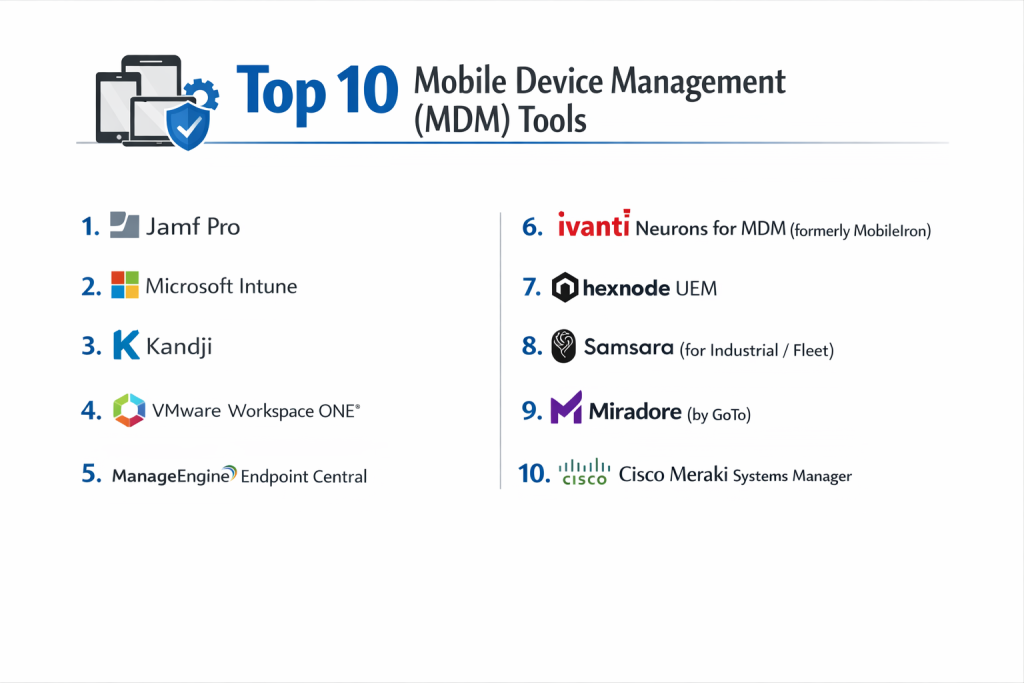
Top 10 Mobile Device Management (MDM) Tools
1 — Jamf Pro
Jamf Pro is the industry standard for Apple ecosystem management. It is designed for IT professionals who want the most granular control possible over Macs, iPhones, iPads, and Apple TVs.
- Key Features:
- Same-Day Support: Instant compatibility with every new Apple OS release.
- Smart Groups: Automatically trigger management tasks based on device attributes.
- Self-Service: A branded app portal where users can download pre-approved software.
- Jamf Connect: Streamlines Mac login and account management using cloud identity (Okta, Azure).
- Zero-Touch Deployment: Seamless integration with Apple Business Manager (ABM).
- App Lifecycle Management: Automated patching and updating of macOS applications.
- Pros:
- Unrivaled depth for Apple-specific features that multi-platform tools can’t match.
- Massive, passionate community that shares scripts and troubleshooting tips.
- Cons:
- Does not support Windows or Android, requiring a second tool for mixed environments.
- The interface can be complex for beginners; it has a significant learning curve.
- Security & compliance: SOC 2, GDPR, HIPAA, and ISO 27001 compliant. Supports SSO, MFA, and advanced encryption.
- Support & community: High-quality documentation, Jamf Nation community, and extensive training certifications available.
2 — Microsoft Intune
Microsoft Intune (part of Microsoft Endpoint Manager) is a cloud-based service that focuses on mobile device management and mobile application management (MAM). It is the default choice for organizations already utilizing the Microsoft 365 suite.
- Key Features:
- Conditional Access: Deny access to apps if the device doesn’t meet specific security health checks.
- MAM (App Protection): Secure corporate data inside apps without managing the entire personal device.
- Autopilot Integration: Zero-touch provisioning for Windows laptops.
- Multi-Platform Support: Manages Windows, macOS, iOS, Android, and Linux.
- Deep Office 365 Integration: Seamlessly push and secure Outlook, Teams, and Word.
- Endpoint Analytics: Insights into device performance and startup times.
- Pros:
- Included in many Microsoft 365 licenses, often resulting in zero additional cost.
- The absolute best tool for managing “Corporate Data” on personal phones via MAM.
- Cons:
- The administrative dashboard is notoriously slow and buried in the complex Azure/Entra portal.
- Support for macOS is functional but lacks the depth of Jamf or Kandji.
- Security & compliance: FedRAMP, SOC 2, ISO 27001, HIPAA, and GDPR.
- Support & community: Extensive Microsoft Learn documentation and a global network of certified partners.
3 — Kandji
Kandji is a modern, cloud-first MDM platform designed specifically for the Apple ecosystem. It positions itself as a faster, more automated alternative to Jamf for mid-market and high-growth companies.
- Key Features:
- Automated Blueprints: Templates that combine apps, settings, and security controls into a single deployment.
- Library of 150+ Parameters: One-click toggles for complex security configurations.
- Self-Healing Agent: A background agent that automatically re-installs deleted profiles.
- Kandji Lifeline: Offline MFA that allows users to reset passwords without a network connection.
- Auto-Apps: Kandji handles the packaging and patching of over 100 common Mac apps.
- Migration Tool: A specialized tool to help users move away from legacy MDM systems.
- Pros:
- The most user-friendly and modern interface in the Apple management space.
- Automation “Parameters” allow non-technical admins to enforce complex security.
- Cons:
- Apple-only; no support for the Windows or Android hardware often found in larger firms.
- Pricing can be higher than budget-friendly multi-platform competitors.
- Security & compliance: SOC 2 Type 2, GDPR, and HIPAA. Features built-in CIS compliance templates.
- Support & community: High-touch customer success, responsive chat support, and deep technical documentation.
4 — VMware Workspace ONE
Workspace ONE is an enterprise-grade Unified Endpoint Management (UEM) platform that grew out of the AirWatch acquisition. It is designed to handle massive, heterogeneous fleets of devices across any OS.
- Key Features:
- Intelligence Analytics: Uses AI to predict security risks and performance bottlenecks.
- Anywhere Workspace: Strong support for VDI (Virtual Desktop Infrastructure) and physical devices.
- Rugged Device Support: Excellent management for warehouse scanners and POS systems.
- Hub Services: A centralized “Employee App” for notifications, company directory, and apps.
- Secure Email Gateway: Specialized proxy for securing mobile corporate email.
- Advanced Remote Control: Assist users with deep troubleshooting on any mobile OS.
- Pros:
- Exceptional for large enterprises that need to manage “Rugged” Android hardware.
- Highly scalable, managing millions of devices across a single global tenant.
- Cons:
- Recent corporate ownership changes (Broadcom acquisition) have caused some customer anxiety.
- Requires significant professional services or training to implement correctly.
- Security & compliance: ISO 27001, SOC 2, HIPAA, GDPR, and FIPS 140-2.
- Support & community: Comprehensive enterprise support and a global partner ecosystem.
5 — ManageEngine Endpoint Centra
ManageEngine provides an “all-in-one” approach to MDM and UEM. It is known for its incredible feature density and its availability as both a cloud and an on-premise solution.
- Key Features:
- OS Deployment: Image and deploy Windows and macOS remotely.
- Mobile App Management: Silent installation and restriction of apps on iOS/Android.
- Kiosk Mode: Lock devices down to a single app for public use or signage.
- Geofencing: Trigger security alerts if a device leaves a designated geographical area.
- USB Device Management: Control which peripherals can be plugged into corporate laptops.
- Remote Troubleshoot: Integrated remote desktop with chat and file transfer.
- Pros:
- One of the most cost-effective solutions for the sheer number of features provided.
- Offers a “Free Edition” for up to 25 devices, ideal for small startups.
- Cons:
- The user interface can feel cluttered and “legacy” compared to modern SaaS rivals.
- Documentation is extensive but can occasionally be difficult to navigate due to translation issues.
- Security & compliance: ISO 27001, SOC 2, HIPAA, GDPR, and PCI DSS.
- Support & community: Global 24/5 support, active user forums, and annual user conferences.
6 — Ivanti Neurons for MDM (formerly MobileIron)
Ivanti Neurons is an AI-powered platform built on the foundation of the legendary MobileIron MDM. It focuses on “Zero Trust” security and self-healing endpoints.
- Key Features:
- Zero Sign-On: Uses the device as the identity, eliminating the need for passwords.
- Threat Defense: Built-in mobile threat defense against phishing and device exploits.
- App Tunnel: Secure per-app VPN that only encrypts corporate traffic.
- Multi-Vector Discovery: Finds and inventories unmanaged devices on the network.
- Self-Healing Bots: AI that detects and fixes security misconfigurations automatically.
- Separation of Data: Cleanly partitions personal and work data on BYOD devices.
- Pros:
- Industry-leading mobile security and “Zero Trust” architecture.
- Very strong at managing Android Enterprise in highly regulated environments.
- Cons:
- Can be overkill for businesses that just want basic app deployment.
- Integration between the legacy MobileIron core and Ivanti Neurons is still evolving.
- Security & compliance: FedRAMP, SOC 2, ISO 27001, HIPAA, and GDPR.
- Support & community: Strong global presence, Ivanti University training, and enterprise support desk.
7 — Hexnode UEM
Hexnode is a highly versatile UEM that is particularly popular in the SMB and mid-market space for its excellent “Kiosk” features and specialized device support.
- Key Features:
- Advanced Kiosk Mode: Specialized support for digital signage and single-app lockdown.
- Apple TV & Fire TV Support: Manage non-traditional endpoints like office TV displays.
- Expense Management: Monitor mobile data usage and set alerts for data overages.
- Technician Roles: Granular RBAC (Role-Based Access Control) for IT admins.
- Dynamic Groups: Group devices automatically based on location or battery level.
- Remote View: Monitor a user’s screen in real-time to help with technical issues.
- Pros:
- The most flexible kiosk management on the market today.
- Pricing is very competitive and transparent, with no hidden enterprise fees.
- Cons:
- Lacks the deep automation scripting capabilities found in Jamf or Kandji.
- Reporting features are functional but not as pretty or detailed as top-tier rivals.
- Security & compliance: ISO 27001, SOC 2, HIPAA, and GDPR. Supports major SSO providers.
- Support & community: Award-winning 24/5 live chat support and dedicated account managers.
8 — Samsara (for Industrial/Fleet)
Samsara is a specialized MDM that is uniquely designed for the “Connected Operations” world. It is the go-to choice for trucking, logistics, and field services using rugged tablets.
- Key Features:
- Rugged Device Optimization: Specialized for Samsung Knox and Zebra rugged hardware.
- App Lockouts: Prevents drivers from using specific apps while the vehicle is in motion.
- Field Deployment: Manage devices that are rarely, if ever, in an office.
- Integrated Telematics: Connects MDM data with vehicle GPS and engine data.
- Remote Wipe: Critical for devices lost at job sites or in transit.
- OTA Updates: Over-the-air updates that respect low-bandwidth cellular connections.
- Pros:
- The only choice if your MDM needs to be part of a broader fleet management system.
- Incredibly durable agent software that survives the harsh environments of field work.
- Cons:
- Not suitable for a traditional office environment managing MacBooks and iPhones.
- Extremely niche focus; lacks broad enterprise software integrations.
- Security & compliance: SOC 2, GDPR, and industry-specific logistics certifications.
- Support & community: 24/7 support for field operations and dedicated industrial account managers.
9 — Miradore (by GoTo)
Miradore is a cloud-based MDM known for its simplicity and “freemium” model. It is designed for small to medium businesses that need security without the enterprise complexity.
- Key Features:
- Quick Enrollment: QR-code based enrollment for Android and iOS.
- Software Deployment: Simple workflows to push apps to Windows and mobile.
- Location Tracking: Real-time GPS tracking for corporate-owned devices.
- Business Policies: A “set-and-forget” way to apply settings to new devices.
- Hardware Inventory: Detailed tracking of serial numbers, IMEI, and battery health.
- Encryption Management: Enforce BitLocker on Windows and FileVault on Mac.
- Pros:
- The fastest setup time of any tool on this list—go live in 15 minutes.
- Very generous free tier for basic device tracking and lock/wipe features.
- Cons:
- Automation is limited compared to Jamf or Intune.
- Support is mainly via email/tickets rather than high-tier live enterprise options.
- Security & compliance: ISO 27001, GDPR, and HIPAA.
- Support & community: Growing knowledge base and a friendly, active user community.
10 — Cisco Meraki Systems Manager
Part of the Meraki cloud-managed IT suite, Systems Manager (SM) is an MDM that shines when integrated with Meraki network hardware (switches and Wi-Fi).
- Key Features:
- Network Integration: Automatically provision VPN and Wi-Fi based on the MDM profile.
- Sentry Security: Dynamically blocks device network access if the MDM agent is removed.
- Geofencing: Apply network policies based on where the device is physically located.
- Rapid Provisioning: Links with Apple, Google, and Microsoft enrollment programs.
- Multi-Platform: Support for iOS, Android, macOS, Windows, and ChromeOS.
- Live Tools: Remote desktop, terminal access, and file management.
- Pros:
- If you already use Meraki dashboard for Wi-Fi, managing devices in the same UI is a dream.
- The “Sentry” feature provides the best network-level security of any MDM.
- Cons:
- Features can feel stagnant compared to “pure-play” MDM vendors like Kandji.
- Licensing can be rigid and tied to the broader Cisco ecosystem.
- Security & compliance: SOC 2 Type 2, ISO 27001, HIPAA, and GDPR.
- Support & community: 24/7 Meraki Support and the highly active Meraki Community forum.
Comparison Table
| Tool Name | Best For | Platform(s) Supported | Standout Feature | Rating (Gartner) |
| Jamf Pro | Apple Power Users | iOS, macOS, tvOS | Smart Groups | 4.7 / 5 |
| Microsoft Intune | Microsoft 365 Shops | Win, Mac, iOS, Android | Conditional Access | 4.4 / 5 |
| Kandji | Modern Apple SMBs | iOS, macOS, tvOS | Auto-App Patching | 4.8 / 5 |
| Workspace ONE | Enterprise UEM | All Platforms + Rugged | Workspace ONE Hub | 4.1 / 5 |
| Endpoint Central | Feature-for-Dollar | All Platforms | On-Premise Option | 4.4 / 5 |
| Ivanti Neurons | Zero Trust Security | All Platforms | Self-Healing Bots | 4.2 / 5 |
| Hexnode UEM | Kiosks & Signage | All Platforms + TV | Geofencing Kiosk | 4.6 / 5 |
| Samsara | Industrial Fleets | Android & iOS | Telematics Sync | N/A |
| Miradore | Ease of Use / SMB | Win, Mac, iOS, Android | Rapid Setup | 4.5 / 5 |
| Meraki SM | Network Integration | Win, Mac, iOS, Android | Sentry Network Lock | 4.0 / 5 |
Evaluation & Scoring of MDM Tools
| Criteria | Weight | What We Evaluated |
| Core Features | 25% | Patching, remote wipe, app deployment, and hardware inventory. |
| Ease of Use | 15% | UI modernism, setup speed, and administrator learning curve. |
| Integrations | 15% | Connections with Identity (SSO), Apple/Google/Windows enrollment. |
| Security | 10% | Data encryption, MFA, CIS benchmarks, and compliance logs. |
| Performance | 10% | Speed of command execution and reliability of the background agent. |
| Support | 10% | Availability of live chat, documentation, and user communities. |
| Price / Value | 15% | Transparency of cost and ROI for the specific target market. |
Which MDM Tool Is Right for You?
Solo Users vs. SMB vs. Mid-Market vs. Enterprise
- SMBs (10–100 devices): Miradore or Kandji are perfect. You don’t have time for a complex setup, and you need a tool that works “out of the box” with minimal maintenance.
- Mid-Market (100–1,000 devices): Hexnode or Endpoint Central offer the right balance of price and advanced features like geofencing and app metering.
- Enterprise (1,000+ devices): Jamf Pro, Microsoft Intune, or Workspace ONE are the only tools with the global infrastructure and policy depth required to manage thousands of diverse endpoints.
Budget-Conscious vs. Premium Solutions
- Budget: Miradore’s free tier or ManageEngine’s aggressive pricing are the clear winners.
- Premium: Jamf Pro and Workspace ONE are the Ferraris of the MDM world—you pay more, but you get enterprise-grade reliability and specialized expertise.
Feature Depth vs. Ease of Use
If you have a dedicated 24/7 IT team, go for feature depth with Ivanti or Microsoft Intune. If you are a “one-person IT department,” prioritize ease of use with Kandji or NinjaOne (which includes MDM).
Frequently Asked Questions (FAQs)
1. What happens if I lose my phone and it’s on MDM?
Your IT administrator can send a “Remote Wipe” command. The next time the phone connects to the internet, all corporate data (or the entire phone) will be erased to prevent unauthorized access.
2. Can my employer see my personal photos or texts through MDM?
Generally, no. Modern MDMs (like Intune or Jamf) use “User Enrollment,” which creates a separate cryptographically signed volume for work data. The employer can see device info, but not personal content.
3. Is MDM mandatory for remote work?
For most companies in regulated industries (Healthcare, Finance), yes. It is the only way to prove to auditors that the devices accessing sensitive data are encrypted and patched.
4. How long does it take to implement an MDM?
A cloud-based tool like Kandji or Miradore can be configured in an afternoon. An enterprise-wide rollout of Workspace ONE can take several months.
5. Do I need an MDM if I use only cloud-based apps?
Yes. Even if you use only browser apps, your device can still be a vector for malware. MDM ensures the device itself is secure, even if no data is stored on it.
6. Can MDM track my physical location?
Technically, yes, if the feature is enabled. However, most companies use “Lost Mode” which only enables tracking after a device is reported missing, respecting employee privacy.
7. What is “Zero-Touch” enrollment?
It’s a process where a device is shipped from the factory directly to the employee. When they turn it on, it automatically recognizes it belongs to the company and installs the MDM profile.
8. Can MDM block specific apps like TikTok or Facebook?
Yes. On corporate-owned devices, admins can “Blacklist” apps, preventing them from being installed or even appearing on the home screen.
9. Does MDM slow down device performance?
Modern MDM profiles are extremely lightweight and use native OS commands. Unless the admin pushes thousands of heavy scripts, you won’t notice any performance lag.
10. What is the difference between MDM and MAM?
MDM manages the entire device. MAM (Mobile Application Management) manages only specific apps. MAM is popular for personal phones where you only want to secure the Outlook app.
Conclusion
Selecting a Mobile Device Management (MDM) tool is no longer just a technical checkbox; it is a core business security strategy. In 2026, the “best” tool depends entirely on your hardware mix and your team’s technical appetite.
If your fleet is exclusively Apple, Jamf Pro and Kandji are in a league of their own. For Microsoft-centric organizations, Intune offers unbeatable integration. If you are managing a diverse range of hardware on a budget, ManageEngine or Hexnode provide incredible value.
The goal of MDM is to make technology invisible for the end-user while making it bulletproof for the organization. By choosing the right partner from this list, you can secure your company’s future without stifling the mobility that makes modern work possible.