Introduction
A Mobile App Development Platform serves as the foundational infrastructure for creating digital mobile experiences. Its importance lies in its ability to streamline the development lifecycle, reduce costs, and accelerate “time-to-market.” Without these platforms, developers would have to manually code every interaction for every device, a process that is both inefficient and prone to error. Real-world use cases span from retail e-commerce apps and internal corporate productivity tools to complex fintech solutions and healthcare monitoring systems.
When choosing a platform, users must evaluate several critical criteria: cross-platform compatibility, native performance capabilities, backend integration, and the vibrancy of the developer community. As the mobile landscape evolves with 5G and AI, selecting a platform that offers long-term scalability and security is paramount for any digital strategy.
Best for: Professional software developers, startup founders, enterprise IT departments, and digital marketing agencies. These tools are ideal for organizations in the tech, finance, retail, and healthcare sectors looking to build high-performance mobile products.
Not ideal for: Purely web-based businesses that do not require offline functionality or access to phone hardware (like cameras or sensors), or for hobbyists looking to build a “one-off” simple site that could be better served by a basic website builder.
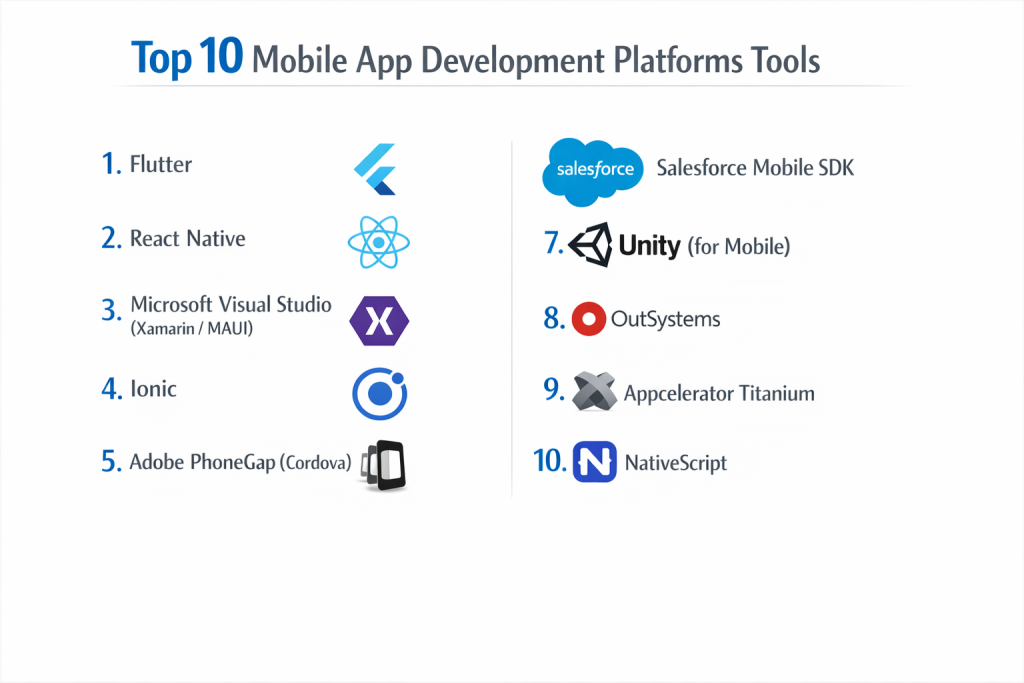
Top 10 Mobile App Development Platforms Tools
1 — Flutter
Developed by Google, Flutter is an open-source UI software development kit that has quickly become a favorite for its “write once, run anywhere” philosophy using the Dart programming language.
- Key features:
- Hot Reload: See code changes reflected in the app instantly without losing state.
- Rich Widget Library: Extensive set of customizable widgets that follow Material Design and Cupertino styles.
- Native Performance: Compiles to machine code for high-performance execution on both iOS and Android.
- Skia Graphics Engine: Uses its own engine to render every pixel, ensuring visual consistency across devices.
- Web and Desktop Support: Extend your mobile code to run on browsers and Windows/macOS.
- Firebase Integration: Built-in support for Google’s backend-as-a-service.
- Pros:
- Unmatched development speed due to the hot reload feature.
- Beautiful, custom UIs are easier to build than on almost any other platform.
- Cons:
- The apps tend to have a larger file size compared to purely native apps.
- Requires learning Dart, which is less common than JavaScript.
- Security & compliance: Supports SSL pinning, data encryption, and GDPR compliance; security depends on implementation but the framework is robust.
- Support & community: Massive community, excellent documentation by Google, and a rapidly growing ecosystem of third-party packages.
2 — React Native
Created by Meta (formerly Facebook), React Native allows you to build mobile apps using JavaScript and the React library, focusing on delivering a native look and feel.
- Key features:
- Native Components: Renders actual native UI components instead of using web views.
- JavaScript Usage: Leverages the world’s most popular programming language.
- Live Reloading: Similar to Flutter, it allows developers to see changes in real-time.
- Modular Architecture: Encourages the use of reusable code blocks across different platforms.
- Bridge Technology: Connects JavaScript code with native Java/Swift modules for specific hardware access.
- NPM Support: Access to the massive Node Package Manager ecosystem.
- Pros:
- High code reusability (often up to 90%) between iOS and Android.
- Easier to find experienced developers because it uses JavaScript/React.
- Cons:
- Can be difficult to debug for complex, hardware-intensive tasks.
- Updating to newer versions of the framework can sometimes break existing plugins.
- Security & compliance: SOC 2 compliant via Meta’s infrastructure; supports biometric authentication and secure storage integrations.
- Support & community: Perhaps the largest community in the mobile dev world; extensive third-party libraries and tutorials.
3 — Microsoft Visual Studio (Xamarin/MAUI)
Microsoft’s entry into the space uses C# and .NET to create cross-platform apps. The evolution into .NET MAUI (Multi-platform App UI) has modernized the experience for enterprise developers.
- Key features:
- C# Programming: Ideal for developers already familiar with the Microsoft ecosystem.
- Shared Logic: Share code across mobile, desktop, and web platforms.
- Direct API Access: Native performance through 100% binding to underlying platform APIs.
- Visual Studio Integration: Benefit from one of the most powerful IDEs in the world.
- Azure Integration: Seamless connectivity to Microsoft Azure cloud services.
- Hot Reload for XAML: Speed up UI design with live previews.
- Pros:
- The best choice for C# developers and teams already using Microsoft 365/Azure.
- High performance that rivals purely native development.
- Cons:
- The tooling can be “heavy” and requires a high-spec development machine.
- Smaller library of open-source UI components compared to React Native.
- Security & compliance: Enterprise-grade security including ISO 27001, HIPAA, and GDPR compliance via the Azure/MS backend.
- Support & community: Strong corporate support from Microsoft; well-documented for enterprise use.
4 — Ionic
Ionic is a hybrid mobile app development framework that uses standard web technologies like HTML, CSS, and JavaScript (or Angular/Vue/React) to build cross-platform apps.
- Key features:
- Web Tech Stack: Build mobile apps using the same skills used for websites.
- Capacitor Framework: A cross-platform native bridge to access camera, GPS, and more.
- Pre-made UI Components: A library of mobile-optimized components that look native.
- PWA Support: Easily turn your mobile app into a Progressive Web App.
- Live Updates: Push code updates directly to users without waiting for App Store approval.
- Stencils: Used for building high-performance web components.
- Pros:
- Extremely fast for prototyping and building “content-heavy” apps.
- The easiest learning curve for traditional web developers.
- Cons:
- Performance may lag behind Flutter or React Native for high-frequency gaming or heavy animations.
- Can feel like a “website in a container” if not designed carefully.
- Security & compliance: SOC 2 Type II compliant; offers “Ionic Secure Storage” for high-security data needs.
- Support & community: Extensive documentation, enterprise support plans, and a large global community of web-turned-mobile developers.
5 — Adobe PhoneGap (Cordova)
While Adobe has discontinued its specific distribution (PhoneGap), the underlying Apache Cordova remains a foundational tool for wrapping web apps in native containers.
- Key features:
- Standards-Based: Uses HTML5, CSS3, and JavaScript.
- Plugin System: Access native device features through a standardized API.
- Platform Support: Can target iOS, Android, and even older platforms like Windows Phone.
- Low Cost: Open-source and free to use.
- Lightweight: Does not require complex proprietary languages.
- Pros:
- Zero cost for the software itself.
- Good for simple apps that just need to display web content in an app icon.
- Cons:
- Generally the slowest performance of the top 10.
- Increasingly considered “legacy” technology as Flutter and React Native dominate.
- Security & compliance: Varies; users must implement their own encryption and security layers.
- Support & community: Mostly community-driven now; documentation is extensive but can be outdated.
6 — Salesforce Mobile SDK
For businesses already using Salesforce as their CRM, this SDK provides a specialized way to build mobile apps that talk directly to Salesforce data with high security.
- Key features:
- Direct CRM Access: Native access to Salesforce objects and workflows.
- SmartStore: Local database for managing data in offline mode.
- SmartSync: Handles the complex logic of syncing offline changes with the server.
- Hybrid or Native: Supports building purely native apps or web-based hybrid apps.
- Identity Management: Built-in OAuth for secure user authentication.
- Pros:
- The absolute best choice for enterprise “Employee Apps.”
- Handling offline data synchronization is much easier than building from scratch.
- Cons:
- Only useful if your organization is already a Salesforce customer.
- The design can feel restrictive for consumer-facing apps.
- Security & compliance: FedRAMP, HIPAA, ISO 27001, and GDPR compliant via Salesforce’s core platform.
- Support & community: World-class enterprise support and “Trailhead” learning modules.
7 — Unity (for Mobile)
While primarily a game engine, Unity is the dominant platform for building graphics-intensive mobile apps, AR (Augmented Reality), and VR (Virtual Reality) experiences.
- Key features:
- 3D/2D Engine: Unmatched power for rendering graphics and physics.
- Cross-Platform: Deploy to iOS, Android, and dozens of consoles simultaneously.
- Asset Store: Thousands of pre-made 3D models and scripts to speed up dev.
- AR Foundation: Specialized tools for building Pokémon GO style AR apps.
- C# Scripting: Professional-grade scripting for complex app logic.
- Unity Ads: Built-in monetization tools for mobile developers.
- Pros:
- The only choice for mobile games and high-fidelity interactive 3D apps.
- Huge ecosystem for visual assets.
- Cons:
- Overkill for simple business or “list-based” apps.
- High battery consumption compared to standard mobile frameworks.
- Security & compliance: Varies; generally compliant with app store standards for data privacy.
- Support & community: Massive community of game devs, extensive YouTube tutorials, and professional enterprise support.
8 — OutSystems
OutSystems is a “Low-Code” leader that allows enterprise teams to build complex, full-stack mobile apps with a visual drag-and-drop interface.
- Key features:
- Visual Development: Build UI, business logic, and database schemas visually.
- One-Click Deployment: Automates the release process to multiple environments.
- AI Mentors: AI-powered code reviews to identify bugs and security flaws.
- Integration Connectors: Hundreds of pre-built connections to SAP, Oracle, and AWS.
- Full Lifecycle Management: Handles everything from design to monitoring.
- Pros:
- Reduces development time by up to 50% compared to traditional coding.
- Excellent for large enterprises with a “Citizen Developer” strategy.
- Cons:
- High licensing costs make it inaccessible for startups or solo developers.
- You are “locked in” to the OutSystems ecosystem.
- Security & compliance: SOC 2 Type II, ISO 27001, HIPAA, and GDPR compliant.
- Support & community: Dedicated enterprise support and a professional developer forum.
9 — Appcelerator Titanium
Titanium uses JavaScript to create native mobile apps. It was a pioneer in the cross-platform space and remains a solid choice for enterprise-grade JS development.
- Key features:
- Hyperloop: Direct access to any native iOS or Android API using JavaScript.
- Alloy Framework: An MVC (Model-View-Controller) framework for organized code.
- Cloud Services: Built-in backend services for data storage and push notifications.
- Single Codebase: High level of code sharing across platforms.
- Titanium SDK: High-performance compiler for native execution.
- Pros:
- Good performance for JavaScript-based development.
- Mature platform with a stable codebase.
- Cons:
- Pricing can be high compared to free tools like Flutter.
- The community has shrunk significantly as React Native grew.
- Security & compliance: SOC 2 compliant; offers encryption for data at rest and in transit.
- Support & community: Professional support available via Axway (the parent company).
10 — NativeScript
NativeScript is an open-source framework for building truly native mobile apps with JavaScript, TypeScript, or frameworks like Angular and Vue.
- Key features:
- Native API Access: Call iOS and Android APIs directly from your JS code.
- Shared Code: Use the same business logic for web and mobile.
- No Web Views: Unlike Ionic, it renders a completely native UI.
- CSS Styling: Style your native mobile components using standard CSS.
- Direct Access to Libraries: Easily use CocoaPods and Android Jars.
- Pros:
- Very flexible; allows you to use your favorite JS framework (Angular/Vue).
- Truly native performance without the “hybrid” lag.
- Cons:
- Smaller community than React Native, meaning fewer third-party plugins.
- Documentation can sometimes be thin for advanced edge cases.
- Security & compliance: GDPR compliant; relies on native OS security features.
- Support & community: Active open-source community and a dedicated slack channel for developers.
Comparison Table
| Tool Name | Best For | Platform(s) Supported | Standout Feature | Rating (Approx.) |
| Flutter | Fast Development / Custom UI | iOS, Android, Web, Desktop | Hot Reload / Skia Engine | 4.7 / 5 |
| React Native | Large Teams / JS Users | iOS, Android | Massive Community Support | 4.6 / 5 |
| MS Xamarin/MAUI | Enterprise / C# Teams | iOS, Android, Windows | Visual Studio Integration | 4.2 / 5 |
| Ionic | Web Developers / PWAs | iOS, Android, Web | HTML/CSS Based | 4.3 / 5 |
| PhoneGap | Simple Hybrid Apps | iOS, Android | Low Complexity / Legacy | 3.5 / 5 |
| Salesforce SDK | Corporate / CRM Users | iOS, Android | SmartSync Offline Data | 4.4 / 5 |
| Unity | Games / AR / VR | iOS, Android, Console | 3D Rendering Power | 4.8 / 5 |
| OutSystems | Enterprise Low-Code | iOS, Android, Web | Visual Logic Builder | 4.5 / 5 |
| Appcelerator | Professional JS Teams | iOS, Android | Hyperloop Native Access | 4.0 / 5 |
| NativeScript | Angular or Vue Users | iOS, Android | Direct Native API Call | 4.1 / 5 |
Evaluation & Scoring of Mobile App Development Platforms
To help you make an informed choice, we have evaluated these platforms based on a weighted rubric.
| Category | Weight | Description |
| Core Features | 25% | Multi-platform support, UI library, and hardware access. |
| Ease of Use | 15% | Learning curve and quality of development tools (IDE). |
| Integrations | 15% | Compatibility with APIs, cloud services, and third-party tools. |
| Security & Compliance | 10% | Enterprise-grade protection and regulatory adherence. |
| Performance | 10% | App speed, frame rates, and battery optimization. |
| Support & Community | 10% | Documentation, forums, and official customer service. |
| Price / Value | 15% | Licensing costs versus the return on investment (ROI). |
Which Mobile App Development Platform Tool Is Right for You?
Selecting the right platform depends on your business size, budget, and the specific skills of your team.
Solo Users vs SMB vs Mid-market vs Enterprise
If you are a solo developer or a startup, Flutter or React Native are the clear winners. They are free, have huge communities, and allow you to launch on two platforms for the price of one. Mid-market companies often benefit from Ionic if they already have a strong web team. Enterprises with large-scale digital transformation goals should look at OutSystems or Microsoft MAUI for their robust governance and security.
Budget-conscious vs Premium Solutions
If you are budget-conscious, stick with open-source tools like Flutter, React Native, or NativeScript. If you are looking for a premium, high-efficiency solution where speed is more important than the monthly license fee, OutSystems or Salesforce SDK are worth the investment.
Feature Depth vs Ease of Use
For Ease of Use, Ionic and Canva (for basic prototypes) are top-tier. However, for Feature Depth, nothing beats Unity (for graphics) or React Native (for complex application logic).
Integration and Scalability Needs
If your app needs to scale to millions of users while maintaining a complex backend, Flutter (with Firebase) or React Native (with AWS/Azure) are the most proven paths. For deep integration with existing corporate databases, Microsoft MAUI or Appcelerator are better suited.
Security and Compliance Requirements
For highly regulated industries like banking or healthcare, OutSystems, Appian, and the Salesforce SDK offer the most “out of the box” compliance certifications, reducing the burden on your internal legal teams.
Frequently Asked Questions (FAQs)
1. What is the difference between Native and Hybrid apps?
Native apps are built specifically for one OS (like Swift for iOS). Hybrid apps are built once using web tech and “wrapped” in a native container to run on multiple platforms.
2. Is Flutter better than React Native?
There is no single winner. Flutter generally has smoother animations and easier UI customization, while React Native has a larger job market and uses JavaScript.
3. Do I need a Mac to build iOS apps?
Generally, yes. To compile and submit an app to the Apple App Store, you typically need macOS. Some cloud services like Expo (for React Native) allow for some workarounds, but a Mac is standard.
4. How much does it cost to build a mobile app?
A professional app can cost anywhere from $10,000 for a simple MVP to $250,000+ for a complex enterprise solution with a custom backend.
5. Can I build an app without coding?
Yes, using “No-Code” platforms like Adalo or Bubble. However, these are more limited in performance and features than the “Low-Code” or “Pro-Code” platforms listed here.
6. Which platform is best for mobile games?
Unity is the undisputed leader for mobile game development, followed by Unreal Engine. Standard business builders are not suitable for gaming.
7. How long does it take to learn these platforms?
If you already know JavaScript, you can learn React Native in a few weeks. If you are starting from scratch, expect 3 to 6 months of dedicated study to become proficient.
8. Can I turn my existing website into an app?
Yes, using Ionic or PhoneGap/Cordova. This is called a “Hybrid” approach or a Progressive Web App (PWA).
9. Are cross-platform apps slower than native apps?
In the past, yes. Today, platforms like Flutter and React Native are so well-optimized that the average user cannot tell the difference in speed.
10. What is “Hot Reload”?
It is a feature that allows you to see the changes you make in the code appear on the phone screen in real-time, without having to restart the entire app.
Conclusion
The “best” mobile app development platform is the one that aligns with your project’s unique requirements. If you value visual perfection and rapid UI development, Flutter is your best bet. If you want to leverage a massive talent pool of JavaScript developers, React Native is the way to go. For enterprise-grade internal tools, look no further than OutSystems or Microsoft.
Ultimately, the goal of any platform is to remove technical barriers so you can focus on what matters most: solving a problem for your users. As mobile hardware continues to advance, these platforms will only become more powerful, making it an exciting time to jump into the world of app development.