Introduction
MLOps platforms, which stands for Machine Learning Operations, are a set of tools designed to help businesses manage the entire life of an artificial intelligence model. In the early days of AI, a scientist might build a model on their own computer, but getting that model to work reliably on a website or in a factory was very difficult. MLOps platforms solve this by creating a bridge between the “science” part of AI and the “working” part of software. They provide a standard way to track data, test models, put them into production, and monitor them to make sure they don’t start making mistakes over time.
These platforms are essential because AI models are not like regular software. While regular code stays the same until a human changes it, an AI model can become “stale” as the world around it changes. For example, a model that predicts what people want to buy in the winter will be wrong in the summer. MLOps platforms act like a specialized factory line that keeps these models fresh, secure, and accurate. They automate the repetitive work so that engineers can focus on building new things instead of fixing old problems.
Key Real-World Use Cases
- Financial Monitoring: Banks use MLOps to manage thousands of models that check for credit card fraud every second, ensuring the systems stay updated as hackers change their tactics.
- Online Shopping: Retailers use these platforms to manage recommendation engines, making sure that when you look at a pair of shoes, the “suggested items” are relevant and load instantly.
- Healthcare Logistics: Hospitals use MLOps to deploy models that predict patient bed needs, ensuring the model is always looking at the most recent hospital data.
- Autonomous Systems: Companies building self-driving tech use MLOps to manage the massive amounts of video data needed to train and update the cars’ “brains” safely.
- Energy Management: Utility companies use MLOps to monitor models that predict power grid failures, sending alerts the moment a model detects an anomaly.
What to Look For (Evaluation Criteria)
When you are looking for an MLOps platform, you should evaluate it based on these core requirements:
- Model Tracking (Registry): Does the tool keep a clear history of every version of the model ever built?
- Monitoring: Can it detect “drift”—which is when the model starts losing accuracy because the real world has changed?
- Automation (CI/CD): How much of the testing and deployment can be done automatically without a human having to click buttons?
- Scalability: Can the platform handle one model today and ten thousand models next year?
- Collaborative Features: Is it easy for a data scientist, a software developer, and a business manager to all see what is happening in one place?
Best for:
These tools are best for Machine Learning Engineers, Data Scientists, and IT Operations teams. They are specifically useful for mid-sized to large enterprises in sectors like finance, technology, healthcare, and retail where AI is a core part of the business. Companies that have more than a handful of models in production will find these tools indispensable for maintaining quality.
Not ideal for:
MLOps platforms are not ideal for individual researchers working on a single one-time project or very small startups that are still in the “experiment” phase and haven’t put anything into the real world yet. If you are just playing with data in a spreadsheet, these tools will be far too complex and expensive for your needs.
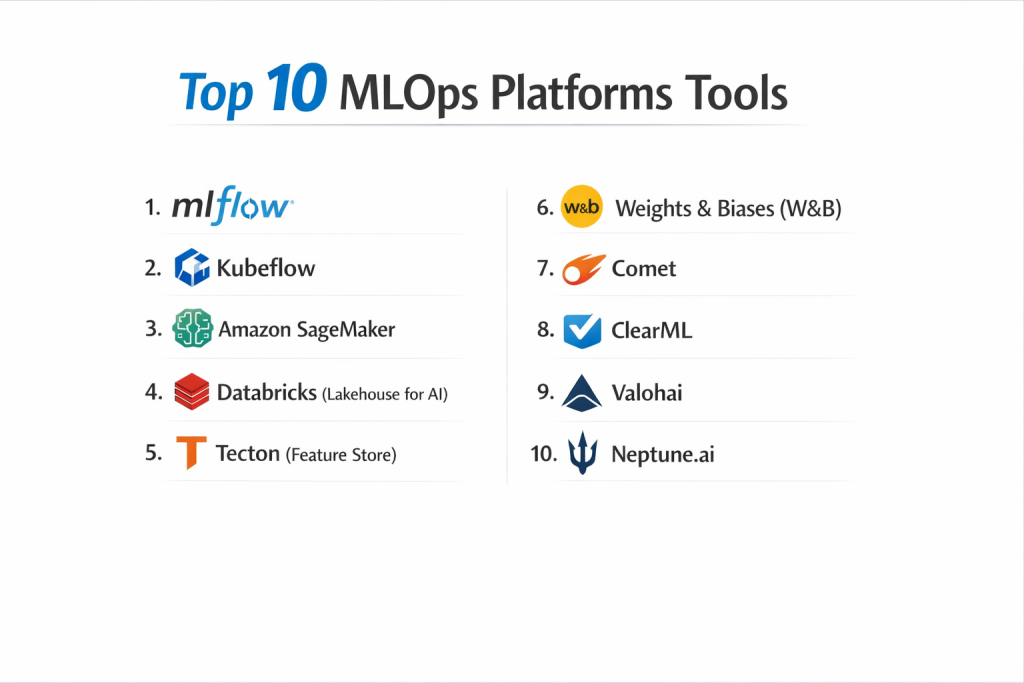
Top 10 MLOps Platforms Tools
1 — MLflow
MLflow is an open-source platform designed to manage the machine learning lifecycle. It is one of the most popular tools because it is “library-agnostic,” meaning it works with almost any AI math tool you choose to use.
- Key features:
- Tracking: Records and queries experiments, including code, data, and settings.
- Models: A standard format for packaging models to be used in many different tools.
- Registry: A central store to manage model versions and status changes.
- Recipes: Pre-made structures for common tasks to get started faster.
- Projects: A format for packaging data science code in a reusable way.
- Plugins: Wide support for third-party integrations.
- Pros:
- Very flexible and works with almost every other AI tool on the market.
- Large community support means you can always find help or tutorials.
- Cons:
- Since it is open-source, you have to set up and manage the servers yourself unless you pay for a managed version.
- Security features like user permissions can be difficult to set up in the free version.
- Security & compliance: Varies; the open-source version requires manual setup of SSO and encryption. Commercial versions (like Databricks) offer SOC 2 and GDPR compliance.
- Support & community: Huge global community; excellent documentation; professional support available through commercial partners.
2 — Kubeflow
Kubeflow is a platform built on top of Kubernetes, which is a system for managing large groups of computers. It is designed for companies that want to run their AI models at a massive scale.
- Key features:
- Pipelines: A way to build and manage multi-step workflows visually.
- Notebooks: Integrated environments for writing code.
- Training Operators: Tools to help train models across many computers at once.
- Katib: A tool for automatically finding the best settings for your model.
- Model Serving: Systems to let other apps “talk” to your finished model.
- Central Dashboard: A single place to view all your running tasks.
- Pros:
- Incredible power for scaling models to handle millions of users.
- Works very well for companies that already use “cloud-native” technology.
- Cons:
- It is extremely difficult to install and manage; you need a dedicated “Cloud Engineer” to run it.
- Overkill for smaller teams who don’t have massive computer needs.
- Security & compliance: Strong; inherits security from Kubernetes including RBAC, encryption, and audit logs.
- Support & community: Very active developer community; many guides available but can be very technical.
3 — Amazon SageMaker
SageMaker is the all-in-one AI service from Amazon Web Services (AWS). It covers every single step of the process, from labeling data to keeping an eye on the finished model.
- Key features:
- SageMaker Studio: A single web-based interface for all your work.
- Autopilot: Automatically builds and trains models for you.
- Model Monitor: Automatically alerts you if your model starts making mistakes.
- Clarify: Checks for bias to make sure your AI is being fair.
- Edge Manager: Helps run models on devices like cameras or factory sensors.
- JumpStart: Provides pre-made models for common tasks like image recognition.
- Pros:
- Everything is in one place, so you don’t have to glue different tools together.
- Fully managed, so Amazon takes care of the “computer maintenance” for you.
- Cons:
- Can become very expensive as you add more features.
- It can feel like you are “locked in” to Amazon’s way of doing things.
- Security & compliance: Top-tier; SOC 2, ISO, HIPAA, GDPR, and FedRAMP compliant.
- Support & community: Massive documentation and 24/7 professional support from AWS.
4 — Databricks (Lakehouse for AI)
Databricks is a platform built by the creators of Apache Spark. It is unique because it combines big data storage with the MLflow tool to create a seamless experience.
- Key features:
- Managed MLflow: A version of MLflow that is already set up and secure.
- Feature Store: A central place to save and share the “data parts” your models use.
- Unity Catalog: A single system to manage security for all your data and models.
- Collaborative Notebooks: Allows multiple people to write code in the same file at once.
- AutoML: A tool to build models automatically with just a few clicks.
- Serverless Real-Time Inference: Puts models online without managing servers.
- Pros:
- Best-in-class for teams that have huge amounts of raw data.
- Very easy to use for teams that are already familiar with data engineering.
- Cons:
- The cost is high and can be confusing to calculate.
- Primarily focused on their own ecosystem; can be harder to use with outside tools.
- Security & compliance: Enterprise-grade; SOC 2 Type II, ISO 27001, HIPAA, and GDPR compliant.
- Support & community: Excellent professional support and a very large corporate user base.
5 — Tecton (Feature Store)
Tecton is a specialized platform that focuses on the “Feature Store” part of MLOps. It is designed to solve the problem of getting data to models in real-time.
- Key features:
- Feature Engineering: Tools to transform raw data into a format AI can understand.
- Real-Time Serving: Delivers data to models in milliseconds.
- Offline/Online Sync: Ensures the data used for training matches the data used in the real world.
- Feature Lineage: Tracks exactly where every piece of data came from.
- Access Control: Manages who can see and use specific data features.
- Pros:
- Solves the hardest part of real-time AI (getting data to the model fast).
- Reduces the time engineers spend on “data plumbing.”
- Cons:
- It is a specialized tool, not a full MLOps platform; you still need other tools.
- High cost for a tool that only handles one part of the lifecycle.
- Security & compliance: SOC 2 Type II compliant; uses encryption for all data at rest and in transit.
- Support & community: High-quality support for enterprise clients; smaller community than general tools.
6 — Weights & Biases (W&B)
Weights & Biases is a platform that focuses on making AI development more “visible.” It is famous for its beautiful charts and ease of use for researchers.
- Key features:
- Experiments: Beautiful dashboards to compare different versions of your model.
- Artifacts: Tracks and versions the datasets and models you use.
- Sweeps: Automatically searches for the best settings for your model.
- Reports: Allows you to create documents to explain your work to others.
- Prompts: Tools for managing and testing Generative AI (like LLMs).
- Integrations: Works with almost every popular coding library with just one line of code.
- Pros:
- The most “fun” and easy-to-use interface on this list.
- Perfect for keeping a messy team of researchers organized.
- Cons:
- Historically focused more on “experiments” than on the “final production” stage.
- Pricing can scale up quickly as your team grows.
- Security & compliance: SOC 2 Type II compliant; offers private cloud and on-premise options.
- Support & community: Very strong community in the research world; excellent modern documentation.
7 — Comet
Comet is a platform that helps teams track, compare, and monitor their machine learning models throughout their entire life. It is built to be used in any environment, from local computers to the cloud.
- Key features:
- Experiment Management: Automatically logs code, data, and environment details.
- Model Production Monitoring: Tracks accuracy after the model is live.
- MPM (Model Production Monitoring): A specialized tool to detect errors in real-time.
- Custom Panels: Users can build their own visual tools within the platform.
- Artifacts: Manages data versions so you can always go back in time.
- Pros:
- Very easy to “plug in” to existing projects without changing much code.
- Excellent focus on the “after-deployment” stage of the model’s life.
- Cons:
- The community is smaller than MLflow or Weights & Biases.
- The visual interface, while good, is not as advanced as some competitors.
- Security & compliance: SOC 2 Type II compliant; supports SSO and data encryption.
- Support & community: Responsive customer support and a dedicated Slack community for users.
8 — ClearML
ClearML is an all-in-one open-source platform that aims to automate the entire MLOps process. It is known for being very easy to set up and very powerful out of the box.
- Key features:
- Experiment Manager: Automatically tracks everything with zero effort.
- Orchestration: Tools to manage where your code runs (which computer or cloud).
- Data Store: A simple way to manage and version your training data.
- Model Serving: A built-in way to put models online as APIs.
- Hyperparameter Optimization: Finds the best model settings automatically.
- Pros:
- Incredible value—the free version includes many features others charge for.
- Very simple to use; often requires adding only two lines of code to your project.
- Cons:
- The interface can sometimes feel a bit cluttered with too many options.
- Being a smaller company, its long-term enterprise roadmap is less certain than Amazon or Microsoft.
- Security & compliance: Varies; open-source can be secured manually. Pro version offers SSO and audit logs.
- Support & community: Very active GitHub and Slack presence; direct support for paying customers.
9 — Valohai
Valohai is a platform that focuses on “automated machine learning infrastructure.” It is designed for companies that want to build their own AI factory without having to manage the servers.
- Key features:
- Version Control: Every single run is recorded and can be repeated exactly.
- Task Orchestration: Runs your code on any cloud (AWS, Azure, GCP) automatically.
- Pipeline Builder: A visual tool to connect data steps together.
- Metadata Tracking: Records every tiny detail about the training process.
- Infrastructure Agnostic: You can switch cloud providers without changing your code.
- Pros:
- “Regulatory-grade” tracking; it is perfect for industries that need to prove how an AI was made.
- Saves a huge amount of time on the “engineering” side of AI.
- Cons:
- It does not have as many “data cleaning” features as Databricks or Dataiku.
- It is a more specialized tool that might feel “bare-bones” to some users.
- Security & compliance: Very strong; SOC 2 compliant and designed for highly regulated sectors.
- Support & community: Excellent personal support; smaller but very professional user base.
10 — Neptune.ai
Neptune is a metadata store for MLOps. It acts like a “central brain” that stores all the information about your models, data, and experiments so you can find them later.
- Key features:
- Metadata Logging: Extremely flexible way to log any kind of data (text, images, charts).
- Comparison: Easy-to-use tools to see which model performed better.
- Model Registry: A central place to organize and share your finished models.
- Collaboration: Sharing features that work like a “Google Doc” for AI.
- Integration: Works with over 25 other popular AI libraries.
- Pros:
- Very lightweight and fast; it doesn’t slow down your work.
- Extremely flexible; you can store almost anything in it.
- Cons:
- It doesn’t “run” the code for you; it only “records” what happened.
- You still need other tools to manage the actual servers and computers.
- Security & compliance: SOC 2 Type II compliant; provides secure cloud hosting.
- Support & community: Great documentation and a very helpful support team.
Comparison Table
| Tool Name | Best For | Platform(s) Supported | Standout Feature | Rating |
| MLflow | Open-Source flexibility | Any (Cloud/Local) | Universal Tracking | 4.8 / 5 |
| Kubeflow | Large Scale Teams | Linux / Kubernetes | Massive Scalability | 4.6 / 5 |
| Amazon SageMaker | AWS Users | Cloud (AWS) | All-in-One Managed | 4.7 / 5 |
| Databricks | Big Data Teams | Cloud (Azure/AWS/GCP) | Data/AI Unity | 4.7 / 5 |
| Weights & Biases | Research/Experiments | Cloud / Local | Visual Dashboards | 4.8 / 5 |
| Comet | Production Monitoring | Cloud / On-Premise | Model Error Tracking | 4.5 / 5 |
| ClearML | Small Teams / MVPs | Any (Cloud/Local) | Zero-Config Setup | 4.6 / 5 |
| Tecton | Real-Time Data | Cloud (AWS/GCP) | Feature Store Power | N/A |
| Valohai | Regulated Industries | All Clouds | Audit-Ready History | N/A |
| Neptune.ai | Metadata Tracking | Cloud | Flexible Logging | 4.7 / 5 |
Evaluation & Scoring of MLOps Platforms
Evaluating an MLOps platform is different from evaluating regular software. We have scored these tools based on how they help a business maintain quality over the long term:
| Category | Weight | Score (1-10) | Evaluation Rationale |
| Core features | 25% | 9 | Most platforms now cover the full “Registry to Monitor” loop. |
| Ease of use | 15% | 7 | Weights & Biases is easy; Kubeflow is very difficult. |
| Integrations | 15% | 9 | Most tools now “play nice” with popular coding libraries. |
| Security & compliance | 10% | 8 | Enterprise tools are great; open-source requires manual work. |
| Performance | 10% | 9 | These platforms are built for heavy data loads. |
| Support & community | 10% | 8 | Huge communities for MLflow/AWS; smaller for niche tools. |
| Price / value | 15% | 8 | Open-source offers great value; AWS/Databricks can be costly. |
Which MLOps Platforms Tool Is Right for You?
Selecting the right MLOps platform depends on where you are in your journey and what your team’s skills are.
Solo Users vs SMB vs Mid-Market vs Enterprise
If you are a solo user or a small startup, ClearML or Weights & Biases are the best choices because they are easy to set up and have generous free versions. Mid-market companies that need a solid “factory” should look at MLflow or Comet. Large enterprises with huge amounts of data and many teams almost always go with Databricks or Amazon SageMaker because of their security and scaling power.
Budget-Conscious vs Premium Solutions
If you are on a tight budget, MLflow or ClearML (the open-source versions) are essentially free, though you have to pay for your own computer power. If you have a larger budget and want to save time, a premium managed service like Databricks or SageMaker is worth the cost because it removes the need to hire expensive “system administrators.”
Feature Depth vs Ease of Use
If you want the “Easy Button” for AI, go with Weights & Biases. It is designed to be beautiful and simple. If you need deep technical control and want to manage every single piece of the computer infrastructure, Kubeflow is the most powerful choice, even if it is much harder to learn.
Integration and Scalability Needs
If your data is already in Amazon AWS, it makes sense to stay in SageMaker to avoid moving data around. If you need to run your AI on a million different mobile phones or factory machines, you should look for a tool with strong “Edge” features like Valohai or SageMaker.
Security and Compliance Requirements
If you work in a bank or hospital, you cannot compromise on tracking. Valohai and IBM (via Watson) provide the best “paper trail” to show exactly how a model was built and tested. Azure and AWS are also excellent for meeting strict government security rules.
Frequently Asked Questions (FAQs)
1. What is the difference between DevOps and MLOps?
DevOps is for managing regular software code. MLOps is for managing software plus data plus AI models. AI models need extra care because they change as the data changes.
2. Do I really need an MLOps platform?
If you only have one model and it doesn’t change much, you might not. But if you have multiple models or if your data changes every day, you need a platform to prevent mistakes.
3. Which tool is the easiest for a beginner?
Weights & Biases or ClearML are generally considered the easiest for beginners because they require very little setup and have great visual charts.
4. Is MLflow better than Kubeflow?
They are for different things. MLflow is a lightweight tool for tracking work. Kubeflow is a heavy tool for managing massive computer systems. Most teams start with MLflow.
5. Can these tools prevent my AI from being biased?
Some platforms, like SageMaker and Azure, have specific “Fairness” tools that check for bias. However, it still requires a human to look at the results and make a final decision.
6. How much do these platforms cost?
Open-source tools are free. Managed cloud tools (like AWS) charge based on how long you run your computers. Enterprise tools (like DataRobot or Databricks) can cost thousands of dollars per month.
7. Can I use these tools for Generative AI (like LLMs)?
Yes, most modern MLOps tools (especially Weights & Biases and Comet) have added special features to help track and test Large Language Models.
8. Do I need to move all my data to these platforms?
Usually, no. These platforms connect to your existing data (like S3 or a database) and only record the “notes” about the data, not the data itself.
9. What is “Model Drift”?
Model drift is when a model’s accuracy goes down because the world has changed since the model was trained. MLOps platforms alert you when this happens so you can fix it.
10. Can I build my own MLOps platform?
You can glue together different open-source tools, but it is often cheaper and faster to use an existing platform so your team can focus on the AI rather than the “plumbing.”
Conclusion
Building an AI model is like building a car engine; MLOps is the factory and the highway system that makes the car useful. Without a solid MLOps platform, even the most brilliant AI model will eventually fail as data changes and systems break. The “best” platform for you is the one that fits into your current workflow without making things too complicated.
If you are just starting, focus on Visibility and Tracking—pick a tool that makes it easy to see what you are doing. As your company grows, shift your focus to Automation and Monitoring to ensure your models stay accurate and safe for years to come. By choosing the right foundation today, you are ensuring that your investment in AI pays off in the long run.