Introduction
Mind mapping tools are digital software applications that help users visually organize ideas, concepts, tasks, and information through radial diagrams starting from a central topic, branching out into related nodes with text, images, links, and colors. These tools mimic how the brain naturally associates thoughts, making them powerful for capturing and structuring complex information in an intuitive, non-linear way.
Their importance has grown significantly with remote work, AI integration, and the need for efficient knowledge management. Mind maps enhance creativity, improve retention, facilitate better decision-making, and promote collaboration by turning abstract thoughts into clear visuals. In 2026, AI features like text-to-mind-map generation and auto-organization are transforming how quickly ideas turn into structured plans. Key real-world use cases include student note-taking and exam revision, project planning and roadmapping, brainstorming sessions for product development, strategic business analysis, content outlining for writers, and personal goal setting or knowledge bases.
When choosing a mind mapping tool, prioritize AI assistance for idea generation, template libraries for quick starts, real-time collaboration and commenting, export formats (PDF, image, outline), mobile/cross-platform access, task integration (turning nodes into actionable items), customization (themes, icons), and performance with large maps.
Best for: Students, educators, project managers, product teams, marketers, writers, consultants, and creative professionals benefit most from mind mapping tools. They suit solo users for personal organization, SMBs for team brainstorming, mid-market companies for project visualization, and enterprises in tech, education, consulting, and marketing needing secure, collaborative visual planning.
Not ideal for: Users preferring strictly linear outlines or spreadsheets—traditional docs or databases may suffice. Those handling massive data analysis might need dedicated BI tools. Casual notetakers content with basic text apps could find advanced features unnecessary.
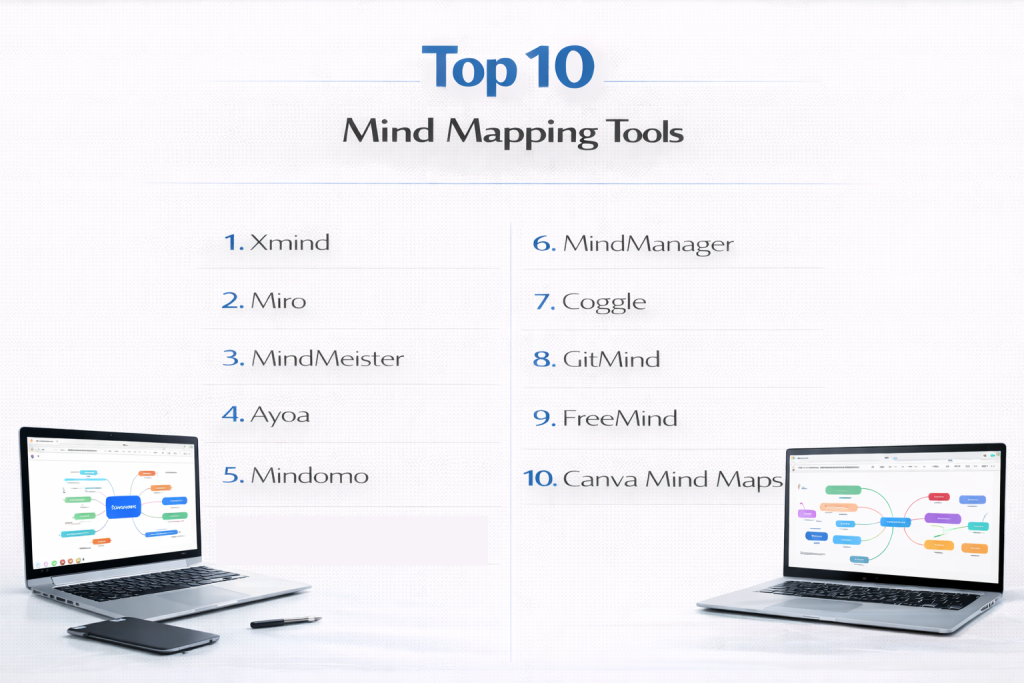
Top 10 Mind Mapping Tools
1 — Xmind
Xmind is a versatile, cross-platform mind mapping tool renowned for its clean design and advanced structuring options, making it a favorite for both individual and team use in 2026. It supports multiple map structures like fishbone and timelines alongside traditional mind maps, ideal for professionals, students, and teams needing polished, export-ready visuals with AI enhancements for faster creation. With its native apps ensuring seamless offline work and cloud sync for sharing, Xmind balances personal productivity with collaborative needs, offering equation support and pitch mode for presentations.
This tool excels in delivering beautiful, structured maps that evolve from quick sketches to detailed plans, catering to users who value aesthetics, flexibility, and reliable performance across devices.
Key features:
- AI-powered idea generation and map structuring.
- Multiple structures: mind map, fishbone, timeline, matrix.
- Outliner mode for linear views and exports.
- Customizable themes, icons, and stickers.
- Pitch mode for presentations.
- Equation support and audio notes.
- Cloud sync and team sharing in premium plans.
Pros:
- Exceptional visual quality and export options.
- Strong offline capabilities with native apps.
- Balanced features for personal and collaborative use.
Cons:
- Full collaboration requires paid subscription.
- AI features premium-locked in some plans.
- Less infinite canvas feel than whiteboard tools.
Security & compliance: Encryption for cloud; enterprise plans with advanced controls.
Support & community: Tutorials, forums, responsive support; active user base.
2 — Miro
Miro is an infinite digital whiteboard platform that excels in collaborative mind mapping and visual ideation for remote and hybrid teams. It combines mind maps with sticky notes, templates, and widgets on an expansive canvas, perfect for workshops, agile planning, and cross-functional brainstorming in dynamic environments. With AI clustering and async video tools, Miro turns chaotic ideas into organized insights, fostering inclusive participation across global teams.
Beyond traditional mind mapping, Miro’s vast canvas supports free-form creativity while integrating structured elements, making it indispensable for product, design, and marketing teams that prioritize engagement and real-time alignment.
Key features:
- Infinite canvas with AI clustering and summarization.
- Pre-built mind map templates and widgets.
- Real-time co-editing, voting, and video chat.
- Integrations with Jira, Slack, Google Drive.
- Talktrack async video recordings.
- Embed frames and live apps.
- AI-generated ideas and expansions.
Pros:
- Highly engaging for team sessions and retros.
- Versatile beyond pure mind mapping.
- Generous free plan with unlimited boards.
Cons:
- Can become cluttered on large canvases.
- Less focused on rigid, export-heavy mind maps.
- Performance dips with heavy use.
Security & compliance: SSO, encryption; SOC 2, GDPR compliant in enterprise.
Support & community: Academy, templates, forums; strong enterprise support.
3 — MindMeister
MindMeister is a cloud-based collaborative mind mapping tool designed for real-time brainstorming and project planning. It integrates task management and presentation features, suited for teams, educators, and managers who need to turn ideas into actionable plans quickly. By converting maps into slides or tasks, it bridges creativity and execution, with commenting and history ensuring transparent evolution of ideas.
MindMeister’s intuitive flow and MeisterTask synergy make it excellent for distributed teams, classrooms, and businesses where maps must evolve into deliverables without switching apps.
Key features:
- Real-time multi-user editing.
- Task assignment and progress tracking.
- Presentation mode turning maps into slides.
- Custom styles, icons, and images.
- Commenting and voting.
- Integrations with Google Workspace, Microsoft Teams.
- History and version recovery.
Pros:
- Smooth collaboration and task conversion.
- Clean, user-friendly design.
- Strong for educational and business use.
Cons:
- Limited offline access.
- Advanced features require subscription.
- Fewer structural variations than competitors.
Security & compliance: Encryption, GDPR; enterprise SSO.
Support & community: Help center, tutorials, active forums.
4 — Ayoa
Ayoa is an AI-enhanced neuro-inclusive mind mapping tool combining organic and structured maps with task boards. It promotes creative thinking through unique radial and speed maps, ideal for neurodiverse users, creatives, and teams blending brainstorming with project management. Drawing from Tony Buzan’s principles, Ayoa encourages free-flowing ideas while providing planners for execution.
With its emphasis on inclusive design and AI suggestions, Ayoa supports diverse thinking styles, helping individuals and teams generate innovative solutions that transition smoothly into organized tasks and Gantt views.
Key features:
- AI idea suggestions and auto-generation.
- Organic, radial, and structured map types.
- Task boards and planner integration.
- Whiteboards and chat.
- Customizable branches and images.
- Mind map to task conversion.
- Neuro-inclusion features like color modes.
Pros:
- Innovative map styles inspire creativity.
- Strong AI and task management blend.
- Inclusive design for diverse thinkers.
Cons:
- Interface can feel busy.
- Premium for full AI and Gantt.
- Smaller template library.
Security & compliance: GDPR compliant; enterprise options.
Support & community: Tutorials, support tickets.
5 — Mindomo
Mindomo is a versatile collaborative mind mapping platform with strong educational and business tools, including presentations and assignments. It offers desktop, web, and mobile apps for seamless syncing, making it popular among teachers, students, and teams for interactive maps, Gantt charts, and real-time editing. Multimedia attachments enrich nodes, turning maps into comprehensive knowledge hubs.
Mindomo’s assignment mode and output flexibility empower educators to create engaging lessons, while businesses benefit from its robust planning tools that adapt to various workflows.
Key features:
- Turn maps into presentations or Gantt charts.
- Assignment mode for educators.
- Real-time collaboration.
- Multimedia attachments and notes.
- Custom themes and templates.
- Offline desktop sync.
- Task prioritization.
Pros:
- Excellent for education and training.
- Flexible output formats.
- Good free plan.
Cons:
- Interface slightly dated.
- Advanced features paid.
- Occasional sync delays.
Security & compliance: GDPR; enterprise controls.
Support & community: Tutorials, forums.
6 — Coggle
Coggle is a simple, elegant web-based mind mapping tool focused on beautiful diagrams and easy collaboration. It emphasizes clean visuals with multiple starting points and loops, ideal for quick brainstorming, note-taking, and sharing ideas without complexity. Revision history and branches allow exploring alternative ideas safely.
Coggle’s minimalist approach delivers stunning, shareable maps rapidly, appealing to users who want to capture thoughts visually and collaborate lightly without overwhelming features.
Key features:
- Multiple central items and branching loops.
- Real-time collaboration.
- History and revision branches.
- Markdown support.
- Image uploads and icons.
- Export to PDF, image, text.
- Private diagrams in paid plans.
Pros:
- Intuitive and visually appealing.
- Great for simple, shareable maps.
- Affordable premium.
Cons:
- Limited advanced structuring.
- No offline mode.
- Fewer integrations.
Security & compliance: Encryption, GDPR.
Support & community: Help docs, email.
7 — GitMind
GitMind is a free AI-powered mind mapping tool with flowchart and org chart support. It offers text-to-mind-map generation and templates, suitable for students and teams needing quick, collaborative visuals across devices. Mobile apps ensure ideas are captured anytime.
GitMind democratizes advanced mapping with generous free AI features, enabling rapid idea organization for learners, planners, and casual teams without budget constraints.
Key features:
- AI one-click mind map creation.
- Flowcharts and templates.
- Real-time team editing.
- Outline mode.
- Export variety.
- Mobile apps.
- Task management add-ons.
Pros:
- Generous free features with AI.
- Cross-platform.
- Simple to start.
Cons:
- Ads in free version.
- Premium for unlimited.
- Less depth for pros.
Security & compliance: Standard cloud.
Support & community: Tutorials.
8 — MindManager
MindManager is a professional mind mapping tool with strong project visualization and integration. It supports complex maps with Gantt and dashboards, favored by enterprises for strategic planning and Microsoft ecosystem users. Data calculations add analytical depth.
MindManager transforms mind maps into dynamic project tools with filters and content controls, ideal for managers and analysts needing maps that drive decisions and track progress.
Key features:
- Data-linked maps and calculations.
- Gantt and timeline views.
- Content controls and filters.
- Co-authoring.
- Microsoft integrations.
- Templates and add-ins.
- Priority markers.
Pros:
- Powerful for business planning.
- Excellent Microsoft synergy.
- Robust features.
Cons:
- Expensive subscription.
- Heavy resource use.
- Steeper curve.
Security & compliance: Enterprise-grade.
Support & community: Extensive resources.
9 — FreeMind
FreeMind is a classic open-source mind mapping tool for hierarchical ideas. Java-based with keyboard shortcuts, it’s reliable for personal use and developers preferring free, local software. Encrypted maps protect sensitive data.
FreeMind’s no-frills approach delivers solid hierarchical mapping for users who value simplicity, customization via scripts, and complete offline control without modern distractions.
Key features:
- Node folding and linking.
- HTML export.
- Icons and cloud styles.
- Scripting support.
- Encrypted maps.
- One-parent nodes.
- Search/filter.
Pros:
- Completely free.
- Lightweight.
- Customizable.
Cons:
- Dated interface.
- No collaboration.
- Limited modern features.
Security & compliance: N/A – Local.
Support & community: Forums.
10 — Canva Mind Maps
Canva integrates mind mapping into its design platform with AI and templates. It creates visually stunning maps quickly, great for marketers and educators needing presentation-ready visuals alongside other designs. Brand kits ensure consistency.
Canva’s Magic Studio turns simple prompts into polished mind maps enriched with assets, enabling non-designers to produce professional, shareable visuals that stand out in reports or social content.
Key features:
- AI Magic Design for mind maps.
- Brand kits and elements.
- Real-time team editing.
- Animations and exports.
- Vast asset library.
- Templates.
- Integration with Canva ecosystem.
Pros:
- Beautiful outputs.
- Easy for beginners.
- Part of broader design tool.
Cons:
- Less structured for complex maps.
- Internet required.
- Premium elements.
Security & compliance: GDPR, enterprise.
Support & community: Help center.
Comparison Table
| Tool Name | Best For | Platform(s) Supported | Standout Feature | Rating |
|---|---|---|---|---|
| Xmind | Polished individual/team maps | Windows, Mac, Mobile | Multiple structures & AI | N/A |
| Miro | Collaborative workshops | Web, Mobile | Infinite canvas & AI | N/A |
| MindMeister | Team brainstorming & tasks | Web, Mobile | Presentation & task integration | N/A |
| Ayoa | Neuro-inclusive creativity | Web, Mobile | Organic maps & AI | N/A |
| Mindomo | Education & presentations | Web, Desktop, Mobile | Assignments & Gantt | N/A |
| Coggle | Simple elegant sharing | Web | Loops & history branches | N/A |
| GitMind | Free AI quick maps | Web, Mobile | Text-to-mind-map | N/A |
| MindManager | Enterprise project visualization | Windows, Mac, Web | Data-linked Gantt | N/A |
| FreeMind | Free hierarchical local maps | Desktop (Java) | Keyboard-driven | N/A |
| Canva | Visually stunning designs | Web, Mobile | Magic AI & templates | N/A |
Evaluation & Scoring of Mind Mapping Tools
| Tool Name | Core Features (25%) | Ease of Use (15%) | Integrations & Ecosystem (15%) | Security & Compliance (10%) | Performance & Reliability (10%) | Support & Community (10%) | Price / Value (15%) | Total Score |
|---|---|---|---|---|---|---|---|---|
| Xmind | 9.5 (2.375) | 9 (1.35) | 8 (1.2) | 7 (0.7) | 9 (0.9) | 8 (0.8) | 9 (1.35) | 8.68 |
| Miro | 9 (2.25) | 9 (1.35) | 9.5 (1.425) | 9 (0.9) | 8 (0.8) | 9 (0.9) | 8.5 (1.275) | 8.9 |
| MindMeister | 9 (2.25) | 9 (1.35) | 9 (1.35) | 8 (0.8) | 9 (0.9) | 9 (0.9) | 8 (1.2) | 8.75 |
| Ayoa | 9 (2.25) | 8.5 (1.275) | 8 (1.2) | 7 (0.7) | 8 (0.8) | 8 (0.8) | 8.5 (1.275) | 8.3 |
| Mindomo | 8.5 (2.125) | 9 (1.35) | 8 (1.2) | 8 (0.8) | 9 (0.9) | 8 (0.8) | 9 (1.35) | 8.53 |
| Coggle | 8 (2.0) | 9.5 (1.425) | 7 (1.05) | 7 (0.7) | 9 (0.9) | 7 (0.7) | 9 (1.35) | 8.13 |
| GitMind | 8 (2.0) | 9 (1.35) | 7 (1.05) | 7 (0.7) | 8 (0.8) | 7 (0.7) | 10 (1.5) | 8.1 |
| MindManager | 9.5 (2.375) | 7 (1.05) | 9 (1.35) | 9 (0.9) | 9 (0.9) | 9 (0.9) | 7 (1.05) | 8.48 |
| FreeMind | 7.5 (1.875) | 7 (1.05) | 5 (0.75) | 5 (0.5) | 9 (0.9) | 7 (0.7) | 10 (1.5) | 7.28 |
| Canva | 8 (2.0) | 10 (1.5) | 8 (1.2) | 8 (0.8) | 9 (0.9) | 9 (0.9) | 9 (1.35) | 8.65 |
Which Mind Mapping Tools Tool Is Right for You?
Solo users: Xmind or GitMind for depth/AI; Coggle or Canva for simplicity.
SMBs: Miro or MindMeister for collaboration; Ayoa for creativity.
Mid-market: Miro/Mindomo; Xmind teams.
Enterprise: Miro, MindManager for security/scale.
Budget-conscious: GitMind, FreeMind, or free tiers of Miro/Canva.
Premium solutions: Xmind, MindManager for advanced features.
Feature depth vs. ease of use: MindManager/Xmind depth; Canva/Coggle ease.
Integration and scalability: Miro broad; MindMeister tasks.
Security and compliance: Enterprise plans in Miro, MindManager.
Consider mobile needs—Xmind strong; web for Miro.
Frequently Asked Questions (FAQs)
What are mind mapping tools? They create visual diagrams branching from central ideas to organize thoughts, tasks, and concepts hierarchically.
Why use mind mapping software? It boosts creativity, retention, and collaboration by mirroring brain associations, ideal for planning and brainstorming.
How much do they cost? Free (GitMind, FreeMind) to $10-30/user/month (Miro, Xmind); some perpetual.
Best for teams? Miro or MindMeister for real-time; Xmind for structured.
AI features worth it? Yes—text-to-map in Xmind/Ayoa saves time.
Offline access? Xmind desktop strong; most cloud-based.
Common mistake? Overloading maps—keep focused. Best: Use branches, review regularly.
Export options important? Yes for presentations—MindMeister slides; Xmind multiple formats.
For students? Mindomo or GitMind free/educational features.
Scalability? Enterprise tiers in Miro/MindManager for permissions.
Conclusion
Mind mapping tools in range from AI-rich powerhouses like Xmind to collaborative giants like Miro, free classics, and creative options like Ayoa and Canva. Key insights: AI accelerates creation, collaboration drives adoption, and hybrid features blend mapping with tasks.
What matters most is fit—depth for complex planning, ease for quick ideas, collaboration for teams. The “best” depends on your needs: personal, educational, or enterprise. Trial several to find the one sparking your best thinking.