Introduction
Meeting Room Booking Software is a specialized digital solution designed to streamline the scheduling and management of shared workspaces, conference rooms, and collaborative areas within an office. It acts as a centralized source of truth, allowing employees to view real-time availability, reserve spaces through various interfaces (mobile apps, web browsers, or wall-mounted tablets), and manage amenities like AV equipment or catering. By automating the reservation process, these tools eliminate the logistical headaches that plague the modern workplace.
The importance of this software has skyrocketed in the era of hybrid work. As offices transition from fixed seating to flexible environments, the need for coordinated space management is critical to prevent “room poaching,” double bookings, and the frustration of “ghost meetings”—reservations made but never used. Beyond simple scheduling, these platforms provide facilities managers with vital data on space utilization, helping them make informed decisions about real estate footprint and office design.
Key Real-World Use Cases
- Preventing Double Bookings: Ensuring that two teams don’t show up for a high-stakes client meeting at the same time.
- Ad-hoc Walk-up Reservations: Allowing an employee to spontaneously book a huddle room via a tablet mounted outside the door.
- Hybrid Coordination: Helping remote workers see which days the office is busiest so they can book collaboration space in advance.
- Resource Management: Requesting specific tools, such as a video conferencing setup or a whiteboard, as part of the room reservation process.
What to Look For (Evaluation Criteria)
When choosing a tool, prioritize Integration Depth (it must sync perfectly with Google Workspace or Microsoft 365) and Hardware Flexibility (whether it works with existing tablets or requires proprietary screens). You should also evaluate User Experience (UX)—if the booking process takes more than a few clicks, employees will likely bypass the system entirely.
Best for: Office managers, IT directors, and facilities leads in organizations ranging from fast-growing startups to global enterprises. It is particularly beneficial for companies adopting hybrid work models or those with high-density office environments.
Not ideal for: Very small teams (under 10 people) in a single-room office or companies that have not yet moved their calendar systems to the cloud, as the ROI for specialized software may not outweigh the cost of manual coordination.
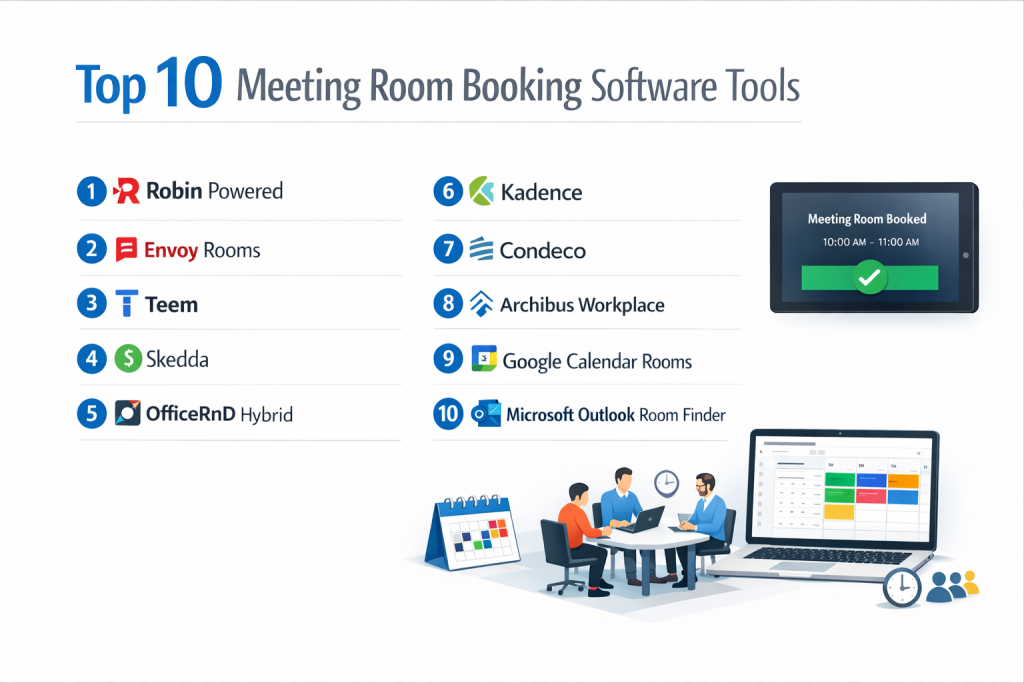
Top 10 Meeting Room Booking Software Tools
1 — Robin
Robin is one of the most recognized names in the flexible workplace category, offering a highly visual and interactive approach to office scheduling and desk booking.
- Key features
- Interactive 2D/3D office maps for easy room location.
- Unified scheduling for rooms, desks, and people.
- “Ghost meeting” protection with automated room release.
- Robust workplace analytics to track occupancy trends.
- Native integration with Microsoft Teams, Slack, and Zoom.
- Browser, mobile app, and tablet display interfaces.
- Visitor management capabilities for guest check-ins.
- Pros
- The visual map interface is exceptionally intuitive, making it easy to see who is where.
- Excellent at reducing wasted space through “check-in” requirements for rooms.
- Cons
- The setup of interactive maps can be time-consuming for large, multi-floor offices.
- Pricing can scale quickly for large organizations with many rooms.
- Security & compliance: SOC 2 Type II, GDPR, SSO support (SAML), and data encryption at rest and in transit.
- Support & community: High-quality documentation, 24/5 support, and a dedicated customer success manager for enterprise tiers.
2 — Envoy (Envoy Rooms)
Envoy is a leader in “Workplace Experience,” famous for its visitor management system, which now offers a seamless room booking module called Envoy Rooms.
- Key features
- Automatic room release for “no-show” meetings.
- Search for rooms by specific amenities (e.g., Apple TV, Whiteboard).
- Integration with Slack and Microsoft Teams for booking notifications.
- Unified dashboard for visitor, desk, and room management.
- Analytics on room usage and “recovered” hours.
- Mobile-first design for on-the-go reservations.
- Pros
- If you already use Envoy for visitors, adding Rooms creates a unified, high-end employee experience.
- Extremely clean and modern user interface that requires zero training.
- Cons
- Limited advanced customization for complex meeting room approval workflows.
- Optimized for mobile/tablet; the web experience is secondary.
- Security & compliance: SOC 2 Type II, GDPR, ISO 27001, and SSO.
- Support & community: 24/7 global support, extensive help center, and an active user community.
3 — Condeco (by Eptura)
Condeco is an enterprise-grade solution designed for global organizations that need to manage complex real estate across multiple time zones and locations.
- Key features
- Advanced workspace booking for rooms, desks, and parking.
- Deep integration with Microsoft Outlook and 365.
- Scalable for thousands of rooms across international offices.
- Sophisticated reporting for long-term real estate planning.
- High-end hardware options for branded meeting room displays.
- Service request management (catering, cleaning, AV).
- Pros
- Highly reliable for massive organizations with complex security needs.
- Handles “Service Requests” better than almost any other tool on the list.
- Cons
- The interface can feel “corporate” and slightly less agile than newer startups.
- The implementation cycle is longer due to the depth of the platform.
- Security & compliance: ISO 27001, SOC 1 & 2, GDPR, and FedRAMP authorized.
- Support & community: Global enterprise support, training certifications, and localized account management.
4 — Joan
Joan stands out for its emphasis on sustainability and simplicity, offering a range of award-winning, ultra-low-power E-paper displays alongside its booking software.
- Key features
- E-paper displays with months of battery life on a single charge.
- Centralized dashboard for managing all office resources.
- Support for “non-bookable” status and custom room messages.
- Seamless sync with Google Workspace, Office 365, and iCal.
- Real-time analytics on room usage and peak hours.
- Sustainability tracking (energy saved vs. traditional tablets).
- Pros
- The E-paper screens are incredibly easy to install (no wiring required).
- The most environmentally friendly option on the market.
- Cons
- E-paper screens lack the color and interactivity (video/touch) of high-end tablets.
- Feature set is more focused on scheduling than deep workplace orchestration.
- Security & compliance: GDPR, SSO, and standard encryption protocols.
- Support & community: Good documentation and responsive email support.
5 — Teem (by iOFFICE + SpaceIQ)
Teem provides a powerful, data-centric approach to meeting room management, focusing on removing friction from the daily office experience.
- Key features
- “Zombie Meeting” killer (automated cancellation of unattended meetings).
- Lobby greeting and visitor registration.
- High-performance “Flightboard” displays for office lobbies.
- Room and desk booking through a single mobile app.
- Insights on “under-booked” vs. “over-booked” spaces.
- Customizable display themes to match company branding.
- Pros
- The “Flightboard” feature is perfect for large offices with many conference rooms.
- Very strong analytics for facilities managers looking to optimize square footage.
- Cons
- Mobile app can be prone to bugs compared to the web version.
- The merger of multiple companies has occasionally made the product roadmap feel disjointed.
- Security & compliance: SOC 2 Type II, GDPR, and SSO.
- Support & community: 24/5 support and a comprehensive knowledge base.
6 — Skedda
Skedda is a highly flexible scheduling platform that excels in managing varied spaces beyond just meeting rooms, such as sports courts, studios, and coworking desks.
- Key features
- Visual floor plans with drag-and-drop booking.
- Customized booking rules (e.g., minimum/maximum booking duration).
- Integrated payment processing for monetizing spaces.
- Automated user access based on organizational roles.
- Mobile-responsive web app (no mandatory download).
- Granular pricing based on the number of “spaces” managed.
- Pros
- The most flexible tool for unconventional spaces (studios, labs, outdoor areas).
- The “Automations” feature is powerful for setting complex booking policies.
- Cons
- Lacks the specific “room display” hardware focus found in Robin or Joan.
- The UI is more utility-focused than “premium office” focused.
- Security & compliance: GDPR, SSO via SAML, and PCI compliance for payments.
- Support & community: High-touch customer success and fast email support.
7 — Kadence
Kadence is a “Hybrid Working Platform” that emphasizes the social aspect of coming to the office, coordinating room bookings around team presence.
- Key features
- “Team Kadence” to see when colleagues are in the office.
- Smart room suggestions based on team size and location.
- Unified desk and room booking in a clean interface.
- Guest management and health screening capabilities.
- Outlook and Google Calendar 2-way sync.
- Usage heatmaps for different office zones.
- Pros
- Great at answering the question: “Which day should I go in?”
- Very modern, mobile-first design that appeals to younger workforces.
- Cons
- Newer to the market, so it lacks some of the legacy enterprise features.
- Analytics are less granular than specialists like Teem or Condeco.
- Security & compliance: SOC 2 Type II, GDPR, and SSO.
- Support & community: Strong onboarding and personalized support for mid-market clients.
8 — Pronestor (by Sign In Solutions)
Pronestor is a comprehensive workspace management tool that focuses heavily on the “meeting lifecycle,” including catering and visitor hospitality.
- Key features
- Integrated catering and facility service ordering.
- Outlook-native booking experience.
- Visitor management with automated host notifications.
- Financial reporting for internal cross-charging (billing departments).
- Interactive floor maps and kiosk views.
- Multi-language support for global deployments.
- Pros
- The best choice for offices where catering and internal billing are major requirements.
- Deeply embedded in the Microsoft ecosystem.
- Cons
- Can feel overly complex for a startup that just wants to book a room.
- The visual design of the maps is less “sleek” than Robin.
- Security & compliance: GDPR, SSO, and secure ISO-standard data centers.
- Support & community: Strong European presence and professional implementation services.
9 — Appspace
Appspace is a broad digital signage and workplace platform that treats room booking as part of a larger internal communications strategy.
- Key features
- Combines room booking with internal digital signage (company news).
- “Space reservation” for rooms, desks, and parking.
- Support for a wide variety of hardware (Crestron, Cisco, etc.).
- Native integration with Webex and Microsoft Teams.
- Employee app for internal communications and scheduling.
- Centralized management of global office content.
- Pros
- If you need digital signage (TVs showing news) AND room booking, this is the winner.
- Compatible with high-end, professional AV hardware.
- Cons
- The platform is massive; using it only for room booking is overkill.
- Higher learning curve for admins due to the content management system.
- Security & compliance: SOC 2 Type II, GDPR, and ISO 27001.
- Support & community: 24/7 global support and a large partner network.
10 — Meetio (by Logitech)
Now part of the Logitech family, Meetio focuses on the intersection of software and hardware, providing a “plug-and-play” experience for meeting room displays.
- Key features
- Highly polished, color-coded room status displays.
- Meetio Wayfinder for lobby navigation.
- Centralized management for Logitech room hardware.
- Easy “Check-in” and “Extend Meeting” functionality at the door.
- Simple analytics on room utilization.
- Deep integration with O365, Google, and Exchange.
- Pros
- Hardware-software synergy is top-notch; everything “just works.”
- Ideal for companies that use Logitech video conferencing hardware.
- Cons
- Less focus on “Hybrid” features (like seeing where teammates are).
- Software features are somewhat basic compared to Robin or Kadence.
- Security & compliance: GDPR, SSO, and standard encryption.
- Support & community: Strong hardware-focused support and global distribution.
Comparison Table
| Tool Name | Best For | Platform(s) Supported | Standout Feature | Rating |
| Robin | Visual Office Strategy | Web, iOS, Android | Interactive 3D Maps | 4.6 / 5 |
| Envoy | All-in-one Workplace | Web, iOS, Android | Unified Visitor/Room view | 4.7 / 5 |
| Condeco | Global Enterprises | Web, Outlook | Service/Catering Mgmt | 4.2 / 5 |
| Joan | Sustainability | Web, E-paper | 6-month battery life | 4.4 / 5 |
| Teem | High-density Offices | Web, iOS, Android | Lobby Flightboards | 4.3 / 5 |
| Skedda | Flexible Spaces | Web (Responsive) | Booking Rule Engine | 4.8 / 5 |
| Kadence | Hybrid Team Sync | Web, iOS, Android | Team Presence Tracking | 4.7 / 5 |
| Pronestor | Internal Billing | Web, Outlook | Catering Integration | 4.1 / 5 |
| Appspace | Internal Comms | Web, Signage HW | Digital Signage Hybrid | N/A |
| Meetio | Logitech Users | Web, Proprietary HW | HW/SW Plug-and-Play | 4.5 / 5 |
Evaluation & Scoring of Meeting Room Booking Software
| Evaluation Category | Weight | Score (1-10) | Evaluation Rationale |
| Core Features | 25% | 9 | Most leaders now include auto-release and check-ins. |
| Ease of Use | 15% | 8 | UI has improved, but mobile apps vary in stability. |
| Integrations | 15% | 10 | 2-way sync with Google/O365 is now a baseline. |
| Security & Compliance | 10% | 9 | SOC 2 is standard for the top 5 players. |
| Performance | 10% | 9 | Real-time sync latency is minimal in cloud versions. |
| Support & Community | 10% | 8 | Enterprise support is strong; SMB is self-service. |
| Price / Value | 15% | 7 | Costs can be high for premium hardware/seats. |
Which Meeting Room Booking Software Is Right for You?
Small to Mid-Market vs. Enterprise
For SMBs, the priority is usually ease of setup and cost-effectiveness. Skedda and Joan are excellent here because they don’t require complex IT implementation. Enterprises, however, need the scalability and compliance of Condeco or Appspace, which can handle thousands of users and multiple global locations under a single security policy.
Budget and Value
If you are budget-conscious, look for tools like Skedda, which offers a generous free tier for small spaces. Joan is also a great value because it saves on electrical wiring costs. If you are looking for maximum value and already use a visitor tool, adding Envoy Rooms or Robin can consolidate your software stack and reduce total spend.
Technical Depth vs. Simplicity
Do you need to order coffee and bill it to a specific department? Choose Pronestor or Condeco. Do you just want people to stop fighting over the huddle room? Meetio or Envoy offer a much simpler, faster path to “peace in the office.”
Security and Compliance Requirements
If you work in a highly regulated industry (finance, healthcare, government), SOC 2 Type II and SSO are non-negotiable. Condeco and Envoy are particularly strong in this area, offering the audit logs and data protection standards required by corporate IT departments.
Frequently Asked Questions (FAQs)
1. Does meeting room software work with Google Calendar?
Yes, all modern booking tools offer a “2-way sync” with Google Workspace and Microsoft 365, meaning if you delete a meeting in your calendar, the room becomes available in the app instantly.
2. Can I use my own tablets (like iPads) for the room displays?
Most software providers (Robin, Teem, Envoy) allow you to use standard iPads or Android tablets. Some, like Joan and Meetio, provide or recommend specific hardware for better durability.
3. What is a “Ghost Meeting” and how does the software stop it?
A ghost meeting is a room booked but never used. Software stops this by requiring a “check-in” on the tablet or app. If no one checks in within 10–15 minutes, the room is automatically released.
4. Is it possible to book desks and rooms in the same app?
Yes, most top-tier platforms (Robin, Kadence, Cloudbeds) have evolved into “workplace” platforms that manage desks, rooms, and even parking in one interface.
5. How much does room booking software cost?
Pricing varies. It is usually charged “per room” per month (typically $15–$50) or “per user.” Some also charge for the software platform and hardware separately.
6. Do I need an IT team to install this?
For cloud-based tools and wireless displays like Joan, a non-technical person can set it up. For enterprise systems with POE (Power over Ethernet) tablets, some IT/facilities coordination is required.
7. Can the software handle “Approval Workflows”?
Yes, enterprise tools like Condeco allow you to designate “Request only” rooms that require a manager’s approval before the booking is confirmed.
8. How does this help with “Hybrid Work”?
It allows employees to see when their team is coming into the office, ensuring they can book a collaboration space next to their colleagues rather than sitting in isolation.
9. What are the common mistakes when buying?
The biggest mistake is ignoring the user experience. If it’s harder to book a room through the app than it is to just walk in and sit down, the system will fail.
10. Can I get reports on which rooms are used the most?
Yes, almost all platforms provide analytics showing peak usage hours, most popular room types, and how much space you are actually wasting.
Conclusion
Finding the right Meeting Room Booking Software is no longer just about avoiding calendar conflicts; it is about designing a workplace that people actually want to visit. In a hybrid world, the “office” is a tool for collaboration, and these software platforms are the interface that makes that collaboration possible.
Whether you prioritize the visual elegance of Robin, the enterprise-grade power of Condeco, or the sustainable simplicity of Joan, the best choice is the one that fits naturally into your team’s existing workflow. Start by auditing your current “pain points”—are you losing rooms to no-shows, or is your staff simply unable to find their teammates? Once you identify the problem, the right tool from this list will help you turn your office into a frictionless, data-driven environment.