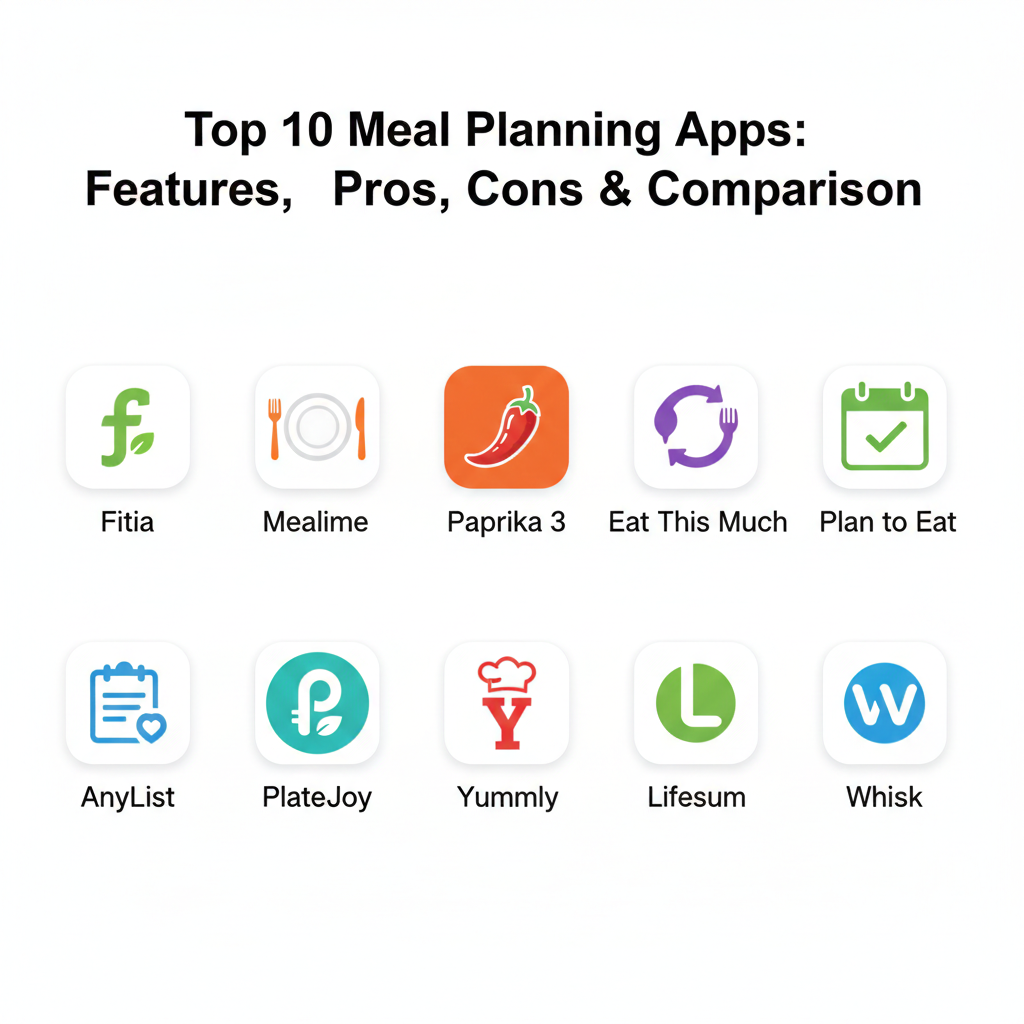
Introduction
Meal planning is the practice of mapping out your meals for the week or month in advance to save time, reduce stress, and improve health. Meal Planning Apps are digital solutions that replace the traditional pen-and-paper method with automated systems that store recipes, generate grocery lists, and track nutritional data. These applications act as a personal kitchen assistant, helping you answer the age-old question of “what’s for dinner?” before the hunger sets in. By centralizing your food management, these tools help eliminate the mental load of grocery shopping and ensure that every ingredient you buy has a designated purpose.
Using a meal planning app is important because it directly addresses the three biggest hurdles in modern cooking: time, money, and health. In a world where last-minute takeout is only a few clicks away, these apps provide a structured alternative that is often cheaper and more nutritious. Key real-world use cases include managing complex family schedules, adhering to medical dietary restrictions like gluten-free or low-carb diets, and hitting specific fitness targets like muscle gain or weight loss. When choosing a tool in this category, users should look for a large recipe database, a smart grocery list that categorizes items by store aisle, and the ability to sync plans across multiple household devices.
Best for: These tools are a lifesaver for busy professionals, parents managing family nutrition, and fitness enthusiasts who need to hit specific macronutrient goals. They are also highly beneficial for small wellness businesses or independent nutrition coaches who want to provide structured plans for their clients.
Not ideal for: Individuals who prefer complete spontaneity in their eating habits or those who eat out at restaurants for almost every meal may find the structure of these apps restrictive. Additionally, professional chefs in high-volume commercial kitchens likely require industrial-scale inventory management software rather than a consumer-focused meal planner.
Top 10 Meal Planning Apps Tools
1 — Fitia
Fitia is a comprehensive nutrition and meal planning platform that uses an AI-powered algorithm to build meal plans based on your specific body composition goals. It is designed for people who want scientific accuracy without the manual effort of calculating calories and macros themselves.
- Key features:
- Dietitian-verified food database with over 1 million entries.
- AI-powered meal plan generator that adapts to your progress.
- Smart grocery lists that account for ingredients you already own.
- Photo and voice-based food logging for quick tracking.
- Family sharing features to sync meals across different calorie needs.
- Integration with major health platforms like Apple Health and Health Connect.
- 24/7 AI nutrition coach to answer dietary questions instantly.
- Pros:
- The database is verified by professionals, preventing the errors found in crowd-sourced apps.
- It offers incredible cultural accuracy for international cuisines, including Latin American dishes.
- Cons:
- The full meal planning functionality requires a paid premium subscription.
- The interface can be a bit data-heavy for beginners who just want simple recipes.
- Security & compliance: GDPR compliant; data is encrypted and stored on secure cloud servers.
- Support & community: Extensive help center, 24/7 AI support, and a large global user community.
2 — Mealime
Mealime is built for the busy cook who wants healthy, delicious meals that can be prepared in 30 minutes or less. It focuses on reducing food waste by creating plans where ingredients overlap between different recipes.
- Key features:
- Minimalist, distraction-free interface designed for quick navigation.
- Personalized meal plans based on over 200 dietary preferences.
- Grocery lists that are automatically organized by supermarket aisle.
- “Zero-waste” recipe pairing to ensure you use up all your fresh produce.
- Step-by-step cooking mode that keeps your screen awake while you cook.
- Seamless integration with grocery delivery services in many regions.
- Pros:
- It significantly reduces the time spent both in the grocery store and in the kitchen.
- The recipes are consistently high-quality and very easy for beginners to follow.
- Cons:
- It lacks the deep nutritional tracking and macro counting found in other apps.
- The recipe library is smaller than some of the more established “big data” apps.
- Security & compliance: Standard SaaS encryption; privacy policy covers basic data protection.
- Support & community: Responsive email support and a helpful blog with cooking tips.
3 — Paprika 3
Paprika is a powerful recipe manager that acts as a “digital scrapbook” for your kitchen. Unlike apps that provide their own recipes, Paprika is designed to help you capture, store, and organize your favorite recipes from anywhere on the web.
- Key features:
- Advanced web scraper that extracts recipe data and hides the “blog stories.”
- Offline access so you can view your recipes even without an internet connection.
- Seamless cloud sync between your phone, tablet, and computer.
- Pantry tracking feature to keep a record of what you have in stock.
- Automatic scaling of ingredients based on the number of servings you need.
- Tools to create custom weekly and monthly meal calendars.
- Pros:
- It is a one-time purchase, meaning no monthly subscription fees.
- It gives you complete control over your library without forcing a specific diet.
- Cons:
- It does not provide its own recipe database; you have to find and add your own.
- The interface is more functional than beautiful, focusing on utility over design.
- Security & compliance: Varies / N/A (Data is primarily stored locally or via your personal cloud sync).
- Support & community: Well-documented knowledge base and active user forums for DIY chefs.
4 — Eat This Much
Eat This Much is often called “autopilot for your diet.” It is a meal plan generator that creates an entire day of eating based on your calorie, macro, and budget targets. If you don’t like a suggestion, you just hit “regenerate” to see a new option.
- Key features:
- Automated meal plan generation based on strict macronutrient ratios.
- Grocery list automation that updates as you swap out meals.
- Budget control settings to keep your grocery bill under a certain limit.
- Support for popular diets like Keto, Paleo, Vegan, and Mediterranean.
- Detailed calorie and nutrient tracking for every single meal.
- Recurring meal settings for users who like to eat the same breakfast every day.
- Pros:
- It removes the “decision fatigue” of planning by doing the work for you.
- Excellent for people who are very strict about their fitness and nutrition goals.
- Cons:
- The automated plans can sometimes suggest repetitive or “boring” meals.
- The cost estimates for groceries are not always accurate for every region.
- Security & compliance: Standard data protection; privacy policy details how user data is handled.
- Support & community: Knowledge base and a responsive support team via email.
5 — Plan to Eat
Plan to Eat is a subscription-based tool that focuses on the organization and planning stages of meal prep. It uses a drag-and-drop calendar interface that makes it easy to visualize your entire month of meals in seconds.
- Key features:
- Browser extension to “clip” recipes from any website instantly.
- Drag-and-drop meal planning calendar for easy scheduling.
- Shopping list that combines ingredients from all planned recipes.
- Pantry management to avoid buying duplicates of spices or staples.
- Ability to share recipes and plans with friends or family members.
- Tagging system to categorize recipes by “quick,” “kid-friendly,” or “slow cooker.”
- Pros:
- The “staples” list feature makes sure you never run out of milk or eggs.
- It is very flexible, allowing you to plan as much or as little as you want.
- Cons:
- Like Paprika, it requires you to build your own recipe library first.
- There is no free version; you must pay for a subscription after the trial.
- Security & compliance: GDPR compliant; secure payment processing through third-party providers.
- Support & community: Excellent customer service and an active community of “planners.”
6 — AnyList
AnyList is a highly-rated app that started as a simple grocery list tool but has evolved into a powerful collaborative meal planner. It is arguably the best app for couples and families who need to stay in sync while at the store.
- Key features:
- Real-time list syncing so everyone sees updates as they happen.
- Recipe import from popular websites and blogs.
- Meal planning calendar with easy drag-and-drop functionality.
- Integration with Amazon Alexa and Siri for voice-activated list adding.
- Capability to organize lists by store, making shopping much faster.
- Photo support for items to ensure your partner buys the correct brand.
- Pros:
- The syncing is incredibly fast and reliable across multiple devices.
- It is very intuitive and requires almost no learning curve to get started.
- Cons:
- The best features, like recipe web-import, require a “Complete” subscription.
- It is more focused on the list than on providing nutritional guidance.
- Security & compliance: Standard encryption; data is synced through AnyList’s secure servers.
- Support & community: Great documentation and responsive support for household users.
7 — PlateJoy
PlateJoy offers a “concierge” experience for meal planning. It starts with a very detailed lifestyle quiz that covers everything from your fitness goals to your kitchen appliances, creating a highly personalized plan that feels like it was made by a professional.
- Key features:
- Deeply personalized plans based on health conditions like diabetes or PCOS.
- Integration with grocery delivery services like Instacart and Amazon Fresh.
- Digital pantry that remembers what you bought last week to save money.
- Custom portion sizes for every person in your household.
- Professional-grade nutritional data for every recipe.
- Option to include “leftover” planning to reduce your time in the kitchen.
- Pros:
- It is one of the most health-focused apps on the market today.
- The interface is beautiful, clean, and very encouraging for new users.
- Cons:
- It is one of the more expensive options on this list.
- It can feel “over-engineered” if you just want a simple recipe for Tuesday night.
- Security & compliance: HIPAA-ready privacy standards; high-level data encryption.
- Support & community: Professional nutrition support and a dedicated help center.
8 — Yummly
Yummly is a giant in the recipe world, offering over 2 million recipes and a suite of smart tools. It uses AI to learn your tastes over time, recommending new dishes based on what you’ve liked in the past.
- Key features:
- AI-driven recipe discovery that gets smarter as you use the app.
- Guided video recipes that walk you through every step of the process.
- Virtual pantry that suggests recipes based on the ingredients you have.
- Integration with smart kitchen appliances for automated cooking.
- Scheduling tools to add meals to your calendar and get cooking alerts.
- Advanced filters for allergies, diets, and specific cooking times.
- Pros:
- The “Search by Ingredient” feature is excellent for cleaning out the fridge.
- The huge community means there are reviews and photos for almost every dish.
- Cons:
- The app can feel cluttered with ads and “sponsored” content.
- It is more of a recipe discovery app than a strict planning or tracking tool.
- Security & compliance: Standard corporate security; GDPR and CCPA compliant.
- Support & community: Massive user base and extensive online help documentation.
9 — Lifesum
Lifesum is a wellness app that combines meal planning with a holistic approach to health. It doesn’t just look at what you eat; it also tracks your water intake, exercise, and overall energy levels to give you a full picture of your health.
- Key features:
- Diverse diet plans including High Protein, Keto, and Intermittent Fasting.
- Barcode scanner for quick logging of packaged food items.
- Weekly “Life Score” that rates your health habits and progress.
- Meal plans that come with pre-built grocery lists and recipes.
- Integration with wearable devices like Apple Watch and Fitbit.
- Habit trackers for things like water, fruit, and vegetable intake.
- Pros:
- The design is modern, colorful, and very motivating to look at daily.
- It focuses on long-term habit building rather than just short-term dieting.
- Cons:
- Some of the AI food recognition features can be inaccurate at times.
- There is no desktop version, so you must do everything on your phone.
- Security & compliance: GDPR compliant; uses high-standard encryption for personal health data.
- Support & community: Active blog and social media presence for user support.
10 — Whisk (Samsung Food)
Whisk, now known as Samsung Food, is a social and collaborative meal planning platform. It allows you to save recipes from anywhere, turn them into shopping lists, and share your favorite culinary finds with a global community of foodies.
- Key features:
- Universal recipe saver that works as a browser extension.
- Smart food labels that give every recipe a “Health Score.”
- Collaborative shopping lists that can be shared via text or email.
- Community “Communities” where users share recipes for specific diets.
- Integration with Samsung smart fridges and other kitchen tech.
- Cost-per-serving calculations to help with budget management.
- Pros:
- It is completely free to use, which is rare for such a feature-rich app.
- The social aspect makes it fun to find new recipes from real people.
- Cons:
- The rebranding from Whisk to Samsung Food has caused some UI confusion.
- Some users find the “social media” features distracting from the core planning.
- Security & compliance: SOC 2 and GDPR compliant; backed by Samsung’s security infra.
- Support & community: Help center and a very large, active community of recipe creators.
Comparison Table
| Tool Name | Best For | Platform(s) Supported | Standout Feature | Rating |
| Fitia | Precise Macro Tracking | iOS, Android, Web | Dietitian-verified DB | 4.9 / 5 |
| Mealime | Busy Weeknights | iOS, Android, Web | 30-min meals focus | N/A |
| Paprika 3 | DIY Recipe Managers | Windows, Mac, iOS, Android | One-time purchase | 4.8 / 5 |
| Eat This Much | Automated Diet Plans | iOS, Android, Web | “Regenerate” meal button | N/A |
| Plan to Eat | Organized Planners | iOS, Android, Web | Drag-and-drop calendar | 4.6 / 5 |
| AnyList | Families & Couples | iOS, Android, Mac | Real-time list syncing | 4.9 / 5 |
| PlateJoy | Medical Diets / PCOS | iOS, Android, Web | Detailed lifestyle quiz | N/A |
| Yummly | Recipe Discovery | iOS, Android, Web | 2M+ recipe database | 4.7 / 5 |
| Lifesum | Holistic Wellness | iOS, Android | Habit & mood tracking | 4.5 / 5 |
| Whisk | Social Cooking | iOS, Android, Web | Recipe “Health Score” | N/A |
Evaluation & Scoring of Meal Planning Apps
The following table evaluates the general landscape of meal planning tools based on our expert-weighted rubric. These scores represent the average performance of top-tier applications in this category.
| Category | Weight | Score (Avg) | Evaluation Notes |
| Core Features | 25% | 9/10 | Most top apps now offer recipe clipping and list automation as standard. |
| Ease of Use | 15% | 8/10 | Modern apps are intuitive, but “pro” tools still have a learning curve. |
| Integrations | 15% | 7/10 | Grocery delivery integration is standard, but smart fridge tech is still niche. |
| Security | 10% | 8/10 | Data privacy is generally high, especially for health-focused apps. |
| Reliability | 10% | 9/10 | Cloud syncing has become extremely fast and reliable across the industry. |
| Support | 10% | 7/10 | Most apps rely on knowledge bases; direct human support is often limited. |
| Price / Value | 15% | 8/10 | High value for users who stick with it, but subscriptions can add up quickly. |
Which Meal Planning App Tool Is Right for You?
Selecting the perfect app depends on how you approach food and what your ultimate goals are.
- Solo Users vs Families: If you are a solo user looking for quick meals, Mealime is perfect. If you are a family, AnyList is indispensable for its real-time syncing. For a mid-market or enterprise-level health coach, Fitia or a professional version of Eat This Much allows you to manage multiple meal plans at scale.
- Budget-conscious vs Premium Solutions: If you want to avoid monthly fees, Paprika 3 is a one-time purchase that lasts forever. If you are willing to pay for a premium experience that handles everything for you, PlateJoy provides the most personalized, high-end service.
- Feature Depth vs Ease of Use: If you love data and want to track every micronutrient, Fitia or Eat This Much are the clear winners. If you just want a clean list and a few easy recipes, Mealime or Whisk offer the most user-friendly, “lite” experience.
- Integration and Scalability Needs: Users who do all their shopping online should prioritize apps like PlateJoy or Yummly that connect directly to Instacart or Amazon Fresh. If you plan to scale your health journey from simple meals to a full fitness regimen, Lifesum offers the best long-term habit tracking.
- Security and Compliance Requirements: For those managing sensitive medical conditions, security is paramount. Apps like PlateJoy are built with higher privacy standards in mind to protect your personal health information.
Frequently Asked Questions (FAQs)
1. Can meal planning apps really save me money?
Yes. By planning exactly what you need, you avoid “impulse buys” at the store and significantly reduce food waste. Most users report saving between 15% and 30% on their monthly grocery bills by sticking to an app-generated list.
2. Are these apps suitable for people with severe food allergies?
Most of these apps, especially Yummly and PlateJoy, have very detailed filters for common allergens. However, you should always double-check the ingredients list on the physical product before cooking, as recipe data can sometimes contain errors.
3. Do I have to pay a subscription for every app?
No. While many are subscription-based, apps like Whisk are free, and Paprika 3 is a one-time purchase. Many others, like Mealime, offer a very robust “free forever” tier that is sufficient for most casual users.
4. Can I import recipes from my favorite blogs into these apps?
Most of the tools listed here, including Plan to Eat, Paprika, and AnyList, feature a “recipe clipper” that can pull ingredients and directions from almost any website with just a single tap.
5. Which app is best for weight loss?
Fitia and Eat This Much are the top choices for weight loss because they calculate your specific calorie needs and then build a plan that keeps you within those limits automatically.
6. Can I use these apps if I don’t know how to cook?
Absolutely. Many apps like Mealime and Yummly include step-by-step photos and videos. They even allow you to filter for “Easy” or “Beginner” recipes that use only a few basic tools and ingredients.
7. Do these apps work for a vegetarian or vegan diet?
Yes, every app on this list supports plant-based filters. Some, like Forks Over Knives (often integrated with these platforms), are dedicated entirely to plant-based eating.
8. Can my partner and I use the same account?
Most apps allow for account sharing or household syncing. AnyList and Zotero are particularly famous for how well they handle multiple users on the same meal plan.
9. How long does it take to set up a weekly plan?
Once you have your favorite recipes saved, a full weekly plan usually takes less than 10 minutes to generate and export into a shopping list. The initial setup of your recipe library is what takes the most time.
10. What is the most common mistake people make with these apps?
The biggest mistake is over-complicating the plan. Beginners often choose seven brand-new, difficult recipes for their first week and get overwhelmed. Start with 3 or 4 familiar meals and use the app to fill in the gaps.
Conclusion
Managing your nutrition doesn’t have to be a source of daily stress. Meal Planning Apps have evolved into powerful, intelligent companions that can handle everything from the initial spark of recipe inspiration to the final walk through the grocery store. Whether you are focused on hitting peak athletic performance, managing a health condition, or simply trying to get through a busy work week without relying on fast food, there is a tool on this list that fits your lifestyle.
The key insight is that the “best” app isn’t the one with the most features—it’s the one you will actually use consistently. A complex data-tracking app is useless if you find it too tedious to open, and a simple list app might not be enough if you are trying to manage a strict medical diet. When choosing your tool, prioritize the features that remove your specific “pain points,” whether that is the dread of grocery shopping or the confusion of macro counting.
Ultimately, meal planning is an investment in your well-being. By taking ten minutes on a Sunday to map out your week, you are setting yourself up for better energy, a healthier body, and a more relaxed evening routine. Take advantage of the free trials offered by these top ten apps to find the one that feels most natural in your hand. With the right digital partner, you can stop worrying about “what’s for dinner” and start enjoying the process of feeding yourself and your family well.