Introduction
Master Data Management (MDM) tools are enterprise-grade software solutions designed to create a “single source of truth” for an organization’s most critical data. In a typical company, information about customers, products, and suppliers is often scattered across dozens of different systems—sales tools, accounting software, and shipping databases. This creates a mess where one person might be listed as “John Doe” in one system and “J.W. Doe” in another. MDM tools act as a central brain that links, cleans, and matches these records, ensuring that every department is working with the exact same, high-quality information.
The importance of MDM cannot be overstated for modern businesses. Without it, a company cannot accurately answer simple questions like “How much did our top customer spend last year?” because that customer’s data is fragmented. MDM provides the foundation for digital transformation, allowing for better customer experiences, streamlined supply chains, and accurate financial reporting. By managing “master” records—those slow-changing, core business entities—MDM tools eliminate the costly manual work of fixing data errors and reduce the risk of making strategic decisions based on faulty numbers.
Key Real-World Use Cases
- The “360-Degree” Customer View: A retail bank uses MDM to link a customer’s mortgage, savings account, and credit card into one profile. This allows customer service reps to see the person’s entire relationship with the bank instantly.
- Product Information Management (PIM): A global manufacturer uses MDM to ensure that a product’s dimensions, weight, and safety specifications are identical on their website, in their catalog, and on Amazon.
- Supplier Consolidation: A construction firm uses MDM to realize they are buying the same lumber from three different regional branches of the same supplier, allowing them to negotiate a better “bulk” price.
- Mergers and Acquisitions: When two companies merge, they use MDM to combine their separate employee and client lists into one clean, non-duplicate database.
What to Look For (Evaluation Criteria)
When choosing an MDM platform, consider these four essential factors:
- Matching and Merging: How smart is the tool at identifying that “Corp Inc” and “Corp Incorporated” are the same company?
- Data Governance: Does the tool allow you to set rules about who can change data and what the approval process looks like?
- Multidomain Support: Can the tool handle different types of data (customers, products, locations, and assets) or is it limited to just one?
- Integration Speed: How easily does it connect to your existing ERP (SAP, Oracle) and CRM (Salesforce, HubSpot)?
Best for: Large enterprises, government agencies, and global organizations with complex data ecosystems. It is vital for Chief Data Officers (CDOs), data stewards, and IT architects in industries like healthcare, finance, and retail.
Not ideal for: Small businesses or solo entrepreneurs who can manage their data through a simple CRM or spreadsheet. If you don’t have multiple systems creating “conflicting” data, the cost and complexity of an MDM tool will outweigh the benefits.
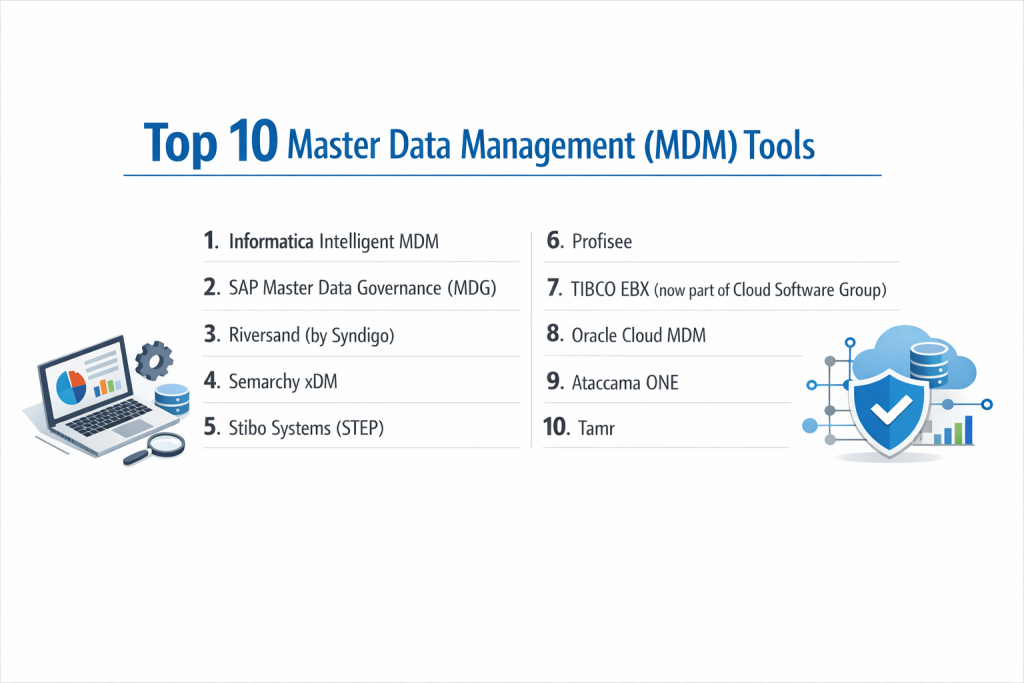
Top 10 Master Data Management (MDM) Tools
1 — Informatica Intelligent MDM
Informatica is a long-standing leader in the MDM space. Their tool is a cloud-native platform that uses AI to automate the heavy lifting of data matching and cleaning. It is designed for large-scale, multidomain projects.
- Key features:
- CLAIRE AI engine for automated data discovery and matching.
- Multidomain support (Customer, Product, Supplier, Employee, etc.).
- Pre-built “accelerators” for specific industries like Life Sciences or Retail.
- Integrated data quality and masking features.
- Highly scalable cloud-native architecture.
- Pros:
- It is incredibly powerful and can handle the most complex global data requirements.
- The AI integration significantly reduces the time spent on manual data entry and cleaning.
- Cons:
- It is one of the most expensive tools on the market.
- The sheer number of features can make the interface feel overwhelming for beginners.
- Security & compliance: SOC 2 Type II, HIPAA, GDPR, and ISO 27001 compliant. Includes advanced encryption and audit logs.
- Support & community: Extensive global support network, Informatica University training, and a massive community of certified consultants.
2 — SAP Master Data Governance (MDG)
SAP MDG is the natural choice for organizations that run their business on the SAP ecosystem. It provides deep integration with SAP ERP and S/4HANA to ensure data is consistent from the moment it is created.
- Key features:
- Out-of-the-box integration with SAP business processes.
- Centralized governance and decentralized ownership models.
- High-level data validation rules for financial and material data.
- Mass processing capabilities for updating millions of records.
- Integration with SAP Business Technology Platform (BTP).
- Pros:
- If you are an SAP shop, the integration is seamless and reduces the need for custom coding.
- Excellent for financial data management and regulatory compliance.
- Cons:
- It is not as flexible when connecting to non-SAP systems.
- Requires a high level of SAP-specific technical expertise to manage.
- Security & compliance: Enterprise-grade security; meets all major global standards including GDPR and ISO.
- Support & community: Backed by SAP’s global support infrastructure and a worldwide network of SAP experts.
3 — Riversand (by Syndigo)
Riversand is highly regarded for its flexibility and its focus on “Product” and “Customer” data. It is built on a modern, cloud-native architecture that allows for very fast changes to data models.
- Key features:
- Highly flexible graph-based data modeling.
- Advanced Product Information Management (PIM) capabilities.
- Real-time data governance workflows.
- Collaborative environment for business and technical users.
- Strong “Digital Asset Management” integration for photos and videos.
- Pros:
- Perfect for retail and e-commerce companies that have complex, changing product lines.
- The user interface is more modern and intuitive than many legacy tools.
- Cons:
- Can be technically challenging to set up the initial graph models.
- Smaller third-party consultant market compared to Informatica or SAP.
- Security & compliance: SOC 2, HIPAA, and GDPR compliant with robust data residency options.
- Support & community: Good documentation and a focused customer success team.
4 — Semarchy xDM
Semarchy is famous for its “Intelligent Data Hub” approach. It is designed to be deployed quickly, often showing results in weeks rather than months, making it a favorite for mid-to-large enterprises.
- Key features:
- “Zero-code” configuration for data models and UIs.
- Evolutionary MDM approach that allows you to start small.
- Native support for any data domain (Customer, Product, etc.).
- Automated data profiling and discovery.
- Flexible deployment (On-premise, Cloud, or Hybrid).
- Pros:
- Much faster to implement than traditional “big” MDM tools.
- The “agile” approach means you don’t need a perfect data plan before you start.
- Cons:
- Lacks some of the ultra-deep industry-specific pre-built templates found in Informatica.
- The “no-code” approach can sometimes feel restrictive for very complex custom logic.
- Security & compliance: SOC 2 compliant, GDPR ready, and supports full audit logging and SSO.
- Support & community: Very responsive support team and an active user community focused on agile data.
5 — Stibo Systems (STEP)
Stibo Systems is a specialist in multidomain MDM with a very strong history in the manufacturing, retail, and distribution sectors. Their STEP platform is a powerhouse for managing product-related data.
- Key features:
- Unified platform for PIM, MDM, and Product Lifecycle Management (PLM).
- Sophisticated workflow engine for business process management.
- Strong support for global data standards (GS1, GDSN).
- Integrated data quality and enrichment tools.
- Highly customizable business rules.
- Pros:
- Unrivaled for companies with millions of complex product SKUs.
- Very stable and reliable for giant, global supply chains.
- Cons:
- The learning curve for the administrator interface is quite steep.
- Updates and upgrades can be a significant technical undertaking.
- Security & compliance: ISO 27001, SOC 2, and GDPR compliant.
- Support & community: Strong European and North American presence with dedicated user groups.
6 — Profisee
Profisee is a high-growth MDM tool that focuses on the Microsoft ecosystem. It is designed to be the “MDM for the rest of us,” offering enterprise power without the “enterprise pain.”
- Key features:
- Native integration with Microsoft Azure, SQL Server, and Power BI.
- Fast-Track implementation methodology.
- Visual relationship mapping and data stewardship.
- Low-code data management interface.
- “Software-as-a-Service” (SaaS) or on-premise options.
- Pros:
- The most cost-effective “true” MDM tool for mid-market companies.
- If your company uses Microsoft tools, the setup is incredibly fast.
- Cons:
- It is heavily tied to the Microsoft stack; less ideal for pure AWS or Google Cloud shops.
- Not as “deep” in its PIM features as Stibo or Riversand.
- Security & compliance: SOC 2 Type II, HIPAA, and GDPR compliant.
- Support & community: Excellent documentation and an active “Profisee Academy” for training.
7 — TIBCO EBX (now part of Cloud Software Group)
EBX is unique because it manages not just master data, but also “reference data” and “metadata.” It is a highly technical tool loved by architects for its precision and flexibility.
- Key features:
- Single platform for MDM, Data Governance, and Metadata Management.
- Advanced version control for data (like a “Git” for data).
- Collaborative workflow design for data stewards.
- Support for complex hierarchies and taxonomies.
- Built-in data matching and survivorship rules.
- Pros:
- The “versioning” feature is world-class, allowing you to see data at any point in history.
- Highly flexible; it can be used for almost any data use case imaginable.
- Cons:
- It is a very technical tool that usually requires an engineering background to configure.
- The user interface for regular business users can feel a bit dated.
- Security & compliance: Meets global standards including SOC 2, GDPR, and ISO.
- Support & community: Strong enterprise support and a dedicated user forum.
8 — Oracle Cloud MDM
Oracle’s MDM solutions are built into their larger ERP and SCM cloud suites. It is designed for global companies that need their master data to drive their financial and supply chain operations.
- Key features:
- Integrated “Data Hubs” for Customer, Product, and Supplier.
- Social collaboration tools for data stewards.
- Real-time data enrichment from third-party sources.
- Strong integration with Oracle Analytics Cloud.
- Automated data cleaning and standardization.
- Pros:
- If you use Oracle Cloud ERP, this is a “turn-key” solution.
- Extremely powerful for financial data and global tax compliance.
- Cons:
- Can be very difficult and expensive to use if you are not an Oracle customer.
- The “modular” pricing can become confusing and expensive.
- Security & compliance: World-class Oracle security; meets FedRAMP, HIPAA, and GDPR.
- Support & community: Extensive global support and a massive community of Oracle experts.
9 — Ataccama ONE
Ataccama ONE is a “Self-Driving” data management platform. It combines MDM with data quality and a data catalog, using AI to manage the system with minimal human intervention.
- Key features:
- AI-powered data discovery and classification.
- Automated matching and merging of records.
- Unified interface for MDM, Quality, and Governance.
- Real-time data monitoring and alerts.
- Modern, browser-based user interface.
- Pros:
- One of the most user-friendly and modern-looking tools on the market.
- Great for companies that want to combine several data tools into one platform.
- Cons:
- As an “all-in-one” tool, the MDM part may not be as deep as a specialist like Stibo.
- The AI features require high-quality data to work effectively.
- Security & compliance: SOC 2, ISO 27001, and GDPR compliant.
- Support & community: High-touch support and a growing online community.
10 — Tamr
Tamr is different from the other tools because it uses “Machine Learning First.” Instead of writing thousands of rules, you “train” Tamr to understand which records belong together.
- Key features:
- Human-guided machine learning for data matching.
- Cloud-native, high-scale architecture.
- Focus on “Mastering” data at a massive scale (billions of records).
- External data enrichment integration.
- Data quality monitoring and reporting.
- Pros:
- Much faster to handle giant, messy datasets than traditional rule-based tools.
- It “learns” from your data stewards, so it gets smarter over time.
- Cons:
- It is more of a “Mastering” tool than a full “Governance” tool with workflows.
- Can be a “black box” where it is hard to explain why two records were matched.
- Security & compliance: SOC 2 Type II compliant and highly secure for cloud deployments.
- Support & community: Very technical support team and active engagement with data science communities.
Comparison Table
| Tool Name | Best For | Platform(s) Supported | Standout Feature | Rating |
| Informatica | Global Enterprises | Cloud-Native | CLAIRE AI Engine | 4.6 / 5 |
| SAP MDG | SAP Customers | Cloud & On-Prem | Native SAP Integration | 4.3 / 5 |
| Riversand | Retail / E-com | Cloud-Native | Graph Data Modeling | 4.5 / 5 |
| Semarchy | Agile Teams | Any Platform | Zero-code Configuration | 4.7 / 5 |
| Stibo Systems | Manufacturers | Cloud & Hybrid | PIM & MDM Unity | 4.4 / 5 |
| Profisee | Microsoft Shops | Azure / Cloud | Low-cost for SMB | 4.8 / 5 |
| TIBCO EBX | Data Architects | Any Platform | Version Control (Git-like) | 4.4 / 5 |
| Oracle MDM | Oracle Customers | Oracle Cloud | Integrated Data Hubs | 4.1 / 5 |
| Ataccama | Business Users | Cloud & On-Prem | Self-Driving MDM | 4.5 / 5 |
| Tamr | Massive Scale | Cloud-Native | ML-First Matching | 4.3 / 5 |
Evaluation & Scoring of Master Data Management (MDM) Tools
| Criteria | Weight | Evaluation Focus |
| Core Features | 25% | Quality of matching/merging, multidomain support, and workflows. |
| Ease of Use | 15% | Can a business user navigate the UI without six months of training? |
| Integrations | 15% | Pre-built connectors for major ERPs, CRMs, and Cloud Warehouses. |
| Security & Compliance | 10% | Encryption, SSO, and global standards (GDPR, HIPAA). |
| Performance | 10% | Ability to handle millions of records without slowing down. |
| Support & Community | 10% | Quality of help docs, response time, and local user groups. |
| Price / Value | 15% | Is the ROI clear compared to the total cost of ownership? |
Which Master Data Management (MDM) Tool Is Right for You?
Small to Mid-Market vs. Enterprise
If you are a Small to Mid-Market company, you should avoid the “Goliaths” like SAP or Informatica unless you have a massive budget. Instead, look at Profisee or Semarchy. These tools are designed to show value quickly and don’t require an army of consultants to run. Enterprises with complex, global needs will almost always benefit from Informatica or Stibo, as they have the “muscle” to handle global regulations and billions of data points.
Budget and Value
If budget is your primary concern, Profisee often provides the best balance of enterprise features and a predictable price tag. If you are looking for long-term value and have a large budget, Informatica provides the most “future-proof” solution with its heavy AI investments. For those who want to “start small” and pay as they go, Semarchy is the leader in agile value.
Technical Depth vs. Simplicity
Do you have a team of highly technical data engineers? They will likely prefer TIBCO EBX or Tamr because of the granular control and technical flexibility these tools offer. If your data is managed by “Business Analysts” who want a clean dashboard and buttons, Ataccama ONE and Riversand are much more user-friendly and visually appealing.
Security and Compliance Requirements
For companies in Banking and Healthcare, security is non-negotiable. Informatica, SAP, and Oracle have the longest track records with global regulators. If you need strict “Data Residency” (keeping data in a specific country), ensure your cloud MDM provider (like Riversand or Ataccama) has data centers in your required regions.
Frequently Asked Questions (FAQs)
1. What is Master Data Management (MDM)?
MDM is a process and a tool used to create a single, accurate, and consistent version of core business data (like customers or products) across an entire company.
2. Why can’t I just use my CRM as an MDM?
A CRM only handles customer data. MDM handles everything (products, assets, suppliers) and links them together, even if the data comes from five different CRMs.
3. How long does it take to implement an MDM tool?
It varies. Agile tools like Semarchy can take 3–6 months. Large enterprise implementations for tools like SAP or Informatica can take 12–24 months.
4. Is MDM only for the cloud?
No. While many tools are now “Cloud-Native,” many (like TIBCO EBX and Stibo) still offer on-premise versions for companies with strict security needs.
5. What is the difference between MDM and a Data Warehouse?
A Data Warehouse is for reporting on the past. MDM is for managing the present, ensuring the data going into the warehouse is clean in the first place.
6. Does MDM fix my data automatically?
Partially. It can use AI and rules to fix simple things (like zip codes), but “Data Stewards” (humans) are still needed to approve complex merges.
7. How much do these tools cost?
Mid-market tools start around $50k–$100k per year. Giant enterprise solutions can cost several hundred thousand dollars annually plus implementation fees.
8. What is “Multidomain” MDM?
It means the tool can handle multiple types of data—customers, products, locations, and assets—all within one single piece of software.
9. Can MDM help with GDPR compliance?
Yes. MDM makes it easy to find every single record of a customer across your business, which is essential for “Right to be Forgotten” requests.
10. What is a “Golden Record”?
It is the final, cleaned, and verified version of a data point that everyone in the company agrees is the absolute truth.
Conclusion
Master Data Management is the “secret sauce” of the world’s most successful businesses. In a world where every company is trying to be “data-driven,” those that have messy, duplicate information will always fall behind. MDM tools provide the clarity needed to treat data as a real asset rather than a headache.
The “best” tool is the one that fits your current technical environment and your team’s skills. If you are a Microsoft-heavy mid-sized business, Profisee is a clear winner. If you are a global retail giant, Stibo or Informatica will provide the power you need. No matter which you choose, remember that MDM is as much about people and rules as it is about software—the tool is just the engine that makes your data strategy move.