Introduction
A Marketing Automation Platform is a piece of software that takes over the “busy work” of talking to your customers. Imagine you have a helper who never sleeps. Every time someone visits your website or buys a product, this helper knows exactly what to do next without you telling them. In simple terms, these tools allow you to set up a plan once, and then the computer follows that plan for every new customer who comes along.
These tools are very important because they help you stay in touch with your customers without you having to be at your computer all day. If a customer feels ignored, they will go to another business. By using automation, you make sure that every person gets a “hello” or a “thank you” at exactly the right moment. This builds trust and makes people more likely to buy from you again. It also helps you see which of your ideas are actually working and which ones are a waste of money.
Key Real-World Use Cases:
- Saying Hello: Automatically sending a welcome message to someone the second they join your email list so they don’t forget who you are.
- Saving Sales: Sending a friendly reminder to a customer who put an item in their cart but closed the website before paying for it.
- Teaching Customers: Sending a series of three or four emails over a week to teach a new customer how to use the product they just bought.
- Sorting Leads: Marking which customers are most interested in your expensive products so your sales team knows who to call first.
Best for: These tools are best for business owners and marketing teams who have too many customers to manage by hand. They work well for online shops, office-based businesses, and service companies like lawyers or builders who want to grow their sales.
Not ideal for: A person who only has five or ten customers a year. If you can handle all your messages in one hour a week using your regular email, you do not need to spend money on a fancy automation tool.
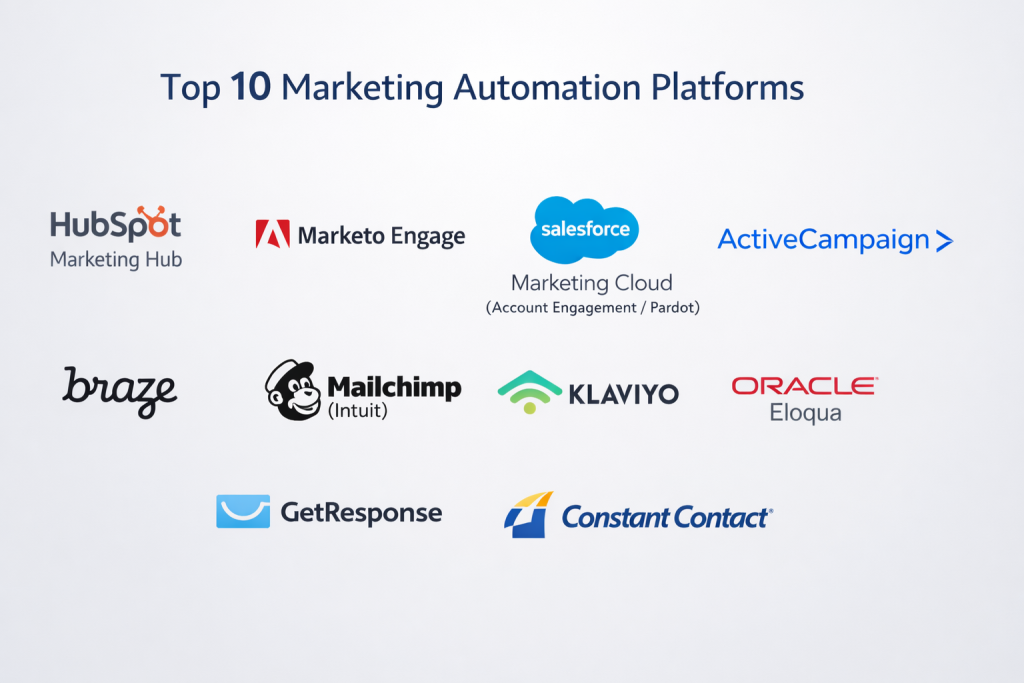
Top 10 Marketing Automation Platforms
1 — HubSpot Marketing Hub
HubSpot is a very popular tool because it tries to keep everything in one place. It is built for businesses that want their marketing, their sales team, and their customer list to all talk to each other perfectly without any errors.
- Key features:
- A visual builder where you draw lines to show the computer what to do next.
- It keeps a detailed list of every time a customer visits your site or opens an email.
- It helps you write blog posts and shows you how to make them show up on Google.
- It can change the text on your website based on who is looking at it.
- It has a built-in “chat” box for your website so you can talk to visitors.
- It makes very simple charts that show you how much money you are making.
- Pros:
- It is very easy to look at and understand, even if you are not good with computers.
- You don’t have to keep switching between different programs because everything is inside HubSpot.
- Cons:
- It starts out cheap, but as you get more customers, the price goes up very fast.
- You have to pay extra for many of the most helpful features.
- Security & compliance: They follow all the major safety rules to keep your customer names and emails hidden from hackers.
- Support & community: They have a huge library of free videos that teach you how to use the tool and how to be better at business.
2 — Adobe Marketo Engage
Marketo is a very powerful tool that is mostly used by large companies that sell to other businesses. It is not as “pretty” as other tools, but it can handle very complex tasks that involve thousands of people at once.
- Key features:
- Very strong tools for tracking which companies are visiting your website.
- A system that gives “points” to customers based on how much they interact with you.
- It helps you manage very long sales plans that might take months to finish.
- It can send different messages to different departments within the same big company.
- It has very deep reporting that shows exactly where your sales are coming from.
- Pros:
- It can do almost anything you can imagine if you have a technical person to set it up.
- It is very good for businesses that have a very long and slow process for winning new customers.
- Cons:
- It is very hard to learn and can be quite frustrating for a beginner.
- It looks a bit like old office software from ten years ago.
- Security & compliance: It meets the high safety standards required by global corporations.
- Support & community: They have a special group of experts you can hire if you get stuck.
3 — Salesforce Marketing Cloud
This tool is made for people who already use Salesforce to keep track of their customers. It is built to be a “bridge” between the people doing the marketing and the people doing the selling.
- Key features:
- It links perfectly with the Salesforce customer list so data is always the same in both places.
- A tool called “Engagement Studio” that lets you build a path for your customers to follow.
- It uses smart computer logic to guess when is the best time to send an email.
- It can send text messages and emails in the same automated plan.
- It helps you see which of your ads are actually turning into real sales.
- Pros:
- If you already use Salesforce, this is the easiest way to keep your data organized.
- It is very reliable and almost never breaks, even if you have millions of customers.
- Cons:
- It is very expensive and is usually only for companies with a big budget.
- You often need to hire a specialist just to turn it on and set it up correctly.
- Security & compliance: It has some of the best security in the world to protect your business data.
- Support & community: There are many online groups where you can ask other users for help.
4 — ActiveCampaign
ActiveCampaign is a very popular choice for medium-sized businesses. It is liked because it gives you many of the same “smart” features as the expensive tools, but for a much lower price.
- Key features:
- It comes with “recipes” which are pre-made plans you can use right away.
- It can track what people do on your website and send them an email based on that.
- It has a simple “deal board” to show you which sales are almost finished.
- It can send text messages to customers’ phones.
- It has a very easy-to-use email builder for making pretty messages.
- Pros:
- You get a lot of power for a price that a normal business can afford.
- The tool that lets you draw your automation plans is very easy to use.
- Cons:
- If you have a huge number of customers, the website can sometimes become a little bit slow.
- The reporting charts are okay, but they are not as detailed as the expensive tools.
- Security & compliance: They follow all the standard laws for keeping your information safe.
- Support & community: They have a very friendly chat support team that helps you quickly.
5 — Klaviyo
Klaviyo is the best tool for people who have an online store. It was built specifically to work with shops like Shopify. It knows exactly what people are buying and uses that information to send them better emails.
- Key features:
- It connects to your online shop with just one click.
- It can show a customer the exact shoes or shirt they were looking at in an email.
- It guesses when a customer might be about to stop buying from you so you can win them back.
- It has special forms that pop up on your site to collect email addresses.
- It shows you exactly how many dollars you made from every single email you sent.
- Pros:
- It is the most powerful way to grow sales for an online shop.
- It makes it very easy to send “Thank You” notes and shipping updates.
- Cons:
- It is only for online stores; it is not good for other types of businesses.
- As you get more people on your list, the monthly bill gets very high very quickly.
- Security & compliance: It is safe and follows the privacy laws for online shopping.
- Support & community: They have a lot of help articles written specifically for shop owners.
6 — Brevo
Brevo used to be called Sendinblue. It is known for being a very fair and affordable tool. While most tools charge you for how many customers you have, Brevo only charges you for how many emails you actually send.
- Key features:
- You can send emails, text messages, and even WhatsApp messages from one place.
- It has a very good system for sending “receipt” emails when someone buys something.
- It includes a simple tool for talking to people live on your website.
- You can store as many customer names as you want for free.
- It has a simple calendar tool for people to book meetings with you.
- Pros:
- It is much cheaper than other tools if you have a big list but don’t send emails every day.
- It is very good for businesses that need to talk to customers on WhatsApp.
- Cons:
- The tools for building landing pages are a bit basic and not very pretty.
- It can be a little bit confusing because it has so many different features packed together.
- Security & compliance: Since it started in Europe, it has very strict rules for protecting privacy.
- Support & community: They offer help in many different languages.
7 — Mailchimp
Mailchimp is the most famous email tool in the world. It is built to be fun and easy to use. It is a great starting point for someone who has never done any marketing before.
- Key features:
- An “Assistant” that uses a computer brain to help you design your emails.
- Simple plans that send a sequence of emails to new sign-ups.
- It connects to QuickBooks to show you your money and marketing in one place.
- It has a very good mobile app so you can work from your phone.
- It can automatically post your emails to your Facebook or Instagram page.
- Pros:
- It is very easy to start. You can have an email ready to go in ten minutes.
- The “Assistant” tool is great if you are not good at drawing or designing things.
- Cons:
- They charge you for everyone on your list, even people who have unsubscribed.
- The automation plans are very simple and cannot do complex tasks.
- Security & compliance: It is a large, safe company that follows all the standard security rules.
- Support & community: They have thousands of articles and videos to help you learn.
8 — Keap
Keap used to be called Infusionsoft. It is made for small businesses that sell “services” rather than “things”—like a house painter, a lawyer, or a consultant. It helps you manage your time and your bills.
- Key features:
- It helps you send invoices and take payments from customers.
- It can automatically send a “Thank You” note after someone pays a bill.
- It has a built-in calendar so people can pick a time to meet with you.
- It gives you a second phone number just for your business on your cell phone.
- It keeps a very clean list of all your tasks for the day.
- Pros:
- It is like having a personal secretary for your small business.
- It combines your marketing, your bills, and your calendar in one place.
- Cons:
- You have to pay a large fee at the beginning to have someone teach you how to use it.
- It has a lot of features that might be “too much” for a very simple business.
- Security & compliance: It is very safe, especially for handling credit card information.
- Support & community: They have many experts you can call for advice.
9 — Omnisend
Omnisend is very similar to Klaviyo but it is a bit easier for beginners to understand. It is made for online stores that want to grow fast without spending hours learning a new program.
- Key features:
- A tool that lets you pick a product from your store and drop it right into an email.
- Pre-made plans for “Abandoned Carts” that you can turn on with one click.
- It can send “push notifications” (the little bubbles that pop up on a phone).
- It has fun sign-up forms, like a “Spin the Wheel” game to get discounts.
- You can talk to a real person for help 24 hours a day.
- Pros:
- It is very fast to set up. You can be finished in an afternoon.
- It is usually cheaper than Klaviyo for a small or medium shop.
- Cons:
- It doesn’t have as many “smart” data tools as Klaviyo.
- It only works well with specific store types like Shopify or BigCommerce.
- Security & compliance: It follows all the necessary rules to keep your store data safe.
- Support & community: Their support team is very fast and helpful.
10 — Oracle Eloqua
Eloqua is a massive tool for massive companies. It is not for small businesses. It is built to handle millions of people across many different countries without ever making a mistake.
- Key features:
- A giant canvas where you can build huge marketing plans.
- Tools to clean up your data so you don’t have the same person on your list twice.
- It can send leads to different sales teams in different countries automatically.
- Very strict security so only certain employees can see certain files.
- It works with all of the other “Oracle” business tools.
- Pros:
- It is incredibly strong and can handle a huge amount of work.
- It gives you complete control over every tiny detail of your marketing.
- Cons:
- It is extremely expensive and very hard to learn.
- You usually need to hire a full-time employee just to run this program.
- Security & compliance: It has the highest level of security available for big businesses.
- Support & community: They offer professional help for their large clients.
Comparison Table
| Tool Name | Best For | What it does best | Rating |
| HubSpot | Growing teams | Keeps everything in one place | 4.6 |
| Marketo | B2B Companies | Complex sales plans | 4.1 |
| Salesforce | Salesforce users | Links to your sales team | 4.2 |
| ActiveCampaign | Medium businesses | Great features for a good price | 4.7 |
| Klaviyo | Online stores | Uses shop data to sell more | 4.7 |
| Brevo | Budget users | Cheap and sends WhatsApps | 4.5 |
| Mailchimp | Beginners | Very easy to build emails | 4.4 |
| Keap | Service businesses | Handles bills and meetings | 4.2 |
| Omnisend | New online shops | Fast to set up and easy to use | 4.8 |
| Eloqua | Huge corporations | Massive data and high security | 4.0 |
Evaluation & Scoring of Marketing Automation Platforms
We look at these tools to see how much they actually help a business owner. Here is how we give them a score:
| What we check | Importance | What it means |
| Main Tools | 25% | Does it actually send emails and track customers well? |
| Easy to Use | 15% | Can you learn it quickly without getting a headache? |
| Connections | 15% | Does it work with your store and your email? |
| Safety | 10% | Is your money and customer list kept safe? |
| Performance | 10% | Does the website work fast and send emails on time? |
| Help | 10% | Can you get a person to help you if you get stuck? |
| Price | 15% | Is the tool worth the money you pay every month? |
Which Marketing Automation Platform Tool Is Right for You?
Picking a tool is a big step. You should think about where your business is today and where you want it to be in a few years.
- If you are just starting out: Look at Mailchimp or Omnisend. They are very friendly and won’t confuse you with too many buttons. They are built for people who want to spend more time working and less time looking at a screen.
- If you have a growing online store: Klaviyo is the best choice. It is more expensive, but it is the best at helping you sell more products. It will pay for itself by bringing back customers who almost left.
- If you sell a service (like a plumber or a consultant): Keap is perfect for you. It does the marketing, but it also helps you with your calendar and your invoices. It is like having a digital office assistant.
- If you work at a big company with a big team: You need HubSpot or Salesforce. These tools make sure that everyone on your team is seeing the same information so nobody gets confused.
Frequently Asked Questions (FAQs)
1. What is marketing automation?
It is using a computer program to send emails and messages to your customers automatically based on what they do.
2. Is it expensive?
It can be. Some tools are free for small lists, but most cost between $50 and $500 per month as you grow.
3. Do I need to be a computer expert?
No. Most modern tools are made for regular business owners. If you can use a smartphone, you can learn to use these tools.
4. Will my customers think a robot is talking to them?
Not if you write good messages. You can tell the computer to use the customer’s name so it feels like a real person wrote it.
5. How much time does it save?
It can save you many hours every week. Once it is set up, it works while you are sleeping or busy with other tasks.
6. Can I send text messages too?
Yes, many of these tools (like Brevo and ActiveCampaign) let you send texts and emails in the same plan.
7. Is my customer list safe?
Yes, these companies spend a lot of money on security to make sure no one can steal your customer information.
8. Can I change tools later?
Yes, you can move your customer list to a new tool, but you will have to set up your automated plans again from scratch.
9. What is a “trigger”?
A trigger is the action that starts the automation, like a customer buying a product or signing up for your newsletter.
10. Do I still need to write the emails?
Yes, you have to write the messages once. The tool then sends those messages over and over again to new people.
Conclusion
A Marketing Automation Platform is one of the best tools a business can have. It takes the boring, repetitive work and lets a computer handle it. This means you can focus on making your products better and talking to your customers in person.
The best tool for you is the one that feels easy to use and fits your budget. Don’t feel like you have to buy the most expensive one right away. Start with something simple, learn how it works, and you will see your business start to grow on its own.