Introduction
Market Data Platforms are software systems that collect, organize, and deliver real-time and historical information about financial markets. This data includes stock prices, currency exchange rates, bond yields, commodity prices, and news feeds. Think of them as the central nervous system for finance, providing the raw information that traders, analysts, and investors need to make decisions.
This software is critically important because in financial markets, information is power and speed is everything. Having access to accurate, timely data is non-negotiable. It helps professionals spot opportunities, manage risk, conduct research, and execute trades. Without these platforms, decision-making would be based on guesswork. Real-world use includes a hedge fund manager tracking live price movements, an analyst building a financial model with historical data, or a corporate treasurer monitoring foreign exchange rates.
When choosing a tool, you should look for: data coverage (geographies and asset classes), data quality and latency, delivery methods (API, desktop, web), analytical and visualization tools, integration capabilities with other systems, and cost structure.
Best for: These platforms are essential for Traders, Portfolio Managers, Quantitative Analysts (Quants), Financial Researchers, and Risk Managers. They benefit investment banks, hedge funds, asset management firms, proprietary trading shops, and corporate finance departments.
Not ideal for: A casual, long-term investor checking their portfolio might use a free consumer app or brokerage website. A very small business with no exposure to financial markets would have no need for this specialized, often expensive, professional-grade data.
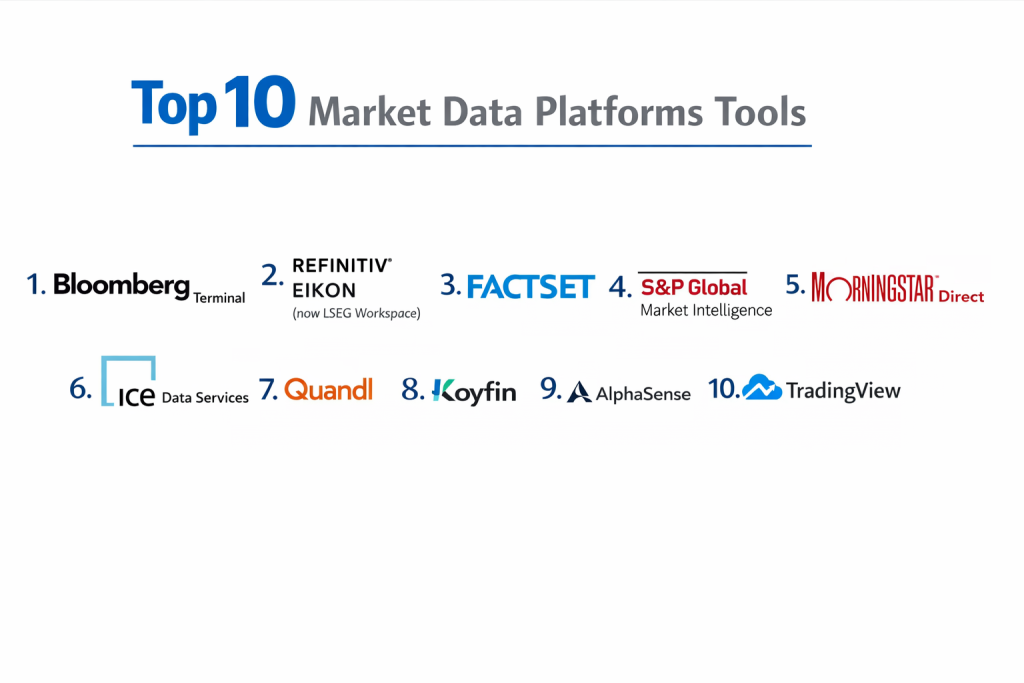
Top 10 Market Data Platforms Tools
1 — Bloomberg Terminal
The Bloomberg Terminal is the iconic, all-in-one platform that dominates professional finance. It’s a hardware/software combination known for its unparalleled depth of data, news, analytics, and communication tools.
Key features:
- Comprehensive Global Data: Real-time and historical data across all asset classes (equities, fixed income, FX, commodities, derivatives).
- Integrated News & Communication: The Bloomberg News service and the private Bloomberg Messaging (IB) network are industry standards.
- Powerful Analytics: Built-in functions for modeling, charting, back-testing, and risk analysis.
- Extensive Company Fundamentals: Deep financials, estimates, and ownership data.
- Primary Research & Broker Reports: Access to sell-side research and Bloomberg Intelligence.
- Market Monitoring & Alerts: Fully customizable watchlists and real-time alerts.
Pros:
- Unmatched breadth and depth of data and tools in a single, integrated environment.
- The industry standard; having a Terminal is a signal of professional credibility.
- Exceptional for qualitative research and news-driven analysis.
Cons:
- Extremely expensive, with costs running over $20,000 per user, per year.
- Proprietary system with a steep learning curve; the interface is not intuitive.
- Can be “overkill” for users who only need a specific type of data or analytics.
Security & compliance: Highly secure, dedicated network with robust user permissioning and audit trails. Widely accepted in regulated environments.
Support & community: 24/7 phone support via the famous Bloomberg helpline. Massive global user base, creating a de facto professional network.
2 — Refinitiv Eikon (now LSEG Workspace)
Refinitiv Eikon, now transitioning to the LSEG Workspace, is a major competitor to Bloomberg. It’s a desktop and web platform known for strong fixed income and foreign exchange data, deep fundamentals, and powerful screening tools.
Key features:
- Strength in Fixed Income & FX: Extensive coverage of global bonds, money markets, and comprehensive foreign exchange data.
- Financials & Fundamentals: Very deep fundamental data and estimates, strong for equity research.
- Powerful Screening & Backtesting: Excellent tools for filtering securities and testing investment ideas.
- Integrated Charting & Analytics: Advanced technical analysis and charting capabilities.
- News & Reuters Coverage: Backed by the global Reuters news network.
- Portfolio & Risk Analytics: Tools for performance attribution and risk management.
Pros:
- Often considered stronger than Bloomberg in fixed income and fundamentals data.
- Generally more modern and customizable user interface compared to Bloomberg.
- Competitive pricing, often seen as a cost-effective alternative to the Terminal.
Cons:
- While excellent, its market messaging network (Refinitiv Messenger) has less penetration than Bloomberg’s IB.
- The transition to the new LSEG Workspace platform may cause some user disruption.
- Brand recognition, while strong, is slightly less universal than Bloomberg’s.
Security & compliance: Enterprise-grade security with compliance features suitable for sell-side and buy-side firms.
Support & community: Global customer support and a large user community. Good training resources available.
3 — FactSet
FactSet is a best-in-class workstation focused on fundamental analysis, portfolio analytics, and quantitative research. It’s the preferred platform for many asset managers, hedge funds, and sell-side analysts.
Key features:
- Superior Financial Data Integration: Excels at pulling clean, normalized data from multiple sources into company models and screens.
- Deep Portfolio Analytics & Risk: Industry-leading tools for performance measurement, attribution, and multi-asset risk analysis.
- Excel & PowerPoint Integration: Seamless “FactSet Office” tools for pushing data directly into Microsoft Office.
- Extensive Ownership Data: Detailed data on institutional holdings, insider transactions, and shareholder activism.
- Quantitative & Backtesting Suite: Powerful tools for factor research, model building, and strategy simulation.
- Content & News Aggregation: Pulls in research, transcripts, and news from a wide array of providers.
Pros:
- The best platform for deep fundamental and portfolio-level analysis.
- Superior integration with the Microsoft Office workflow of many analysts.
- Highly responsive customer support and client service.
Cons:
- Less focused on ultra-low-latency, tick-by-tick trading data than some competitors.
- Can be expensive, with costs scaling with data permissions and user types.
- The interface is powerful but can feel dense to new users.
Security & compliance: Robust security model with detailed permissioning. Trusted by highly regulated asset managers.
Support & community: Known for exceptional, proactive client service and dedicated account teams. Strong user conferences.
4 — S&P Global Market Intelligence (formerly Capital IQ)
S&P Global Market Intelligence (Capital IQ) is a web-based platform renowned for its deep company financials, industry data, and M&A/deals intelligence. It’s a staple in investment banking, equity research, and corporate development.
Key features:
- Excel & PowerPoint Plug-in: A hugely popular feature that allows deep financial modeling and presentation creation directly from the Excel ribbon.
- Comprehensive Company Profiles: Detailed financials, estimates, key executives, and capital structure for public and private companies.
- M&A & Capital Markets Data: Extensive database of deals, league tables, and transaction comparables.
- Industry & Market Research: Integrates data from S&P Global Ratings, Commodity Insights, and Mobility.
- Screening & Analysis: Powerful tools for screening companies and building peer groups.
- Private Company Data: One of the best sources of information on non-publicly traded companies.
Pros:
- The gold standard for investment banking and corporate finance analysis.
- The Excel plug-in dramatically speeds up financial modeling and deal analysis.
- Unrivaled depth on private company information.
Cons:
- Less of a “trading floor” tool; not designed for real-time P&L or execution.
- Primarily a web platform, which some users prefer less than a dedicated desktop application.
- Pricing can be high, especially for full access to its proprietary datasets.
Security & compliance: High security standards with role-based access. Data is widely used for official valuation and compliance reporting.
Support & community: Strong training and support, particularly around its core financial datasets and Excel tools.
5 — Morningstar Direct
Morningstar Direct is the institutional-grade platform from Morningstar, focused on investment research, fund analysis, and asset allocation. It is the leading tool for analyzing mutual funds, ETFs, and separate accounts.
Key features:
- Global Fund & ETF Universe: Covers over 200,000 investment vehicles with deep performance, holdings, and ratings data.
- Morningstar Ratings & Research: Includes the iconic Morningstar Star Rating and Analyst Ratings for funds.
- Portfolio Construction Tools: Asset allocation modeling, portfolio builder, and hypothetical back-testing.
- Sustainability & ESG Data: Integrated Morningstar Sustainalytics ESG risk scores and ratings.
- Manager Due Diligence: Tools for researching and comparing investment managers.
- Client Reporting: Robust capabilities for creating professional investment reports for clients.
Pros:
- The definitive platform for anyone who researches, selects, or monitors funds and managers.
- Intuitive interface and clear presentation of complex fund data.
- Strong tools for wealth managers and advisors to demonstrate value to clients.
Cons:
- Very specialized towards the fund/manager research workflow.
- Not a tool for direct security trading or real-time market monitoring.
- Can be expensive for smaller advisory firms.
Security & compliance: Secure cloud-based platform with features to support fiduciary and compliance requirements.
Support & community: Good client support and extensive training resources focused on the investment professional’s workflow.
6 — ICE Data Services
ICE Data Services is the data arm of Intercontinental Exchange. It is a powerhouse for low-latency, real-time pricing data, particularly for fixed income, derivatives, and evaluated pricing services.
Key features:
- Fixed Income & Derivatives Depth: Unmatched real-time and historical data for global bonds, rates, credit default swaps (CDS), and futures.
- Ultra-Low Latency Feeds: Provides raw data feeds optimized for high-frequency and algorithmic trading.
- Evaluated Pricing (Pricing Direct): A leading provider of daily evaluated prices for hard-to-value securities.
- Analytics & Calculations: Real-time calculations for yields, spreads, and risk metrics.
- Global Reference Data: Comprehensive securities identifiers and descriptive data.
- Cloud-Native Delivery: Offers modern API and cloud-based data delivery (AWS, Azure).
Pros:
- The leading source for institutional-grade fixed income and derivatives pricing.
- Critical infrastructure for trading desks, risk systems, and fund administrators.
- Strong focus on machine-readable data feeds for systematic strategies.
Cons:
- Primarily a data provider; lacks the integrated analytical workstation of Bloomberg or FactSet.
- Requires significant technical integration work to consume the raw feeds.
- Pricing is complex and based on data categories and usage.
Security & compliance: High-performance, resilient infrastructure. Data is used for official NAV calculation and regulatory reporting.
Support & community: Technical and client support focused on enterprise integration. Less of a broad user community.
7 — Quandl
Quandl (now part of Nasdaq) is a platform that specializes in alternative and non-traditional datasets. It serves quantitative hedge funds, asset managers, and data scientists looking for an edge beyond standard market data.
Key features:
- Curated Alternative Data: Vast library of unique datasets (satellite imagery, web traffic, consumer transactions, supply chain data).
- Nasdaq Basic & Premium Feeds: Also provides core equity data from Nasdaq.
- Clean, Normalized Data: Focus on providing data that is “analysis-ready” via API.
- Python & R Integration: Excellent libraries (
quandlpackage) for direct access in data science environments. - Platform for Data Publishers: Allows other firms to monetize and distribute their proprietary data.
- Use Case Libraries: Examples and research on how to use alternative data.
Pros:
- The premier marketplace for discovering and testing alternative data.
- API-first design perfect for quants and systematic strategies.
- Low barrier to entry for exploring new data sources.
Cons:
- The value is in the niche data; you still need core market data from another provider.
- Data quality and signal reliability can vary greatly between datasets.
- Can become very expensive as you license multiple premium alternative datasets.
Security & compliance: Secure API access. Compliance for data usage rests with the consumer, as datasets can contain private information.
Support & community: Supportive of the quantitative finance and data science community with good documentation.
8 — Koyfin
Koyfin is a modern, web-based analytics platform that offers professional-grade global market data and analytics at a fraction of the cost of legacy providers. It targets analysts, advisors, and individual investors.
Key features:
- Low-Cost Global Data: Covers global equities, fixed income, FX, economics, and fundamentals.
- Customizable Dashboards: Create personalized dashboards for markets, sectors, or portfolios.
- Advanced Charting & Analysis: Robust technical analysis tools and ability to chart custom formulas.
- Financial Statement Modeling: Allows users to build and adjust financial models directly on the platform.
- Screening & Alerts: Powerful universal screener across all asset classes and customizable alerts.
- Clean, Modern Interface: Intuitive and user-friendly design.
Pros:
- Exceptional value, providing core functionality of expensive platforms at a disruptive price point.
- Excellent for generalist analysts, content creators, and sophisticated self-directed investors.
- Continuously adding new features and data sets.
Cons:
- Lacks the extreme depth of data (e.g., level 2 quotes, full fixed income analytics) of institutional leaders.
- Does not have the integrated news/communication networks or the brand prestige of a Bloomberg.
- A younger company with a smaller track record.
Security & compliance: Standard cloud security. Positioned more for research than for regulated trade execution or official reporting.
Support & community: Responsive support and an engaged user community providing feedback for development.
9 — AlphaSense
AlphaSense is an AI-powered search and research platform designed to cut through information overload. It uses natural language processing to help analysts find critical insights in financial documents, news, and research.
Key features:
- AI-Powered Search (Smart Synonyms): Understands financial language and context, finding relevant information even if exact keywords aren’t used.
- Unified Search Across Sources: Searches SEC filings, broker research, news, trade journals, and proprietary content in one place.
- Sentiment & Topic Analysis: AI identifies positive/negative sentiment and tracks mentions of specific topics over time.
- Company & Industry Monitors: Automatically surfaces the most important new information on watched companies.
- Transcript Search: Powerful search across earnings call transcripts.
- Collaboration Tools: Share search results and insights with team members.
Pros:
- Drastically reduces the time spent searching for information across disparate sources.
- Surfaces connections and insights that traditional keyword search would miss.
- Increases the breadth and depth of research coverage.
Cons:
- It is a research augmentation tool, not a source of raw numerical market data or charting.
- Subscription cost is significant, aimed at professional teams.
- Effectiveness depends on the quality and breadth of its underlying document universe.
Security & compliance: Secure, enterprise-ready platform. Used by many regulated firms for research compliance.
Support & community: Strong onboarding and customer success teams to help integrate the tool into research workflows.
10 — TradingView
TradingView is a massive social network and charting platform for traders of all levels. It excels at technical analysis, idea sharing, and scripting custom indicators, with a strong community focus.
Key features:
- Advanced, Web-Based Charting: Best-in-class interactive charts with a huge library of drawing tools and indicators.
- Pine Script Programming Language: Allows users to create, backtest, and publish their own custom indicators and strategies.
- Social Network for Traders: Follow other traders, share chart ideas, and discuss markets publicly.
- Broad Data Coverage: Provides data for stocks, forex, crypto, and futures.
- Multi-Timeframe Analysis: Easy to compare charts across different timeframes.
- Freemium Model: A powerful free tier with optional paid upgrades for more data and features.
Pros:
- Unbeatable for technical analysis and charting flexibility.
- The community and shared ideas provide a unique learning and research environment.
- Very accessible with a free tier and reasonable paid plans.
Cons:
- Not a source for deep fundamental data, company research, or portfolio analytics.
- The social and public nature may not suit secretive institutional trading desks.
- Data can have occasional lags and is not ultra-low latency.
Security & compliance: Standard web app security. The platform is geared more towards education and analysis than regulated institutional workflows.
Support & community: Vast, active global community is the primary support mechanism. Official documentation and forums are also available.
Comparison Table
| Tool Name | Best For (target user or scenario) | Platform(s) Supported | Standout Feature | Rating |
|---|---|---|---|---|
| Bloomberg Terminal | Sell-side professionals, traders, and anyone needing the definitive, all-in-one industry standard. | Dedicated Terminal, Web, Mobile | Unmatched Integrated Ecosystem & Communication Network | High (Industry Standard) |
| Refinitiv Eikon (LSEG) | Buy-side & sell-side analysts, especially those focused on fixed income, FX, and fundamentals. | Desktop, Web, Mobile | Fixed Income/FX Depth & Modern, Customizable Interface | High |
| FactSet | Portfolio managers, quantitative researchers, and fundamental analysts focused on deep analytics. | Desktop, Web, Excel Integration | Best-in-Class Portfolio Analytics & Excel Integration | High |
| S&P Global Market Intelligence | Investment bankers, corporate development, and equity researchers needing financial modeling and M&A data. | Web, Excel/PPT Plug-in | Excel Plug-in for Financial Modeling & Private Company Data | High |
| Morningstar Direct | Fund managers, wealth advisors, and allocators researching funds, ETFs, and investment managers. | Web, Desktop | Global Fund/ETF Analysis & Manager Due Diligence | High (Funds Specialist) |
| ICE Data Services | Trading desks, risk managers, and system developers needing low-latency pricing, especially for fixed income. | API, Feeds, Cloud | Institutional Fixed Income/Derivatives Pricing & Low-Latency Feeds | High |
| Quandl | Quantitative funds, data scientists, and researchers seeking alternative data sets for alpha generation. | API, Python/R Libraries | Curated Alternative & Non-Traditional Datasets | Medium/High |
| Koyfin | Cost-conscious analysts, advisors, and serious individual investors wanting professional tools at lower cost. | Web | Disruptive Value & Modern, Comprehensive Web Platform | Medium/High |
| AlphaSense | Equity researchers, corporate strategists, and anyone drowning in documents who needs AI to find insights. | Web | AI-Powered Search Across Documents & Research | Medium/High |
| TradingView | Technical traders, chartists, and a community of retail to pro traders sharing ideas. | Web, Mobile | Social Charting Platform & Pine Script for Custom Indicators | Medium/High |
Evaluation & Scoring of Market Data Platforms
Score tools (1-10) using this rubric. Multiply by the weight to get a total score out of 100 for your needs.
| Evaluation Category | Weight | What to Look For |
|---|---|---|
| Core Features | 25% | Breadth of asset coverage, data quality/latency, analytical tools (charting, screening, backtesting), news/research integration. |
| Ease of Use | 15% | Intuitiveness of interface, learning curve, quality of visualization, efficiency of workflow for your specific tasks. |
| Integrations & Ecosystem | 15% | API availability/quality, Excel integration, compatibility with order management/risk systems, ability to feed data into other apps. |
| Security & Compliance | 10% | User access controls, audit trails, data provenance, suitability for use in regulated processes (trade reporting, NAV calc). |
| Performance & Reliability | 10% | System uptime, data feed latency and stability, speed of analytics calculations, scalability. |
| Support & Community | 10% | Quality of onboarding/training, responsiveness of support (especially 24/7), existence of user community for knowledge sharing. |
| Price / Value | 15% | Total cost relative to features, your usage volume, and the business value the platform enables (ROI). |
Which Market Data Platform Tool Is Right for You?
Find the best fit based on your profile:
- By Role & Organization Type:
- Sell-Side Trader/Investment Banker: Bloomberg for comms and prestige, Refinitiv for rates/FX, S&P Capital IQ for modeling.
- Buy-Side Portfolio Manager/Analyst: FactSet for deep analytics, Bloomberg/Refinitiv for market color, Morningstar for fund research.
- Quantitative Fund/Systematic Trader: ICE or Bloomberg/Refinitiv feeds for low-latency data, Quandl for alternative data, Python/R for analysis.
- Wealth Manager/Financial Advisor: Morningstar for fund due diligence and client reporting, Koyfin for general research.
- Corporate Finance/Development: S&P Capital IQ is essential for comps and modeling. AlphaSense for strategic research.
- Serious Individual Investor/Retail Trader: Koyfin for fundamentals, TradingView for technicals.
- Budget-Conscious vs Premium Solutions:
- Budget-Conscious/Starting Out: Koyfin offers incredible value. TradingView has a powerful free tier. Use broker-provided data where possible.
- Premium Solutions: Bloomberg Terminal is the ultimate premium product. FactSet and Refinitiv are major investments justified by professional workflows.
- Feature Depth vs Ease of Use:
- Prioritize Feature Depth/Raw Power: Bloomberg Terminal, FactSet, ICE Data Services (feeds).
- Prioritize Ease of Use/Modern UX: Koyfin, TradingView, the newer LSEG Workspace.
- Integration and Data Delivery Needs:
- If you need to feed data into internal systems or algos, prioritize API and cloud feed providers (ICE, Quandl, vendor APIs).
- If your work lives in Excel, platforms with deep Excel integration (FactSet, S&P Capital IQ) are transformative.
- For a self-contained workstation, choose a desktop platform (Bloomberg, FactSet, Refinitiv).
- Security and Compliance Requirements:
- For regulated activities (trading, official reporting), you need vendors with a proven track record in enterprise compliance (Bloomberg, Refinitiv, FactSet, ICE).
- Check if the platform provides the necessary audit trails and data lineage required by your compliance department.
Frequently Asked Questions (FAQs)
1. What’s the difference between real-time and delayed data?
Real-time data is live, tick-by-tick prices as they occur in the market, typically required for trading. Delayed data (e.g., 15-minute delay) is free or much cheaper and is sufficient for most research and analysis purposes.
2. Why is the Bloomberg Terminal so expensive?
You’re paying for: 1) The curated, trusted data from thousands of sources, 2) The integrated software for analysis, news, and messaging, 3) The global network of professionals (IB chat), and 4) The hardware and support. It’s an all-in-one cost for mission-critical infrastructure.
3. Can I use these platforms for algorithmic trading?
Yes, but carefully. You need low-latency data feeds (API) from providers like ICE or Bloomberg/Refinitiv’s feed products. Workstation platforms like the Terminal itself are not designed for low-latency algo execution.
4. What is “alternative data”?
It’s non-traditional information used to gain an investment edge. Examples: satellite images of parking lots (retail traffic), credit card transaction aggregates, social media sentiment, shipping traffic data. Quandl is a major marketplace for this.
5. What is a “feed” versus a “workstation”?
A data feed (like from ICE) is a raw stream of prices and updates delivered via API for integration into your own systems. A workstation (like Bloomberg) is a complete, GUI-based application with built-in tools for analysis, news, and communication.
6. How do vendors charge for data?
Complexly. Costs can include: per-user subscription fees, exchange data fees (passed through from exchanges), entitlement fees (paying for specific data sets like options or fixed income), and non-display fees (for using data in algos/internal systems).
7. What are “non-display fees”?
Fees charged by data vendors and exchanges for using their market data to power internal applications, algorithms, or risk systems where the data is not being displayed on a screen for a human. This is a major cost for quantitative funds.
8. Can I build my own market data system from free sources?
For basic, delayed data, yes (Yahoo Finance, broker APIs). For professional, real-time, reliable, and clean data across many assets, no. The cost and effort to aggregate, clean, and maintain such a system is far greater than licensing from a specialist provider.
9. What is “normalized data”?
Data that has been cleaned and standardized from multiple sources into a consistent format. For example, ensuring all earnings dates are in the same timezone and format. FactSet and S&P Capital IQ excel at providing normalized financial data.
10. Is a cheaper platform like Koyfin “good enough”?
For many users, absolutely. If your primary needs are solid global data, charting, screening, and basic modeling, Koyfin eliminates the need for a $20k+ Bloomberg. The trade-off is lacking the ultra-deep datasets, news ecosystem, and institutional communication tools.
Conclusion
Selecting the right Market Data Platform is a foundational decision that shapes how your organization sees and interacts with the financial world. The landscape offers dominant all-in-one ecosystems like Bloomberg, specialized powerhouses like FactSet for analytics and ICE for pricing, and disruptive value players like Koyfin. The choice hinges entirely on your specific use case, technical requirements, and budget.
The crucial insight is that most large institutions don’t choose just one; they build a best-in-class stack. This might combine the communication and market color of a Bloomberg Terminal on the desk, the portfolio analytics of FactSet for the research team, the low-latency feeds from ICE for the quant desk, and the document search of AlphaSense for the analysts. Start by ruthlessly defining the core jobs the platform needs to do for your key users. Involve those users in the evaluation, and always calculate the total cost of ownership, including hidden fees. In a world driven by information, your market data platform is your lens—choose the one that brings your unique world into the sharpest focus.