Introduction
Live chat software is a tool that allows you to talk to your website visitors in real-time. It usually appears as a small bubble or box in the corner of a webpage. When a visitor clicks it, they can type a message, and a member of your team can reply instantly from a private dashboard. Unlike email, which is “asynchronous” (meaning there is a delay), live chat is “synchronous,” happening right here and right now.
Why It Is Important
The main value of live chat is speed. Most people would rather chat than stay on hold on a phone call. It builds trust because customers know there is a real human (or a helpful bot) ready to assist them. For businesses, it often leads to more sales because you can answer questions right when a customer is thinking about buying something. It also allows one staff member to help three or four people at once, which is impossible to do on the phone.
Key Real-World Use Cases
- Customer Support: Answering “How-to” questions or solving technical issues.
- Sales & Lead Generation: Greeting new visitors and asking if they need help finding a product.
- Order Tracking: Helping customers find out where their package is without them needing to call.
- Feedback Collection: Asking users how their experience was immediately after a chat ends.
- Reducing Cart Abandonment: Catching a customer who is about to leave the checkout page because of a question about shipping or taxes.
What to Look For
When choosing a tool, you should look for ease of use for your staff, mobile apps so you can reply on the go, and integrations that allow the chat to talk to your other tools (like your email or sales database). You also want a tool that loads quickly so it doesn’t slow down your website. Finally, consider automation—can the tool handle basic questions while you are asleep?
Best for: Customer support teams, sales departments, and e-commerce store owners. It is ideal for businesses of all sizes that want to improve response times and keep visitors on their website longer. It is especially helpful for companies selling complex products that require a lot of explanation.
Not ideal for: Very small hobby blogs with no products to sell, or businesses that prefer strictly face-to-face or long-form legal communication where an instant, informal chat might not be appropriate. It is also not a replacement for a deep, searchable “Help Center” or “Documentation” page.
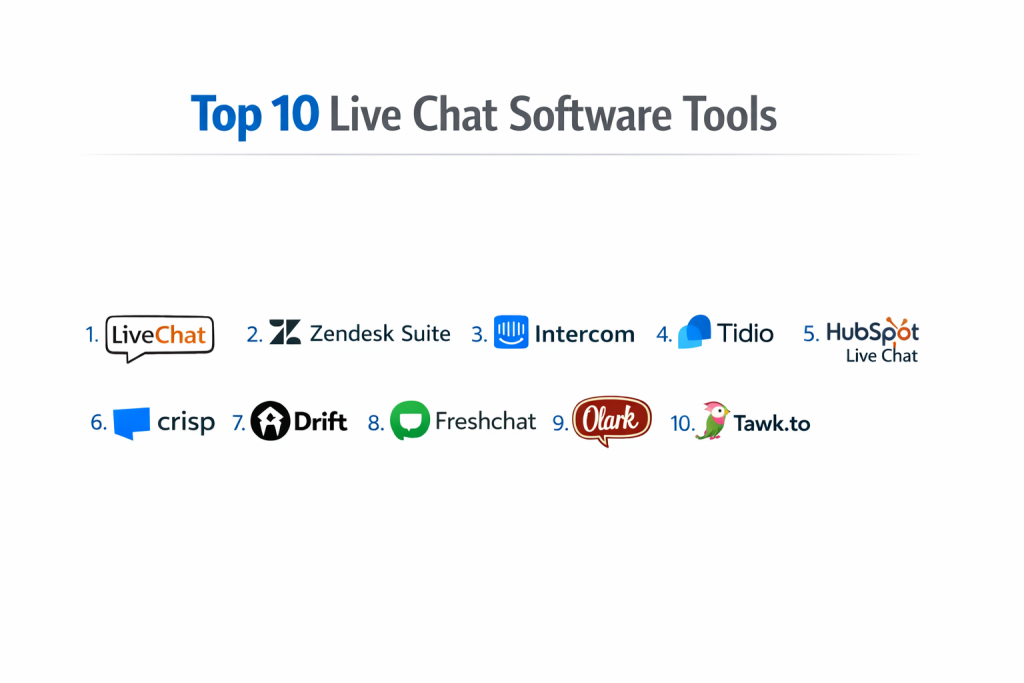
Top 10 Live Chat Software Tools
1 — LiveChat
LiveChat is a professional, clean, and highly reliable platform designed for teams that handle a high volume of customer inquiries. It focuses on making the agent’s job easier while providing a smooth experience for the visitor. It is built to be “chat-first,” meaning it isn’t just an add-on to another service; it is the main focus of the company.
- Message Sneak-Peek: See what the customer is typing before they even hit the “send” button so you can start looking up the answer.
- Canned Responses: Save common answers to frequently asked questions for one-click replies.
- Chat Tags: Organize chats by category (e.g., “Sales” or “Support”) for better tracking.
- Rich Messages: Send product cards, buttons, and images directly in the chat window.
- File Sharing: Allow customers to upload screenshots or documents to explain their issues.
- Targeted Greetings: Set rules to automatically pop up a message based on how long a user stays on a page.
- Eye-Catchers: Use small images or animations to draw the visitor’s attention to the chat bubble.
Pros
- Very stable and rarely experiences downtime, which is vital for big stores.
- The “Sneak-Peek” feature helps agents prepare answers much faster.
- The interface is very clean and does not feel cluttered.
Cons
- The pricing can be high for very small teams because you pay per “seat.”
- Some advanced reporting features are locked behind the more expensive plans.
Security & compliance: SOC 2 Type II, HIPAA (on certain plans), GDPR, and PCI DSS compliance.
Support & community: Offers 24/7/365 live chat support, a deep knowledge base, and an active developer community.
2 — Zendesk Suite
Zendesk is a giant in the customer service world. Their live chat is part of a larger system that manages emails, phone calls, and social media messages all in one place. It is designed for “omnichannel” support, meaning the customer can start a chat on your site and finish it over email without losing the history of the conversation.
- Unified Agent Workspace: Switch between chat, email, and phone without leaving the screen.
- AI-Powered Answer Bot: Automatically suggests help articles to customers before a human joins.
- Integrated Ticketing: Easily turn a chat conversation into a support ticket for follow-up later.
- Multilingual Support: Automatically translates messages to help customers in different languages.
- Customizable Branding: Change every color and button to match your company’s look perfectly.
- Detailed Analytics: Track how fast your team responds and how happy customers are with deep data charts.
Pros
- Excellent for large companies that need to manage thousands of chats and multiple departments.
- The mobile app is very robust and easy to use for team leads.
Cons
- Can be very complex and time-consuming to set up for the first time.
- The interface might feel overwhelming for a small business with simple needs.
Security & compliance: ISO 27001, SOC 2, HIPAA, GDPR, and FedRAMP compliant.
Support & community: Large global community, professional onboarding services, and extensive training documentation.
3 — Intercom
Intercom focuses on “conversational marketing.” It is built to help you talk to customers not just for support, but to guide them through your product and help them buy more. It feels more like a modern messaging app (like WhatsApp) than a traditional business tool.
- Business Messenger: A modern chat window that looks like a phone messaging app and keeps a history of the chat.
- Product Tours: Guide new users through your website with automated pop-ups and step-by-step instructions.
- Fin AI Agent: A highly advanced bot that resolves many common questions automatically using your help articles.
- Outbound Messaging: Send proactive messages to users based on their behavior (e.g., if they haven’t logged in for a week).
- Team Inbox: A shared space where multiple staff members can collaborate on one chat and leave private notes for each other.
- App Store: Connects with over 300 different apps like Slack, Salesforce, and HubSpot.
Pros
- The design is beautiful and feels very modern to the end user.
- Great for software companies (SaaS) that need to onboard new users and explain features.
Cons
- Pricing is often based on how many people you talk to, which can lead to “sticker shock” as you grow.
- The many features can make it difficult to learn where everything is.
Security & compliance: SOC 2 Type II, GDPR, and HIPAA compliant.
Support & community: Strong online academy (Intercom Academy) and responsive chat support.
4 — Tidio
Tidio is a popular choice for small businesses and e-commerce stores using platforms like Shopify or WordPress. It is simple to install and focuses on merging chat with automated bots that can take orders or check stock.
- Live Visitor List: See who is on your website right now, what city they are in, and what page they are looking at.
- Visual Chatbot Builder: Use a “drag and drop” tool to create bots without writing a single line of code.
- Multichannel Inbox: View messages from Facebook Messenger, Instagram, and your website in one spot.
- Pre-Chat Surveys: Collect names and emails before the chat even starts so you can follow up later.
- Mobile App: Get notifications on your phone so you never miss a lead, even if you are away from your desk.
Pros
- Very easy for beginners to set up in under five minutes.
- Has a generous free version for very small sites that just need basic chat.
Cons
- The chat widget branding is hard to remove on lower-cost plans.
- Not as many deep reporting features as enterprise tools for tracking agent productivity.
Security & compliance: GDPR compliant; SSL encryption used for all data.
Support & community: Good documentation and email/chat support available during business hours.
5 — HubSpot Live Chat
HubSpot offers a free live chat tool that is built directly into its CRM (Customer Relationship Management) system. This means every chat is automatically saved to the customer’s profile, giving you a full history of their relationship with your business.
- CRM Integration: Automatically creates a contact record for every person who chats.
- Targeted Welcome Messages: Show different messages to returning customers vs. new ones.
- Meeting Scheduler: Allow customers to book a meeting with you directly through the chat window.
- Chatbots for Qualification: Bots can ask basic questions to see if a lead is “warm” before a human takes over.
- Email Sync: If you go offline, the chat continues via email seamlessly so the conversation doesn’t die.
Pros
- Completely free to start using and scales as you grow.
- Perfect if you are already using HubSpot for your marketing or sales.
Cons
- The chat widget is a bit basic compared to specialized tools like LiveChat.
- You have to pay for a higher HubSpot tier to remove their branding and access advanced automation.
Security & compliance: SOC 2, GDPR, and ISO 27001 compliant.
Support & community: Massive user community and excellent knowledge base.
6 — Crisp
Crisp is known for being a fast and lightweight chat tool. It is often used by startups and small teams who want a simple way to stay in touch with their users without a bulky interface or slowing down their site speed.
- MagicBrowse: See exactly what the customer sees on their screen (and even move their mouse) to help them navigate.
- Live Translate: Chat with customers in their native language with real-time translation for dozens of languages.
- Knowledge Base Integration: Search your help articles from within the chat window to send links quickly.
- Shared Inbox: Centralize email, chat, and social media into one single view.
- Video & Audio Chat: Switch from text to a voice or video call with one click (on higher plans).
Pros
- The “MagicBrowse” feature is incredibly helpful for technical support and troubleshooting.
- The software is very fast and doesn’t slow down website loading.
Cons
- The free plan is limited to only two seats.
- The user interface can feel a bit crowded when many features are turned on.
Security & compliance: GDPR compliant; data hosted in Europe.
Support & community: Responsive chat support and a very clear help center.
7 — Drift
Drift is a premium tool designed specifically for B2B (business-to-business) sales. It uses “conversational AI” to qualify leads and book meetings for sales teams while they sleep. It is more of a digital salesperson than a support tool.
- Lead Qualification Bots: Asks visitors questions to see if they are the right fit for your service.
- VIP Greeting: Recognize when a high-value prospect visits your site and notify a sales rep immediately.
- Account-Based Marketing (ABM): Show custom messages to specific companies you are targeting.
- Revenue Reporting: See exactly how much money your chat conversations are generating for the business.
- Video Messaging: Send personalized videos to prospects through the chat box.
Pros
- Focuses heavily on making money and generating sales leads.
- The AI is very good at acting like a human “gatekeeper” to filter out low-quality leads.
Cons
- One of the most expensive options on the market.
- Not really intended for simple “how-to” customer support or small businesses.
Security & compliance: SOC 2 Type II and GDPR compliant.
Support & community: High-end enterprise support and specialized strategy consulting.
8 — Freshchat (by Freshworks)
Freshchat is a modern messaging tool that focuses on “always-on” support. It is part of the Freshworks family, making it easy to use alongside their other business tools like Freshdesk.
- IntelliAssign: Automatically routes chats based on which agent has the least work or the right skills.
- Co-Browsing: Remotely view and control the customer’s screen (with permission) to solve problems.
- Campaigns: Trigger messages based on what a user does (e.g., spending 2 minutes on the checkout page).
- Unified Messaging: Manage WhatsApp, Apple Business Chat, and Line in one dashboard.
- Priority Inbox: Surfaces the most urgent messages so you see them first.
Pros
- The interface is very clean and easy for agents to learn in one afternoon.
- Great value for the price, especially for mid-sized teams.
Cons
- Some users report that the mobile app can be a bit glitchy on older phones.
- Integration with non-Freshworks tools can sometimes be tricky to set up.
Security & compliance: ISO 27001, SOC 2, and GDPR compliant.
Support & community: 24/5 support across multiple channels and a solid user forum.
9 — Olark
Olark is one of the oldest and most trusted names in live chat. It prides itself on being “human-friendly” and keeping things simple so you can focus on the conversation. It is great for teams that don’t want to deal with complex AI.
- Automated Messages: Send greetings based on page, location, or referring site.
- Real-Time Dashboards: Monitor chat volume and agent responsiveness as it happens.
- Transcript Searching: Easily find old conversations using keywords to see what was promised.
- Simple Customization: Use a simple editor to change the look of your chat box without code.
- PowerUps: Add specific features like “Co-browsing” or “Visitor Insights” only if you need them.
Pros
- Very straightforward; no unnecessary bells and whistles.
- Excellent for smaller teams that just want to talk to customers without a complex setup.
Cons
- Lacks the advanced AI and automation found in newer tools like Intercom.
- The design of the chat box can look a bit dated compared to modern competitors.
Security & compliance: GDPR and PCI compliant; Varies for other standards.
Support & community: Friendly, human support team and a clear “how-to” library.
10 — Tawk.to
Tawk.to is unique because it is completely free. There are no limits on the number of agents or chats you can have. They make money by offering “hired agent” services—you pay them to have their staff answer your chats.
- Unlimited Everything: No cap on agents, chats, or sites on the free plan.
- Real-Time Monitoring: See where your visitors are coming from and what they are clicking.
- Built-in Ticketing: Manage follow-up tasks when you are away.
- Canned Shortcuts: Type a few letters to fill in a long, pre-written answer.
- Knowledge Base: Create a free help center that links directly to your chat bubble.
Pros
- The price is impossible to beat (it’s free).
- Very easy to install and works on almost any website platform.
Cons
- The interface is a bit clunky and looks like older software.
- To remove the “Powered by Tawk.to” label, you have to pay a small monthly fee.
Security & compliance: GDPR compliant; SSL encryption.
Support & community: 24/7 support and a very large user base.
Comparison Table
| Tool Name | Best For | Platform(s) Supported | Standout Feature | Rating (Gartner) |
| LiveChat | High-volume Support | Web, iOS, Android, Desktop | Message Sneak-Peek | 4.6 / 5 |
| Zendesk | Large Enterprises | Web, iOS, Android, Desktop | Unified Agent Workspace | 4.4 / 5 |
| Intercom | Software (SaaS) | Web, iOS, Android | Advanced AI Bots (Fin) | 4.5 / 5 |
| Tidio | Small E-commerce | Web, iOS, Android, Shopify | Visual Bot Builder | 4.4 / 5 |
| HubSpot | CRM Users | Web, iOS, Android | Deep CRM Integration | 4.4 / 5 |
| Crisp | Tech Startups | Web, iOS, Android, Desktop | MagicBrowse Screen View | 4.7 / 5 |
| Drift | B2B Sales Teams | Web, iOS, Android | Lead Qualification AI | 4.6 / 5 |
| Freshchat | Multichannel Support | Web, iOS, Android | IntelliAssign Routing | 4.1 / 5 |
| Olark | Simple Human Chat | Web | Targeted PowerUps | 4.7 / 5 |
| Tawk.to | Budget-Conscious | Web, iOS, Android | 100% Free Forever | N/A |
Evaluation & Scoring
To give you a better idea of how these tools rank against each other, we have scored them based on seven key factors.
| Metric (Weight) | LiveChat | Zendesk | Intercom | Tidio | HubSpot |
| Core Features (25%) | 9/10 | 10/10 | 10/10 | 8/10 | 7/10 |
| Ease of Use (15%) | 9/10 | 6/10 | 7/10 | 10/10 | 9/10 |
| Integrations (15%) | 10/10 | 10/10 | 9/10 | 8/10 | 10/10 |
| Security (10%) | 9/10 | 10/10 | 9/10 | 7/10 | 9/10 |
| Performance (10%) | 10/10 | 9/10 | 9/10 | 9/10 | 8/10 |
| Support (10%) | 10/10 | 8/10 | 8/10 | 7/10 | 9/10 |
| Price / Value (15%) | 7/10 | 6/10 | 5/10 | 9/10 | 10/10 |
| Total Weighted Score | 9.0 | 8.4 | 8.5 | 8.3 | 8.5 |
Common Mistakes to Avoid
When companies first start using live chat, they often make these three mistakes:
- Leaving the chat “Online” when no one is there: This frustrates customers. If you are away, set the status to “Offline” or use a bot.
- Being too robotic: Customers use chat because they want a human touch. Avoid using too many scripts; let your staff speak naturally.
- Slow response times: If a customer has to wait more than 2 minutes for a “Live” chat, they will likely leave your site.
Best Practices for Live Chat
To get the most out of your software, follow these simple rules:
- Use a real photo: Seeing a real person’s face in the chat bubble makes the customer feel more comfortable.
- Keep it short: Chat is not the place for long essays. Use short sentences and bullet points.
- Ask for feedback: Always have a small “thumbs up/thumbs down” rating at the end of the chat to see how your team is doing.
- Use “Internal Notes”: If you need to pass a customer to a colleague, use the internal note feature to explain the problem so the customer doesn’t have to repeat themselves.
Which Live Chat Software Tool Is Right for You?
Choosing the “best” tool depends entirely on your specific situation. Here is a simple guide to help you decide.
Solo users vs SMB vs mid-market vs enterprise
- Solo Users: You need a mobile app so you can answer while doing other tasks. Tidio or Tawk.to are great.
- SMB (Small Business): You need a balance of features and price. LiveChat or Freshchat fit perfectly.
- Enterprise: You need security and department routing. Zendesk is the clear winner for scale.
Budget-conscious vs premium solutions
- Free/Low Budget: Tawk.to or HubSpot.
- High Budget (for more Sales): Drift or Intercom. These are investments that pay for themselves through better lead generation.
Feature depth vs ease of use
- If you want a tool that “just works” out of the box, go with Olark.
- If you want a tool that can be customized into a complex machine, go with Zendesk.
Frequently Asked Questions (FAQs)
1. Is live chat better than email support?
Live chat is usually faster for the customer, but email is better for long, complex problems that require research. Most businesses use both: chat for quick questions and email for detailed follow-ups.
2. Do I need to be online 24/7 to use live chat?
No. Most tools allow you to set “office hours.” When you are away, the chat box can either disappear or turn into a contact form that sends an email to your inbox.
3. Will live chat slow down my website?
If you choose a quality tool like Crisp or LiveChat, the impact is very small. These tools are designed to load “asynchronously,” meaning the rest of your website loads first before the chat box appears.
4. Can I use live chat on my phone?
Yes, almost every tool listed has a mobile app. This lets you reply to customers while you are away from your desk or even on the go.
5. Is it hard to install live chat?
Usually, it is very easy. You just copy a small piece of code and paste it into your website’s header or footer. If you use WordPress or Shopify, you can often just install a plugin or app.
6. Can chatbots replace human agents?
Bots are great for answering simple questions like “Where is my order?” or “What are your hours?” However, for complex problems or frustrated customers, a human is still much better.
7. Is my customer’s data safe in a chat?
Reputable tools use encryption and follow laws like GDPR to keep data safe. Always check if a tool is “SOC 2 compliant” if you handle very sensitive information.
8. How many agents do I need?
This depends on your traffic. A single agent can usually handle 3 to 5 chat conversations at the same time. If you have a busy site, you may need a small team.
9. Can I see what a customer is doing on my site during a chat?
Yes, tools like Crisp and Freshchat offer “Co-browsing” or “Visitor Monitoring,” which lets you see which page the customer is looking at in real-time.
10. What is a “Canned Response”?
It is a pre-written message for a common question. Instead of typing “Our shipping takes 3-5 business days” every time, you can just click a shortcut to send that sentence instantly.
Conclusion
Live chat software is no longer a “luxury” for big companies; it is a basic requirement for any business that wants to be helpful and modern. Whether you choose a free tool like Tawk.to to get started or a powerhouse like Zendesk to manage a global team, the goal is the same: being there for your customers when they need you.
When making your final choice, don’t just look at the price. Think about how easy the tool is for your staff to use every day. A tool that saves your agents 30 seconds on every chat can end up saving you thousands of dollars in the long run. Start with a free trial of two or three options to see which one feels right for your team’s workflow.