Introduction
A Library Management System (LMS), also frequently referred to as an Integrated Library System (ILS), is a specialized software suite designed to manage the core administrative tasks of a library. At its heart, an LMS acts as a centralized database that tracks every book, digital resource, and media file within a collection, alongside a detailed registry of the patrons who borrow them. From the moment a new book is purchased (acquisitions) to the day it is cataloged, shelved, and eventually borrowed (circulation), the LMS provides the digital framework that keeps the entire process organized and searchable.
The importance of these systems has shifted dramatically as libraries transition from physical-only spaces to hybrid hubs of information. A modern LMS does not just track paper books; it manages digital licenses, inter-library loans, and even community events. Without a robust system, library staff would be buried under manual data entry, leading to lost inventory, inaccurate records, and a frustrating experience for patrons. By automating repetitive tasks like fine calculation and overdue notices, an LMS frees librarians to focus on high-value work, such as research assistance and community literacy programs.
Key Real-World Use Cases
- Unified Resource Discovery: Patrons can search a single interface to find physical books, e-books, and academic journals simultaneously.
- Self-Service Checkouts: Integration with RFID and barcode hardware allows students or public users to check out materials without staff assistance.
- Consortium Sharing: Multiple libraries in a region or university system can share a single database, allowing a patron at one branch to request a book from another.
- Automated Acquisitions: The system can automatically notify vendors when stock is low or manage complex subscriptions to digital databases.
- Data-Driven Collection Management: Librarians use reporting tools to see which books are never borrowed, helping them decide which items to “weed” to make room for new materials.
What to Look For (Evaluation Criteria)
When selecting an LMS, you should evaluate candidates based on these pillars:
- Cataloging Standards: Does it support international standards like MARC21, RDA, and Z39.50 to ensure data can be shared and moved easily?
- User Interface (OPAC): Is the Online Public Access Catalog (OPAC) mobile-friendly and easy for a 7-year-old or an 80-year-old to navigate?
- Cloud vs. On-Premise: Does the library have the IT staff to maintain a local server, or is a SaaS (Software as a Service) model more sustainable?
- Reporting and Analytics: Can you easily generate a report for a board meeting that shows circulation trends by genre?
- Integration Capabilities: Does it connect with other school or city systems, such as student IDs or online payment gateways?
Best for:
- K-12 and Academic Institutions: Schools and universities that need to manage large volumes of resources and integrate with student databases.
- Public Libraries: Cities and counties requiring robust patron management and community engagement tools.
- Corporate and Legal Libraries: Specialized organizations that need to track high-value research materials and digital assets.
Not ideal for:
- Personal Home Collections: If you just want to track your 200 books at home, a spreadsheet or a simple mobile app is more cost-effective.
- Small Book Clubs: Groups that do not need formal circulation rules, fines, or complex cataloging standards.
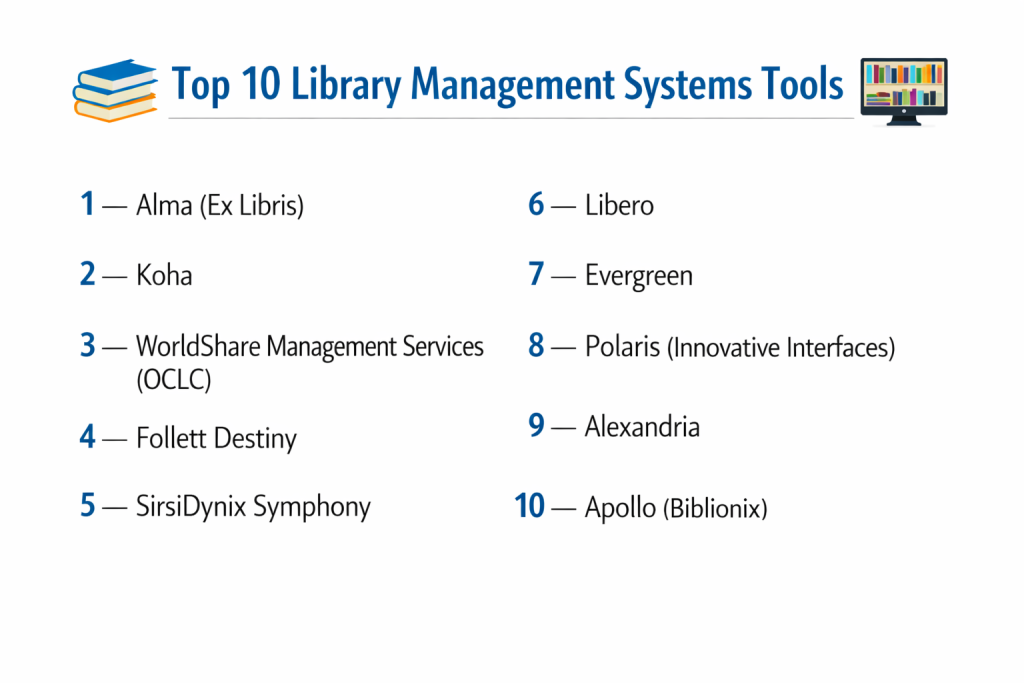
Top 10 Library Management Systems Tools
1 — Alma (Ex Libris)
Alma is widely considered the industry leader for large-scale academic and research libraries. It is a cloud-based service platform that unifies the management of print, electronic, and digital resources into a single interface.
- Key features:
- Unified resource management for all formats (print, e-books, digital).
- Advanced analytics powered by Oracle Business Intelligence.
- Collaborative networks for resource sharing between universities.
- Seamless integration with the Primo discovery layer.
- Automated workflows for acquisitions and metadata management.
- Cloud-native architecture with multi-tenant security.
- Pros:
- Incredible data depth; perfect for academic librarians who need precise control.
- Eliminates the need for separate systems for digital vs. physical assets.
- Cons:
- Extremely high price point, making it inaccessible for small libraries.
- A very steep learning curve that requires professional training.
- Security & compliance: ISO 27001, SOC 2 Type 2, GDPR, and FedRAMP compliant.
- Support & community: High-tier professional support, extensive documentation, and a massive global user group (ELUNA).
2 — Koha
Koha is the world’s first free and open-source library management system. It is highly flexible and used by libraries of all sizes, from small rural branches to massive university consortia.
- Key features:
- Full-featured ILS with modules for circulation, cataloging, and acquisitions.
- Web-based interface accessible from any browser.
- Strong adherence to library standards (MARC21, UNIMARC, Z39.50).
- Built-in offline circulation for when the internet goes down.
- Customizable OPAC with social media integration.
- Multilingual support for over 50 languages.
- Pros:
- No licensing fees, which is a massive win for budget-constrained libraries.
- Highly customizable; if you have a developer, you can make it do anything.
- Cons:
- Requires technical expertise to host and maintain (or a paid support contract).
- The user interface can look a bit “utilitarian” compared to premium SaaS tools.
- Security & compliance: Varies by host; supports SSL/TLS and robust user permission levels.
- Support & community: Vibrant global community, IRC channels, and several specialized vendors that offer paid support.
3 — WorldShare Management Services (OCLC)
Built on the power of the WorldCat database, WorldShare Management Services (WMS) allows libraries to share the work of cataloging and resource sharing on a global scale.
- Key features:
- Direct integration with WorldCat for rapid, one-click cataloging.
- Global inter-library loan (ILL) capabilities.
- Integrated license manager for digital subscriptions.
- Single-search discovery layer for patrons.
- Cloud-based infrastructure requiring zero local maintenance.
- Pros:
- Saves hours of cataloging time by pulling metadata from a global shared database.
- Excellent for resource-sharing groups and consortia.
- Cons:
- The “global” nature means less control over some local metadata customizations.
- Ongoing subscription costs can be significant.
- Security & compliance: ISO 27001 certified; GDPR and FERPA compliant.
- Support & community: 24/7 technical support and an active “OCLC Community Center.”
4 — Follett Destiny
Follett Destiny is the dominant player in the K-12 school market. It is specifically designed to handle the unique needs of school districts, including textbook tracking and student privacy.
- Key features:
- Destiny Library Manager for book collections and Destiny Resource Manager for school assets (laptops, etc.).
- Integration with school SIS (Student Information Systems) for automated student rosters.
- “Collections by Destiny” for teachers to curate digital resources for lessons.
- OneSearch tool to search databases and the library catalog at once.
- Mobile app for students to search and hold books.
- Pros:
- The interface is incredibly student-friendly and intuitive.
- Perfect for district-wide management where one admin oversees 50 schools.
- Cons:
- Can feel “locked down” for advanced academic or specialized needs.
- Mobile apps occasionally suffer from syncing delays.
- Security & compliance: Fully FERPA and COPPA compliant to protect student data.
- Support & community: Robust training videos, regional workshops, and dedicated school-focused support.
5 — SirsiDynix Symphony
Symphony is a heavy-duty, enterprise-grade ILS that serves some of the largest public and academic library systems in the world.
- Key features:
- BLUEcloud suite for modern, web-based staff operations.
- Advanced “Enterprise” discovery layer with faceted search.
- Multi-tenant architecture for large library consortia.
- Comprehensive mobile app for patrons (BC Mobile).
- Robust web services API for custom third-party integrations.
- Pros:
- Highly scalable; it handles millions of transactions without breaking a sweat.
- Extremely deep configuration options for circulation rules.
- Cons:
- The back-end can be complex to navigate for casual users.
- Premium features often require additional modules/costs.
- Security & compliance: SOC 2 compliant; supports MFA and encrypted data transfers.
- Support & community: High-quality “SirsiDynix Institute” for training and a strong user group network (COSUGI).
6 — Libero
Libero is a cloud-native platform that focuses on “automated smart flows,” making it a favorite for public libraries that want to minimize administrative overhead.
- Key features:
- Fully browser-based interface requiring no local installation.
- Automated “Smart Flows” for repetitive administrative tasks.
- Integrated email and SMS notification system for patrons.
- Real-time business intelligence and reporting dashboards.
- Mobile-first OPAC design.
- Pros:
- Very modern, clean interface that feels like modern social media.
- Excellent automation reduces the “clicks” needed for daily tasks.
- Cons:
- Smaller market share in North America compared to Europe/Australia.
- Fewer specialized modules for deep academic research.
- Security & compliance: GDPR ready; hosted on secure, encrypted Australian or local cloud servers.
- Support & community: Known for responsive personal support and a dedicated customer portal.
7 — Evergreen
Evergreen is an open-source ILS originally developed for the PINES system in Georgia. It is built specifically for large library consortia that need to share millions of items across hundreds of branches.
- Key features:
- Built for extreme scalability and high-volume circulation.
- Advanced “Organizational Unit” hierarchy for complex library groups.
- High-quality cataloging with support for massive shared databases.
- Open-source community driven by public library needs.1
- Flexible booking and serials modules.2
- Pros:3
- The best open-source option for massive consortia (better than Koha for very large scales).4
- No licensing costs and a “community-first” development model.5
- Cons6:
- Very technical installation and maintenance requirements.
- The staff client interface can feel dated and dense.
- Security & compliance: Supports standard encryption; compliance is the responsibility of the host.
- Support & community: Dedicated mailing lists, annual conferences, and professional support vendors.
8 — Polaris (Innovative Interfaces)
Polaris is widely praised for its high-performance circulation and is a top pick for busy public library systems that need to move books quickly.
- Key features:
- Native Windows-based staff client and a web-based interface (LEAP).
- Integrated community profiles and event management.
- Automated material handling (AMH) system integration.
- Strong “Outreach” module for homebound and mobile services.
- Advanced “PowerPAC” discovery for patrons.
- Pros:
- Known for having the fastest “Check-in/Check-out” workflow in the industry.
- Excellent at managing high volumes of physical holds and transfers.
- Cons:
- Primarily focused on public libraries; less effective for academic e-resource management.
- The dual-interface (Client + Web) can be confusing for staff.
- Security & compliance: SOC 2 compliant; follows industry-standard data protection protocols.
- Support & community: Reliable 24/7 support and an active user group (IUG).
9 — Alexandria
Alexandria is a versatile, web-native LMS that is popular in schools and specialized libraries (like legal or medical libraries) due to its simplicity and flexibility.
- Key features:
- 100% web-based with no apps or plugins required.
- Built-in hosting options (SaaS) that take the burden off IT.
- “Bulletin Boards” for library news and book reviews.
- Integrated “Activity” tracking for student research hours.
- Support for multiple languages and specialized taxonomies.
- Pros:
- One of the fastest setups; you can be up and running in days.
- The visual search for children is outstanding.
- Cons:
- Lacks the “deep” global database integration of WorldShare.
- Analytics are good but not as customizable as Alma.
- Security & compliance: FERPA and GDPR compliant; uses 256-bit SSL encryption.
- Support & community: Award-winning 24/7 live support—one of the few with “real humans” on the phone.
10 — Apollo (Biblionix)
Apollo is a “pure SaaS” system designed exclusively for small to medium-sized public libraries. It won’t work for schools or universities, but it is a powerhouse for public branches.
- Key features:
- Pure SaaS model—no hardware or local software to maintain ever.
- “VersaCard” for easy resource sharing between neighboring libraries.
- Automated “New Item” alerts for patrons via email/text.
- Clean, uncluttered interface focused on core public library tasks.
- Fast, real-time updates across the entire system.
- Pros:
- Highest customer satisfaction ratings in the industry for years.
- Extremely affordable for small towns and rural libraries.
- Cons:
- Will not work for schools, academic, or special libraries.
- Feature set is intentionally limited to stay simple.
- Security & compliance: Hosted in secure data centers with automatic daily backups and SSL.
- Support & community: Legendary support; they are known for fixing issues in minutes, not days.
Comparison Table
| Tool Name | Best For | Platform(s) Supported | Standout Feature | Rating |
| Alma | Large Academic | Cloud-only | Unified Print/E-resource | N/A |
| Koha | Customization | Web / Self-hosted | Open-Source Flexibility | N/A |
| WorldShare | Resource Sharing | Cloud-only | Global WorldCat Integration | N/A |
| Follett Destiny | K-12 Schools | Cloud / On-prem | District-wide Asset Tracking | N/A |
| SirsiDynix | Large Public | Web / Windows | Enterprise Scalability | N/A |
| Libero | Automation | Cloud-only | Automated “Smart Flows” | N/A |
| Evergreen | Massive Consortia | Web-based | Multi-Branch Power | N/A |
| Polaris | Busy Public Libs | Windows / Web | High-Speed Circulation | N/A |
| Alexandria | Small-Mid School | Cloud-only | Web-Native Simplicity | N/A |
| Apollo | Small Public | Cloud-only | Pure SaaS / Ease of Use | N/A |
Evaluation & Scoring of Library Management Systems
| Criteria | Weight | Score (1-10) | Explanation |
| Core Features | 25% | 9 | Cataloging and circulation are now highly mature across all tools. |
| Ease of Use | 15% | 7 | Some enterprise tools still have clunky back-ends, but OPACs are improving. |
| Integrations | 15% | 8 | Most tools now offer robust APIs for connecting to external databases. |
| Security | 10% | 10 | Security is paramount; SOC 2 and GDPR compliance are now standard. |
| Performance | 10% | 8 | Cloud reliability is high, though some open-source setups can lag. |
| Support | 10% | 9 | Support is a competitive differentiator; many vendors offer 24/7 help. |
| Price / Value | 15% | 7 | Premium tools are expensive, but open-source offers a low-cost path. |
Which Library Management Systems Tool Is Right for You?
Small to Mid-Market vs. Enterprise
For a small town library or a single school, Apollo or Alexandria are the clear winners. They don’t require an IT department to manage. On the other end, if you are a major university or a county with 40 branches, you need the enterprise “muscle” of Alma or SirsiDynix Symphony. These systems are built to handle hundreds of simultaneous users and millions of database queries without slowing down.
Budget and Value
If your budget is effectively zero, the Koha or Evergreen “free” path is your only option. However, remember that “free” software often requires “expensive” people to maintain it. If you have a moderate budget, Follett Destiny or Libero provide a balanced value, offering modern features without the six-figure price tag of elite academic systems.
Technical Depth vs. Simplicity
Are your staff professional librarians with Master’s degrees, or are they volunteers and student workers? If they are professionals, they will appreciate the technical depth of Alma’s metadata tools. If they are volunteers, they will find Apollo or Netop much less intimidating. Choosing a system that is too complex for your staff is the #1 reason for implementation failure.
Security and Compliance Requirements
In an era of data privacy, this is non-negotiable. If you are a school, Follett Destiny is built for student privacy laws (FERPA). If you are in Europe, Libero or Koha (hosted locally) ensure you meet strict GDPR data residency requirements. Always ask where the data is physically stored before signing a contract.
Frequently Asked Questions (FAQs)
What is the difference between an ILS and an LMS?
In the library world, they are essentially the same thing. “ILS” (Integrated Library System) is the traditional term, while “LMS” (Library Management System) is becoming more common as these platforms expand to manage digital and non-book assets.
Can I switch from my old system to a new one easily?
“Easy” is a strong word, but most modern systems allow for MARC record migration. The challenge is usually moving patron data and history, which requires a specialized migration service from the vendor.
Do I need a local server to run a library system?
Not anymore. Most modern tools (like Alexandria and Apollo) are “Cloud-Native,” meaning you only need an internet browser to access them. This eliminates the cost of buying and maintaining hardware.
How much does a Library Management System cost?
Pricing varies wildly. Open-source is free for the license. Small libraries might pay $1,000–$3,000 per year for SaaS. Large universities can pay over $100,000 per year for a system like Alma.
Can these systems manage e-books?
Yes. Most modern systems integrate with e-book providers like OverDrive or Libby, allowing patrons to “check out” a digital book directly from the library’s catalog.
Is technical support included in the price?
For SaaS (Cloud) models, support is almost always included in the annual fee. for open-source (Koha/Evergreen), you either rely on the community for free or pay a vendor for a support contract.
Can the system help with my library inventory?
Yes. Most systems have an “Inventory” or “Audit” module. You can use a wireless barcode scanner to walk through the shelves, and the system will tell you which books are missing or in the wrong place.
What is an OPAC?
It stands for Online Public Access Catalog. It is the “patron-facing” side of the software that allows your users to search for books, place holds, and check their account status from home.
Can I use the system on my phone?
Yes, most modern LMS platforms are “responsive,” meaning they work on mobile browsers. Many also offer dedicated apps for both library staff and patrons.
How do I handle fines and payments?
Most systems automatically calculate fines based on your rules. Many can integrate with payment processors like PayPal or Square so patrons can pay their late fees online.
Conclusion
Choosing a Library Management System is one of the most significant decisions a library will make. It is not just about choosing software; it is about choosing the “brain” that will power your institution for the next decade. The key takeaway is that the “best” system is entirely dependent on your library’s specific context. A tool that is perfect for a small rural branch (like Apollo) would be a disaster for a major research university, and vice versa.
When making your choice, look beyond the feature list and focus on the support community and the long-term total cost of ownership. A system is only as good as your staff’s ability to use it effectively. By prioritizing ease of use, data security, and standard compliance, you ensure that your library remains a vital, efficient, and welcoming resource for your community.