Introduction
Legal Time & Billing Software is a specialized type of program designed specifically for law firms and legal departments. Its main job is to track the time lawyers and paralegals spend on client work, and then turn that time into accurate invoices. Think of it as the central nervous system for a law firm’s finances—it captures every billable minute and manages the entire process of getting paid.
This software is critically important because a law firm’s product is time and expertise. If you don’t track time accurately, you lose revenue. If you bill inefficiently, you strain client relationships. This software automates these core business tasks, reduces billing errors, speeds up payments, and provides deep insights into a firm’s profitability. Real-world use includes a solo attorney tracking time from their phone, a mid-size firm applying complex billing rules for different clients, and a large corporate legal department managing budgets and matter costs.
When choosing a tool, you should look for: accurate and easy time tracking, flexible billing options (hourly, flat fee, contingency), strong reporting on finances and productivity, trust accounting features, the ability to accept online payments, and how well it connects with other tools you use, like your calendar or document management system.
Best for: This software is essential for lawyers, law firm administrators, billing specialists, and managing partners. It benefits solo practitioners all the way up to large multinational law firms. Corporate legal departments also use it to track internal and external legal spend. Any professional who bills for their time in the legal sector is the primary user.
Not ideal for: Other professionals who bill hourly (like consultants or freelancers) might find legal-specific features unnecessary and can use simpler, general time-tracking and invoicing apps. Very small teams or new solos on an extreme budget might start with manual spreadsheets, but they will quickly outgrow them as their practice grows.
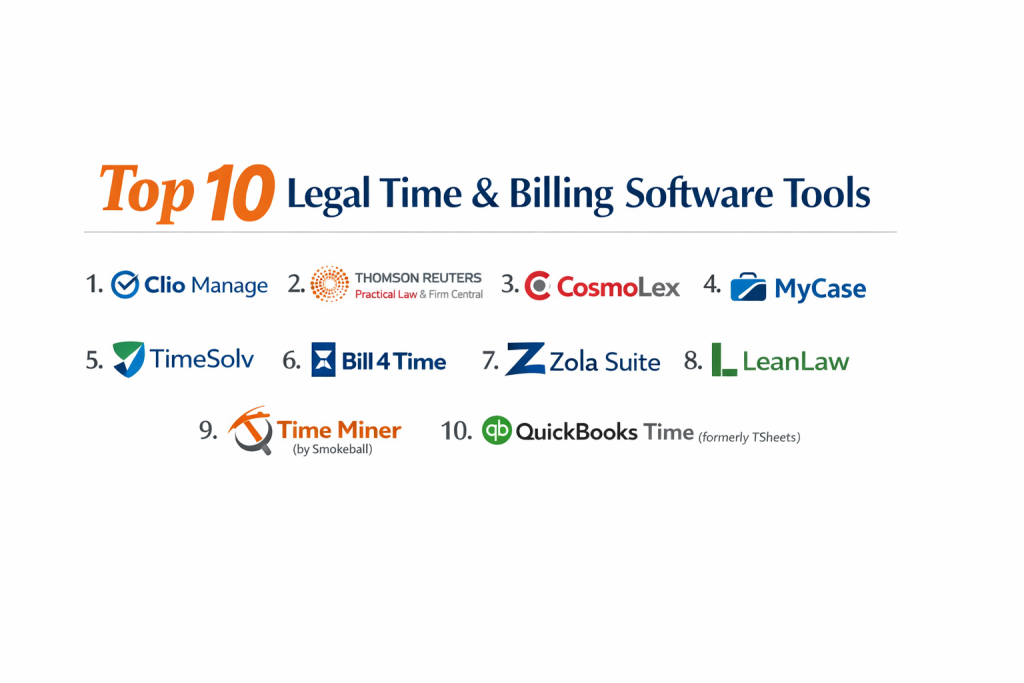
Top 10 Legal Time & Billing Software Tools
1 — Clio Manage
Clio Manage is a cloud-based, all-in-one practice management suite that has time tracking and billing at its core. It’s designed to be the central operating system for modern law firms of all sizes.
Key features:
- One-click timer and manual time entry with detailed descriptions.
- Flexible billing for hourly, flat fee, contingency, and trust-based work.
- Built-in trust (IOLTA) accounting with compliance safeguards.
- Automated invoice generation, delivery, and online payment processing.
- Detailed reports on profitability, timekeeper performance, and accounts receivable.
- Seamless integration with Clio’s own client portal and intake tool (Clio Grow).
- A massive app ecosystem that connects to hundreds of other legal tools.
Pros:
- Exceptionally intuitive and user-friendly interface that requires minimal training.
- The most extensive integration network in the legal tech space.
- Continuously updated with new features and strong mobile apps.
Cons:
- Can become expensive as you add users and premium features.
- Some advanced reporting or customization may require add-ons or workarounds.
- Primarily cloud-based, with limited offline functionality.
Security & compliance: Enterprise-grade security with bank-level encryption, secure data centers, regular audits, and compliance with SOC 2, GDPR, and regulations covering IOLTA trust accounting.
Support & community: Offers extensive online resources, live webinars, 24/5 phone and email support, and a very large, active global user community.
2 — Thomson Reuters Practical Law & Firm Central
Firm Central is a practice management platform from Thomson Reuters, built to integrate deeply with their Westlaw legal research ecosystem. It’s geared towards firms that want a unified legal workflow.
Key features:
- Time tracking with timer and manual entry, linked to matters.
- Robust billing with customizable templates and LEDES format billing.
- Direct integration with Westlaw for easy time capture on research tasks.
- Document management and assembly features.
- Calendar and task management within the platform.
- Basic financial reporting and accounts receivable tracking.
Pros:
- Powerful synergy for firms heavily invested in the Westlaw research platform.
- Strong brand reputation and backing by a large, established legal publisher.
- Comprehensive feature set covering practice management beyond just billing.
Cons:
- The interface can feel less modern and intuitive than some cloud-native competitors.
- Integrations are stronger within the Thomson Reuters ecosystem than with third-party apps.
- Pricing is often at a premium and can be complex.
Security & compliance: High security standards from a major provider, including data encryption, secure access, and compliance with SOC 2 and other industry standards.
Support & community: Access to Thomson Reuters’ professional support network. Support quality is generally high but can vary.
3 — CosmoLex
CosmoLex is built from the ground up as an all-in-one solution that combines legal time/billing with built-in legal accounting. It’s designed to eliminate the need for a separate accounting program like QuickBooks.
Key features:
- Unified time tracking, billing, and full-compliance legal accounting in one login.
- Automated trust (IOLTA) accounting with built-in reconciliation and compliance checks.
- Legal-specific financial reports, including three-way reconciliation (bank, trust, general ledger).
- Time tracking with timers, manual entry, and batch time editing.
- Online client payments and credit card processing.
- Task management and basic document storage.
Pros:
- Eliminates the sync errors and complexity of using separate billing and accounting software.
- Powerful trust accounting tools that simplify compliance for lawyers.
- All-inclusive pricing covers both practice management and accounting functions.
Cons:
- The all-in-one approach means less flexibility to choose a separate, preferred accounting system.
- The interface is functional but can be dense due to the accounting features.
- The document management features are not as strong as specialized systems.
Security & compliance: Focus on accounting-grade security with data encryption, audit trails, and compliance with IOLTA rules, SOC 2, and other financial regulations.
Support & community: Known for strong customer support with legal accounting expertise. Offers training webinars and has a dedicated user base.
4 — MyCase
MyCase is a cloud-based practice management software known for its clean design and excellent client-facing features. Its time and billing module is built to be simple and efficient.
Key features:
- Simple start/stop timer and easy time entry forms.
- Straightforward invoice creation with customizable templates.
- A standout client portal where clients can view bills, make payments, and message securely.
- Integrated online payment processing with MyCase Payments.
- Basic but useful profit and loss reporting.
- Calendar, task management, and document storage tied to matters.
Pros:
- Extremely intuitive and easy to learn, with a focus on user experience.
- The client portal and communication tools are top-tier and improve client satisfaction.
- Very competitive and straightforward pricing, especially for small to mid-sized firms.
Cons:
- Lacks some of the deep, advanced billing rules and customization of more complex systems.
- The accounting features are not as robust as dedicated legal accounting software.
- May not scale perfectly for very large firms with highly complex needs.
Security & compliance: Uses strong cloud security measures, including SSL/TLS encryption and secure data centers. Compliant with ABA and IOLTA guidelines and offers data privacy protections.
Support & community: Provides good customer support via phone, email, and chat. Has a helpful knowledge base and an engaged user community.
5 — TimeSolv
TimeSolv is a specialized, cloud-based time tracking and billing solution with a strong reputation for powerful reporting and flexibility. It caters to law firms and other professional services.
Key features:
- Highly configurable time and expense tracking with a powerful timer.
- Advanced billing rules, allowing for tiered rates, discounts, and write-ups/write-downs.
- Exceptionally deep and customizable reporting engine for financial and performance data.
- Robust trust accounting and IOLTA management.
- Integrates with several payment gateways and accounting software (like QuickBooks Online).
- Project budgeting and tracking features.
Pros:
- Unmatched reporting flexibility, allowing firms to analyze data in almost any way they need.
- Handles very complex billing arrangements and rules with ease.
- Strong focus on the core time-to-cash cycle without unnecessary extra modules.
Cons:
- The interface is not the most modern and can have a steeper learning curve.
- It is primarily a billing engine, so firms may need to pair it with other tools for full practice management.
- Mobile experience is functional but not its strongest point.
Security & compliance: Provides enterprise-level security with 256-bit encryption, secure data centers, and compliance with SOC 2 Type II, GDPR, and other standards.
Support & community: Offers responsive support and detailed documentation. Has a loyal user base that values its power and reliability.
6 — Bill4Time
Bill4Time is a straightforward, cloud-based time and billing software built for simplicity and speed. It serves law firms, consultants, and agencies looking for a no-fuss solution.
Key features:
- Easy time tracking with a prominent timer and quick-entry options.
- Streamlined invoice creation and batch billing.
- Integrated online credit card payments.
- Basic expense tracking and reporting.
- Client and matter management.
- Mobile apps for time tracking on the go.
Pros:
- Very simple to set up and use, with minimal training required.
- Clean, intuitive interface that gets users billing quickly.
- Predictable, value-oriented pricing structure.
Cons:
- Lacks the depth of features for complex trust accounting or advanced legal-specific needs.
- Reporting is basic compared to more advanced competitors.
- Integrations with other legal software are more limited.
Security & compliance: Employs standard cloud security practices like SSL encryption and secure data hosting. Specific compliance certifications like SOC 2 are part of their security commitment.
Support & community: Provides standard customer support via phone and email. Resources include a knowledge base and video tutorials.
7 — Zola Suite
Zola Suite is an all-in-one legal practice management platform that emphasizes a unified inbox and deep communication tracking alongside robust time and billing.
Key features:
- Time tracking captured directly from emails, calls, and calendar events.
- Comprehensive billing with flexible rate structures and invoicing.
- Built-in, fully-featured email client and communication tracking.
- Legal-specific accounting with trust management.
- Native document management and calendaring.
- Advanced workflow and automation tools.
Pros:
- Unique strength in tying time and billing directly to all client communications.
- True all-in-one design reduces the need to switch between multiple programs.
- Powerful automation can save significant time on administrative tasks.
Cons:
- The breadth of features can be overwhelming for smaller firms or new users.
- Requires a commitment to using its built-in email and document systems for full benefit.
- Onboarding can be more involved due to the platform’s complexity.
Security & compliance: Enterprise-grade security with data encryption, two-factor authentication, and compliance with SOC 2, GDPR, and IOLTA requirements.
Support & community: Offers dedicated account management for higher-tier plans, along with onboarding assistance and 24/5 support.
8 — LeanLaw
LeanLaw is a time and billing solution designed specifically to integrate perfectly with QuickBooks Online. It’s ideal for law firms that love QuickBooks for accounting but need legal-specific billing features.
Key features:
- Simple time tracking that syncs seamlessly with matters in LeanLaw.
- Legal billing features (trust accounting, IOLTA management) that feed into QuickBooks.
- Automatic sync of invoices, payments, and trust transactions to QuickBooks.
- Focuses on doing a few things very well: time capture, legal billing, and trust accounting.
- Clean reporting on timekeeper productivity and accounts receivable.
Pros:
- Perfect for firms committed to using QuickBooks Online as their accounting system.
- Elegant and simple design that avoids feature bloat.
- Excellent value, as it adds legal billing to a familiar accounting tool.
Cons:
- Only works with QuickBooks Online, not Desktop.
- Lacks broader practice management features like document management or a client portal.
- Not a fit for firms that want to avoid QuickBooks entirely.
Security & compliance: Leverages the security infrastructure of both its own platform and QuickBooks Online. Complies with standard data protection regulations.
Support & community: Known for responsive, personal support. Caters to a niche of QuickBooks-using law firms.
9 — Time Miner (by Smokeball)
Smokeball is practice management software with a unique “automatic time tracking” feature called Time Miner. It’s built for small law firms that want to capture every billable minute without constantly starting/stopping a timer.
Key features:
- Time Miner automatically records time spent on emails, documents, and calls within Smokeball.
- Manual timer and entry options are also available.
- Integrated billing to turn captured time into invoices quickly.
- Extensive library of automated legal forms and document assembly.
- Strong matter management and activity tracking.
Pros:
- Automatic time tracking can significantly increase captured billable hours.
- Huge library of forms saves time on document creation.
- Designed specifically for the workflow of small law firms.
Cons:
- The automatic tracking can feel invasive to some and requires adjustment.
- The ecosystem is somewhat closed, preferring its own integrated features.
- Primarily focused on the small law firm market.
Security & compliance: Uses secure cloud hosting with encryption and offers compliance with data protection standards relevant to small law firms.
Support & community: Provides hands-on training and support, particularly around implementation and use of automatic tracking.
10 — QuickBooks Time (formerly TSheets) with Legal Add-ons
QuickBooks Time is a powerful, general time tracking tool from Intuit. When paired with legal-specific billing software or customized for legal use, it can serve as a robust time capture engine for firms.
Key features:
- Best-in-class GPS, geofencing, and mobile time tracking.
- Highly intuitive timer and timesheet management.
- Strong scheduling and reporting on time data.
- Direct integration with QuickBooks Online and Desktop for accounting.
- Can be used as a front-end time capture tool for legal billing systems.
Pros:
- Arguably the best mobile and GPS time tracking experience on the market.
- Excellent for lawyers who are frequently in court, at client sites, or working remotely.
- Seamless if you are already in the QuickBooks ecosystem.
Cons:
- Not a legal billing system on its own. Requires pairing with another program for trust accounting, legal invoices, and compliance.
- Lacks legal-specific features out of the box.
- Can be an added cost on top of a separate billing system.
Security & compliance: Benefits from Intuit’s strong security and compliance standards, including encryption and access controls.
Support & community: Backed by Intuit’s support resources. Has a large user base across many industries.
Comparison Table
| Tool Name | Best For (target user or scenario) | Platform(s) Supported | Standout Feature | Rating |
|---|---|---|---|---|
| Clio Manage | Modern law firms of all sizes wanting an all-in-one system with top integrations. | Cloud, Web, Mobile, Desktop Apps | Largest App Ecosystem & Ease of Use | High (Market Leader) |
| Thomson Reuters Firm Central | Midsize to large firms deeply integrated with Westlaw for legal research. | Cloud, Web | Deep Westlaw Integration | High (Established Leader) |
| CosmoLex | Firms wanting built-in legal accounting to replace QuickBooks. | Cloud, Web, Mobile | All-in-One Legal Billing & Accounting | High (Strong Niche) |
| MyCase | Small to midsize firms prioritizing client communication and a simple interface. | Cloud, Web, Mobile | Best-in-Class Client Portal & UX | High (User Favorite) |
| TimeSolv | Firms needing powerful, customizable reporting and complex billing rules. | Cloud, Web, Mobile | Most Powerful Reporting Engine | High (Power User Choice) |
| Bill4Time | Law firms and consultants wanting straightforward, affordable time-to-invoice. | Cloud, Web, Mobile | Simplicity & Speed | Medium/High |
| Zola Suite | Firms wanting communication tracking and email deeply tied to time & billing. | Cloud, Web, Mobile | Unified Inbox & Communication-Centric Tracking | Medium/High |
| LeanLaw | Firms committed to QuickBooks Online that need legal billing layered on top. | Cloud, Web | Perfect QuickBooks Online Integration | Medium/High |
| Smokeball (Time Miner) | Small firms wanting to automate time capture via document/email activity. | Cloud, Desktop (Windows) | Automatic Time Tracking (“Time Miner”) | Medium/High |
| QuickBooks Time | Mobile lawyers needing best-in-class GPS tracking, paired with a legal billing system. | Cloud, Web, Mobile | Superior Mobile & GPS Time Tracking | N/A (Specialized Tool) |
Evaluation & Scoring of Legal Time & Billing Software
Use this weighted rubric to score potential tools (1-10) for your firm. Multiply the score by the weight to calculate a total score out of 100.
| Evaluation Category | Weight | What to Look For |
|---|---|---|
| Core Features | 25% | Accuracy of time tracking, billing flexibility (hourly, flat, trust), invoicing ease, trust (IOLTA) accounting tools, and profitability reporting. |
| Ease of Use | 15% | Intuitive interface, minimal clicks to track time/create bills, quality of mobile app, and overall learning curve for your team. |
| Integrations & Ecosystem | 15% | Connections to key tools: email/calendar (Outlook, Gmail), document management, accounting software (QuickBooks), payment processors, and court forms. |
| Security & Compliance | 10% | Data encryption, secure access (SSO, 2FA), audit logs, and compliance with legal standards (IOLTA rules, ABA guidelines, SOC 2, GDPR). |
| Performance & Reliability | 10% | System uptime, speed, ability to handle your firm’s data volume without lag, and quality of mobile app performance. |
| Support & Community | 10% | Responsiveness of support (phone, chat), quality of training/resources, availability of an active user community for peer advice. |
| Price / Value | 15% | Total cost (subscription, per-user fees, transaction costs) relative to the features, efficiency gains, and revenue capture it enables. |
Which Legal Time & Billing Software Tool Is Right for You?
Your firm’s unique profile will point you to the best option:
- Solo Users vs SMB vs Mid-Market vs Enterprise:
- Solo Practitioners: Prioritize simplicity and value. MyCase, Bill4Time, or Clio’s solo plans are excellent starts.
- Small Law Firms (2-10 attorneys): Need a balance of features and ease. MyCase, Clio, CosmoLex, and Smokeball are top contenders.
- Mid-Market Firms (10-50 attorneys): Require robust features and scalability. Clio, TimeSolv, Zola Suite, and Firm Central are strong fits.
- Large/Enterprise Firms (50+ attorneys): Need power, customization, and enterprise support. Firm Central, TimeSolv, and advanced tiers of Clio and Zola Suite are designed for this scale.
- Budget-Conscious vs Premium Solutions:
- Budget-Conscious: Bill4Time and LeanLaw offer great core functionality at a lower price point. MyCase provides strong value.
- Premium Solutions: Firm Central and advanced Clio or Zola plans offer extensive features and integrations at a higher investment, justified for firms where billing complexity is high.
- Feature Depth vs Ease of Use:
- Prioritize Feature Depth/Power: Choose TimeSolv (reporting), CosmoLex (accounting), or Zola Suite (automation).
- Prioritize Ease of Use/Adoption: Choose MyCase, Clio, or Bill4Time.
- Integration and Scalability Needs:
- If you live in QuickBooks: LeanLaw is your specialist. CosmoLex replaces it entirely.
- If you rely on Westlaw: Firm Central offers unique synergy.
- If you use many best-of-breed apps: Clio has the largest integration network.
- For scalability: Cloud-native platforms like Clio, MyCase, and Zola Suite grow easily with you.
- Security and Compliance Requirements:
- For rigorous trust accounting (IOLTA) compliance, tools like CosmoLex, TimeSolv, and Clio have built strong, audit-ready features.
- All major cloud providers meet general data security standards; look for SOC 2 compliance as a key indicator of trust.
Frequently Asked Questions (FAQs)
1. What is IOLTA trust accounting, and why does the software need it?
IOLTA (Interest on Lawyers’ Trust Accounts) is a system for holding client funds. The software must track this money separately from the firm’s money, generate compliant reports, and prevent accidental misuse. It’s a non-negotiable feature for private practice.
2. Can I track time from my phone or tablet?
Yes, every modern legal billing software offers mobile apps with time tracking capabilities. Some, like QuickBooks Time (when paired) or Clio, have particularly robust mobile experiences.
3. How does online payment integration work?
The software partners with a payment processor. When you send an invoice electronically, clients can click a “Pay Now” button to pay by credit card or ACH/bank transfer, depositing funds directly into your account.
4. What’s the difference between practice management and just time/billing software?
Time & Billing software focuses on the financial cycle. Practice Management software includes that plus tools for cases/matters, documents, calendars, client communication, and often intake. Most tools today are practice management platforms.
5. How long does implementation and data migration take?
For a small firm, it can take 2-4 weeks to set up and import data. For larger firms, 3-6 months is common. Much depends on the complexity of your existing billing rules and the amount of historical data you’re bringing over.
6. Is cloud-based software safe for confidential client data?
Reputable cloud-based legal software is often more secure than on-premise servers. They invest in enterprise-grade security, encryption, and compliance certifications (like SOC 2) that most small firms couldn’t afford independently.
7. Can I bill using alternative fee arrangements (AFAs) like flat fees?
Absolutely. Modern software allows for flat fee matters, contingency fees, phased billing, and blended rates alongside traditional hourly billing.
8. What is a common mistake firms make when choosing?
Choosing based on price alone or for a feature they think they need, while ignoring the daily user experience for timekeepers. Poor adoption by lawyers sinks any system.
9. Do these systems help with accounts receivable (collections)?
Yes. They provide aging reports showing overdue invoices, and features like automated payment reminders help improve collection rates.
10. Can I try before I buy?
Almost every provider offers a free trial (usually 7-30 days) and a live demo. You should absolutely test the time tracking and invoice creation process yourself during a trial.
Conclusion
Choosing the right Legal Time & Billing Software is one of the most impactful technology decisions a law firm can make. It directly affects your revenue, operational efficiency, compliance, and even client relationships. The market offers tailored solutions for every type of practice, from the automated time capture of Smokeball to the deep accounting integration of CosmoLex and the all-encompassing ecosystem of Clio.
The key takeaway is that the “best” software is not a universal title, but a perfect fit for your firm’s specific size, practice area, workflow, and budget. The goal is to select a tool that becomes an invisible engine for your business—capturing time effortlessly, billing accurately, and providing the insights you need to grow a profitable and sustainable practice. Start by defining your non-negotiable needs, involve your timekeepers in the testing process, and invest in a platform that will support your firm’s future. A well-chosen system doesn’t just track time; it helps you reclaim it.