Introduction
A Learning Management System (LMS) is a software application designed to administer, document, track, report, and deliver educational courses, training programs, or learning and development materials. Think of it as a centralized, digital hub for all learning activities—where instructors can create and manage content, learners can access materials and complete assignments, and administrators can monitor progress and measure results.
The importance of an LMS lies in its ability to scale learning and ensure consistency. For organizations, it replaces scattered files, in-person-only training, and manual tracking with an efficient, automated system. This leads to reduced training costs, guaranteed compliance, and a measurable return on learning investments. In the real world, LMS platforms are used for employee onboarding and compliance training (e.g., safety courses), customer and partner education, extended enterprise training, and academic course delivery for schools and universities.
When choosing an LMS, key evaluation criteria include content creation and management tools, learning delivery formats (self-paced, live virtual, blended), robust reporting and analytics, mobile learning accessibility, and ease of integration with other critical business systems like HR software, CRM, or video conferencing tools.
Best for: These systems are most beneficial for medium to large organizations across all industries—especially in regulated fields like healthcare, finance, and manufacturing—that require consistent, trackable training. They are essential for HR and L&D departments, corporate trainers, educational institutions, and consulting firms that deliver client training.
Not ideal for: Very small businesses or teams with simple, one-off training needs may find a full-featured LMS overly complex and costly. In these cases, alternatives like a shared cloud drive for documents, a video hosting platform, or a simple survey tool for quizzes might be more practical and sufficient.
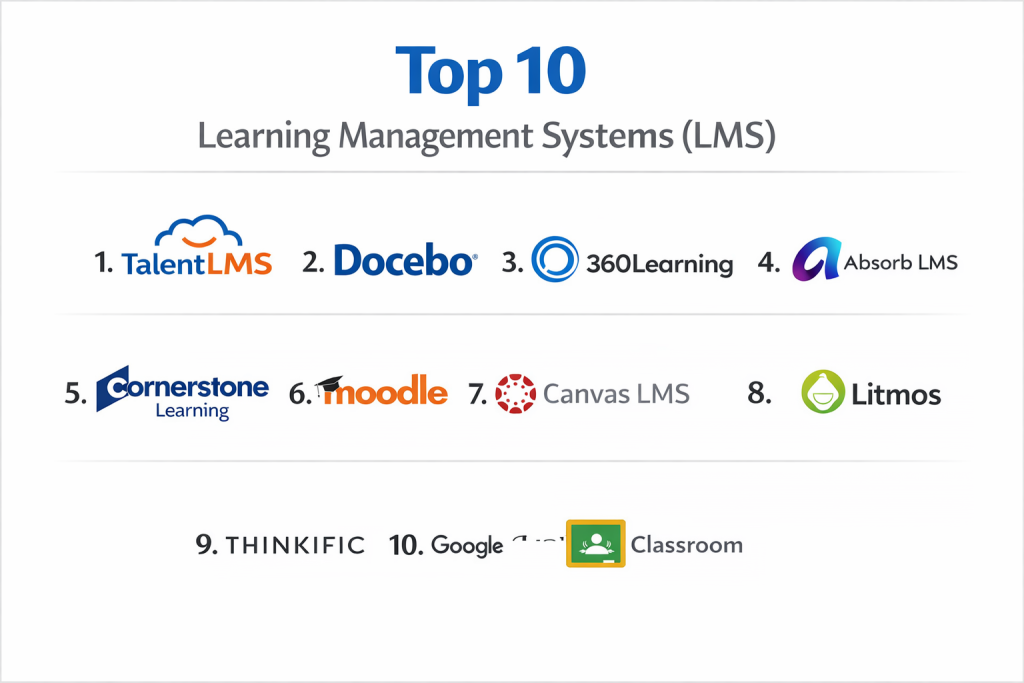
Top 10 Learning Management Systems (LMS) Tools
1 — Docebo
Docebo is an AI-powered learning platform designed for enterprises and mid-market companies. It emphasizes learner engagement, scalability, and extending training beyond employees to customers and partners.
Key features:
- AI-Powered Recommendations: Automatically suggests relevant content to learners based on their role, skills, and activity.
- Extended Enterprise: Robust tools to create branded learning portals for external audiences like customers and channel partners.
- Content Management: Central hub to upload, manage, and curate learning content from various sources.
- Social Learning: Encourages knowledge sharing through forums, peer coaching, and user-generated content.
- Advanced Reporting: Over 100 pre-built visual reports and a custom report builder for deep learning analytics.
- Multi-Lingual & Localization: Strong support for global deployments with translation capabilities.
- Integration Ecosystem: A vast marketplace of pre-built integrations (Salesforce, SAP, Zoom, etc.) and a powerful API.
Pros
- Superior User Experience: Known for its modern, intuitive interface that promotes learner adoption.
- Powerful for External Training: Stands out as a leader for organizations that need to train customers or partners at scale.
Cons
- Enterprise Pricing: The cost can be high, often placing it out of reach for small businesses or tight budgets.
- Implementation Scope: For large, complex deployments, setup and configuration can be a significant project requiring planning.
Security & compliance: SOC 2 Type II, ISO 27001 certified. GDPR, CCPA, and HIPAA compliant. Features include data encryption at rest and in transit, SSO (SAML, OAuth), and detailed audit logs.
Support & community: Offers 24/5 support, a comprehensive knowledge base, and a dedicated customer success manager for enterprise plans. Maintains an active user community.
2 — Cornerstone Learning
Cornerstone Learning is a comprehensive talent experience platform with a deeply embedded, powerful LMS. It is built for large enterprises seeking to tightly integrate learning with broader talent management (performance, skills, recruiting).
Key features:
- Integrated Talent Suite: Native connection to Cornerstone’s performance, skills, recruiting, and HR modules.
- Skills & Career Pathing: Allows administrators to map learning content to specific skills and define visual career progression paths.
- Compliance Automation: Strong tools for assigning, tracking, and certifying mandatory compliance training with automated reminders.
- Content Anytime: A large, curated marketplace of off-the-shelf training courses available for subscription.
- Learning Campaigns: Ability to design multi-touch, sequenced learning journeys over time.
- Advanced Administration: Granular permission controls and configurable workflows for large, decentralized organizations.
- Robust Reporting: Pre-built and ad-hoc reporting for tracking completion, effectiveness, and skills gaps.
Pros
- Deep Talent Integration: Learning is not a silo; it directly feeds into and from performance management and skills development.
- Enterprise-Grade: Built to handle the complexity, scale, and security needs of the world’s largest organizations.
Cons
- Complexity: The breadth of features can make the system feel overwhelming and require dedicated administration.
- Cost: A significant investment, typically justified only by large enterprises using multiple Cornerstone modules.
Security & compliance: SOC 1, SOC 2, ISO 27001 certified. Compliant with GDPR, CCPA, HIPAA, and more. Offers advanced security controls, data residency options, and rigorous third-party audits.
Support & community: Enterprise-level support with dedicated account teams. Access to a global partner network for implementation and a customer community portal.
3 — TalentLMS
TalentLMS is a cloud-based LMS known for its emphasis on user-friendliness and ease of setup. It targets small to medium-sized businesses, training providers, and departments within larger companies that need a reliable, no-fuss solution.
Key features:
- Intuitive Course Builder: Drag-and-drop interface to quickly create courses using videos, presentations, documents, and quizzes.
- Branching & Customization: Allows creation of separate, branded learning portals (“sub-domains”) for different audiences.
- Gamification: Built-in points, badges, awards, and leaderboards to motivate learners.
- Video Conferencing Integration: Direct integration with Zoom, Microsoft Teams, and others for live virtual training sessions.
- E-Commerce: Tools to sell courses online with payment gateway integrations.
- Automated Workflows: Set up rules for automatic user enrollment, certification renewals, and notifications.
- Mobile App: A dedicated app for learning on the go, with offline access.
Pros
- Remarkably Easy to Use: Consistently praised for its shallow learning curve for both admins and learners.
- Fast Time-to-Value: Companies can go from sign-up to launching their first course in a very short time.
Cons
- Reporting Limitations: While good for basics, advanced, custom reporting and analytics are not its strongest suit.
- Scalability for Large Enterprises: May lack some of the granular controls and deep HRIS integrations required by very large, complex global companies.
Security & compliance: GDPR compliant. Features include SSO, data encryption, and secure data centers. Specific certifications like SOC 2 are typically for higher-tier plans.
Support & community: Provides email and chat support, an extensive help center, and webinars. Community forums are available for user discussions.
4 — Absorb LMS
Absorb LMS is a modern, feature-rich platform recognized for its beautiful design, powerful intelligence engine, and strong administrative tools. It serves a wide range of clients from mid-market to large enterprises.
Key features:
- Absorb Intelligence (AI): An AI engine that automates admin tasks, personalizes learning paths, and provides predictive insights.
- Engaging Learner Interface: A clean, consumer-grade user experience that is highly customizable to match company branding.
- Comprehensive Admin Portal: A powerful, yet organized, dashboard for managing all aspects of the learning environment.
- Absorb Infuse: Technology that allows embedding LMS features (like courses and reporting) directly into other software applications.
- Content Marketplace: Direct access to a library of pre-built courses from top providers.
- Social & Collaborative Learning: Tools for discussions, peer feedback, and user-generated content.
- Detailed Analytics: Visual dashboards and the ability to drill down into learner and course performance data.
Pros
- Beautiful and Intuitive Design: The interface is a major selling point, enhancing learner engagement and satisfaction.
- Powerful AI Features: The built-in intelligence engine genuinely reduces administrative overhead and personalizes learning.
Cons
- Pricing Transparency: Pricing is not publicly listed and can be at the higher end of the market, requiring a sales consultation.
- Customization Learning Curve: While highly customizable, implementing very specific, complex workflows may require more technical knowledge.
Security & compliance: SOC 2 Type II, ISO 27001 certified. GDPR, CCPA, WCAG 2.1 AA compliant. Offers advanced security protocols, SSO, and encryption.
Support & community: Known for excellent customer support (24/7 for enterprise). Includes a resource library, administrative training, and an active user community.
5 — Moodle
Moodle is a free, open-source LMS that is immensely popular in the academic and educational sector. It offers unparalleled flexibility and control, as the source code can be modified to meet precise needs.
Key features:
- Open-Source & Free: No licensing fees. The core software can be downloaded and installed on your own servers.
- Highly Customizable: Thousands of free and paid plugins (themes, activity modules, question types) extend functionality.
- Strong Pedagogical Tools: Built by educators, it excels in features that support teaching and learning, like forums, wikis, workshops, and advanced quiz engines.
- Global Community: One of the largest and most active open-source communities, providing collective support and development.
- Scalability: Can support a single teacher or a university with hundreds of thousands of users.
- Data Ownership: You have complete control and ownership of all your data when self-hosting.
- Moodle Workplace: A separate, commercial distribution optimized for corporate learning, with features like reporting, compliance, and hierarchies.
Pros
- Complete Cost Control: The core software is free, with costs limited to hosting, customization, and support.
- Unmatched Flexibility: Can be tailored to fit almost any unique learning or administrative process.
Cons
- Requires Technical Resources: Self-hosting demands internal IT expertise for setup, maintenance, security, and updates.
- Out-of-the-Box Experience: The default interface can feel less polished and modern compared to commercial cloud competitors, requiring customization for a premium look.
Security & compliance: Security depends heavily on the hosting environment and administrative setup. The core software is developed with security in mind, but compliance (GDPR, etc.) is the responsibility of the hosting organization. The MoodleCloud hosted service offers a more managed solution.
Support & community: Primary support comes from the community forums, documentation, and network of certified Moodle Partners who provide paid professional services, hosting, and support.
6 — Canvas
Canvas by Instructure is the dominant LMS in the North American higher education market. It is known for its reliability, open API, and focus on improving the teaching and learning experience for educators and students.
Key features:
- User-Centric Design: An intuitive, clean interface that is easy for instructors to navigate and for students to use.
- SpeedGrader: A powerful tool that streamlines the process of grading assignments and providing feedback.
- Rich Integration Ecosystem: An open API and the Canvas App Center allow deep integrations with hundreds of educational technology tools (publishers, plagiarism checkers, video tools).
- Mastery Paths: Enables adaptive learning by releasing different content or assignments based on a student’s performance.
- Mobile Apps: Fully-featured apps for instructors and students to manage courses on iOS and Android.
- Canvas Studio: A built-in tool for creating, editing, and discussing video content.
- Comprehensive Analytics: Tracking for student participation, grades, and activity within courses.
Pros
- Exceptional Reliability & Uptime: Known for being a stable, high-performance platform that institutions can depend on.
- Open and Integrative: Its open approach makes it the central hub for a rich ecosystem of learning tools.
Cons
- K-12/Corporate Focus: While used in corporate training, its core strengths and community are firmly rooted in academic contexts.
- Pricing Model: Primarily licensed to entire institutions (schools, districts, universities), making it less accessible for individual instructors or very small businesses.
Security & compliance: FedRAMP Moderate Authorized, SOC 2 Type II certified. Complies with FERPA, GDPR, and other regional data privacy laws. Offers robust security features and data hosting options.
Support & community: Provides 24/7/365 support for all users. Has one of the largest and most active user communities in education, with abundant shared resources and ideas.
7 — LearnUpon
LearnUpon is an LMS built specifically with a focus on customer and partner training (external training) alongside employee development. It is designed to be straightforward for both admins and learners.
Key features:
- Dedicated Portals: Easily create multiple, uniquely branded learning portals for different user groups (employees, customers, partners) from a single admin account.
- Streamlined Course Management: Intuitive tools to upload, organize, and assign SCORM, xAPI, video, and document-based content.
- Automated User Management: Bulk upload features and automated enrollment rules simplify user administration.
- Built-In E-Commerce: Sell courses directly with integrated payment processing and multi-currency support.
- Gamification & Certifications: Award badges and generate automatic certificates upon course completion.
- API & Integrations: REST API and native integrations with CRM (Salesforce), help desks, and webinar tools.
- Reporting Dashboard: Clear reporting on user progress, course completion, and portal activity.
Pros
- Excellent for External Training: Its portal-centric model makes it exceptionally good for managing training for audiences outside your company.
- Simple and Efficient: The platform avoids unnecessary complexity, making it easy to deploy and manage.
Cons
- Limited Advanced Pedagogy: Lacks some of the advanced instructional tools (like complex adaptive learning paths) found in platforms built first for academia.
- Customization Limits: While user-friendly, it may not offer the same depth of low-level customization as some open-source or enterprise rivals.
Security & compliance: ISO 27001 certified, GDPR compliant. Features include SSO (SAML 2.0), data encryption, and secure data centers. SOC 2 report available.
Support & community: Praised for responsive and helpful customer support. Offers online resources, documentation, and onboarding assistance.
8 — Adobe Learning Manager
Adobe Learning Manager (formerly Adobe Captivate Prime) is an enterprise LMS that leverages Adobe’s expertise in design and user experience. It emphasizes personalized learning, social engagement, and robust analytics.
Key features:
- Fluic Player: A smart, adaptive video player that can include in-video quizzes and adapt playback speed to the learner.
- Personalized Learning Plans: AI-driven “skill-based learning” that recommends content to close individual skill gaps.
- Social Learning: Integrated social features like forums, chat, and the ability to follow experts.
- Offline Learning App: A mobile app that allows users to download content and sync progress when back online.
- Powerful Reporting Engine: Extensive dashboards and visualization tools for analyzing learning impact and ROI.
- Authoring Integration: Seamless workflow with Adobe’s authoring tools like Adobe Captivate.
- Multi-Tenant Architecture: Strong support for creating separate, branded instances for different divisions or external audiences.
Pros
- Outstanding User Experience: Delivers a visually appealing, fluid, and engaging interface for learners.
- Strong Video & Mobile Learning: Excels in delivering and tracking video-based content and mobile learning experiences.
Cons
- Adobe Ecosystem Bias: Works best when used with other Adobe products (like Captivate for authoring); may feel less integrated with other tech stacks.
- Enterprise Pricing: Cost structure is oriented toward medium and large enterprises.
Security & compliance: SOC 2 Type II, ISO 27001 certified. GDPR, CCPA, FERPA, HIPAA compliant. Includes advanced security controls and SSO.
Support & community: Standard and premium support plans available. Access to Adobe’s enterprise support network and community forums.
9 — SAP Litmos
SAP Litmos is a cloud-based LMS known for its ease of use, rapid deployment, and extensive library of ready-to-use training content. It serves businesses of all sizes but has a strong foothold in the mid-market.
Key features:
- Litmos Training Content: Access to a large, curated library of off-the-shelf courses on business skills, compliance, and software training.
- Simple Course Creation: Easy-to-use tools to build courses with existing content (PPT, PDF, Video) and assessments.
- Rapid Implementation: Designed to be configured and launched very quickly.
- Compliance & Certification: Strong tracking for mandatory training with automatic reminders and certificate generation.
- Built-In Authoring (Litmos Heroes): A simple tool for creating interactive e-learning screens without another software.
- Integrations: Pre-built connectors for popular HR, CRM, and collaboration tools (Salesforce, MS Teams, etc.).
- Mobile-First Design: A responsive platform that works seamlessly on any device.
Pros
- Speed to Launch: One of the fastest platforms to get up and running with a professional-looking training program.
- Content & Platform Bundle: The combination of a solid LMS with a vast content library is a unique and valuable proposition.
Cons
- Reporting Customization: While reporting is good, creating highly complex, custom reports can be less flexible than some competing enterprise platforms.
- User Interface: The admin and learner interfaces are functional but can feel less modern or visually polished than some competitors.
Security & compliance: SOC 2 Type II certified. HIPAA, GDPR, CCPA compliant. Features robust security measures including SSO and data encryption.
Support & community: Offers 24/7 global support, an online knowledge base, and a customer community. Implementation services are available.
10 — D2L Brightspace
D2L Brightspace is an LMS focused on the K-12, higher education, and corporate learning markets. It is known for its robust analytics, accessibility features, and tools that support competency-based education.
Key features:
- Learning Analytics & Insights: Advanced predictive analytics that alert instructors to students at risk of falling behind.
- Accessibility Commitment: A strong focus on WCAG 2.1 AA compliance and inclusive design from the ground up.
- Competency-Based Education Tools: Features to track progress against specific competencies and skills rather than just course completion.
- Video Note: Easy tool for instructors to create short, personal video messages and feedback within the platform.
- Flexible Course Design: Intuitive interface for building engaging courses with drag-and-drop simplicity.
- Brightspace Pulse: A popular mobile app that helps students track course deadlines and updates.
- Integrated Virtual Classroom: Built-in tool for live, interactive online classes.
Pros
- Data-Driven Insights: Powerful analytics tools help instructors and administrators make informed decisions to improve learning outcomes.
- Leader in Accessibility: A top choice for institutions with strong commitments to inclusive and accessible learning.
Cons
- Corporate Market Share: While strong in corporate, its brand identity and community are deeply rooted in the academic sector, which can influence perceptions.
- Interface Complexity: Some users note that the full depth of features can make the interface feel dense for new instructors or learners.
Security & compliance: ISO 27001 certified. Compliant with FERPA, GDPR, and other global standards. Hosted in secure, SOC 2 audited data centers.
Support & community: Provides comprehensive support services, extensive training resources (D2L Academy), and an active user community.
Comparison Table
| Tool Name | Best For (target user or scenario) | Platform(s) Supported | Standout Feature | Rating |
|---|---|---|---|---|
| Docebo | Enterprises & mid-market companies focused on external (customer/partner) training and AI-driven learning. | Web, iOS, Android | AI-powered personalization and robust extended enterprise features. | N/A |
| Cornerstone Learning | Large enterprises wanting deep integration between learning, performance, and talent management. | Web, Mobile App | Native integration within a full talent experience suite. | N/A |
| TalentLMS | SMBs, training providers, and departments needing an easy-to-use, fast-to-deploy cloud LMS. | Web, iOS, Android | Exceptional ease of use and rapid setup. | N/A |
| Absorb LMS | Mid-market to enterprise companies valuing a modern user experience and intelligent automation. | Web, iOS, Android | Beautiful design paired with a powerful AI engine (“Absorb Intelligence”). | N/A |
| Moodle | Academic institutions and organizations with technical resources seeking free, open-source flexibility. | Web, Mobile Apps | Open-source platform with unparalleled customization through plugins. | N/A |
| Canvas | Higher Education institutions and K-12 schools prioritizing reliability and an open edtech ecosystem. | Web, iOS, Android | Unmatched reliability and a vast, open integration ecosystem (App Center). | N/A |
| LearnUpon | Businesses whose primary need is training external audiences (customers, partners) efficiently. | Web, iOS, Android | Simple, portal-centric model for managing multiple external learning audiences. | N/A |
| Adobe Learning Manager | Enterprises seeking a premium learner experience, especially for video and mobile learning. | Web, iOS, Android | Superior video handling (“Fluic Player”) and a highly engaging UX. | N/A |
| SAP Litmos | Companies wanting a quick-start LMS bundled with a large library of ready-made training content. | Web, iOS, Android | Rapid deployment combined with an extensive off-the-shelf course library. | N/A |
| D2L Brightspace | Educational and corporate organizations focused on analytics, accessibility, and competency-based learning. | Web, iOS, Android | Advanced learning analytics and a strong commitment to accessibility. | N/A |
Evaluation & Scoring of Learning Management Systems (LMS)
Use the following weighted scoring rubric to systematically evaluate and compare different LMS platforms based on your organization’s priorities.
| Criteria | Weight | Description & What to Look For |
|---|---|---|
| Core Features | 25% | Breadth and quality of course authoring, content management, delivery formats (ILT, VILT, self-paced), assessments, and reporting. |
| Ease of Use | 15% | Intuitive interface for administrators, instructors, and learners. Low training requirements and high adoption potential. |
| Integrations & Ecosystem | 15% | Pre-built connectors to HRIS, CRM, video conferencing, and content libraries. Quality and openness of the API. |
| Security & Compliance | 10% | Certifications (SOC 2, ISO 27001), data encryption, SSO, and adherence to relevant regulations (GDPR, HIPAA, FERPA). |
| Performance & Reliability | 10% | Platform uptime (SLAs), speed, scalability for large user bases, and quality of the mobile experience. |
| Support & Community | 10% | Quality of onboarding/training, responsiveness of customer support, and richness of user community/resources. |
| Price / Value | 15% | Total cost of ownership (licensing, implementation, maintenance) relative to the features and business value delivered. |
Which Learning Management Systems (LMS) Tool Is Right for You?
Selecting the right LMS requires aligning the platform’s strengths with your organization’s specific context, goals, and constraints.
- By Organization Type & Size:
- Solo Users / Freelance Instructors: A full-scale LMS is often excessive. Consider dedicated course platforms (like Teachable or Thinkific) for selling online courses or simple webinar/podcast tools for delivering instruction.
- Small to Medium Businesses (SMBs): Prioritize ease of use, fast implementation, and clear value. TalentLMS and SAP Litmos are excellent starting points due to their simplicity and rapid setup.
- Mid-Market to Large Enterprises: Look for scalability, robust integrations, and advanced features. Docebo, Absorb LMS, and Adobe Learning Manager offer the blend of power and user experience needed at this scale.
- Large & Global Enterprises: Require deep HRIS integration, stringent security, and complex hierarchical management. Cornerstone Learning (if using the talent suite) and Docebo are top contenders for their enterprise-grade capabilities.
- Academic Institutions (K-12 & Higher Ed): The ecosystem is distinct. Canvas and D2L Brightspace are market leaders built specifically for educational pedagogy, compliance (FERPA), and integration with academic tech stacks.
- By Primary Training Audience:
- Internal Employees: Almost any LMS can handle this. Focus on integration with your HRIS and alignment with your internal performance culture.
- External Customers/Partners (Extended Enterprise): This is a specialized need. Prioritize platforms with strong multi-tenant portal functionality and e-commerce capabilities. Docebo, LearnUpon, and Absorb LMS excel here.
- Budget-Conscious vs. Premium Solutions:
- Tight Budget / Maximum Control: Moodle (open-source) is the definitive choice, though remember to account for internal hosting and development costs.
- Balanced Value: TalentLMS and SAP Litmos offer strong core functionality at competitive price points.
- Premium, Feature-Rich Solutions: Docebo, Absorb, and Cornerstone command higher prices justified by their advanced intelligence, user experience, and enterprise features.
- Feature Depth vs. Ease of Use: There is often a trade-off. TalentLMS and Litmos prioritize simplicity and getting you started quickly. Docebo, Cornerstone, and D2L Brightspace offer greater depth in analytics, personalization, and pedagogy but require more configuration and admin expertise.
- Integration and Scalability Needs: Ask: “Does it connect natively to our key systems (Workday, Salesforce, etc.)?” and “Can it grow from 100 to 10,000 users without performance issues?” Enterprise platforms are built for this, while simpler SMB tools may hit scaling limits.
- Security and Compliance Requirements: For corporate training, SOC 2 Type II is a key baseline certification. In healthcare, HIPAA compliance is non-negotiable. In education, FERPA is critical. In the EU, GDPR tools are mandatory. Always verify the vendor’s specific certifications and data handling practices.
Frequently Asked Questions (FAQs)
1. What is the difference between an LMS and an LXP (Learning Experience Platform)?
An LMS is primarily administrator-driven, focused on managing, delivering, and tracking formal training (courses, compliance). An LXP is more learner-driven, emphasizing a consumer-like experience with content curation, social learning, and personalized recommendations. The lines are blurring, with many modern LMSs incorporating LXP features.
2. What is SCORM and why is it important?
SCORM (Sharable Content Object Reference Model) is a technical standard that allows e-learning content to work reliably across different LMS platforms. Most authoring tools (like Articulate 360) publish courses in SCORM format. A competent LMS must support SCORM (usually 1.2 or 2004) to import standard courseware.
3. How much does an LMS typically cost?
Pricing models vary: Per-user/per-month (common for cloud LMS, e.g., $3-$15/user/month), per-active-user, flat annual fee, or enterprise quotes. Open-source (Moodle) is free software but has hosting and maintenance costs. Always inquire about setup fees, support tiers, and costs for premium features.
4. How long does LMS implementation take?
For a cloud-based SMB LMS (TalentLMS, Litmos), you can be live in days or weeks. For a mid-market enterprise deployment (Docebo, Absorb), expect 1-3 months. For a large-scale global implementation (Cornerstone, SAP), it can take 6 months to over a year. Time depends on data migration, integrations, and customization.
5. Can we use our existing training content (PowerPoints, videos, PDFs)?
Yes, all modern LMS platforms allow you to upload and structure existing documents and videos into courses. For interactive e-learning, you will likely need content created in an authoring tool (like Articulate, Adobe Captivate) that publishes to SCORM or xAPI.
6. What are the most common mistakes when implementing an LMS?
Mistake 1: Choosing a feature-rich system that is too complex for your users, leading to low adoption. Mistake 2: Not having a clear strategy for ongoing content maintenance and refresh. Mistake 3: Treating the launch as the finish line rather than the start of an ongoing learning program that requires promotion and management.
7. How do we ensure our employees actually use the LMS?
Drive adoption by: 1) Ensuring senior leadership visibly champions it, 2) Integrating mandatory training (compliance, onboarding), 3) Marketing high-value, relevant courses, and 4) Training managers to use LMS data in coaching conversations.
8. What should we look for in a mobile learning experience?
A dedicated mobile app (iOS/Android) is ideal over just a mobile-responsive website. Look for features like offline download of content, push notifications for deadlines, and a streamlined interface designed for smaller screens.
9. What’s the difference between cloud-based (SaaS) and self-hosted LMS?
A cloud-based (SaaS) LMS is hosted and maintained by the vendor (e.g., Docebo, TalentLMS). You access it via the web. It’s easier, faster, and includes updates. A self-hosted LMS (like Moodle on your own servers) gives you full control and data ownership but requires your IT team to handle installation, security, backups, and updates.
10. How can we measure the ROI of our LMS?
Track metrics like: Reduction in training costs (travel, venues, instructors), time-to-competency for new hires, compliance completion rates, employee engagement scores, and improvements in key performance indicators (KPIs) linked to trained skills.
Conclusion
The landscape of Learning Management Systems is diverse, offering powerful solutions for every conceivable need—from training a global sales force with Docebo to educating university students with Canvas, or quickly upskilling a small team with TalentLMS.
The critical insight is that the “best” LMS does not exist in a vacuum. The optimal choice is entirely dependent on your organization’s unique combination of size, audience, budget, technical resources, and strategic learning goals. A platform that is perfect for a multinational corporation would drown a small business in complexity, and vice-versa.
When making your decision, look beyond the feature checklist. Prioritize user adoption—a simple system that people actually use is infinitely more valuable than a powerful one they avoid. Consider the total cost of ownership, including implementation, content creation, and ongoing administration. Finally, choose a vendor that acts as a strategic partner, capable of supporting your evolving learning journey.
By carefully applying the evaluation framework and decision guide provided, you can move forward with confidence, selecting an LMS that will not just manage training, but truly empower learning and growth within your organization.