Introduction
Language flashcard apps are digital tools designed to help you memorize vocabulary, grammar rules, and phrases using a technique called Spaced Repetition System (SRS). Unlike traditional paper cards, these apps use smart algorithms to track how well you know each word. They show you difficult words more often and easy words less frequently, ensuring that information moves from your short-term memory into your long-term knowledge.
Using these apps is important because they maximize your study efficiency. Instead of wasting time reviewing things you already know, you focus exactly on the areas where you struggle. In the real world, people use these tools to prepare for international proficiency exams, learn specialized business terminology before a big trip, or simply build a daily habit of learning a new tongue. When choosing a tool, you should look for the quality of the repetition algorithm, the ability to add audio or images, how easy it is to create your own cards, and whether the app works offline so you can study during your commute.
Best for: Serious independent learners, students preparing for exams (like the JLPT, DELE, or HSK), and busy professionals who need to squeeze in five-minute study sessions throughout the day. They are also highly effective for travelers who want to master essential phrases quickly.
Not ideal for: People who prefer conversational practice or immersion-only methods. If you find the “drilling” nature of flashcards boring, you might prefer an app that focuses on stories or games. They are also not a replacement for a full curriculum if you are starting a language from scratch without any other resources.
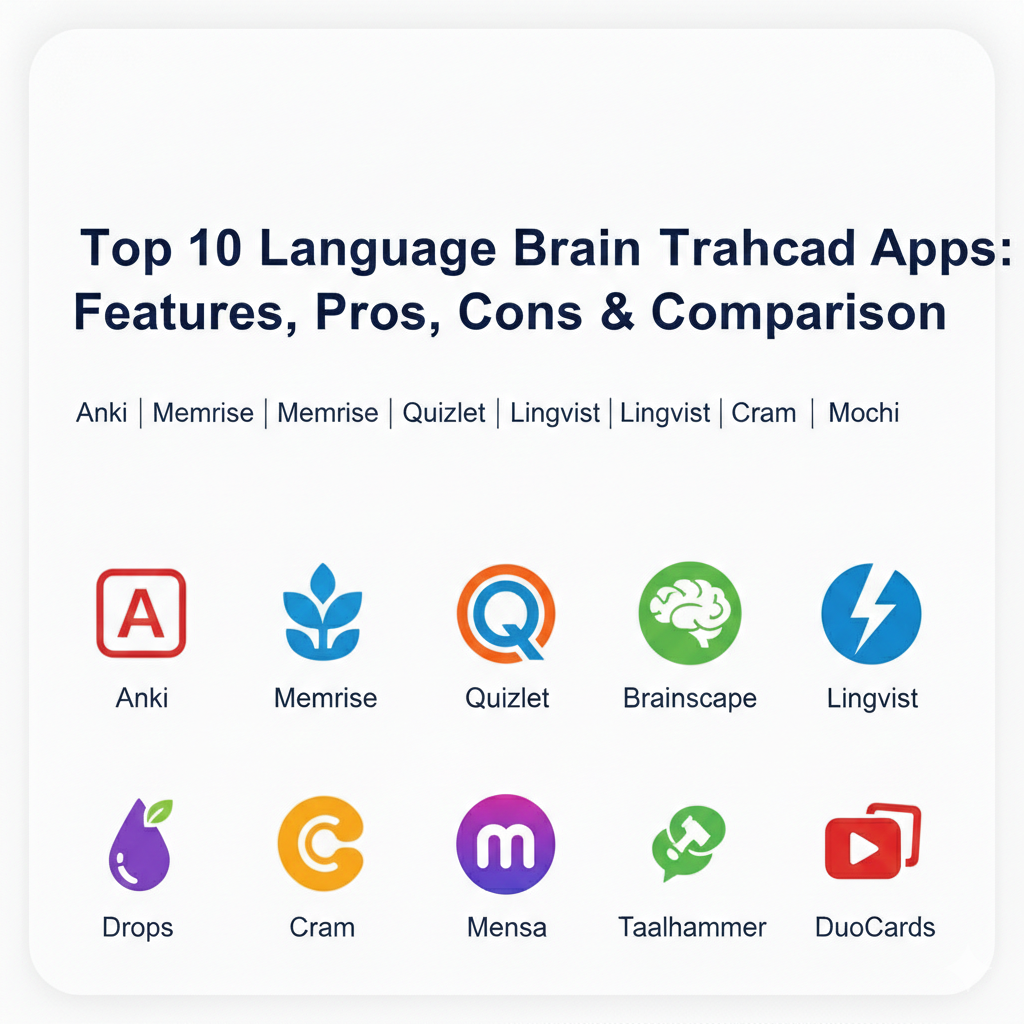
Top 10 Language Flashcard Apps Tools
1 — Anki
Anki is the gold standard for serious language learners who want total control over their study process. It is an open-source tool that uses a powerful spaced repetition algorithm to handle thousands of cards without breaking a sweat.
- Key features:
- Advanced FSRS (Free Spaced Repetition Scheduler) for high-precision review timing.
- Support for multimedia including audio clips, images, and LaTeX for grammar formulas.
- A massive library of community-shared decks for almost every language.
- Fully customizable card templates with HTML and CSS support.
- Powerful synchronization between desktop, web, and mobile devices.
- Open-source plugin ecosystem for adding heatmaps, progress bars, and more.
- Pros:
- Completely free for desktop and Android users (one-time fee for iOS).
- Handles huge volumes of data (10,000+ cards) more efficiently than any other app.
- Cons:
- Very steep learning curve; the interface can look “old” and technical.
- Requires manual setup to get the most out of its features.
- Security & compliance: Standard encryption for syncing; locally stored data gives users high privacy control.
- Support & community: Strong global community, extensive user-run forums, and detailed documentation.
2 — Memrise
Memrise blends traditional flashcards with video-based learning, featuring “Learn with Locals” clips of native speakers using the language in real-life contexts.
- Key features:
- Thousands of short video clips showing native speakers in real-world settings.
- Spaced repetition engine that adapts to your learning speed.
- Gamified experience with points, levels, and daily streaks.
- “Immerse” feature that provides a continuous feed of native-speaker audio.
- Official courses and millions of user-created decks.
- Offline mode for studying without an internet connection.
- Pros:
- Excellent for hearing real-world accents and seeing body language.
- Very easy to start using immediately without any technical knowledge.
- Cons:
- Creating your own cards is not as flexible as it is in Anki.
- Some of the best video features require a paid subscription.
- Security & compliance: GDPR compliant; industry-standard data protection.
- Support & community: Large user base and official support channels via email and social media.
3 — Quizlet
Quizlet is a highly popular study platform that focuses on simplicity and collaboration, making it a favorite for classroom settings and students.
- Key features:
- “Learn” mode that uses AI to guide you through a set of cards.
- Multiple study modes including Match (game), Test, and Flashcards.
- Q-Chat, an AI tutor that helps explain difficult concepts as you study.
- Millions of pre-made sets created by other students and teachers.
- Collaborative “Live” sessions for group learning in real-time.
- Visual study tools like diagrams and images.
- Pros:
- The interface is bright, modern, and incredibly easy to navigate.
- Perfect for quick collaboration between friends or classmates.
- Cons:
- The free version is heavy on advertisements.
- Spaced repetition is only available in the paid “Plus” version.
- Security & compliance: GDPR and COPPA (Children’s Online Privacy) compliant.
- Support & community: Extensive help center and a huge presence in educational institutions.
4 — Brainscape
Brainscape uses a unique “Confidence-Based Repetition” system where you rate how well you know a card on a scale of 1 to 5 to determine when you see it again.
- Key features:
- CBR (Confidence-Based Repetition) algorithm that focuses on your weak spots.
- Collaborative editing tools for building decks with a team or class.
- Expert-vetted decks for major languages and certifications.
- Clean, distraction-free interface focused on rapid-fire drilling.
- Detailed progress analytics and mastery charts.
- Mobile and web synchronization.
- Pros:
- Scientifically grounded approach that feels very efficient for memorization.
- Great balance between ease of use and professional-grade features.
- Cons:
- Lack of gamification might feel “dry” to casual learners.
- Advanced analytics and expert decks require a subscription.
- Security & compliance: Standard data encryption; GDPR compliant.
- Support & community: Responsive support team and specialized dashboards for educators.
5 — Lingvist
Lingvist is an AI-powered app that focuses on building your core vocabulary through context-based sentences and smart word selection.
- Key features:
- AI that selects words based on your proficiency and usage frequency.
- Sentence-based learning where you fill in the blanks in real-world contexts.
- Real-time tracking of how many words you “know” vs. are still learning.
- Grammar insights that appear automatically when you struggle with a pattern.
- Voice input for practicing pronunciation while you review.
- Customizable “Decks” created from your own text or articles.
- Pros:
- Extremely fast way to learn the most common 3,000 words in a language.
- Minimalist design that keeps you focused on the task.
- Cons:
- Limited number of languages available compared to others.
- Not ideal for learning rare or highly specialized vocabulary.
- Security & compliance: GDPR compliant; secure cloud storage.
- Support & community: Direct support team and a helpful blog for language tips.
6 — Drops
Drops is a visually stunning app that turns vocabulary learning into a high-speed game using bright illustrations and touch-based interactions.
- Key features:
- Visual-only associations (no translations) to encourage thinking in the language.
- 5-minute daily limit in the free version to prevent study burnout.
- Over 45 languages including several rare and indigenous ones.
- Focused on “Topic” categories like food, travel, and business.
- High-quality professional audio for every single word.
- Swipe and drag mechanics that make it feel like a puzzle.
- Pros:
- Beautiful art style makes studying feel like a treat rather than a chore.
- Excellent for beginners who want to build a foundation of nouns and verbs.
- Cons:
- Does not teach grammar or full sentence structure.
- Not suitable for advanced learners who need deep textual review.
- Security & compliance: Varies / Standard consumer data protection.
- Support & community: Strong social media presence and helpful onboarding guides.
7 — Cram
Cram is a no-frills, versatile flashcard tool that excels at being a free and simple alternative for quick memorization tasks.
- Key features:
- Three distinct study modes: Card, Memorize, and Test.
- “Jewels of Wisdom” game mode to keep reviews engaging.
- Access to over 190 million flashcards shared by other users.
- Import and export features for moving data between platforms.
- Mobile app support for studying on the go.
- Cross-device synchronization.
- Pros:
- Very straightforward and does not require a complex setup.
- One of the best options if you want to find pre-made niche decks for free.
- Cons:
- The user interface feels dated and less polished than newer competitors.
- Lacks advanced AI-driven repetition features.
- Security & compliance: N/A / Standard app security.
- Support & community: Large user-generated library and basic help center.
8 — Taalhammer
Taalhammer is a modern entrant that uses AI to focus on sentence production, ensuring you can actually speak and not just recognize words.
- Key features:
- Full-sentence spaced repetition to teach grammar and vocabulary in context.
- AI-driven scheduler that adapts to your individual memory curve.
- Listening mode for hands-free study while driving or exercising.
- “Core Collections” designed to take you from beginner to fluent.
- Statistics that track your “active” vocabulary production.
- Built-in translation and dictionary tools.
- Pros:
- Focuses on active recall, which is much better for real-life speaking.
- Very effective at helping you internalize complex grammar naturally.
- Cons:
- Newer app with a smaller community compared to giants like Anki or Quizlet.
- Premium features are on the more expensive side of the market.
- Security & compliance: GDPR compliant; secure user data handling.
- Support & community: Personal onboarding and responsive customer care.
9 — Mochi
Mochi is a minimalist app that uses Markdown and a “local-first” approach, making it perfect for self-directed learners who take their own notes.
- Key features:
- Markdown support for beautiful formatting and code snippets.
- Link notes together to create a “knowledge web” (Zettelkasten style).
- Auto-translate and text-to-speech built directly into the editor.
- Minimalist, distraction-free design that is highly customizable.
- Open API for developers to build their own integrations.
- Local-first storage ensures your cards are accessible without internet.
- Pros:
- One of the most beautiful and modern UIs available today.
- Perfect for power users who want to turn their reading notes into cards.
- Cons:
- Smaller library of shared decks; you mostly have to make your own.
- Requires a monthly subscription for cloud syncing.
- Security & compliance: Highly secure; local-first approach prioritizes user privacy.
- Support & community: Dedicated developer and a growing community of productivity enthusiasts.
10 — DuoCards
DuoCards combines flashcards with video content from YouTube and Netflix, allowing you to learn from your favorite movies and shows.
- Key features:
- Integrated video player that lets you save words from subtitles as cards.
- Spaced repetition engine to review the words you saved from videos.
- Built-in translator that works with just a tap.
- Browser extension for saving words while surfing the web.
- Gamified progress tracking and daily goals.
- Pre-made decks categorized by level and topic.
- Pros:
- Learning from real movies and videos makes the content highly memorable.
- Great for intermediate learners who want to move into immersion.
- Cons:
- The video library can be a bit glitchy on certain mobile devices.
- Creating high-quality cards from video takes a bit more effort.
- Security & compliance: Standard app encryption; GDPR compliant.
- Support & community: Helpful tutorial videos and email support.
Comparison Table
| Tool Name | Best For | Platform(s) Supported | Standout Feature | Rating |
| Anki | Serious Learners | iOS, Android, Desktop | Advanced SRS (FSRS) | 4.8 / 5 |
| Memrise | Video & Immersion | iOS, Android, Web | Native Speaker Clips | 4.7 / 5 |
| Quizlet | Classrooms & SMBs | iOS, Android, Web | Huge Shared Library | 4.6 / 5 |
| Brainscape | Structured Progress | iOS, Android, Web | Confidence Rating (1-5) | 4.7 / 5 |
| Lingvist | Vocabulary Speed | iOS, Android, Web | Contextual AI Selection | 4.5 / 5 |
| Drops | Visual Learning | iOS, Android | No-translation Visuals | 4.4 / 5 |
| Cram | Casual Memorization | iOS, Android, Web | Three Study Modes | 4.0 / 5 |
| Taalhammer | Sentence Production | iOS, Android, Web | AI Sentence Recaller | 4.6 / 5 |
| Mochi | Note-takers | iOS, Android, Desktop | Markdown Support | 4.8 / 5 |
| DuoCards | Movie & Video Fans | iOS, Android, Web | Subtitle-to-Card Tool | 4.5 / 5 |
Evaluation & Scoring of Language Flashcard Apps
| Criteria | Weight | Evaluation Focus |
| Core Features | 25% | Repetition algorithm, multimedia support, and card creation. |
| Ease of Use | 15% | Onboarding experience, UI simplicity, and navigation. |
| Integrations & Ecosystem | 15% | Cloud sync, browser extensions, and API access. |
| Security & Compliance | 10% | Data encryption, GDPR/COPPA compliance, and privacy. |
| Performance & Reliability | 10% | Load times, offline stability, and sync speed. |
| Support & Community | 10% | Documentation quality and shared deck library size. |
| Price / Value | 15% | Free vs. Premium balance and subscription cost. |
Which Language Flashcard Apps Tool Is Right for You?
Choosing the right flashcard tool is a personal decision that depends on how much time you have and how tech-savvy you are. If you are a solo user who wants the most powerful engine and doesn’t mind a bit of a learning curve, Anki is your best bet. It is the only tool that can handle a lifetime of vocabulary without slowing down. If you are budget-conscious, Loop or the free version of Cram offer solid features without any monthly cost.
For SMBs or tutoring centers, Quizlet or Brainscape are ideal because they allow you to create “classes” and track student progress easily. If you are looking for feature depth and want to practice speaking immediately, Taalhammer or Lingvist provide an AI-driven experience that builds sentences rather than just isolated words. Finally, if you value security and privacy, Mochi or Anki (kept offline) provide the highest level of control over your data.
Frequently Asked Questions (FAQs)
1. Is a digital flashcard app better than paper cards?
Yes, primarily because of Spaced Repetition. Apps automatically schedule reviews based on your memory, whereas paper cards require you to manage that schedule yourself, which is time-consuming and prone to error.
2. How often should I use these apps?
Consistency is key. It is much better to study for 10 minutes every day than to study for 2 hours once a week. The SRS algorithm works best when you check in daily.
3. Can I use these apps to learn grammar?
While flashcards are best for vocabulary, tools like Taalhammer and Lingvist teach grammar by showing you how words change within a sentence. You can also create your own “Cloze Deletion” cards to test specific rules.
4. Are the pre-made decks reliable?
It varies. In apps like Anki or Quizlet, anyone can upload a deck. It is always a good idea to check user ratings or sample a few cards before committing to a massive pre-made deck.
5. Do these apps work for children?
Yes, apps like Drops and Quizlet are very popular with younger learners because they are colorful and feel like a game.
6. Can I add my own audio to cards?
Most professional-tier apps (Anki, Mochi, Brainscape) allow you to record your own voice or upload MP3 files to your cards, which is essential for practicing listening.
7. Why is Anki free on Android but paid on iOS?
Anki is developed by a small team, and the one-time fee for the iOS app helps support the development of the free desktop and Android versions.
8. What is a “Cloze Deletion” card?
It is a card where a word is hidden in a sentence (e.g., “The cat sat on the [blank]”). This forces your brain to recall the word based on its context, which is very effective for learning.
9. Can I use these apps without internet?
Yes, apps like Anki, Drops, and Mochi allow you to download your decks for offline study, which is perfect for flights or underground travel.
10. Will these apps make me fluent?
Flashcards are a powerful tool for building a large vocabulary, but to reach true fluency, you will eventually need to practice speaking with real humans and listening to native content.
Conclusion
Choosing a language flashcard app is a big step toward mastering a new language. Whether you choose the power of Anki, the visual charm of Drops, or the context-rich sentences of Lingvist, the most important thing is that you find a tool you enjoy using. A flashcard app is not just a digital deck of cards; it is an extension of your own memory that grows as you do.
When picking your tool, remember that the “best” app is the one that fits your lifestyle. If you enjoy games, go with a gamified app. If you like data and stats, pick one with deep analytics. Most importantly, start small—add just five new words a day and watch how quickly your knowledge expands over time. Your journey to fluency starts with a single card, and with these tools, you have everything you need to succeed.