Introduction
A lakehouse platform is a modern way to store and manage data that combines the best parts of two older systems. In the past, companies had to choose between a “Data Warehouse” (which is great for organized lists and reports) and a “Data Lake” (which is good for storing massive amounts of raw, unorganized files). A lakehouse brings these two ideas together. It allows a business to store all its messy data—like photos, videos, and sensor logs—in the same place as its clean sales records. This means you don’t have to move data back and forth between different systems, which saves time, reduces mistakes, and lowers costs.
These platforms are important because they make it much easier for a company to use Artificial Intelligence (AI). Since all the data is in one spot, data scientists can train smart computer models while business analysts run their daily sales reports at the same time. It creates a single home for all information, making the business faster and more efficient. Instead of having separate teams working in separate digital “silos,” everyone works together using the same facts. This setup is the foundation for any company that wants to be truly data-driven.
Key Real-World Use Cases
- Real-Time Fraud Detection: Banks use lakehouse platforms to look at millions of transactions as they happen. They combine old customer history with live data to spot and stop hackers instantly.
- Personalized Healthcare: Hospitals store patient heart rates, X-ray images, and medicine records in a lakehouse. This helps doctors see a full picture of a patient’s health to provide better treatment.
- Smart Manufacturing: Factories use sensors on their machines to predict when a part might break. The lakehouse handles the massive amount of sensor data and tells the team when to perform repairs.
- Modern Retail: Stores track what people are looking at on their website and what they are buying in the shop. A lakehouse combines this data to send the perfect discount code to a customer’s phone.
What to Look For (Evaluation Criteria)
When picking a lakehouse platform, focus on these simple points:
- Open Standards: Does the tool use “open” file types? This is important so you aren’t trapped with one company forever.
- Performance: How fast can the system handle huge amounts of data? You want a tool that stays fast even as your business grows.
- Ease of Use: Is the software easy for your team to learn, or will you need to hire many expensive specialists?
- Cost: Look at how the company charges you. Is it based on how much data you store, or how much work the computer does?
Best for: Large companies with many different types of data, tech-savvy teams building AI models, and businesses that need to look at live, streaming information. It is perfect for Data Engineers and Data Scientists.
Not ideal for: Very small businesses that only need to keep track of basic sales in a simple spreadsheet, or teams that have no interest in using AI or advanced data science.
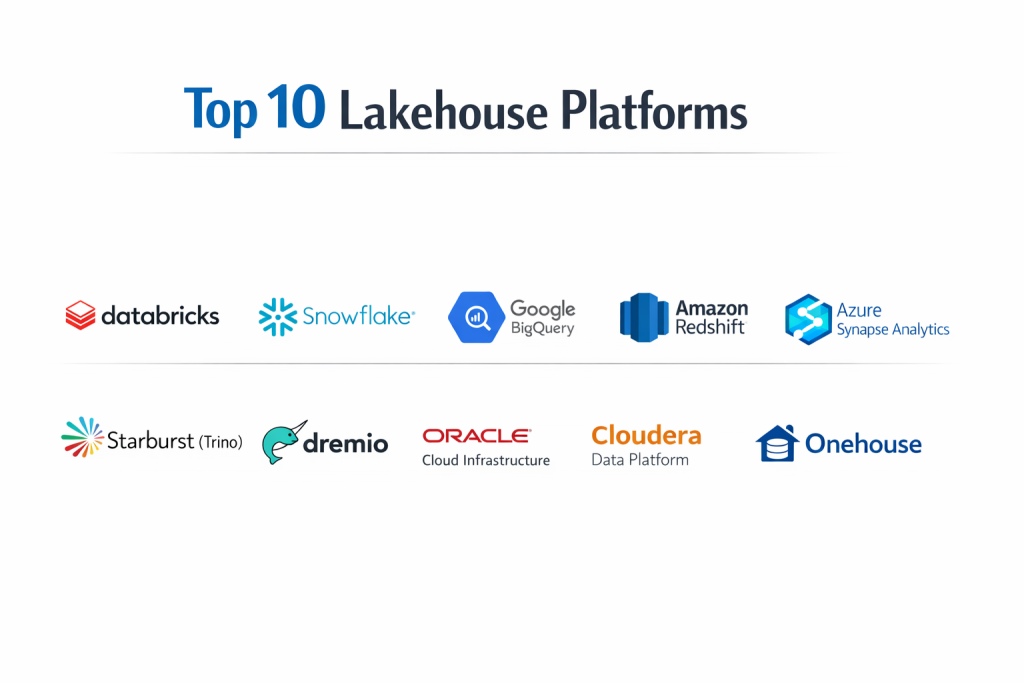
Top 10 Lakehouse Platforms
1 — Databricks
Databricks is the company that actually invented the “Lakehouse” idea. It is built by the people who created Apache Spark, a very famous tool for processing big data. It is widely considered the leader in this category.
- Key features:
- Delta Lake technology that makes data very reliable.
- Unity Catalog for managing all data and AI in one place.
- Works on all big clouds like Amazon, Microsoft, and Google.
- Collaborative notebooks where teams can write code together.
- High-speed engine called Photon that makes searches run fast.
- Pros:
- The best tool for advanced AI and machine learning.
- Very flexible because it works across different cloud providers.
- Cons:
- Can be very expensive for small projects.
- Requires a high level of technical skill to manage properly.
- Security & compliance: SOC 2 Type II, ISO 27001, HIPAA, and GDPR compliant.
- Support & community: Huge community and excellent professional support for big businesses.
2 — Snowflake
Snowflake started as a data warehouse but has added many features to become a full lakehouse. It is famous for being incredibly easy to use and for separating “storage” from “work.”
- Key features:
- Support for “Iceberg” tables, which is an open standard for data.
- Snowpark, which lets programmers write code directly inside Snowflake.
- Instant scaling so it never slows down.
- Marketplace for buying or sharing data with other companies.
- Handles both clean tables and messy files like JSON.
- Pros:
- Extremely easy for beginners to set up and use.
- Requires very little maintenance or “boring” admin work.
- Cons:
- Can have “hidden” costs if you run many searches by mistake.
- Moving data into the system can take some time.
- Security & compliance: Highly secure with end-to-end encryption and PCI DSS compliance.
- Support & community: Very active user base and many online training videos.
3 — Google BigQuery
BigQuery is Google’s serverless data tool. It now allows you to search data sitting in “open” formats, making it a powerful lakehouse option for those who like the Google ecosystem.
- Key features:
- BigLake technology that allows you to manage data across different clouds.
- Built-in AI tools that let you build models using simple SQL.
- Completely serverless, meaning Google does all the technical work.
- Connects perfectly to Google Drive and Google Sheets.
- High-speed analysis for live, streaming data.
- Pros:
- Incredibly fast for searching through massive amounts of files.
- You don’t have to manage any computer hardware at all.
- Cons:
- Costs can be hard to track if you have many people using it.
- Best used only if you are already using Google Cloud.
- Security & compliance: Data is encrypted by default; meets HIPAA and government standards.
- Support & community: Strong documentation and helpful support from Google engineers.
4 — Amazon Redshift
Redshift is Amazon’s version of this tool. It allows you to search through huge “lakes” of data stored in Amazon’s S3 folders while keeping everything organized like a warehouse.
- Key features:
- Redshift Spectrum for searching data without moving it.
- Automatic scaling to handle thousands of users.
- Deep integration with all other Amazon business tools.
- Support for “Zero-ETL,” which makes moving data much faster.
- Offers a serverless version for easier management.
- Pros:
- Very cost-effective for companies already using Amazon Web Services.
- Known for being very stable and reliable.
- Cons:
- The settings can be a bit complex for a non-tech person.
- The “non-serverless” version requires manual tuning to stay fast.
- Security & compliance: SOC 1/2/3, PCI DSS, and HIPAA compliant.
- Support & community: Massive community and many certified experts for hire.
5 — Azure Synapse Analytics
Synapse is Microsoft’s tool for combining data tasks. It brings together big data cleaning and warehouse storage into one single screen for the user.
- Key features:
- One workspace for all data and AI projects.
- Works perfectly with Microsoft Power BI for making charts.
- Allows you to use both SQL and Spark coding languages.
- Deep security links with Microsoft Active Directory.
- Ability to search data exactly where it sits.
- Pros:
- The best choice for businesses that use Excel and Windows.
- Very high-level security that is easy to manage.
- Cons:
- The software can feel a bit “heavy” or slow to load.
- Setup can be confusing because there are many different parts.
- Security & compliance: Top-tier Microsoft security; GDPR and HIPAA ready.
- Support & community: Extensive guides and global support network.
6 — Starburst (Trino)
Starburst is built on an open-source tool called Trino. It is a “discovery” platform that lets you search data wherever it lives—even if it is spread across different companies or clouds.
- Key features:
- Extremely fast search speed without moving data.
- Connects to almost any data source you can imagine.
- Works across multiple different cloud providers at once.
- Fine-grained security to control who sees what.
- Built on open-source standards.
- Pros:
- You don’t have to pay to move data into a central home.
- Very flexible for companies with data spread out everywhere.
- Cons:
- Requires a smart tech team to keep it running smoothly.
- Doesn’t “store” the data itself, so you still need a place to keep files.
- Security & compliance: Strong role-based access control and audit logs.
- Support & community: Active open-source community and professional enterprise support.
7 — Dremio
Dremio focuses on making data easy for everyone to use. It calls itself a “Data Ops” platform and is designed to make searching your data lake as easy as using a standard database.
- Key features:
- A “Data Map” that shows you where all your info is.
- Special technology that makes searches run much faster.
- User-friendly interface that looks like a web browser.
- Support for Iceberg and Delta Lake open formats.
- Version control for data (like an “undo” button for data).
- Pros:
- Makes data lakes much faster and easier for business people.
- Very strong focus on open standards so you aren’t locked in.
- Cons:
- Still a smaller company compared to giants like Microsoft.
- Can be tricky to set up for very complex data types.
- Security & compliance: SOC 2 compliant; uses modern encryption.
- Support & community: Good documentation and personalized customer service.
8 — Oracle Cloud Infrastructure (OCI) Data Lake
Oracle has built a lakehouse that is perfect for companies that already use Oracle for their finance or customer records. It focuses on being highly automated.
- Key features:
- Autonomous database technology that tunes itself.
- Big Data Service that handles massive file sets.
- Easy connection to Oracle’s famous business apps.
- Built-in tools for cleaning and organizing messy data.
- High performance for traditional business reports.
- Pros:
- Saves time because the system manages itself.
- Very reliable for large, old-school businesses.
- Cons:
- Best performance is only within Oracle’s own cloud.
- Can be more expensive than some newer startups.
- Security & compliance: Very high security standards; used by many governments.
- Support & community: High-touch professional support and global training.
9 — Cloudera Data Platform (CDP)
Cloudera is the veteran of the “Big Data” world. Their modern platform is built to work anywhere—in the cloud, on your own servers, or both at once.
- Key features:
- Shared Data Experience (SDX) for consistent security rules.
- Works on-premises (in your office) and in the public cloud.
- Handles the entire data lifecycle from start to finish.
- Excellent tools for data privacy and “clean rooms.”
- Built on a foundation of open-source software.
- Pros:
- The best choice for companies that cannot move everything to the cloud.
- Incredibly powerful security and governance.
- Cons:
- The interface can feel “clunky” and old-fashioned.
- Requires a dedicated team of engineers to operate.
- Security & compliance: Highly advanced security; meets the strictest global rules.
- Support & community: Deep technical support and a huge community of experts.
10 — Onehouse
Onehouse is a newer, managed service that helps you build a lakehouse using an open technology called Apache Hudi. It is designed to be fast and very cheap to run.
- Key features:
- Completely managed service (they do the work for you).
- Focuses on “streaming” data that arrives every second.
- Uses open file formats so your data is always yours.
- Very fast data ingestion (getting data into the system).
- Lower costs because it uses efficient storage.
- Pros:
- Very fast setup for companies that need to move quickly.
- Keeps your data open so you can switch tools later if needed.
- Cons:
- Newer company with a smaller ecosystem of partners.
- Fewer extra features compared to giants like Databricks.
- Security & compliance: Varies; generally follows cloud security best practices.
- Support & community: Responsive startup-style support and growing community.
Comparison Table
| Tool Name | Best For | Platform(s) Supported | Standout Feature | Rating |
| Databricks | Advanced AI/ML | AWS, Azure, GCP | Delta Lake Tech | 4.8 / 5 |
| Snowflake | Ease of Use | AWS, Azure, GCP | Zero Maintenance | 4.6 / 5 |
| Google BigQuery | Serverless Search | Google Cloud | Built-in AI SQL | 4.5 / 5 |
| Amazon Redshift | AWS Users | AWS | S3 Lake Integration | 4.4 / 5 |
| Azure Synapse | Microsoft Users | Microsoft Azure | Power BI Links | 4.4 / 5 |
| Starburst | Data Everywhere | Multi-Cloud | No Data Moving | 4.3 / 5 |
| Dremio | Fast Lake Access | AWS, Azure | Open Data Lakehouse | 4.5 / 5 |
| Oracle OCI | Oracle Customers | Oracle Cloud | Autonomous Tech | 4.4 / 5 |
| Cloudera | Hybrid/On-prem | Hybrid Cloud | SDX Security | 4.2 / 5 |
| Onehouse | Streaming Data | AWS, GCP | Managed Apache Hudi | N/A |
Evaluation & Scoring of Lakehouse Platforms
To help you decide, we have scored these platforms based on what matters most to businesses.
| Category | Weight | How we evaluate |
| Core features | 25% | Can it handle both raw files and clean tables? |
| Ease of use | 15% | Is the screen simple or does it require code? |
| Integrations | 15% | Does it work with Excel, Power BI, and Tableau? |
| Security & compliance | 10% | Is the data encrypted and safe from hackers? |
| Performance | 10% | Does it give answers in seconds or minutes? |
| Support & community | 10% | Is there someone to call when you need help? |
| Price / value | 15% | Is the cost fair for the power you receive? |
Which Lakehouse Platform Is Right for You?
Small to Mid-Market vs. Enterprise
If you are a smaller company just starting out, Snowflake or Google BigQuery are excellent because they are very easy to set up and you only pay for what you use. For massive global corporations with thousands of employees and complex security needs, Databricks, Teradata, or Cloudera provide the deep power and control required for that size.
Budget and Value
For companies watching their spending, Onehouse or Amazon Redshift (if you are already on AWS) often provide the most “bang for your buck.” These tools focus on efficiency. If your budget is larger and you want the absolute best AI capabilities, investing in Databricks is usually worth the higher price.
Technical Depth vs. Simplicity
If your team is mostly business analysts who want to click buttons and see charts, Snowflake or Dremio are the best choices because they hide the technical complexity. If your team is made of expert coders and data scientists, they will much prefer Databricks or Starburst because these tools give them more control over the code.
Security and Compliance Requirements
If you are in a highly regulated industry like banking or government, Cloudera or Azure Synapse are strong choices. They offer very strict tools to manage exactly who can see every single row of data, ensuring you never break any privacy laws.
Frequently Asked Questions (FAQs)
1. What is the difference between a data lake and a lakehouse?
A data lake is like a big box where you throw all your raw files. A lakehouse is that same box, but with an organized filing system on top that makes it fast and reliable to search.
2. Do I need to move all my data to use these?
Not necessarily. Tools like Starburst let you search data right where it currently sits, while others like Snowflake work better if you move the data into their system.
3. Are lakehouse platforms expensive?
They can be. Most charge you based on how much data you store and how much computer power you use to search it. It is important to monitor your usage daily.
4. Can I use these for my daily business reports?
Yes. Modern lakehouses are just as fast as old-school warehouses for things like sales reports and finance charts.
5. Is a lakehouse better for AI?
Yes. Because it stores raw data (which AI needs) and organized data (which reports need) in one place, it is much faster for building smart computer models.
6. Is my data safe in the cloud?
Yes. These platforms use extremely high-level encryption and are often more secure than a company’s own local office computers.
7. What are “Open Formats”?
These are ways of saving data (like Parquet or Iceberg) that any tool can read. This ensures you can move your data to a different company later if you want to.
8. Do I need a big team to run a lakehouse?
Some tools like Snowflake can be run by one person. Others like Databricks or Cloudera usually require a small team of tech experts.
9. Can I connect these to Excel?
Almost all of these platforms connect easily to Excel, Power BI, and other common business tools so you can see your data in charts.
10. How do I start?
The best way is to pick two tools that fit your budget and run a “Proof of Concept” (a small test) with a little bit of your real data to see which one feels better.
Conclusion
Choosing a lakehouse platform is a major step toward making your business smarter. The “best” platform is not the one with the most features, but the one that fits your team’s skills and your company’s goals. If you want simplicity and ease of use, Snowflake is a wonderful choice. If you want to be at the cutting edge of AI and data science, Databricks is the industry leader for a reason.
Remember that the goal of a lakehouse is to break down walls between your data and your people. By choosing a system that keeps your data open and accessible, you ensure that your business can adapt to whatever comes next. Take your time, test a few options, and pick the one that makes your data feel like an asset rather than a chore.