Introduction
A Kubernetes Management Platform is a software solution that sits on top of standard Kubernetes, providing a streamlined interface for deploying, managing, and scaling clusters. While standard Kubernetes provides the engine, these platforms provide the dashboard, the safety features, and the automation necessary to run production-grade applications at scale. They bridge the gap between “it works in the lab” and “it works for millions of users.”
These platforms are critical because they handle the “heavy lifting” of day-to-day operations. Key real-world use cases include managing multi-cloud deployments, enforcing security policies across hundreds of clusters, automating version upgrades without downtime, and providing developers with self-service environments. When choosing a tool in this category, users must evaluate multi-cluster visibility, ease of installation, integration with existing CI/CD pipelines, and the robustness of the security framework.
Best for: Infrastructure architects, Platform Engineers, and DevOps leads in mid-market to enterprise companies. They are essential for industries with high regulatory requirements (like Finance or Healthcare) and organizations running hybrid-cloud strategies.
Not ideal for: Organizations with a single, small cluster that rarely changes, or solo developers who only need a local environment for testing simple apps. In these cases, the overhead of a management platform might outweigh the benefits.
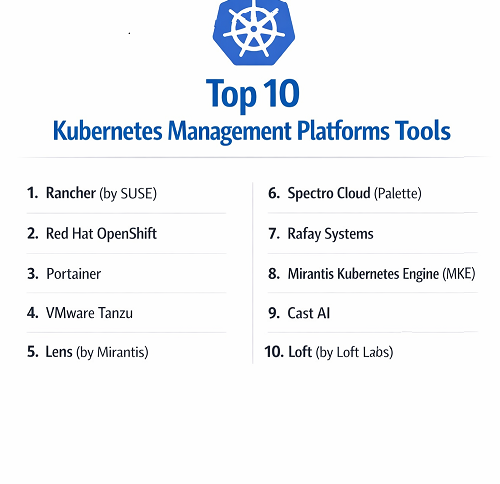
Top 10 Kubernetes Management Platforms Tools
1 — Rancher (by SUSE)
Rancher is arguably the most popular open-source Kubernetes management platform. It is famous for its “any cluster, anywhere” philosophy, allowing teams to manage EKS, GKE, AKS, and on-premises clusters from one UI.
- Key Features:
- Unified Multi-Cluster Management: View and control all your clusters regardless of where they are hosted.
- Fleet: A built-in GitOps engine for deploying applications to thousands of clusters simultaneously.
- Centralized Authentication: Maps your organization’s AD/LDAP or GitHub groups to Kubernetes RBAC.
- App Marketplace: A curated catalog of Helm charts for easy one-click deployments.
- RKE/RKE2: Rancher’s own security-hardened Kubernetes distributions.
- Pros:
- Eliminates cloud vendor lock-in by providing a consistent interface across AWS, Azure, and Google.
- Very low barrier to entry for teams moving from Docker to Kubernetes.
- Cons:
- Managing the Rancher management cluster itself can be an additional operational task.
- The UI can occasionally become slow when managing hundreds of global clusters.
- Security & Compliance: Includes CIS Benchmarks for hardening, FIPS 140-2 support, and integrates with SSO providers via SAML/OIDC.
- Support & Community: One of the largest open-source communities in the space; professional 24/7 support is available via SUSE.
2 — Red Hat OpenShift
OpenShift is the titan of enterprise Kubernetes. It isn’t just a management tool; it is a full-stack platform that includes its own operating system (CoreOS) and specialized developer workflows.
- Key Features:
- Source-to-Image (S2I): Automatically detects application code and builds a container image for it.
- Integrated CI/CD: Built-in pipelines based on Tekton for automated software delivery.
- Advanced Cluster Security (ACS): Deep visibility and risk profiling based on StackRox technology.
- OperatorHub: A massive library of “Operators” that automate the management of complex databases.
- Unified Console: Separate views optimized for both Cluster Admins and Developers.
- Pros:
- Provides the most “opinionated” and secure setup out of the box.
- Seamless experience for large organizations that already rely on Red Hat Enterprise Linux.
- Cons:
- High licensing costs and significant hardware resource requirements.
- Can feel restrictive to “purist” Kubernetes users who want full manual control.
- Security & Compliance: SOC 2, HIPAA, GDPR, ISO 27001, and extensive federal (FedRAMP) certifications.
- Support & Community: World-class enterprise support and a large ecosystem of third-party vendors.
3 — Portainer
Portainer is the leading “lightweight” management platform. It focuses heavily on ease of use, providing a beautiful GUI that makes Kubernetes accessible to people who don’t want to live in a terminal.
- Key Features:
- Human-Friendly Dashboard: Manage pods, services, and volumes without writing a single line of YAML.
- Edge Agent: A specialized agent for managing Kubernetes on remote devices or branch offices.
- GitOps Integration: Automatically pulls and updates applications based on Git repository changes.
- Visual RBAC: Manage user permissions and team access through a simple point-and-click interface.
- Helm Chart Support: Native support for deploying complex applications via templates.
- Pros:
- The fastest way to get a “UI” on top of a raw Kubernetes cluster.
- Extremely lightweight resource footprint compared to OpenShift or Rancher.
- Cons:
- Lacks some of the deep “fleet management” capabilities found in enterprise-heavy tools.
- Advanced troubleshooting still requires moving to the command line.
- Security & Compliance: SSO support (OAuth/LDAP), internal audit logs, and SOC 2 Type II compliance.
- Support & Community: Strong Discord-based community and professional support available for the Business Edition.
4 — VMware Tanzu
Tanzu is designed for the modern enterprise that still has one foot in the world of Virtual Machines. It allows companies to manage containers within the familiar vSphere environment.
- Key Features:
- vSphere Integration: Run Kubernetes clusters directly on your ESXi hosts alongside your VMs.
- Tanzu Mission Control: A centralized policy engine for managing security and access across multiple clouds.
- Tanzu Application Catalog: A private library of hardened, continuously updated container images.
- Global Observability: Built-in metrics and logging powered by Aria (formerly wavefront).
- Service Mesh: Integrated Istio support for secure service-to-service communication.
- Pros:
- The best choice for IT teams that are already “all-in” on VMware infrastructure.
- Simplifies networking by using the same NSX-T tools used for VMs.
- Cons:
- The licensing can be incredibly complex and expensive.
- Primarily focused on the VMware ecosystem, making it less attractive for “cloud-native” only teams.
- Security & Compliance: HIPAA, GDPR, SOC 2, and FIPS 140-2 validation.
- Support & Community: High-tier enterprise support backed by the global Broadcom/VMware network.
5 — Lens (by Mirantis)
Lens is unique because it is a Desktop Application rather than a server-side installation. It acts as an “IDE for Kubernetes,” giving developers a high-speed way to interact with their clusters.
- Key Features:
- Real-time Visualization: See exactly how your pods and services are interacting in real-time.
- Context Switching: Quickly jump between hundreds of different clusters with a single click.
- Terminal Integration: A built-in terminal that automatically sets the correct Kubeconfig context.
- Prometheus Integration: Displays resource usage metrics (CPU/RAM) directly in the UI.
- Lens Extensions: A plugin system to add features like security scanning or cost monitoring.
- Pros:
- Does not require anything to be installed on the cluster itself (client-side only).
- Provides the fastest troubleshooting experience for individual developers.
- Cons:
- Not a “centralized” management tool for an entire company; it is a personal productivity tool.
- The Pro version recently introduced a subscription model that some users find pricey.
- Security & Compliance: Inherits the security of your local Kubeconfig; supports SSO in the Pro version.
- Support & Community: Large community of developers; Slack-based support and documentation.
6 — Spectro Cloud (Palette)
Spectro Cloud is a rising star that focuses on “Kubernetes Stack Management.” It allows you to define a full stack (OS, K8s version, CNI, storage) and enforce it across any cloud.
- Key Features:
- Cluster Profiles: Create a “blueprint” for a cluster that includes all your favorite add-ons.
- Self-Healing Stacks: If a cluster’s configuration drifts from its profile, Palette automatically corrects it.
- Edge Management: Highly optimized for running Kubernetes on bare-metal hardware at the edge.
- Cost Visibility: Provides detailed breakdowns of how much each cluster and project is costing.
- Bare Metal Orchestration: Can provision Kubernetes directly onto raw servers without a hypervisor.
- Pros:
- Solves the problem of “Day 2” operations better than almost anyone else.
- True multi-cloud flexibility with consistent security policies.
- Cons:
- Newer to the market than Rancher or OpenShift, so the community is smaller.
- Requires a shift in mindset to “declarative” stack management.
- Security & Compliance: FIPS 140-2, SOC 2, HIPAA, and GDPR compliant.
- Support & Community: Responsive enterprise support; detailed whitepapers and documentation.
7 — Rafay Systems
Rafay is a SaaS-first platform that focuses on “Kubernetes Operations.” It is built for companies that want to manage Kubernetes without actually managing the management platform.
- Key Features:
- Zero-Trust Access: Securely access clusters without the need for a VPN or bastion host.
- Multi-Cluster Blueprinting: Standardize configurations across EKS, AKS, and GKE.
- Built-in Backup/Restore: Integrated Velero management for disaster recovery.
- Cost Management: Granular chargeback and showback capabilities for different teams.
- Workflow Automation: Automates the lifecycle of clusters from creation to deletion.
- Pros:
- SaaS model means zero infrastructure for you to maintain.
- Exceptional focus on security and “Zero-Trust” principles.
- Cons:
- Being a SaaS, it requires an internet connection to manage your clusters (unless using the on-prem version).
- Can be overkill for organizations with only one cloud provider.
- Security & Compliance: SOC 2 Type II, HIPAA, and GDPR.
- Support & Community: High-touch enterprise support with a focus on “customer success” engineering.
8 — Mirantis Kubernetes Engine (MKE)
MKE (formerly Docker Enterprise) is a hardened, security-focused management platform designed for mission-critical applications in regulated industries.
- Key Features:
- Swarm and K8s Orchestration: The only major platform that supports both Docker Swarm and Kubernetes in one UI.
- Secure Registry: A private, integrated container registry with automated vulnerability scanning.
- FIPS 140-2 Encryption: Uses government-validated encryption modules for all communication.
- Air-Gap Support: Designed to run in environments that are completely disconnected from the internet.
- Content Trust: Ensures that only digitally signed and verified images can be run in the cluster.
- Pros:
- The gold standard for government and defense agencies.
- Provides a very smooth path for teams migrating from legacy Docker environments.
- Cons:
- Lacks the “developer-friendly” flair of platforms like Portainer or GKE.
- Licensing is geared toward large, high-budget enterprise contracts.
- Security & Compliance: FIPS 140-2, FISMA, SOC 2, and HIPAA.
- Support & Community: 24/7 mission-critical support with guaranteed response times.
9 — Cast AI
Cast AI is a specialized management platform that focuses almost exclusively on Cost Optimization and automation. It uses AI to monitor your cluster and move workloads to the cheapest available nodes.
- Key Features:
- Automated Bin Packing: Moves pods around to ensure servers are used as efficiently as possible.
- Spot Instance Orchestration: Automatically uses “Spot” (preemptible) nodes to save up to 90% on cloud costs.
- Real-Time Rightsizing: Adjusts pod CPU/RAM requests based on actual historical usage.
- Security Audit: Automatically scans for misconfigurations and vulnerabilities.
- Cloud-Native Autoscaler: A faster, smarter alternative to the standard Kubernetes Cluster Autoscaler.
- Pros:
- Usually pays for itself within the first month by reducing cloud bills.
- Extremely easy to connect to existing EKS, GKE, or AKS clusters.
- Cons:
- Focused primarily on cost; doesn’t offer the deep developer tools of OpenShift.
- Requires giving the platform permission to delete and create cloud instances.
- Security & Compliance: SOC 2 Type II and ISO 27001.
- Support & Community: Rapidly growing community; proactive technical support for enterprise tiers.
10 — Loft (by Loft Labs)
Loft focuses on Virtual Kubernetes Clusters (vK8s). Instead of creating a new physical cluster for every developer, Loft lets you create “virtual” clusters inside a single large host cluster.
- Key Features:
- Virtual Clusters: Lightweight, isolated Kubernetes environments that spin up in seconds.
- Sleep Mode: Automatically “puts to sleep” clusters that aren’t being used to save money.
- Self-Service Portal: Let developers create their own namespaces and clusters without asking IT.
- Direct CLI: A specialized CLI tool that makes virtual clusters feel like real ones.
- Multi-Tenancy: Hardened isolation between different teams sharing the same hardware.
- Pros:
- Drastically reduces the “cost per developer” for Kubernetes environments.
- Eliminates the “cluster sprawl” that plagues many large companies.
- Cons:
- Adds an extra layer of abstraction that can occasionally make networking tricky.
- Best suited for development/test environments rather than production.
- Security & Compliance: RBAC sync, SSO integration, and SOC 2.
- Support & Community: Very popular among “Platform Engineering” teams; strong Slack support.
Comparison Table
| Tool Name | Best For | Platform(s) Supported | Standout Feature | Rating (Gartner) |
| Rancher | Multi-Cloud Mgmt | AWS, Azure, GCP, On-prem | Any Cluster, Anywhere | 4.7 / 5 |
| OpenShift | Enterprise Security | Hybrid Cloud | Source-to-Image (S2I) | 4.6 / 5 |
| Portainer | Ease of Use / SMBs | Docker, K8s, Edge | GUI-driven Management | 4.8 / 5 |
| VMware Tanzu | VMware vSphere Users | On-prem, Cloud | vSphere Native K8s | 4.2 / 5 |
| Lens | Developer Productivity | Desktop (Mac/Win/Lin) | IDE-style Visualization | 4.8 / 5 |
| Spectro Cloud | Stack Governance | Multi-Cloud, Bare Metal | Cluster Profiles | 4.6 / 5 |
| Rafay Systems | Zero-Trust Ops | SaaS / Multi-Cloud | Zero-Trust Access | 4.5 / 5 |
| Mirantis (MKE) | Secure Government | On-prem, Air-gapped | Swarm + K8s Support | 4.4 / 5 |
| Cast AI | Cost Reduction | EKS, GKE, AKS | AI-driven Cost Savings | 4.9 / 5 |
| Loft | Dev Self-Service | Any Host Cluster | Virtual Clusters (vK8s) | 4.6 / 5 |
Evaluation & Scoring of Kubernetes Management Platforms
We have scored these tools based on a weighted rubric to help you identify which category of tool excels in the areas most important to your business.
| Category | Weight | Top Performer | Scoring Rationale |
| Core Features | 25% | OpenShift | Deepest set of integrated enterprise features. |
| Ease of Use | 15% | Portainer | Most intuitive for non-experts. |
| Integrations | 15% | Rancher | Connects to virtually every cloud and tool. |
| Security | 10% | Mirantis | Unrivaled in hardened, air-gapped environments. |
| Performance | 10% | Lens | Client-side app with zero cluster overhead. |
| Support | 10% | VMware Tanzu | Global 24/7 enterprise infrastructure support. |
| Price / Value | 15% | Cast AI | Unique ability to generate direct ROI via savings. |
Which Kubernetes Management Platforms Tool Is Right for You?
1. Solo Users vs. SMBs vs. Enterprises
- Solo Users: Stick with Lens. It’s a desktop tool that makes your life easier without needing a server-side installation.
- SMBs: Portainer is the winner here. It’s affordable, easy to set up, and takes the fear out of Kubernetes.
- Enterprises: Rancher or OpenShift are the standards. They provide the governance and multi-cluster visibility that large teams require.
2. Budget vs. Premium
- Budget-Conscious: Rancher (Open Source) and Portainer (CE) offer incredible power for free. If you are focused on cloud bills, Cast AI will actually help you save money.
- Premium: OpenShift and Tanzu require significant investment but provide a “one-stop-shop” for everything from the OS to the application layer.
3. Feature Depth vs. Ease of Use
If your team is made of Kubernetes experts, they will appreciate the Feature Depth of Spectro Cloud or Rafay. If your team is primarily developers who just want to deploy code, the Ease of Use of Portainer or Loft will keep them productive and happy.
4. Security and Compliance Needs
If you are in a highly regulated field, don’t compromise. Mirantis and OpenShift have spent years getting the certifications (FIPS, FedRAMP, HIPAA) that make auditors happy.
Frequently Asked Questions (FAQs)
1. Do I still need a cloud provider if I use a management platform?
Yes. These platforms do not provide the physical servers; they manage the Kubernetes software running on those servers (whether from AWS, Google, or your own data center).
2. Is Rancher really free?
Rancher is open-source and free to use. However, most businesses pay for a “Rancher Prime” subscription to get enterprise support, security patches, and a simplified lifecycle.
3. What is the difference between Managed Kubernetes and a Management Platform?
Managed Kubernetes (like EKS) handles the “master nodes” of a single cluster. A Management Platform (like Rancher) sits above that to manage multiple clusters and add features like UI, RBAC, and GitOps.
4. Can I use these platforms with on-premises servers?
Yes. Almost all the tools mentioned (except the SaaS-only ones) can be installed on bare-metal servers or VMware environments in your own data center.
5. How does Portainer compare to the Kubernetes Dashboard?
The standard Kubernetes Dashboard is very basic and lacks user management. Portainer is much more advanced, offering team isolation, RBAC, and support for Docker and Edge devices.
6. Do these platforms cause “vendor lock-in”?
Actually, platforms like Rancher and Spectro Cloud are designed to prevent lock-in. Since they work across all cloud providers, you can move your workloads between AWS and Azure more easily.
7. Can I manage Edge/IoT devices with these tools?
Yes. K3s (via Rancher), Portainer Edge Agent, and Spectro Cloud Palette are specifically designed to manage small Kubernetes clusters in remote locations.
8. Is OpenShift just Kubernetes?
OpenShift includes Kubernetes, but it adds a massive amount of “glue” around it—like an image registry, a specific OS, and a different way of handling security permissions (SCCs).
9. Why would I use Lens instead of a web-based UI?
Lens is a desktop app, so it’s much faster and more responsive. It also doesn’t require you to expose your cluster’s management port to the public internet like some web UIs do.
10. What is a “Virtual Cluster” (vK8s)?
A virtual cluster is a Kubernetes cluster running inside another Kubernetes cluster. It’s much faster to create and uses fewer resources than a real, physical cluster.
Conclusion
The “best” Kubernetes management platform isn’t the one with the most features; it’s the one that solves your team’s specific bottlenecks.
- If your bottleneck is complexity and onboarding, look at Portainer.
- If it’s cloud costs, look at Cast AI.
- If it’s multi-cloud governance, Rancher is the gold standard.
- If you need hardened, enterprise-grade security, OpenShift or Mirantis are your best bets.
As Kubernetes becomes the standard for all modern software, the management layer is where the real competitive advantage is found. Choosing the right platform today will save your team hundreds of hours of manual labor tomorrow.