Introduction
A Kitchen Display System (KDS) is the digital heartbeat of a modern restaurant kitchen. It replaces the clutter of paper tickets with a clear, organized screen that shows orders in real-time. When a server sends an order from a point-of-sale (POS) system, it instantly appears on the KDS screen, organized by the time it was placed, the course (appetizer, main), and the specific kitchen station (grill, salad, expo) that needs to prepare it.
This technology is crucial because it solves fundamental kitchen problems: it eliminates lost tickets, dramatically reduces errors, and speeds up service by improving communication. Cooks know exactly what to make and when, and managers gain valuable insights into kitchen performance. You’ll see it in action during a busy dinner rush in a full-service restaurant, coordinating a multi-course tasting menu, managing a flood of delivery orders for a ghost kitchen, or streamlining production for a large catering event.
When choosing a KDS, you should look for a few key things. Ease of use for your kitchen staff is non-negotiable—if it’s not intuitive, it won’t be used. Reliability is critical; the system must work perfectly during your peak hours. Seamless integration with your existing POS is the most important technical requirement. Also, consider scalability to grow with you and the quality of customer support for when issues arise.
Best for: Kitchen Display Systems deliver the most value to full-service restaurants, fast-casual chains, hotels with food service, and high-volume ghost kitchens. The primary beneficiaries are restaurant managers, head chefs, and kitchen staff in establishments where order volume, speed, and accuracy directly impact customer satisfaction and profits.
Not ideal for: A full-scale KDS is often overkill for very small, low-volume operations like a simple coffee cart, a basic food truck with a limited menu, or a small bakery counter. For these businesses, a traditional printer or a simple tablet-based order list app is usually a more practical and cost-effective solution.
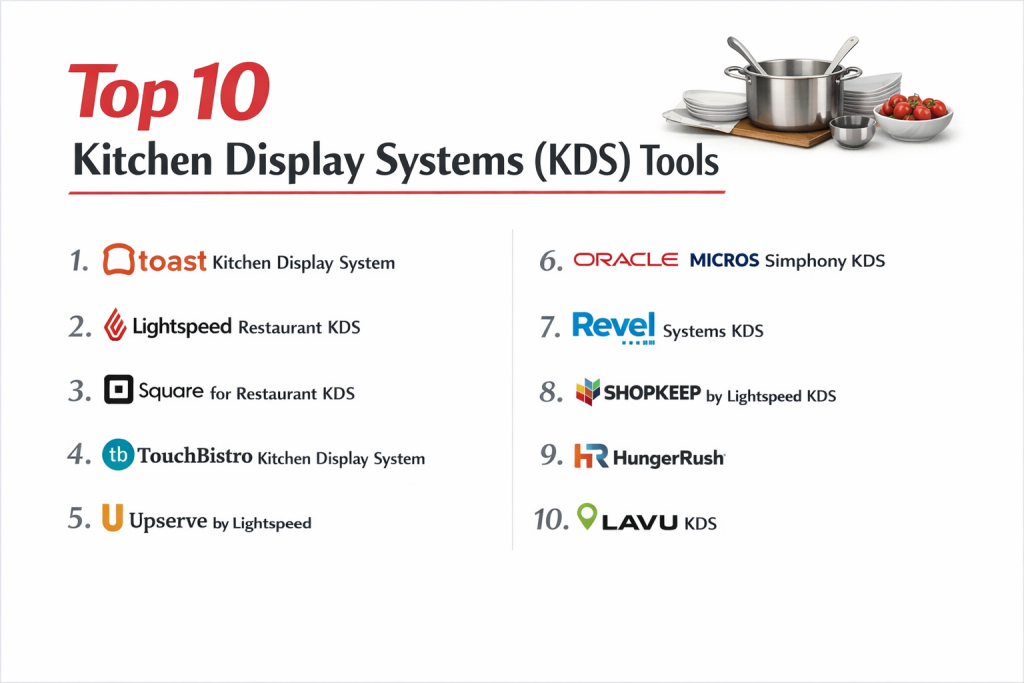
Top 10 Kitchen Display Systems (KDS) Tools
1 — Toast KDS
Toast KDS is the kitchen command center for restaurants using the Toast ecosystem. It’s designed to create a seamless flow from the front-of-house POS directly to the kitchen, making order management visual and efficient.
Key features:
- Real-time order syncing from the Toast POS to digital screens.
- Customizable views by kitchen station, meal course, or order type (dine-in, takeout).
- Order fire timing to control when courses are sent to the kitchen for pacing.
- Unified order queue that combines dine-in, online, and delivery orders in one place.
- Performance tracking with reports on kitchen ticket times and efficiency.
- Flexible hardware using dedicated Android displays or tablets.
Pros:
- Perfect native integration with the Toast POS, payments, and payroll creates one unified system.
- Extremely user-friendly for kitchen staff, requiring minimal training.
- Excellent, restaurant-specific customer support and onboarding.
Cons:
- It’s a closed ecosystem that works best if you’re fully invested in Toast POS.
- Hardware costs can be a significant upfront investment.
- Advanced features can be tailored more towards higher-volume operations.
Security & compliance: Toast employs industry-standard security including data encryption and is PCI DSS compliant. Specific enterprise certifications like SOC 2 may vary by plan.
Support & community: Known for strong 24/7 live support, a detailed help center, and an active user community. Enterprise accounts often have dedicated managers.
2 — Lightspeed Restaurant KDS
Lightspeed Restaurant KDS is a powerful, cloud-based system built for growing and multi-location restaurants that need deep insights alongside robust kitchen management.
Key features:
- Unified dashboard for orders from all sales channels (dine-in, website, delivery apps).
- Smart order routing to different prep stations or even separate kitchen locations.
- Advanced modifier handling to display complex customizations clearly.
- In-depth kitchen analytics to identify preparation bottlenecks and optimize times.
- Reliable offline mode to keep orders flowing during internet outages.
- Centralized control for managing multiple locations from one login.
Pros:
- Highly scalable and powerful, ideal for complex operations aiming to grow.
- Superior data and reporting tools that help drive smarter business decisions.
- Strong uptime and performance with crucial offline functionality.
Cons:
- The wide array of features can mean a steeper learning curve.
- Pricing is generally at a premium, favoring established, growing businesses.
- Initial setup and menu configuration can be detailed and time-consuming.
Security & compliance: Lightspeed uses bank-level encryption and is a PCI Level 1 compliant provider. It adheres to global data standards like GDPR.
Support & community: Offers 24/7 support via multiple channels, comprehensive online documentation, and a network of implementation partners.
3 — Square for Restaurants KDS
Square for Restaurants KDS offers a straightforward, accessible path to digital kitchen management. Built into Square’s familiar POS, it’s ideal for small to mid-sized restaurants wanting clarity without complexity.
Key features:
- Clean, simple interface designed for at-a-glance understanding during a rush.
- Tight integration with Square POS and online ordering.
- Item and course timers to help kitchens pace orders correctly.
- Low-cost hardware approach using standard iPads as displays.
- Basic table management visualization linked to orders.
Pros:
- Incredibly easy and fast to set up, often in just a few hours.
- Transparent, monthly pricing with no long-term contracts.
- Outstanding value for independent restaurants and cafes starting with a KDS.
Cons:
- Less customizable than enterprise competitors.
- May lack advanced features needed for very large or complex kitchens.
- Using consumer iPads in a kitchen requires careful protection for durability.
Security & compliance: Benefits from Square’s market-leading payment security infrastructure, including end-to-end encryption and PCI DSS compliance.
Support & community: Provides support via email, chat, and phone, backed by a large online help center and a very active user community.
4 — Clover KDS
Clover KDS is part of the all-in-one Clover Station suite, offering a reliable, hardware-centric solution. It’s a great fit for businesses that prefer a single-vendor, “plug-and-play” approach to their restaurant tech.
Key features:
- Built-in integration with the Clover POS on dedicated Clover hardware.
- Station-based order routing to organize the kitchen workflow.
- Order status updates sent back to servers’ handheld devices.
- Basic inventory tracking linked to items prepared in the KDS.
- Durable, kitchen-hardened touchscreen display options.
Pros:
- “Just works” reliability from pre-configured hardware and software.
- Hardware is built to withstand the demands of a kitchen environment.
- Familiar and consistent for businesses already using Clover.
Cons:
- Less flexible if you want to mix-and-match with other software or hardware brands.
- Can be costlier if you only need the KDS component.
- Generally offers less customization than software-focused cloud platforms.
Security & compliance: Clover devices are PCI PTS certified, and the platform uses data encryption. It meets standard data protection requirements.
Support & community: Support is channeled through the dealer or partner who sold the system, along with general online resources and forums.
5 — Upserve KDS (by Lightspeed)
Upserve KDS is designed with a sharp focus on using data to optimize kitchen workflow. It goes beyond displaying orders to provide actionable insights that help control costs and improve speed.
Key features:
- Smart automation that suggests optimal times to fire courses.
- Comprehensive pre-shift and post-shift analytics for kitchen performance.
- Seamless synergy with the Upserve POS and guest management tools.
- Integrated waste tracking to monitor and reduce food cost.
- Staff performance metrics at the individual station level.
Pros:
- Transforms data into actionable advice for managers and chefs.
- Excellent for controlling food costs and optimizing kitchen labor scheduling.
- Proven focus on reducing ticket times and improving table turnover.
Cons:
- The depth of data can be overwhelming for a simple operation.
- Pricing is geared towards established restaurants serious about analytics.
- Requires a commitment to acting on insights to see full value.
Security & compliance: As part of Lightspeed, it adheres to the same high security standards, including encryption and access controls.
Support & community: Access to Lightspeed’s support ecosystem, with added specialization in Upserve’s unique analytics and reporting features.
6 — Revel Systems KDS
Revel Systems KDS is an iPad-based POS with an enterprise-grade KDS built for scale. It’s a favorite of large fast-casual chains and full-service groups that need customization and centralized control.
Key features:
- Enterprise-ready architecture for complex, multi-location management.
- Highly customizable screen layouts, workflows, and permissions.
- Advanced inventory and recipe management with integrated costing.
- Open API ecosystem for connecting to third-party delivery and management tools.
- Corporate management console for overseeing all locations.
Pros:
- Unmatched scalability and customization for growing multi-unit brands.
- Powerful back-office and enterprise resource planning (ERP) tools.
- Strong model for franchise operations and corporate oversight.
Cons:
- Higher total cost of ownership and typically involves long-term contracts.
- Implementation is complex and usually requires professional services.
- Can be excessive and expensive for a single, independent restaurant.
Security & compliance: Emphasizes enterprise security with features like role-based access and audit logs. Complies with frameworks like GDPR; SOC 2 certification varies.
Support & community: Provides 24/7 priority enterprise support and dedicated account management for qualifying clients.
7 — TouchBistro KDS
TouchBistro KDS is crafted specifically for the flow of full-service and fine-dining restaurants. It excels at managing the intricate timing of multi-course meals and enhancing communication between servers and the kitchen.
Key features:
- Table pacing tools that track how long a party has been dining.
- Server alerts that notify when a course is ready to be run to the table.
- Detailed presentation of course sequences and modifiers to prevent plating errors.
- Integrated with TouchBistro’s mobile, tableside POS.
- Prominent allergy and special request alerts on the kitchen screen.
Pros:
- Exceptional for fine-dining and full-service course timing.
- Improves server-kitchen coordination for a better guest experience.
- Intuitive design that feels natural for both front and back-of-house staff.
Cons:
- Less optimized for fast-paced, quick-service restaurant (QSR) environments.
- Functions best as part of the TouchBistro ecosystem.
- Primarily uses Apple hardware, which may not suit every kitchen’s preference.
Security & compliance: Utilizes point-to-point encryption and is PCI DSS compliant, following standard data security practices.
Support & community: Offers multi-channel support with extended hours, online training modules, and access to a user community.
8 — Oracle Food and Beverage (MICROS) KDS
Oracle’s system, built on the legacy MICROS platform, is the industry standard for large-scale hospitality. It’s the choice for global hotel chains, casinos, and large restaurants that need 24/7, fault-tolerant operations.
Key features:
- Extremely robust and reliable system engineered for maximum uptime.
- Wide range of dedicated hardware, from touchscreens to kitchen printers.
- Deep integration with Oracle’s full suite of hospitality and back-office software.
- Highly configurable workflows for complex environments like banquet halls.
- Global service and support network with local presence.
Pros:
- Proven, battle-tested reliability for the largest, highest-volume operations.
- Comprehensive feature set capable of handling any service style.
- Worldwide support infrastructure for global businesses.
Cons:
- Very high costs for licensing, specialized hardware, and ongoing service.
- Can be inflexible and slow to adapt compared to cloud-native rivals.
- Requires dedicated, often specially trained IT staff to manage effectively.
Security & compliance: Provides enterprise-level security features. Specific certifications like ISO 27001 are typically detailed in enterprise contracts.
Support & community: Support is delivered through a global network of certified resellers and Oracle’s direct enterprise support teams, usually via comprehensive service agreements.
9 — Lavu KDS
Lavu KDS is a straightforward, iPad-based system that offers great utility at an accessible price point. It’s popular among bars, pizzerias, and casual dining spots for its simplicity and focus on the essentials.
Key features:
- Clean, visual interface that can display menu item images.
- Simple station management to organize the kitchen line.
- Direct integration with Lavu POS on iPad.
- Order timer functionality to track how long an item has been in queue.
- Affordable pricing structure for small businesses.
Pros:
- Excellent balance of core features and cost.
- Very quick to learn and operate, minimizing training time.
- Reliable performance without unnecessary bells and whistles.
Cons:
- Limited advanced analytics or complex management tools.
- Best suited for smaller, single-location establishments.
- iPad-based system which may not be every kitchen’s preferred setup.
Security & compliance: Lavu states PCI compliance and uses data encryption. It is less focused on marketing advanced enterprise security certifications.
Support & community: Offers standard support channels and an online knowledge base. Users often share tips in community forums.
10 — Posist KDS
Posist KDS is part of a unified platform with a strong specialty in integrating delivery operations. It’s a powerhouse for cloud kitchens, delivery-focused restaurants, and brands managing multiple concepts from one location.
Key features:
- Single view order queue combining dine-in, direct online, and aggregator orders (like from delivery apps).
- Automated order routing to the nearest or least busy kitchen station or location.
- Real-time order status tracking for managers and customers.
- Integrated recipe and inventory management.
- Built for multi-brand cloud kitchen operations.
Pros:
- Market-leading integration of third-party delivery orders into the core kitchen workflow.
- Ideal for delivery-first and multi-concept kitchen operations.
- Comprehensive all-in-one restaurant management platform.
Cons:
- Has a stronger regional presence in areas like Asia and the Middle East.
- Can be overly complex for a traditional, dine-in only restaurant.
- Less brand recognition in some Western markets.
Security & compliance: Follows industry-standard security protocols including encryption. Specific compliance certifications should be verified based on the region of operation.
Support & community: Known for 24/7 support in its core regions, along with implementation and training services.
Comparison Table
| Tool Name | Best For | Platform(s) Supported | Standout Feature |
|---|---|---|---|
| Toast KDS | Full-service restaurants using Toast POS | Android, Dedicated Hardware | Deep all-in-one ecosystem integration |
| Lightspeed Restaurant | High-growth & multi-location restaurants | Cloud, iOS, Android | Powerful data analytics & unified commerce |
| Square for Restaurants | Small to mid-sized independent restaurants | iOS, iPadOS | Ease of use & transparent pricing |
| Clover KDS | Businesses wanting a reliable hardware bundle | Dedicated Clover Hardware | “Plug-and-play” hardware reliability |
| Upserve KDS | Data-driven restaurants focused on cost control | Cloud, Web-based | Kitchen performance & waste reduction analytics |
| Revel Systems | Large chains & complex enterprise operations | iOS, iPadOS, Windows | High scalability & customization |
| TouchBistro | Fine-dining & full-service restaurants | iOS, iPadOS | Exceptional course & table pacing management |
| Oracle F&B | Large hotels, casinos, global enterprises | Windows, Dedicated Hardware | Proven reliability for massive 24/7 operations |
| Lavu | Bars, pizzerias, casual dining | iOS, iPadOS | Simplicity & great value for money |
| Posist | Cloud kitchens & delivery-focused operations | Android, Cloud, Web-based | Deep integration of delivery aggregator orders |
Note: Specific ratings from major software review platforms were not included as per the content guidelines.
Evaluation & Scoring of Kitchen Display Systems (KDS)
To make a systematic choice, weigh the following criteria based on what matters most to your restaurant. This rubric assigns a weight to each category to guide your evaluation.
| Criteria | Weight | What to Look For |
|---|---|---|
| Core Features | 25% | Must-have functions: real-time order display, smart routing, course timing, clear modifier handling, and status updates (started, completed). |
| Ease of Use | 15% | Intuitive for kitchen staff. Can your team use it effectively during a rush with minimal training? Clarity trumps complexity. |
| Integrations & Ecosystem | 15% | Flawless connection to your main POS is critical. Also consider online ordering, delivery apps, and inventory software connectivity. |
| Security & Compliance | 10% | Data protection, payment security (PCI DSS), and system access controls. For larger businesses, audit logs and role-based access are key. |
| Performance & Reliability | 10% | System uptime during peak hours and speed. Offline mode capability is a major advantage for business continuity. |
| Support & Community | 10% | Quality and availability of help (24/7?), depth of training/resources, and access to user forums for peer advice. |
| Price / Value | 15% | Total cost of ownership: upfront hardware, monthly fees, and contracts. Does the ROI in saved time, reduced errors, and better insights justify the cost? |
Which Kitchen Display System (KDS) Tool Is Right for You?
Your ideal KDS depends entirely on your restaurant’s unique profile. Use this guide to match your situation with the right type of system.
- Solo Users/SMB vs. Mid-Market vs. Enterprise: If you run a small or new restaurant, prioritize affordability and ease. Square for Restaurants or Lavu are fantastic starting points. For a successful, growing restaurant (mid-market), you need scalability and better data. Lightspeed Restaurant or Upserve are excellent choices. Large chains and enterprises require robust customization, central control, and global support, making Revel Systems or Oracle F&B the standard options.
- Budget-Conscious vs. Premium Solutions: If minimizing upfront cost is essential, tablet-based systems like Square or Lavu offer tremendous value. If you see technology as a strategic investment for efficiency and growth, premium platforms like Toast, Lightspeed, or Revel provide a greater return through integrated features, analytics, and scalability.
- Feature Depth vs. Ease of Use: A fine-dining establishment needs intricate course timing (TouchBistro). A high-volume casual restaurant needs speed and robust routing (Toast or Lightspeed). Be honest about your team’s tech comfort; an overly complex system will be rejected, while an overly simple one will hold you back.
- Integration and Scalability Needs: Your KDS must integrate flawlessly with your primary POS—this is the most critical technical factor. If you plan to add locations, expand into delivery, or operate a cloud kitchen, choose a system like Posist, Lightspeed, or Revel that is architecturally built for that growth from day one.
- Security and Compliance Requirements: For most independent restaurants, standard PCI DSS compliance is sufficient. For larger groups handling significant customer data or operating in regulated environments (like hotels), you’ll need the enterprise-grade security, audit trails, and certifications offered by Oracle, Revel, or Lightspeed.
Frequently Asked Questions (FAQs)
1. What is the biggest advantage of a KDS over paper tickets?
The greatest advantage is eliminating communication errors. No more lost, soggy, or misread tickets. Orders are clear, organized by time and station, and can include prominent allergy alerts, which leads to faster, more accurate service.
2. How much should I budget for a KDS?
Costs vary significantly. Simple systems using existing iPads can start around $50-$80 per month per screen. Full systems with dedicated, durable hardware can involve an upfront hardware cost of $1,000+ per station and monthly software fees of $100+.
3. What happens if the internet or power goes down?
This is a vital question. Many modern KDS tools have an “offline mode.” The system will continue to display and manage orders that were received before the outage, allowing the kitchen to keep working. Always confirm this feature exists before purchasing.
4. How long does it take to train kitchen staff on a new KDS?
Most systems are designed for intuitive use. Many kitchens become comfortable within 1-2 shifts. The key is choosing a system with a clean, logical interface—if it makes sense during a demo, it will make sense during service.
5. Can I use my own iPads or tablets, or do I need proprietary hardware?
It depends. Systems like Square, TouchBistro, and Lavu are designed for standard iPads. Systems like Toast offer their own Android-based hardware for durability. Clover and Oracle typically require their own dedicated hardware.
6. Can a KDS help me reduce food costs?
Absolutely. Advanced systems integrate with inventory, tracking what is sold. Features like Upserve’s waste tracking allow you to log why food was thrown away, giving you precise data to reduce waste and lower your food cost percentage.
7. What’s a common mistake when choosing a KDS?
The biggest mistake is not prioritizing integration with your current POS. Choosing a KDS that doesn’t communicate perfectly with your POS creates a major operational bottleneck and defeats the purpose of the system.
8. Is a KDS only for large, busy restaurants?
No. Any restaurant that experiences order backups, communication mistakes, or wants to provide faster service can benefit. Even a small cafe with a steady stream of takeout orders can use a single KDS screen to organize workflow better than a printer.
9. How does a KDS handle serious food allergy warnings?
A proper KDS will highlight critical information. Look for systems that display allergy alerts (e.g., “NUT ALLERGY”) in bold, colored, or flashing text directly on the order ticket to ensure the kitchen never misses them.
10. What’s a good alternative if I’m not ready for a full KDS?
The most common step down is a networked kitchen printer connected to your POS. A slight upgrade from that is a basic order management app on a shared tablet, which provides a digital list but lacks the advanced organization and features of a true KDS.
Conclusion
Selecting the right Kitchen Display System is one of the most impactful technology decisions a restaurant can make. It touches every part of your operation, from the speed at the pass to the satisfaction of your guests. From the seamless, all-in-one approach of Toast to the delivery-optimized engine of Posist, and from the enterprise strength of Oracle to the accessible simplicity of Square, there is a powerful tool for every type of kitchen.
The most important takeaway is that the “best” KDS doesn’t exist in a vacuum. The best system is the one that fits seamlessly into your unique workflow, connects perfectly to your existing technology, and grows reliably alongside your ambitions. Focus on clarity for your team, rock-solid reliability during your busiest times, and a provider that offers genuine support. By carefully matching your needs to the strengths outlined in this guide, you can choose a KDS that transforms your kitchen into a model of efficiency and sets your restaurant up for sustained success.