Introduction
Interactive Voice Response (IVR) design tools are specialized software platforms that allow businesses to create, visualize, and deploy automated phone menus. If you have ever called a bank and heard, “Press 1 for checking, press 2 for savings,” you have interacted with an IVR system. Modern IVR design tools have evolved far beyond simple button-pressing; they now utilize drag-and-drop interfaces to map out complex caller journeys, often integrating Conversational AI and Natural Language Processing (NLP) so customers can simply speak their requests. These tools are critical because the phone remains a primary channel for high-stakes customer service, and a poorly designed menu is one of the leading causes of customer frustration and “churn.”
Using these tools is important for maintaining brand consistency and operational efficiency. Real-world use cases include healthcare providers automating appointment scheduling, airlines handling sudden surges in flight cancellation inquiries, and e-commerce companies providing 24/7 order status updates without needing a live agent. When evaluating these tools, users should look for visual flow builders, “text-to-speech” (TTS) quality, the ability to integrate with existing CRM databases, and robust analytics to see exactly where callers are hanging up.
Best for: Contact center managers, CX (Customer Experience) designers, and IT professionals in mid-to-large enterprises. These tools are particularly valuable in industries with high call volumes, such as finance, healthcare, insurance, and telecommunications.
Not ideal for: Small local businesses with very low call volumes that only require a simple “business hours” recording. It is also not necessary for companies that operate entirely through digital chat channels and do not offer phone support.
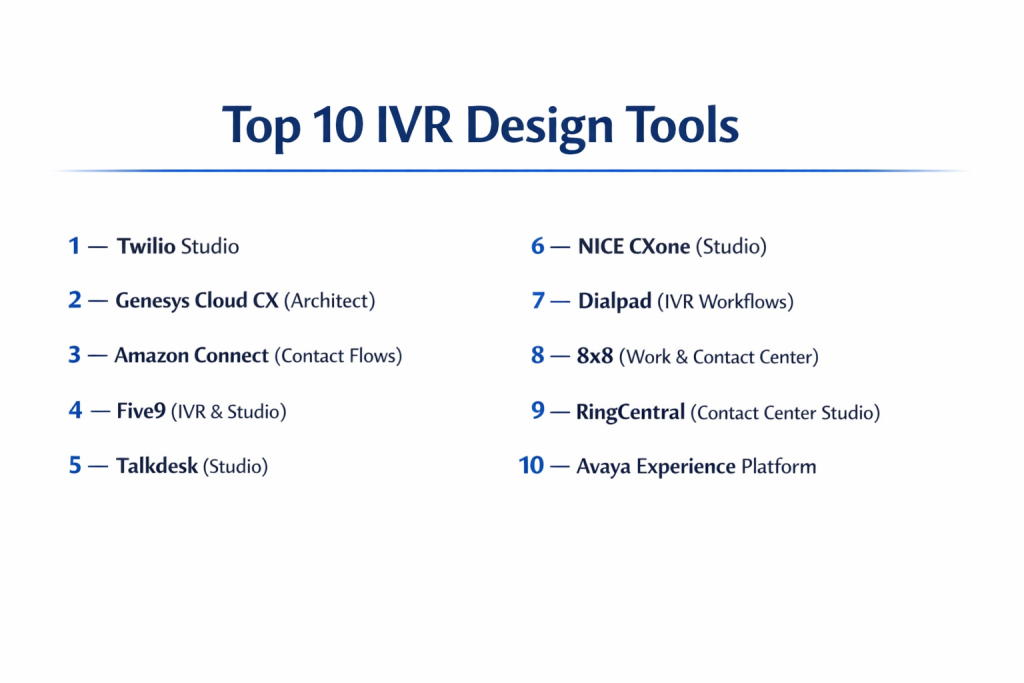
Top 10 IVR Design Tools
1 — Twilio Studio
Twilio Studio is a powerful, low-code visual interface for building sophisticated IVR flows on top of Twilio’s world-class communication infrastructure. It is designed for developers and product managers who want total control over the caller experience without writing thousands of lines of code.
- Key features
- Drag-and-drop visual canvas for mapping out voice and messaging flows.
- Easy integration with Twilio Autopilot for conversational AI interactions.
- Serverless “Functions” for pulling data from external APIs mid-call.
- Real-time debugging and logs to track every step of a caller’s journey.
- Support for multi-language Text-to-Speech and high-quality audio playback.
- Ability to handle high-concurrency call volumes with global scalability.
- Seamless transition from automated IVR to live agent via Twilio Flex.
- Pros
- Extremely flexible; if you can imagine a logic flow, you can build it here.
- “Pay-as-you-go” pricing makes it accessible for both testing and massive scaling.
- Cons
- Requires some technical knowledge to handle API integrations and functions.
- The learning curve can be steep compared to “plug-and-play” call center software.
- Security & compliance: SOC 2 Type II, ISO 27001, GDPR compliant, and HIPAA eligibility.
- Support & community: Extensive developer documentation, large community forum, and tiered premium support plans.
2 — Genesys Cloud CX (Architect)
Genesys Architect is the design engine within the Genesys Cloud CX platform. It is a highly professional tool designed for enterprise contact centers that need to manage thousands of concurrent calls with extreme precision and reliability.
- Key features
- Visual menu editor that supports nested flows and complex logic.
- Built-in Natural Language Understanding (NLU) for voice-activated menus.
- Data “Dips” that allow the IVR to recognize callers by their phone number.
- Version control and flow snapshots for safe testing and deployment.
- Integrated “Call Back” features that let users hang up while keeping their spot.
- Advanced scheduling for holidays, emergencies, and after-hours logic.
- Sophisticated analytics showing “abandonment” rates for every menu node.
- Pros
- One of the most stable and reliable platforms for large-scale operations.
- Excellent native integration with the broader Genesys agent workspace.
- Cons
- Licensing can be expensive for smaller organizations.
- The interface is dense and requires specialized training to master.
- Security & compliance: SOC 2, ISO 27001, GDPR, HIPAA, and PCI DSS Level 1.
- Support & community: Robust training via “Genesys University,” global partner network, and 24/7 enterprise support.
3 — Amazon Connect (Contact Flows)
Amazon Connect uses a visual editor called “Contact Flows” that allows users to create dynamic, personalized customer experiences. It leverages the power of AWS (Amazon Web Services) to provide high-end AI capabilities that are easy to drag and drop into a menu.
- Key features
- Seamless integration with Amazon Lex for conversational AI (the tech behind Alexa).
- Dynamic text-to-speech using Amazon Polly for natural-sounding voices.
- Ability to store and retrieve customer data using AWS Lambda.
- Contact Flow blocks for routing, input collection, and prompt playing.
- Real-time and historical reporting integrated with Amazon Quicksight.
- Ability to import and export flows as JSON for versioning.
- Usage-based pricing with no long-term contracts or upfront fees.
- Pros
- Unmatched AI/ML capabilities through the broader AWS ecosystem.
- No seat-based costs; you only pay for the minutes your customers use.
- Cons
- Managing the AWS Console can be intimidating for non-IT staff.
- The visual editor feels slightly more “utilitarian” than design-focused rivals.
- Security & compliance: SOC, ISO, PCI, HIPAA, and GDPR compliant via AWS global security standards.
- Support & community: Massive AWS community, premium AWS support tiers, and extensive whitepapers.
4 — Five9 (IVR & Studio)
Five9 provides a cloud-native contact center solution with a strong focus on ease of use. Their IVR design tool is built to empower non-technical business leaders to make changes to phone menus quickly without waiting for IT help.
- Key features
- Visual IVR builder with a library of pre-built “applets.”
- Intelligent Virtual Assistant (IVA) for sophisticated voice recognition.
- Self-service modules for payment processing and appointment booking.
- Integration with major CRMs like Salesforce, Zendesk, and Oracle.
- Multi-language support with automatic language detection.
- Secure “Agentless” payment portals for PCI-compliant transactions.
- Visual reports that map out the “paths” taken by callers.
- Pros
- Very user-friendly; designed for business users, not just engineers.
- Strong emphasis on customer success and personalized onboarding.
- Cons
- Some advanced customizations require a “Professional Services” engagement.
- Less “developer-first” than tools like Twilio or Amazon Connect.
- Security & compliance: SOC 2 Type II, PCI DSS, GDPR, and HIPAA compliant.
- Support & community: 24/7 technical support, dedicated account managers, and an online customer portal.
5 — Talkdesk (Studio)
Talkdesk Studio is a visual routing tool that allows businesses to design and manage the entire caller experience. It is known for its modern, clean interface and its “click-not-code” philosophy, making it a favorite for fast-growing SaaS companies.
- Key features
- Flow builder with a highly intuitive, modern design interface.
- “Time-based” routing for global teams operating in different time zones.
- Sentiment analysis to route angry callers to senior managers automatically.
- Deep integration with 60+ business tools through Talkdesk AppConnect.
- Contextual data display that shows the agent the caller’s IVR history.
- Built-in voice biometrics for identifying callers by their voice.
- Automated SMS follow-ups that can be triggered directly from the IVR.
- Pros
- The most modern and visually pleasing design interface in the category.
- Very fast deployment times for new IVR flows.
- Cons
- Enterprise features are locked behind higher-priced “Edition” tiers.
- Occasional “lag” in the web-based builder when flows become very large.
- Security & compliance: SOC 2, ISO 27001, GDPR, HIPAA, and PCI compliant.
- Support & community: Strong knowledge base, “Talkdesk Academy,” and active community forums.
6 — NICE CXone (Studio)
NICE CXone is a global leader in contact center software. Their Studio tool is an industrial-strength design environment used by some of the world’s largest brands to manage incredibly complex routing and IVR logic.
- Key features
- Script-based and visual-based hybrid design environment.
- Advanced “Interactive Voice Response” with speech recognition.
- Powerful integration with Enlighten AI for automated customer insights.
- Multi-channel flow design that handles voice, chat, and email in one view.
- Sophisticated database connectivity for real-time customer lookups.
- Automated testing tools to find “dead ends” in your phone menu.
- Cloud-native architecture designed for 99.99% uptime.
- Pros
- Powerful enough to handle the most complex enterprise requirements.
- Excellent for unified routing across all communication channels.
- Cons
- Very high learning curve; often requires a certified “NICE Developer.”
- The software can feel bulky and less “agile” than modern SaaS tools.
- Security & compliance: SOC 2, PCI Level 1, HIPAA, ISO 27001, and GDPR.
- Support & community: Comprehensive enterprise support, global training programs, and a massive user base.
7 — Dialpad (IVR Workflows)
Dialpad is an AI-first communication platform. Their IVR design features are built around their “Voice Intelligence” technology, making it easy for small and medium businesses to deploy “smart” phone menus that understand natural speech.
- Key features
- Simple, web-based IVR setup that takes minutes to configure.
- Real-time transcription of IVR interactions for quality monitoring.
- AI-powered routing that uses intent to direct calls.
- Direct integration with Google Workspace and Microsoft 365.
- Global “Department” settings for managing different phone menus.
- Automated “Post-call” summaries sent to managers after an IVR interaction.
- High-quality VoIP infrastructure for crystal-clear audio prompts.
- Pros
- The easiest tool to set up for smaller teams and startups.
- Integrated AI features are included without needing complex third-party setup.
- Cons
- Lacks the deep “branching logic” capabilities of Genesys or NICE.
- Not designed for massive, complex enterprise global routing.
- Security & compliance: SOC 2 Type II, HIPAA, GDPR, and ISO 27001.
- Support & community: 24/7 chat and phone support, online help center, and regular webinars.
8 — 8×8 (Work & Contact Center)
8×8 provides a unified communication platform where IVR design is built into the core experience. It is a solid, mid-market choice for companies that want a reliable phone system with a capable, professional-grade IVR.
- Key features
- Graphical IVR builder with a focus on simplicity and reliability.
- “Visual IVR” options that send a link to the caller’s phone to use a menu.
- Unified analytics for both the phone system and the contact center.
- Multi-level auto-attendant with unlimited menu layers.
- High-definition audio support for professional voice recordings.
- Direct Routing for Microsoft Teams integration.
- Secure payment processing integrated directly into the IVR flow.
- Pros
- Very reliable global voice quality with multiple data centers.
- Great “Value for Money” compared to top-tier enterprise rivals.
- Cons
- The design interface feels a bit dated compared to Talkdesk or Twilio.
- Less focus on “Conversational AI” than newer, AI-first platforms.
- Security & compliance: FISMA, HIPAA, PCI DSS, SOC 2, and GDPR compliant.
- Support & community: “8×8 University,” technical support, and a global presence.
9 — RingCentral (Contact Center Studio)
RingCentral is a household name in business phone systems. Their Contact Center solution (powered by NICE) offers an elite IVR design experience that is deeply integrated with their popular communication suite.
- Key features
- Advanced visual scripting with hundreds of pre-built functions.
- Skills-based routing integrated directly into the IVR logic.
- Voice recognition and Text-to-Speech in dozens of languages.
- Omnichannel capabilities (SMS/Voice/Chat) managed in one studio.
- Real-time monitoring of active calls within the IVR.
- Robust reporting and custom dashboard creation.
- Extensive marketplace of pre-built integrations.
- Pros
- Access to NICE CXone power with the familiar RingCentral brand.
- Highly scalable for businesses growing from 50 to 5,000 agents.
- Cons
- Can be quite complex for users who only want simple phone menus.
- Premium pricing reflects its status as a top-tier market leader.
- Security & compliance: SOC 2, SOC 3, HIPAA, PCI DSS, and GDPR.
- Support & community: 24/7 global support, dedicated account teams, and online community.
10 — Avaya Experience Platform
Avaya is a legacy leader in the phone space that has successfully moved to the cloud. Their IVR design tools are built for “Mission Critical” environments where reliability is more important than anything else.
- Key features
- Orchestration tool for designing hybrid (cloud/on-prem) IVR flows.
- Support for “Self-Service” automation in complex environments.
- Advanced speech analytics that can detect caller stress levels.
- Interoperability with legacy phone hardware and modern cloud apps.
- High-capacity call handling for government and emergency services.
- AI-assisted routing based on caller history and intent.
- Multi-modal support (Voice, Video, and Messaging).
- Pros
- Deep expertise in phone hardware and complex network architecture.
- Highly trusted by government and financial institutions.
- Cons
- The interface can be difficult to navigate for those used to modern SaaS.
- Migration from legacy systems can be a slow and expensive process.
- Security & compliance: SOC 2, HIPAA, PCI, and global government-grade security certifications.
- Support & community: Extensive partner network, global field support, and professional training.
Comparison Table
| Tool Name | Best For | Platform(s) Supported | Standout Feature | Rating |
| Twilio Studio | Developers / Customization | Web / Cloud | Serverless API Functions | 4.8/5 |
| Genesys Architect | Large Enterprises | Web / Cloud | Extreme Logic Precision | 4.7/5 |
| Amazon Connect | AWS Ecosystem Users | Web / Cloud | Pay-per-Minute Pricing | 4.6/5 |
| Five9 Studio | Business-Led Design | Web / Cloud | CRM-Integrated Applets | 4.5/5 |
| Talkdesk Studio | Modern SaaS / CX | Web / Cloud | Sentiment-Based Routing | 4.7/5 |
| NICE CXone | Complex Operations | Web / Cloud / Hybrid | Omnichannel Scripting | 4.4/5 |
| Dialpad | Small/Mid Teams | Web / Desktop / Mobile | Built-in “Voice Intelligence” | 4.5/5 |
| 8×8 IVR | Mid-Market Value | Web / Cloud | Visual IVR via SMS Link | 4.2/5 |
| RingCentral | Integrated UCaaS | Web / Cloud | High-End NICE-powered Logic | 4.4/5 |
| Avaya | Mission Critical / Gov | Web / Hybrid | Legacy & Cloud Interop | 4.1/5 |
Evaluation & Scoring of IVR Design Tools
To help you understand how these tools compare, we have scored them based on a weighted rubric that reflects what matters most in a modern business environment.
| Evaluation Criteria | Weight | What We Look For |
| Core Features | 25% | Visual builder, TTS quality, speech recognition, and branching logic. |
| Ease of Use | 15% | Intuitiveness of the interface and speed of deployment. |
| Integrations | 15% | Native connections to Salesforce, Zendesk, and external APIs. |
| Security & Compliance | 10% | Certifications like SOC 2, HIPAA, and PCI DSS. |
| Performance | 10% | Voice clarity, uptime reliability, and global low-latency. |
| Support & Community | 10% | Quality of documentation and accessibility of customer help. |
| Price / Value | 15% | Transparency of costs and overall return on investment. |
Which IVR Design Tool Is Right for You?
Solo Users vs SMB vs Mid-Market vs Enterprise
If you are a solo entrepreneur or a very small business, you likely don’t need a dedicated “design tool”—the built-in IVR in a system like Dialpad or Zoom Phone will suffice. For SMBs, 8×8 or Five9 offer a great balance of features without needing a full-time engineer. Mid-market companies often prefer Talkdesk or RingCentral for their modern interfaces and fast growth potential. Enterprises with complex, global needs almost always choose Genesys, NICE CXone, or Twilio Studio for their infinite customization and massive scale.
Budget-Conscious vs Premium Solutions
If you want to control your costs strictly based on usage, Amazon Connect is the clear winner. You only pay when callers are in the system. Twilio Studio is also very cost-effective for teams with developer talent. However, if you want a “premium,” fully-managed experience where the vendor does most of the heavy lifting, Genesys and Five9 are better investments, though they come with higher monthly per-seat costs.
Feature Depth vs Ease of Use
If your goal is to build a menu in 10 minutes that works perfectly, Dialpad and Talkdesk are the leaders in ease of use. If you need “feature depth”—meaning you want to verify a user’s voice biometrics, check their account balance in a legacy SQL database, and route them to a specific agent based on their “Customer Lifetime Value”—you will need the power of Twilio Studio, NICE CXone, or Genesys Architect.
Integration and Scalability Needs
For companies that live inside a specific ecosystem, the choice is often made for you. If you are an AWS-heavy company, Amazon Connect is the natural choice. If you want a tool that integrates perfectly with Salesforce, Five9 and Talkdesk have some of the most mature native integrations on the market. Regarding scalability, all top 10 tools are cloud-based, meaning they can handle thousands of callers, but Twilio and Amazon are the most flexible for “spiky” traffic.
Security and Compliance Requirements
If you are in the Healthcare or Finance sectors, security is non-negotiable. You must ensure your tool is HIPAA and PCI DSS compliant (especially if you are taking credit card payments over the phone). Genesys, Avaya, and NICE CXone have the longest histories of maintaining these high-level certifications and are often the preferred choice for government and banking institutions.
Frequently Asked Questions (FAQs)
What is the difference between an IVR and an Auto-Attendant?
An auto-attendant is a simple “electronic receptionist” that routes calls. An IVR is more advanced, allowing for two-way interaction, data collection (like account numbers), and automated self-service without an agent.
Can I use these tools on a Windows or Mac computer?
Most modern IVR design tools are “cloud-native,” meaning they run in any modern web browser (Chrome, Safari, Edge). You do not need to install heavy software on your local machine.
Do I need to be a developer to use these tools?
Not necessarily. Tools like Talkdesk and Five9 are built for “Business Users.” However, tools like Twilio Studio and Amazon Connect are “Low-Code,” meaning you’ll need a basic understanding of logic and APIs to get the most out of them.
What is “Text-to-Speech” (TTS) in an IVR?
TTS is technology that turns typed text into a spoken voice. This allows you to update your phone menu instantly by typing new instructions instead of hiring a professional voice actor for every small change.
Can these tools help me take payments securely?
Yes. Professional IVR tools are often PCI DSS compliant, allowing callers to enter credit card info via their keypad. The system “masks” the tones so the data is never seen or heard by the company or the software.
How much do IVR design tools cost?
Some are included in your per-seat contact center price (e.g., $75–$150 per user/month). Others, like Amazon Connect, charge purely by the minute ($0.018 per minute plus voice charges).
Can I test my IVR before it goes live?
Yes. Most tools have a “Preview” or “Sandbox” mode. You can call a temporary phone number to hear exactly what your customers will hear and ensure there are no broken links in the menu.
What is “Conversational IVR”?
It is an IVR that uses Artificial Intelligence to understand full sentences. Instead of “Press 1,” the caller hears “How can I help you today?” and says, “I want to check the status of my flight.”
Will these tools work with my existing phone numbers?
Usually, yes. You can “port” your existing numbers to these cloud providers or use “BYOC” (Bring Your Own Carrier) to link your current phone service to the design tool.
What is the most common mistake in IVR design?
Making the menu too long. Research shows that callers start losing patience after the third option. Keeping menus short and always offering an option to “Speak to a representative” are best practices.
Conclusion
Designing a phone menu might seem like a small detail, but it is often the first interaction a customer has with your brand. We have explored a vast range of IVR design tools, from the developer-centric power of Twilio Studio and Amazon Connect to the business-friendly interfaces of Talkdesk and Five9. We also looked at enterprise-grade giants like Genesys and NICE CXone that can manage the world’s most complex routing needs.
The “best” tool isn’t necessarily the one with the most buttons; it’s the one that helps your customers solve their problems as quickly as possible. When choosing your tool, focus on how easily it integrates with your data and how quickly your team can update it. A phone menu should never be static; it should evolve as your business and your customers’ needs change. By choosing a flexible, cloud-based design tool, you ensure that your “automated voice” is always as helpful, professional, and efficient as your best human employee.