Introduction
IT Asset Management (ITAM) tools are specialized software solutions designed to track, manage, and optimize an organization’s technology stack throughout its entire lifecycle. From the moment a laptop is procured to the day a software license is retired, ITAM tools provide a centralized “source of truth.” These platforms aggregate financial, contractual, and physical data to ensure that every asset—whether it is a hardware server, a cloud subscription, or a mobile device—is accounted for and utilized efficiently.
The importance of ITAM has skyrocketed in 2026 as organizations grapple with hybrid work models, “shadow IT,” and skyrocketing cloud costs. Without a robust management system, companies often overspend on redundant software licenses or lose track of expensive hardware. Key real-world use cases include automated audit readiness, software license optimization to avoid fines, and hardware lifecycle planning to predict when equipment needs replacing. When choosing a tool, evaluators should look for deep discovery capabilities, ease of integration with existing help desks, and strong security compliance features.
Best for: IT managers, Procurement officers, and Managed Service Providers (MSPs). It is essential for mid-market to enterprise companies with 100+ employees where manual tracking in spreadsheets becomes impossible.
Not ideal for: Micro-businesses with fewer than 20 devices or organizations with purely static environments. In these cases, a simple database or even a well-maintained spreadsheet might suffice until the complexity of the asset list grows.
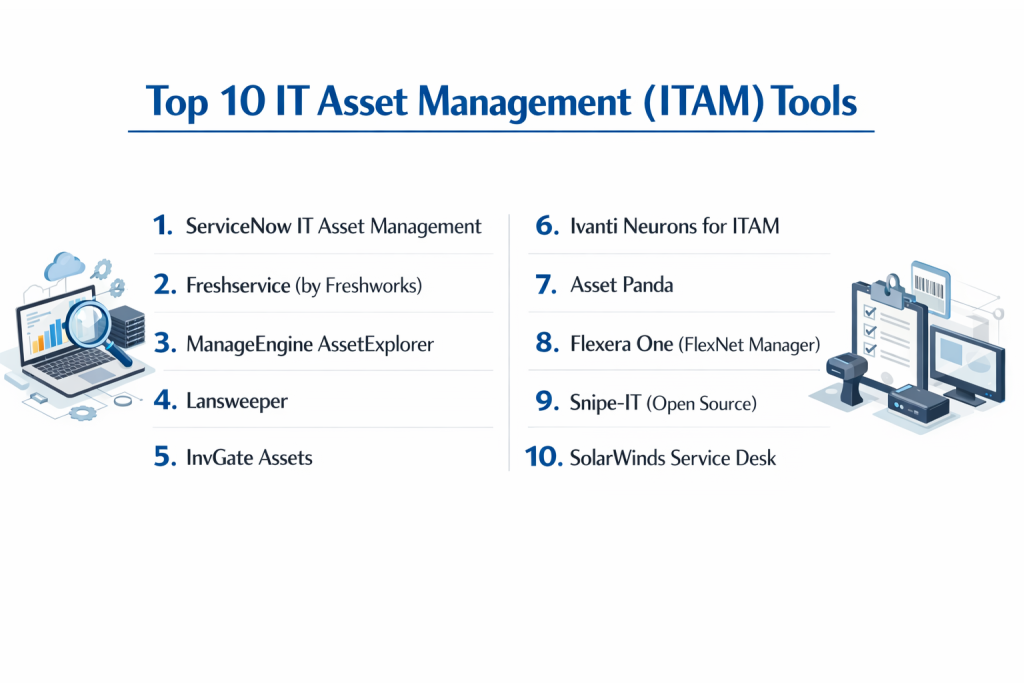
Top 10 IT Asset Management (ITAM) Tools
1 — ServiceNow IT Asset Management
ServiceNow is the gold standard for large-scale enterprise ITAM. Built on the expansive Now Platform, it provides a unified approach that connects asset management directly to IT service workflows.
- Key Features:
- Hardware Asset Management (HAM): Automated workflows for the entire lifecycle from request to disposal.
- Software Asset Management (SAM): Real-time tracking of license compliance for major vendors like Microsoft and Oracle.
- Cloud Insights: Visibility into cloud spend (AWS, Azure) to identify underutilized resources.
- Mobile Asset Tracking: Native mobile app for field technicians to scan and update assets.
- Enterprise Asset Management: Extends tracking to non-IT assets like facilities and medical equipment.
- AI-Driven Analytics: Predictive insights to identify potential asset failures or cost-saving opportunities.
- Pros:
- Unmatched scalability for global organizations managing hundreds of thousands of assets.
- Seamless integration with the broader ServiceNow ITSM ecosystem.
- Cons:
- Extremely high cost and complex implementation process.
- Requires dedicated administrators to manage the platform effectively.
- Security & compliance: SOC 2 Type II, ISO 27001, GDPR, HIPAA, and FedRAMP authorized.
- Support & community: Extensive official documentation, “ServiceNow Community” forums, and premium enterprise support.
2 — Freshservice (by Freshworks)
Freshservice is a cloud-native ITAM and ITSM solution known for its modern interface and “consumer-grade” ease of use. It is a favorite for mid-sized businesses that want power without the complexity of legacy tools.
- Key Features:
- Auto-Discovery: Scans the network to find and log hardware and software automatically.
- CMDB Integration: Deeply links assets to incidents, changes, and problems for better impact analysis.
- SaaS Management: Specialized module to track SaaS app usage and eliminate “shadow IT.”
- Contract Management: Alerts for upcoming renewals and contract expirations.
- Inventory Management: Tracks stock levels for peripherals and consumables.
- Barcode Scanning: Mobile app support for quick inventory audits.
- Pros:
- One of the fastest implementation timelines in the industry.
- Highly intuitive UI that requires minimal staff training.
- Cons:
- Advanced automation features are locked behind higher-tier pricing.
- Less granular control over complex software licensing models compared to ServiceNow.
- Security & compliance: ISO 27001, SOC 2, HIPAA, and GDPR compliant.
- Support & community: 24/7 email and phone support, comprehensive knowledge base, and a growing user community.
3 — ManageEngine AssetExplorer
ManageEngine AssetExplorer is a dedicated ITAM tool that offers both on-premise and SaaS deployment. It is highly valued for its robust network scanning and affordable price point.
- Key Features:
- Multi-Scan Discovery: Uses agent-based and agentless scanning (WMI, SNMP, SSH) to find devices.
- Software License Management: Tracks license types (Volume, Individual, etc.) and ensures compliance.
- Purchase & Contract Tracking: Integrated module for purchase orders and vendor contracts.
- Remote Desktop Integration: Allows admins to remote into assets directly from the asset record.
- Depreciation Tracking: Automatically calculates asset value over time for financial reporting.
- Audit History: Comprehensive logs of every change made to an asset record.
- Pros:
- Excellent value for money, especially for SMBs.
- Very strong hardware discovery capabilities for local networks.
- Cons:
- The user interface feels dated compared to modern SaaS competitors.
- Cloud-to-cloud discovery is not as mature as its on-premise features.
- Security & compliance: ISO 27001, SOC 2, and GDPR.
- Support & community: Extensive library of video tutorials, 24/5 technical support, and user forums.
4 — Lansweeper
Lansweeper is unique because it focuses almost entirely on “IT Asset Intelligence.” It is famous for its “agentless” discovery that finds everything on a network without needing software installed on every machine.
- Key Features:
- Deep Scan Technology: Finds everything from servers and PCs to smart bulbs and IP cameras.
- Cloud & OT Management: Visibility into Azure/AWS as well as Operational Technology (OT) on factory floors.
- Vulnerability Mapping: Connects identified assets to known security vulnerabilities (CVEs).
- Risk Insights: Flags out-of-date OS versions or unauthorized software installations.
- Custom Reporting: Over 400 built-in report templates for various compliance needs.
- API-First Design: Easily pushes asset data to other tools like help desks or CMDBs.
- Pros:
- Best-in-class discovery; if it’s on the network, Lansweeper will find it.
- “Agentless” approach significantly reduces deployment time and overhead.
- Cons:
- It is primarily a discovery tool; it lacks built-in ticketing or deep financial management.
- Pricing can scale quickly as it is based on the number of assets discovered.
- Security & compliance: ISO 27001, SOC 2 Type II, and GDPR.
- Support & community: High-quality documentation and a very active technical community.
5 — InvGate Assets
InvGate Assets is a highly visual ITAM solution that emphasizes data clarity. It is designed for companies that need a professional tool to manage both their financial and operational asset data.
- Key Features:
- Visual Dashboard: Clean, interactive interface for tracking asset health and distribution.
- Software Metering: Monitors actual software usage to help reclaim unused licenses.
- Hardware Monitoring: Tracks CPU, RAM, and disk usage in real-time.
- Financial Management: Tracks costs, depreciation, and total cost of ownership (TCO).
- Alerting System: Notifications for warranty expiration, unauthorized software, or disk space issues.
- Native Integration: Works seamlessly with InvGate Service Desk for a complete IT solution.
- Pros:
- The most visually appealing and easy-to-read dashboard in the ITAM category.
- Strong “reclamation” features that help teams actively save money.
- Cons:
- Smaller third-party integration ecosystem compared to larger vendors.
- Mobile app functionality is somewhat limited compared to Asset Panda.
- Security & compliance: SOC 2, HIPAA, and GDPR.
- Support & community: Personalized onboarding and a responsive customer success team.
6 — Ivanti Neurons for ITAM
Ivanti Neurons is an AI-powered platform designed for “Everywhere Work.” It focuses on providing real-time visibility and automated healing for a globally distributed workforce.
- Key Features:
- AI Discovery: Uses machine learning to identify and categorize unknown assets.
- Edge Management: Specifically optimized for managing laptops that rarely connect to a corporate VPN.
- Software Reclamation: Automatically identifies and uninstalls unused high-cost software.
- Spend Governance: Centralized view of all IT spending across hardware, software, and cloud.
- License Compliance: Out-of-the-box support for complex audits.
- Self-Healing: Can automatically fix common asset issues without human intervention.
- Pros:
- Exceptional for hybrid environments with many remote endpoints.
- AI insights help proactively identify security risks.
- Cons:
- The platform is a collection of acquired products, leading to some UI inconsistencies.
- Complex configuration is required to get the full value from the AI features.
- Security & compliance: ISO 27001, SOC 2, HIPAA, and GDPR.
- Support & community: Global enterprise support and a comprehensive “Ivanti University” for training.
7 — Asset Panda
Asset Panda is a cloud-based tool that prides itself on being the most flexible and mobile-friendly asset tracker on the market. While it handles IT assets perfectly, it is also used for tools, equipment, and vehicles.
- Key Features:
- Extreme Customization: Every field, workflow, and action can be tailored to your specific needs.
- Barcode/QR Scanning: Turn any smartphone into a powerful inventory scanner.
- Unlimited Users: Pricing is based on asset count, allowing the whole company to access the tool.
- Role-Based Permissions: Granular control over who can see or edit specific asset data.
- Check-In/Check-Out: Simplified workflows for assigning equipment to employees or projects.
- Maintenance Tracking: Logs repair history and schedules future maintenance.
- Pros:
- Most customizable tool on this list; it adapts to you, not the other way around.
- Very affordable for organizations that have a large number of users but fewer assets.
- Cons:
- Lacks the deep “automated discovery” and “software metering” of IT-specific tools.
- Manual data entry is more common here than with tools like Lansweeper.
- Security & compliance: SOC 2, GDPR, and data encryption at rest/in transit.
- Support & community: High-touch onboarding and excellent live chat support.
8 — Flexera One (FlexNet Manager)
Flexera is the heavyweight champion of Software Asset Management (SAM). It is specifically designed for large enterprises that need to manage millions of dollars in software spend from vendors like IBM, SAP, and Oracle.
- Key Features:
- License Optimization: Deep logic for complex enterprise license agreements (ELAs).
- SaaS & Cloud Spend: Advanced analytics to reduce waste in SaaS and public cloud.
- Vulnerability Research: Integrated SecOps data to prioritize patching based on asset importance.
- Audit Defense: Provides the exact reports needed to satisfy vendor audits.
- IT Visibility: Normalizes data from various sources into a single, clean inventory.
- Automation Workflows: Automates the lifecycle of high-value software titles.
- Pros:
- Unrivaled for managing complex software licensing and preventing huge audit fines.
- Strongest “FinOps” capabilities for cloud cost management.
- Cons:
- Overkill for companies that don’t have complex enterprise software agreements.
- Very steep learning curve and high price.
- Security & compliance: ISO 27001, SOC 2, GDPR, and HIPAA.
- Support & community: Tier-1 enterprise support and a massive library of technical whitepapers.
9 — Snipe-IT (Open Source)
Snipe-IT is the world’s most popular open-source ITAM tool. It is perfect for budget-conscious IT teams that want a robust, transparent, and community-driven solution.
- Key Features:
- Asset Lifecycle Management: Simple tracking from procurement to decommissioning.
- Check-in/Check-out: Easy management of who has what laptop or tablet.
- Slack/Microsoft Teams Alerts: Notifications for expiring warranties sent to your chat app.
- REST API: Fully featured API for developers to build custom integrations.
- Label Printing: Built-in support for generating and printing asset tags.
- Self-Hosted or Cloud: Choose to host it yourself for free or pay for a managed cloud version.
- Pros:
- Completely free if self-hosted; very affordable cloud hosting options.
- Active community that constantly releases new features and security updates.
- Cons:
- Lacks automated network discovery (requires manual entry or CSV imports).
- No native software license metering or deep “FinOps” analytics.
- Security & compliance: Varies (Self-hosted security depends on your server); Cloud version is GDPR compliant.
- Support & community: Massive GitHub community, extensive documentation, and paid support tiers.
10 — SolarWinds Service Desk
SolarWinds provides a unified service desk and asset management platform that is particularly strong in the mid-market. It is designed to give IT pros a comprehensive view of their “Risk and Health” in one place.
- Key Features:
- Risk-Based Asset Management: Automatically flags assets that are missing critical patches or antivirus.
- Automated Discovery: The “Discovery Agent” keeps hardware and software inventory updated in real-time.
- Contract & Vendor Management: Centralized repository for all IT-related agreements.
- SaaS Discovery: Scans the environment to find SaaS applications being used by employees.
- Employee Portal: Self-service portal where employees can request assets.
- Benchmarking: Compare your asset performance against industry standards.
- Pros:
- Excellent balance of features, ease of use, and price for mid-sized teams.
- Very strong integration between the “Help Desk” tickets and the asset records.
- Cons:
- Historical security concerns (the 2020 breach) still linger for some, though the company has rebuilt its security from scratch.
- The UI can be a bit slower than pure SaaS competitors like Freshservice.
- Security & compliance: ISO 27001, SOC 2, HIPAA, and GDPR.
- Support & community: THWACK community is one of the largest IT forums in the world.
Comparison Table
| Tool Name | Best For | Platform(s) Supported | Standout Feature | Rating (Gartner) |
| ServiceNow | Global Enterprises | Cloud, Mobile | Full Lifecycle Automation | 4.7 / 5 |
| Freshservice | Modern SMBs | Cloud, Mobile | Ease of Use / UI | 4.3 / 5 |
| ManageEngine | Cost-Conscious IT | Win, Mac, Linux, Cloud | Multi-Scan Discovery | 4.4 / 5 |
| Lansweeper | Network Visibility | Win, Mac, Linux, IoT | Agentless Deep Scan | 4.5 / 5 |
| InvGate Assets | Visual Management | Win, Mac, Linux | Visualization & UX | 4.8 / 5 |
| Ivanti Neurons | Hybrid/Remote Work | Cloud, Endpoints | AI-Powered Self-Healing | 4.3 / 5 |
| Asset Panda | Mobile-First Teams | Cloud, Mobile | Extreme Customization | 4.7 / 5 |
| Flexera One | SAM & Audit Defense | Cloud, On-Premise | Enterprise License Logic | 4.2 / 5 |
| Snipe-IT | Budget-Conscious | Web (Self-Host/Cloud) | Open Source Transparency | 4.5 (G2) |
| SolarWinds | Integrated IT Ops | Cloud, Mobile | Risk-Based ITAM | 4.4 / 5 |
Evaluation & Scoring of ITAM Tools
| Criteria | Weight | What We Evaluated |
| Core Features | 25% | Quality of discovery, license tracking, and lifecycle management. |
| Ease of Use | 15% | Intuitive interface, setup time, and mobile accessibility. |
| Integrations | 15% | Compatibility with ITSM, ERP, and cloud providers (AWS/Azure). |
| Security | 10% | Presence of MFA, SSO, and compliance certifications (SOC 2, ISO). |
| Performance | 10% | Network impact of scanning and dashboard responsiveness. |
| Support | 10% | Technical support speed and quality of user documentation. |
| Price / Value | 15% | Predictability of pricing and overall Return on Investment (ROI). |
Which ITAM Tool Is Right for You?
Solo Users vs. SMB vs. Mid-Market vs. Enterprise
- Small Business / Solo Admins: Start with Snipe-IT or Asset Panda. They are easy to set up and focus on the basics: knowing who has what.
- Mid-Market (100–1000 Employees): Freshservice or ManageEngine are the winners here. They provide a professional suite of tools without needing a dedicated team to maintain the software itself.
- Enterprise (1,000+ Employees): ServiceNow or Flexera are almost mandatory at this scale to handle the complexity of global audits and million-dollar software contracts.
Budget-Conscious vs. Premium Solutions
- On a Budget: Snipe-IT (Self-hosted is free) or ManageEngine AssetExplorer (one of the lowest costs for professional discovery).
- Premium Investment: ServiceNow and Ivanti represent high-tier investments that pay for themselves by identifying millions in wasted cloud or license spend.
Feature Depth vs. Ease of Use
- If your priority is depth (e.g., you are being audited by Microsoft), choose Flexera.
- If your priority is getting it running today, choose Freshservice or Asset Panda.
Security and Compliance Requirements
If you are in a highly regulated industry (Government, Finance, Healthcare), prioritize tools like ServiceNow or SolarWinds which have specific FedRAMP or HIPAA-compliant versions.
Frequently Asked Questions (FAQs)
1. What is the difference between ITAM and ITSM?
ITAM focuses on the “financial and contractual” life of an asset (how much it cost, when the lease ends). ITSM (IT Service Management) focuses on the “operational” side (fixing it when it breaks). Most modern tools combine both.
2. Can ITAM tools help with shadow IT?
Yes. Tools like Freshservice and Flexera scan your environment to find “unauthorized” SaaS applications that employees have signed up for without the IT department’s knowledge.
3. Do I need an agent on every computer to track assets?
Not necessarily. Tools like Lansweeper use “agentless” discovery to scan the network via existing protocols. However, “agent-based” tools often provide more detail for remote laptops that aren’t on the office network.
4. How much do ITAM tools typically cost?
Pricing varies wildly. Simple trackers start at $1–$2 per asset/month, while enterprise platforms like ServiceNow can cost tens of thousands of dollars annually in platform fees.
5. How long does it take to implement an ITAM tool?
A simple cloud tool like Asset Panda can be running in a few hours. A full ServiceNow implementation for a global enterprise can take 6 to 12 months.
6. Can ITAM tools help with sustainability goals?
Yes. By tracking the age and energy efficiency of hardware, ITAM tools help organizations plan for green disposal and identify power-hungry legacy servers that should be retired.
7. Are open-source tools like Snipe-IT secure?
Generally, yes, because the code is public and audited by the community. However, if you host it yourself, the security of the data is entirely dependent on your own server configurations.
8. Can ITAM tools track non-IT assets?
Some can. Asset Panda is highly flexible and can track anything. Specialized ITAM tools like Lansweeper are strictly focused on devices with a network connection.
9. Why is software license optimization important?
Vendors like Adobe or Microsoft can audit your company at any time. If you are using more software than you paid for, you can be hit with massive “true-up” fines. ITAM tools prevent this.
10. What is a “CMDB”?
A Configuration Management Database (CMDB) is a repository that stores information about hardware and software, but specifically focuses on the relationships between them (e.g., this server runs this specific database).
Conclusion
The “best” IT asset management tool isn’t necessarily the one with the most features—it is the one that fits your organization’s specific complexity and budget. For a massive enterprise, ServiceNow is an essential piece of infrastructure. For a growing startup, the simplicity and speed of Freshservice or the flexibility of Asset Panda will provide a much faster return on investment.
When making your final choice, remember that data accuracy is the most important factor. No matter how powerful the reporting is, it is useless if the tool cannot reliably find every device on your network. We recommend selecting your top three choices and running a limited trial to see which tool’s discovery engine works best in your unique network environment.