Introduction
Issue tracking tools are software platforms designed to record, prioritize, assign, and track the progress of “issues” within an organization. An “issue” can be anything from a software bug, a customer support ticket, a feature request, or even an internal task that needs to be resolved. Instead of relying on email chains or verbal requests, these tools provide a centralized, transparent system where every problem has a unique identifier, a clear owner, and a defined status. This ensures that nothing falls through the cracks and that teams can work together efficiently to resolve problems.
The importance of robust issue tracking cannot be overstated in today’s fast-paced digital world. For software companies, it’s critical for maintaining product quality and responding to user feedback quickly. For customer support teams, it’s essential for delivering timely resolutions and ensuring customer satisfaction. Key real-world use cases include a developer fixing a critical bug reported by a user, a marketing team tracking design changes for a new campaign, or an HR department managing onboarding tasks for new hires. When choosing a tool, users should look for customizable workflows, strong collaboration features, seamless integration with existing tools (like Slack or GitHub), and clear reporting dashboards to monitor team performance.
Key Real-World Use Cases
- Software Bug Management: Developers log, reproduce, and fix errors in their applications, ensuring a smooth user experience.
- Customer Support Ticketing: Support agents manage incoming customer queries, track their status, and ensure timely resolution, improving customer satisfaction.
- Feature Request Management: Product teams collect, prioritize, and plan the development of new features based on user feedback.
- Project Task Management: Teams track individual tasks and subtasks within a larger project, ensuring all steps are completed on schedule.
- Internal Operations & HR: HR departments use these tools to manage onboarding checklists, IT teams track hardware requests, and legal teams manage document reviews.
What to Look For (Evaluation Criteria)
- Customizable Workflows: The ability to define different statuses (e.g., “Open,” “In Progress,” “Resolved,” “Closed”) and transitions based on your team’s process.
- Collaboration Features: Real-time commenting, @mentions, file attachments, and shared views to keep everyone on the same page.
- Integration Ecosystem: Seamless connections with developer tools (GitHub, GitLab), communication platforms (Slack, Microsoft Teams), and CRM systems.
- Reporting & Analytics: Dashboards that show metrics like resolution time, issue backlog, and team workload to identify bottlenecks.
- Search & Filtering: Powerful search capabilities to quickly find specific issues based on assignee, priority, keyword, or custom fields.
Best for: Software Development Teams, IT Help Desks, Customer Support Departments, Product Managers, and Project Managers across all company sizes and industries. It is particularly crucial for organizations dealing with complex products or services, high customer volumes, or intricate internal processes.
Not ideal for: Solo freelancers managing a handful of tasks, or very small businesses with extremely simple, infrequent issues that can be handled with basic email or a shared document. In such cases, the overhead of a dedicated tool might outweigh its benefits.
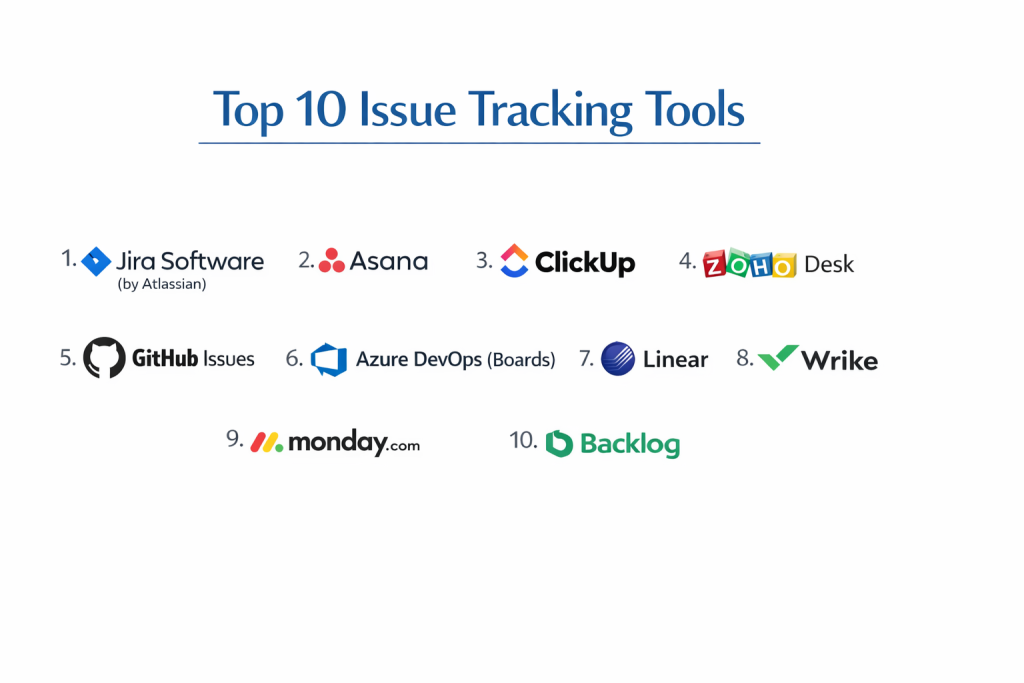
Top 10 Issue Tracking Tools
1 — Jira Software (by Atlassian)
Jira Software is the industry-leading issue tracking and project management tool for software development teams. It is highly customizable and integrates deeply with the entire Atlassian ecosystem.
- Key features:
- Customizable workflows for various Agile methodologies (Scrum, Kanban).
- Powerful search with JQL (Jira Query Language).
- Dashboards and reports for team performance and project status.
- Deep integration with Confluence, Bitbucket, and GitHub.
- Issue linking to track dependencies between tasks and bugs.
- Custom fields and screen configurations for detailed issue data.
- Pros:
- Extremely powerful and flexible for complex software development needs.
- Vast ecosystem of integrations and a massive community for support.
- Cons:
- Can be overwhelming and complex to set up for new users.
- The pricing can get expensive for large teams, and the UI can feel dated to some.
- Security & compliance: SOC 2 Type II, ISO 27001, GDPR, HIPAA (on Enterprise), and SSO (SAML).
- Support & community: Extensive documentation, Atlassian Community forum, global partner network, and enterprise support.
2 — Asana
Asana is a versatile work management platform that excels at tracking tasks and issues across various departments, not just development. Its intuitive interface makes it popular for cross-functional teams.
- Key features:
- Multiple project views (List, Board, Timeline, Calendar).
- Customizable fields and forms for issue submission.
- Automated rules to streamline workflows (e.g., assign task when status changes).
- Real-time collaboration with comments and file attachments.
- Portfolios for tracking progress across multiple projects.
- Integrations with Slack, Microsoft Teams, Adobe Creative Cloud.
- Pros:
- Very user-friendly interface, making it easy for non-technical teams to adopt.
- Excellent for cross-departmental collaboration and visibility.
- Cons:
- Less specialized for intricate software bug tracking compared to Jira.
- Reporting features can be basic on lower-tier plans.
- Security & compliance: SOC 2 Type II, ISO 27001, GDPR, and SSO.
- Support & community: Comprehensive guide, online forum, and dedicated customer success managers.
ClickUp positions itself as an “all-in-one” productivity platform, combining issue tracking with project management, documents, and even CRM features. It’s known for its immense flexibility and vast feature set.
3 — ClickUp
- Key features:
- 20+ customizable views (List, Board, Box, Gantt, Mind Map).
- Advanced automation builder with hundreds of triggers and actions.
- Customizable statuses, fields, and templates for any issue type.
- Built-in Docs, Whiteboards, and Chat for collaboration.
- Goal tracking and dashboards for performance monitoring.
- Integrations with Slack, GitHub, Zendesk, and more.
- Pros:
- Extremely versatile; can be configured for almost any team or workflow.
- Generous free plan for small teams to get started.
- Cons:
- The sheer number of features can be overwhelming for new users.
- Performance can sometimes lag with very large workspaces.
- Security & compliance: SOC 2 Type II, GDPR, CCPA, and SSO.
- Support & community: Extensive video tutorials, webinars, and active online community.
4 — Zoho Desk
Zoho Desk is a robust help desk software that focuses on customer support issue tracking. It is ideal for companies that need to manage a high volume of customer inquiries and automate support workflows.
- Key features:
- Omni-channel ticket management (email, phone, social, chat).
- SLA (Service Level Agreement) management and escalation rules.
- AI-powered assistant (Zia) for ticket categorization and responses.
- Self-service portal and knowledge base for customers.
- Automated workflows and macros for common support tasks.
- Comprehensive reporting on agent performance and customer satisfaction.
- Pros:
- Excellent for customer-facing issue resolution and support automation.
- Very competitive pricing, especially for small to medium-sized businesses.
- Cons:
- Less suited for internal software development bug tracking.
- The user interface can feel a bit busy with many features.
- Security & compliance: SOC 2 Type II, ISO 27001, GDPR, and HIPAA (on Enterprise).
- Support & community: Extensive documentation, community forums, and 24/5 support.
5 — GitHub Issues
GitHub Issues is a lightweight, developer-centric issue tracking system built directly into the GitHub platform. It is perfect for open-source projects and development teams who primarily use GitHub for code management.
- Key features:
- Direct integration with code repositories (commits, pull requests).
- Labels, milestones, and assignees for organization.
- Mentions and reactions for collaboration within issues.
- Project boards (Kanban) for visual task management.
- Issue templates for consistent bug reports and feature requests.
- Basic automation with GitHub Actions.
- Pros:
- Seamless experience for developers already using GitHub.
- Excellent for open-source projects and small to medium-sized dev teams.
- Cons:
- Lacks advanced reporting and complex workflow customization.
- Not ideal for non-technical teams or customer support.
- Security & compliance: SOC 1, SOC 2, ISO 27001, GDPR, and SSO.
- Support & community: Massive developer community, extensive documentation, and GitHub support.
6 — Azure DevOps (Boards)
Azure DevOps provides a comprehensive suite of developer tools, with “Azure Boards” offering robust issue tracking, agile planning, and reporting capabilities for Microsoft-centric development teams.
- Key features:
- Support for Scrum, Kanban, and custom Agile processes.
- Customizable work item types (Bugs, Features, Epics, Tasks).
- Dashboards with customizable widgets for team metrics.
- Integration with Azure Repos, Azure Pipelines, and Visual Studio.
- Powerful queries and filtering for work item management.
- Delivery plans for tracking cross-team dependencies.
- Pros:
- Highly scalable for large enterprise development teams.
- Excellent for organizations deeply invested in the Microsoft ecosystem.
- Cons:
- Can be complex for smaller teams or those new to Agile.
- The user interface can feel somewhat dated compared to modern alternatives.
- Security & compliance: SOC 1, SOC 2, ISO 27001, GDPR, HIPAA, and FedRAMP.
- Support & community: Extensive Microsoft documentation, active developer forums, and enterprise support.
7 — Linear
Linear is a fast, minimalist, and highly opinionated issue tracking tool designed for modern, high-performance software teams. It emphasizes speed, keyboard shortcuts, and a clean user experience.
- Key features:
- Blazing fast keyboard-driven interface.
- Clean, minimalist design for focus.
- Automated workflows (e.g., closing issues after pull request merge).
- Project management features with cycles and roadmaps.
- Integrations with GitHub, GitLab, Slack, and Sentry.
- Slack-native issue creation and updates.
- Pros:
- Extremely fast and enjoyable to use for developers.
- Great for focused teams that value efficiency and clarity.
- Cons:
- Less customizable for non-software or highly unique workflows.
- Pricing is higher than some basic tools, and there’s no free tier.
- Security & compliance: SOC 2 Type II, GDPR, and SSO.
- Support & community: Responsive chat support, extensive help guides, and a dedicated Slack community.
8 — Wrike
Wrike is a comprehensive work management platform that offers strong issue tracking capabilities alongside project planning, resource management, and collaboration features. It’s often used by marketing and creative teams.
- Key features:
- Customizable dashboards, reports, and workflows.
- Gantt charts, Kanban boards, and tables for project views.
- Proofing and approval workflows for creative assets.
- Time tracking and resource management.
- Deep integration with Salesforce, Adobe Creative Cloud, and Microsoft 365.
- Guest access for external collaborators.
- Pros:
- Excellent for managing complex projects with many dependencies.
- Very strong for creative and marketing teams needing approval processes.
- Cons:
- Can be too feature-rich and complex for simple issue tracking needs.
- Pricing can be higher, especially for advanced features.
- Security & compliance: SOC 2 Type II, ISO 27001, GDPR, HIPAA, and SSO.
- Support & community: Extensive online help, webinars, and personalized onboarding.
9 — Monday.com
Monday.com is a highly visual and flexible work operating system (Work OS) that can be adapted for issue tracking, project management, CRM, and more. Its strength lies in its intuitive, color-coded interface.
- Key features:
- Highly customizable boards with drag-and-drop interface.
- Automations to streamline repetitive tasks and notifications.
- Multiple views (Kanban, Gantt, Calendar, Map, Form).
- Guest access and extensive collaboration features.
- Dashboards with customizable widgets for reporting.
- Integrations with Slack, Microsoft Teams, Salesforce, and Zoom.
- Pros:
- Extremely user-friendly and visually appealing.
- Very flexible for non-technical teams to set up and manage.
- Cons:
- Less specialized for specific software development needs compared to Jira.
- Can become expensive quickly as team size and feature needs grow.
- Security & compliance: SOC 2 Type II, ISO 27001, GDPR, HIPAA, and SSO.
- Support & community: Extensive video tutorials, webinars, and 24/7 customer support.
10 — Backlog
Backlog is an all-in-one project management and issue tracking tool designed specifically for development teams. It combines bug tracking, version control, and Wiki functionality in a single platform.
- Key features:
- Bug tracking with detailed status, priority, and due dates.
- Gantt charts and Kanban boards for project visualization.
- Built-in Wiki for project documentation and knowledge sharing.
- Version control (Git and SVN) directly integrated.
- Burndown charts and other Agile reports.
- Client guest roles for external collaboration.
- Pros:
- Great for smaller development teams who want an integrated solution.
- Very easy to get started with and offers a clean user interface.
- Cons:
- Less feature-rich than enterprise solutions like Jira or Azure DevOps.
- Integrations are not as extensive as some other tools.
- Security & compliance: SOC 2, ISO 27001, and GDPR compliant.
- Support & community: Dedicated help center, email support, and a supportive user community.
Comparison Table
| Tool Name | Best For | Platform(s) Supported | Standout Feature | Rating |
| Jira Software | Agile Dev Teams | Web, Desktop, Mobile | JQL Search Power | 4.4 / 5 |
| Asana | Cross-Functional Teams | Web, iOS, Android | Intuitive UI / UX | 4.4 / 5 |
| ClickUp | “All-in-One” Flexibility | Web, Desktop, Mobile | 20+ Views | 4.6 / 5 |
| Zoho Desk | Customer Support | Web, iOS, Android | Omni-Channel Tickets | 4.4 / 5 |
| GitHub Issues | Devs (GitHub Users) | Web | Code Integration | 4.3 / 5 |
| Azure DevOps | Microsoft Enterprise | Web, Desktop, Mobile | Enterprise Scalability | 4.3 / 5 |
| Linear | Fast-Paced Dev Teams | Web, Desktop, Mobile | Speed / Keyboard Focus | 4.7 / 5 |
| Wrike | Complex Projects | Web, Desktop, Mobile | Proofing & Approvals | 4.2 / 5 |
| Monday.com | Visual & Flexible | Web, Desktop, Mobile | Highly Visual Boards | 4.6 / 5 |
| Backlog | Integrated Dev PM | Web, iOS, Android | Built-in Git/SVN | 4.3 / 5 |
Evaluation & Scoring of Issue Tracking Tools
| Criteria | Weight | Evaluation Rationale |
| Core Features | 25% | Workflow customization, reporting, and issue linking. |
| Ease of Use | 15% | Onboarding time, intuitive interface for daily tasks. |
| Integrations & Ecosystem | 15% | Connectivity with dev tools, comms, and other business apps. |
| Security & Compliance | 10% | Data protection, SSO, and industry certifications. |
| Performance & Reliability | 10% | Speed of the application, especially with large datasets. |
| Support & Community | 10% | Quality of help, available resources, and user community. |
| Price / Value | 15% | Cost efficiency vs. features provided for team size. |
Which Issue Tracking Tool Is Right for You?
Solo Users vs SMB vs Mid-Market vs Enterprise
For solo users or very small teams, GitHub Issues (if you’re already on GitHub) or the free plan of ClickUp offers a great starting point. SMBs often find Asana or Monday.com to be excellent due to their ease of use and flexibility. Mid-market software companies lean towards Jira Software or Linear for their robust developer features. Enterprises with complex IT environments and strict compliance needs will typically choose Jira Software or Azure DevOps for their scalability and deep feature sets.
Budget-conscious vs Premium Solutions
Microsoft Clarity (for session replay) is free, and the core features of GitHub Issues (for public repos) and ClickUp are very generous for budget-conscious users. For premium solutions, Jira Software offers unparalleled depth and customization, while Linear provides a premium, high-speed experience for focused dev teams. Aha! and Dynatrace (mentioned in previous posts) also offer very powerful enterprise-grade solutions that come with a higher price tag but immense value for complex organizations.
Feature Depth vs Ease of Use
If ease of use is paramount, especially for non-technical teams, Asana and Monday.com are designed with simplicity and visual clarity in mind. If you need feature depth for highly complex workflows, custom fields, and advanced automation, Jira Software and ClickUp are the top contenders, allowing you to configure almost any process imaginable.
Integration and Scalability Needs
For seamless integration with code repositories, GitHub Issues is best for GitHub users, and Azure DevOps for those on Microsoft’s platform. Jira Software offers the broadest integration ecosystem. When it comes to scalability, particularly for thousands of users and millions of issues, Jira Software and Azure DevOps are built for enterprise-level demands.
Security and Compliance Requirements
For high-security environments and industries with strict compliance (e.g., Healthcare, Government, Finance), tools that offer HIPAA and FedRAMP certifications like Azure DevOps and Jira Software (Enterprise plans) are critical. All top-tier tools generally offer SOC 2 Type II and GDPR compliance, which are essential for most businesses handling sensitive data.
Frequently Asked Questions (FAQs)
What’s the main purpose of an issue tracking tool?
Its main purpose is to centralize, organize, and manage any problems, tasks, or requests within a team or organization, ensuring nothing gets forgotten and everything is resolved efficiently.
Is issue tracking only for software bugs?
No, while commonly used for software bugs, these tools can track any “issue” – customer complaints, feature requests, marketing tasks, HR onboarding, or IT support tickets.
What is a “workflow” in issue tracking?
A workflow defines the lifecycle of an issue (e.g., Open -> In Progress -> Under Review -> Resolved -> Closed) and who can change its status at each stage.
Can I integrate an issue tracker with my email?
Yes, most tools allow you to create issues directly from emails, and some even let you reply to issues via email, making communication seamless.
What is a Kanban board?
It’s a visual project management tool that uses columns (representing workflow stages) and cards (representing issues) to show work in progress and its flow.
How do I prioritize issues effectively?
Common methods include prioritizing by urgency, impact on users, effort required, or using frameworks like RICE (Reach, Impact, Confidence, Effort).
Are there free issue tracking tools?
Yes, GitHub Issues (for public repos), ClickUp (generous free plan), and Microsoft Clarity (for session replay, which can help find bugs) all offer free options.
What is “SLA management” in an issue tracker?
SLA (Service Level Agreement) management sets clear timeframes for when issues (especially customer support tickets) should be resolved, with automated alerts if deadlines are approaching.
Can I track time spent on issues?
Many issue tracking tools have built-in time tracking features or integrate with dedicated time-tracking applications.
What is the biggest challenge in implementing an issue tracker?
User adoption. If the team finds the tool too complex or if workflows aren’t clearly defined, people will revert to older, less efficient methods.
Conclusion
The “best” issue tracking tool isn’t a one-size-fits-all solution; it’s the one that seamlessly integrates into your team’s existing workflows and empowers them to solve problems faster. For software developers, Jira Software remains the undisputed king, offering unparalleled depth and customization. For cross-functional teams that value intuitive design, Asana or Monday.com are fantastic choices. And for those seeking a modern, blazing-fast experience for software development, Linear is gaining serious traction.
Ultimately, effective issue tracking is about transparency and efficiency. By centralizing problems, assigning clear ownership, and visualizing progress, you can dramatically improve your team’s productivity and ensure that no critical issue ever falls through the cracks again.