Introduction
An Investing Portfolio Tracker is a digital platform or software application that aggregates data from various investment accounts—such as stocks, bonds, ETFs, cryptocurrencies, and real estate—into a single, unified view. Instead of logging into multiple brokerage accounts, bank portals, and crypto exchanges separately, investors use these trackers to gain a holistic perspective of their total net worth. These tools go beyond simple balance checks; they provide sophisticated analytics on asset allocation, geographical exposure, dividend income, and tax liabilities.
The importance of these tools has skyrocketed as the average investor’s portfolio has become increasingly fragmented. With the rise of “micro-investing” apps, decentralized finance (DeFi), and international trading, keeping a manual spreadsheet is no longer viable for many. A high-quality tracker automates data entry, identifies “hidden” fees, and alerts users when their portfolio has drifted away from their target risk profile. By providing a “single source of truth,” these platforms empower investors to make data-driven decisions rather than emotional ones, ensuring they stay on track for long-term financial goals like retirement or home ownership.
Key Real-World Use Cases
- Asset Allocation Rebalancing: Identifying when a surge in tech stocks has made your portfolio too risky, allowing you to sell high and re-invest in undervalued sectors.
- Dividend Income Planning: Tracking upcoming payouts from various stocks to manage monthly cash flow or plan for dividend reinvestment (DRIP).
- Tax Loss Harvesting: Identifying underperforming assets that can be sold to offset capital gains, potentially saving thousands in annual taxes.
- Fee Discovery: Surfacing high expense ratios in mutual funds that are quietly eroding long-term returns.
- Crypto-Fiat Consolidation: Viewing high-volatility digital assets alongside stable traditional holdings to understand total risk exposure.
Best for:
- Retail Investors: Individuals managing their own 401(k)s, IRAs, and taxable brokerage accounts.
- High-Net-Worth Individuals (HNWIs): Those with complex portfolios involving private equity, real estate, and multiple currencies.
- Financial Advisors & Planners: Professionals who need to monitor client progress and generate white-labeled performance reports.
Not ideal for:
- Day Traders: Individuals who need second-by-second execution and “Level 2” data, as trackers are designed for oversight rather than rapid-fire trading.
- Cash-Only Savers: People who do not own securities and only keep money in standard savings accounts, as a simple banking app would suffice.
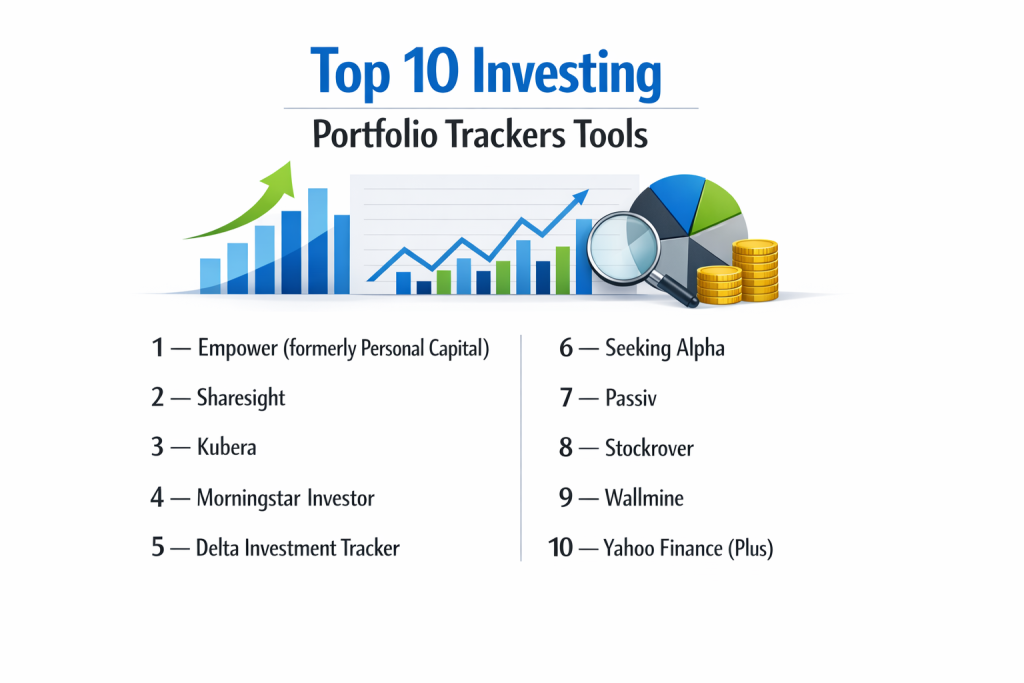
Top 10 Investing Portfolio Trackers Tools
1 — Empower (formerly Personal Capital)
Empower is widely considered the industry leader for free, comprehensive wealth management. It combines powerful automated tracking with professional financial advisory services.
- Key features:
- Automated syncing with over 14,000 financial institutions.
- Sophisticated “Retirement Planner” using Monte Carlo simulations.
- Fee Analyzer that identifies hidden costs in 401(k) and mutual fund holdings.
- Investment Checkup tool to assess risk tolerance vs. actual allocation.
- Savings Planner for tracking emergency funds and debt payoff.
- Net worth tracking including physical assets like homes (via Zillow integration).
- Pros:
- The best free retirement planning tool available to the public.
- High-level security and read-only access ensure funds cannot be moved.
- Cons:
- Frequent sales calls from advisors if your portfolio exceeds $100k.
- The mobile app can sometimes struggle with syncing smaller, niche credit unions.
- Security & compliance: SOC 2 compliant, AES-256 encryption, multi-factor authentication (MFA), and third-party security audits.
- Support & community: Robust help center, email support, and dedicated financial advisors for paid clients.
2 — Sharesight
Sharesight is a specialist tool designed specifically for performance tracking and tax reporting. It excels at handling dividends, corporate actions, and multi-currency portfolios.
- Key features:
- Automated tracking of dividends and franking credits.
- Support for over 40 global stock exchanges and 100+ currencies.
- “Total Return” reporting (capital gains + dividends + currency fluctuations).
- Brokerage statement imports via PDF or CSV for historical data.
- Tax-ready reports for capital gains and income.
- Portfolio sharing features for tax accountants or family members.
- Pros:
- The most accurate dividend tracking in the category.
- Incredible for international investors dealing with multiple tax jurisdictions.
- Cons:
- The free version is limited to only 10 holdings.
- Does not offer “budgeting” or “banking” features; it is purely for investments.
- Security & compliance: GDPR compliant, 256-bit SSL encryption, and API-based data fetching.
- Support & community: Active community forum, extensive documentation, and tiered email support.
3 — Kubera
Kubera is a premium, privacy-focused “wealth tracker” designed for the modern investor who holds everything from stocks to NFTs and domain names.
- Key features:
- Connects to global banks, brokerages, and crypto exchanges.
- Specialized tracking for “Alternative Assets” (Real estate, cars, watches).
- Direct DeFi and NFT tracking via wallet addresses.
- Clean, “spreadsheet-like” interface without intrusive ads or upsells.
- Internal Rate of Return (IRR) calculations for individual assets.
- “Life Strategy” feature for passing on digital credentials to beneficiaries.
- Pros:
- The best tool for a comprehensive view of “Total Wealth” including crypto.
- A strict “no-ad” policy ensures your data is never sold to third parties.
- Cons:
- No free tier; it operates on a strictly paid subscription model.
- Less focus on “budgeting” or daily expense tracking.
- Security & compliance: Strict privacy protocols, SOC 2 compliant via aggregation partners, and AES-256 encryption.
- Support & community: Personalized concierge-style email support and a detailed knowledge base.
4 — Morningstar Investor
Morningstar Investor is the professional-grade evolution of their popular tracking tools, providing deep-dive fundamental research alongside portfolio monitoring.
- Key features:
- Access to Morningstar’s famous “Star Ratings” and Analyst Reports.
- X-Ray tool that looks inside ETFs and Mutual Funds for overlapping holdings.
- Custom watchlists with professional-grade valuation metrics.
- Portfolio “Sustainability” ratings (ESG scores).
- Advanced screening for stocks and funds based on fundamental data.
- Historical performance benchmarking against thousands of indices.
- Pros:
- Unmatched depth of research and data quality.
- The X-Ray tool is a unique feature that prevents unintentional over-exposure to specific stocks.
- Cons:
- The user interface can feel academic and overwhelming for beginners.
- One of the more expensive monthly subscriptions in the market.
- Security & compliance: ISO 27001 standards, high-level encryption, and strict institutional-grade data privacy.
- Support & community: Comprehensive investment library, webinars, and professional phone support.
5 — Delta Investment Tracker
Delta started as a crypto tracker and has evolved into one of the most beautiful and fluid multi-asset trackers for mobile-first users.
- Key features:
- Native tracking for Stocks, Crypto, ETFs, Futures, and Forex.
- Real-time notifications for price movements and news.
- Transaction-level analysis for individual trade performance.
- Deep integration with major crypto exchanges via API.
- “Delta Direct” for direct updates from project teams.
- Visual breakdown of portfolio diversity and source distribution.
- Pros:
- Exceptional mobile UI/UX that feels modern and fast.
- The best tool for investors who started in crypto and are moving into traditional stocks.
- Cons:
- Limited web/desktop functionality compared to its mobile app.
- Some advanced analytics require a “Delta Pro” subscription.
- Security & compliance: SOC 2 compliant through aggregation partners, Varies by region / GDPR compliant.
- Support & community: Strong social media presence, active Discord/Telegram community, and in-app support.
6 — Seeking Alpha
Seeking Alpha is a content-driven platform that integrates a powerful portfolio tracker with crowdsourced investment research.
- Key features:
- “Quant Ratings” that grade stocks based on growth, value, and momentum.
- Real-time news alerts tailored specifically to your holdings.
- In-depth analysis articles from thousands of independent contributors.
- Dividend grades and safety scores to prevent “dividend traps.”
- Comparison tools to pit your portfolio against the S&P 500.
- Earnings call transcripts and financial statements for all holdings.
- Pros:
- Excellent for investors who want to read “Why” a stock is moving.
- The Quant Ratings are historically high-performing and data-backed.
- Cons:
- Heavy focus on community-generated content, which can vary in quality.
- The constant stream of articles can lead to “information overload.”
- Security & compliance: Standard web encryption, GDPR compliant, and secure API data syncing.
- Support & community: Massive community of millions of investors, tiered email support, and dedicated subscription managers.
7 — Passiv
Passiv is a specialized tool built for “lazy” investors who want to automate their rebalancing and manage multiple brokerage accounts from one dashboard.
- Key features:
- One-click rebalancing to bring portfolios back to target allocation.
- Automated detection of new cash and “Smart Buy” suggestions.
- Support for multiple accounts (IRAs, Taxable, Spouse’s accounts).
- Drift notifications when an asset moves too far from its goal.
- Support for Questrade, TD Ameritrade, Interactive Brokers, and more.
- Performance tracking including dividend and contribution history.
- Pros:
- The absolute best tool for “Set and Forget” index fund investors.
- Saves hours of manual calculations every time you contribute new money.
- Cons:
- The “One-Click Trade” feature is only available for specific brokers.
- Less focus on deep fundamental research or stock screening.
- Security & compliance: Uses OAuth for secure connections (never sees your password), SOC 2 compliant partners.
- Support & community: Responsive email support and a streamlined documentation portal.
8 — Stockrover
Stockrover is a heavy-duty analytical platform that provides “Bloomberg-lite” capabilities for serious stock investors.
- Key features:
- Dynamic “In-Depth Research Reports” on thousands of stocks.
- Advanced Correlation tools to see how your stocks move together.
- Detailed “Future Value” projections based on growth rates.
- Strategy backtesting and sophisticated screening.
- Portfolio rebalancing suggestions and trade planning.
- Management of “Watchlists” that mirror your actual brokerage.
- Pros:
- Unrivaled for deep fundamental analysis and backtesting.
- Great value compared to expensive institutional terminals.
- Cons:
- The interface looks like legacy software from the 1990s.
- Steep learning curve; not suitable for casual or beginning investors.
- Security & compliance: SOC 2 compliant data partners, secure read-only API access, and encrypted databases.
- Support & community: High-quality webinars, extensive written tutorials, and expert-led support tickets.
9 — Wallmine
Wallmine provides a clean, modern, and surprisingly powerful free tracking tool that focuses on institutional filings and executive tracking.
- Key features:
- Unlimited portfolio tracking for free.
- Insider trading alerts (tracking when CEOs buy/sell their own stock).
- Institutional ownership data (13F filings) for every ticker.
- Integrated stock screener and news aggregator.
- Exportable PDF reports for performance review.
- Clean mobile app and desktop sync.
- Pros:
- Offers many features for free that competitors charge for.
- Very fast interface with high-quality data visualizations.
- Cons:
- Less automated syncing with small international brokers.
- Doesn’t offer the retirement planning depth of Empower.
- Security & compliance: Standard SSL/TLS encryption, GDPR compliant, and secure cloud infrastructure.
- Support & community: Email support and a comprehensive FAQ/Knowledge base.
10 — Yahoo Finance (Plus)
Yahoo Finance remains the most visited financial site in the world, and its tracker is a staple for those who want a simple, no-fuss way to watch their money.
- Key features:
- Direct linking to most major US brokerages.
- Real-time quotes and interactive charts.
- Aggregated news from hundreds of financial outlets.
- Basic portfolio analytics on risk and diversification.
- Access to premium research reports (Plus version).
- Watchlist synchronization across all devices.
- Pros:
- Everyone already knows how to use it; zero learning curve.
- The free version is remarkably robust for basic price tracking.
- Cons:
- The site is heavily cluttered with intrusive advertisements.
- The “Plus” features are often found elsewhere for cheaper or free.
- Security & compliance: Standard Yahoo/Verizon security protocols, MFA support, and encrypted data syncing.
- Support & community: Massive user base, automated help center, and premium chat support for Plus members.
Comparison Table
| Tool Name | Best For | Platform(s) Supported | Standout Feature | Rating |
| Empower | Retirement Planning | Web, iOS, Android | Fee Analyzer | N/A |
| Sharesight | Dividend Tracking | Web, iOS, Android | Tax-Ready Reporting | N/A |
| Kubera | Total Net Worth | Web, iOS, Android | Crypto/Physical Assets | N/A |
| Morningstar Investor | Deep Research | Web | X-Ray Analysis | N/A |
| Delta | Mobile-First Users | iOS, Android | Multi-Asset UX | N/A |
| Seeking Alpha | Analysis/Content | Web, iOS, Android | Quant Ratings | N/A |
| Passiv | Passive Investors | Web | One-Click Rebalancing | N/A |
| Stockrover | Power Users | Web | Correlation/Backtesting | N/A |
| Wallmine | Institutional Data | Web, iOS, Android | Insider Trading Alerts | N/A |
| Yahoo Finance | Casual Tracking | Web, iOS, Android | Ubiquitous Accessibility | N/A |
Evaluation & Scoring of Investing Portfolio Trackers
| Criteria | Weight | Score (1-10) | Explanation |
| Core Features | 25% | 9 | Most tools offer excellent aggregation; differences lie in research depth. |
| Ease of Use | 15% | 8 | Modern tools (Delta/Empower) are great; older tools (Stockrover) lag. |
| Integrations | 15% | 7 | US integration is nearly perfect; international/crypto varies by vendor. |
| Security | 10% | 10 | Encryption and read-only access are now universal industry standards. |
| Performance | 10% | 8 | Cloud uptime is stable; syncing delays are the most common complaint. |
| Support | 10% | 7 | Documentation is strong, but live human support is often behind a paywall. |
| Price / Value | 15% | 9 | Empower (Free) and Wallmine (Free) offer incredible value. |
Which Investing Portfolio Trackers Tool Is Right for You?
Solo Users vs SMB vs Mid-Market vs Enterprise
For the solo investor managing a standard 401(k) and a few stocks, Empower is the undisputed king due to its free price tag and excellent retirement planning. Small businesses or Mid-Market family offices managing larger pools of money may prefer Kubera for its ability to track non-traditional assets like real estate and private equity. Enterprise users, such as professional financial advisors, should look toward Morningstar Investor or Sharesight for their ability to generate white-labeled reports for clients and handle complex tax jurisdictions.
Budget-Conscious vs Premium Solutions
If you have a $0 budget, you should start with Empower (for the best features) or Yahoo Finance (for simplicity). If you are a premium seeker who values privacy and aesthetic design above all else, Kubera is worth the subscription fee. For those who want the most “bang for their buck” in terms of research data, Seeking Alpha provides a middle-ground premium tier that includes actionable stock picks.
Feature Depth vs Ease of Use
This is the most critical trade-off. Delta and Empower are incredibly easy to use but might not satisfy a user who wants to perform a discounted cash flow (DCF) analysis. On the other hand, Stockrover provides professional-level depth but looks and feels like a specialized engineering tool. If you are a beginner, choose a mobile-first tool. if you are a “data nerd,” go for the web-based analytical platforms.
Integration and Scalability Needs
If you only hold US stocks, any tool on this list will work perfectly. However, if you have international stocks or cryptocurrency, your options narrow. Sharesight is the best for global stocks, while Kubera and Delta are the clear winners for crypto-heavy portfolios. Ensure the tool you choose supports your specific brokerage to avoid the nightmare of manual data entry.
Security and Compliance Requirements
All tools listed here use industry-standard encryption. However, if you are a “privacy maximalist,” Kubera is the only tool that charges a fee specifically so they don’t have to monetize your data. For those in the UK/EU, ensure your chosen tool is GDPR compliant to protect your personal financial information.
Frequently Asked Questions (FAQs)
Are portfolio trackers safe?
Yes, reputable trackers use “read-only” access. This means they can see your data to display it, but they do not have the credentials to move money or execute trades in your name.
Do these tools work with international banks?
It varies. Sharesight and Kubera have the strongest support for international institutions, whereas Empower is heavily focused on US-based users.
Is there a free portfolio tracker that includes crypto?
Delta offers a very strong free tier for crypto and stocks. Wallmine also allows for manual entry of crypto assets for free.
Can I track my home value in these apps?
Yes, Empower and Kubera allow you to link your home address to track real-time estimates (like Zillow) and include your home equity in your net worth.
What is the best tracker for dividends?
Sharesight is widely considered the best for dividends because it automatically handles dividend reinvestment (DRIP), tax credits, and payout dates across 40+ global exchanges.
Do I have to enter my transactions manually?
Most modern trackers use services like Plaid or Yodlee to automatically sync your transactions. However, some alternative assets like physical gold or private loans must be entered manually.
Why is my account not syncing?
Sync issues are usually caused by the bank’s security updates or multi-factor authentication requirements. Usually, re-linking the account once or twice a year is required.
Can I share my portfolio with my spouse?
Kubera and Sharesight have native “sharing” features that allow you to give another user read-only access to specific portfolios.
What is “Portfolio X-Ray”?
This is a Morningstar feature that looks inside your mutual funds and ETFs to see if you are over-concentrated in one stock (e.g., owning 10 different funds that all hold 10% Apple).
How much do premium trackers cost?
Prices range from $10/month (Delta Pro) to $250+/year (Morningstar Investor/Stockrover). Many of the best tools offer a free trial or a permanently free basic version.
Conclusion
In the modern world of investing, your data is just as valuable as your capital. Choosing the right Investing Portfolio Tracker is the difference between flying blind and having a high-definition map of your financial future. Whether you are a minimalist who wants a beautiful mobile view from Delta, a data-driven researcher utilizing Morningstar Investor, or a retirement-focused saver using Empower, the key is to stop guessing and start measuring.
Remember that the “best” tool is the one you will actually check. A tool with infinite features is useless if it’s too complicated to navigate. Start with a free version of one of the top picks above, link your accounts, and spend time looking at your asset allocation and fees. You might be surprised to find that a few small adjustments—guided by the right data—can lead to thousands of dollars in extra wealth over your lifetime.