Introduction
Internet Filtering Software is a specialized category of digital security tools designed to monitor, manage, and restrict access to specific websites or online content. At its core, this software acts as a gatekeeper between a user’s device and the vast expanse of the World Wide Web. By analyzing web traffic in real-time—often at the DNS (Domain Name System) level or through deep packet inspection—these tools can block harmful sites, prevent malware infections, and ensure that users only interact with appropriate material.
The importance of these tools cannot be overstated in a digital environment filled with both incredible resources and significant risks. For organizations, internet filtering is a primary line of defense against cyberattacks like phishing and ransomware. For educational institutions and parents, it provides a necessary safety net to protect minors from explicit or age-inappropriate content. Beyond safety, these tools are instrumental in maintaining productivity by limiting access to distracting platforms during critical work or study hours.
Key Real-World Use Cases
- Corporate Security: Businesses use filtering to block known malicious domains, preventing employees from accidentally downloading malware or falling for phishing scams.
- Educational Compliance: Schools implement these tools to comply with regulations (such as CIPA in the US) that require the protection of students from harmful online content.
- Parental Guidance: Families utilize filters to create a “walled garden” for children, ensuring they don’t stumble upon adult content or gambling sites.
- Bandwidth Management: Organizations in areas with limited internet resources use filtering to block high-bandwidth sites like video streaming services to save network speed for business-critical tasks.
What to Look For (Evaluation Criteria)
When choosing a tool in this category, users should evaluate the accuracy of content categorization, as a filter that blocks legitimate research sites (over-blocking) is just as problematic as one that lets harmful content through (under-blocking). Ease of deployment is another critical factor; cloud-based DNS filters are generally easier to set up than hardware appliances. Additionally, look for granular reporting, which provides insights into browsing habits and attempted security breaches.
Best for:
- Enterprises and SMBs: Looking to secure their network and reduce legal liability.
- Schools and Libraries: Needing to enforce safe browsing and regulatory compliance.
- Parents: Wanting a simple way to monitor and manage their children’s screen time and web exposure.
Not ideal for:
- Individual Power Users: Who have the technical skills to manage their own security and prefer unfiltered access.
- Very Small Businesses: That may find the cost and configuration of enterprise-grade tools unnecessary compared to basic built-in browser controls.
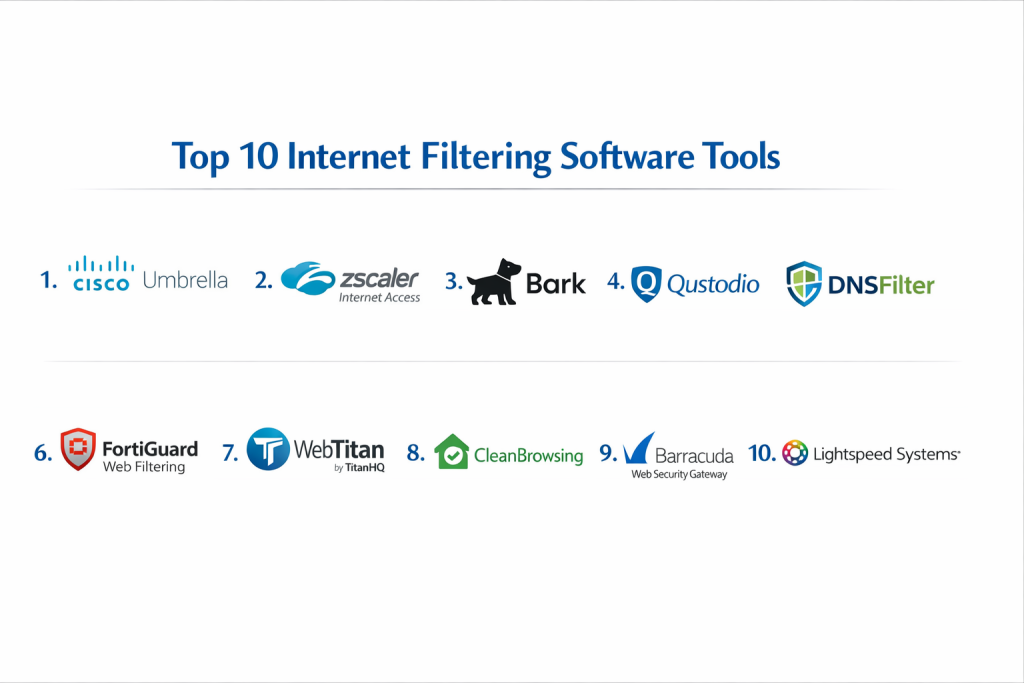
Top 10 Internet Filtering Software Tools
1 — Cisco Umbrella
Cisco Umbrella is a cloud-native security platform that provides a first line of defense against internet threats. It works by resolving DNS requests before a connection is even established, making it incredibly fast and effective.
- Key features:
- DNS-layer security to block requests to malicious domains.
- Secure Web Gateway (SWG) for deeper inspection of risky URLs.
- Cloud-delivered firewall to log and manage all traffic.
- Interactive threat intelligence via Cisco Talos.
- Selective SSL decryption to inspect encrypted traffic.
- Integration with existing Cisco networking hardware.
- Pros:
- Extremely easy to deploy across an entire organization by changing DNS settings.
- High-speed performance with almost zero latency added to the browsing experience.
- Cons:
- The advanced features can become expensive for smaller businesses.
- The user interface can be complex for non-technical administrators.
- Security & compliance: SOC 2 Type II, ISO 27001, GDPR compliant, and HIPAA ready.
- Support & community: Extensive documentation, 24/7 global enterprise support, and a massive community of IT professionals.
2 — Zscaler Internet Access
Zscaler is a leader in the “Zero Trust” space, offering a comprehensive cloud-based filtering service that treats the internet as the new corporate network. It is designed for highly distributed workforces.
- Key features:
- AI-powered phishing and malware detection.
- Granular URL filtering with over 100 categories.
- Data Loss Prevention (DLP) to prevent sensitive info from leaving the network.
- Cloud Sandbox for analyzing suspicious files.
- Bandwidth control to prioritize business apps.
- Full SSL inspection at scale.
- Pros:
- Eliminates the need for on-site hardware appliances.
- Provides consistent security for remote employees without needing a VPN.
- Cons:
- Initial configuration and policy setup can be time-consuming.
- Requires a high level of expertise to manage all security modules effectively.
- Security & compliance: FedRAMP High, SOC 3, ISO 27001, and GDPR.
- Support & community: Tiered support levels with dedicated technical account managers for enterprise clients.
3 — Bark
Bark is a unique filtering and monitoring tool specifically designed for parents and schools. Rather than just blocking sites, it uses advanced AI to monitor communications for signs of danger.
- Key features:
- Monitoring for 30+ social media platforms and email.
- AI alerts for cyberbullying, self-harm, and online predators.
- Customizable web filtering for various age groups.
- Screen time management tools.
- Location tracking and check-ins.
- “Bark Home” hardware option for whole-house filtering.
- Pros:
- Focuses on the “context” of conversations, not just keywords.
- Encourages parent-child dialogue through detailed alerts.
- Cons:
- Does not block as many individual apps as some competitors.
- Installation on iOS devices can be a bit technical.
- Security & compliance: COPPA and FERPA compliant (crucial for school settings).
- Support & community: Strong blog resources, active social media presence, and responsive email support.
4 — Qustodio
Qustodio is a highly user-friendly parental control and internet filtering suite. It is widely praised for its clean interface and the balance it strikes between monitoring and blocking.
- Key features:
- Real-time web filtering across all major browsers.
- Daily time limits and “pause internet” features.
- App blocking and game time restrictions.
- YouTube monitoring (including search and watch history).
- Panic button for children to alert parents in emergencies.
- Detailed 30-day activity reports.
- Pros:
- One of the easiest dashboards to navigate for non-tech parents.
- Excellent cross-platform support (Windows, Mac, iOS, Android, Kindle).
- Cons:
- The free version is quite limited compared to the premium tiers.
- Social media monitoring is not as deep as Bark’s.
- Security & compliance: High standard of data encryption and GDPR compliant.
- Support & community: Comprehensive help center and a dedicated “Care” team for subscribers.
5 — DNSFilter
DNSFilter is a powerful, AI-driven web filtering solution that prides itself on being faster and more accurate than traditional list-based filters. It is a favorite among Managed Service Providers (MSPs).
- Key features:
- Real-time domain categorization using “Webroot” intelligence.
- Botnet and crypto-jacking protection.
- Customizable block pages for users.
- Global Anycast network for low-latency filtering.
- Scheduled filtering policies.
- Multi-tenant dashboard for managing different locations or clients.
- Pros:
- Very fast deployment; protection can be active in minutes.
- Extremely transparent and competitive pricing model.
- Cons:
- Lacks the deep packet inspection (DPI) found in full proxy solutions.
- Reporting can be less granular than some high-end enterprise tools.
- Security & compliance: SOC 2 Type II compliant.
- Support & community: Highly rated technical support and an active user feedback forum.
6 — FortiGuard Web Filtering
Part of the Fortinet ecosystem, FortiGuard provides industry-leading web filtering that is often integrated directly into FortiGate firewalls. It uses a massive database of billions of rated URLs.
- Key features:
- AI-based URL categorization.
- Filtering of malicious DNS requests.
- Credential stuffing protection.
- Safe search enforcement for major search engines.
- Integration with Fortinet’s Security Fabric.
- Granular control over sub-domains and specific paths.
- Pros:
- Seamless integration for companies already using Fortinet hardware.
- One of the most extensive URL databases in the industry.
- Cons:
- Best used within the Fortinet ecosystem; less ideal as a standalone app.
- Hardware-based versions require on-site management.
- Security & compliance: ISO 27001, SOC 2, and various industry-specific certifications.
- Support & community: Professional enterprise support and extensive training via Fortinet Network Security Academy.
7 — WebTitan by TitanHQ
WebTitan is a cloud-based web filtering solution designed specifically for businesses and schools. It offers a strong balance between high-end features and affordability.
- Key features:
- URL and category-based filtering (53+ categories).
- Malware and phishing protection.
- SSL inspection for encrypted web traffic.
- Integration with Active Directory and Azure AD.
- Full API for custom integrations.
- “On-the-go” protection for remote workers.
- Pros:
- No hardware or software installation required for the cloud version.
- Excellent value for money, especially for mid-sized organizations.
- Cons:
- The user interface can feel slightly dated compared to modern SaaS tools.
- Setup for remote device filtering requires additional configuration.
- Security & compliance: HIPAA and GDPR compliant.
- Support & community: Known for highly responsive customer support and live chat assistance.
8 — CleanBrowsing
CleanBrowsing is a DNS-based filtering service that focuses on privacy and speed. It offers one of the best free services for families while maintaining robust paid plans for organizations.
- Key features:
- Strict “Safe Search” enforcement.
- One-click blocking of adult content and malicious sites.
- Customizable DNS profiles for different groups.
- No logs of individual user activity (privacy-focused).
- Lightweight agents for mobile and desktop devices.
- Protection against DNS hijacking.
- Pros:
- One of the fastest DNS resolvers in the world.
- Extremely simple “set it and forget it” configuration.
- Cons:
- Fewer “bells and whistles” (like screen time limits) than parental suites.
- Dashboard is very basic.
- Security & compliance: Privacy-first design, compliant with general data protection standards.
- Support & community: Email-based support and a helpful technical knowledge base.
9 — Barracuda Web Security Gateway
Barracuda offers a robust solution for businesses needing high-performance web filtering combined with powerful malware protection. It is available as hardware, virtual, or cloud.
- Key features:
- Real-time threat intelligence updates.
- Application control for over 1,200 apps.
- Spyware and virus removal from web traffic.
- Detailed user-based reporting and alerts.
- Social media regulation (e.g., allow Facebook but block chat).
- Remote filtering for off-network laptops.
- Pros:
- Excellent at identifying and stopping “Shadow IT” (unauthorized apps).
- Comprehensive reporting that is easy for management to understand.
- Cons:
- Hardware appliances have a higher upfront cost.
- Can be overkill for very small businesses with simple needs.
- Security & compliance: SOC 2, ISO 27001, and GDPR compliant.
- Support & community: 24/7 technical support and a well-regarded “Barracuda Campus” training site.
10 — Lightspeed Systems
Lightspeed Systems is the industry standard for K-12 education. Their filtering is designed to handle the unique challenges of school environments and student-owned devices.
- Key features:
- AI-driven filtering that understands educational context.
- “SmartPlay” feature for safe YouTube viewing in classrooms.
- Student safety alerts for self-harm or violence.
- Parent portal for home-time visibility.
- Integration with Google Classroom and Microsoft Teams.
- CIPA-compliant reporting at the touch of a button.
- Pros:
- Built specifically for the needs of teachers and school IT admins.
- Handles “bring your own device” (BYOD) policies exceptionally well.
- Cons:
- Not really intended or optimized for corporate use.
- Pricing is based on student enrollment, which varies.
- Security & compliance: COPPA, FERPA, and Student Privacy Pledge signatory.
- Support & community: Deeply involved in the education community with specialized school-focused support.
Comparison Table
| Tool Name | Best For | Platform(s) Supported | Standout Feature | Rating |
| Cisco Umbrella | Large Enterprises | All (DNS-based) | Predictive Threat Intel | 4.6/5 |
| Zscaler | Remote Workforce | Windows, Mac, iOS | Zero Trust Architecture | 4.5/5 |
| Bark | Teen Monitoring | iOS, Android, Desktop | Social Media AI Alerts | 4.4/5 |
| Qustodio | Home Use | All (Cross-platform) | Ease of Use/Interface | 4.3/5 |
| DNSFilter | SMBs & MSPs | All (DNS-based) | AI Domain Analysis | 4.7/5 |
| FortiGuard | Fortinet Users | Hardware/Cloud | Global Security Fabric | N/A |
| WebTitan | Mid-Market | Cloud-based | Price-to-Performance | 4.5/5 |
| CleanBrowsing | Privacy-First Users | All (DNS-based) | SafeSearch Enforcement | 4.8/5 |
| Barracuda | App Control | Hardware/Virtual | Deep Application Visibility | 4.4/5 |
| Lightspeed | K-12 Schools | All (Cloud-based) | SmartPlay (Safe YouTube) | 4.2/5 |
Evaluation & Scoring of Internet Filtering Software
| Criteria | Weight | Average Score (out of 10) | Notes |
| Core Features | 25% | 9.0 | Most tools now include AI-driven categorization. |
| Ease of Use | 15% | 8.5 | DNS-based tools lead in this category. |
| Integrations | 15% | 7.5 | Enterprise tools (Cisco/Zscaler) excel here. |
| Security & Compliance | 10% | 9.5 | High across the board for major vendors. |
| Performance | 10% | 9.0 | Latency is minimal in modern cloud filters. |
| Support & Community | 10% | 8.0 | Varies; enterprise support is more robust. |
| Price / Value | 15% | 8.0 | Free tiers offer great value for home users. |
Which Internet Filtering Software Tool Is Right for You?
Choosing the right tool is a matter of matching your specific environment to the strengths of the software.
Small to Mid-Market vs. Enterprise
For Enterprise organizations, the priority is usually scalability and advanced threat protection. Tools like Zscaler or Cisco Umbrella are built to handle thousands of users across global locations. Small to Mid-Market businesses often prefer WebTitan or DNSFilter because they offer professional-grade protection without the massive overhead and complexity of enterprise suites.
Budget and Value
If budget is the primary concern, CleanBrowsing offers a highly effective free tier that provides basic protection for homes and small offices. For parents, Qustodio provides a great balance of cost and features. In the business world, DNSFilter is often cited as the best value for organizations that need a “lean” but effective security layer.
Technical Depth vs. Simplicity
If you want a “set it and forget it” solution, CleanBrowsing or OpenDNS are your best bets. However, if your organization requires Technical Depth—such as inspecting the actual content of encrypted emails or blocking specific actions within an app—you will need a more complex solution like Barracuda or Zscaler.
Security and Compliance Requirements
Schools have no choice but to use tools like Lightspeed Systems or Bark for schools to ensure they meet strict legal requirements for student privacy. Similarly, healthcare providers should look for tools that explicitly state HIPAA compliance and offer robust Audit Logs to track all internet activity for regulatory reviews.
Frequently Asked Questions (FAQs)
1. What is the difference between a filter and a firewall?
A firewall blocks or allows traffic based on ports and IP addresses, acting like a fence. An internet filter looks at the actual content or URL, acting more like a security guard checking IDs and bags.
2. Can users bypass these filters with a VPN?
Many modern filters, especially enterprise-grade ones like Cisco Umbrella, can detect and block known VPN services to prevent users from bypassing established policies.
3. Does internet filtering slow down browsing speed?
DNS-based filters generally have a negligible impact on speed because they only check the “address” once. Proxy-based filters that inspect every packet can add a small amount of latency.
4. Is it legal for employers to filter the internet?
In most jurisdictions, employers have a legal right and responsibility to filter the internet on company-owned devices to prevent harassment, ensure security, and maintain productivity.
5. How does AI help in internet filtering?
AI can analyze a brand-new website the moment it is created, looking at text and images to categorize it instantly. This is much faster than waiting for a human to manually add a site to a “block list.”
6. Can these tools block specific apps like TikTok or YouTube?
Yes, most of the tools on this list allow administrators to block entire applications or specific categories, even if the user is using the mobile app rather than a browser.
7. Is a hardware filter better than a cloud filter?
Hardware filters (appliances) offer great performance for on-site users but are harder to manage for remote workers. Cloud filters are more flexible and easier to scale for modern hybrid work.
8. Can I filter my home Wi-Fi for all devices at once?
Yes, by using a tool like Bark Home or by changing the DNS settings on your home router to a service like CleanBrowsing, every device connected to your Wi-Fi will be filtered.
9. Do these tools track private browsing or “Incognito” mode?
Yes. Since filtering happens at the network or DNS level, it doesn’t matter if the browser is in Incognito mode; the request still has to go through the filter to reach the website.
10. What is “Over-blocking”?
Over-blocking occurs when a filter is too strict and blocks useful, safe websites (like a medical site being blocked because it contains the word “anatomy”). Good filters allow for “Allow Lists” to fix this.
Conclusion
The digital world is constantly changing, and staying safe online requires more than just common sense. Internet Filtering Software provides a critical layer of protection that helps businesses stay secure, schools stay compliant, and families stay safe.
When deciding on a tool, remember that the “best” software is the one that fits your specific needs. An enterprise doesn’t need a tool that monitors social media messages, just as a parent doesn’t need a tool that offers FedRAMP compliance. Focus on the ease of use, the accuracy of the filtering, and how well the tool integrates into your daily life or business operations. By taking the time to evaluate these options, you can create a safer, more productive online environment for everyone.