Introduction
Integration Platform as a Service (iPaaS) is a suite of cloud services that enables users to build, manage, and govern integration flows between disparate applications. Unlike traditional middleware that required heavy on-premises hardware and months of custom coding, iPaaS provides a centralized platform—often with low-code or no-code interfaces—to connect cloud-to-cloud, cloud-to-on-premises, and B2B ecosystems.
The importance of iPaaS lies in its ability to provide real-time data synchronization and process automation at scale. Key real-world use cases include automating the “Lead-to-Cash” process, syncing employee data from HR systems to IT provisioning tools, and aggregating multi-channel retail data into a single source of truth. When evaluating iPaaS tools, users should prioritize connector depth (the number of pre-built app integrations), data transformation capabilities, security protocols, and ease of use for both developers and “citizen integrators.”
Best for: IT managers, enterprise architects, and DevOps teams in mid-market to large-scale enterprises. It is also increasingly valuable for “citizen integrators”—business analysts in departments like Marketing or Finance who need to automate workflows without deep coding knowledge.
Not ideal for: Very small businesses with only two or three basic apps (where native integrations or simple tools like Zapier suffice) or organizations with highly proprietary, legacy air-gapped systems that cannot interface with cloud gateways.
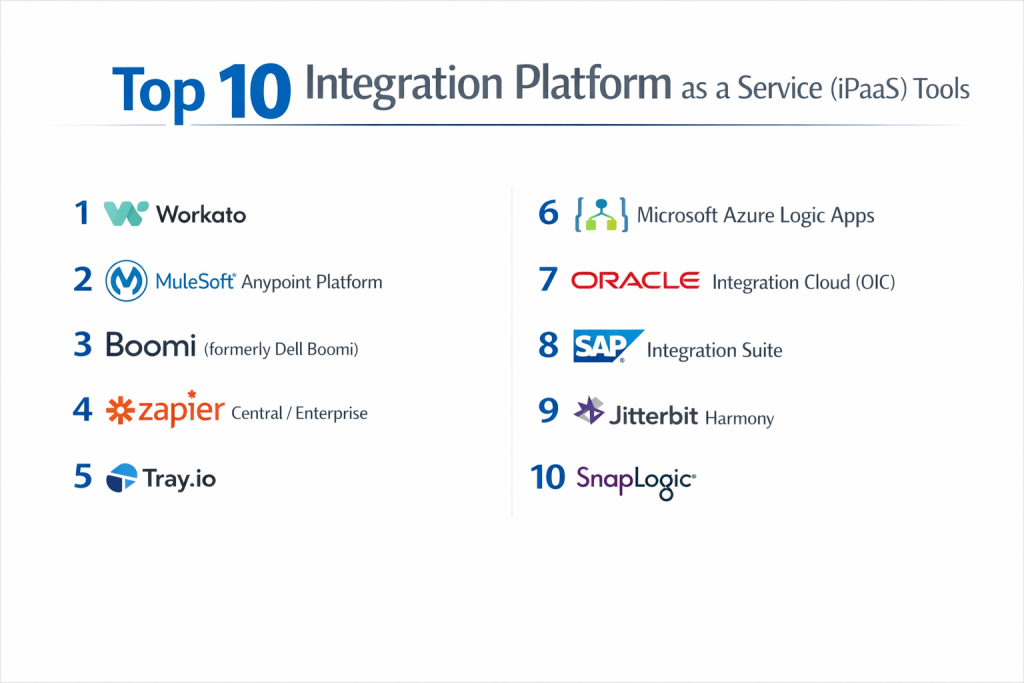
Top 10 Integration Platform as a Service (iPaaS) Tools
1 — Workato
Workato is a leader in the “enterprise automation” space, blending powerful iPaaS capabilities with a user-friendly “recipe” model that appeals to both IT and business users.
- Key features:
- Recipe-based Logic: Uses an intuitive “Trigger-Action” workflow builder.
- Workbot: Native bots for Slack and Microsoft Teams to manage workflows directly from chat.
- Community Library: Access to over 500,000 pre-built community “recipes.”
- Zero-footprint Architecture: Fully cloud-native with no infrastructure to manage.
- Advanced Data Mapping: Complex transformations using a drag-and-drop interface.
- Enterprise Governance: Robust tools for role-based access control (RBAC) and environment management.
- Pros:
- Exceptionally fast time-to-value; business users can often build their own integrations.
- High-quality error handling and automatic retry logic for failed jobs.
- Cons:
- The pricing model can be opaque and scales quickly based on the number of “active recipes.”
- Advanced logic occasionally requires a “low-code” approach that might frustrate pure no-coders.
- Security & compliance: SOC 2 Type II, HIPAA, GDPR, ISO 27001, and PCI DSS compliant.
- Support & community: Extensive “Workato Academy,” vibrant user community, and 24/7 enterprise-grade support.
2 — MuleSoft Anypoint Platform
Owned by Salesforce, MuleSoft is the heavyweight of the integration world, focusing on “API-led connectivity” to build a reusable network of data assets.
- Key features:
- Anypoint Exchange: A massive marketplace of pre-built connectors, templates, and APIs.
- DataWeave: A powerful, functional language specifically designed for data transformation.
- API Manager: Comprehensive tools to design, deploy, and secure custom APIs.
- CloudHub: A managed cloud infrastructure for running integration flows.
- Anywhere Deployment: Can run on AWS, Azure, Google Cloud, or on-premises.
- Mule SDK: Allows developers to build custom connectors using Java or XML.
- Pros:
- Unrivaled for complex, large-scale enterprise transformations involving legacy systems.
- The “API-first” approach encourages reusability, reducing long-term technical debt.
- Cons:
- Extremely steep learning curve; usually requires certified MuleSoft developers.
- One of the most expensive options on the market, often out of reach for SMBs.
- Security & compliance: FedRAMP, HIPAA, GDPR, SOC 1/2, and PCI DSS compliant.
- Support & community: Robust certification programs, a massive global partner ecosystem, and dedicated account management.
3 — Boomi (formerly Dell Boomi)
Boomi was one of the first cloud-native iPaaS solutions and remains a top choice for its balance of power and visual development.
- Key features:
- Boomi Suggest: AI-powered mapping that suggests data fields based on community trends.
- AtomSphere: A centralized dashboard to manage the “Atoms” (integration engines).
- Master Data Hub: Tools to synchronize and enrich data across multiple systems.
- B2B/EDI Management: Native support for electronic data interchange standards.
- Flow: A low-code app development tool to build user-facing workflow interfaces.
- Flexible Deployment: Atoms can run in the cloud or behind a corporate firewall.
- Pros:
- Highly scalable and reliable for high-volume data processing.
- The AI-assisted mapping significantly speeds up the development of standard integrations.
- Cons:
- The user interface can feel dated compared to newer “modern SaaS” platforms like Workato.
- Complex scripting in JavaScript or Groovy is often necessary for non-standard transformations.
- Security & compliance: SOC 1/2, HIPAA, FedRAMP, and GDPR compliant.
- Support & community: Extensive Boomi Training (Boomi University) and a very active professional user group.
4 — Zapier Central / Enterprise
Zapier is the world leader in simple automation, but its recent “Enterprise” and “Central” (AI) offerings have pushed it firmly into the iPaaS category for business-led integrations.
- Key features:
- 6,000+ Integrations: The largest library of app connectors in the world.
- Paths & Filtering: Create branching logic based on “if/then” conditions.
- Zapier Tables: Native database to store and move data between steps.
- Transfer: Bulk move data between apps on a schedule or on-demand.
- AI Actions: Use natural language to build or trigger automation steps.
- Admin Controls: SSO, user provisioning, and shared folders for team collaboration.
- Pros:
- The absolute easiest tool to use; requires zero technical background.
- Ideal for departments that need to iterate fast without waiting for IT approval.
- Cons:
- Lacks deep data transformation tools (like ETL/ELT) required for data warehousing.
- Can struggle with highly complex, multi-step enterprise workflows involving thousands of records per second.
- Security & compliance: SOC 2 Type II, SOC 3, and GDPR compliant; HIPAA available on specific tiers.
- Support & community: Massive online knowledge base, extensive YouTube tutorials, and a dedicated partner network.
5 — Tray.io
Tray.io is a modern “low-code” platform known for its flexibility and ability to handle complex logic without the rigidity of older enterprise tools.
- Key features:
- Visual Workflow Builder: A modern, sleek drag-and-drop canvas.
- Tray Embedded: Allows SaaS companies to white-label Tray’s integrations inside their own app.
- Connectivity Query Language (CQL): Powerful tool for advanced data manipulation.
- Flexible Triggers: Webhooks, schedules, or manual API calls.
- Scalable Infrastructure: Built on a serverless architecture that handles spikes in traffic automatically.
- Connector SDK: Rapidly build and deploy custom connectors.
- Pros:
- Very flexible; it rarely hits a “wall” where a custom script is needed but not supported.
- Excellent for tech-forward companies that need “developer-grade” power in a visual format.
- Cons:
- The learning curve is higher than Zapier or Workato.
- Debugging complex workflows can sometimes be difficult due to the nested nature of the logic.
- Security & compliance: SOC 2 Type II, GDPR, HIPAA, and ISO 27001 compliant.
- Support & community: Highly rated customer success teams and a strong focus on technical documentation.
6 — Microsoft Azure Logic Apps
For organizations deep in the Microsoft ecosystem, Logic Apps provides a cost-effective, scalable iPaaS integrated directly into the Azure cloud.
- Key features:
- Azure Integration Service: Works natively with Azure Functions, Service Bus, and API Management.
- Visual Designer: Web-based and Visual Studio-integrated workflow designers.
- B2B/EDI Connectors: Strong support for X12, AS2, and EDIFACT.
- On-Premises Data Gateway: Securely connect to local SQL servers and file shares.
- Consumption-based Billing: Pay only for what you execute (on the serverless tier).
- Managed Identity: Securely connect to other Azure services without managing secrets.
- Pros:
- Extremely cost-effective for high-volume, simple integrations.
- Unbeatable integration with Office 365, Dynamics 365, and SharePoint.
- Cons:
- The interface is designed for IT professionals; it is not “citizen integrator” friendly.
- Configuration can be complex for users not already familiar with the Azure Portal.
- Security & compliance: FedRAMP, HIPAA, GDPR, SOC 1/2/3, and ISO certified.
- Support & community: Backed by Microsoft’s global support network and vast documentation.
7 — Oracle Integration Cloud (OIC)
OIC is a heavy-duty platform designed for enterprises that rely on Oracle’s suite of ERP, HCM, and CX applications.
- Key features:
- Pre-built Adapters: Optimized specifically for Oracle SaaS and on-premises apps.
- Visual Process Automation: Build end-to-end business processes (BPM) alongside integrations.
- Insight & Analytics: Real-time dashboards to monitor business milestones.
- File Server: Built-in SFTP server for handling large batch file transfers.
- Robotic Process Automation (RPA): Integrated tools to automate legacy desktop apps.
- Machine Learning: Self-learning maps that adapt to schema changes.
- Pros:
- The best choice for Oracle-centric environments; it understands Oracle data structures natively.
- Simplifies the migration from on-premises Oracle middleware to the cloud.
- Cons:
- Can feel overly complex for non-Oracle integrations.
- The pricing model is tied closely to the broader Oracle Cloud Infrastructure (OCI).
- Security & compliance: HIPAA, FedRAMP, GDPR, and SOC 1/2 compliant.
- Support & community: Extensive enterprise support and a large network of Oracle-certified implementation partners.
8 — SAP Integration Suite
Formerly known as SAP CPI, this is the essential iPaaS for any organization running SAP S/4HANA or SAP Business One.
- Key features:
- Integration Flow (iFlow) Designer: Eclipse-based and web-based modeling tools.
- Open Connectors: Over 170 pre-built connectors to non-SAP systems.
- API Management: Full lifecycle management for internal and external APIs.
- Trading Partner Management: Manage complex B2B relationships and EDI.
- Event Mesh: Support for asynchronous, event-driven architectures.
- Pre-packaged Content: Thousands of ready-to-use integration “flows” for common SAP scenarios.
- Pros:
- Deep, native understanding of SAP “BAPIs” and “IDocs” that other tools struggle with.
- Very stable and reliable for mission-critical supply chain and finance data.
- Cons:
- The interface and terminology are very “SAP-specific,” making it difficult for outsiders.
- Setup and configuration can be labor-intensive.
- Security & compliance: ISO 27001, SOC 1/2, GDPR, and HIPAA compliant.
- Support & community: Massive global community (SAP Community Network) and premium enterprise support.
9 — Jitterbit Harmony
Jitterbit focuses on “low-code” ease and rapid deployment, specializing in connecting SaaS, on-premises, and legacy systems with high speed.
- Key features:
- Cloud Studio: A modern, browser-based project designer.
- API Manager: Turn any integration into a reusable REST API.
- App Builder: Build low-code mobile and web applications that sit on top of your data.
- Vinyl: A specialized no-code app development platform within the suite.
- Management Console: Centralized view of all integration status and errors.
- Pre-built Recipes: High-quality templates for common CRM and ERP syncs.
- Pros:
- Known for having one of the fastest deployment times in the industry.
- Excellent balance between no-code simplicity and developer-level control.
- Cons:
- Documentation can sometimes be less detailed than MuleSoft or Boomi.
- Pricing can be high for organizations that only need simple cloud-to-cloud syncs.
- Security & compliance: SOC 1/2, HIPAA, GDPR, and ISO 27001 compliant.
- Support & community: Strong reputation for responsive customer support and personalized onboarding.
10 — SnapLogic
SnapLogic is unique for its “Snaps” (intelligent connectors) and its focus on AI-driven integration, marketed as the “Generative Integration” platform.
- Key features:
- Iris AI: An integration assistant that uses machine learning to suggest the next step in a flow.
- Snaps: Pre-built, visual connectors for over 600 applications.
- Ultra Pipelines: Support for low-latency, real-time data streaming.
- SnapLogic AutoSync: Automated tool specifically for syncing data into warehouses like Snowflake.
- AutoPrep: AI-powered data cleaning and transformation.
- Hybrid Execution: Can run in the cloud or on-premises via “Snaplexes.”
- Pros:
- The AI suggestions genuinely help speed up the creation of complex data pipelines.
- Excellent for both application integration and data engineering (ETL) tasks.
- Cons:
- The “Snap” license model can get expensive if you need to connect to many different apps.
- Requires a bit of a learning curve to understand the “Pipeline” architecture.
- Security & compliance: SOC 2 Type II, HIPAA, GDPR, and ISO 27001 compliant.
- Support & community: “SnapLogic University” for training and an active online community (SnapLogic Community).
Comparison Table
| Tool Name | Best For | Platform(s) Supported | Standout Feature | Rating (Gartner) |
| Workato | Business Automation | Cloud | Chat-based Workbots | 4.7 / 5 |
| MuleSoft | Enterprise API-led | Hybrid, Multi-cloud | DataWeave Language | 4.5 / 5 |
| Boomi | Scalable Hybrid | Cloud, On-Prem | AI Map Suggestion | 4.4 / 5 |
| Zapier | SMB / No-code | Cloud | 6,000+ Connectors | 4.5 / 5 |
| Tray.io | Tech-Forward Teams | Cloud | Embedded White-label | 4.6 / 5 |
| Azure Logic Apps | Microsoft Ecosystem | Azure Cloud | Consumption Billing | 4.4 / 5 |
| Oracle OIC | Oracle Users | OCI Cloud | Process Automation | 4.2 / 5 |
| SAP Integration | SAP Users | BTP Cloud | Pre-packaged SAP flows | 4.3 / 5 |
| Jitterbit | Rapid Deployment | Cloud, Hybrid | Native App Builder | 4.6 / 5 |
| SnapLogic | AI-driven Data | Cloud, Hybrid | Iris AI Assistant | 4.5 / 5 |
Evaluation & Scoring of iPaaS Platforms
To help you decide, we have evaluated the iPaaS category using a weighted rubric that reflects the priorities of modern IT departments.
| Category | Weight | Evaluation Focus |
| Core Features | 25% | Mapping, orchestration, transformation, and error handling. |
| Ease of Use | 15% | The intuitiveness of the UI and “citizen integrator” friendliness. |
| Integrations | 15% | The number and quality of pre-built connectors. |
| Security & Compliance | 10% | Encryption, SSO, and regulatory certifications (HIPAA/SOC 2). |
| Performance | 10% | Latency, throughput, and reliability during peak loads. |
| Support & Community | 10% | Quality of documentation, forums, and customer support. |
| Price / Value | 15% | Cost scalability and the return on investment (ROI). |
Which iPaaS Tool Is Right for You?
Choosing the right platform is not just about features—it’s about “architectural fit.”
Solo Users vs SMB vs Mid-market vs Enterprise
Solo users and very small startups should stick with Zapier; its ease of use and low barrier to entry are unbeatable for simple tasks. SMBs looking for more control should consider Jitterbit or Workato. Mid-market to Large Enterprises with legacy debt and complex compliance needs will find MuleSoft, Boomi, or SAP/Oracle (depending on their core ERP) more suitable.
Budget-conscious vs Premium Solutions
If you are on a tight budget, Azure Logic Apps is the winner due to its pay-as-you-go consumption model. Zapier also offers affordable tiers. If you are looking for a premium, high-touch solution where cost is secondary to reliability and automation depth, Workato and MuleSoft are the industry benchmarks.
Feature Depth vs Ease of Use
If you prioritize Ease of Use, Zapier and Workato are the leaders. You can build workflows in hours. If you need Feature Depth—the ability to write custom code, manage high-level API governance, and handle complex data transformations—MuleSoft and Tray.io are the superior choices.
Integration and Scalability Needs
For organizations that need to sync millions of records between a data warehouse and a CRM, SnapLogic or Boomi are built for high-volume data movement. For those who need a “Service Mesh” or an API-first infrastructure, MuleSoft is the standard.
Security and Compliance Requirements
If you operate in highly regulated industries (Healthcare, Finance, Government), ensure the tool has SOC 2 Type II and HIPAA compliance at a minimum. MuleSoft and Azure offer specialized versions (like FedRAMP) specifically for government use.
Frequently Asked Questions (FAQs)
1. What is the difference between iPaaS and Zapier?
Zapier is a type of iPaaS, but it is often categorized as “Simple Automation.” Traditional iPaaS (like MuleSoft or Boomi) handles enterprise-grade concerns like data mapping, EDI, and API management that Zapier’s standard model does not.
2. Do I need to be a programmer to use iPaaS?
It depends on the tool. Workato and Zapier are designed for “Citizen Integrators” (non-coders). MuleSoft and Azure Logic Apps generally require a technical background.
3. Is iPaaS more secure than custom coding?
Usually, yes. iPaaS vendors invest millions in security certifications (SOC 2, GDPR, HIPAA) and provide built-in encryption and audit logs that are difficult and expensive to build from scratch in custom code.
4. Can iPaaS connect on-premises systems to the cloud?
Yes, most enterprise iPaaS tools (Boomi, MuleSoft, Jitterbit) use “gateways” or “agents” that sit behind your firewall to securely send data to the cloud.
5. What is “API-led connectivity”?
Popularized by MuleSoft, it is the strategy of packaging data as reusable APIs rather than building “point-to-point” connections. This makes it easier to change or add systems later.
6. How much does iPaaS cost?
Pricing varies wildly. Simple tools can be $20/month, while enterprise platforms often start at $25,000 to $100,000 per year plus implementation costs.
7. Can iPaaS replace a Data Warehouse?
No. iPaaS is for moving and syncing data between apps. A Data Warehouse (like Snowflake) is for storing and analyzing that data. They are complementary.
8. What is a “Citizen Integrator”?
A business user (e.g., a Marketing Manager) who uses low-code iPaaS tools to build their own automations without relying on the IT department for every task.
9. Does iPaaS handle real-time data?
Most modern iPaaS tools support webhooks and event-driven architecture for near-instant data updates. However, some legacy connectors might rely on “polling” (checking every few minutes).
10. What is a “Connector”?
A pre-built integration “bridge” for a specific app (e.g., a “Salesforce Connector”). It handles the authentication and API calls so you don’t have to write code.
Conclusion
The “best” iPaaS tool is the one that aligns with your existing technology stack and the skill set of your team. If your company is built on Microsoft, Azure Logic Apps is the natural extension. If you are an SAP or Oracle shop, their native integration suites will solve your most complex data hurdles.
However, for organizations looking to bridge the gap between IT control and business agility, modern platforms like Workato and Tray.io represent the future of the industry. They offer the power of enterprise middleware with the user experience of a modern SaaS app. Ultimately, the goal of iPaaS is to turn your fragmented software into a unified ecosystem, allowing your data—and your business—to move as fast as the market demands.