Introduction
An incident reporting (safety) tool is a specialized digital platform designed to capture, track, and analyze workplace accidents, near-misses, and environmental hazards. In any high-stakes environment—from a construction site to a chemical lab—accidents are rarely isolated events; they are often the result of systemic failures. These tools replace the old “paper and clipboard” method with digital forms that allow employees to report an issue the moment it happens. By using a smartphone or tablet, a worker can snap a photo of a hazard, tag its location, and alert the safety team instantly, ensuring that a small trip hazard doesn’t turn into a catastrophic injury.
The importance of these tools lies in “predictive prevention.” When a company tracks every near-miss and minor injury in a central system, they can use data analytics to spot trends. For example, if a system shows a spike in slips and falls on Tuesday mornings in a specific warehouse, the safety manager can investigate and find that a cleaning crew is leaving floors wet during shift changes. Beyond safety, these tools are vital for legal and regulatory compliance. Agencies like OSHA or the HSE require strict documentation of workplace injuries. These platforms provide an “audit-ready” trail that proves a company is taking every possible step to protect its workforce, thereby reducing insurance premiums and avoiding heavy fines.
Key Real-World Use Cases
Incident reporting tools are the backbone of modern Environment, Health, and Safety (EHS) programs:
- Near-Miss Capture: Workers report “close calls” where no one was hurt, allowing management to fix the problem before a real accident occurs.
- Environmental Spills: Specialized forms track chemical leaks, ensuring the cleanup follows environmental laws and that authorities are notified.
- Property Damage: Tracking when machinery or vehicles are damaged to determine if the cause was a safety violation or a maintenance failure.
- Security Breaches: Reporting unauthorized access to a facility or digital assets to prevent theft or harm to personnel.
What to Look For (Evaluation Criteria)
When selecting a safety tool, prioritize these critical factors:
- Mobile Accessibility: The tool must work offline in remote areas (like mines or oil rigs) and sync when back online.
- Ease of Use: If the form is too complicated, workers won’t use it. It should take less than two minutes to report an incident.
- Corrective Action Tracking: The tool shouldn’t just record the problem; it should assign a “task” to someone to fix it and track that task to completion.
- Analytics & Dashboards: You need visual charts that show you the “hot spots” in your facility where accidents are most likely to happen.
- Configurability: Every industry is different. You should be able to create custom forms without needing a computer programmer.
Best for:
- Safety Managers and EHS Directors: Who need a bird’s-eye view of organizational risk and compliance.
- Operations Leaders: In industries like construction, manufacturing, mining, and healthcare.
- Enterprise Organizations: Companies with multiple sites that need to standardize safety procedures across the globe.
- Insurance Companies: Who use the data to verify that a client is a “low-risk” partner.
Not ideal for:
- Solo Freelancers: A single person working from a home office likely doesn’t need a complex EHS software suite.
- General Office Teams: If the only “incident” in three years was a paper cut, a simple spreadsheet or HR software is usually sufficient.
- Purely Digital Startups: Companies with no physical presence or physical risks may find these tools irrelevant to their operations.
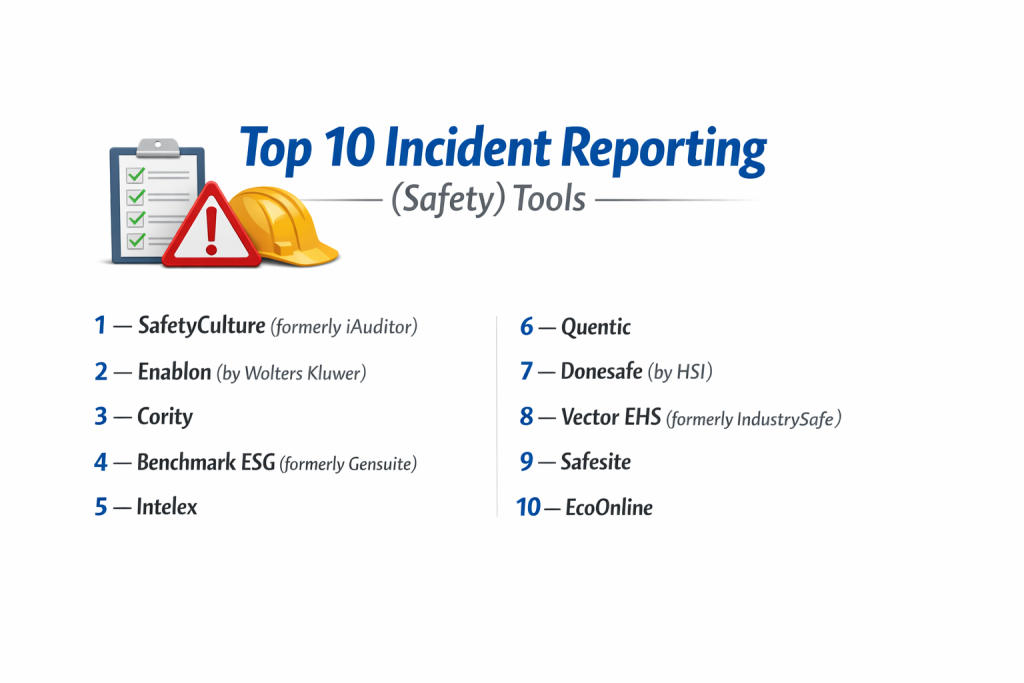
Top 10 Incident Reporting (Safety) Tools
1 — SafetyCulture (formerly iAuditor)
SafetyCulture is widely considered the world’s most popular mobile inspection and incident reporting app. It is famous for its massive public library of templates and its “checklist” style approach to safety.
Key features:
- Comprehensive mobile inspection and incident reporting with offline sync.
- Public template library with over 100,000 industry-standard forms.
- “Heads Up” feature for broadcasting safety alerts to all employees.
- Asset management to link incidents to specific pieces of equipment.
- Sensors and IoT integration to monitor temperature or humidity automatically.
Pros:
- The interface is incredibly intuitive, making it easy for workers to pick up and use immediately.
- Excellent free version that allows small teams to get started without a budget.
Cons:
- Advanced reporting and analytics are locked behind higher-priced tiers.
- While highly flexible, it can sometimes feel “too simple” for very complex environmental compliance needs.
Security & compliance: SOC 2 Type II, GDPR, and ISO 27001 compliant.
Support & community: 24/5 global support and a massive user community with frequent local meetups.
2 — Enablon (by Wolters Kluwer)
Enablon is the “heavyweight” of the EHS world. It is an enterprise-level GRC and EHS platform designed for the world’s largest and most complex industrial companies.
Key features:
- Deep environmental and sustainability tracking (ESG) integrated with safety.
- Advanced “Root Cause Analysis” (RCA) tools to investigate why accidents happen.
- Regulatory compliance content for over 100 countries.
- Comprehensive risk management modules that link incidents to financial impact.
- Integrated health and hygiene monitoring for long-term worker wellness.
Pros:
- Unmatched for global corporations that need to follow strict, varied laws in multiple languages.
- The reporting is industrial-grade, capable of handling millions of data points.
Cons:
- The implementation is long, expensive, and usually requires professional consultants.
- The user interface is dense and can be intimidating for a casual frontline worker.
Security & compliance: ISO 27001, SOC 1, SOC 2, and HIPAA compliant.
Support & community: Dedicated account managers and an elite user group for the world’s top EHS directors.
3 — Cority
Cority is a health-focused EHS platform that excels in “Occupational Health.” It is the preferred choice for companies that manage complex medical surveillance alongside standard accident reporting.
Key features:
- Comprehensive Occupational Health and Industrial Hygiene modules.
- “Safety Intelligence” platform for predictive analytics using AI.
- Case management for “Return to Work” programs after an injury.
- Chemical management and SDS (Safety Data Sheet) tracking.
- Mobile app for audits, inspections, and incident capture.
Pros:
- The best tool for companies where “worker health” is as important as “physical safety.”
- Excellent security and data privacy, which is vital when handling employee medical records.
Cons:
- It is a high-end product with a price tag that reflects its specialized focus.
- The system is highly modular, meaning costs can rise as you add more features.
Security & compliance: ISO 27001, SOC 2 Type II, and HIPAA compliant.
Support & community: Strong professional services team and an annual user conference.
4 — Benchmark ESG (formerly Gensuite)
Benchmark ESG is a cloud-based platform that grew out of General Electric’s internal safety needs. It is built for speed, scale, and cross-functional communication within large organizations.
Key features:
- “Ready-to-launch” modules that can be deployed faster than other enterprise tools.
- AI-powered “Natural Language Processing” (NLP) to analyze incident descriptions.
- Mobile-first design with QR code scanning for equipment-specific reports.
- Integrated ESG reporting for corporate sustainability goals.
- Multi-lingual support with automatic translation capabilities.
Pros:
- Extremely scalable and reliable; it rarely experiences downtime even with massive user counts.
- The “Voice-to-Text” feature on mobile makes it very easy for workers to report issues hands-free.
Cons:
- Some of the older modules can feel slightly dated in terms of design.
- The platform offers so many modules that it can be confusing for a company with simple needs.
Security & compliance: SOC 2 Type II, GDPR, and ISO 27001 certified.
Support & community: 24/7 global support and a very proactive “stewardship” model for customers.
5 — Intelex
Intelex is a flexible, highly configurable EHSQ (Environment, Health, Safety, and Quality) platform. It is known for its “Building Block” approach, allowing companies to create a custom safety system.
Key features:
- Extensive “Application Builder” to create custom safety forms.
- Quality management (ISO 9001) integration alongside safety.
- Supplier management to ensure your contractors are following your safety rules.
- “Incident Management” workflow that automatically triggers emails to legal and HR.
- Robust reporting engine with pre-built OSHA and HSE templates.
Pros:
- The level of customization is outstanding; you can make the software fit your exact workflow.
- Excellent for companies that want to manage “Quality” and “Safety” in one single place.
Cons:
- Heavy customization can lead to a complex system that is difficult to update.
- The mobile experience is good but slightly less “slick” than SafetyCulture.
Security & compliance: SOC 2 Type II, ISO 27001, and GDPR compliant.
Support & community: Strong online training academy and a global partner network.
6 — Quentic
Quentic is a leading European EHS software provider. It is designed to be the “central hub” for safety, making it a favorite for organizations that prioritize European regulatory standards.
Key features:
- Modular structure covering Health & Safety, Environment, and Sustainability.
- Legal compliance database with automatic updates for EU laws.
- Visual “Risk Assessment” maps to show hazard zones in a facility.
- Interactive training and instruction modules for employees.
- Direct integration with chemical databases for easy SDS management.
Pros:
- The most “GDPR-aware” platform, designed with strict European privacy in mind.
- The user interface is clean, modern, and very organized.
Cons:
- While growing, its presence and support in North America are smaller than competitors.
- It may require more manual setup for US-specific regulatory forms (like specialized MSHA forms).
Security & compliance: ISO 27001 and fully GDPR compliant.
Support & community: High-quality European support and local user workshops.
7 — Donesafe (by HSI)
Donesafe describes itself as “the people’s safety software.” It is a cloud-native platform that focuses on being fast, mobile, and extremely easy for the end-user to interact with.
Key features:
- “No-code” platform allowing admins to change forms in seconds.
- Integration with Slack, Microsoft Teams, and other office tools.
- Automated “Nudges” to remind managers to close out safety tasks.
- Real-time “Safety Boards” for visualizing site-specific data.
- Comprehensive training and “Learning Management System” (LMS) integration.
Pros:
- One of the most modern and “fun” interfaces in the safety industry.
- Implementation is significantly faster than traditional EHS suites.
Cons:
- Might lack the “deep” environmental engineering calculations found in Enablon.
- The “no-code” flexibility can sometimes lead to messy data if not managed properly.
Security & compliance: SOC 2 Type II, ISO 27001, and HIPAA compliant.
Support & community: Excellent digital documentation and responsive chat-based support.
8 — Vector EHS (formerly IndustrySafe)
Vector EHS is a straightforward, reliable, and affordable safety management tool. It is particularly popular with transportation, construction, and government entities in the United States.
Key features:
- Direct “OSHA Recordkeeping” with automated 300, 300A, and 301 logs.
- Integrated training tracking to see if an injured worker was properly trained.
- Specialized “Vehicle and Fleet” incident tracking.
- Claims management to track the financial costs of workers’ comp.
- Mobile app for inspections and instant hazard reporting.
Pros:
- Very cost-effective for mid-sized companies that need to meet US federal rules.
- The system is very “no-nonsense”—it does exactly what a safety manager needs without extra fluff.
Cons:
- The design is more functional than beautiful; it can feel a bit like using a database.
- Less focus on “Sustainability” and “Environmental” tracking compared to others.
Security & compliance: SOC 2 and standard data encryption.
Support & community: Strong US-based support and a very helpful library of safety webinars.
9 — Safesite
Safesite is a specialized safety platform that focuses on “Safety Engagement.” It is unique because it attempts to use safety data to lower a company’s insurance premiums directly.
Key features:
- “Safesite Score” which grades your company’s safety performance in real-time.
- Fully digital “Tailgate Meetings” and safety briefings.
- Automated weekly reports for executives and insurance brokers.
- Mobile-first hazard reporting and equipment inspections.
- Integration with workers’ compensation insurance partners.
Pros:
- Very high engagement; it makes safety feel like a “score” to be improved.
- It is one of the most affordable options for construction companies and small contractors.
Cons:
- The focus is narrow; it is not a full-scale environmental or sustainability platform.
- Analytics are great for engagement but might miss deep “Root Cause” patterns.
Security & compliance: SOC 2 Type II and HIPAA compliant.
Support & community: Rapid onboarding and a strong focus on mobile-user support.
10 — EcoOnline
EcoOnline is a comprehensive EHS and Chemical Management platform. It is particularly strong for companies that work with hazardous materials and need to manage “Safety Data Sheets” (SDS).
Key features:
- Market-leading chemical safety and inventory management.
- “Chemical Manager” app to scan bottles and see safety data instantly.
- Risk assessment tools that predict the impact of chemical exposures.
- Mobile incident reporting with photo and GPS evidence.
- Integrated health and safety training modules.
Pros:
- If you handle chemicals, this is arguably the most specialized and useful tool on the list.
- The “Digital SDS” feature saves hours of manual filing and lookup.
Cons:
- For companies that don’t handle chemicals (like a logistics firm), many of the best features are unused.
- The reporting for “General Safety” is solid but not as visual as Donesafe.
Security & compliance: ISO 27001 and GDPR compliant.
Support & community: Deep technical expertise and a strong European and UK presence.
Comparison Table
| Tool Name | Best For | Platform(s) Supported | Standout Feature | Rating |
| SafetyCulture | General Inspections | Web / iOS / Android | Massive Template Library | N/A |
| Enablon | Global Corporations | Web / Mobile | Enterprise ESG Depth | N/A |
| Cority | Occupational Health | Web / Mobile | Medical Surveillance | N/A |
| Benchmark ESG | Fast Scaling | Web / Mobile | AI Natural Language | N/A |
| Intelex | Custom Workflows | Web / Mobile | Quality/Safety Integration | N/A |
| Quentic | European Compliance | Web / App | EU Law Database | N/A |
| Donesafe | Modern Ease of Use | Web / App | “No-Code” Configuration | N/A |
| Vector EHS | OSHA/US Compliance | Web / Mobile | Automated OSHA Logs | N/A |
| Safesite | High Engagement | iOS / Android | Safesite Safety Score | N/A |
| EcoOnline | Chemical Management | Web / App | Digital SDS Scanning | N/A |
Evaluation & Scoring of Incident Reporting (Safety) Tools
| Criterion | Weight | Evaluation Focus |
| Core Features | 25% | Incident capture, task management, and mobile offline capability. |
| Ease of Use | 15% | Is the interface simple for frontline workers and busy managers? |
| Integrations | 15% | Does it connect with HR systems, ERPs, and IoT sensors? |
| Security & Compliance | 10% | SOC 2, ISO 27001, HIPAA, and “Audit-Ready” reporting. |
| Performance | 10% | App speed, offline sync reliability, and cloud uptime. |
| Support | 10% | Quality of documentation, training, and customer success. |
| Price / Value | 15% | Cost vs. potential savings in insurance and fines. |
Which Incident Reporting (Safety) Tool Is Right for You?
Solo Users vs SMB vs Mid-Market vs Enterprise
If you are an SMB or a small contractor, Safesite or the free tier of SafetyCulture are the best starting points. They give you professional tools without a massive investment. Mid-Market firms with 200–1,000 employees should look at Donesafe or Vector EHS, as they offer more “Management” features without the complexity of an enterprise suite. Enterprise organizations with thousands of employees and global sites must choose Enablon, Cority, or Intelex because these systems are designed to handle the “Massive Scale” of global regulatory data.
Budget-Conscious vs Premium Solutions
For those on a tight budget, Vector EHS offers a very reasonable “per user” or “per site” cost. If you are looking for a “Premium” solution that acts as a full risk management partner, Enablon and Cority are the top choices. These systems are expensive but can save millions by preventing a single major incident or litigation event.
Feature Depth vs Ease of Use
If you want “Feature Depth”—meaning you want to track air emissions, chemical runoff, and medical blood tests—Enablon and EcoOnline are the specialized leaders. However, if you want “Ease of Use” above all else so your workers actually want to report incidents, Donesafe and SafetyCulture are significantly more user-friendly.
Integration and Scalability Needs
If your safety data needs to flow into your SAP or Oracle finance system, prioritize Benchmark ESG or Intelex, which have decades of experience with enterprise-grade APIs. If you are a smaller company that uses Slack or Microsoft Teams, Donesafe has the best “modern” integrations.
Security and Compliance Requirements
If you are a US-based company strictly worried about OSHA audits, Vector EHS is built for you. If you are a healthcare provider or have an on-site clinic, you must choose a platform with HIPAA compliance like Cority. For European companies, Quentic and EcoOnline offer the best peace of mind for GDPR and EU environmental laws.
Frequently Asked Questions (FAQs)
What is the difference between an incident and a near-miss?
An incident is an event where someone was hurt or property was damaged. A near-miss is a “close call” where an accident was narrowly avoided.
Can these tools work without an internet connection?
Yes, most top-tier tools like SafetyCulture and Safesite allow you to fill out a report in a basement or a mine and then “sync” it when you return to Wi-Fi.
How does incident reporting save money?
It helps lower insurance premiums, reduces the “Time-to-Return” for injured workers, and prevents massive government fines for safety violations.
Do these tools provide safety templates?
Yes, platforms like SafetyCulture have thousands of pre-made checklists for every industry from aviation to retail.
Is my employee’s medical data safe?
If the tool is HIPAA compliant (like Cority or Enablon), it uses specific encryption and access rules to protect private health information.
How long does it take to set up?
Simple apps can be ready in a day. Enterprise systems (like Enablon) can take 6–12 months to customize and launch across a global company.
Can I track chemical safety with these tools?
Specialized tools like EcoOnline are designed specifically to track “Safety Data Sheets” (SDS) and hazardous material inventory.
Do these tools help with OSHA reporting?
Yes, tools like Vector EHS can automatically generate your “OSHA 300 Logs” based on the incidents your team reports throughout the year.
What is a ‘Safety Score’?
Some tools, like Safesite, use your reporting data to give your company a “grade,” which you can use to prove to clients or insurers that you are a safe partner.
Can workers report incidents anonymously?
Many modern platforms like Donesafe offer an “Anonymous Reporting” feature, which is crucial for building a culture of trust where workers aren’t afraid of being punished.
Conclusion
In conclusion, the “best” incident reporting tool is the one that your employees actually feel comfortable using. A sophisticated platform with a thousand features is a waste of money if it is so complicated that workers go back to writing notes on napkins. If your priority is engagement and simplicity, SafetyCulture or Donesafe are excellent choices. If you are a global enterprise with complex environmental and medical needs, Enablon and Cority offer the industrial strength required to manage that level of risk.
Remember that the ultimate goal of these tools isn’t just to “fill out forms”—it is to prevent the next accident. By moving your safety program into a digital, data-driven system, you are moving from a reactive culture to a proactive one. Start by identifying your highest-risk areas, trial a few tools on a single site, and choose the partner that helps you send every worker home safe at the end of every day.