Introduction
In-product messaging platforms are specialized software solutions that allow companies to communicate with their users directly inside a website, web app, or mobile application. Unlike email, which requires a user to check their inbox, in-product messages reach the user while they are actively engaged with the product. These messages can take many forms, including small pop-up notifications (tooltips), larger banners (modals), slide-out announcements, or persistent “inbox” centers. The primary goal of these platforms is to provide the right information at the right time, whether it is a greeting for a new user, an announcement about a new feature, or a nudge to upgrade a subscription.
The importance of in-product messaging cannot be overstated in modern software management. It is a critical component of “Product-Led Growth,” as it helps businesses increase user retention and reduce friction without needing to send intrusive external communications. Real-world use cases include a software company announcing a scheduled maintenance window to active users, a project management tool offering a discount to users who have hit their task limit, or a SaaS platform gathering immediate feedback through a mini-survey after a user completes a specific action. When evaluating these tools, users should prioritize the ease of the “no-code” editor, the depth of behavioral targeting, and the platform’s ability to trigger messages based on real-time data events.
Best for: Product managers, growth marketers, and customer success teams at SaaS companies and digital-first businesses. They are essential for organizations looking to scale their user education and engagement efforts without constant developer intervention.
Not ideal for: Simple static websites (like blogs or portfolios) where user interaction is minimal, or for companies that only communicate with customers through traditional offline channels. It may also be redundant for teams with very low user counts who prefer high-touch, personal phone calls for every interaction.
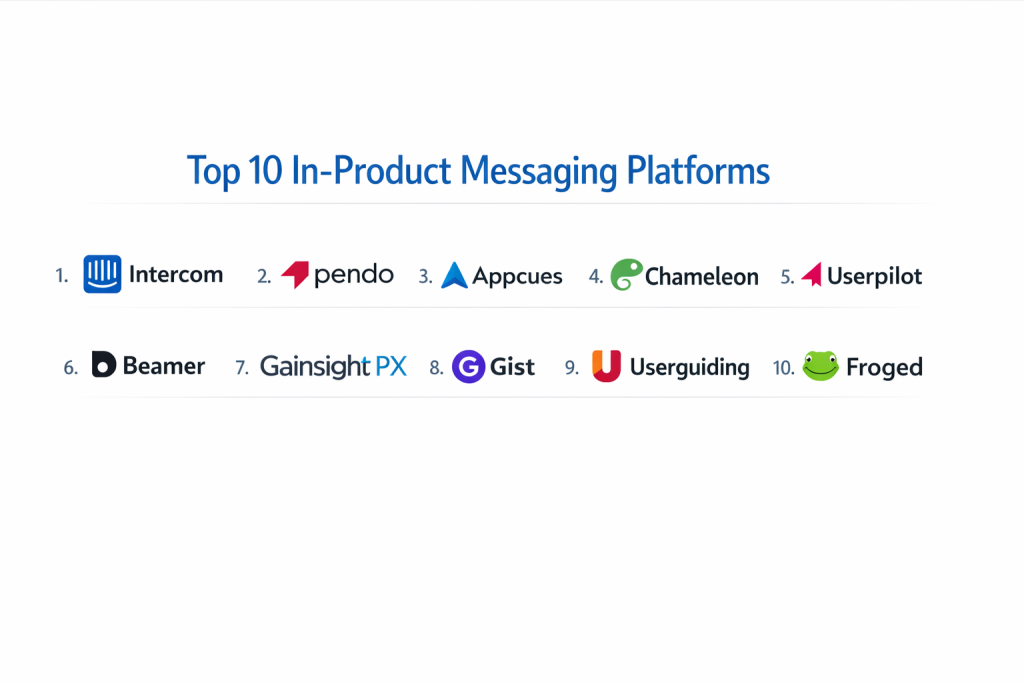
Top 10 In-product Messaging Platforms
1 — Intercom
Intercom is one of the most recognized names in the industry, offering a powerful “Messenger” that serves as a hub for support, marketing, and product announcements. It is designed for businesses that want a unified platform to talk to customers at every stage of their journey.
- Key features
- Multi-channel messaging including chat, posts, banners, and tooltips.
- Highly customizable “Messenger” that stays in the corner of the app.
- Series builder for creating complex, multi-step messaging workflows.
- Integrated help center that users can search directly within the message bubble.
- Advanced behavioral targeting based on live user data.
- Mobile SDKs for seamless in-app messaging on iOS and Android.
- Real-time A/B testing for message content and timing.
- Pros
- Excellent user experience; the interface is very polished and familiar to users.
- Highly reliable and scales well with massive user bases.
- Cons
- Can become extremely expensive as you add more features and seats.
- The pricing structure is complex and sometimes difficult to predict.
- Security & compliance: SOC 2 Type II, HIPAA ready, GDPR compliant, and supports SSO.
- Support & community: World-class documentation, “Intercom Academy,” and a large global user community.
2 — Pendo
Pendo is a comprehensive product experience platform that puts a heavy emphasis on data. It allows teams to see exactly what users are doing and then trigger in-product messages (which they call “Guides”) to help them stay on track.
- Key features
- Targeted in-app guides including lightboxes, banners, and tooltips.
- Deep analytics that show how messages impact feature adoption.
- In-app resource center for self-service support.
- Multi-app support for companies with a suite of different software products.
- Feedback and sentiment tracking (NPS) integrated with messaging.
- No-code visual designer for building guides.
- Localization features for translating messages into multiple languages.
- Pros
- The combination of analytics and messaging is incredibly powerful for ROI tracking.
- Great for enterprise-level organizations that need high levels of control.
- Cons
- The platform is highly complex and has a steep learning curve.
- Visual customization of guides can be restrictive without using custom CSS.
- Security & compliance: SOC 2 Type II, ISO 27001, GDPR, and HIPAA compliant.
- Support & community: Professional services for onboarding, annual user conference, and extensive knowledge base.
3 — Appcues
Appcues focuses on the “experience” layer of a product. It is a dedicated platform for building in-product tours, announcements, and surveys without writing code. It is favored by growth teams who want to move fast and experiment with different message types.
- Key features
- Easy-to-use “Flow” builder for multi-step messages.
- Slide-outs and modals that look and feel native to the product.
- “Pinned” hints for subtle, persistent guidance.
- In-app checklists that keep users engaged with specific tasks.
- Advanced segmentation that updates in real-time as users take actions.
- Event tracking to see exactly when and where a message was viewed.
- Direct integrations with Segment, HubSpot, and Slack.
- Pros
- One of the most intuitive builders on the market; very easy for non-technical staff.
- The “native-feeling” design keeps the product looking professional.
- Cons
- Lacks the deep, standalone analytics found in platforms like Pendo.
- Mobile app support is restricted to specific higher-tier plans.
- Security & compliance: SOC 2 Type II and GDPR compliant; supports SAML SSO.
- Support & community: High-quality blog, “Appcues University,” and responsive customer support.
4 — Chameleon
Chameleon is designed for teams that prioritize design and technical precision. It offers highly customizable in-product patterns that allow for unique messaging styles that don’t look like “standard” pop-ups.
- Key features
- Customizable “Microsurveys” for gathering quick feedback.
- Tooltips that use smart CSS selectors to stay perfectly positioned.
- “Launchers” which act as a menu for announcements and guides.
- Deep support for single-page applications (SPAs).
- Powerful A/B testing and “holdback” groups for experimentation.
- Integration with advanced data stacks (Mixpanel, Heap, Amplitude).
- Markdown support for easy text formatting.
- Pros
- Best-in-class design flexibility; you can make messages look exactly like your UI.
- Highly technical support team that understands developer needs.
- Cons
- Can be a bit more technical to set up initially compared to “drag-and-drop” rivals.
- The interface for managing many active flows can feel cluttered.
- Security & compliance: SOC 2 Type II and GDPR compliant.
- Support & community: Clear technical documentation and a focused user community on Slack.
5 — Userpilot
Userpilot is a growth-layer platform that specializes in helping SaaS companies increase their “activation” and “feature adoption.” It is a more specialized tool that focuses heavily on the onboarding and product-led growth aspects of messaging.
- Key features
- Driven actions that force a user to interact with a specific button.
- Conditional logic for showing messages based on previous user choices.
- Feature tagging to track interactions without developer help.
- Built-in NPS and micro-surveys with sentiment analysis.
- Resource center for on-demand guides and articles.
- A/B testing for every type of in-product flow.
- Checklists with progress bars to drive user psychological “closure.”
- Pros
- Offers a very strong balance of features and ease of use.
- Does not charge based on the number of “seats,” which is great for large teams.
- Cons
- Currently does not support mobile applications.
- Analytics are good for messaging but not deep enough for general product usage.
- Security & compliance: SOC 2 Type II and GDPR compliant.
- Support & community: 24/7 chat support and regular educational webinars for customers.
6 — Beamer
Beamer is a bit different from the other platforms as it focuses on an “announcement center” or “changelog” style of messaging. It provides a central place (a sidebar or page) where users can go to see everything that is new in your product.
- Key features
- Notification center that opens as a sidebar within your app.
- Support for images, videos, and GIFs in announcements.
- “Push notifications” that can reach users even when they aren’t in the app.
- Feedback reactions and comments (like emojis) for every post.
- Segmentation to show specific news only to relevant user groups.
- Custom CSS to perfectly match the Beamer feed to your brand.
- Scheduled posts for pre-planned product launches.
- Pros
- Extremely low friction; it’s a very non-intrusive way to communicate.
- Very affordable compared to all-in-one engagement platforms.
- Cons
- Not suitable for “guided tours” or step-by-step walkthroughs.
- Limited interaction logic compared to tools like Appcues or Pendo.
- Security & compliance: GDPR compliant and uses SSL encryption.
- Support & community: Strong documentation and a very straightforward onboarding process.
7 — Gainsight PX (Product Experience)
Gainsight PX is an enterprise-grade platform designed to connect customer success with product usage. It is built for large organizations that need to manage the entire user lifecycle across multiple products and global regions.
- Key features
- Powerful segmentation based on “Accounts” as well as individual users.
- Automated “Engagements” (messages) triggered by sophisticated data patterns.
- Integrated NPS, CES, and CSAT surveys.
- Full-funnel analytics to see how messages drive revenue.
- Mobile and web messaging in a unified interface.
- Advanced governance tools to prevent “message fatigue.”
- Deep integration with Gainsight’s Customer Success platform.
- Pros
- Unmatched ability to connect product messages to customer health scores.
- Excellent for B2B companies where “Account” level data is vital.
- Cons
- Very expensive and usually requires a long-term commitment.
- The interface is complex and may require a dedicated administrator.
- Security & compliance: SOC 2 Type II, ISO 27001, HIPAA, and GDPR compliant.
- Support & community: Enterprise-level support, dedicated success managers, and global events.
8 — Gist
Gist is an all-in-one platform that combines in-product messaging with live chat, email marketing, and a help desk. It is designed for businesses that want to replace 5 or 6 different tools with one single, affordable dashboard.
- Key features
- In-app messages and announcements that sync with email campaigns.
- Live chat and automated chatbots for instant support.
- Event-based triggers for showing specific prompts.
- Shared inbox for managing all customer conversations.
- Knowledge base integration for self-service help.
- Lead generation forms and pop-ups.
- Detailed contact timelines showing every interaction a user has had.
- Pros
- Incredible value for money; you get many tools in one.
- Simplifies the “tech stack” significantly for small marketing teams.
- Cons
- Because it does everything, it isn’t as “deep” in any one area as specialized tools.
- The UI can occasionally feel a bit less “premium” than Intercom.
- Security & compliance: GDPR compliant and uses secure data encryption.
- Support & community: Responsive chat support and a growing library of tutorials.
9 — Userguiding
Userguiding is a straightforward, budget-friendly tool designed primarily for product tours and simple in-app messaging. It is perfect for startups and SMBs that need the core features of an engagement platform without the enterprise price tag.
- Key features
- Simple “drag-and-click” builder for creating tours.
- In-app checklists and resource centers.
- Hotspots and tooltips for contextual guidance.
- NPS surveys and feedback collection.
- User segmentation and basic analytics.
- Multi-language support for global users.
- Chrome extension for building flows directly on top of your live site.
- Pros
- One of the easiest tools to get started with; very low barrier to entry.
- Very competitive pricing for the features provided.
- Cons
- Lacks advanced logic and “if-this-then-that” technical triggers.
- Analytics are basic and may not satisfy data-hungry product managers.
- Security & compliance: GDPR compliant and SOC 2 Type II certified.
- Support & community: Fast email/chat support and very clear onboarding guides.
10 — Froged
Froged is a platform that emphasizes “Customer Success” through in-product messaging. It is designed for companies that want to build automated “onboarding loops” that keep users coming back to the product.
- Key features
- Behavior-based messaging for web and mobile.
- Integrated live chat and support tickets.
- Automated email sequences that work alongside in-app messages.
- Customer “Health Scores” to identify users who are at risk of leaving.
- Knowledge base and help widget.
- Segmentation based on lifecycle stages (Trial, Pro, etc.).
- Clean, modern dashboard for managing all messages.
- Pros
- Great for connecting the dots between “Support” and “Growth.”
- The platform is very modern and easy on the eyes.
- Cons
- The integration ecosystem is smaller than leaders like Intercom.
- Some of the more advanced automation features are only in the highest tier.
- Security & compliance: GDPR compliant and hosted on secure European servers.
- Support & community: Dedicated support team and an active blog focused on SaaS metrics.
Comparison Table
| Tool Name | Best For | Platform(s) Supported | Standout Feature | Rating |
| Intercom | Unified Support/Growth | Web, iOS, Android | Polished “Messenger” Hub | 4.6/5 |
| Pendo | Enterprise Data | Web, iOS, Android | Combined Usage Analytics | 4.5/5 |
| Appcues | Ease of Design | Web, iOS, Android | Native-Looking Flow Builder | 4.7/5 |
| Chameleon | Custom Design/Devs | Web | Technical Design Precision | 4.4/5 |
| Userpilot | Mid-Market SaaS | Web | Feature Adoption Tools | 4.5/5 |
| Beamer | News & Changelogs | Web | Centralized Feed Sidebar | 4.6/5 |
| Gainsight PX | B2B Account Success | Web, iOS, Android | Account-Level Insights | 4.3/5 |
| Gist | All-in-One Value | Web | Replaces 5+ Other Tools | 4.4/5 |
| Userguiding | Budget/Startups | Web | Simple Browser-Based Setup | 4.3/5 |
| Froged | Customer Retention | Web, Mobile | Customer Health Scoring | 4.2/5 |
Evaluation & Scoring of In-product Messaging Platforms
Choosing a platform requires looking beyond the marketing and into the technical capabilities. We have scored these tools based on the following weighted criteria:
| Evaluation Category | Weight | Why It Matters |
| Core Features | 25% | Presence of modals, tooltips, banners, and surveys. |
| Ease of Use | 15% | How quickly a non-developer can launch a message. |
| Integrations | 15% | Does it connect to your CRM and data warehouse? |
| Security & Compliance | 10% | Ensuring data privacy in regulated industries. |
| Performance | 10% | Does the script slow down your app’s load time? |
| Support & Community | 10% | Availability of help when you hit a technical wall. |
| Price / Value | 15% | Is the cost justified by the impact on user metrics? |
Which In-product Messaging Platform Is Right for You?
Solo Users vs SMB vs Mid-Market vs Enterprise
If you are a solo founder, Gist or Userguiding offer the best value for your time and money. For Small and Medium Businesses (SMBs), Appcues or Beamer provide a professional look without requiring a full-time administrator. Mid-market companies that are scaling quickly should look at Userpilot or Chameleon for more advanced experimentation. Global enterprises with massive security needs and multiple product lines will find the most success with Pendo or Gainsight PX.
Budget-Conscious vs Premium Solutions
If budget is your primary concern, Beamer or Gist are the most accessible. They offer generous plans that cover the basics. On the other end, Intercom and Gainsight PX are “premium” solutions. They cost significantly more but offer a level of polish, automation, and reliability that can be necessary for businesses where a single missed customer is worth thousands of dollars.
Feature Depth vs Ease of Use
If you want a tool that “just works” out of the box with zero training, Beamer and Userguiding are the winners. However, if you need “feature depth”—such as the ability to show a message only if a user has spent more than $500, hasn’t used the “Export” feature in 30 days, and is using a specific version of your API—you will need the power of Pendo or Chameleon.
Integration and Scalability Needs
As you grow, your messaging tool must talk to your other systems. Intercom and Appcues have the most robust integration marketplaces. If you use Segment to manage your data, ensure your chosen tool has a “bi-directional” integration so that your message data flows back into your main database for analysis.
Security and Compliance Requirements
Companies in the Healthcare or Finance space must prioritize security. Pendo, Gainsight PX, and Intercom are the leaders here, providing full SOC 2 Type II reports and HIPAA compliance options. For European companies, Froged is a strong choice as they are based in the EU and have a “GDPR-first” mindset regarding data storage.
Frequently Asked Questions (FAQs)
Will these tools slow down my website or mobile app?
Most modern platforms use “asynchronous” loading, meaning they only load after your main content is ready. While the impact is usually tiny (a few milliseconds), tools like Chameleon and Appcues are highly optimized for performance.
Can I use in-product messaging on a mobile app?
Yes, but not all tools support it. Intercom, Pendo, Appcues, and Gainsight PX have excellent mobile SDKs. Others, like Userpilot, are currently focused only on web applications.
Is it difficult to install these platforms?
No. Most require a simple “copy-and-paste” of a small piece of Javascript code, similar to installing Google Analytics. After that, the product team can manage everything without a developer.
What is the difference between a tooltip and a modal?
A tooltip is a small hint that points to a specific button. A modal is a larger “pop-up” window that usually covers the middle of the screen to demand the user’s full attention for an announcement.
Can I prevent users from getting too many messages?
Yes. Professional tools have “frequency capping” or “throttling” features. This ensures that a user only sees one or two messages per session so they don’t get annoyed.
Do I need a designer to make the messages look good?
Most of these tools include high-quality templates and visual “What You See Is What You Get” (WYSIWYG) editors. You can change colors, fonts, and images easily to match your brand.
Can I collect feedback using these tools?
Absolutely. Micro-surveys and NPS (Net Promoter Score) forms are core features of almost every platform on this list, allowing you to get feedback while the user is still inside the app.
How do these tools know which user to message?
They use “identity” data. When a user logs into your app, your app tells the messaging tool who they are (e.g., “This is User 123, they are on the Pro plan”). You then use those traits to target your messages.
What is an “A/B test” in messaging?
It is when you show two different versions of a message to two different groups of users to see which one performs better. For example, does a blue button get more clicks than a red one?
How much does a typical in-product messaging tool cost?
Small-team plans usually start around $200–$300 per month. Enterprise plans for massive user bases can reach $20,000–$50,000 per year or more.
Conclusion
In-product messaging has moved from being a “nice-to-have” feature to an essential part of the modern software stack. We have explored a wide range of tools, from the all-in-one power of Intercom and Pendo to the design-focused precision of Chameleon and the simplicity of Beamer. These platforms enable businesses to communicate with their users with a level of relevance and timing that was impossible just a decade ago.
The most important takeaway is that the “best” platform is entirely dependent on your specific team structure and technical needs. If your priority is ease of use and design, Appcues or Userguiding will serve you well. If you are a data-heavy enterprise, Pendo is the clear leader. Regardless of the tool you choose, the key to success is using these messages sparingly and intelligently. By providing real value at the exact moment a user needs it, you can build a product experience that doesn’t just inform users—it delights them.