Introduction
Help Desk and Service Desk software are centralized platforms designed to manage, organize, and resolve customer or employee requests. While “Help Desk” typically focuses on fixing technical issues and providing customer support, “Service Desk” is a broader term often associated with ITIL (Information Technology Infrastructure Library) standards, covering everything from hardware requests to complex change management. At their core, these tools replace messy email inboxes with a structured ticketing system, ensuring that no request is forgotten and that communication remains transparent.
The importance of these platforms cannot be overstated in an era of high customer expectations. They allow businesses to automate repetitive tasks, track team performance through detailed analytics, and provide self-service options like Knowledge Bases. Without them, scaling a support team becomes nearly impossible, leading to dropped tickets, slow response times, and frustrated users.
Key real-world use cases include:
- Customer Support: External-facing teams managing product inquiries and troubleshooting.
- IT Service Management (ITSM): Internal IT teams handling hardware deployments, software access, and network outages.
- HR & Facilities: Managing employee onboarding tasks or office maintenance requests through a unified portal.
- Bug Tracking: Connecting support tickets directly to development teams to resolve software defects.
When evaluating these tools, look for multi-channel support (email, chat, phone), automation capabilities, SLA management, and robust reporting.
Best for: Customer support managers, IT directors, and operations leads across all company sizes—from startups needing a simple shared inbox to global enterprises requiring strict ITIL compliance.
Not ideal for: Solopreneurs with very low inquiry volumes or very small teams that can still effectively manage communications through a standard email client without needing tracking or reporting.
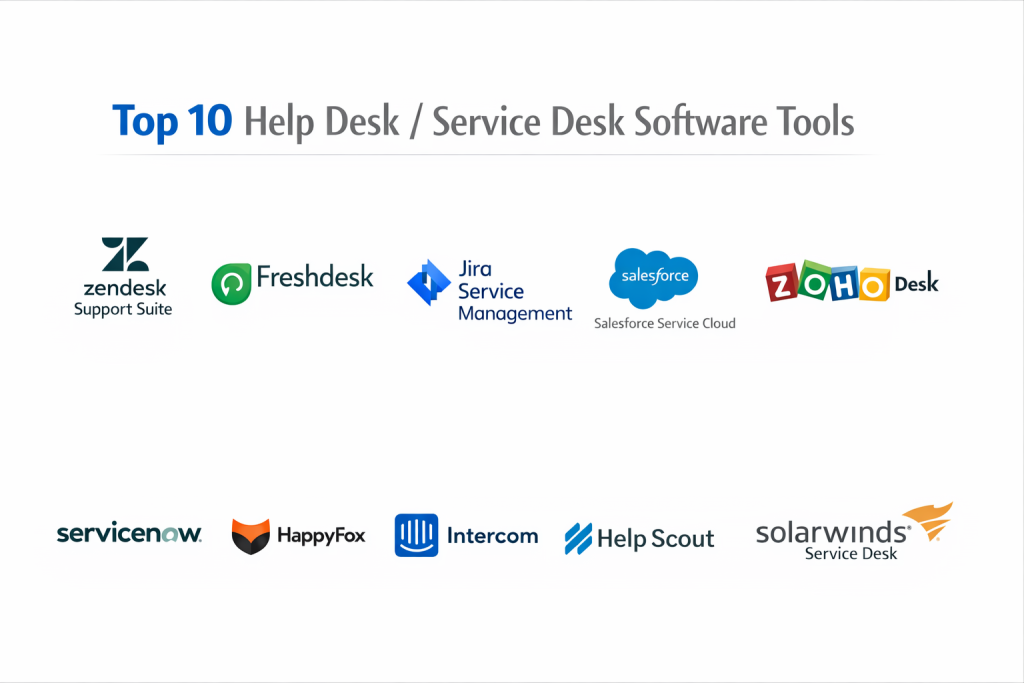
Top 10 Help Desk / Service Desk Software Tools
1 — Zendesk Support Suite
Zendesk is perhaps the most recognized name in the industry, offering a comprehensive, cloud-based “Support Suite” that scales from small businesses to the largest global enterprises.
- Key Features:
- Omnichannel support (Email, Chat, Voice, Social Messaging, WhatsApp).
- Sophisticated AI-powered “Answer Bot” for automated self-service.
- Customizable workflows and automated ticket routing based on agent skills.
- Robust Knowledge Base (Guide) with multi-language support.
- Extensive marketplace with over 1,000 third-party integrations.
- Detailed analytics through “Zendesk Explore” for tracking KPIs.
- Pros:
- Highly flexible and customizable to fit almost any business model.
- The interface is polished and intuitive for agents handling high volumes.
- Cons:
- Costs can escalate quickly as you add specialized features and seats.
- Advanced reporting and customization have a significant learning curve.
- Security & compliance: SOC 2, ISO 27001, GDPR, HIPAA, and SSO (SAML/Okta).
- Support & community: Massive user community, extensive documentation, and tiered support options ranging from basic to enterprise-level.
2 — Freshdesk (by Freshworks)
Freshdesk is known for its balance of power and simplicity. It is an excellent choice for businesses that want an enterprise-grade feature set without the typical enterprise complexity.
- Key Features:
- “Freddy” AI for automated responses and agent assistance.
- Collision detection to prevent multiple agents from working on the same ticket.
- Gamification features to keep support agents motivated.
- Parent-child ticketing for resolving complex issues across departments.
- Built-in telephony and live chat integration.
- Marketplace for extending functionality with popular apps.
- Pros:
- Extremely user-friendly with a very short onboarding time.
- Offers a free “Sprout” plan for very small teams just getting started.
- Cons:
- Some of the most useful automations are locked behind higher-priced tiers.
- Not as deep in ITIL service desk features as specialized ITSM tools.
- Security & compliance: SOC 2 Type II, ISO 27001, GDPR, and HIPAA compliance.
- Support & community: 24/7 email support on all plans; 24/5 phone support; Freshdesk Academy for user training.
3 — Jira Service Management (Atlassian)
Formerly known as Jira Service Desk, this tool is the gold standard for organizations where the support team needs to work in lockstep with the software development team.
- Key Features:
- Native integration with Jira Software for seamless bug reporting.
- ITIL-certified processes for change, incident, and problem management.
- Assets (formerly Insight) for comprehensive hardware and software tracking.
- Automated risk assessment for software deployments.
- Confluence integration for building internal and external knowledge bases.
- Low-code form builder for gathering specific request data.
- Pros:
- Unmatched visibility between developers and support staff.
- Highly powerful for technical IT teams managing complex infrastructure.
- Cons:
- The interface can be overwhelming and “clunky” for non-technical users.
- Configuration requires a high level of expertise to get right.
- Security & compliance: SOC 2, ISO 27001, GDPR, HIPAA, and FedRAMP (select versions).
- Support & community: Strong community forums, vast partner network (Atlassian Solution Partners), and deep technical documentation.
4 — Salesforce Service Cloud
Part of the massive Salesforce ecosystem, Service Cloud is designed for companies that view customer service as a key driver of their overall CRM and sales strategy.
- Key Features:
- 360-degree view of the customer (pulling data from sales and marketing).
- Einstein AI for predictive service and automated case summaries.
- Field Service Lightning for managing technicians on the ground.
- Omni-Channel routing to the most qualified available agent.
- Service Process Automation using “Flow Builder.”
- Deeply customizable dashboards and real-time reporting.
- Pros:
- The absolute best choice for companies already using Salesforce CRM.
- Incredibly powerful automation and data-linking capabilities.
- Cons:
- High cost of ownership and often requires a dedicated admin.
- Can be overly complex for teams that just need a simple ticketing system.
- Security & compliance: SOC 1/2/3, ISO 27001, GDPR, HIPAA, and PCI-DSS.
- Support & community: Trailhead for self-learning, massive global ecosystem, and premier support options.
5 — Zoho Desk
Zoho Desk is a context-aware help desk that is particularly attractive to mid-market businesses looking for a cost-effective, all-in-one suite.
- Key Features:
- “Zia” AI assistant for identifying sentiment and tagging tickets.
- Multi-brand support to manage different companies from one dashboard.
- Work Modes that organize tickets based on urgency or customer type.
- Direct integration with Zoho CRM and Zoho Projects.
- Blueprint feature for building step-by-step process guidelines.
- Mobile app with full agent functionality.
- Pros:
- Exceptional value for the price compared to Zendesk or Salesforce.
- Strong “context” features that show agent history at a glance.
- Cons:
- The user interface is less modern than some of its competitors.
- Integration with non-Zoho products can sometimes be less seamless.
- Security & compliance: SOC 2 Type II, ISO 27001, GDPR, and HIPAA.
- Support & community: Zoho Community, 24/5 support, and a growing library of “How-To” videos.
6 — ServiceNow
ServiceNow is not just a help desk; it is a massive enterprise platform for digital workflows. It is the dominant player in the Fortune 500 space for IT Service Management (ITSM).
- Key Features:
- End-to-end ITIL service management (Incident, Problem, Change, Release).
- Machine learning for automated ticket categorization and assignment.
- Virtual Agent (chatbot) that resolves common issues without humans.
- CMDB (Configuration Management Database) for tracking all IT assets.
- Performance Analytics for long-term trend forecasting.
- HR and Facilities service management modules.
- Pros:
- The most powerful and scalable service desk on the market.
- Capable of automating virtually any internal corporate process.
- Cons:
- Prohibitively expensive and complex for small to medium businesses.
- Implementation usually takes months and requires expensive consultants.
- Security & compliance: FedRAMP, SOC 1/2, ISO 27001, GDPR, and HIPAA.
- Support & community: Professional-grade support, “Now Learning” platform, and massive annual user conferences.
7 — HappyFox
HappyFox is a robust, all-in-one help desk known for its clean design and its ability to reduce agent friction through powerful automation.
- Key Features:
- Automated ticket templates for common responses.
- Canned actions to perform multiple steps with one click.
- Smart Rules to automate workflows without writing code.
- Asset management integration for IT teams.
- Multi-channel support including social media and WhatsApp.
- Built-in satisfaction surveys (CSAT).
- Pros:
- Extremely clean and uncluttered user interface.
- Strong focus on agent productivity and “getting things done.”
- Cons:
- Fewer third-party integrations than Zendesk or Freshdesk.
- No free version available for very small startups.
- Security & compliance: SOC 2 Type II, GDPR, and SSO support.
- Support & community: High-quality 24/7 email and chat support with dedicated onboarding.
8 — Intercom
Intercom redefined the help desk by focusing on “Conversational Support.” It is designed for modern SaaS companies that want to prioritize real-time chat and proactive messaging.
- Key Features:
- Fin AI agent that can answer 50% of questions instantly using your help docs.
- Messenger-first interface that feels like a modern chat app.
- Proactive messages to help users before they even ask for it.
- Series (visual builder) for creating customer journeys.
- Shared team inbox with internal notes and @mentions.
- Integrated help center/knowledge base.
- Pros:
- The best user experience for customers who prefer chat over email.
- High conversion rates for sales and support blending together.
- Cons:
- Pricing is complex and based on “people reached,” which can spike costs.
- Not suitable for traditional IT service desks needing ITIL features.
- Security & compliance: SOC 2 Type II, GDPR, and HIPAA (select plans).
- Support & community: Very active blog/podcast, Intercom Academy, and responsive chat support.
9 — Help Scout
Help Scout is the choice for companies that want their support to feel like a personal email rather than a “ticket number.” It focuses on a human-centric experience.
- Key Features:
- Shared mailboxes that look and feel like standard email.
- “Beacon” widget for live chat and quick access to help articles.
- Docs (Knowledge Base) that is easy to search and navigate.
- Saved replies for frequently asked questions.
- Collision detection to prevent duplicate work.
- Light reporting that covers essential metrics like response time.
- Pros:
- Extremely elegant design that is a joy to use for agents.
- Keeps the customer experience personal; no “Case #12345” in the subject line.
- Cons:
- Lacks the deep automation and logic required for complex enterprise centers.
- No native phone support system built-in.
- Security & compliance: SOC 2 Type II, GDPR, and HIPAA (with BAA).
- Support & community: Helpful blog, 24/6 email support, and a strong focus on educational content.
10 — SolarWinds Service Desk
SolarWinds is a cloud-native ITSM solution that focuses heavily on asset management and internal IT service delivery for mid-sized and large organizations.
- Key Features:
- ITIL-compliant incident, problem, and change management.
- Comprehensive asset management with automated discovery.
- Service portal for employees to request hardware or software.
- Benchmark reporting to compare your team against industry standards.
- Risk detection for software licenses and hardware life cycles.
- Integration with the broader SolarWinds IT management suite.
- Pros:
- Very strong for internal IT teams managing a fleet of devices.
- Easy to set up compared to heavyweights like ServiceNow.
- Cons:
- The interface is functional but lacks the “modern” feel of Intercom or Zendesk.
- Not the best choice for external-facing customer support teams.
- Security & compliance: SOC 2 Type II, GDPR, and ISO certifications.
- Support & community: THWACK community (one of the largest IT forums), 24/7 technical support.
Comparison Table
| Tool Name | Best For | Platform(s) Supported | Standout Feature | Rating (Gartner) |
| Zendesk | All-around CX | Web, iOS, Android | Massive Integration Ecosystem | 4.3 / 5 |
| Freshdesk | Ease of Use | Web, iOS, Android | Freddy AI Assistant | 4.4 / 5 |
| Jira Service Mgmt | Dev + Support | Web, iOS, Android | Native Jira Software Sync | 4.5 / 5 |
| Salesforce | CRM-Heavy Teams | Web, iOS, Android | 360 Customer View | 4.4 / 5 |
| Zoho Desk | Mid-Market Value | Web, iOS, Android | Work Modes / Context | 4.5 / 5 |
| ServiceNow | Fortune 500 Enterprise | Web, iOS, Android | Digital Workflow Automation | 4.6 / 5 |
| HappyFox | Agent Productivity | Web, iOS, Android | Smart Rules & Canned Actions | 4.5 / 5 |
| Intercom | Modern SaaS / Chat | Web, iOS, Android | Fin AI Chat Agent | 4.4 / 5 |
| Help Scout | Human Support | Web, iOS, Android | Shared Inbox Simplicity | 4.7 / 5 |
| SolarWinds | Internal IT Depts | Web, iOS, Android | Asset Discovery & Inventory | 4.3 / 5 |
Evaluation & Scoring of Help Desk / Service Desk Software
To help you choose, we have evaluated these tools using a weighted rubric based on the current 2026 industry standards.
| Category | Weight | Evaluation Criteria |
| Core Features | 25% | Ticketing, Multi-channel, Knowledge Base, and SLA management. |
| Ease of Use | 15% | Onboarding time, UI clarity, and mobile app performance. |
| Integrations | 15% | Strength of the marketplace and API flexibility. |
| Security | 10% | Encryption, HIPAA/GDPR status, and SSO capabilities. |
| Performance | 10% | Uptime reliability and system speed during peak loads. |
| Support | 10% | Quality of documentation and responsiveness of technical help. |
| Price / Value | 15% | Overall cost versus the breadth of features provided. |
Which Help Desk / Service Desk Software Tool Is Right for You?
Solo Users vs. SMB vs. Mid-Market vs. Enterprise
- SMB (1-20 agents): Look at Freshdesk or Help Scout. These tools are affordable, require very little setup, and won’t overwhelm your team with features you don’t need.
- Mid-Market (20-100 agents): Zendesk or Zoho Desk are perfect. They provide the scalability and automation required to manage growing volumes without needing a 6-month implementation.
- Enterprise (100+ agents): ServiceNow or Salesforce Service Cloud are the only choices for organizations that need deep customization, strict security, and cross-departmental workflows.
Budget-Conscious vs. Premium Solutions
- Budget: Zoho Desk and Freshdesk offer the most “bang for your buck,” with free or low-cost tiers that still include essential features.
- Premium: Intercom and ServiceNow are at the top of the price range but provide cutting-edge AI and automation that can significantly reduce the headcount needed for support.
Feature Depth vs. Ease of Use
If your primary goal is ITIL compliance and hardware tracking, go for Jira Service Management. If your goal is customer satisfaction and a beautiful interface, Intercom or Help Scout are much better fits.
Frequently Asked Questions (FAQs)
1. What is the main difference between Help Desk and Service Desk?
Historically, a help desk is reactive (fixing things that break), while a service desk is proactive (managing the whole lifecycle of IT services). In 2026, many tools use the terms interchangeably, but “Service Desk” usually implies ITIL compliance.
2. Is AI actually useful in help desk software?
Yes. Modern AI agents (like Intercom’s Fin or Zendesk’s Answer Bot) can now resolve up to 50% of common tickets without a human ever seeing them, which is a massive cost saver.
3. Do I need a programmer to set these up?
For tools like Help Scout or Freshdesk, no. For Salesforce Service Cloud or ServiceNow, you will likely need a certified administrator or an external consultant to get it running correctly.
4. Can I keep my existing support email address?
Absolutely. All these tools allow you to forward your current support@yourcompany.com email into their system, so the transition is invisible to your customers.
5. What is an SLA and why does it matter?
SLA stands for Service Level Agreement. It is a timer that ensures you respond to customers within a set timeframe (e.g., 4 hours). The software tracks this so you can see if you’re meeting your promises.
6. Is my data secure in the cloud?
Most top-tier providers use bank-level encryption and are compliant with major laws like GDPR and HIPAA. If you handle medical data, specifically look for “HIPAA-ready” platforms that will sign a BAA.
7. Can these tools handle phone calls too?
Many have “native” telephony (like Zendesk and Freshdesk), while others rely on integrations with VoIP providers like RingCentral or 8×8.
8. How do help desks improve agent morale?
By removing the chaos of a cluttered inbox and using “collision detection” (which prevents two people from answering the same email), agents feel more organized and less stressed.
9. Can I use these for internal HR or Facilities?
Yes. Many companies use “service desks” for employees to request things like a new laptop from IT, a contract review from Legal, or a fix for a broken desk from Facilities.
10. What is a “Knowledge Base” (Self-Service)?
It is a library of articles your customers can read to solve their own problems. A good knowledge base can reduce your ticket volume by 20-30% almost immediately.
Conclusion
Selecting a Help Desk or Service Desk platform is one of the most significant operational decisions your business will make. The “best” tool isn’t the one with the most features; it’s the one that aligns with your specific workflow. If you are a developer-centric company, Jira Service Management is a natural fit. If you are a design-focused SaaS, Help Scout or Intercom will reflect your brand better.
The core goal of these tools is to bridge the gap between a customer’s problem and your company’s solution. By choosing a platform that balances Ease of Use, Automation, and Scalability, you empower your agents to do their best work and ensure your customers receive the fast, helpful service they deserve.