Introduction
Heatmap tools are visual analytics software that show you how users interact with your website or app. They use color-coded overlays—where “hot” colors like red and orange indicate high activity and “cold” colors like blue indicate low activity—to reveal where people click, move their mouse, scroll, and look. This transforms abstract analytics data into an intuitive, visual story of user behavior.
These tools are critically important because they answer questions that traditional analytics can’t. You might see a high drop-off rate on a page, but a heatmap shows you why—users are clicking a non-clickable element, missing a critical button, or simply not scrolling far enough to see your value proposition. This visual insight is essential for making data-informed design decisions, improving conversion rates, fixing usability issues, and ultimately creating digital experiences that feel intuitive and effortless for your visitors.
Key real-world use cases include: An e-commerce store discovering that users are ignoring their main “Add to Cart” button but frequently clicking on a product image, leading them to make the image clickable. A SaaS company finding that users never scroll to see their pricing table on a mobile device, prompting a mobile-first redesign. A news publisher using scroll maps to see which parts of an article retain reader attention, informing content layout and ad placement. A marketing team validating that a new homepage layout directs attention to the intended call-to-action.
When choosing a heatmap tool, users should prioritize several criteria. Type of Heatmaps offered is key—look for click maps, move maps, scroll maps, and attention maps. Data Accuracy and Sampling determines reliability; beware of tools that extrapolate heavily from small data sets. Segmentation and Filtering ability is crucial—can you view heatmaps for users from a specific campaign, on a specific device, or who completed a goal? Ease of Setup and Use impacts how quickly you can gain insights. Finally, consider session recording integration, collaboration features, and the tool’s pricing model based on your pageview volume.
Best for: These tools deliver immense value to UX/UI Designers, Product Managers, CRO (Conversion Rate Optimization) Specialists, Digital Marketers, and Web Developers. They are essential for e-commerce businesses, SaaS companies, publishers, and any organization with a website or app where user engagement and conversion directly impact revenue. Teams of all sizes, from solo entrepreneurs to large enterprises, can benefit, provided they have the traffic to generate meaningful data.
Not ideal for: Websites with very low traffic (e.g., under 1,000 monthly visitors), as the data will be statistically insignificant and misleading. Businesses with purely informational, brochure-style websites that have no conversion goals or interactive elements. Companies that are not prepared to act on the insights—collecting data without a process for testing and implementation is a wasted investment. In these cases, basic analytics or user feedback surveys might be more appropriate.
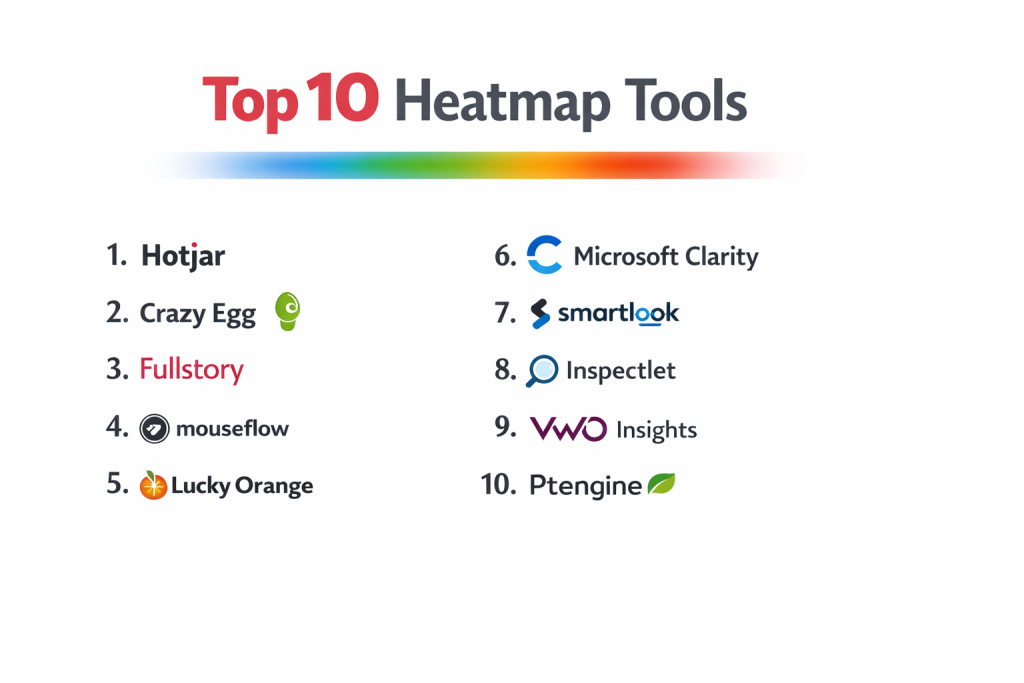
Top 10 Heatmap Tools
1 — Hotjar
Hotjar is one of the most popular and user-friendly heatmap and behavior analytics tools on the market. It’s designed for small to medium-sized businesses, marketers, and product teams who want an all-in-one visual insights suite without a steep learning curve.
Key features:
- Comprehensive Heatmaps: Click, move, scroll, and attention (engagement) heatmaps.
- Session Recordings: Records real visitor sessions to see exactly how users navigate and interact with your site.
- Feedback Tools: Includes on-site polls, surveys, and feedback widgets to ask users questions directly.
- Funnels & Conversion Tracking: Basic funnel analysis to see where users drop off in key processes.
- Easy Visual Setup: Installs via a simple snippet or popular platform plugins (WordPress, Shopify).
- Segmentation: Filter heatmaps and recordings by traffic source, device, country, and more.
Pros:
- All-in-One Usability Suite: Combines heatmaps, recordings, and feedback in a single, intuitive platform, perfect for teams new to behavior analytics.
- Exceptional Ease of Use: Famous for its straightforward setup and interface that non-technical users can understand immediately.
Cons:
- Sampling on Lower Plans: On non-enterprise plans, heatmaps are based on a sample of pageviews, not 100% of data, which can sometimes miss niche behaviors.
- Performance Impact: On very high-traffic sites or with many recordings active, the script can occasionally slow down page load times.
Security & compliance: Offers robust security features, GDPR compliance tools (data masking, consent mode), and is SOC 2 Type II certified. Provides features to exclude sensitive data from recordings.
Support & community: Good knowledge base and email support. Has a large, active user community and many tutorials available online.
2 — Crazy Egg
Crazy Egg is a classic heatmap tool known for its visually striking and easy-to-interpret heatmaps. It focuses primarily on visualization—heatmaps, scrollmaps, and confetti reports—to help improve website clarity and conversion rates.
Key features:
- Visual Click Reports: Classic heatmaps, scrollmaps, and “confetti” reports that show individual clicks color-coded by referral source.
- A/B Testing Integration: Built-in A/B testing tool (Crazy Egg Experiments) to test changes inspired by heatmap insights.
- Overlay & List Reports: Shows the exact number of clicks on each element in a list or overlay format.
- User Session Recordings: Records visitor interactions to see the “why” behind the clicks.
- Easy Editor (Snapshots): Lets you visually edit a page and share the mockup with your team without coding.
- Simple Setup: Install via a single code snippet.
Pros:
- Instant, Visual Clarity: Its reports are particularly good at making click distribution problems obvious at a glance, even to stakeholders unfamiliar with analytics.
- Integrated A/B Testing: The direct link from insight (heatmap) to action (A/B test) within one platform is a powerful workflow.
Cons:
- More Limited Feature Set: Lacks the broader feedback and survey tools of competitors like Hotjar. It’s more focused on the visual mapping aspect.
- Pricing Based on Pageviews: Can become expensive for high-traffic websites, as plans are tiered by number of monthly page views.
Security & compliance: Uses data encryption and provides options to comply with privacy regulations. Specific enterprise-grade certifications should be checked for large deployments.
Support & community: Provides standard customer support via email and chat. Has been in the market for a long time with a stable user base.
3 — FullStory
FullStory is a powerful Digital Experience Intelligence (DXI) platform that goes far beyond traditional heatmaps. It captures and indexes every user interaction, allowing for incredibly detailed session replay and retroactive heatmap generation for any element, even on single-page applications (SPAs).
Key features:
- Session Replay & Rage Clicks: Records every session with incredible fidelity and automatically detects frustration signals like rage clicks and error clicks.
- Retroactive Heatmaps & Funnels: Generate heatmaps for any page or element after the data has been collected, without pre-defining what to track.
- Omni-Search: Search across all session data using plain language (e.g., “show me sessions where users clicked ‘submit’ but saw an error”).
- Dev Tools Mode: Provides console logs, network events, and JavaScript errors alongside session replays, making it invaluable for developers debugging issues.
- Advanced Segmentation: Create highly specific user segments based on virtually any behavior or attribute.
- Excellent for SPAs & Dynamic Content: Handles complex, JavaScript-heavy websites and apps seamlessly.
Pros:
- Unmatched Depth & Retroactive Analysis: The ability to search historical data and create heatmaps on-demand is a game-changer for investigative analysis.
- Developer & Product Team Powerhouse: Deep technical insights alongside behavioral data make it perfect for cross-functional teams solving complex UX bugs.
Cons:
- Premium Price Point: One of the more expensive tools on the market, positioning it for mid-market and enterprise teams.
- Can Be Overwhelming: The sheer depth of data and features can be intimidating for teams that just need basic heatmaps and recordings.
Security & compliance: Enterprise-grade security with SOC 2, ISO 27001, and HIPAA compliance. Offers robust data privacy controls and PII masking.
Support & community: Offers high-touch support, especially for enterprise plans. Known for strong customer success and an active community among tech companies.
4 — Mouseflow
Mouseflow is a robust behavior analytics platform that offers a strong balance of heatmapping, session replay, funnel analysis, and form analytics. It’s known for its detailed tracking capabilities and is a solid choice for e-commerce and businesses focused on conversion optimization.
Key features:
- Heatmaps & Session Replay: All standard heatmap types (click, move, scroll, attention) and high-quality session recordings.
- Form Analytics: Tracks form field interactions, showing where users hesitate, skip, or abandon forms—incredibly valuable for lead generation and checkout optimization.
- Funnel & Conversion Tracking: Build funnels to analyze drop-off points with detailed filters.
- Feedback Campaigns: Targeted surveys and feedback forms triggered by user behavior.
- Performance Monitoring: Tracks page load times and JavaScript errors alongside user sessions.
- API & Extensive Integrations: Strong API and integrations with major platforms like Shopify, Magento, and Google Analytics.
Pros:
- Strong E-commerce & Form Focus: The form analytics feature is a standout for any business reliant on forms for conversions or sign-ups.
- Good Feature-to-Price Ratio: Offers a comprehensive set of features at a price point often more competitive than some of the larger enterprise players.
Cons:
- Interface Can Feel Dated: The user interface is functional but not as modern or polished as some competitors like Hotjar or FullStory.
- Learning Curve: The wealth of features and settings can require more initial configuration and learning.
Security & compliance: GDPR compliant with features for data anonymization and consent management. Offers security best practices but specific top-tier certifications should be verified.
Support & community: Provides good customer support and has an established user base, particularly in the e-commerce sector.
5 — Lucky Orange
Lucky Orange is a real-time website analytics tool that combines heatmaps, recordings, and live chat. It’s designed for businesses that want to see what’s happening on their site right now and engage with visitors proactively.
Key features:
- Dynamic Heatmaps: Heatmaps that update in near real-time.
- Live Visitor View & Recordings: See a live list of visitors, their location, and what page they’re on, with the ability to watch recordings in real-time.
- Integrated Live Chat: Engage with visitors directly based on their observed behavior (e.g., chat with someone who has been on the pricing page for 3 minutes).
- Form Analytics: See which form fields cause friction.
- Polls & Surveys: Simple feedback tools to ask questions.
- Easy Setup & Affordable Pricing: Simple snippet-based setup with pricing based on daily pageviews, often affordable for smaller sites.
Pros:
- Real-Time Focus & Live Chat Integration: The combination of live visitor data and chat enables immediate intervention and sales/support opportunities.
- Great Value for Small Businesses: Offers a lot of functionality (chat, recordings, heatmaps) at a very accessible price point for low-to-mid traffic websites.
Cons:
- Limited Historical Depth: The emphasis is on real-time; historical analysis and segmentation capabilities are not as deep as in tools like FullStory or Hotjar.
- Dashboard Can Feel Cluttered: The interface packs a lot in and can feel busy compared to more minimalist competitors.
Security & compliance: Provides standard data protection and privacy features. Businesses with stringent compliance needs should review their specific protocols.
Support & community: Known for responsive customer support. Popular among small business owners and agencies.
6 — Microsoft Clarity
Microsoft Clarity is a completely free heatmap and session recording tool. It’s an excellent choice for startups, small businesses, or anyone with budget constraints who wants to get started with basic behavior analytics.
Key features:
- Free Forever: No cost, with unlimited projects, sessions, and heatmaps.
- Heatmaps & Session Recordings: Offers click maps, scroll maps, and session recordings.
- Rage Click & Dead Click Detection: Automatically flags clicks that show user frustration (repeated rapid clicks or clicks on non-interactive elements).
- Easy Google Analytics Integration: Directly links sessions and heatmaps to your Google Analytics 4 property for deeper analysis.
- Simple Setup: Easy installation via Google Tag Manager or a direct snippet.
- Basic Filtering: Filter by country, browser, device, and more.
Pros:
- Unbeatable Price (Free): Provides core heatmapping and recording functionality at zero cost, removing the biggest barrier to entry.
- Solid Core Features: For a free tool, it offers reliable, useful data on user clicks, scrolling, and frustrations.
Cons:
- Limited Advanced Features: Lacks attention/engagement heatmaps, advanced segmentation, feedback tools, and funnel analysis present in paid tools.
- Support & Roadmap: As a free product, support is community-based (forums), and the development roadmap is controlled by Microsoft.
Security & compliance: Being a Microsoft product, it adheres to strong security and privacy standards, including GDPR compliance tools.
Support & community: Relies on community forums and documentation for support. Lacks dedicated customer service.
7 — Smartlook
Smartlook is a qualitative analytics platform that combines heatmaps, session recordings, and event-based analytics. It is particularly strong for mobile apps (iOS, Android, React Native) alongside web, making it a great unified solution for cross-platform teams.
Key features:
- Cross-Platform Support: Robust heatmaps and recordings for websites, iOS apps, Android apps, and hybrid frameworks.
- Automatic Event Tracking: Automatically tracks key events like button clicks, form submissions, and page visits without manual setup.
- Funnels & Conversion Analysis: Create funnels from automatically or manually tracked events to analyze conversion paths.
- Heatmaps for Every Action: Generate heatmaps not just for clicks, but for any tracked event.
- API & SDKs: Comprehensive APIs and SDKs for custom implementations.
- Affordable Pricing: Often more affordable than some enterprise competitors, with generous free plans for low-volume use.
Pros:
- Excellent for Mobile Apps: One of the best solutions for teams that need consistent heatmap and session replay insights across both web and mobile.
- Automatic Event Tracking: Saves significant setup time by automatically capturing common user interactions.
Cons:
- Web-Only Heatmap Variety: For web, its heatmap types (click, movement) are slightly less varied than some specialized web tools (e.g., no dedicated “attention” heatmap).
- Interface Complexity: While powerful, the interface can take some time to master due to its cross-platform nature and event-centric design.
Security & compliance: Committed to data security with features for data anonymization and compliance with GDPR. Specific certifications should be confirmed for regulated industries.
Support & community: Provides good customer support and has an active user base, especially in the mobile app development community.
8 — Inspectlet
Inspectlet focuses on delivering high-quality session recordings with advanced filters and segmentation. Its heatmaps are generated directly from these recordings, ensuring a high level of detail and accuracy.
Key features:
- High-Fidelity Session Recordings: Records videos of user sessions with options to capture mouse movements, clicks, scrolls, and keypresses.
- Heatmaps from Recordings: Click, scroll, and attention heatmaps are rendered from the aggregated session replay data.
- Advanced Segmentation: Powerful filtering to view recordings and heatmaps for specific user types, behaviors, or traffic sources.
- Error & Console Tracking: Captures JavaScript errors and console logs during sessions to help developers.
- Usability Metrics: Tracks metrics like hesitation time before clicks.
- Tag-Based Setup: Flexible setup using HTML tags, CSS selectors, or JavaScript variables.
Pros:
- Recording-Centric Accuracy: Because heatmaps are derived from actual video recordings, they can feel more accurate and trustworthy than sampled data.
- Strong Segmentation for Analysis: Excellent tools for drilling down into very specific user segments, making it great for targeted investigation.
Cons:
- Primary Focus on Recordings: While it has heatmaps, the platform’s heart and best features revolve around the session recording experience.
- User Interface: The UI can feel technical and less immediately approachable for pure marketers or designers compared to some tools.
Security & compliance: Offers data masking and security features. Compliance certifications should be reviewed based on specific needs.
Support & community: Offers standard support. Used by many development and product teams.
9 — VWO (Visual Website Optimizer) Insights
VWO Insights is part of the broader VWO platform, which is a leading A/B testing and conversion optimization suite. Its heatmap and session recording tool is designed to seamlessly feed insights directly into A/B testing campaigns.
Key features:
- Heatmaps & Session Recordings: Click, move, scroll, and attention heatmaps integrated with session replays.
- On-Page Surveys: Robust survey tools to collect qualitative feedback directly on the page.
- Seamless A/B Test Integration: Directly create A/B tests in VWO based on insights from heatmaps and recordings.
- Funnel Analysis: Identify drop-off points within key user journeys.
- Idea Management: Capture and manage optimization ideas from insights in a centralized backlog.
- Part of a Full CRO Suite: Works natively with VWO’s A/B testing, split URL testing, and multivariate testing tools.
Pros:
- Perfect for CRO Teams: The integrated workflow from insight (heatmap) to hypothesis to test (A/B test) within one platform is incredibly efficient for dedicated optimization teams.
- Comprehensive Optimization Toolkit: More than just a heatmap tool; it’s a central hub for the entire conversion rate optimization process.
Cons:
- Cost as a Standalone Tool: If you only want heatmaps, it can be more expensive than best-of-breed standalone heatmap tools. The value is in the full suite.
- Suite Complexity: Can be overwhelming if you’re just dipping your toes into heatmapping and aren’t ready for a full CRO platform.
Security & compliance: Enterprise-grade security with SOC 2 Type II certification and compliance with major data privacy regulations.
Support & community: Provides strong enterprise support and has a large community of CRO professionals.
10 — Ptengine
Ptengine is a heatmap and behavior analytics tool with a strong focus on real-time data visualization and ease of use. It aims to make insights accessible quickly for marketing and product teams.
Key features:
- Real-Time Heatmaps: Heatmaps that update live as users interact with your site.
- Easy-to-Read Visualizations: Clean, color-coded heatmaps and overlay reports.
- A/B Testing Module: Includes a built-in A/B testing tool to validate changes.
- User Segmentation: Filter data by source, device, geographic location, and custom attributes.
- Page Grouping: Analyze heatmaps for groups of pages (e.g., all product pages) instead of one-by-one.
- Simple Installation: Quick setup via snippet or CMS plugins.
Pros:
- Fast, Visual Insights: The platform is designed to deliver clear, actionable visual data very quickly after setup.
- Good for Iterative Marketing Teams: The combination of real-time heatmaps and built-in A/B testing supports a fast, test-and-learn marketing approach.
Cons:
- Brand Recognition & Ecosystem: Less well-known than giants like Hotjar or Crazy Egg, which can mean a smaller community and less third-party integration support.
- Depth of Session Analysis: While good for heatmaps, its session replay and granular behavior analysis may not be as deep as some specialized competitors.
Security & compliance: Follows standard security practices. Specific compliance certifications should be checked for enterprise use cases.
Support & community: Provides customer support and has a growing user base, particularly in the Asian market.
Comparison Table
| Tool Name | Best For | Platform(s) Supported | Standout Feature |
|---|---|---|---|
| Hotjar | SMBs & teams wanting an all-in-one, user-friendly behavior analytics suite. | Web | Best balance of heatmaps, recordings, & feedback tools in an intuitive package. |
| Crazy Egg | Visual learners & marketers focused on quick click-pattern insights & integrated A/B tests. | Web | Visually striking reports & direct heatmap-to-A/B-test workflow. |
| FullStory | Mid-market & enterprise teams, especially developers, needing deep, retroactive session analysis. | Web, SPAs | Retroactive heatmaps & omnipotent session search across all user data. |
| Mouseflow | E-commerce & form-heavy businesses wanting detailed form analytics & solid overall tracking. | Web | Powerful form analytics & strong feature set for conversion optimization. |
| Lucky Orange | Small businesses wanting real-time visitor data combined with live chat engagement. | Web | Real-time heatmaps/live view + integrated live chat for immediate intervention. |
| Microsoft Clarity | Anyone on a tight budget needing reliable, free core heatmaps & session recordings. | Web | Completely free with unlimited data, good GA4 integration. |
| Smartlook | Teams with both websites and mobile apps needing unified cross-platform insights. | Web, iOS, Android, React Native | Excellent cross-platform support & automatic event tracking. |
| Inspectlet | Teams prioritizing high-quality session recordings as the source of truth for heatmaps. | Web | Recording-centric approach with advanced session filtering. |
| VWO Insights | Dedicated CRO teams using the VWO platform for end-to-end testing and optimization. | Web | Native integration with a full A/B testing & CRO platform. |
| Ptengine | Marketing teams wanting fast, real-time heatmap visualizations and simple A/B testing. | Web | Real-time heatmap updates and clear, quick visualizations. |
Evaluation & Scoring of Heatmap Tools
To objectively compare tools, use this weighted scoring rubric. Score each option from 1 (Poor) to 5 (Excellent) for each criterion. Multiply the score by the weight to get the weighted score. The tool with the highest total is the best fit for your specific needs.
| Criteria | Weight | What to Look For | Score (1-5) | Weighted Score |
|---|---|---|---|---|
| Core Features | 25% | Types of heatmaps (click, scroll, move, attention), session replay quality, data accuracy, filtering/segmentation. | ||
| Ease of Use | 15% | Simplicity of setup, intuitiveness of the dashboard, clarity of visual reports for non-technical users. | ||
| Integrations & Ecosystem | 15% | Connectors with Google Analytics, A/B testing tools, CMS platforms (WordPress, Shopify), and data warehouses. | ||
| Security & Compliance | 10% | Data handling practices, PII masking, GDPR/CCPA compliance tools, and relevant security certifications (SOC 2). | ||
| Performance & Reliability | 10% | Impact on site speed, data processing speed, uptime, and ability to handle high traffic volumes. | ||
| Support & Community | 10% | Quality of onboarding, responsiveness of customer support, and existence of a knowledge base or user community. | ||
| Price / Value | 15% | Cost relative to the features, pageview limits, and the actionable insights the tool can provide for your business. | ||
| TOTAL | 100% | FINAL SCORE |
Which Heatmap Tool Is Right for You?
Your ideal tool depends on your primary goal, technical environment, and team size. Follow this decision guide.
- By Primary Goal & Team:
- Getting Started / General Usability: You want an easy all-in-one tool. Choose Hotjar or start for free with Microsoft Clarity.
- Conversion Rate Optimization (CRO): You run structured tests. VWO Insights (if using VWO) or Crazy Egg are great. Mouseflow is excellent for form optimization.
- Technical Debugging & Deep Dive: You need to solve complex UX bugs. FullStory is unmatched. Inspectlet is also strong.
- Mobile + Web Analysis: You have an app. Smartlook is the top choice.
- Real-Time Engagement & Sales: You want to chat with live visitors. Lucky Orange is built for this.
- By Company Size & Budget:
- Solo / Startup / Low Budget: Start with Microsoft Clarity (Free). Upgrade to Hotjar or Smartlook’s affordable plans as you grow.
- SMB / Growing Business: Hotjar, Mouseflow, and Crazy Egg offer great value and scalability.
- Mid-Market / Enterprise: FullStory and VWO Insights provide the depth, security, and support required. Hotjar also has strong enterprise offerings.
- By Technical Complexity:
- Simple Websites (WordPress, Shopify): Hotjar, Crazy Egg, and Lucky Orange have simple plugins.
- Complex Web Apps (SPAs, React, Vue): FullStory and Smartlook handle dynamic content best.
- Mobile Apps: Smartlook is the specialist.
- By Need for Integration:
- Heavy Google Analytics Users: Microsoft Clarity integrates natively with GA4. Most tools offer GA connections.
- A/B Testing Platform Users: If you use VWO, Optimizely, or Google Optimize, check for native integrations. Crazy Egg and VWO have built-in testing.
- By Security & Compliance Needs: For healthcare (HIPAA) or financial services, or if you handle sensitive user data, prioritize tools with robust compliance certifications like FullStory (HIPAA) and VWO (SOC 2). All tools should offer GDPR/CCPA basics.
Frequently Asked Questions (FAQs)
1. Do heatmaps slow down my website?
They can, but minimally. Most modern tools use optimized scripts. The impact is usually negligible, but on very high-traffic sites or with many tools installed, it’s good practice to monitor performance. Tools like FullStory and Hotjar offer performance monitoring.
2. How many visitors do I need for reliable heatmap data?
For statistically significant insights on specific elements (like a button), you generally need a minimum of 1,000-2,000 views of that page. For overall page patterns, a few hundred can reveal trends. Tools that sample data (Hotjar on lower plans) require more volume for accuracy.
3. What’s the difference between a click map and a scroll map?
A Click Map shows where users click (or tap) on a page. A Scroll Map shows how far down users scroll, using color to indicate the percentage of visitors who reach each point (e.g., red at the top, fading to blue at the bottom).
4. Are session recordings a privacy concern?
They can be. Reputable tools provide features to mask sensitive data (text inputs, credit card numbers, personal info) and exclude specific pages from recording. You must also inform users via your privacy policy. Compliance features are critical.
5. Can I use heatmaps on password-protected pages or web apps?
Yes, but it requires extra configuration. Most tools allow you to authenticate the tracking script to record sessions behind a login. Check the tool’s documentation for “single-page application (SPA)” or “authenticated session” tracking.
6. What’s a “rage click” and why is it important?
A rage click is when a user rapidly clicks or taps the same spot multiple times. It’s a strong indicator of frustration—the element isn’t working as expected (e.g., a non-clickable image that looks like a button). Tools like Microsoft Clarity and FullStory detect these automatically.
7. Should I look at desktop and mobile heatmaps separately?
Absolutely. User behavior is drastically different across devices. Always segment your heatmaps by device type. A call-to-action that works on desktop might be buried below the fold on mobile.
8. How do I act on heatmap insights?
Follow a process: 1) Identify a problem (e.g., low clicks on CTA). 2) Form a hypothesis (e.g., “The button color blends in”). 3) Create a change (e.g., make button more contrasting). 4) Test it using an A/B test. Don’t make changes based on gut feelings alone.
9. Are free tools like Microsoft Clarity good enough?
For many, yes. If you need core click, scroll, and session recording data without advanced segmentation or feedback tools, Clarity is excellent. It’s a perfect starting point before investing in a paid suite.
10. What’s the biggest mistake people make with heatmaps?
Making assumptions from small sample sizes or ignoring segmentation. Looking at a heatmap that combines all traffic (new vs. returning, mobile vs. desktop, campaign A vs. campaign B) can lead to incorrect conclusions. Always segment your data.
Conclusion
Choosing the right heatmap tool is about selecting a lens through which to truly see your users. These tools transform vague analytics into vivid, actionable stories about behavior, frustration, and opportunity. The key insight is that no single tool is best for everyone; the optimal choice is a perfect match for your website’s complexity, your team’s expertise, and your specific business questions.
For the budget-conscious beginner, a free tool provides a powerful starting point. For the growth-focused marketer, an integrated suite with A/B testing unlocks rapid optimization. For the technical product team, a deep-drive platform is indispensable for solving complex experience puzzles. Your decision must be guided by a clear understanding of what you need to learn and how you plan to act on that knowledge.
Ultimately, a heatmap tool is not just a reporting dashboard—it’s an empathy engine. It fosters a user-centric culture by making customer behavior visible and undeniable. By carefully matching a tool’s strengths to your operational needs, you can move beyond guessing about your users and start building digital experiences that are not just functional, but truly intuitive and successful. Start with a clear question, choose the tool that can answer it, and let the visual data guide your path to a better user experience.