Introduction
An Electronic Health Record (EHR) System is a digital version of a patient’s paper chart. It is a real-time, patient-centered record that makes information available instantly and securely to authorized users. While an EHR does contain the medical and treatment histories of patients, a high-quality system is built to go beyond standard clinical data collected in a provider’s office and can be inclusive of a broader view of a patient’s care. EHRs are a vital part of health IT, encompassing a range of data including demographics, progress notes, problems, medications, vital signs, past medical history, immunizations, laboratory data, and radiology reports.
The importance of EHR systems lies in their ability to automate and streamline the clinician’s workflow. They have the power to improve patient care by reducing the incidence of medical error through better data legibility and automated “red-flag” alerts for drug interactions. Furthermore, they enhance patient engagement by allowing individuals to access their own records via portals. For the healthcare organization, these systems are essential for billing, legal documentation, and meeting government regulatory requirements for interoperability and data security.
Key Real-World Use Cases
- Care Coordination: Allowing a specialist in one city to instantly view the lab results ordered by a primary care doctor in another, preventing duplicate testing.
- e-Prescribing: Sending prescriptions directly to a pharmacy, which reduces errors caused by poor handwriting and checks for dangerous drug-to-drug interactions.
- Patient Portals: Empowering patients to view their immunization records, schedule appointments, and message their doctors securely from home.
- Population Health Management: Aggregating data across thousands of patients to identify trends, such as tracking the effectiveness of a new diabetes management protocol.
- Clinical Decision Support: Providing doctors with automated reminders for preventative screenings or evidence-based treatment suggestions during a live exam.
What to Look For (Evaluation Criteria)
When evaluating an EHR system, healthcare providers should prioritize the following criteria:
- Interoperability: How easily does the system share data with labs, pharmacies, and other hospitals?
- Customization: Can the templates be adjusted to fit specific medical specialties (e.g., Cardiology vs. Pediatrics)?
- User Experience (UX): Is the interface intuitive, or does it require excessive “clicks” that contribute to physician burnout?
- Mobile Access: Does the system offer a robust app for tablets and smartphones to facilitate care at the bedside?
- Financial Integration: Does the clinical side of the software communicate perfectly with the billing and revenue cycle management side?
Best for:
- Hospitals and Health Systems: Large organizations that need to manage hundreds of beds and thousands of staff members across multiple departments.
- Private Practices: Small to mid-sized clinics looking to professionalize their documentation and speed up insurance reimbursements.
- Specialized Medical Centers: Facilities like oncology clinics or behavioral health centers that require niche-specific data tracking.
Not ideal for:
- Alternative Wellness Practitioners: Life coaches or massage therapists who do not require medical-grade diagnostic coding or insurance billing.
- Non-Clinical Administrative Teams: Organizations that only need basic scheduling and contact management without the high-cost regulatory burden of an EHR.
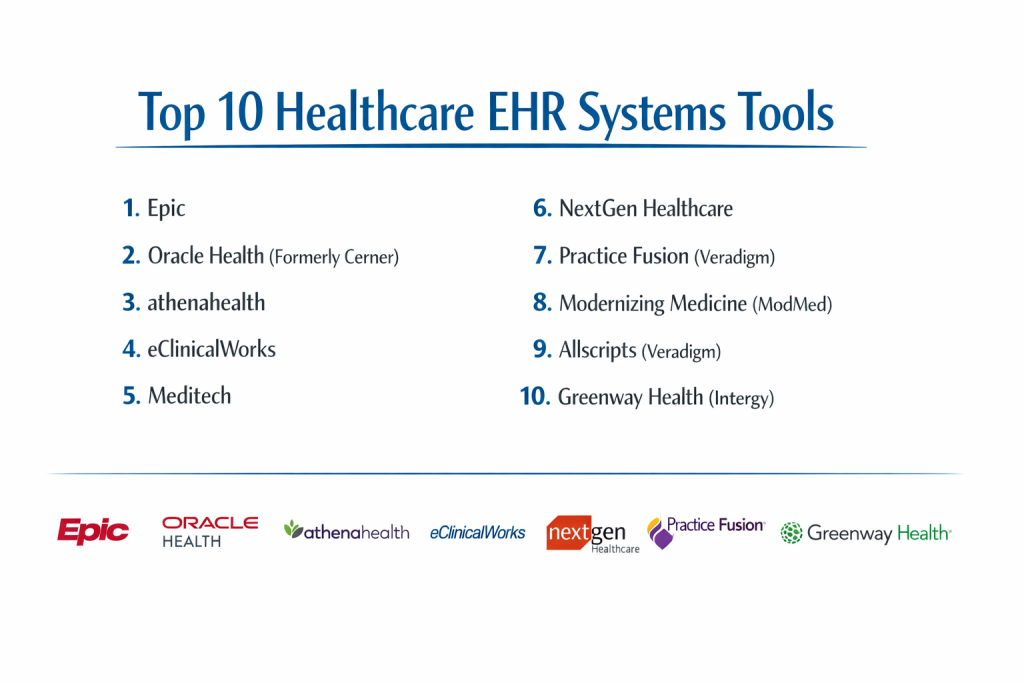
Top 10 Healthcare EHR Systems Tools
1 — Epic
Epic is the market leader for large-scale healthcare systems and academic medical centers. It is known for its massive scale and its ability to connect nearly every aspect of a giant hospital network into a single “source of truth.”
- Key features:
- Comprehensive “One Virtual Patient” record across all care settings.
- Care Everywhere network for seamless data exchange between different Epic sites.
- MyChart patient portal, widely considered the industry standard for patient engagement.
- Advanced predictive analytics for patient deterioration and readmission risk.
- Niche modules for every specialty (e.g., Stork for OB, Willow for Pharmacy).
- Highly secure, centralized database architecture.
- Pros:
- Unmatched interoperability between major health systems.
- Deeply integrated clinical and financial workflows.
- Cons:
- Extremely high implementation costs and long setup times.
- Requires a dedicated internal IT team to maintain and update.
- Security & compliance: HIPAA, SOC 2 Type 2, and ISO 27001 compliant; features robust audit logs and end-to-end encryption.
- Support & community: High-tier enterprise support, a massive “User Group Meeting” (UGM), and a dedicated project manager for every install.
2 — Oracle Health (Formerly Cerner)
Oracle Health provides an enterprise-wide EHR solution that is a primary competitor to Epic, particularly popular among large hospital chains and government healthcare entities.
- Key features:
- Millennium platform for integrated clinical and financial data.
- HealtheIntent population health management tool.
- Strong focus on clinical research and data aggregation.
- Cloud-ready infrastructure via Oracle Cloud.
- Real-time dashboarding for hospital operations and bed management.
- Interoperability via the CommonWell Health Alliance.
- Pros:
- Excellent for large-scale data analysis and population health research.
- Flexible deployment options, including a focus on public health and government sectors.
- Cons:
- Some users find the legacy interface less intuitive than newer cloud-based apps.
- Customer support experiences can vary significantly depending on the size of the hospital.
- Security & compliance: 21 CFR Part 11, HIPAA, and GDPR compliant; uses high-level Oracle database security protocols.
- Support & community: Large global support network and a structured “Oracle Health Community” for peer troubleshooting.
3 — athenahealth
athenahealth is a cloud-native EHR that is highly popular among mid-market and ambulatory practices. It is famous for its “athenaCollector” revenue cycle management service.
- Key features:
- Fully cloud-based architecture (no local servers required).
- Integrated medical billing and collections services.
- Regular, automatic updates to stay current with government regulations.
- Patient engagement tools, including automated appointment reminders.
- Mobile-optimized “athenaOne” app for clinicians.
- Pre-built clinical templates for over 50 specialties.
- Pros:
- Very short learning curve compared to legacy enterprise systems.
- The “network” effect allows the system to learn from the billing denials of other users to help you get paid faster.
- Cons:
- Pricing is often a percentage of practice collections, which can be expensive for high-revenue clinics.
- Less customization available for very niche surgical workflows.
- Security & compliance: HIPAA compliant, SOC 2 certified, and features automated audit trails.
- Support & community: Responsive phone support and a “Success Manager” model for larger accounts.
4 — eClinicalWorks
eClinicalWorks is one of the most widely used EHRs for small and mid-sized practices, offering a comprehensive suite that covers clinical records, billing, and telehealth.
- Key features:
- Integrated telehealth platform (healow).
- AI-powered virtual assistant (Eva) to help find patient data quickly.
- Electronic lab and pharmacy integrations.
- Patient portal with mobile app access.
- Inventory management for in-office supplies.
- Cloud or on-premise deployment options.
- Pros:
- Offers a vast array of features at a relatively affordable price point.
- Strong focus on patient-facing technology and telehealth.
- Cons:
- The interface can feel cluttered due to the high number of buttons and features.
- Users have reported that customer support can be slow to resolve technical bugs.
- Security & compliance: HIPAA compliant with robust data encryption and user access controls.
- Support & community: Large user base with many online training videos and a ticketing-based support system.
5 — Meditech
Meditech is a veteran in the EHR space, known for its reliability and its “Expanse” platform, which is designed to be mobile-first and highly visual.
- Key features:
- Expanse web-based interface for tablets and smartphones.
- Unified record across acute, ambulatory, and home health settings.
- Surveillance tools to monitor high-risk patients (e.g., Sepsis alerts).
- Patient portal with integrated health device data (Apple Health).
- Built-in precision medicine and genomic data tracking.
- Flexible reporting for executive leadership.
- Pros:
- Generally more affordable than Epic or Oracle for mid-sized community hospitals.
- The “Expanse” UI is much more modern and less “click-heavy” than older versions.
- Cons:
- Lacks the massive “brand name” interoperability of Epic in some regions.
- Smaller library of third-party “app store” integrations.
- Security & compliance: HITRUST CSF Certified, HIPAA, and SOC 2 compliant.
- Support & community: Personal, long-term relationships with account managers and an active user network (MUSE).
6 — NextGen Healthcare
NextGen specializes in ambulatory care and is highly regarded for its specialty-specific content, particularly in areas like ophthalmology, orthopedics, and behavioral health.
- Key features:
- NextGen Mobile for voice-to-text charting and remote access.
- Population Health dashboard for risk stratification.
- Integrated EDI (Electronic Data Interchange) for claims processing.
- Financial analytics platform to track practice health.
- Robust Patient Portal with bill pay and messaging.
- NextGen Share for interoperability with outside providers.
- Pros:
- Templates are very well-tuned for specific medical specialties.
- Excellent training and “on-the-ground” support during implementation.
- Cons:
- Updates can sometimes be complex and require downtime.
- Reporting tools have a steep learning curve to master.
- Security & compliance: HIPAA compliant, ONC Certified, and supports multi-factor authentication.
- Support & community: Comprehensive “NextGen University” for staff training and 24/7 technical help.
7 — Practice Fusion (Veradigm)
Practice Fusion is a web-based EHR designed specifically for small, independent practices. It is known for its simplicity and quick setup.
- Key features:
- Chart-centric design for fast documentation.
- Cloud-based, requiring only a web browser to run.
- e-Prescribing and electronic lab ordering.
- Patient scheduling and appointment reminders.
- Support for imaging and specialist referrals.
- Simplified billing integration with third-party partners.
- Pros:
- Extremely easy to set up; a practice can be live in a matter of days.
- Interface is clean and focuses only on the essentials.
- Cons:
- Limited customization for complex, multi-site organizations.
- The “free” version of the past is gone; it is now a paid subscription model.
- Security & compliance: HIPAA compliant and SOC 2 certified.
- Support & community: Primarily email and ticket-based support, supplemented by a large knowledge base.
8 — Modernizing Medicine (ModMed)
ModMed is an “EMA” (Electronic Medical Assistant) platform that is built around a “touch-screen” interface, specifically designed for specialty practices like Dermatology and ENT.
- Key features:
- Adaptive Learning engine that remembers a doctor’s common diagnoses.
- Interactive anatomical diagrams for touch-based charting.
- Integrated pathology and lab results.
- Built-in clinical coding that suggests the correct billing level.
- ModMed Pay for patient collections.
- Analytics for tracking MIPS/MACRA compliance.
- Pros:
- The touch-screen interface is significantly faster for specific specialties.
- Reduces documentation time by anticipating what the doctor will say next.
- Cons:
- Not designed for general primary care or large hospital systems.
- Can be expensive compared to “all-purpose” EHRs.
- Security & compliance: HIPAA compliant with 256-bit encryption and secure cloud hosting.
- Support & community: Very high-touch support with specialty-specific educators.
9 — Allscripts (Veradigm)
Now operating under the Veradigm brand, this system provides a wide range of solutions from “Sunrise” for hospitals to “Professional” for ambulatory practices.
- Key features:
- Sunrise platform for high-acuity hospital environments.
- Veradigm Network for advanced research and data insights.
- Open API architecture to allow third-party developers to build apps.
- Integrated medication management and e-prescribing.
- Customizable “Clinical Desktop” for physicians.
- Robust revenue cycle management tools.
- Pros:
- The “Open” philosophy makes it easier for IT teams to build custom integrations.
- Long history of reliability in both the hospital and clinical settings.
- Cons:
- The merger and rebranding have created some confusion regarding product roadmaps.
- User interface can vary significantly between different product tiers.
- Security & compliance: HIPAA, ISO 27001, and SOC 1/2 compliant.
- Support & community: Global support network and a strong user group for the Sunrise platform.
10 — Greenway Health (Intergy)
Greenway Health offers the “Intergy” and “Prime Suite” platforms, which are popular for mid-sized practices that need strong financial reporting and clinical efficiency.
- Key features:
- Customizable dashboards for different roles (Doctor vs. Billing Clerk).
- Greenway Revenue Cycle Management (RCM) services.
- Interoperability via the Carequality and CommonWell networks.
- Telehealth integration for virtual visits.
- Integrated clearinghouse for insurance claims.
- Comprehensive portal for patient self-service.
- Pros:
- Excellent financial reporting that helps office managers track profitability.
- Very strong customer service and personal account management.
- Cons:
- The software can feel a bit “heavy” and slow on older hardware.
- Clinical templates require more manual adjustment than some competitors.
- Security & compliance: HIPAA compliant and ONC-ACB certified.
- Support & community: High-quality customer portal and “Greenway University” training resources.
Comparison Table
| Tool Name | Best For | Platform(s) Supported | Standout Feature | Rating |
| Epic | Large Health Systems | Web, iOS, Android | MyChart / Interoperability | N/A |
| Oracle Health | Multi-Facility Orgs | Web, Cloud | HealtheIntent Analytics | N/A |
| athenahealth | Ambulatory Practices | Cloud / Mobile | Network-Based Billing | N/A |
| eClinicalWorks | Mid-Sized Clinics | Web, Windows, Mac | healow Telehealth | N/A |
| Meditech | Community Hospitals | Web / Mobile | Expanse Mobile-First UI | N/A |
| NextGen | Specialist Clinics | Web, Windows | Voice-to-Text Charting | N/A |
| Practice Fusion | Independent Soloists | Web-only | Quick 24-Hour Setup | N/A |
| ModMed | Specialty (Derm/ENT) | iPad / Web | Touch-Based EMA | N/A |
| Veradigm | Open Ecosystems | Web, Windows | Open API Architecture | N/A |
| Greenway | Mid-Market Clinics | Web, Windows | Advanced Financial RCM | N/A |
Evaluation & Scoring of Healthcare EHR Systems
| Criteria | Weight | Score (1-10) | Explanation |
| Core Features | 25% | 9 | Most top-tier systems cover the clinical essentials very well. |
| Ease of Use | 15% | 7 | Documentation “burnout” is still a major issue in the industry. |
| Integrations | 15% | 8 | Connecting to pharmacies and labs is standard; others are lagging. |
| Security | 10% | 10 | Security is the highest priority; HIPAA compliance is universal. |
| Performance | 10% | 8 | Cloud systems have high uptime but can be internet-dependent. |
| Support | 10% | 7 | Implementation support is good; long-term tech support varies. |
| Price / Value | 15% | 6 | These are expensive systems that require significant investment. |
Which Healthcare EHR Systems Tool Is Right for You?
Solo Users vs SMB vs Mid-Market vs Enterprise
If you are a solo practitioner, your goal is simplicity and low overhead. Practice Fusion or athenahealth are the best choices because they don’t require an IT person to manage a server. SMBs and mid-market clinics should look at eClinicalWorks or Greenway, which offer a balance of clinical power and billing services. For Enterprises (hospitals), the choice almost always comes down to Epic or Oracle Health, as they are the only ones capable of managing a 500-bed hospital’s complex needs.
Budget and Value
If you are budget-conscious, look for systems with a “per-provider” flat monthly fee rather than a percentage of collections. eClinicalWorks is often cited as a high-value option. If you are looking for a premium solution where the software handles all your billing and administrative work for you, athenahealth is the gold standard, though you will pay a premium for that convenience.
Technical Depth vs. Simplicity
Are you a doctor who wants to spend 5 minutes per chart? ModMed or athenahealth focus on speed and “adaptive learning.” Are you a researcher who wants to pull 10-year data trends for 50,000 patients? You need the technical depth and SQL-query capabilities found in Oracle Health or Epic.
Security and Compliance Requirements
Every tool on this list is HIPAA compliant. However, if you are a community hospital looking to qualify for certain government funding (like MIPS or MACRA), you need a tool with an “Analytics Dashboard” that tracks these specific metrics automatically. NextGen and Meditech excel at providing the reports you need to prove you are meeting these complex government standards.
Frequently Asked Questions (FAQs)
What is the difference between an EHR and an EMR?
An EMR (Electronic Medical Record) is a digital version of a patient’s chart in one office. An EHR (Electronic Health Record) is designed to be shared across multiple organizations and providers for a total view of the patient’s health.
How much does a typical EHR system cost?
For small practices, it ranges from $300 to $700 per provider per month. For large hospitals, the initial implementation of a system like Epic can cost hundreds of millions of dollars.
Can I use my EHR on an iPad?
Yes, most modern EHRs like ModMed, athenahealth, and Meditech Expanse are optimized for tablets and mobile devices.
What is “interoperability” in healthcare?
It is the ability of different EHR systems to talk to each other and exchange patient data securely so that a doctor at Hospital A can see the records from Hospital B.
Is my data safe in the cloud?
Cloud-based EHRs use enterprise-level encryption and security that is often much safer than a small server sitting in a doctor’s office closet.
How long does it take to implement a new EHR?
A small practice can be up in 1-2 months. A large hospital usually takes 12 to 18 months for a full “go-live.”
Can I switch EHRs if I don’t like my current one?
Yes, but it is difficult. You have to “export” your data and “map” it into the new system, which usually requires a specialized data migration service.
What is a “Patient Portal”?
It is a secure website that allows patients to see their test results, message their doctor, and pay their bills online.
Does an EHR help with billing?
Yes, most EHRs have an integrated “Revenue Cycle Management” (RCM) system that automatically creates insurance claims based on the doctor’s notes.
What happens if the internet goes out?
Cloud-based EHRs require the internet. Most practices have a “backup” internet line (like a cellular hotspot) to ensure they can still see patient records during an outage.
Conclusion
In the modern medical landscape, choosing a Healthcare EHR System is the most important business and clinical decision a provider will make. The “best” system isn’t the one with the most features; it is the one that fits your specific workflow, specialty, and patient volume. Whether you are a solo practitioner looking for the simplicity of Practice Fusion or a major health system investing in the massive power of Epic, the goal is the same: providing better, safer, and more efficient care to patients.
As technology continues to evolve, look for systems that are embracing Artificial Intelligence and Mobile-First designs. These features will be the key to reducing administrative burnout and allowing doctors to spend more time looking at their patients and less time looking at their computer screens. By prioritizing ease of use, security, and interoperability, you can choose a system that will grow with your practice for years to come.