Introduction
A Game Engine is a software development environment designed to facilitate the creation of video games and interactive simulations. Think of it as a specialized “operating system” for creators that provides a suite of visual and programmatic tools to build a world. Instead of writing code from scratch to handle how gravity works or how light reflects off a surface, developers use the engine’s built-in systems (like physics engines and renderers) to focus on the creative aspects of their project.
The importance of game engines has surged in 2026, as industries beyond gaming—such as film (virtual production), automotive (HMI interfaces), and real estate (digital twins)—now rely on these tools for real-time visualization. When evaluating a game engine, users should look for platform versatility, the robustness of the asset marketplace, the learning curve of its scripting language, and its optimization capabilities for the target hardware.
Evaluation Criteria
- Graphics Fidelity: The ability to render photorealistic or stylized visuals.
- Scripting Flexibility: Support for languages like C#, C++, or Python-based alternatives.
- Platform Reach: How many devices (PC, Console, Mobile, Web, VR) can the engine export to?
- Scalability: Whether it can handle a simple 2D platformer as easily as a massive multiplayer 3D world.
Best for: Professional game studios, independent (indie) developers, technical artists, and enterprise sectors like architecture and automotive design.
Not ideal for: Pure story writers or 2D artists who have no desire to touch logic; in such cases, simple “interactive fiction” tools or specialized visual novel makers might be more efficient.
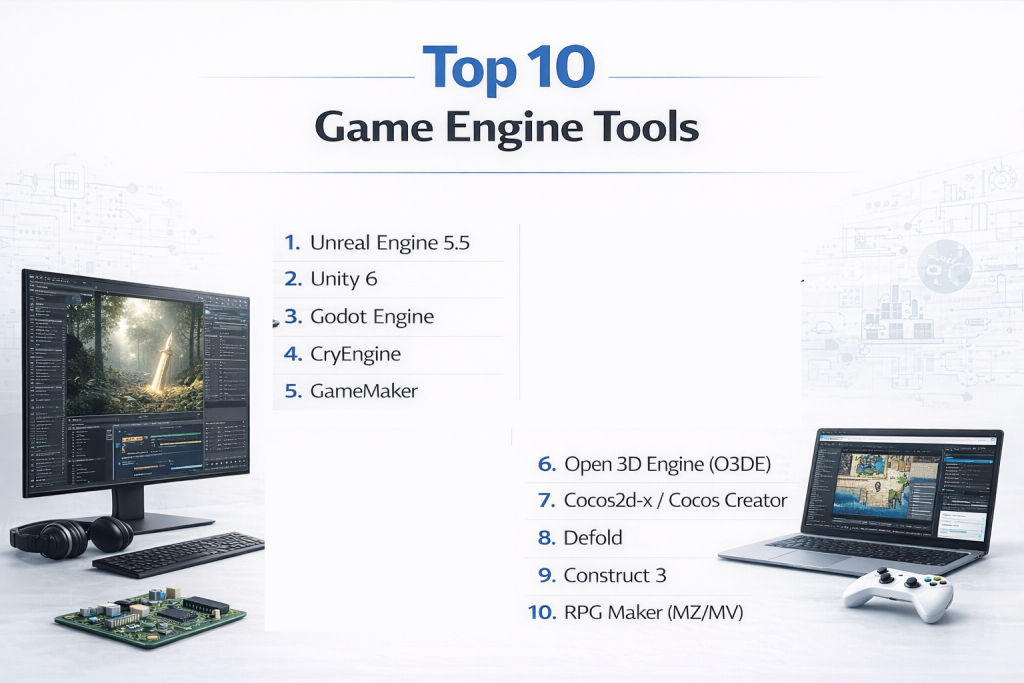
Top 10 Game Engines Tools
1 — Unreal Engine 5.5
Unreal Engine 5 (UE5) remains the undisputed champion of high-fidelity graphics. Known for its “Nanite” and “Lumen” technologies, it allows for film-quality visuals in real-time.
- Key Features:
- Nanite: Virtualized geometry that handles billions of polygons without lag.
- Lumen: Fully dynamic global illumination and reflections.
- Blueprints: A powerful node-based visual scripting system for non-coders.
- MetaHuman: A framework for creating incredibly realistic digital humans.
- World Partition: Systems for managing massive, seamless open-world maps.
- Pros:
- Unmatched visual fidelity out of the box.
- Royalty-free until your project earns $1M in revenue.
- Cons:
- Steep learning curve for advanced optimization and C++.
- Requires high-end hardware for a smooth development experience.
- Security & Compliance: SOC 2, GDPR, and ISO 27001 compliant; enterprise-grade SSO available.
- Support & Community: Massive community, “Unreal Online Learning” portal, and top-tier documentation.
2 — Unity 6
Unity is the world’s most versatile engine, dominating the mobile game market while making massive strides in high-end 3D with its latest “Unity 6” release.
- Key Features:
- Universal Render Pipeline (URP): High-performance graphics across all platforms.
- C# Scripting: Uses the industry-standard language for deep logic control.
- Asset Store: The largest marketplace for 3D models, code, and audio.
- Unity Muse: AI-powered tools for faster asset and logic generation.
- DOTS: High-performance data-oriented technology stack for massive scale.
- Pros:
- Best-in-class mobile and cross-platform deployment.
- Extremely fast iteration times and easy-to-learn fundamentals.
- Cons:
- Recent pricing model changes caused some community friction.
- Reaching “AAA” visual quality requires more manual setup than Unreal.
- Security & Compliance: ISO 27001, SOC 2, and GDPR compliant.
- Support & Community: The largest user base in the industry with endless tutorials and forums.
3 — Godot Engine
Godot is the leading open-source alternative, loved by indie developers for being completely free, lightweight, and incredibly intuitive.
- Key Features:
- 100% Open Source: MIT license with no royalties or fees ever.
- GDScript: A Python-like language that is very easy for beginners to learn.
- Node-Based Architecture: A unique, modular way to organize game scenes.
- Dedicated 2D Engine: Unlike other 3D engines, Godot has a separate, highly optimized 2D workflow.
- Multi-Language Support: Native support for C# and C++ via GDExtension.
- Pros:
- Tiny file size (under 100MB) and very fast startup.
- No corporate oversight; you own everything you make.
- Cons:
- 3D performance still lags behind the “big two.”
- Smaller asset library and fewer professional job opportunities compared to Unity/Unreal.
- Security & Compliance: Varies / N/A (Self-hosted/local; security depends on the user).
- Support & Community: Rapidly growing Discord and GitHub community; excellent community-led docs.
4 — CryEngine
CryEngine is synonymous with “extreme graphics.” It is a powerhouse for first-person shooters and environments where realistic lighting and physics are paramount.
- Key Features:
- CryEngine Sandbox: A real-time “What You See Is What You Play” editor.
- Integrated Physics: Advanced liquid and vegetation physics out of the box.
- High-End Rendering: Specialized in atmospheric lighting and shadows.
- AI Systems: Robust built-in pathfinding and NPC behavior tools.
- Pros:
- Excellent for outdoor environments and foliage rendering.
- “Ready-to-use” feel for developers building high-end action games.
- Cons:
- Notoriously difficult documentation compared to competitors.
- Not as efficient for 2D or simple mobile games.
- Security & Compliance: Varies / N/A.
- Support & Community: Professional community, though smaller and more specialized than Unity.
5 — GameMaker
GameMaker is the go-to choice for 2D game development. It has been used to create massive hits like Undertale and Hyper Light Drifter.
- Key Features:
- Drag-and-Drop: Visual interface for those who don’t want to code.
- GML (GameMaker Language): A flexible scripting language for deep control.
- Cross-Platform Export: One-click deployment to consoles and mobile.
- Built-in Editor: Integrated tools for sprite editing and tile-mapping.
- Pros:
- Fastest path from “concept” to “playable 2D prototype.”
- Very low hardware requirements.
- Cons:
- Limited 3D capabilities.
- GML is proprietary and doesn’t transfer as easily to other industries as C#.
- Security & Compliance: Varies / N/A.
- Support & Community: Dedicated forums and a long history of student/indie support.
6 — Open 3D Engine (O3DE)
O3DE is the evolution of Amazon Lumberyard. It is a high-end, open-source 3D engine governed by the Linux Foundation.
- Key Features:
- Modular Gems: Add only the features you need to keep the engine lean.
- Atom Renderer: A high-performance, physically-based renderer.
- AWS Integration: Native support for cloud services and multiplayer.
- Script Canvas: A visual scripting tool similar to Blueprints.
- Pros:
- Totally free and highly scalable for large-scale networking.
- Growing industry backing from companies like Adobe and Microsoft.
- Cons:
- High learning curve and complex setup process.
- Still in its early years compared to the maturity of Unity.
- Security & Compliance: Built with AWS-level security standards in mind.
- Support & Community: Governed by the O3DE Foundation; strong corporate documentation.
7 — Cocos2d-x / Cocos Creator
Cocos is a massive player in the mobile and web game market, particularly in Asia. It is lightweight and highly optimized for performance.
- Key Features:
- Hybrid 2D/3D: Strong focus on 2D with capable 3D support.
- JavaScript/TypeScript: Familiar languages for web developers.
- Low Power Consumption: Excellent for mobile battery life.
- Small Bundle Size: Ideal for instant games and mini-games.
- Pros:
- Extremely efficient for “snackable” mobile games.
- Open-source core with a professional editor (Cocos Creator).
- Cons:
- Documentation for English speakers can sometimes lag behind the Chinese version.
- Not intended for high-end AAA console experiences.
- Security & Compliance: GDPR compliant.
- Support & Community: Massive community in the APAC region; active international forums.
8 — Defold
Defold is a free, developer-friendly engine specializing in 2D games with a focus on technical performance and ease of use.
- Key Features:
- Lua Scripting: Uses the fast, lightweight Lua language.
- Zero Installation: Can run as a standalone executable.
- Consolidated Pipeline: Built-in tools for animations, tiles, and particles.
- Mobile First: Highly optimized for iOS and Android.
- Pros:
- Completely free with no hidden royalties.
- Performance is among the best in the 2D category.
- Cons:
- The editor is less “visual” than Unity or Godot.
- Lua has a smaller talent pool than C#.
- Security & Compliance: N/A (Local-first).
- Support & Community: Very helpful, close-knit community and clear documentation.
9 — Construct 3
Construct 3 is a browser-based engine that allows you to create games without writing a single line of code.
- Key Features:
- Event System: A powerful block-based logic system.
- Runs in Browser: No software installation required.
- Instant Preview: See changes immediately without compiling.
- Excellent Mobile Export: Native-like performance for HTML5 games.
- Pros:
- The most beginner-friendly tool on the market.
- Great for rapid prototyping and game jams.
- Cons:
- Subscription-only pricing model.
- Not suitable for complex 3D projects.
- Security & Compliance: Cloud-based encryption and SSO options.
- Support & Community: Large library of templates and a very active user forum.
10 — RPG Maker (MZ/MV)
A specialized engine designed specifically for creating top-down Role Playing Games. It removes the technical hurdles of game design for storytellers.
- Key Features:
- Tile Map Editor: Easily paint your world with pre-made tilesets.
- Database System: Manage items, skills, and enemies without code.
- Event Editor: Visual logic for cutscenes and interactions.
- Massive Asset Ecosystem: Decades of user-created graphics and music.
- Pros:
- You can finish a full game without knowing how to program.
- Very nostalgic and easy-to-digest aesthetic.
- Cons:
- Extremely rigid; making anything other than an RPG is difficult.
- Games often have a “samey” feel unless you use heavy custom assets.
- Security & Compliance: N/A.
- Support & Community: One of the longest-standing communities in game dev.
Comparison Table
| Tool Name | Best For | Platform(s) | Standout Feature | Rating (Approx.) |
| Unreal Engine 5 | AAA / Photorealism | Win, Mac, PS, Xbox | Nanite & Lumen | 4.8/5 |
| Unity 6 | Mobile / AR / VR | Win, Mac, Mobile, Consoles | Massive Asset Store | 4.6/5 |
| Godot | Indie / 2D / 3D | Win, Mac, Linux, Mobile | Open-Source / Free | 4.5/5 |
| CryEngine | Realistic Shooters | Windows, PS, Xbox | Real-time Sandbox | 4.3/5 |
| GameMaker | Professional 2D | Win, Mac, Mobile, Consoles | Rapid Prototyping | 4.4/5 |
| O3DE | Cloud / Multiplayer | Win, Linux | Modular Gems | 4.1/5 |
| Cocos Creator | Mobile / Web | Win, Mac, Mobile, Web | Lightweight WebGL | 4.2/5 |
| Defold | Fast 2D Mobile | Win, Mac, Linux, Mobile | Lua Performance | 4.3/5 |
| Construct 3 | No-Code / Beginners | Browser-Based | Visual Event System | 4.4/5 |
| RPG Maker | Retro RPGs | Win, Mac, Mobile | No-Code RPG Logic | 4.0/5 |
Evaluation & Scoring of Game Engines
This scoring rubric evaluates the engines based on their suitability for a professional commercial production environment.
| Category | Weight | Score (1-10) | Weighted Score |
| Core Features | 25% | 9 | 2.25 |
| Ease of Use | 15% | 7 | 1.05 |
| Integrations & Ecosystem | 15% | 9 | 1.35 |
| Security & Compliance | 10% | 8 | 0.80 |
| Performance & Reliability | 10% | 8 | 0.80 |
| Support & Community | 10% | 9 | 0.90 |
| Price / Value | 15% | 8 | 1.20 |
| Total | 100% | 8.3 | Final Score: 8.35/10 |
Which Game Engine Tool Is Right for You?
Choosing an engine is a long-term commitment. Your decision should be based on your technical background and your ultimate goal for the project.
Solo Users vs. SMB vs. Enterprise
- Solo Users: If you want zero cost and complete freedom, start with Godot. If you want the most tutorials to help you learn, go with Unity.
- Small-to-Medium Business (SMB): Unity 6 is usually the most productive choice due to the sheer volume of ready-made assets that can save your team thousands of hours.
- Enterprise / AAA: If your goal is a high-end cinematic experience or a large-scale console release, Unreal Engine 5 is the industry standard for a reason.
Budget-Conscious vs. Premium Solutions
- Free / Budget: Godot and Defold are completely free. Unreal is free up-front but takes a 5% royalty if your game becomes a massive hit.
- Premium: Unity and Construct 3 require monthly or yearly subscriptions, which can add up for larger teams but provide professional-grade stability and support.
Feature Depth vs. Ease of Use
If you want to “build a game in an afternoon,” Construct 3 or RPG Maker are perfect. If you want a tool that you can spend a career mastering, Unreal Engine or Unity offer the depth required for complex, high-performance software engineering.
Frequently Asked Questions (FAQs)
1. Is C++ better than C# for game development?
C++ offers better performance and lower-level control, which is why it’s used for AAA engines like Unreal. C# (used by Unity) is generally faster to write and easier for beginners to manage.
2. Can I make money with a free engine like Godot?
Yes. You own 100% of your commercial rights in Godot. Many successful games on Steam are built using free or open-source engines.
3. Do I need to be good at math to make games?
While you don’t need to be a mathematician, a basic understanding of vectors and trigonometry is very helpful for moving objects and calculating distances in 3D space.
4. How long does it take to learn a game engine?
You can learn to make a basic “Move the ball” game in a few hours. To become a professional-level developer usually takes 1–2 years of consistent practice.
5. Which engine is best for VR/AR?
Unity is the current leader for mobile VR (like Meta Quest), while Unreal Engine is often preferred for high-end tethered VR experiences due to its graphical power.
6. Can game engines be used for movies?
Yes. This is called “Virtual Production.” Many shows, including The Mandalorian, use Unreal Engine to render backgrounds on giant LED screens in real-time.
7. Is cloud gaming changing how engines work?
Engines like O3DE are building in better native support for cloud rendering and server-side physics to enable larger-scale multiplayer experiences.
8. What is a “Royalty” in game engines?
It is a percentage of your revenue that you pay to the engine creator. For example, Unreal takes 5% only after you have earned $1,000,000.
9. Can I switch engines in the middle of a project?
It is very difficult. You can move your 3D models and sounds, but the code and logic would have to be completely rewritten for the new engine.
10. Do I need a powerful graphics card?
For Unreal Engine, yes. For GameMaker, Godot, or Construct 3, you can often develop on a standard laptop.
Conclusion
The “best” game engine is a moving target that depends entirely on your project’s scope. In 2026, the industry has split into three distinct paths: Unreal Engine for the highest possible visual fidelity, Unity for the most versatile mobile and cross-platform ecosystem, and Godot for the open-source developer who values independence.
When choosing, don’t just look at the features—look at the community. Having a forum full of people who have already solved the problem you’re currently facing is often more valuable than a shiny new rendering feature.