Introduction
Game Development IDEs (Integrated Development Environments) are specialized software platforms that combine multiple tools to streamline the creation of interactive games. These IDEs provide developers with a unified environment that includes code editors, debugging tools, asset management systems, physics engines, and graphical editors. By bringing all these components together, IDEs reduce the complexity of game development workflows, enabling faster prototyping and more efficient iteration.
The significance of Game Development IDEs has grown exponentially with the rise of advanced gaming technologies, high-resolution graphics, virtual reality (VR), augmented reality (AR), and cross-platform deployment. Modern games involve complex simulations such as realistic physics, artificial intelligence behaviors, multiplayer networking, and high-fidelity visuals. Managing all of this manually is nearly impossible without an integrated development environment. IDEs allow developers to focus on creativity and gameplay innovation rather than struggling with fragmented workflows.
When selecting a Game Development IDE, users should carefully consider the supported platforms, built-in engines, rendering capabilities, debugging and profiling tools, scripting language support, collaboration features, and integration with third-party assets or plugins. Scalability and licensing cost are also important, especially for teams aiming to develop large-scale commercial games. Ultimately, the right IDE should match both technical requirements and team workflow preferences.
Best for:
Game developers, indie studios, professional game development companies, VR/AR creators, and educators in game design programs. Teams that require robust tools for scripting, testing, debugging, and cross-platform deployment will benefit the most from modern IDEs.
Not ideal for:
Users focused on simple 2D apps, non-interactive media, or basic mobile utilities. In such cases, lightweight code editors, visual scripting platforms, or basic 2D animation tools may suffice, without the overhead of a full-featured IDE.
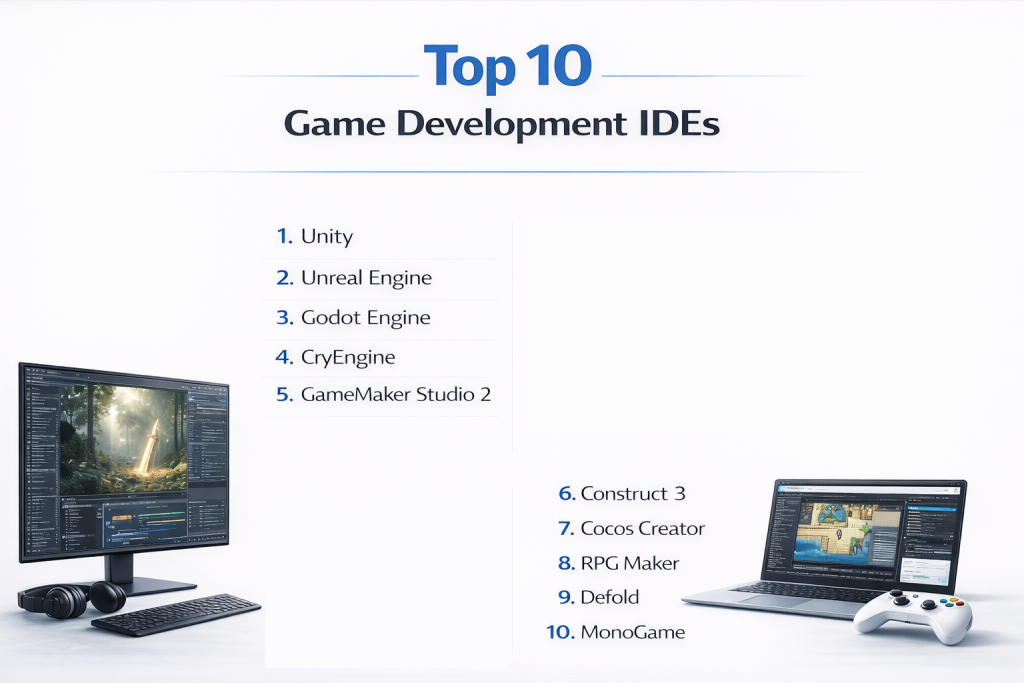
Top 10 Game Development IDEs
1 — Unity
Short description:
Unity is widely regarded as one of the most versatile and beginner-friendly game development IDEs. It supports 2D, 3D, VR, and AR game creation, catering to indie developers and large studios alike. Unity’s combination of a powerful engine and a rich asset ecosystem makes it suitable for rapid prototyping as well as full-scale commercial production.
Key features:
- Cross-platform support: Develop games for Windows, macOS, Linux, consoles, mobile, and web platforms.
- Integrated physics engines: Built-in support for 2D and 3D physics simulations.
- Asset Store: Access thousands of prebuilt models, scripts, and plugins for faster development.
- Visual scripting: Tools like Bolt allow developers to create gameplay without writing code.
- Real-time rendering and lighting: Support for high-quality shaders and lighting effects.
- C# scripting: Complete access to Unity APIs for custom functionality.
- Collaboration tools: Cloud-based services for team collaboration and version control.
Pros:
- Beginner-friendly interface with extensive learning resources.
- Highly flexible for multiple genres including mobile, VR, and 3D games.
- Active global community providing tutorials, assets, and plugins.
Cons:
- Licensing costs increase for enterprise or large-scale commercial projects.
- Performance optimization may require manual fine-tuning for complex projects.
Security & compliance:
Varies depending on licensing and cloud collaboration; supports enterprise-grade compliance.
Support & community:
Official documentation, video tutorials, active forums, and a massive user community.
2 — Unreal Engine
Short description:
Unreal Engine is a high-performance game development IDE widely used for AAA games, cinematic experiences, and VR/AR applications. Its real-time rendering capabilities and Blueprint visual scripting system allow for creating highly immersive games with photorealistic graphics.
Key features:
- Advanced real-time 3D rendering: Offers photorealistic graphics for both games and simulations.
- Blueprint visual scripting: Enables non-programmers to implement complex gameplay systems visually.
- Cross-platform deployment: Supports PC, consoles, mobile, and VR/AR devices.
- Cinematic tools: Integrated animation and camera systems for in-engine cutscenes.
- Multiplayer networking: Built-in server integration for online games.
- Physics simulation: Realistic collision, ragdoll, and environmental interactions.
- Extensive marketplace: Assets, plugins, and prebuilt environments for rapid development.
Pros:
- Exceptional graphics quality suitable for AAA game development.
- Scales well for large, resource-intensive projects.
- Free tier available for small developers and learning purposes.
Cons:
- Steeper learning curve, especially for those new to C++ or visual scripting.
- Requires powerful hardware for large 3D projects and VR experiences.
Security & compliance:
Enterprise-grade security options available for collaborative and cloud-based development.
Support & community:
Extensive official tutorials, forums, knowledge base, and professional support tiers.
3 — Godot Engine
Short description:
Godot is a fully open-source game development IDE designed for both 2D and 3D games. Its lightweight architecture and node-based design make it especially attractive to indie developers and educational programs.
Key features:
- Node-based scene system: Flexible and modular design structure.
- Cross-platform export: Windows, Linux, macOS, web, and mobile platforms supported.
- GDScript scripting language: Python-like scripting for rapid development.
- Visual editor: Drag-and-drop scene creation and asset management.
- Built-in physics and animation systems: Supports both 2D and 3D physics simulations.
- Lightweight and fast: Runs smoothly on modest hardware.
Pros:
- Completely free and open-source, allowing full customization.
- Beginner-friendly with minimal setup overhead.
- Growing community support with frequent updates.
Cons:
- Limited AAA-quality rendering features compared to Unity or Unreal.
- Smaller ecosystem of assets and plugins.
Security & compliance:
N/A; open-source licensing allows full control over deployment.
Support & community:
Active forums, community tutorials, and GitHub-based development.
4 — CryEngine
Short description:
CryEngine is a game development IDE renowned for its high-fidelity graphics and advanced environmental simulations. It is particularly popular for first-person shooters, open-world games, and realistic VR projects.
Key features:
- Real-time global illumination and PBR (Physically Based Rendering): Photorealistic lighting and materials.
- Advanced AI system: Provides NPC behaviors, pathfinding, and environmental interaction.
- VR/AR support: Full integration for immersive experiences.
- FlowGraph visual scripting: Node-based visual programming for non-coders.
- Cinematic tools: In-engine cutscene and camera editor.
- Physics and particle simulation: Realistic environmental and object interactions.
Pros:
- Exceptional graphical fidelity for immersive games.
- Access to full engine source code for deep customization.
- Suitable for AAA-quality open-world games.
Cons:
- Complex interface, challenging for beginners.
- Smaller community and limited asset marketplace compared to Unity.
Security & compliance:
Varies; enterprise-grade licensing available for studios.
Support & community:
Official documentation, limited forums, and professional CryEngine support options.
5 — GameMaker Studio 2
Short description:
GameMaker Studio 2 focuses on 2D game development and rapid prototyping, offering both drag-and-drop tools and scripting through GML (GameMaker Language).
Key features:
- Drag-and-drop development: Simplifies design for beginners.
- GML scripting: Allows deeper control over game mechanics.
- Cross-platform deployment: Mobile, desktop, and web exports.
- Built-in physics engine: Simplifies 2D physics simulations.
- Asset management: Integrated library and animation tools.
- Particle systems and animation tools: For visual enhancements.
Pros:
- Quick prototyping for small teams and indie projects.
- Beginner-friendly with minimal technical barriers.
- Supports a variety of 2D game genres.
Cons:
- Limited 3D capabilities.
- Less suited for complex, large-scale projects.
Security & compliance:
Varies; desktop licensing options available.
Support & community:
Official documentation, tutorials, and active community forums.
6 — Construct 3
Short description:
Construct 3 is a browser-based IDE designed for creating 2D games without extensive coding experience. Its visual event system allows rapid prototyping and development.
Key features:
- Event-based visual system: Create logic without writing code.
- HTML5 export: Web games can be published directly online.
- Built-in physics and behaviors: Simplifies game interactions.
- Asset management and animation tools: Integrated editor for quick asset manipulation.
- Team collaboration tools: Cloud-based features for collaborative development.
Pros:
- No installation needed, runs entirely in the browser.
- Fast prototyping and testing.
- Ideal for educational purposes and small projects.
Cons:
- Limited support for 3D game development.
- Dependent on browser and internet stability.
Security & compliance:
Supports encrypted cloud storage and access controls.
Support & community:
Official tutorials, user forums, and customer support.
7 — Cocos Creator
Short description:
Cocos Creator is optimized for mobile game development, providing a component-based editor and strong support for both 2D and lightweight 3D games.
Key features:
- Component-based design: Flexible node and component system.
- JavaScript and TypeScript scripting: Modern web-standard languages.
- Cross-platform export: iOS, Android, web, and desktop.
- Animation editor: Integrated tools for sprite and skeletal animation.
- Built-in physics engine: Supports collision and object dynamics.
- Asset management system: Streamlined workflow for large teams.
Pros:
- Lightweight and fast for mobile games.
- Free and open-source options available.
- Optimized for performance on mobile devices.
Cons:
- Limited AAA 3D capabilities.
- Smaller global user base.
Security & compliance:
Varies; open-source licensing allows custom deployment.
Support & community:
Official documentation, forums, and community tutorials.
8 — RPG Maker
Short description:
RPG Maker is a beginner-friendly IDE tailored for creating 2D role-playing games. It allows users to design maps, characters, and events with minimal coding.
Key features:
- Drag-and-drop event system: Simplifies game logic creation.
- Map and character editors: Prebuilt tools for quick level design.
- Scripting support: Ruby or JavaScript for advanced features.
- Built-in assets: Tilesets, sprites, and sound assets.
- Multi-platform export: Windows, macOS, and mobile.
- Turn-based combat systems: Preconfigured mechanics for RPGs.
Pros:
- Extremely beginner-friendly.
- Quick prototyping for 2D RPGs.
- Large library of prebuilt assets for faster development.
Cons:
- Limited to RPG genre.
- Less suited for commercial-grade 3D games.
Security & compliance:
Desktop licensing; standard licensing applies.
Support & community:
Tutorials, asset-sharing communities, and active forums.
9 — Defold
Short description:
Defold is a lightweight, cross-platform 2D IDE focused on mobile game development and fast iteration.
Key features:
- Lua scripting: Simple and flexible programming language.
- Cross-platform export: iOS, Android, HTML5, and desktop.
- Animation and particle system: Visual tools for dynamic effects.
- Visual editor with component system: Organize game objects easily.
- Built-in physics engine: Supports collision and dynamics.
- Efficient memory usage: Optimized for mobile performance.
Pros:
- Free to use with no licensing restrictions.
- Lightweight and efficient for mobile games.
- Ideal for indie developers and small teams.
Cons:
- Limited 3D game support.
- Smaller global community compared to Unity.
Security & compliance:
Open-source components; deployment control depends on the team.
Support & community:
Official documentation, tutorials, and active developer community.
10 — MonoGame
Short description:
MonoGame is an open-source framework for creating cross-platform 2D and 3D games using C# and .NET, popular with experienced programmers.
Key features:
- Cross-platform support: Windows, macOS, Linux, consoles, and mobile.
- Flexible rendering API: Full control over graphics and game loops.
- C# and .NET support: Modern programming environment.
- Audio and input management: Built-in tools for handling sound and controls.
- Asset pipeline integration: Efficient workflow for game assets.
- Third-party library support: Access to community plugins and libraries.
Pros:
- Free and open-source.
- Highly flexible for programmers with strong coding skills.
- Good framework for custom engines.
Cons:
- No integrated visual editor.
- Steeper learning curve for beginners.
Security & compliance:
N/A; fully open-source.
Support & community:
Active GitHub community, forums, and documentation.
Comparison Table
| Tool Name | Best For | Platform(s) Supported | Standout Feature | Rating |
|---|---|---|---|---|
| Unity | 2D/3D, AR/VR | Windows, macOS, consoles, mobile | Versatility & Asset Store | N/A |
| Unreal Engine | AAA games | Windows, macOS, consoles | Photorealistic graphics | N/A |
| Godot | Indie developers | Cross-platform | Open-source flexibility | N/A |
| CryEngine | High-fidelity 3D | Windows | Realistic environmental simulation | N/A |
| GameMaker Studio 2 | 2D games | Windows, macOS | Drag-and-drop interface | N/A |
| Construct 3 | 2D prototyping | Browser | Visual event-based system | N/A |
| Cocos Creator | Mobile 2D/3D | Windows, macOS | Mobile optimization | N/A |
| RPG Maker | 2D RPGs | Windows, macOS | Event-based RPG creation | N/A |
| Defold | Mobile 2D games | Cross-platform | Lightweight & efficient | N/A |
| MonoGame | Experienced programmers | Cross-platform | Framework flexibility | N/A |
Evaluation & Scoring of Game Development IDEs
| Criteria | Weight | Assessment |
|---|---|---|
| Core features | 25% | High — most IDEs provide integrated physics, rendering, and scripting tools |
| Ease of use | 15% | Medium — beginner-friendly tools exist, but AAA engines require learning |
| Integrations & ecosystem | 15% | High — Unity, Unreal, and Godot have extensive assets and plugins |
| Security & compliance | 10% | Medium — enterprise options provide control and compliance |
| Performance & reliability | 10% | High — most IDEs handle complex games efficiently |
| Support & community | 10% | High — strong forums, tutorials, and developer communities |
| Price / value | 15% | Medium — free tiers exist, enterprise tools require investment |
Which Game Development IDE Tool Is Right for You?
Solo developers and hobbyists often choose Godot, Defold, or RPG Maker for rapid development and low cost. Indie studios and SMBs may benefit from Unity, GameMaker Studio, or Cocos Creator, balancing ease-of-use with professional features. Mid-market studios targeting mobile or PC games can leverage Construct 3, Cocos Creator, or Defold for rapid iteration. Large enterprises or AAA developers rely on Unity, Unreal Engine, or CryEngine for scalability, advanced graphics, and high-performance workflows.
Budget-conscious developers should focus on open-source or low-cost IDEs, while premium users requiring AAA graphics and multi-platform deployment may invest in enterprise-grade solutions. Teams must balance feature depth, ease of use, integration with asset pipelines, and collaboration tools while considering security requirements and licensing constraints.
Frequently Asked Questions (FAQs)
1. What is a Game Development IDE?
A Game Development IDE is a platform that integrates coding, design, testing, debugging, and asset management to streamline game creation.
2. Which IDE is best for beginners?
Godot, Construct 3, and GameMaker Studio are beginner-friendly and suitable for rapid learning.
3. Are Unity and Unreal Engine free?
Yes, both offer free tiers for individual developers; enterprise features require licensing.
4. Can these IDEs create 2D and 3D games?
Yes, most modern IDEs support both 2D and 3D game development.
5. Which IDE is best for mobile game development?
Cocos Creator, Defold, and Unity are optimized for mobile platforms.
6. Is coding required in all IDEs?
Some offer visual scripting, but advanced features usually require programming knowledge.
7. Can these IDEs support VR/AR development?
Yes, Unity, Unreal Engine, and CryEngine provide full VR/AR toolsets.
8. Are open-source IDEs reliable for commercial projects?
Yes, but support and updates may depend on community contributions.
9. How important is community support?
A strong community accelerates learning, troubleshooting, and access to assets.
10. Can one IDE cover all platforms?
Most modern IDEs allow cross-platform deployment, though specific features may vary per platform.
Conclusion
Choosing the right Game Development IDE is critical to achieving development efficiency and high-quality output. Unity and Unreal Engine dominate AAA and VR/AR markets, while open-source or beginner-friendly IDEs like Godot, Construct 3, and Defold provide excellent entry points for indie developers. The “best” IDE depends on team size, project scope, target platforms, graphics requirements, and budget. Developers should focus on tools that align with their workflow and provide robust support, collaboration, and integration capabilities rather than seeking a universal winner.