Introduction
Firewall Management Tools (often referred to as Security Policy Management or Firewall Auditing tools) are specialized software platforms designed to centralize the administration of network security policies. These tools go beyond the basic management consoles provided by vendors like Cisco or Palo Alto; they offer a “single pane of glass” view across multi-vendor environments. Their primary function is to automate rule changes, identify risky or redundant policies, and ensure that every configuration aligns with global compliance standards like PCI-DSS, HIPAA, or SOC 2.
In the real world, these tools are vital for preventing “policy bloat”—the accumulation of thousands of old rules that create security holes and slow down network performance. They are also used for connectivity troubleshooting, change management automation, and regulatory auditing. When evaluating these tools, users should look for multi-vendor support, real-time traffic analysis, automated risk assessment, and API extensibility.
Best for: Network security engineers, CISOs, and compliance officers in mid-to-large enterprises. They are particularly essential for industries with strict regulatory requirements, such as finance, healthcare, and government, where a single misconfigured rule can result in a massive data breach.
Not ideal for: Small businesses with one or two firewalls from the same vendor. In those cases, the vendor’s native management tool (e.g., FortiManager or Palo Alto Panorama) is usually sufficient and more cost-effective.
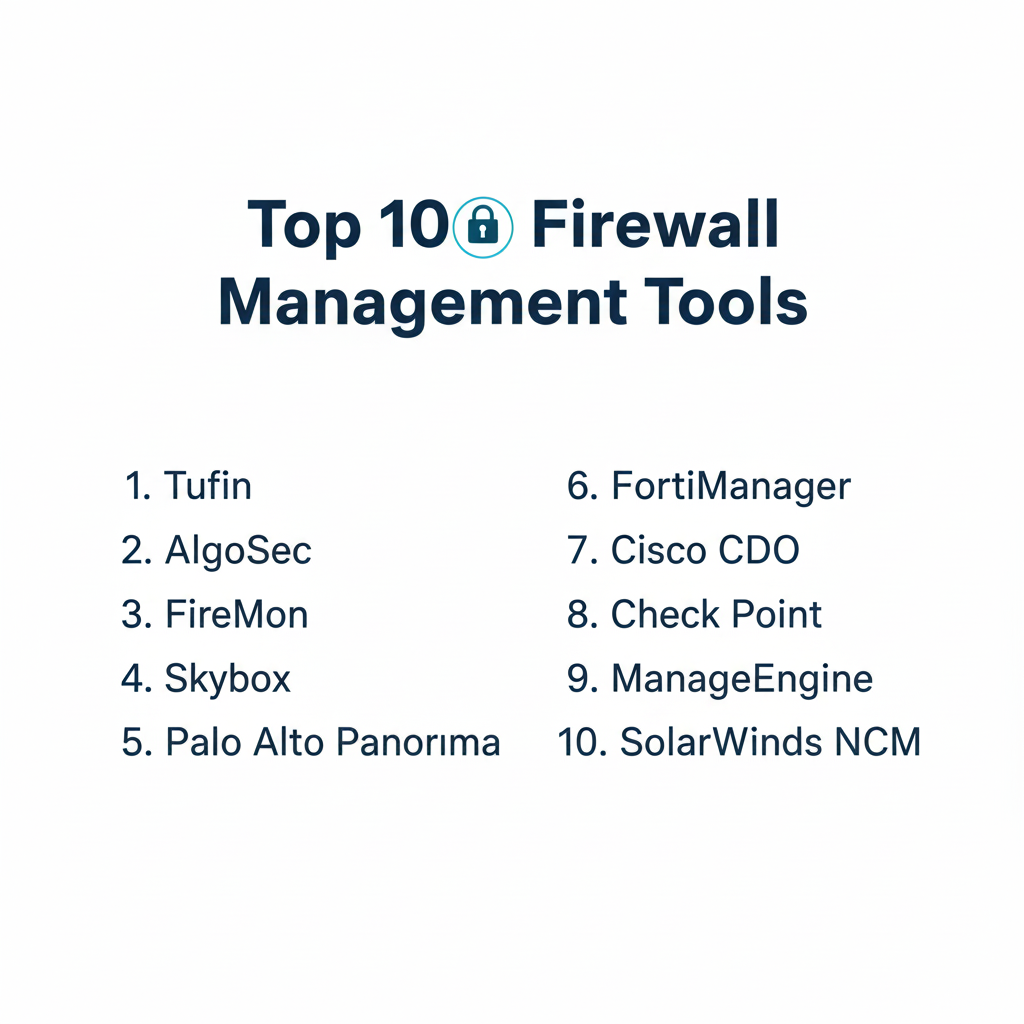
Top 10 Firewall Management Tools
1 — Tufin Orchestration Suite
Tufin is a market leader in Security Policy Orchestration, focusing on high-level automation and visibility across hybrid cloud environments.
- Key Features:
- Automatic Policy Generation: Suggests new rules based on actual traffic patterns.
- Unified Security Policy: Creates a baseline “gold standard” policy to apply across all vendors.
- Risk Analysis: Identifies non-compliant or overly permissive rules before they are deployed.
- Workflow Automation: Integrates with ITSM tools like ServiceNow to automate ticket-to-rule processes.
- Hybrid Cloud Visibility: Deep integration with AWS, Azure, Google Cloud, and Kubernetes.
- Interactive Topology Map: Provides a visual representation of network paths and bottlenecks.
- Pros:
- Exceptional at managing complex, multi-vendor environments that include both legacy and cloud infrastructure.
- The automation workflows significantly reduce the time required for security audits.
- Cons:
- High cost of ownership; it is strictly an enterprise-grade solution.
- The initial setup and “discovery” phase can be time-consuming for very large networks.
- Security & Compliance: Supports SSO, SAML, and AES-256 encryption. Fully aligned with GDPR, PCI-DSS, and SOX.
- Support & Community: Comprehensive enterprise support, a dedicated customer success portal, and an active “Tufin Academy” for certification.
2 — AlgoSec Security Management Suite
AlgoSec prioritizes an “application-centric” approach, focusing on how firewall rules impact the performance and security of specific business applications.
- Key Features:
- AppViz: Automatically discovers and maps application connectivity requirements.
- Zero-Touch Provisioning: Automates the entire change lifecycle without manual intervention.
- Traffic Simulation: Tests connectivity through the firewall path without moving real traffic.
- Firewall Auditing: Generates one-click compliance reports for over 20 global standards.
- Rule Cleanup: Identifies unused, redundant, or shadowed rules for easy deletion.
- Vulnerability Integration: Correlates firewall rules with known server vulnerabilities.
- Pros:
- Outstanding at translating technical firewall rules into “business language” for application owners.
- Simplifies the complex process of migrating applications between data centers or to the cloud.
- Cons:
- The user interface can feel a bit dated compared to modern SaaS-first competitors.
- Some advanced automation features require significant custom scripting.
- Security & Compliance: SOC 2 compliant, supports ISO 27001, and provides robust audit trails for every change.
- Support & Community: Global 24/7 support with localized engineers and a strong technical knowledge base.
3 — FireMon Security Manager
FireMon is known for its real-time monitoring capabilities and its ability to provide deep insights into the hygiene of a firewall’s configuration.
- Key Features:
- Real-Time Visibility: Detects and alerts on policy changes the moment they happen.
- Customized Dashboards: Provides specific views for security, operations, and compliance teams.
- Policy Planner: Offers a sandbox environment to test rule changes before implementation.
- Sixty-Second Search: A powerful search engine to find specific rules across thousands of devices.
- Compliance Check: Built-in checks for internal corporate policies and external regulations.
- Change Workflow: A structured system for requesting, approving, and verifying rule changes.
- Pros:
- One of the fastest and most responsive interfaces for searching through massive rule sets.
- Excellent at “Rule Recertification,” helping teams justify why specific rules must stay in place.
- Cons:
- Licensing can be complex as it is often based on the number of managed devices and modules.
- Integration with certain niche cloud-native security groups can be limited.
- Security & Compliance: GDPR, HIPAA, and PCI-DSS ready. Supports secure LDAP and MFA for administrative access.
- Support & Community: Strong professional services team and a robust user community forum for sharing best practices.
4 — Skybox Security Posture Management
Skybox takes a data-driven approach by combining firewall management with vulnerability and attack surface management.
- Key Features:
- Attack Surface Visualization: Maps the entire network to identify potential “paths of least resistance.”
- Change Manager: Automates the lifecycle of firewall rules with a focus on risk avoidance.
- Network Model: Creates a digital twin of the network to simulate attacks and policy changes.
- Vulnerability Integration: Prioritizes rule changes based on the most exploitable assets.
- Policy Auditor: Automatically checks for violations against industry benchmarks (CIS, NIST).
- Multi-Cloud Support: Manages NSX, AWS Security Groups, and Azure Firewalls in one view.
- Pros:
- Unique ability to link firewall management directly to vulnerability management and risk.
- The “Digital Twin” capability is invaluable for large-scale disaster recovery planning.
- Cons:
- It is a “heavy” platform that requires significant computing resources to run effectively.
- The learning curve is steep due to the breadth of the platform’s capabilities.
- Security & Compliance: ISO 27001, SOC 2, and FIPS 140-2 compliant. Detailed role-based access control (RBAC).
- Support & Community: High-level enterprise support and a comprehensive technical documentation library.
5 — Palo Alto Panorama
While Panorama is vendor-specific, it is so dominant in the enterprise space that it often acts as the primary management tool for organizations that standardize on Palo Alto hardware.
- Key Features:
- Centralized Configuration: Push policies to thousands of firewalls simultaneously.
- Log Aggregation: Collects and analyzes logs from all devices in a central repository.
- Device Groups: Organizes firewalls by region or function for easier policy inheritance.
- Software Management: Automates firmware and content updates across the fleet.
- Template Stacks: Allows for modular configuration of shared settings (e.g., DNS, NTP).
- Application Visibility: Deep integration with Palo Alto’s App-ID and User-ID technologies.
- Pros:
- The most seamless experience possible for managing Palo Alto Networks infrastructure.
- Excellent reporting and forensics capabilities that drill down into specific user behavior.
- Cons:
- Cannot manage firewalls from other vendors (e.g., Check Point or Cisco).
- Requires a dedicated appliance or high-performance VM to handle log ingest.
- Security & Compliance: SOC 2, GDPR, and HIPAA compliant. Features advanced encryption for management traffic.
- Support & Community: Massive global community, extensive “Live Community” forums, and 24/7 premium support.
6 — Fortinet FortiManager
Similar to Panorama, FortiManager is the definitive choice for organizations that utilize the Fortinet Security Fabric.
- Key Features:
- Single Pane of Glass: Manages FortiGates, FortiSwitches, and FortiAPs.
- Administrative Domains (ADOMs): Segregates management for different departments or clients.
- Zero-Touch Provisioning: Deploys new firewalls automatically when they connect to the internet.
- Compliance Reporting: Pre-built reports for PCI-DSS and HIPAA.
- SD-WAN Orchestration: Centralized management of complex SD-WAN overlays.
- Scripting Support: Allows for CLI and Python scripting for advanced automation.
- Pros:
- Extremely cost-effective compared to third-party multi-vendor suites.
- Deep integration with the rest of the Fortinet ecosystem (FortiAnalyzer, etc.).
- Cons:
- Limited to the Fortinet ecosystem; no management for third-party firewalls.
- The interface can be complex for users who are not already “Fortinet certified.”
- Security & Compliance: FIPS 140-2 and Common Criteria certified. Supports SSO and MFA.
- Support & Community: Extensive training through the Fortinet NSE program and 24/7 global support.
7 — Cisco Defense Orchestrator (CDO)
CDO is a cloud-based management platform designed to simplify the management of Cisco security products and even some third-party cloud assets.
- Key Features:
- Cloud-Native Management: No hardware to install; manage everything from a browser.
- Policy Consistency: Identifies “inconsistent” rules across Cisco ASA and Firepower (FTD) devices.
- Change Tracking: Provides a detailed history of who changed what and when.
- AWS Security Group Support: Extends Cisco management to AWS cloud environments.
- Shadow Rule Detection: Automatically highlights rules that will never be hit.
- Bulk Actions: Update passwords or certificates across hundreds of devices at once.
- Pros:
- Much easier to use and faster to deploy than Cisco’s legacy on-prem management tools.
- Highly affordable for organizations that already use Cisco ASA or FTD hardware.
- Cons:
- Multi-vendor support is limited compared to Tufin or AlgoSec.
- Lacks the deep application-centric mapping found in competitors.
- Security & Compliance: ISO 27001 and SOC 2 Type II compliant. All data is encrypted at rest and in transit.
- Support & Community: Backed by Cisco TAC and the massive Cisco Learning Network community.
8 — Check Point SmartConsole
Check Point has long been regarded as having one of the most powerful and technically deep management interfaces in the industry.
- Key Features:
- Unified Security Policy: Manages network, data, and endpoint security in one view.
- Concurrent Administration: Multiple admins can work on the same policy simultaneously.
- SmartEvent: Real-time event correlation and threat analysis integrated into management.
- Policy Installation Search: Predicts if a policy change will succeed before pushing it.
- API First: Every management function is accessible via a comprehensive API.
- Revision Control: Instant rollback to previous policy versions with one click.
- Pros:
- Widely considered the best “day-to-day” management interface for security engineers.
- The most granular control over rule objects and policy layers.
- Cons:
- Requires a significant amount of RAM and CPU to run the SmartConsole client.
- Vendor lock-in; it only manages Check Point infrastructure.
- Security & Compliance: GDPR and HIPAA ready. Features robust audit logs and hardware-based security modules (HSM).
- Support & Community: World-class support via Check Point User Center and a very active “CheckMates” community.
9 — ManageEngine Firewall Analyzer
ManageEngine offers a more budget-friendly approach focused on log analysis, auditing, and configuration monitoring.
- Key Features:
- Log Analytics: Collects and analyzes logs from almost every major firewall vendor.
- Compliance Auditing: Specialized reports for ISO 27001, PCI-DSS, and NERC-CIP.
- Bandwidth Monitoring: Tracks which users or applications are consuming the most data.
- Configuration Backups: Automatically backs up firewall settings for disaster recovery.
- Risk Assessment: Identifies weak rules and suggests hardening techniques.
- Change Management: Alerts admins whenever a configuration is modified.
- Pros:
- Exceptionally easy to install and get running in under an hour.
- The most affordable option for multi-vendor log analysis and compliance reporting.
- Cons:
- Lacks the advanced “orchestration” and “automatic rule pushing” of Tufin or AlgoSec.
- Not suitable for managing hundreds of devices; best for the mid-market.
- Security & Compliance: SOC 2 compliant and GDPR ready. Supports basic encryption and user permissions.
- Support & Community: Responsive email and chat support with a large library of “how-to” videos.
10 — SolarWinds Network Configuration Manager (NCM)
While NCM is a general network tool, its specialized firewall management features make it a favorite for broad IT operations teams.
- Key Features:
- Multi-Vendor Configuration: Supports Cisco, Juniper, Palo Alto, and more.
- Policy Auditing: Automatically checks firewall configs against a library of best practices.
- Vulnerability Scanning: Correlates firmware versions with known CVEs.
- Real-Time Change Alerts: Notifies the team via email or Slack when a config changes.
- Script Execution: Push CLI commands to multiple firewalls to change passwords or ACLs.
- Compliance Templates: Built-in templates for DISA STIG and NIST compliance.
- Pros:
- Integrates perfectly with the rest of the SolarWinds Orion ecosystem.
- Excellent value for teams that need to manage switches and routers alongside firewalls.
- Cons:
- Lacks the “topology-aware” traffic path analysis found in dedicated security tools.
- Requires a Windows server and SQL database to host the application.
- Security & Compliance: FIPS 140-2 compatible and SOC 2 ready. Robust RBAC features.
- Support & Community: The “THWACK” community is one of the largest IT forums in the world.
Comparison Table
| Tool Name | Best For | Platform(s) Supported | Standout Feature | Rating (Gartner) |
| Tufin | Global Orchestration | Hybrid Cloud / On-Prem | Automated Path Analysis | 4.6 / 5 |
| AlgoSec | App-Centric Security | Hybrid Cloud / On-Prem | Application Mapping | 4.5 / 5 |
| FireMon | Real-Time Hygiene | Hybrid Cloud / On-Prem | 60-Second Rule Search | 4.4 / 5 |
| Skybox | Risk & Vulnerability | Hybrid Cloud / On-Prem | Attack Surface Modeling | 4.3 / 5 |
| Palo Alto Panorama | Palo Alto Shops | Virtual / Appliance | Native Fabric Integration | 4.7 / 5 |
| FortiManager | Fortinet Shops | Virtual / Appliance | SD-WAN Orchestration | 4.6 / 5 |
| Cisco CDO | Cisco Cloud Users | SaaS | Cloud-Based Simplicity | 4.2 / 5 |
| Check Point | Expert Security Eng. | Windows / Appliance | Concurrent Admin Mode | 4.5 / 5 |
| ManageEngine | Mid-Market Audit | Windows / Linux | Budget-Friendly Reports | 4.1 / 5 |
| SolarWinds NCM | IT Ops / Generalists | Windows | Multi-Device Config | 4.3 / 5 |
Evaluation & Scoring of Firewall Management Tools
To choose the right tool, we have evaluated them against a weighted rubric based on the requirements of a modern security operations center (SOC).
| Category | Weight | Evaluation Criteria |
| Core Features | 25% | Rule cleanup, multi-vendor support, topology mapping, and change automation. |
| Ease of Use | 15% | Interface intuitiveness, search speed, and quality of dashboards. |
| Integrations | 15% | APIs, ITSM (ServiceNow), and Cloud (AWS/Azure/GCP) connectivity. |
| Security & Compliance | 10% | Encryption, SSO, MFA, and pre-built compliance reporting. |
| Performance | 10% | Stability at scale and ability to ingest high log volumes. |
| Support & Community | 10% | Training, certifications, documentation, and user forums. |
| Price / Value | 15% | Licensing transparency and ROI regarding time saved on audits. |
Which Firewall Management Tool Is Right for You?
Solo Users vs SMB vs Mid-Market vs Enterprise
- Solo/Home Lab: Unless you are studying for a certification, professional firewall management tools are overkill. Use the free version of SolarWinds or a basic Open Source log analyzer.
- SMB (1-5 Firewalls): Use the native vendor tool (Panorama, FortiManager, etc.). If you have a mixed environment, ManageEngine is the most affordable choice.
- Mid-Market (5-50 Firewalls): SolarWinds NCM or Cisco Defense Orchestrator provide great visibility without the enterprise complexity.
- Enterprise (50+ Firewalls): Tufin, AlgoSec, or FireMon are essential. At this scale, manual management is impossible, and the automation provided by these suites is mandatory for compliance.
Budget-Conscious vs Premium Solutions
If budget is the primary driver, ManageEngine Firewall Analyzer offers the best price-to-feature ratio for auditing. If security and automation are the priority, Tufin and AlgoSec are the premium solutions that offer the most comprehensive protection.
Feature Depth vs Ease of Use
- Ease of Use: Cisco CDO and Auvik (though more general) offer the simplest SaaS-based experiences.
- Feature Depth: Skybox and Check Point SmartConsole offer the most granular technical control, though they require significant training.
Frequently Asked Questions (FAQs)
1. Why can’t I just use the firewall’s built-in management?
If you only have one vendor, you can. However, built-in tools usually can’t tell you if a rule is non-compliant with PCI-DSS or if it’s redundant. They also won’t work if you add a second firewall brand later.
2. How do these tools help with compliance?
They provide pre-built report templates for regulations like HIPAA or PCI-DSS. Instead of manually checking rules, you click a button and the tool flags exactly which rules violate the standard.
3. Do firewall management tools support the cloud?
Yes. Modern tools manage “Security Groups” in AWS or “Network Security Groups” in Azure just like they manage physical Cisco or Fortinet firewalls.
4. What is “Rule Shadowing”?
Shadowing happens when a rule higher up in the list matches all the traffic of a rule lower down. The lower rule will never be triggered. Management tools find these so you can delete them and speed up your firewall.
5. Are these tools SaaS or On-Premise?
Both. Cisco CDO is primarily SaaS, while Tufin and AlgoSec are typically deployed as virtual appliances or on-premise hardware to keep security data local.
6. Can these tools automate rule changes?
Yes, this is called “Security Orchestration.” A user can request access in ServiceNow, and the tool can automatically design the rule, check it for risk, and push it to the firewall.
7. How much do these tools cost?
Pricing usually starts around $1,000 per firewall per year for mid-market tools and can go significantly higher for enterprise platforms with full automation.
8. Can they help with network troubleshooting?
Yes. Most have a “Path Analysis” feature. You enter a Source and Destination IP, and the tool shows you every firewall in the path and which specific rule is blocking the traffic.
9. Do they replace my security team?
No. They act as a “force multiplier.” They handle the boring, repetitive work of cleaning up rules so your security engineers can focus on proactive threat hunting.
10. What is the biggest mistake people make when buying these tools?
Buying a tool that is too complex for their needs. If you don’t have the staff to manage an orchestration suite like Tufin, you are better off with a simpler log analyzer.
Conclusion
The “best” firewall management tool is the one that bridges the gap between your security policy and your actual network reality. For Palo Alto or Fortinet purists, standardizing on native management is often the most efficient path. However, for the modern hybrid-cloud enterprise, a multi-vendor orchestrator like Tufin or AlgoSec is no longer a luxury—it is a requirement for maintaining a secure and compliant posture.
When choosing, remember that automation is only as good as the data it receives. Start with a tool that provides excellent visibility and hygiene (like FireMon), and then move toward full orchestration as your team’s maturity grows.