Introduction
Feature Store Platforms are centralized repositories designed to manage the “features” used in machine learning (ML) models. In simple terms, a feature is a piece of data that an AI uses to make a prediction—like a customer’s average spending or the time of their last login. Before these platforms existed, data scientists often had to recreate these features every time they built a new model, which led to a lot of wasted time and inconsistent results. A Feature Store solves this by providing a single place to create, store, share, and serve these data points across an entire organization.
The importance of these platforms lies in their ability to bridge the gap between data engineering and machine learning. They ensure that the data used during a model’s “training” phase is exactly the same as the data used during the “serving” phase (when the model is actually working in the real world). This prevents a major problem called “training-serving skew,” which can cause AI models to fail or be inaccurate. By offering a unified catalog, these tools allow teams to reuse work, speed up the process of getting models into production, and ensure data quality through versioning and monitoring.
Key Real-World Use Cases
- Fraud Detection: Providing real-time updates on a user’s transaction history to stop credit card fraud the moment it happens.
- Personalized Recommendations: Serving up-to-the-minute browsing data to suggest products a customer is most likely to buy right now.
- Credit Scoring: Centralizing financial history features so multiple bank models (loan, mortgage, credit card) use the same verified data.
- Predictive Maintenance: Managing sensor data from factory machines to predict failures before they occur, ensuring data is consistent across different factory sites.
What to Look For (Evaluation Criteria)
When choosing a Feature Store, you should focus on these five areas:
- Dual Storage: Does it have an “offline” store for heavy training and an “online” store for fast, real-time predictions?
- Point-in-Time Correctness: Can the tool look back at exactly what a feature looked like at a specific moment in the past? This is vital for accurate training.
- Ease of Integration: How well does it connect with your current data sources (like Snowflake or Spark) and ML tools?
- Feature Cataloging: Does it have a searchable interface so other team members can find and reuse existing features?
- Data Transformation: Can it handle the “cleaning” and “calculating” of data, or does it just store data that is already processed?
Best for: Data Scientists and ML Engineers in medium-to-large enterprises who are managing multiple models and need to ensure data consistency. It is ideal for industries like finance, e-commerce, and logistics where real-time data is critical.
Not ideal for: Solo researchers or very small startups with only one or two simple models. If you aren’t doing real-time predictions or sharing features across a team, a standard database or a simple data warehouse is often enough and much cheaper.
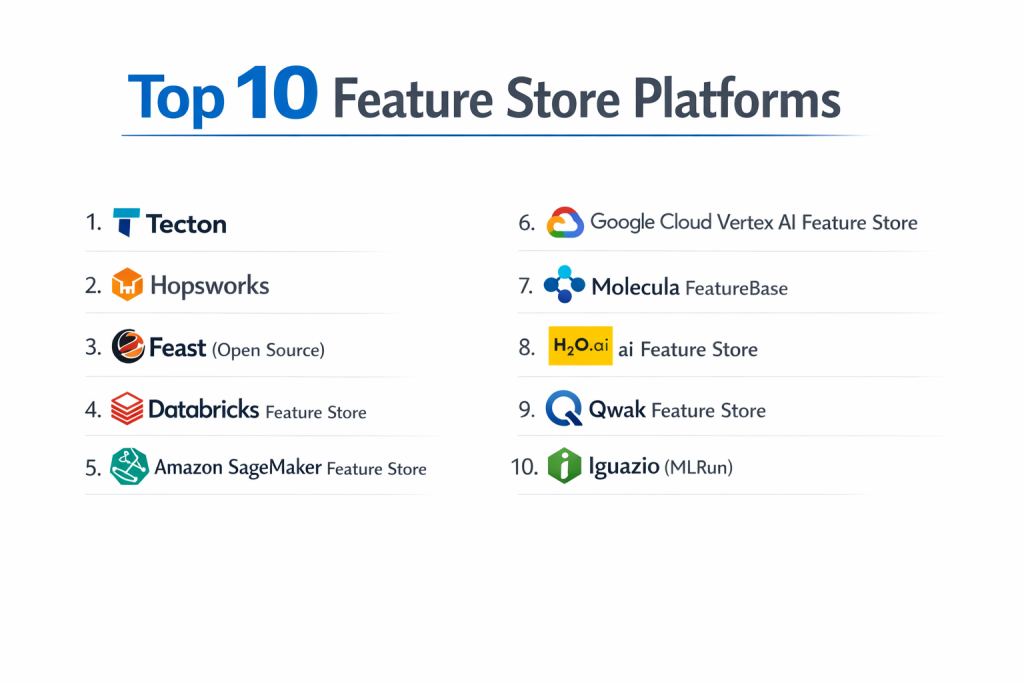
Top 10 Feature Store Platforms
1 — Tecton
Tecton is a fully managed feature platform created by the team that built the first-ever feature store at Uber. It is designed to handle the entire lifecycle of a feature, from raw data to production.
- Key features:
- Unified framework for both batch and real-time (streaming) data.
- Automated feature pipelines that transform raw data into ML features.
- Built-in “online” store for ultra-fast, low-latency serving.
- Searchable catalog for team-wide feature discovery and reuse.
- Enterprise-grade monitoring for data drift and quality.
- Pros:
- Extremely high reliability and performance for real-time use cases.
- Takes the “engineering” burden off data scientists by automating pipelines.
- Cons:
- It is a premium solution with a higher price point.
- Can feel complex if your team is not already familiar with MLOps workflows.
- Security & compliance: SOC 2 Type II, GDPR, and HIPAA compliant. Includes SSO and fine-grained access controls.
- Support & community: Excellent documentation and dedicated enterprise support. It has a strong reputation among high-scale technology companies.
2 — Hopsworks
Hopsworks is an open-source, modular feature store that provides a “data-centric” approach to AI. It is unique because it includes its own specialized file system for ML.
- Key features:
- The only platform that offers both an open-source and a managed version.
- Advanced “Point-in-Time” joins to prevent data leakage during training.
- Integrated model registry and training environment.
- Support for Python, Spark, and Flink for feature engineering.
- Flexible deployment on-premise or in any cloud.
- Pros:
- Highly flexible; you can start for free and grow as needed.
- Excellent for researchers who need deep control over the underlying data.
- Cons:
- The user interface is functional but can feel dated compared to newer tools.
- The “all-in-one” nature might be redundant if you already have other ML tools.
- Security & compliance: SOC 2, GDPR, and HIPAA support. Features role-based access control (RBAC) and data encryption.
- Support & community: Very active Slack community and comprehensive documentation. Paid enterprise support is available for companies.
3 — Feast (Open Source)
Feast is the most popular open-source feature store in the world. It focuses on the “storage and serving” part of the process, rather than the “transformation” part.
- Key features:
- Lightweight and easy to plug into existing data pipelines.
- Supports a wide variety of “offline” stores (BigQuery, Redshift, Snowflake).
- Supports high-performance “online” stores (Redis, DynamoDB).
- Strong community-driven development with many plugins.
- Simple Python-based configuration.
- Pros:
- Completely free to use and very flexible.
- Great for teams that already have their own data cleaning (transformation) systems in place.
- Cons:
- It does not handle the “calculating” of data; you must give it pre-processed data.
- No built-in user interface for searching features without third-party tools.
- Security & compliance: Varies based on deployment. Since it is self-hosted, users must manage their own encryption and SSO.
- Support & community: Massive community on GitHub and Slack. No official “phone support” unless purchased through a vendor like Tecton.
4 — Databricks Feature Store
This is a native feature store built directly into the Databricks Lakehouse platform. It is designed for teams that are already using Databricks for their data engineering.
- Key features:
- Automatic “lineage” tracking (it knows exactly which data created which feature).
- Discovery UI built directly into the Databricks workspace.
- Works seamlessly with MLflow for model tracking.
- Features are stored as Delta tables for high performance.
- Serverless online serving capabilities.
- Pros:
- Incredibly easy to use if you are already a Databricks customer.
- The lineage tracking is best-in-class, making audits and debugging simple.
- Cons:
- Not a standalone product; you must buy into the whole Databricks ecosystem.
- Pricing can be complex as it is tied to overall Databricks usage.
- Security & compliance: SOC 2, HIPAA, GDPR, ISO 27001. Deep integration with cloud-native security.
- Support & community: Massive enterprise support network and a global community of users.
5 — Amazon SageMaker Feature Store
Amazon’s native solution for AWS users. It is a fully managed repository that integrates with the wider SageMaker machine learning platform.
- Key features:
- Built-in “Offline” and “Online” stores with automatic synchronization.
- Streaming support using Amazon Kinesis or MSK.
- Feature groups that allow for logical organization of data.
- Integrates with SageMaker Pipelines for automated ML workflows.
- Searchable metadata catalog.
- Pros:
- Seamless for teams already running their ML models on AWS.
- Extremely high reliability and uptime as a managed AWS service.
- Cons:
- The interface can be clunky and “menu-heavy” compared to standalone tools.
- Can be expensive if not monitored, especially the “online” storage costs.
- Security & compliance: FedRAMP, HIPAA, SOC, and GDPR compliant. High-level encryption and IAM integration.
- Support & community: Backed by AWS enterprise support and an endless supply of documentation and tutorials.
6 — Google Cloud Vertex AI Feature Store
The Google Cloud (GCP) equivalent, redesigned to handle modern “big data” needs using a simplified, managed approach.
- Key features:
- Fully managed and serverless (no servers to maintain).
- Streaming ingestion with low-latency serving.
- Automatic scaling to handle millions of requests per second.
- Integrated with Vertex AI’s broader toolset.
- Support for BigQuery as the primary data source.
- Pros:
- Great for GCP users who want a “hands-off” experience.
- Excellent performance for massive datasets.
- Cons:
- Less flexible if you want to use non-GCP databases.
- Can be harder to customize the underlying “logic” of the store.
- Security & compliance: SOC 1/2/3, ISO 27001, HIPAA, and GDPR compliant.
- Support & community: Comprehensive GCP support and documentation.
7 — Molecula FeatureBase
Molecula is a unique entry that focuses on a “feature-first” database architecture. It is designed for ultra-high-speed data access.
- Key features:
- Patented data format that makes data access faster than traditional databases.
- Real-time feature engineering on streaming data.
- Eliminates the need for traditional data “pre-processing.”
- Cloud-native and highly scalable.
- Pros:
- Speed is the biggest advantage; it is incredibly fast.
- Simplifies the data pipeline by combining the database and the feature store.
- Cons:
- It uses a non-traditional approach, so there is a learning curve for your team.
- The community is smaller compared to giants like Feast or Databricks.
- Security & compliance: SOC 2 compliant, featuring data encryption and audit logs.
- Support & community: Personalized support for business customers; growing technical documentation.
8 — H2O.ai Feature Store
H2O.ai provides a feature store that is particularly strong in “automated” machine learning (AutoML) environments.
- Key features:
- Integrated with H2O’s AI Cloud.
- Collaboration tools for data scientists to share and “upvote” features.
- Automatic drift detection and alerting.
- Support for multiple programming languages (R, Python, Scala).
- Pros:
- Excellent for teams that use H2O’s other AI tools.
- Strong focus on collaboration and “social” feature discovery.
- Cons:
- Less “open” than other platforms; works best within its own ecosystem.
- Documentation can sometimes lag behind new feature releases.
- Security & compliance: Enterprise-ready with SOC 2 and GDPR compliance.
- Support & community: Strong professional support and a dedicated user base.
9 — Qwak Feature Store
Qwak is an end-to-end MLOps platform that includes a feature store as a core component of its model delivery system.
- Key features:
- Live and batch feature ingestion.
- Fully integrated with Qwak’s model serving and build system.
- Support for Python-based feature transformations.
- Easy-to-use UI for managing feature versions.
- Pros:
- Highly modern and clean user experience.
- Great for teams that want one platform to handle everything from code to production.
- Cons:
- As a newer company, it has a smaller ecosystem than AWS or Databricks.
- Less mature for extremely complex, multi-cloud enterprise needs.
- Security & compliance: SOC 2 Type II compliant with standard encryption and SSO.
- Support & community: Very responsive support team and a modern documentation site.
10 — Iguazio (MLRun)
Iguazio, which was recently acquired by NetApp, offers a feature store as part of its MLRun open-source framework.
- Key features:
- High-performance data layer for real-time processing.
- Built-in support for complex data transformations using “serving graphs.”
- Automatic documentation and cataloging of features.
- Integrated with Kubernetes for scaling.
- Pros:
- Very strong at handling “real-time” data from sensors and IoT devices.
- Open-source core (MLRun) allows for great customization.
- Cons:
- Can be complex to set up and manage without the managed Iguazio platform.
- The recent acquisition may change the product’s future direction.
- Security & compliance: Enterprise-grade security, SOC 2, and GDPR compliant.
- Support & community: Backed by NetApp’s global support organization.
Comparison Table
| Tool Name | Best For | Platform(s) Supported | Standout Feature | Rating |
| Tecton | Enterprise Real-time AI | AWS, GCP, Snowflake | Automated Pipelines | 4.8 / 5 |
| Hopsworks | Researchers / Dual-use | Cloud & On-prem | Open Source / Managed | 4.7 / 5 |
| Feast | Self-hosted / Devs | Multi-cloud / Local | Industry Standard OS | N/A |
| Databricks | Current Databricks Users | AWS, Azure, GCP | Automatic Lineage | 4.7 / 5 |
| SageMaker | AWS-only Teams | AWS | Managed AWS Ecosystem | 4.5 / 5 |
| Vertex AI | GCP-only Teams | GCP | Serverless Scaling | 4.4 / 5 |
| Molecula | Ultra-high Speed | Cloud Native | Feature-first DB | N/A |
| H2O.ai | AutoML Teams | Multi-cloud | Social Collaboration | N/A |
| Qwak | End-to-end MLOps | Cloud | Clean User Experience | N/A |
| Iguazio | IoT and Real-time | Multi-cloud | Serving Graphs | 4.6 / 5 |
Evaluation & Scoring of Feature Store Platforms
The following rubric shows how we evaluate the effectiveness of a Feature Store platform.
| Criteria | Weight | Evaluation Focus |
| Core Features | 25% | Point-in-time correctness, dual storage (online/offline), and streaming support. |
| Ease of Use | 15% | Simple setup, clean UI for discovery, and developer-friendly Python SDKs. |
| Integrations | 15% | Compatibility with major data warehouses (Snowflake, BigQuery) and ML tools. |
| Security | 10% | SOC 2 compliance, SSO integration, and fine-grained data access controls. |
| Performance | 10% | Low-latency serving for real-time models and high-throughput for training. |
| Support | 10% | Quality of documentation, community activity, and enterprise response times. |
| Price / Value | 15% | Transparency of pricing and the overall return on investment for the team. |
Which Feature Store Platform Is Right for You?
Solo Users vs. SMB vs. Mid-market vs. Enterprise
- Solo Users: Stick with the open-source Feast. It’s free and teaches you the basics of how feature stores work without any financial risk.
- SMBs: Look at Hopsworks or Qwak. They offer managed services that aren’t as “heavy” as the enterprise giants but still take the maintenance off your plate.
- Mid-market: Databricks or SageMaker are often the best bet if you are already in those clouds. If you need something standalone, Tecton is the leader here.
- Enterprise: Tecton, Databricks, or Arthur (governance-focused) are the standard choices for large-scale, mission-critical AI.
Budget-conscious vs. Premium Solutions
If you have zero budget, Feast is your only real choice. If you have a budget but want to keep costs predictable, Hopsworks offers a great balance. Tecton is a premium solution, but for many companies, the time saved by their automation outweighs the subscription cost.
Feature Depth vs. Ease of Use
If you want a tool that does everything for you (calculating data, storing it, monitoring it), choose Tecton or Databricks. If you just want a simple place to store data that you have already cleaned, Feast or SageMaker is much simpler to get started with.
Integration and Scalability Needs
If you are 100% on AWS, the SageMaker Feature Store is the most logical integration. If you are “Multi-cloud” (using different clouds for different things), you need a standalone tool like Tecton or an open-source tool like Feast that isn’t tied to one specific cloud company.
Frequently Asked Questions (FAQs)
1. What is the difference between a Feature Store and a Database?
A database just stores data. A Feature Store is designed specifically for ML; it includes a catalog to find data, “Point-in-Time” logic to prevent training errors, and the ability to serve data both slowly (for training) and fast (for live predictions).
2. Why do I need “Point-in-Time” correctness?
When training a model, you must use data exactly as it looked at a specific time in the past. If you accidentally use data from the “future” (like a purchase made after the prediction you are testing), your model will look great in training but fail in the real world. This is called data leakage.
3. Is Feast really free?
Yes, the software is free. However, you still have to pay for the “online” and “offline” storage (like Redis or BigQuery) that it uses to hold your data.
4. How long does it take to implement a Feature Store?
A simple setup with Feast can take a few days. For a large enterprise to move all their data into Tecton or Databricks, it can take several months to get everything running perfectly.
5. Do I need a Feature Store for offline-only models?
Not necessarily. If your models only run once a week in a big “batch” (like a weekly report), a standard data warehouse is often enough. You only need a feature store when you start doing real-time predictions or sharing features across many teams.
6. What is “Training-Serving Skew”?
This is when the data used to teach the model is different from the data the model sees in the real world. Feature stores prevent this by using the same code and data source for both phases.
7. Can these tools handle images and videos?
Most feature stores are designed for “tabular” data (numbers and text). While some can handle pointers to images, they aren’t usually the best place to store actual video files.
8. Are Feature Stores secure?
Yes, most enterprise versions include SOC 2 compliance and role-based access control, meaning you can decide exactly which employees are allowed to see specific pieces of data.
9. Can I build my own Feature Store?
Many companies try, but it is very difficult to build the “Point-in-Time” logic and the real-time serving layer correctly. Most experts recommend using an existing tool so your team can focus on building AI models instead of infrastructure.
10. What is the biggest mistake people make?
The biggest mistake is over-complicating things too early. Start with the simplest tool that meets your needs. Don’t buy a premium enterprise platform if you only have one model to manage.
Conclusion
Choosing a Feature Store Platform is one of the most important decisions you will make as you grow your AI capabilities. These tools turn a messy “data swamp” into a clean, organized library of features that can be used again and over again.
In the end, there is no single “best” tool. If you are an AWS user, start with SageMaker. If you are a Databricks user, stick with their native store. If you are a developer who loves open source, Feast is your home. What matters most is that you choose a tool that lets your team spend less time fighting with data and more time building AI that actually solves problems.