Introduction
Experiment Tracking Tools are specialized software platforms designed to record, organize, and analyze the various components of a machine learning (ML) project. When developing an AI model, data scientists perform hundreds, if not thousands, of “runs”—changing small settings called hyperparameters, swapping datasets, or adjusting code. Without a dedicated tracking tool, these details are often lost in messy spreadsheets or handwritten notes. Experiment tracking tools act as a “digital lab notebook,” automatically capturing the code version, hardware metrics, input data, and resulting accuracy for every single attempt.
The importance of these tools lies in reproducibility and collaboration. In professional environments, being able to prove why a model works and how to recreate it is vital for safety, auditing, and continuous improvement. These platforms allow teams to compare different versions of a model side-by-side to see which performed better and why. By centralizing this information, organizations can avoid duplicating work, speed up the development cycle, and ensure that the best version of a model actually makes it to the customer.
Key Real-World Use Cases
- Hyperparameter Tuning: Automatically logging which combination of settings (like learning rate or batch size) resulted in the highest accuracy for a deep learning model.
- Collaboration in Large Teams: Allowing a team of 20 researchers to see each other’s work in real-time to avoid running the same failed experiment twice.
- Audit Compliance: Providing a “lineage” for a model in the medical or financial sector, showing exactly which data and code were used to create a specific prediction.
- Resource Optimization: Monitoring GPU and memory usage during training to identify where costs can be cut without hurting performance.
What to Look For (Evaluation Criteria)
When selecting an experiment tracking tool, consider the following:
- Logging Ease: How many lines of code are needed to start tracking? The best tools require minimal changes to your existing scripts.
- Visualization: Does the tool offer clear charts, scatter plots, and parallel coordinates to help you spot trends in your data?
- Data Versioning: Can the tool track the specific version of the dataset used, or just the code?
- Scalability: Can the platform handle thousands of runs without slowing down the user interface?
- Environment Capture: Does it record the specific library versions (e.g., PyTorch 2.0, NumPy 1.24) to ensure the model can be run elsewhere?
Best for: Machine learning engineers, data scientists, and MLOps teams in organizations of all sizes. It is particularly essential for high-stakes industries like biotech, autonomous driving, and algorithmic trading where precision and record-keeping are mandatory.
Not ideal for: Software engineers working on traditional non-AI applications, or beginner students working on single, small datasets where results are predictable and do not require iterative tuning.
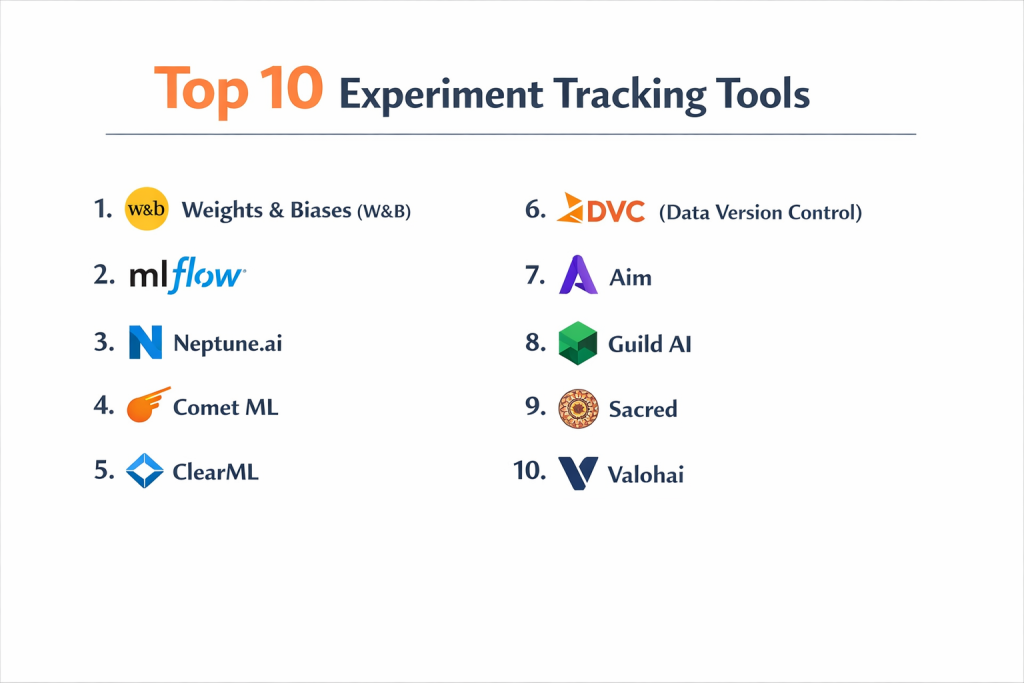
Top 10 Experiment Tracking Tools
1 — Weights & Biases (W&B)
Weights & Biases is widely considered the industry leader for deep learning experiment tracking. It provides a highly visual, cloud-hosted platform that integrates with almost every major ML framework.
- Key features:
- Dashboards: Highly customizable boards for comparing metrics across runs.
- Artifacts: A robust system for versioning datasets and model files.
- Sweeps: Automated hyperparameter tuning that is managed by the platform.
- Reports: Collaborative documents that combine live charts with text for team presentations.
- System Metrics: Automatic logging of GPU, CPU, and network usage.
- Pros:
- Exceptionally easy to set up with just a few lines of Python.
- Excellent collaborative features for large, distributed teams.
- Cons:
- The pricing for the enterprise tier can be very high.
- The cloud-first nature can be a hurdle for companies with strict “no-cloud” data policies.
- Security & compliance: SOC 2 Type II compliant, GDPR ready, supports SSO (SAML/Okta), and offers private instances for enterprise clients.
- Support & community: Massive community of users, excellent documentation, and very responsive customer support for paid tiers.
2 — MLflow
MLflow is the most popular open-source platform for managing the ML lifecycle. Developed by Databricks, it is the “standard” for teams that want a tool that isn’t tied to a specific cloud vendor.
- Key features:
- MLflow Tracking: An API and UI for logging parameters, code versions, and metrics.
- MLflow Projects: A standard format for packaging reusable data science code.
- MLflow Models: A convention for packaging models for use in diverse serving environments.
- Model Registry: A centralized store to manage model versions and stage transitions (e.g., Staging to Production).
- Plugin Architecture: Allows for deep customization and integration with various storage backends.
- Pros:
- Completely open-source and free to use if self-hosted.
- Platform agnostic—works equally well on AWS, Azure, GCP, or on-premise.
- Cons:
- The user interface is more basic and less “visual” than Weights & Biases.
- Managing the hosting and database for a large team can become a significant DevOps burden.
- Security & compliance: Varies by deployment. Databricks-managed MLflow is SOC 2 and HIPAA compliant; open-source depends on user setup.
- Support & community: Huge global community and extensive third-party tutorials. Formal support is available through Databricks.
3 — Neptune.ai
Neptune.ai is a lightweight, highly flexible experiment tracker designed for teams that need a “no-nonsense” tool that stays out of the way of their coding.
- Key features:
- Metadata Store: Built to handle millions of data points, including images, video, and audio.
- Flexible UI: Users can build their own custom views to see only what matters to them.
- Model Registry: Tracks model versions and links them back to the original experiment.
- Side-by-Side Comparison: Extremely fast tool for comparing hundreds of runs at once.
- API-First Design: Almost every action can be done through the Python API rather than the UI.
- Pros:
- Known for being very fast and not lagging, even with massive amounts of data.
- The support team is highly praised for their technical depth.
- Cons:
- Fewer automated “advanced” features (like W&B’s Sweeps) built directly into the UI.
- The interface can feel a bit technical for non-engineering stakeholders.
- Security & compliance: SOC 2 Type II compliant, GDPR, and ISO 27001. Offers HIPAA-compliant setups for medical teams.
- Support & community: Very strong technical documentation and a “developer-first” support philosophy.
4 — Comet ML
Comet ML is an enterprise-ready platform that focuses on helping teams transition models from the “lab” to “production” with full visibility.
- Key features:
- Comet MPM: A dedicated Model Production Monitoring tool that links production metrics back to experiments.
- Custom Panels: Users can write their own JavaScript code to create unique visualizations.
- Workspaces: Hierarchical organization for large companies with multiple departments.
- Data Versioning: Integrates with tools like DVC to track data lineage.
- Code Tracking: Automatically captures git diffs to show exactly what changed in the code.
- Pros:
- Excellent for large organizations that need strict organizational structure.
- Strongest “bridge” between the experimentation and production monitoring phases.
- Cons:
- The UI can feel a bit more complex than the simpler Neptune or W&B.
- Smaller community compared to the giants like MLflow.
- Security & compliance: SOC 2 Type II, GDPR, and supports on-premise or VPC (Virtual Private Cloud) deployments.
- Support & community: Fast professional support and a very active technical blog for users.
5 — ClearML
ClearML (formerly Allegro AI) is an “auto-magical” platform that focuses on automation. It is unique because it combines tracking with an orchestration system to run experiments on remote servers.
- Key features:
- Automatic Logging: Can capture parameters and metrics with just two lines of code.
- ClearML Agent: A tool that turns any machine (cloud or on-prem) into a worker for running experiments.
- Data Management: A built-in versioning system for datasets.
- Hyperparameter Optimization: Integrated “search” algorithms to find the best model settings.
- Web UI: A comprehensive dashboard for managing models, data, and workers.
- Pros:
- Very powerful for teams that want to automate the running of experiments, not just the tracking.
- Offers a generous open-source version that is very feature-rich.
- Cons:
- The setup for the orchestration (workers) can be complicated for beginners.
- The interface can be overwhelming because it does so many things at once.
- Security & compliance: SOC 2, GDPR, and provides tools for air-gapped (offline) installations.
- Support & community: Good documentation and a very helpful Slack community for the open-source version.
6 — DVC (Data Version Control)
While primarily a versioning tool, DVC (when combined with its companion tool, DVC Live) offers a unique, local-first approach to experiment tracking that appeals to developers who like Git.
- Key features:
- Git-based Tracking: Stores experiment results directly in your Git repository.
- DVC Live: A small library that logs metrics during training.
- Iterative Studio: A web-based UI for visualizing DVC experiments across a team.
- Data Lineage: Unmatched ability to track which specific file version created which model.
- Storage Agnostic: Works with S3, Azure Blob, Google Cloud Storage, or local disks.
- Pros:
- Perfect for developers who want to keep everything in their existing Git workflow.
- No need to trust a third-party cloud with your sensitive data.
- Cons:
- Lacks the fancy, real-time “live” dashboards found in SaaS tools like W&B.
- Requires a high level of comfort with the command line.
- Security & compliance: Inherits the security of your own infrastructure. You control all encryption and access.
- Support & community: Very strong community among “Data Engineers” and excellent Discord support.
7 — Aim
Aim is an open-source, high-performance experiment tracker that focuses on a “beautifully simple” user experience and fast data exploration.
- Key features:
- Aim Stack: A modular approach to building your own tracking system.
- Extreme Performance: Designed to query and compare thousands of runs in milliseconds.
- Search Engine: A powerful query language to filter experiments by any parameter.
- Image/Audio Support: First-class support for non-tabular data types.
- Self-Hosted: Designed to be run on your own local machine or server with minimal effort.
- Pros:
- The UI is incredibly fast and responsive compared to many older tools.
- Completely open-source with a focus on privacy.
- Cons:
- Lacks the enterprise management features (like SSO or RBAC) found in paid platforms.
- No managed cloud version, meaning you are responsible for maintenance.
- Security & compliance: N/A (Self-hosted; depends on user infrastructure).
- Support & community: Growing GitHub community and very active lead developers.
8 — Guild AI
Guild AI is a “no-compromise” open-source tool that doesn’t require you to change a single line of your code to start tracking. It works by “wrapping” your existing scripts.
- Key features:
- No Code Changes: Tracks experiments by watching the inputs and outputs of your Python files.
- Local First: All data is stored on your local disk in standard file formats.
- Run Comparison: A powerful command-line tool for comparing results.
- Hyperparameter Search: Built-in support for Bayesian optimization and random search.
- Batch Runs: Easily schedule hundreds of variations of a script.
- Pros:
- The best tool for researchers who don’t want to pollute their code with tracking APIs.
- Extremely lightweight and doesn’t require a database to be set up.
- Cons:
- The Web UI is very basic and lacks the advanced visualization of SaaS competitors.
- Primarily a command-line tool, which might not suit all users.
- Security & compliance: Varies (Standard file-based security; HIPAA/GDPR depends on your disk encryption).
- Support & community: Smaller community but very high-quality documentation and expert-led forums.
9 — Sacred
Sacred is a classic open-source library that was one of the first to focus on reproducibility in ML. It is popular in the academic world for its simplicity.
- Key features:
- Config Management: Deep focus on capturing every single setting used in an experiment.
- Observers: Can send data to various backends like MongoDB, File Storage, or Slack.
- Command Line Interface: Allows you to run experiments with specific config overrides easily.
- Automatic Seeding: Helps ensure randomness is handled correctly for reproducibility.
- Pros:
- Very stable and battle-tested in research environments.
- Highly flexible and doesn’t force a specific workflow on the user.
- Cons:
- It does not have a built-in UI (users typically use a separate tool like Omniboard to see results).
- Development has slowed down compared to modern alternatives like Aim or W&B.
- Security & compliance: N/A (Self-hosted).
- Support & community: Large back-catalog of academic tutorials and a solid GitHub presence.
10 — Valohai
Valohai is a full-stack MLOps platform that treats every experiment as a “pipeline step.” It is built for companies that want total reproducibility from the ground up.
- Key features:
- Versioned Pipelines: Every run is automatically versioned, including the environment and data.
- Cloud Orchestration: Automatically spins up cloud machines (AWS/GCP/Azure) to run your training code.
- Language Agnostic: Works with Python, R, C++, or even Java.
- Data Lineage: Tracks data from raw ingestion to the final model deployment.
- Audit Logs: Detailed records of who ran what, when, and with which resources.
- Pros:
- Offers “perfect” reproducibility because it manages the hardware and environment for you.
- Ideal for highly regulated industries like medicine or defense.
- Cons:
- Higher overhead for setup compared to “just tracking” tools.
- Can be expensive as it acts as a full-platform solution.
- Security & compliance: SOC 2 Type II, HIPAA compliant, and supports air-gapped private clouds.
- Support & community: Very high-quality enterprise support with dedicated engineering help.
Comparison Table
| Tool Name | Best For | Platform(s) Supported | Standout Feature | Rating |
| Weights & Biases | Visual Deep Learning | Cloud / Local | Collaborative Reports | 4.8 / 5 |
| MLflow | Open-source standard | Cloud / On-prem | Model Registry | 4.5 / 5 |
| Neptune.ai | High-performance teams | Cloud / SaaS | Metadata Flexibility | 4.7 / 5 |
| Comet ML | Enterprise MLOps | Cloud / On-prem | Production Monitoring | 4.6 / 5 |
| ClearML | Automation & Orchestration | Cloud / On-prem | Automated Workers | 4.6 / 5 |
| DVC | Git-lovers | Local / Cloud | Git-based Lineage | N/A |
| Aim | Fast Explorations | Local / Self-host | High-speed Search | N/A |
| Guild AI | Zero-code changes | Local | Wrap-based Tracking | N/A |
| Sacred | Academic Research | Local | Config Management | N/A |
| Valohai | Regulated Industries | Multi-cloud | Managed Orchestration | 4.7 / 5 |
Evaluation & Scoring of Experiment Tracking Tools
The following rubric is used to evaluate the overall effectiveness of an experiment tracking platform.
| Content | Weight | Score (1-10) | Evaluation Rationale |
| Core features | 25% | 9 | Most tools now offer excellent metric logging and visualization. |
| Ease of use | 15% | 8 | Setup is generally easy, but advanced orchestration can be tricky. |
| Integrations | 15% | 9 | Integration with PyTorch, TensorFlow, and Scikit-Learn is now standard. |
| Security & compliance | 10% | 8 | Paid tools are strong; open-source depends on the user’s DevOps team. |
| Performance | 10% | 7 | Some SaaS UIs can lag when dealing with millions of data points. |
| Support & community | 10% | 8 | Communities for MLflow and W&B are massive and helpful. |
| Price / value | 15% | 7 | Enterprise pricing can be opaque and expensive for smaller teams. |
Which Experiment Tracking Tool Is Right for You?
Solo Users vs. SMB vs. Mid-market vs. Enterprise
For solo users and students, MLflow (self-hosted) or the free tier of Weights & Biases are usually the best options. They offer professional features without the cost. Small to Mid-market (SMB) teams should look at Neptune.ai or ClearML for a balance of speed and features. Enterprises with strict security and multi-departmental needs will find the most value in Comet ML, W&B Enterprise, or Valohai, as these platforms offer the governance and audit trails necessary for large-scale operations.
Budget-conscious vs. Premium Solutions
If budget is the primary concern, open-source is the way to go. Aim, Guild AI, and DVC are completely free and offer powerful local tracking. If you have a budget and want to save time on DevOps, Weights & Biases or Neptune.ai are “premium” SaaS solutions that take the maintenance burden off your shoulders, allowing you to focus entirely on your AI models.
Feature Depth vs. Ease of Use
If you want the most “magical” experience with the best charts, Weights & Biases wins on ease of use and beauty. However, if you need deep feature depth—such as the ability to spin up GPU clusters or manage data pipelines—ClearML or Valohai are better suited for that complexity. If you want a tool that stays out of your code entirely, Guild AI is the easiest to implement.
Integration and Scalability Needs
For teams that are already 100% on Databricks, MLflow is a natural choice. For teams that use a variety of cloud providers and need a “neutral” ground, Neptune.ai or Aim provide the most flexibility. Regarding scalability, if you plan to log massive datasets (images/audio), ensure the tool supports Artifacts or external storage links so the UI doesn’t become slow.
Security and Compliance Requirements
If you are in a highly regulated sector (Defense, Banking, Healthcare), security is your top priority. You should look for tools that support air-gapped installations (ClearML, Guild AI) or those with full SOC 2 and HIPAA certifications (W&B, Valohai, Neptune). Avoid cloud-only tools that do not offer private instances if you are handling sensitive PII (Personally Identifiable Information).
Frequently Asked Questions (FAQs)
1. Is experiment tracking different from model monitoring?
Yes. Experiment tracking happens during the development phase (in the lab). Model monitoring happens during the production phase (when the model is being used by real customers). However, tools like Comet ML and Weights & Biases are increasingly offering both.
2. Can I use these tools for non-Python languages?
While most focus on Python, tools like MLflow, Neptune, and Valohai offer APIs for R, C++, Java, and even Julia. Guild AI is particularly language-agnostic because it watches your system processes rather than your code.
3. Do these tools store my data?
Most SaaS tools store the metrics (numbers) and metadata (settings) on their servers. The actual datasets usually stay on your own storage (S3, GCP, local), though tools with “Artifact” features can store versioned copies of data if you choose.
4. How much do these tools cost?
Open-source tools are free. SaaS tools usually have a free tier for individuals and then charge $50–$100 per user per month for teams. Enterprise pricing is usually “custom” and can range from $10,000 to over $100,000 per year.
5. Will tracking slow down my model training?
Generally, no. Most tools log data “asynchronously,” meaning the training continues while the tracking data is sent in the background. However, logging very large files (like high-res videos) every second can cause a slight delay.
6. What is “Reproducibility” and why does it matter?
Reproducibility is the ability for someone else (or you, six months later) to get the exact same result using the same code and data. It matters for scientific validity, debugging, and legal compliance.
7. Can I switch tools halfway through a project?
It is difficult. While the code changes are small, your historical data is usually locked in the first tool’s database. There are some “exporters,” but they are often buggy. It is best to choose a tool and stick with it for the project’s life.
8. Do I need a GPU to use these tools?
No. These tools track the process of training, regardless of whether you are using a basic laptop CPU or a massive cluster of NVIDIA H100 GPUs.
9. What is a “Model Registry”?
A model registry is like a “waiting room” for models. Once you find a great experiment, you “register” it. The registry tracks whether that specific version is being tested, is live, or has been retired.
10. What is the most common mistake when using these tools?
Logging too much data. If you log every single internal calculation, you will end up with “alert fatigue” and a very slow dashboard. Only log the metrics that actually help you make decisions.
Conclusion
The era of “spreadsheet-based” data science is over. As AI models become more complex and organizations demand more accountability, Experiment Tracking Tools have transitioned from a “nice-to-have” to a fundamental part of the tech stack. These tools do more than just record numbers; they preserve the intellectual history of your AI development.
When choosing a platform, remember that there is no universal “best” tool. Weights & Biases is the king of visualization, MLflow is the open-source standard, and Neptune.ai is the master of speed and flexibility. Your choice should depend on whether you value a beautiful UI, a local-first Git workflow, or an enterprise-grade governance system. By implementing a tracking tool today, you aren’t just logging metrics—you are building a foundation for reliable, scalable, and collaborative AI.