Introduction
Expense management tools are digital platforms designed to simplify the way a business tracks, processes, and pays for employee spending. In the past, employees had to save paper receipts, tape them to a sheet of paper, and wait weeks for a check to arrive in the mail. Modern expense tools change this by allowing users to snap a photo of a receipt with their phone and submit it instantly. These tools act as a bridge between a company’s employees and the finance department, ensuring that every dollar spent is accounted for, categorized correctly for taxes, and approved according to company rules.
The importance of these tools lies in their ability to stop “leaky” spending and save hundreds of hours of manual work. For a business, knowing exactly where money is going in real-time is vital for staying profitable. These platforms help prevent fraud by flagging duplicate receipts or spending that goes over the budget. They also make life much easier for employees, who no longer have to worry about losing receipts or being out of pocket for long periods. By automating the math and the paperwork, these tools allow the finance team to focus on growing the business rather than chasing down missing pieces of paper.
Key Real-World Use Cases
- Business Travel Tracking: When an employee travels for work, they can scan hotel bills, taxi receipts, and meal costs on the go. The tool automatically converts foreign currencies and calculates the total cost.
- Automatic Mileage Calculation: Many tools use GPS to track how far an employee drives for work. It then calculates the exact reimbursement amount based on government tax rates.
- Corporate Card Management: Companies can issue physical or virtual cards to staff. The software allows the finance team to set strict spending limits on each card and see every transaction the moment it happens.
- Subscription Management: These tools help businesses see all their software subscriptions in one place, making it easy to spot and cancel services that are no longer being used.
- Policy Enforcement: If a company has a rule that “lunch cannot cost more than $20,” the tool will automatically flag any receipt that goes over that limit, saving the manager from having to check it manually.
What to Look For (Evaluation Criteria)
When choosing an expense tool, you should look at these five simple points:
- Mobile App Quality: Is the app fast and easy to use? If it is too difficult, employees will stop using it.
- Receipt Scanning Accuracy: Does the tool read the numbers on the receipt correctly, or do you have to type everything in by hand anyway?
- Connection to Accounting Tools: Does it talk to your existing software like QuickBooks, Xero, or NetSuite?
- Approval Workflows: Can you set up a path where a request goes to a manager first and then to the finance office automatically?
- Speed of Reimbursement: Does the tool help you get money back into the employee’s bank account quickly?
Best for: Businesses of all sizes that have employees who spend money on behalf of the company. It is especially helpful for sales teams, consulting firms, and companies with remote workers or frequent travelers.
Not ideal for: Solo business owners who have very few expenses and can handle everything with a simple, free banking app or a single folder for paper receipts.
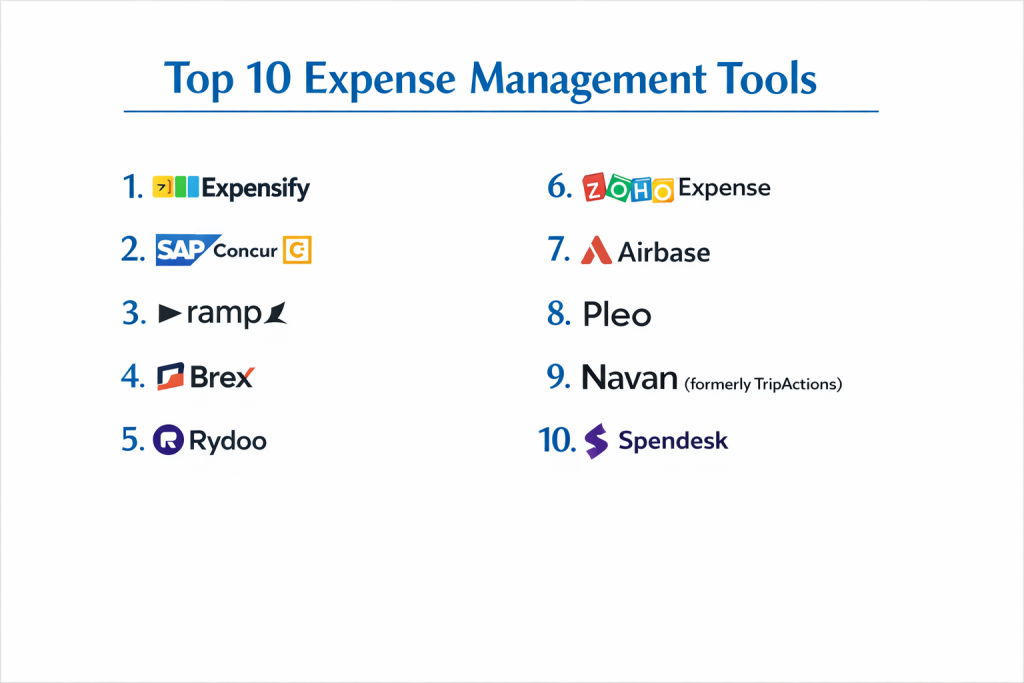
Top 10 Expense Management Tools
1 — Expensify
Expensify is one of the most well-known tools in the world. It is built to handle everything from a single freelancer to a large corporation. It is famous for its “SmartScan” technology which reads receipts automatically.
- Key features:
- SmartScan for automatic receipt data entry.
- Automatic mileage tracking via GPS.
- Integration with major accounting software like QuickBooks and Xero.
- Multi-level approval workflows.
- Corporate card reconciliation.
- Next-day reimbursement for employees.
- Pros:
- Very easy to set up and start using immediately.
- The mobile app is very reliable and works well even without internet.
- Cons:
- The pricing can be confusing and gets expensive as you add more features.
- Customer support is mostly handled through chat and can be slow.
- Security & compliance: SOC 2, PCI DSS compliant, and uses high-level encryption.
- Support & community: Extensive online help docs and a large community forum, but limited phone support.
2 — SAP Concur
SAP Concur is the “heavyweight” choice for large, global enterprises. It is highly detailed and can handle the most complex travel and expense rules imaginable.
- Key features:
- Integrated travel booking platform.
- Advanced fraud detection using AI.
- Global tax and VAT reclamation tools.
- Deep integration with SAP and other large ERP systems.
- Detailed reporting and analytics for big data.
- Mobile receipt capture and approval.
- Pros:
- Unmatched power for massive companies with thousands of travelers.
- Very strong at making sure everyone follows strict company rules.
- Cons:
- The interface feels a bit old-fashioned and “clunky” compared to newer apps.
- Implementation takes a long time and usually requires professional help.
- Security & compliance: ISO 27001, SOC 1, SOC 2, and GDPR compliant.
- Support & community: Enterprise-grade support with dedicated account managers and global help desks.
3 — Ramp
Ramp is a modern platform that combines corporate cards with expense management. It is designed to help companies spend less money by identifying wasteful subscriptions and spending patterns.
- Key features:
- Unlimited physical and virtual corporate cards.
- Real-time spending alerts and limits.
- Automated receipt matching (it texts you to ask for a photo after you swipe).
- Built-in savings insights to find better deals on software.
- Direct integration with Slack for quick approvals.
- Simple, one-click bill pay features.
- Pros:
- The software is essentially free if you use their corporate cards.
- Incredibly fast and modern interface that employees love.
- Cons:
- Currently only available to businesses registered in the United States.
- Requires you to switch your corporate banking/card habit to their system.
- Security & compliance: SOC 2 Type II, PCI DSS compliant, and uses top-tier encryption.
- Support & community: Very responsive email and chat support with a modern help center.
4 — Brex
Brex is very similar to Ramp and is highly popular with startups and tech companies. It offers corporate cards that don’t require a personal guarantee, making it great for new businesses.
- Key features:
- Instant virtual card issuance.
- High spending limits based on company cash, not personal credit.
- Automated expense categorization.
- Global spending support in multiple currencies.
- Deep integrations with NetSuite, Workday, and Salesforce.
- Rewards program tailored for business growth.
- Pros:
- Excellent for fast-growing companies that need cards quickly.
- Very clean mobile app and dashboard experience.
- Cons:
- Harder to get approved for if you are a very small or traditional “mom and pop” shop.
- Some users find the rewards system has become more limited over time.
- Security & compliance: SOC 2, GDPR compliant, and uses advanced fraud monitoring.
- Support & community: 24/7 support for most customers and a very strong reputation in the startup world.
5 — Rydoo
Rydoo is a European favorite that focuses on making the expense process as fast as possible. It is designed for mid-market companies that want a “no-fuss” solution.
- Key features:
- Real-time expense submission and approval.
- Integrated travel module for booking flights and hotels.
- Per diem (daily allowance) management for different countries.
- Automated mileage tracking.
- Simple “Line Manager” approval flow.
- Clean, flat-rate monthly pricing.
- Pros:
- Very straightforward and does not feel bloated with unnecessary features.
- Excellent at handling international tax and currency needs.
- Cons:
- Not as many “deep” analytics features as SAP Concur.
- The travel side of the app can sometimes be less polished than the expense side.
- Security & compliance: ISO 27001, SOC 2, and GDPR compliant.
- Support & community: Responsive customer success teams and good online documentation.
6 — Zoho Expense
Zoho Expense is part of the massive Zoho business suite. It is one of the most affordable options on the market and is great for small to mid-sized businesses.
- Key features:
- Automated receipt scanning in many different languages.
- Expense policy enforcement and “audit” flags.
- Multi-stage approval workflows.
- Integration with Zoho CRM and Zoho Books.
- Corporate card feed synchronization.
- Mobile app for iPhone and Android.
- Pros:
- Incredible value for money; they even have a very good free version.
- Works perfectly if your business already uses other Zoho tools.
- Cons:
- The interface can feel a bit crowded with many different menus.
- Some advanced customizations can be tricky to set up.
- Security & compliance: SOC 2 Type II, ISO 27001, and GDPR compliant.
- Support & community: 24/5 phone and email support with a very large global user base.
7 — Airbase
Airbase is a “spend management” platform that handles expenses, corporate cards, and accounts payable (paying bills) all in one system. It is built for mid-market companies that want total control.
- Key features:
- Unified platform for all types of company spending.
- Robust purchase order (PO) management.
- Automated “accounting sync” that keeps the books updated.
- Physical and virtual cards with programmable limits.
- Real-time visibility into every transaction.
- Vendor management and 1099 tracking.
- Pros:
- Great for finance teams that want to stop using three different tools for spending.
- Very strong at preventing “surprise” bills from vendors.
- Cons:
- It is a more complex tool that requires a bit more training to use.
- Pricing is not as transparent as smaller apps.
- Security & compliance: SOC 2 Type II compliant and uses high-security data centers.
- Support & community: Dedicated implementation managers and a strong customer success focus.
8 — Pleo
Pleo is a leading choice in the UK and Europe. It provides “smart” company cards that do the expense reports for you the moment you spend money.
- Key features:
- Smart company cards for every employee.
- Instant notifications to snap a receipt photo after spending.
- Direct integration with Xero, Sage, and QuickBooks.
- Automated categorization based on the vendor type.
- Simple “out-of-pocket” reimbursement for cash spending.
- Subscription overview to track recurring costs.
- Pros:
- Eliminates the need for monthly expense reports entirely.
- Gives employees a sense of trust and responsibility.
- Cons:
- Mostly limited to European and UK businesses.
- The monthly fee per user can add up if you have a very large team.
- Security & compliance: FCA regulated, SOC 2, and GDPR compliant.
- Support & community: Very friendly support team and a helpful blog for business owners.
9 — Navan (formerly TripActions)
Navan is a travel-first platform that has expanded into full expense management. It is best for companies where employees are constantly on the road.
- Key features:
- All-in-one travel booking and expense management.
- Real-time visibility into travel spending.
- “Liquid” card system for automated payments and expenses.
- Automated receipt collection via integrations.
- Carbon offset tracking for eco-conscious companies.
- 24/7 travel agent support for employees on the road.
- Pros:
- The best experience for employees who travel frequently.
- Saves companies a lot of money on travel bookings through exclusive deals.
- Cons:
- Can be overkill if your employees rarely travel.
- The expense-only features are not quite as deep as a specialist tool like Expensify.
- Security & compliance: SOC 2 Type II, GDPR, and PCI DSS compliant.
- Support & community: Excellent 24/7 live support for travelers.
10 — Spendesk
Spendesk is a complete spend management platform that focuses on “liberating” teams from the finance department while still keeping the finance team in control.
- Key features:
- Flexible virtual cards for online purchases.
- Automated invoice processing.
- Simple “request and approve” system for all spending.
- Real-time budget tracking by department.
- Automated VAT extraction for European taxes.
- Direct sync with major accounting tools.
- Pros:
- Very clean and simple design that makes sense to everyone.
- Great for decentralized teams where different managers hold budgets.
- Cons:
- Pricing is generally higher and geared toward growing companies.
- Some users find the mobile app lacks a few of the desktop features.
- Security & compliance: SOC 2, GDPR compliant, and regulated by European financial authorities.
- Support & community: High-quality help center and active customer support.
Comparison Table
| Tool Name | Best For | Platform(s) Supported | Standout Feature | Rating |
| Expensify | SMBs & Freelancers | Web, iOS, Android | SmartScan Tech | 4.5 / 5 |
| SAP Concur | Large Corporations | Web, iOS, Android | Global Travel Power | 4.1 / 5 |
| Ramp | Modern US Tech | Web, iOS, Android | Savings Insights | 4.8 / 5 |
| Brex | Fast-Growing Startups | Web, iOS, Android | High Limit Cards | 4.7 / 5 |
| Rydoo | Mid-Market Europe | Web, iOS, Android | Fast Approvals | 4.4 / 5 |
| Zoho Expense | Budget-Conscious | Web, iOS, Android | Affordable Value | 4.5 / 5 |
| Airbase | Complex Finance | Web, iOS, Android | PO & Bill Pay All-in-One | 4.6 / 5 |
| Pleo | UK & Europe SMBs | Web, iOS, Android | Instant Receipt Matching | 4.7 / 5 |
| Navan | Heavy Travelers | Web, iOS, Android | Integrated Travel Agency | 4.6 / 5 |
| Spendesk | Distributed Teams | Web, iOS, Android | Decentralized Budgets | 4.5 / 5 |
Evaluation & Scoring of Expense Management Tools
| Criteria | Weight | Score (Typical Leader) | Description |
| Core Features | 25% | 9.5 / 10 | Receipt scanning, mileage, and reimbursements. |
| Ease of Use | 15% | 9.0 / 10 | How fast employees can submit an expense. |
| Integrations | 15% | 8.5 / 10 | Connecting to QuickBooks, Xero, etc. |
| Security & Compliance | 10% | 10 / 10 | Keeping financial data safe and private. |
| Performance | 10% | 9.5 / 10 | App speed and uptime reliability. |
| Support | 10% | 8.0 / 10 | Quality of help and documentation. |
| Price / Value | 15% | 9.0 / 10 | Does it save more money than it costs? |
Which Expense Management Tool Is Right for You?
Solo Users vs. SMB vs. Mid-Market vs. Enterprise
If you are a solo user, Expensify or the free version of Zoho Expense is plenty. For a Small Business (SMB), look at Pleo or Ramp (if in the US), as they automate the hard work so you don’t need a full-time accountant. Mid-Market companies usually need the control of Airbase or Spendesk. Finally, if you are a Global Enterprise, SAP Concur is the standard because it handles the complicated legal needs of dozens of different countries at once.
Budget-Conscious vs. Premium Solutions
If you are on a tight budget, Zoho Expense is the clear winner because it offers so many features for a very low price. Wave (not on the top 10 but worth a mention) also has basic free tools. If you are a premium seeker, Airbase or Navan offer a complete “luxury” experience where almost everything is automated, but you will pay a higher subscription fee for that convenience.
Feature Depth vs. Ease of Use
If you want simplicity above all else, Pleo or Ramp are best. They work in the background, and you rarely have to open the app for long. If you need feature depth—like tracking exactly which project a $5 meal belongs to and which client should be billed for it—Expensify or Zoho Expense offer more detailed menus and settings to handle those specifics.
Integration and Scalability Needs
If you plan to stay with your current accounting software for years, make sure the tool has a “direct” integration. QuickBooks and Xero work with almost all of them, but if you use NetSuite or Sage, you should look at more “pro” tools like Airbase or SAP Concur. For scalability, pick a tool that allows you to add thousands of users easily without the performance slowing down.
Security and Compliance Requirements
If you work in a field like law or medicine, you need a tool with the highest security. Look for SOC 2 Type II certification and GDPR compliance. SAP Concur and Navan are excellent for this because they are built to pass the most difficult security audits from the world’s biggest companies.
Frequently Asked Questions (FAQs)
What is an expense management tool?
It is software that helps employees track what they spend on behalf of a company and helps the company pay them back or track the cost.
Do I still need to keep my paper receipts?
In many countries, a digital photo of a receipt is now legally enough for tax purposes. These tools store those photos safely so you can throw the paper away.
Can these tools stop employees from cheating?
Yes. They automatically flag duplicate receipts, look for fake prices, and ensure that every expense fits the company’s rules.
How does mileage tracking work?
The mobile app uses your phone’s GPS to see where you started and stopped. It then does the math to see how much you should be paid for the gas and wear on your car.
Are these tools expensive?
Some are free for small teams, while others cost $5 to $15 per user per month. Corporate card platforms like Ramp are often free because they make money from card fees instead.
What is a “corporate card”?
It is a credit or debit card given by the company to an employee. The software lets the company control exactly how much and where that card can be used.
How long does it take to get reimbursed?
With traditional methods, it takes weeks. With tools like Expensify, money can be back in an employee’s bank account the very next day.
Do these tools work on both iPhone and Android?
Yes. All the top 10 tools have very high-quality apps for both types of phones.
Can the software handle different currencies?
Yes. If you buy coffee in London with US Dollars, the tool automatically looks up the exchange rate for that day and records the correct amount.
Is it hard to set up?
For small teams, it takes about 30 minutes. For giant companies with many rules, it can take a few weeks to get everything perfect.
Conclusion
Picking the right expense management tool is a simple way to remove a massive amount of stress from your business. No one likes saving paper receipts or doing manual data entry at the end of the month. By switching to a digital platform, you ensure that your records are always accurate for taxes and that your employees are happy because they get paid back quickly.
The “best” tool really depends on your location and your size. If you are in the US and want a modern feel, Ramp is an incredible choice. If you are a global company that needs every feature imaginable, SAP Concur is still the leader. The most important thing is to choose a tool that your employees find easy to use—because if the app is simple, the data will be accurate, and your business will run much more smoothly.