Introduction
An event ticketing platform is an online service that allows you to create, manage, promote, and sell tickets to your events. Think of it as your all-in-one digital box office and event manager. Whether you are organizing a small community workshop, a large music festival, or a professional conference, these platforms handle the essential tasks of getting people registered and through the door.
Choosing the right platform is crucial. A good one does much more than just process a sale. It helps you build your event page, market to your audience, check attendees in on the day, and analyze your results afterward. This saves you immense time, reduces errors, and provides a professional experience for both you and your attendees.
When looking for a ticketing tool, you should consider several key things. First, the fee structure—how much does it cost you and your ticket buyers? Second, the ease of use for both you and your attendees. Third, the feature set: do you need seating charts, membership management, or robust reporting? Fourth, the level of customer support offered. Finally, consider scalability—can the platform grow with your events from small to large?
Best for: This guide is best for event planners, organizers, marketers, non-profit coordinators, small business owners, artists, musicians, venue managers, and corporate administrators who need a reliable way to sell tickets and manage attendees. It is useful for anyone from a solo creator to a large enterprise.
Not ideal for: These platforms are typically not ideal for selling physical products (like an e-commerce store), for managing internal employee scheduling (like a workforce tool), or for hosting completely free events with no need for registration tracking. For very simple, free RSVPs, a basic form builder might suffice.
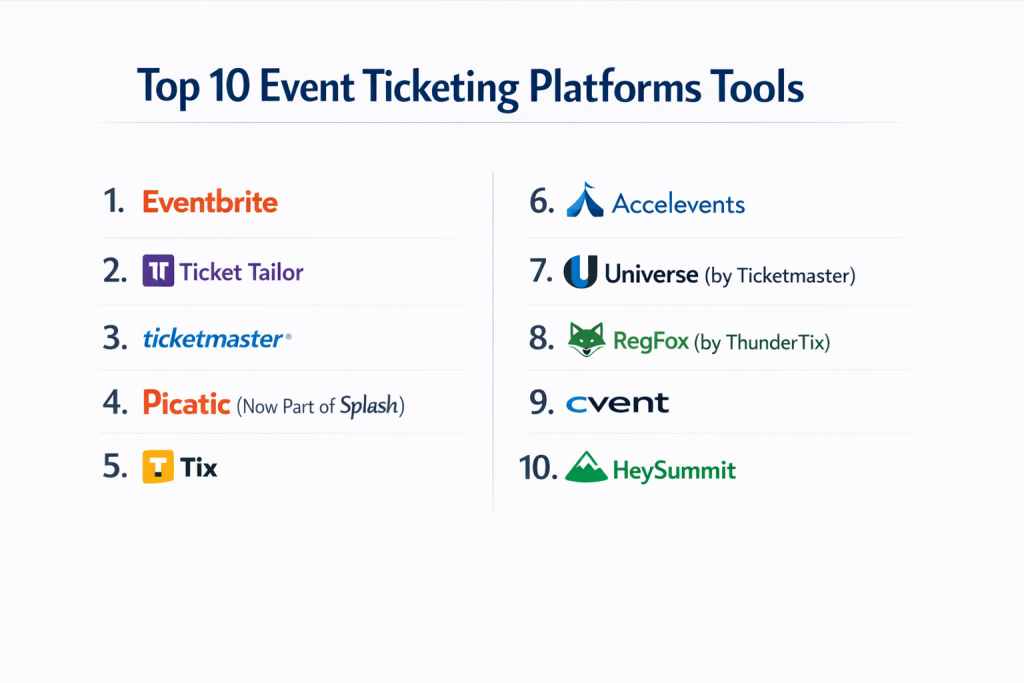
Top 10 Event Ticketing Platforms Tools
Here is a detailed look at ten of the most popular and capable event ticketing platforms available.
1 — Eventbrite
Eventbrite is one of the most well-known ticketing platforms, designed for a wide range of users from first-time organizers to seasoned professionals. It is known for its discoverability, as events can be found by users browsing the platform.
Key features:
- Easy, drag-and-drop event page creation.
- An integrated public marketplace where people can discover events.
- Tools for promoting events on social media and via email.
- Basic attendee check-in via a mobile app.
- Simple reporting on ticket sales and attendee data.
- Options for free and paid tickets.
Pros:
- Extremely user-friendly and quick to set up, perfect for beginners.
- The public marketplace can bring in new attendees you wouldn’t reach on your own.
- A reliable and trusted brand that attendees recognize.
Cons:
- Fees can be high, especially for free events, which are charged a payment processing fee.
- Limited customization for event pages and registration forms.
- Can feel restrictive for organizations that want a fully branded, white-label experience.
Security & compliance: Eventbrite employs standard encryption for data and payment processing. They have measures in place for GDPR compliance. Specific enterprise-level security certifications vary.
Support & community: Offers online help center, email support, and community forums. Phone support is available on higher-tier plans. Documentation is generally good for common tasks.
2 — Ticket Tailor
Ticket Tailor focuses on being a straightforward, low-cost alternative to larger platforms. It is built for organizers who want to sell tickets directly through their own website with minimal extra fees and branding.
Key features:
- Low, transparent fees with no percentage cut from ticket sales.
- Easy-to-embed ticket widgets for your own website.
- Customizable forms and confirmation emails.
- Real-time sales reporting and analytics.
- Tools for managing guest lists and check-in.
- Supports season passes and membership tickets.
Pros:
- Very cost-effective, especially for events with higher ticket prices.
- Puts your brand front and center, not the ticketing platform’s.
- Simple, no-fuss interface that gets the job done without complexity.
Cons:
- Lacks a built-in public discovery marketplace like Eventbrite.
- May have fewer advanced marketing features compared to larger competitors.
- The design and templates, while customizable, can be more basic.
Security & compliance: Uses secure payment gateways (Stripe, PayPal) and provides SSL encryption. GDPR compliant. SOC 2 certification status is not widely published.
Support & community: Known for responsive and helpful email support. Has a comprehensive knowledge base and blog with useful tips for event organizers.
3 — Ticketmaster
Ticketmaster is the industry giant for large-scale live entertainment events. It is built for major concerts, sports leagues, and large venues that require complex seating, high-volume sales, and robust anti-fraud measures.
Key features:
- Advanced interactive seat maps for venue-based events.
- Systems designed to handle massive, high-demand ticket onsales.
- Extensive network of physical retail outlets and affiliate sales.
- Powerful tools for dynamic pricing and inventory management.
- Strong focus on anti-scalping and fraud prevention technology.
- Detailed reporting and analytics for large operations.
Pros:
- The undisputed leader for managing large-scale, high-profile events.
- Unmatched technology for seating charts and complex venue setups.
- Maximum reach through its vast distribution network and brand recognition.
Cons:
- Fee structure is often high and complex, leading to frustration for fans.
- Not designed or priced for small to mid-sized events or independent organizers.
- Can be perceived negatively by consumers due to high service fees.
Security & compliance: Enterprise-grade security, fraud prevention, and compliance measures. Details on specific certifications like SOC 2 are part of enterprise contracts.
Support & community: Support is geared towards enterprise and venue clients. Smaller users may find support channels less accessible.
4 — Picatic (Now Part of Splash)
Picatic, now operating under the Splash brand, positioned itself as a social and transparent ticketing option. It emphasized fair pricing and tools to help events grow through social sharing.
Key features:
- “Pay What You Want” ticketing options to let attendees choose their price.
- Strong social media integration to amplify event promotion.
- Transparent fee structure displayed to ticket buyers.
- Customizable event pages and registration flows.
- Basic analytics on ticket sales and audience engagement.
Pros:
- Innovative pricing models can help attract a wider audience.
- Good set of social tools to help events go viral.
- Focus on fairness and transparency was a key differentiator.
Cons:
- Since its acquisition, the platform’s future development and distinct identity are less clear.
- Market presence and brand recognition are lower than top competitors.
- May lack some of the advanced features of more established platforms.
Security & compliance: Standard web security and payment encryption. Compliance details should be confirmed directly as part of the Splash suite.
Support & community: Support is provided through the parent company, Splash. Resources and community are now merged with the broader Splash ecosystem.
5 — Tix
Tix is a platform designed for organizations that sell tickets as a core part of their business, such as theaters, museums, universities, and festivals. It focuses on providing a complete box office management solution.
Key features:
- Comprehensive subscription and season ticket management.
- Advanced donor and membership management integration.
- Detailed fundraising and development tools.
- Sophisticated reporting for long-term audience analysis.
- Robust physical box office and call center functionality.
Pros:
- Excellent for arts and cultural organizations with complex season structures.
- Goes beyond ticketing to handle donors, members, and fundraising in one system.
- Powerful reporting tailored for non-profit and institutional needs.
Cons:
- Can be overwhelming and expensive for one-off or simple events.
- The interface may be less intuitive for casual event organizers.
- Implementation can be more involved than simpler SaaS platforms.
Security & compliance: Offers features relevant to handling donor data and financial information. Specific compliance certifications should be discussed directly for enterprise needs.
Support & community: Provides dedicated account management and support, particularly for larger institutional clients. Training and implementation services are available.
6 — Accelevents
Accelevents is a modern platform built for hybrid and virtual events, in addition to in-person ones. It is a strong choice for organizations that need engaging online event experiences.
Key features:
- A full virtual event studio with livestreaming, breakout sessions, and networking.
- Interactive features like gamification, polls, and Q&A.
- Comprehensive exhibitor and sponsor management tools.
- Detailed analytics on both attendance and virtual engagement.
- Flexible ticketing for multi-session or multi-day events.
Pros:
- One of the most capable all-in-one platforms for hybrid and virtual events.
- Engagement tools help keep online attendees active and connected.
- Strong analytics that measure more than just ticket sales.
Cons:
- The wide range of features can have a steeper learning curve.
- Pricing may be higher than basic ticketing-only platforms.
- For purely simple, in-person events, some features may be unnecessary.
Security & compliance: Prioritizes security for online events, including secure access and data protection for virtual sessions. GDPR compliant.
Support & community: Offers chat, email, and phone support. Known for proactive customer success management, especially for larger virtual events.
7 — Universe (by Ticketmaster)
Universe, owned by Ticketmaster, is aimed at independent creators, small businesses, and those hosting smaller, more community-driven events. It emphasizes simplicity and direct sales through social media.
Key features:
- Extremely fast event creation, optimized for mobile use.
- Deep integration with social platforms like Instagram and Facebook for easy sharing.
- Tools for managing a series of recurring events or classes.
- Team management features for assigning roles.
- Direct messaging with attendees.
Pros:
- Incredibly simple and fast to use, ideal for last-minute or pop-up events.
- Excellent for selling directly to a social media following.
- Clean, modern interface focused on the essentials.
Cons:
- Lacks the depth of features for complex or large-scale events.
- Reporting and analytics are more basic.
- Being under Ticketmaster, some users may associate it with higher fees, though its model is different.
Security & compliance: Leverages Ticketmaster’s infrastructure for secure payments. Standard data protection practices are in place.
Support & community: Provides support primarily through email and an online help center. Community is less formalized, focusing on individual creators.
8 — RegFox (by ThunderTix)
RegFox is a powerful registration platform known for its highly customizable forms and conditional logic. It is favored by organizations running conferences, classes, or events that require detailed attendee information.
Key features:
- A form builder with advanced conditional logic (show/hide questions based on answers).
- Tools for managing complex, multi-track conference agendas.
- Integrated email marketing and communication.
- Abandoned cart recovery features.
- Strong API for connecting with other software.
Pros:
- Unmatched flexibility for collecting customized data during registration.
- Excellent for academic, corporate, or complex conference events.
- Powerful automation based on attendee choices and behavior.
Cons:
- The high degree of customization requires more setup time and technical comfort.
- The interface can feel less polished than some consumer-focused tools.
- May be overkill for a simple event needing just name and email.
Security & compliance: Emphasizes data security with features for secure data handling. Can support compliance needs for industries like education.
Support & community: Offers strong technical support, knowledge base, and webinars. Caters well to users who need help with advanced setups.
9 — Cvent
Cvent is a global enterprise event management platform. It is a comprehensive solution used by large corporations, associations, and hotels for everything from small meetings to massive conferences, including sourcing venues.
Key features:
- A massive venue sourcing marketplace for finding and booking event spaces.
- End-to-end tools for online registration, agenda management, and attendee engagement.
- Sophisticated onsite solutions for check-in, badge printing, and lead retrieval.
- Detailed ROI and event performance analytics.
- Tools for managing corporate travel and housing.
Pros:
- The most comprehensive suite for managing the entire enterprise event lifecycle.
- Unparalleled for large, complex conferences with thousands of attendees.
- Powerful integration with CRM and marketing automation platforms.
Cons:
- Very expensive and not accessible for small organizations or individuals.
- Can be complex to implement and requires training.
- The sales process is typically direct and tailored for large contracts.
Security & compliance: Enterprise-grade security with robust compliance (SOC 2, ISO 27001, GDPR). Often required for corporate and government clients.
Support & community: Provides dedicated account managers, 24/7 global support, and a large user community and conference for enterprise clients.
10 — HeySummit
HeySummit specializes in one thing: virtual summits and online conferences. It automates many tasks involved in running a multi-speaker, multi-day online event.
Key features:
- Automates speaker onboarding and hosting page creation.
- Manages scheduling across time zones for global audiences.
- Handles affiliate and partner tracking for promotion.
- Provides replay and on-demand access management post-event.
- Integrates with popular video streaming and webinar platforms.
Pros:
- Saves an enormous amount of time for summit organizers by automating workflows.
- Purpose-built for the unique format of virtual summits.
- Helps maximize reach through built-in affiliate and partner tools.
Cons:
- Very niche—not suitable for in-person or simple single-webinar events.
- Less control over the exact look and feel compared to building a fully custom site.
- Pricing is based on features and volume, which can add up.
Security & compliance: Focuses on secure access to online content. GDPR compliant. Specific high-level security certifications vary.
Support & community: Offers good support via email and chat, along with detailed guides and resources specifically for summit organizers.
Comparison Table
| Tool Name | Best For (Target User) | Platform(s) Supported | Standout Feature | Rating |
|---|---|---|---|---|
| Eventbrite | Beginners, All-rounders, Events needing discovery | Web, Mobile Apps | Public Event Marketplace | N/A |
| Ticket Tailor | Cost-conscious organizers, Selling on your own site | Web, Mobile Check-in | Low, Transparent Fees & White-Labeling | N/A |
| Ticketmaster | Large Venues, Major Concerts, Professional Sports | Web, Mobile, Retail Outlets | Advanced Interactive Seat Maps & High-Volume Sales | N/A |
| Picatic (Splash) | Social & community-focused events | Web | “Pay What You Want” Ticketing | N/A |
| Tix | Theaters, Arts Orgs, Museums, Season Tickets | Web, Box Office Software | Integrated Donor/Member Management | N/A |
| Accelevents | Hybrid & Virtual Events, Engaged Online Experiences | Web | All-in-One Virtual Event Studio | N/A |
| Universe | Independent Creators, Social Media Sales, Pop-ups | Web, Mobile-First | Ultra-Simple, Social-Media Native Creation | N/A |
| RegFox | Conferences, Complex Registrations, Data Collection | Web | Highly Customizable Forms with Conditional Logic | N/A |
| Cvent | Large Enterprises, Corporate Events, Complex Conferences | Web, Enterprise Onsite | End-to-End Enterprise Suite with Venue Sourcing | N/A |
| HeySummit | Virtual Summit & Online Conference Hosts | Web | Summit-Specific Workflow Automation | N/A |
Evaluation & Scoring of Event Ticketing Platforms
To help you compare objectively, here is a weighted scoring rubric you can apply to any platform you are considering. Score each category from 1 (Poor) to 5 (Excellent), then multiply by the weight for a total out of 100.
| Evaluation Criteria | Weight | Score (1-5) | Weighted Score | Notes on What to Look For |
|---|---|---|---|---|
| Core Features | 25% | Does it have all the ticketing, promotion, and management features you need? | ||
| Ease of Use | 15% | Is the interface intuitive for you and your attendees? Is setup straightforward? | ||
| Integrations & Ecosystem | 15% | Does it connect with your email tool, CRM, website, payment processor, etc.? | ||
| Security & Compliance | 10% | Does it meet your standards for data protection, payment security, and regulations? | ||
| Performance & Reliability | 10% | Is the platform known for uptime, especially during high-sales periods? | ||
| Support & Community | 10% | Are help resources, response times, and support quality satisfactory? | ||
| Price / Value | 15% | Do the fees and subscription costs provide good value for the features offered? | ||
| TOTAL SCORE | 100% | /100 |
Which Event Ticketing Platform Tool Is Right for You?
Choosing the best tool depends entirely on your specific situation. Use this guide to narrow down your options.
- Solo Users & Very Small Businesses: Prioritize ease of use and low cost. Eventbrite and Universe are excellent starting points. Ticket Tailor is perfect if you sell primarily through your own website or social media.
- Small to Mid-Sized Businesses (SMBs) & Growing Organizations: Look for a balance of features, value, and scalability. Accelevents is ideal if virtual events are key. RegFox suits detailed registration needs. Picatic/Splash offers good social tools. These platforms offer more customization without enterprise complexity.
- Mid-Market & Enterprise: You need robustness, security, and deep functionality. Cvent is the leader for full-scale corporate event management. Tix is the specialist for arts and cultural institutions with complex donor relationships. Ticketmaster is the only choice for major venue-based events.
- Budget-Conscious vs. Premium: If minimizing fees is your top priority, transparent platforms like Ticket Tailor excel. Premium platforms like Cvent and Accelevents charge more but offer far greater feature depth, support, and scalability.
- Feature Depth vs. Ease of Use: You often trade one for the other. Eventbrite and Universe win on simplicity. RegFox and Cvent win on powerful, customizable features but require more learning.
- Integration & Scalability Needs: If you use a CRM like Salesforce or marketing tools like Mailchimp, check the platform’s integration list. For scalability, ensure the platform has proven success with events the size you aspire to host, not just your current needs.
- Security & Compliance Requirements: For most, standard data protection is enough. Large corporations, healthcare, or government entities will need verified certifications like SOC 2 or ISO 27001, which are typically offered by enterprise platforms like Cvent.
Frequently Asked Questions (FAQs)
1. What is the biggest mistake people make when choosing a ticketing platform?
They choose based on price alone, without checking if the platform has the specific features they need, like seating charts, custom questions, or vital integrations, leading to frustration later.
2. Are there hidden fees I should watch out for?
Always look beyond the subscription cost. Check payment processing fees, fees for free tickets, charges for using certain features (like mobile check-in), and any fees passed on to the ticket buyer, which can affect their experience.
3. Can I switch platforms after I’ve started selling tickets?
It is possible but can be difficult. Data migration for attendee information can be complex. It’s best to research thoroughly and choose a platform you can grow with to avoid switching mid-campaign.
4. How important is mobile check-in?
For any event with more than a handful of attendees, it is very important. A dedicated check-in app speeds up entry, reduces lines, and makes you look professional. Ensure the platform’s app is reliable.
5. What if my event is free? Do I still need a ticketing platform?
Yes, it’s highly recommended. It helps you cap attendance, collect attendee information for future communication, send reminders, and get a clear headcount. Some platforms do charge small fees even for free tickets, so factor that in.
6. Can I use these platforms for recurring events or classes?
Many, like Universe, Ticket Tailor, and Tix, have specific features for managing event series, memberships, or season passes, making them much easier than setting up single events repeatedly.
7. How do I handle refunds and cancellations?
A good platform will have built-in tools to set your refund policy and process full or partial refunds directly through the system, keeping all records in one place.
8. Is my attendee data safe?
Reputable platforms use encryption for data and payments. Review their privacy policy and security statements. For highly sensitive data, inquire about specific compliance certifications.
9. What’s the difference between a ticketing platform and a virtual event platform?
A ticketing platform primarily handles registration and payment. A virtual event platform (like part of Accelevents or HeySummit) also provides the virtual venue—livestreaming, networking lounges, etc. Many tools now blend both.
10. How far in advance should I set up my event page?
Set it up as soon as you have the core details (date, time, description). This allows you to share the link early for promotion, build anticipation, and start capturing interest through “Notify Me” features even before tickets go on sale.
Conclusion
Selecting the right event ticketing platform is a critical decision that impacts your workload, your budget, and your attendees’ experience. The key is to align the tool’s strengths with your specific needs. The largest or most famous platform is not automatically the best fit for every event.
Focus first on the core features you cannot do without, whether that is a complex seating chart, deep virtual event capabilities, or ultra-simple social sales. Then, balance that with practical considerations like your budget, technical comfort level, and need for direct customer support.
Remember, the best event ticketing platform is the one that feels like a helpful partner, not a hurdle. It should empower you to organize your event with confidence, connect smoothly with your audience, and provide the insights you need to make your next event even more successful. Take the time to evaluate your options carefully—the right choice will pay for itself in efficiency and a smoother experience for everyone involved.